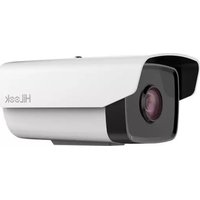
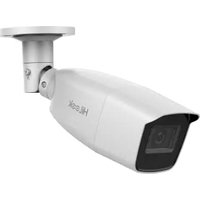
IPC-B200-D - Security Camera HiLook - Free user manual and instructions
Find the device manual for free IPC-B200-D HiLook in PDF.


Pick your language and provide your email: we'll send you a specifically translated version.
| Product Type | Security Camera |
| Brand | HiLook |
| Model | IPC-B200-D |
| Image Sensor | 2 MP CMOS |
| Max Resolution | 1920 × 1080 |
| Lens | 2.8 mm fixed |
| Night Vision | Up to 30 m IR |
| Power Supply | 12 V DC / PoE |
| Power Consumption | ≤ 5 W |
| Dimensions (Φ × L) | 70 mm × 160 mm |
| Weight | 0.4 kg |
| Ingress Protection | IP67 |
| Operating Temperature | -30 °C to 60 °C |
| Video Compression | H.265+/H.265/H.264 |
| Network Interface | 1 × RJ45 10/100 M |
| Storage | MicroSD card (up to 256 GB) |
| Motion Detection | Yes |
| Two-Way Audio | No |
| Reset Button | Yes |
| Mounting | Wall or ceiling bracket included |
| Compliance | CE, FCC, RoHS |
Frequently Asked Questions - IPC-B200-D HiLook
How do I reset the HiLook IPC-B200-D to factory defaults?
Press and hold the reset button located near the network port for about 10 seconds until the indicator blinks. The camera will reboot with factory settings.
Can I use this camera without a network recorder?
Yes, the camera supports MicroSD card storage (up to 256 GB) for local recording. You can also view live video via the HiLook app on your smartphone.
What is the maximum MicroSD card capacity supported?
The camera supports MicroSD cards up to 256 GB. For best performance, use Class 10 or UHS-I cards.
How can I connect the camera to Wi-Fi?
This model is wired-only (Ethernet). It does not support Wi-Fi. You can use a Power over Ethernet (PoE) switch for both power and data.
Can I use a power adapter instead of PoE?
Yes, the camera can be powered via a 12 V DC adapter (not included). The barrel connector diameter is 5.5 mm × 2.1 mm.
How do I access the camera remotely?
Download the HiLook app (iOS/Android). Add the camera by scanning its QR code or manually entering its serial number. Ensure the camera is connected to a network with internet access.
What is the night vision range?
The built-in IR LEDs provide black-and-white night vision up to 30 meters (98 feet) in complete darkness.
Is the camera weatherproof?
Yes, it has an IP67 rating, meaning it is fully protected against dust and can be submerged in water up to 1 meter for 30 minutes. Suitable for outdoor use.
What is the field of view?
With the 2.8 mm lens, the camera has a horizontal field of view of approximately 103° and a vertical field of view of 55°.
How do I clean the camera lens?
Gently wipe the lens with a soft, lint-free cloth. If necessary, use a mild lens cleaning solution. Do not use abrasive materials or solvents.
User questions about IPC-B200-D HiLook
0 question about this device. Answer the ones you know or ask your own.
Ask a new question about this device
No questions yet. Be the first to ask one.
Download the instructions for your Security Camera in PDF format for free! Find your manual IPC-B200-D - HiLook and take your electronic device back in hand. On this page are published all the documents necessary for the use of your device. IPC-B200-D by HiLook.
USER MANUAL IPC-B200-D HiLook


Manual assistant
Powered by Anthropic
Waiting for your message
Product information
Brand : HiLook
Model : IPC-B200-D
Category : Security Camera