RF WFHTRF 010 - Thermostat Watts - Free user manual and instructions
Find the device manual for free RF WFHTRF 010 Watts in PDF.


Pick your language and provide your email: we'll send you a specifically translated version.
| Product Type | Wireless Thermostat |
| Brand | Watts |
| Model | RF WFHTRF 010 |
| Dimensions (H x W x D) | 95 x 95 x 28 mm |
| Weight | 150 g |
| Power Supply | 2 x AAA batteries (1.5 V) |
| Wireless Frequency | 868 MHz |
| Range | Up to 100 m (open field) |
| Display | Backlit LCD |
| Temperature Setpoint Range | 5°C to 35°C |
| Accuracy | ±0.5°C |
| Functions | Heating/cooling control, frost protection, child lock, holiday mode |
| Cleaning | Wipe with a dry, soft cloth. Do not use water or solvents. |
| Safety | Complies with EU directives; low-voltage device |
| Spare Parts / Repairability | Batteries user-replaceable; other parts not intended for user repair |
| Operating Temperature | 0°C to 50°C |
| Storage Temperature | -10°C to 60°C |
Frequently Asked Questions - RF WFHTRF 010 Watts
How do I pair the thermostat with the receiver?
Press and hold the pairing button on the receiver until the LED flashes. Then, press the pairing button on the thermostat. The connection should be established within a few seconds.
What type of batteries does the thermostat use?
The thermostat uses 2 x AAA alkaline batteries (1.5 V). Replace them when the low battery indicator appears on the display.
How can I set the temperature?
Use the up and down arrows on the thermostat to adjust the desired temperature. The setpoint will be displayed on the screen.
What is frost protection mode?
Frost protection mode keeps the temperature at a minimum of 5°C to prevent freezing when the property is unoccupied.
Can I control the thermostat remotely?
This thermostat is designed for local control only. It does not support Wi-Fi or remote access via smartphone.
How do I enable child lock?
Press and hold the menu button for 5 seconds until the lock icon appears. To disable, repeat the same process.
What does the 'holiday mode' do?
Holiday mode allows you to set a constant temperature for an extended period, saving energy while you are away.
Why is the thermostat not responding?
First, check the battery status. If the batteries are low, replace them. Also verify the pairing connection with the receiver and ensure no obstructions.
How to clean the thermostat?
Use a dry, soft cloth to wipe the surface. Do not use water, solvents, or abrasive cleaners as they may damage the device.
What is the wireless range of the thermostat?
In open field conditions, the range is up to 100 meters. Walls and metal objects may reduce the effective range.
User questions about RF WFHTRF 010 Watts
0 question about this device. Answer the ones you know or ask your own.
Ask a new question about this device
No questions yet. Be the first to ask one.
Download the instructions for your Thermostat in PDF format for free! Find your manual RF WFHTRF 010 - Watts and take your electronic device back in hand. On this page are published all the documents necessary for the use of your device. RF WFHTRF 010 by Watts.
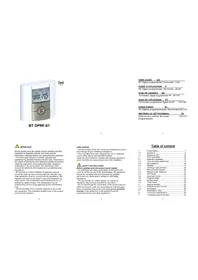
USER MANUAL RF WFHTRF 010 Watts


Manual assistant
Powered by Anthropic
Waiting for your message
Product information
Brand : Watts
Model : RF WFHTRF 010
Category : Thermostat