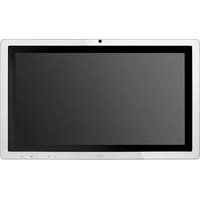
D70J10 - Tablet AOC - Free user manual and instructions
Find the device manual for free D70J10 AOC in PDF.


Pick your language and provide your email: we'll send you a specifically translated version.
| Product Type | Tablet |
| Brand | AOC |
| Model | D70J10 |
| Display Size | 10.1 inches |
| Display Resolution | 1280 x 800 pixels |
| Processor | Quad-core 1.3 GHz |
| RAM | 2 GB |
| Internal Storage | 32 GB |
| Operating System | Android |
| Battery Capacity | 5000 mAh |
| Front Camera | 2 MP |
| Rear Camera | 5 MP |
| Connectivity | Wi-Fi 802.11 b/g/n, Bluetooth 4.0 |
| Ports | Micro USB, 3.5 mm headphone jack |
| Dimensions | 240 x 170 x 7.5 mm |
| Weight | 500 g |
| Power Input | DC 5V 2A |
| Cleaning | Wipe with a soft dry cloth; avoid liquids |
| Safety Precautions | Keep away from water and heat; do not disassemble |
| Repairability | Contact AOC support for service; not user-serviceable |
Frequently Asked Questions - D70J10 AOC
How to charge the AOC D70J10 tablet?
Use the included Micro USB cable and a 5V 2A charger. Connect the cable to the tablet and a power source. A full charge takes about 3-4 hours.
Can I expand the storage on the D70J10?
Yes, the tablet supports a microSD card up to 128 GB for additional storage for photos, videos, and apps.
How do I perform a factory reset?
Go to Settings > Backup & reset > Factory data reset. Alternatively, press and hold the Power and Volume Up buttons during boot to enter recovery mode and select 'Wipe data/factory reset'.
What should I do if the screen is unresponsive?
First, try a forced restart by holding the Power button for 10 seconds. If the issue persists, check for screen protector interference or perform a factory reset.
How to connect to Wi-Fi?
Swipe down from the top, tap the Wi-Fi icon, select your network, and enter the password. You can also go to Settings > Wi-Fi to manage connections.
Does the tablet support Bluetooth?
Yes, the AOC D70J10 has Bluetooth 4.0, allowing you to connect wireless headphones, speakers, keyboards, and other devices.
How long does the battery last?
Battery life varies with usage, but under normal conditions (web browsing, video playback), you can expect up to 6-8 hours on a full charge.
Can I use the tablet for video calls?
Yes, the front 2 MP camera and microphone enable video calls via apps like Skype, Zoom, or Google Duo. Ensure a stable Wi-Fi connection.
Is there a warranty?
AOC typically offers a 1-year limited warranty covering manufacturing defects. Check your local AOC website or contact support for details.
How to clean the tablet safely?
Turn off the tablet and unplug it. Wipe the screen and body with a soft, lint-free cloth slightly dampened with water (not wet). Avoid abrasive cleaners or direct liquid.
User questions about D70J10 AOC
0 question about this device. Answer the ones you know or ask your own.
Ask a new question about this device
No questions yet. Be the first to ask one.
Download the instructions for your Tablet in PDF format for free! Find your manual D70J10 - AOC and take your electronic device back in hand. On this page are published all the documents necessary for the use of your device. D70J10 by AOC.
USER MANUAL D70J10 AOC



Manual assistant
Powered by Anthropic
Waiting for your message
Product information
Brand : AOC
Model : D70J10
Category : Tablet