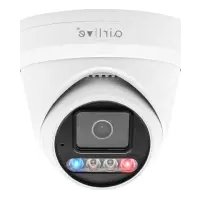
WN-150CAM - Surveillance Camera AIRLIVE - Free user manual and instructions
Find the device manual for free WN-150CAM AIRLIVE in PDF.


Pick your language and provide your email: we'll send you a specifically translated version.
| Product Type | Wireless IP Camera |
| Model | WN-150CAM |
| Brand | AirLive |
| Video Resolution | 640 x 480 pixels (VGA) |
| Frame Rate | Up to 30 fps |
| Lens | Fixed, 3.6mm |
| Night Vision | IR LEDs, up to 10 meters |
| Wireless Standard | IEEE 802.11b/g/n, up to 150Mbps |
| Network Interface | 10/100 Ethernet RJ-45 |
| Power Supply | DC 5V, 2A via included adapter |
| Power Consumption | 5W max |
| Dimensions (W x H x D) | 110mm x 68mm x 50mm |
| Weight | 280g |
| Storage | microSD card slot (up to 32GB) |
| Audio | Built-in microphone and speaker, two-way audio |
| Motion Detection | Yes, with email alert |
| Video Compression | MJPEG, MPEG-4 |
| Protocols | TCP/IP, HTTP, SMTP, FTP, UPnP, DDNS |
| Operating Temperature | 0°C to 50°C |
| Certifications | FCC, CE, RoHS |
| Cleaning Instructions | Clean lens with dry soft cloth; avoid liquids |
| Spare Parts and Repairability | No user-serviceable parts; contact support for repairs |
Frequently Asked Questions - WN-150CAM AIRLIVE
How do I reset the AirLive WN-150CAM to factory defaults?
Press and hold the Reset button on the rear panel for 10 seconds using a paperclip. The camera will reboot with default settings.
How can I access the camera remotely?
Configure DDNS and port forwarding on your router. Then use the provided IP address or domain in a web browser or the AirLive app.
What is the default IP address of the camera?
The default IP is 192.168.0.168. Ensure your computer is on the same subnet to access the web interface.
How do I set up the camera for the first time?
Connect the camera to your router via Ethernet, power it on, and use the IP Cam Installation Wizard on the CD or download the latest software from the AirLive website.
Why is the night vision not working?
Check that IR LEDs are enabled in the settings. Also ensure the camera is not mounted too far from the target or in front of a reflective surface.
Can I record video to a microSD card?
Yes, the camera supports microSD cards up to 32GB. Insert the card into the slot and configure recording options in the settings (continuous, motion-triggered, or scheduled).
How do I upgrade the firmware?
Download the latest firmware from the AirLive support page. Log into the camera's web interface, go to System > Firmware Upgrade, and select the file.
What should I do if the camera loses connection?
Check the network cable and router status. Restart the camera and router. If using Wi-Fi, ensure the signal is strong.
Is the camera compatible with third-party NVRs?
Yes, it supports ONVIF Profile S, making it compatible with most ONVIF-compliant NVRs and software.
How do I clean the camera lens?
Use a dry, soft cloth to gently wipe the lens. Do not use any cleaning liquids or abrasive materials.
User questions about WN-150CAM AIRLIVE
0 question about this device. Answer the ones you know or ask your own.
Ask a new question about this device
No questions yet. Be the first to ask one.
Download the instructions for your Surveillance Camera in PDF format for free! Find your manual WN-150CAM - AIRLIVE and take your electronic device back in hand. On this page are published all the documents necessary for the use of your device. WN-150CAM by AIRLIVE.
USER MANUAL WN-150CAM AIRLIVE
Manual assistant
Powered by Anthropic
Waiting for your message
Product information
Brand : AIRLIVE
Model : WN-150CAM
Category : Surveillance Camera