NS-443 - Hi-Fi System Naxa - Free user manual and instructions
Find the device manual for free NS-443 Naxa in PDF.


Pick your language and provide your email: we'll send you a specifically translated version.
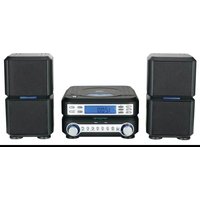
| Product Type | Hi-Fi System |
| Brand | Naxa |
| Model | NS-443 |
| Dimensions (W x H x D) | 25 x 15 x 30 cm |
| Weight | 3 kg |
| Power Output | 20W RMS (2 x 10W) |
| Power Supply | AC 110-240V, 50/60Hz |
| Radio Tuner | FM/AM with digital tuning |
| Disc Player | CD, CD-R/RW compatible |
| Playback Sources | CD, FM/AM radio, USB, AUX, Bluetooth |
| Bluetooth | Yes, version 5.0 |
| USB Port | Yes, for MP3 playback |
| AUX Input | 3.5mm stereo |
| Remote Control | Included |
| Equalizer | Preset sound modes (Rock, Pop, Jazz, etc.) |
| Display | LCD with backlight |
| Speaker Configuration | 2-way speakers (woofer + tweeter) |
| Material | Plastic and metal |
| Maintenance | Clean with a soft dry cloth. Do not use liquid cleaners. |
| Safety | Keep away from water and moisture. Do not block ventilation. |
| Replacement Parts | Remote control, power cord available from Naxa service |
| Repairability | Contact authorized service center. Do not open the device. |
| General Information | User manual available in PDF format for free download. |
Frequently Asked Questions - NS-443 Naxa
How do I pair my phone with the NS-443 via Bluetooth?
Press the Bluetooth button on the system or remote until the display shows 'BT'. On your phone, search for 'Naxa NS-443' and select it. If prompted, enter '0000' as the PIN.
Why is there no sound from the speakers?
Check that the volume is turned up and the system is not muted (MUTE button). Verify the correct source is selected (e.g., CD, Bluetooth). Also ensure speakers are properly connected.
How do I reset the system to factory settings?
Unplug the power cord for 1 minute, then plug it back in. Alternatively, press and hold the STOP button on the front panel for 5 seconds until 'RESET' appears on the display.
Can I play USB drives with the NS-443?
Yes, insert a USB drive into the USB port. The system supports MP3 files. Use the USB source button to access. Drives should be formatted as FAT32.
How do I improve FM radio reception?
Adjust the included FM antenna for best reception. Try moving the antenna away from electronic devices and experiment with its orientation.
The CD player skips or does not play. What should I do?
Ensure the CD is not scratched or dirty. Clean the disc with a soft cloth. Try a different CD. If the problem persists, the laser lens may need cleaning or the unit needs service.
How do I set the clock on the Naxa NS-443?
Press and hold the CLOCK button on the remote until the hour flashes. Use the + and - buttons to set hour, then press CLOCK again to set minutes. Press CLOCK to confirm.
The remote control is not working. What can I do?
Check if batteries are installed correctly and are fresh. Point the remote directly at the front panel within 5 meters. Remove any obstacles between remote and sensor.
Can I connect external speakers to this system?
The NS-443 is designed to be used with its included speakers. The speaker outputs are not standard and should only be connected to the original speakers. Do not connect other speakers.
What should I do if the display shows 'ERROR'?
'ERROR' may indicate an unsupported format or hardware issue. Try removing the disc or USB drive. Turn off and unplug the system, wait 30 seconds, then restart. If error persists, contact support.
User questions about NS-443 Naxa
0 question about this device. Answer the ones you know or ask your own.
Ask a new question about this device
No questions yet. Be the first to ask one.
Download the instructions for your Hi-Fi System in PDF format for free! Find your manual NS-443 - Naxa and take your electronic device back in hand. On this page are published all the documents necessary for the use of your device. NS-443 by Naxa.
USER MANUAL NS-443 Naxa

Manual assistant
Powered by Anthropic
Waiting for your message
Product information
Brand : Naxa
Model : NS-443
Category : Hi-Fi System