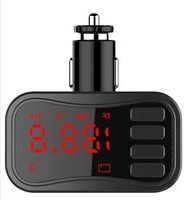
NA-3033 - Hi-Fi System Naxa - Free user manual and instructions
Find the device manual for free NA-3033 Naxa in PDF.


| Product Type | Hi-Fi System |
| Brand | Naxa |
| Model | NA-3033 |
| Dimensions (W x H x D) | Approx. 360 x 250 x 280 mm |
| Weight | Approx. 4.5 kg |
| Power Supply | AC 100-240V, 50/60Hz |
| Power Consumption | 40W |
| Supported Media | CD, USB, FM Radio, AUX In |
| Audio Output Power | 2 x 10W RMS |
| Speaker Configuration | 2-way stereo speakers |
| Frequency Response | 40 Hz - 20 kHz |
| Signal-to-Noise Ratio | ≥ 70 dB |
| Connectivity | USB 2.0, 3.5mm AUX, FM antenna |
| Controls | Buttons on unit, remote control included |
| Display | LED display with basic info |
| Additional Features | Programmable CD tracks, repeat/shuffle, sleep timer |
| Cleaning | Wipe with dry soft cloth; avoid liquids |
| Safety | Do not expose to moisture; keep ventilation slots clear |
| Spare Parts | Remote control, speakers (compatible with similar models) |
| Repairability | Basic user maintenance; consult authorized service for repairs |
| General Information | Designed for home audio entertainment; user manual available online |
Frequently Asked Questions - NA-3033 Naxa
User questions about NA-3033 Naxa
0 question about this device. Answer the ones you know or ask your own.
Ask a new question about this device
Download the instructions for your Hi-Fi System in PDF format for free! Find your manual NA-3033 - Naxa and take your electronic device back in hand. On this page are published all the documents necessary for the use of your device. NA-3033 by Naxa.
USER MANUAL NA-3033 Naxa
THE NEW GENERATION IN TECHNOLOGY
Universal FM Transmitter Car Adapter & MP3 Player
with Bluetooth®
NA-3033

natural_image
Black digital alarm device with green LED display and control buttons (no readable text or symbols)Instruction Manual
Please read carefully before use and keep for future reference.
Thank You
We know that you have many choices when it comes to technology, and wish to thank you for choosing Naxa Electronics. Established in 2001 in Los Angeles, California, we are dedicated to delivering products that entertain and delight.
We trust that you will be happy with your purchase. Please read this manual carefully and save it for future reference.
In the Box
Please take a moment to make sure that you received everything listed below inside of your package. Although we make every effort to ensure that each Naxa device is securely packaged and sealed, we know that a lot can happen in between us and you. If anything is missing or damaged from your box's contents, please check back with your local retailer for immediate assistance. If they can not
help you, please contact our Naxa Support team at www.naxa.com/supportcenter/.
• NA-3033
- Remote Control
Key Features
- Bluetooth 4.2 allows you to wirelessly connect to external devices for audio playback
- User-friendly LED display screen is easily legible
- Hands-free functionality for convenient in-the-car usage
- Built-in wireless FM transmitter is capable of getting 206 channels on a frequency from 87.5\~108Mhz
- USB port, Micro SD card slot, and Aux-in port allow easy manual connection to media devices.
- Fully adjustable arm offers multiple viewing angles
- Wireless full-function remote control
- Universally compatible in vehicle cigarette lighter receptacles (DC 12\~24 V)
Pairing and Connecting with Bluetooth®
If you have a smartphone or other Bluetooth-enabled media device, you can connect wirelessly to the FM transmitter. To do so:
- Make sure Bluetooth is enabled on your phone.
- Go to the Bluetooth menu screen on your external device and scan for nearby devices.
- In the list of devices, select "NAXA NA-3033" when it appears.
- If the pairing process prompts a password, enter "1234" or "0000" to connect.
After successfully connecting, you will be able to play audio on your phone and hear it on the car stereo.

To learn more about pairing devices with Bluetooth, please refer to the instructions provided by the device manufacturer.
Quick Guide
| To do this... | ...do this (FM Transmitter) | ...or do this (Remote Control) |
| Change the input source mode between Bluetooth®, MP3 (microSD/USB), and AUX In | Press and hold | Press MODE |
| Tune to a higher frequency | Press CH, then press ▶▶ | Press CH+ |
| Tune to a lower frequency | Press CH, then press ◀◀ | Press CH- |
| Increase the volume level | Press and hold ▶▶ | Press VOL+ |
| Decrease the volume level | Press and hold ◀◀ | Press VOL- |
| Play or stop music playback (MP3 or Bluetooth) | Press | Press PLAY/PAUSE |
| Skip to the next track | Press ▶▶ | Press NEXT |
| Skip to the previous track | Press ◀◀ | Press PREV |
| Change the Equalizer preset of the MP3 player | Not supported | Press EQ |
| Answer an incoming phone call (Bluetooth mode; smartphone connection is required) | Press | Press PICK |
| End a phone call (Blue-tooth mode; smart-phone connection is required) | Press | Press HOLD |
Specifications
| Display | Digital LED |
| Transmitter/ Frequency | FM (87.5 – 108 MHz)206 selectable frequencies |
| Wireless Source | Bluetooth® version 4.2 |
| Input Sources | USB, Micro SD,3.5mm Aux |
| Memory Card | microSD (max 32 GB) |
| USB Charge | DC 5V, 1A |
| Power | DC 12-24 V |
Note: Product are improved continuously. We reserve the right to modify the product and specifications without prior notice.
WARNING:
This product contains lead, a chemical known to the State of California to cause cancer and birth defects or other reproductive harm. Wash hands after handling.
FCC NOTICE
This device complies with Part 15 of the FCC Rules. Operation is subject to the following two conditions: (1) this device may not cause harmful interference, and (2) this device must accept any interference received, including interference that may cause undesired operation.
Note: This equipment has been tested and found to comply with the limits for a Class B digital device, pursuant to Part 15 of the FCC Rules. These limits are designed to provide reasonable protection against harmful interference in a residential installation. This equipment generates, uses and can radiate radio frequency energy and, if not installed and used in accordance with the instructions, may cause harmful interference to radio communications. However, there is no guarantee that interference will not occur in a particular installation. If this equipment does cause harmful interference to radio or television reception, which can be determined by turning the equipment off and on, the user is encouraged to try to correct the interference by one or more of the following measures:
• Reorient or relocate the receiving antenna.
- Increase the separation between the equipment and receiver.
- Connect the equipment into an outlet on a circuit different from that to which the receiver is connected.
- Consult the dealer or an experienced radio/TV technician for help.
CAUTION ON MODIFICATIONS
Any changes or modifications not expressly approved by the grantee of this device may void the authority granted by the FCC to operate the equipment.
Trademark & Regulatory Statements
The Bluetooth® word mark and logos are registered trademarks owned by Bluetooth SIG, Inc. and any use of such marks by Naxa Electronics is under license. microSD and microSDHC are trademarks or registered trademarks of SD-3C, LLC in the United States, other countries or both.
Support
If you have problems with your device, please consult the instructions in this manual. Please also visit us on the web at www.naxa.com to get up to the minute news, alerts, and documentation for your device. For additional assistance, please contact Naxa Technical Support.
NAXA Technical Support
2320 East 49th St.
Vernon, CA 90058
http://www.naxa.com/supportcenter/
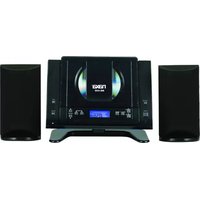
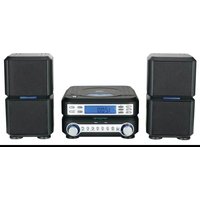

Brand : Naxa
Model : NA-3033
Category : Hi-Fi System