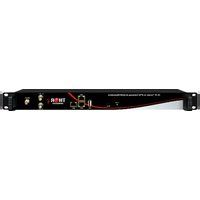
F-M1SDI-TX/RX - Audio/video converter Thor - Free user manual and instructions
Find the device manual for free F-M1SDI-TX/RX Thor in PDF.


Pick your language and provide your email: we'll send you a specifically translated version.
| Product Type | Audio/Video Converter (SDI over Coax) |
| Brand | Thor |
| Model | F-M1SDI-TX/RX |
| Input Interface | HDMI (Type A) |
| Output Interface | BNC (SDI) |
| Supported Video Resolution | 480i, 576i, 720p, 1080i, 1080p up to 60Hz |
| Supported Audio | LPCM 2.0, Dolby Digital, DTS (pass-through) |
| SDI Standard | SD-SDI, HD-SDI (SMPTE 292M) |
| Transmission Distance | Up to 100 meters (RG-6 coax cable) |
| Power Supply | DC 5V / 1A (via USB or included adapter) |
| Power Consumption | Approximately 2.5W |
| Dimensions (L x W x H) | 85 x 45 x 25 mm (each unit) |
| Weight | Approximately 120 g (pair) |
| Operating Temperature | 0°C to 50°C |
| Housing Material | Aluminum alloy |
| LED Indicators | Power, Signal presence |
| Included Accessories | Transmitter, Receiver, 2x USB power cables, user manual |
| Mounting Option | Desktop or VESA mount (with optional bracket) |
| Compliance | CE, FCC, RoHS |
| Cleanup & Maintenance | Wipe with dry cloth; avoid liquids |
| Safety | Use only provided power adapter; keep away from moisture |
| Spare Parts & Repairability | Contact Thor support for replacement units |
| General Information | This device converts HDMI to SDI for long-distance transmission |
Frequently Asked Questions - F-M1SDI-TX/RX Thor
How do I connect the Thor F-M1SDI-TX/RX?
Connect the HDMI source (e.g., camera, computer) to the TX unit via HDMI. Connect the TX's SDI output to the RX's SDI input using a coax cable (BNC). Then connect the RX's HDMI output to your display. Power both units via USB.
What resolutions are supported?
Supports standard resolutions up to 1080p at 60Hz, including 480i, 576i, 720p, and 1080i.
Can I use this for long-distance transmission?
Yes, with a quality RG-6 coax cable, you can transmit up to 100 meters without signal degradation.
Do I need both the TX and RX units?
Yes, the set includes a transmitter (TX) and a receiver (RX). Both are required for the conversion and transmission.
What power supply do I need?
Each unit requires 5V DC at 1A. Use the included USB cables or any standard USB power adapter.
Why is there no signal on my display?
Check that both units are powered on and LEDs are lit. Ensure the coax cable is securely connected. Verify your source outputs HD-SDI compatible signal. Try reseating the HDMI and BNC connections.
Does this device support audio?
Yes, it supports LPCM 2.0 and passes through Dolby Digital and DTS streams up to 5.1 channels.
Can I mount the units permanently?
Each unit has a compact design. You can place them on a desk or use an optional VESA mount bracket (not included).
How do I clean the converter?
Disconnect power. Wipe the casing with a soft, dry cloth. Do not use liquids or abrasives.
Where can I get spare parts or repairs?
For replacement units or repair inquiries, contact Thor support via the manufacturer's website. The device is not user-serviceable.
User questions about F-M1SDI-TX/RX Thor
0 question about this device. Answer the ones you know or ask your own.
Ask a new question about this device
No questions yet. Be the first to ask one.
Download the instructions for your Audio/video converter in PDF format for free! Find your manual F-M1SDI-TX/RX - Thor and take your electronic device back in hand. On this page are published all the documents necessary for the use of your device. F-M1SDI-TX/RX by Thor.
USER MANUAL F-M1SDI-TX/RX Thor

Manual assistant
Powered by Anthropic
Waiting for your message
Product information
Brand : Thor
Model : F-M1SDI-TX/RX
Category : Audio/video converter