EX26262F - Network card / adapter EtherWAN - Free user manual and instructions
Find the device manual for free EX26262F EtherWAN in PDF.


Pick your language and provide your email: we'll send you a specifically translated version.
| Product Type | Industrial Ethernet Switch / Network Adapter |
| Model | EX26262F |
| Brand | EtherWAN |
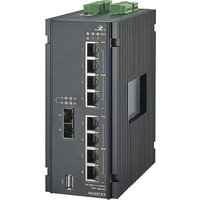
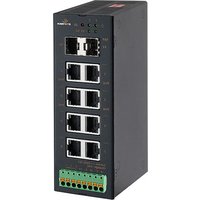
| Port Configuration | 24 x 10/100Base-TX + 2 x 100Base-FX (SC or ST) |
| Mounting | DIN rail or Panel mount |
| Power Input | 12-48 VDC redundant |
| Power Consumption | Typ. 15 W |
| Dimensions (W x H x D) | 74 x 135 x 105 mm |
| Weight | Approx. 800 g |
| Operating Temperature | -10°C to 60°C (14°F to 140°F) |
| Storage Temperature | -40°C to 85°C (-40°F to 185°F) |
| Humidity | 5% to 95% non-condensing |
| Management | Web, SNMP v1/v2c/v3, CLI, RMON |
| Redundancy | Rapid Spanning Tree (RSTP) / E-Rings |
| Protection | Overload, reverse polarity, surge |
| Certifications | FCC, CE, UL, IEC 61850 (optional) |
| Maintenance | Clean with dry cloth; no moving parts |
| Safety | Use supplied power adapter; install in ventilated area |
| Spare Parts | Power terminals, SFP modules (optional) |
Frequently Asked Questions - EX26262F EtherWAN
What is the default IP address of the EX26262F?
The default IP address is 192.168.1.1 with subnet mask 255.255.255.0. You can access the web interface via a web browser.
How do I reset the switch to factory defaults?
Press and hold the reset button on the front panel for at least 10 seconds while the device is powered on. Release the button and wait for the device to reboot.
Can I use fiber SFP modules with this switch?
Yes, the EX26262F has two 100Base-FX ports that support fiber connections via SC or ST connectors. SFP modules are not required; built-in fiber transceivers are used.
What is the power consumption of the device?
Typical power consumption is 15 W. It accepts redundant power input from 12 to 48 VDC.
How to configure VLANs?
VLANs can be configured via the web interface under 'Switch' > 'VLAN'. You can create 802.1Q VLANs and assign ports accordingly. See the manual for detailed steps.
Does the switch support PoE?
No, the EX26262F does not support Power over Ethernet (PoE). It is a standard industrial switch without PoE capabilities.
What is the operating temperature range?
The switch can operate in temperatures from -10°C to 60°C (14°F to 140°F). For extreme environments, a wider range model may be required.
How do I update the firmware?
Download the latest firmware from the EtherWAN support website. Access the web interface, go to 'Maintenance' > 'Firmware Upgrade', and upload the file. Do not power off during update.
Is the switch rack-mountable?
The EX26262F is designed for DIN rail or panel mounting. Rack-mount kits are not included but may be available separately.
What warranty does EtherWAN provide?
EtherWAN typically offers a 5-year limited warranty for industrial switches. Check the included documentation or contact support for details.
User questions about EX26262F EtherWAN
0 question about this device. Answer the ones you know or ask your own.
Ask a new question about this device
No questions yet. Be the first to ask one.
Download the instructions for your Network card / adapter in PDF format for free! Find your manual EX26262F - EtherWAN and take your electronic device back in hand. On this page are published all the documents necessary for the use of your device. EX26262F by EtherWAN.
USER MANUAL EX26262F EtherWAN


Manual assistant
Powered by Anthropic
Waiting for your message
Product information
Brand : EtherWAN
Model : EX26262F
Category : Network card / adapter