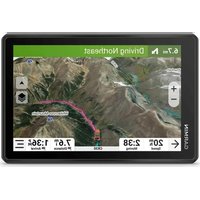
dēzl OTR620 - Browser GARMIN - Free user manual and instructions
Find the device manual for free dēzl OTR620 GARMIN in PDF.


Pick your language and provide your email: we'll send you a specifically translated version.
| Product Type | GPS Navigator for Trucks |
| Brand | Garmin |
| Model | dēzl OTR620 |
| Display Size | 6.2 inches |
| Display Resolution | 800 x 480 pixels |
| Dimensions (W x H x D) | 7.4 x 4.3 x 0.9 in (18.8 x 10.9 x 2.3 cm) |
| Weight | 10.6 oz (300 g) |
| Power Source | 12/24V vehicle power cable; internal lithium-ion battery |
| Battery Life | Up to 1 hour (typical use) |
| Map Updates | Lifetime map updates included |
| Traffic | Real-time traffic via Garmin Traffic (included) |
| Key Features | Truck-specific routing, size and weight limits, lane guidance, speed limit alerts, load-to-dock navigation |
| Maintenance | Clean screen with soft, dry cloth; avoid harsh chemicals |
| Safety | Do not mount where it obstructs driver view; use only approved mounts |
| Spare Parts & Reparability | Replacement mounts, power cables available; repairs through Garmin authorized centers |
| General Information | Designed for commercial trucks and RV use; supports hands-free calling via Bluetooth |
Frequently Asked Questions - dēzl OTR620 GARMIN
How do I update maps on the dēzl OTR620?
Connect the device to your computer via USB, open Garmin Express, and follow the prompts to update maps. Lifetime map updates are included.
Can I use the dēzl OTR620 in my car?
Yes, it works in any vehicle but is optimized for trucks with truck-specific routing based on size, weight, and cargo.
How long does the battery last?
The internal lithium-ion battery provides up to 1 hour of typical use. For continuous use, keep it plugged into the vehicle's power.
Does the device come with a mount?
Yes, it includes a suction cup mount for the windshield and a power cable. Additional mounts can be purchased separately.
How do I clean the screen?
Use a soft, dry cloth. Do not use any harsh chemicals or abrasive materials that may damage the screen.
Can I pair my phone with the dēzl OTR620?
Yes, via Bluetooth. You can make hands-free calls, receive notifications, and use voice commands.
Does it show traffic information?
Yes, it includes Garmin Traffic with a built-in receiver for real-time traffic alerts and rerouting.
Is the dēzl OTR620 water resistant?
It has an IPX4 splash resistance rating, meaning it can withstand light rain or splashes but should not be submerged.
How do I reset the device?
Press and hold the power button for 10 seconds until the device turns off, then release and turn it back on.
What is the warranty period?
Garmin offers a one-year limited warranty from the date of purchase. Register your product online for warranty details.
User questions about dēzl OTR620 GARMIN
0 question about this device. Answer the ones you know or ask your own.
Ask a new question about this device
No questions yet. Be the first to ask one.
Download the instructions for your Browser in PDF format for free! Find your manual dēzl OTR620 - GARMIN and take your electronic device back in hand. On this page are published all the documents necessary for the use of your device. dēzl OTR620 by GARMIN.
USER MANUAL dēzl OTR620 GARMIN
Manual assistant
Powered by Anthropic
Waiting for your message
Product information
Brand : GARMIN
Model : dēzl OTR620
Category : Browser