dēzl OTR800 - Browser GARMIN - Free user manual and instructions
Find the device manual for free dēzl OTR800 GARMIN in PDF.


Pick your language and provide your email: we'll send you a specifically translated version.
| Product Type | Truck GPS Navigator |
| Brand | Garmin |
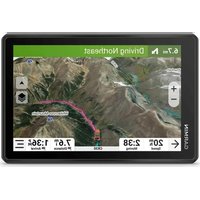
| Model | dēzl OTR800 |
| Display Size | 8 inches |
| Display Resolution | 800 x 480 pixels |
| Dimensions | 9.6 x 6.9 x 2.4 in |
| Weight | 1.3 lbs |
| Battery Life | Up to 1 hour (typical) |
| Power Source | 12/24V vehicle power cable |
| Maps | Preloaded with truck-specific maps |
| Routing | Truck-specific routing (height, weight, hazmat) |
| Traffic | Live traffic updates via optional accessory |
| Voice Control | Yes, with built-in microphone |
| Bluetooth | Yes, for hands-free calling |
| Wi-Fi | Yes, for map updates |
| Mount | Suction cup mount included |
| Maintenance | Clean with soft, dry cloth; avoid solvents |
| Safety | Driver alerts, lane departure warnings |
| Spare Parts & Repairability | Replacement mounts and power cables available; professional service recommended for repairs |
| General Information | Designed for over-the-road truckers, includes customizable truck profile and points of interest (truck stops, weighing stations) |
Frequently Asked Questions - dēzl OTR800 GARMIN
How do I update the maps on my Garmin dēzl OTR800?
Connect the device to Wi-Fi and navigate to Settings > Map & Vehicle > Map Updates. You can also update via Garmin Express on a computer.
Can I use this GPS without a professional trucking license?
Yes, the dēzl OTR800 is designed for all drivers of large vehicles. It provides truck-specific routing but does not replace a valid commercial driver's license (CDL).
How do I set up my truck's dimensions in the device?
Go to Settings > Truck Profile. Enter your truck's height, weight, length, width, and hazardous materials. The GPS will then avoid routes unsuitable for your vehicle.
Does the Garmin dēzl OTR800 support voice commands?
Yes, it includes voice control. Press the voice button or say 'Okay Garmin' to use voice commands for navigation, music, and hands-free calling.
How do I clean the screen without damaging it?
Use a soft, lint-free cloth slightly dampened with water or a mild glass cleaner. Avoid abrasive materials or solvents that could damage the touchscreen.
What should I do if the device freezes or becomes unresponsive?
Press and hold the power button for 10 seconds to force a restart. If problem persists, perform a factory reset via Settings > Device > Reset.
Can I mount the GPS on a non-standard surface?
The included suction cup mount works on smooth, flat surfaces. For textured or curved dashboards, a compatible adhesive mount may be required, available separately.
Is the device waterproof or rugged?
The dēzl OTR800 has an IPX4 rating for splash protection, but it is not fully waterproof. Avoid prolonged exposure to rain or submersion.
How do I get live traffic updates without a subscription?
Live traffic requires the BC 30 Wireless Backup Camera & Traffic Receiver accessory. The device supports traffic alerts via Smartphone Link app without a subscription.
Where can I find replacement parts like mounts or chargers?
Visit the Garmin website or contact authorized retailers. Part numbers are: suction mount (010-12628-01), power cable (010-12629-01).
User questions about dēzl OTR800 GARMIN
0 question about this device. Answer the ones you know or ask your own.
Ask a new question about this device
No questions yet. Be the first to ask one.
Download the instructions for your Browser in PDF format for free! Find your manual dēzl OTR800 - GARMIN and take your electronic device back in hand. On this page are published all the documents necessary for the use of your device. dēzl OTR800 by GARMIN.
USER MANUAL dēzl OTR800 GARMIN
Manual assistant
Powered by Anthropic
Waiting for your message
Product information
Brand : GARMIN
Model : dēzl OTR800
Category : Browser