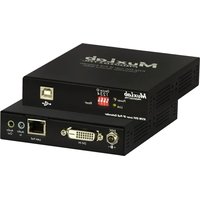
500081 - Audio/video converter MuxLab - Free user manual and instructions
Find the device manual for free 500081 MuxLab in PDF.


Pick your language and provide your email: we'll send you a specifically translated version.
| Product Type | Audio/Video Converter |
| Model | 500081 |
| Brand | MuxLab |
| Input Interface | HDMI |
| Output Interface | Composite Video + Stereo Audio (RCA) |
| Supported Resolutions | 720p, 1080i, 1080p (HDMI input); 480i/576i (Composite output) |
| Video Format | NTSC / PAL compatible |
| Audio Support | Stereo analog audio via RCA |
| Power Supply | 5V DC, 1A (USB cable included) |
| Dimensions (L x W x H) | 8.5 cm x 5.5 cm x 2.0 cm |
| Weight | 0.15 kg |
| Cable Length (Included) | 0.5 m USB power cable |
| Operating Temperature | 0°C to 40°C |
| Storage Temperature | -20°C to 60°C |
| Humidity | 10% to 85% RH (non-condensing) |
| Enclosure Material | ABS plastic |
| LED Indicators | Power, Input Signal |
| Compliance | CE, FCC, RoHS |
| Warranty | 1 year limited |
Frequently Asked Questions - 500081 MuxLab
What is the MuxLab 500081 used for?
The MuxLab 500081 is an audio/video converter that converts HDMI signals to composite video and stereo audio, allowing you to connect modern HDMI devices to older TVs or projectors with RCA inputs.
Does the 500081 require external power?
Yes, it requires 5V DC power via the included USB cable. You can plug it into a USB port on a TV, computer, or use a standard USB wall adapter.
What output resolutions does it support?
The converter supports NTSC (480i) and PAL (576i) composite output. The HDMI input can accept up to 1080p and is downscaled to composite resolution.
Is the MuxLab 500081 compatible with all HDMI sources?
It is compatible with most HDMI sources like gaming consoles, DVD players, set-top boxes, and computers. However, HDCP-protected content may not display due to HDCP restrictions.
Does it support audio output?
Yes, it extracts stereo analog audio from the HDMI signal and outputs it via RCA (red/white) connectors. This allows connection to external speakers or audio systems.
How do I connect the device?
Connect the HDMI source to the converter's HDMI input, then connect the converter's composite output (yellow video, red/white audio) to your display. Finally, power the converter via the USB port.
Why is there no picture on my TV?
Ensure all cables are secure, the TV is set to the correct composite input, and the HDMI source is powered on. If the source uses HDCP, the conversion may fail; try a non-protected source.
Can I use this converter for long cable runs?
The included cables are short. For longer runs, use high-quality composite cables (max 10–15 m) and a powered USB extension cable for the power supply.
Is the device plug-and-play?
Yes, it is plug-and-play. No drivers or software installation is required. Simply connect, power, and select the correct input on your display.
How do I clean and maintain the converter?
Disconnect the power before cleaning. Wipe the enclosure with a soft, dry cloth. Avoid liquids or abrasive cleaners. Store in a cool, dry place when not in use.
User questions about 500081 MuxLab
0 question about this device. Answer the ones you know or ask your own.
Ask a new question about this device
No questions yet. Be the first to ask one.
Download the instructions for your Audio/video converter in PDF format for free! Find your manual 500081 - MuxLab and take your electronic device back in hand. On this page are published all the documents necessary for the use of your device. 500081 by MuxLab.
USER MANUAL 500081 MuxLab
Manual assistant
Powered by Anthropic
Waiting for your message
Product information
Brand : MuxLab
Model : 500081
Category : Audio/video converter