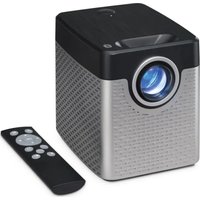
PJ913B - Projector GPX - Free user manual and instructions
Find the device manual for free PJ913B GPX in PDF.


Pick your language and provide your email: we'll send you a specifically translated version.
| Product Type | Video Projector |
| Brand | GPX |
| Model | PJ913B |
| Display Technology | LCD |
| Native Resolution | 1920 x 1080 (Full HD) |
| Brightness | 2000 Lumens |
| Contrast Ratio | 2000:1 |
| Aspect Ratio | 16:9 (supports 4:3) |
| Lamp Type | LED |
| Lamp Life | Up to 30,000 hours |
| Keystone Correction | ±15° (manual) |
| Projection Size | 50 – 120 inches |
| Inputs | HDMI, VGA, USB, AV (RCA) |
| Audio | Built-in 3W speaker |
| Dimensions (W x D x H) | 24.5 x 18.0 x 8.0 cm |
| Weight | 1.5 kg |
| Power Supply | AC 100-240V, 50/60 Hz |
| Power Consumption | 50 W (typical) |
| Included Accessories | Remote control, power cable, user manual |
| Maintenance | Clean lens with a soft, dry cloth; ensure vents are unobstructed; avoid moisture |
| Safety Precautions | Do not stare into the lens; keep away from heat sources; use only the supplied power adapter |
| Repair & Spare Parts | No user-serviceable parts; contact GPX support for repairs |
Frequently Asked Questions - PJ913B GPX
How do I connect my projector to a laptop?
Use an HDMI cable to connect the projector to your laptop’s HDMI port. If your laptop lacks HDMI, a VGA cable with audio cable can be used (audio via 3.5mm jack).
Can I use the projector with a USB drive?
Yes, the USB port supports media playback of images (JPEG), videos (AVI, MP4), and music (MP3). Plug the drive in and select USB source from the menu.
Why is the image blurry?
Adjust the focus ring on the lens to sharpen the image. If still blurry, ensure the projector is at the correct distance from the screen and the keystone is properly corrected.
How do I fix a trapezoid image?
Use the keystone correction buttons on the projector or remote to adjust the image shape. Press the Keystone +/- buttons until the image is rectangular.
What is the maximum screen size?
The projector can display up to 120 inches diagonal, depending on the room size and distance. For best quality, keep the image between 80 and 100 inches.
How do I clean the lens?
Use a soft, lint-free cloth (like a microfiber cloth) to gently wipe the lens. Do not use liquid cleaners or abrasive materials. Ensure the projector is off and cool before cleaning.
Can I replace the lamp myself?
This projector uses an LED lamp with a long lifespan (up to 30,000 hours). It is not user-replaceable. If the lamp fails, contact GPX customer service.
Why is there no sound from the projector?
Check the volume setting on the projector and remote. Ensure the connected device’s audio output is set to the correct source (e.g., HDMI). If using VGA, connect the audio cable separately.
What should I do if the projector overheats?
Turn off the projector and allow it to cool. Ensure air vents are not blocked and the fan is running. Clean any dust from vents. If problem persists, contact support.
How do I reset the projector to factory settings?
Go to the Settings menu, select Factory Reset, and confirm. This will erase all custom settings and restore defaults.
User questions about PJ913B GPX
0 question about this device. Answer the ones you know or ask your own.
Ask a new question about this device
No questions yet. Be the first to ask one.
Download the instructions for your Projector in PDF format for free! Find your manual PJ913B - GPX and take your electronic device back in hand. On this page are published all the documents necessary for the use of your device. PJ913B by GPX.
USER MANUAL PJ913B GPX


Manual assistant
Powered by Anthropic
Waiting for your message
Product information
Brand : GPX
Model : PJ913B
Category : Projector