VTrak N1008 - Server Promise Technology - Free user manual and instructions
Find the device manual for free VTrak N1008 Promise Technology in PDF.


Pick your language and provide your email: we'll send you a specifically translated version.
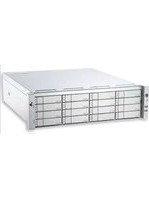
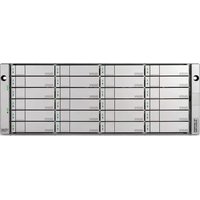
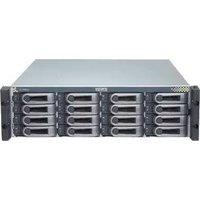
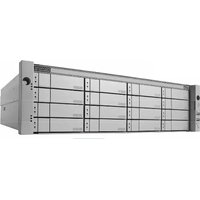
| Product Type | 2U Rackmount RAID Storage Array |
| Dimensions (H x W x D) | 3.5 x 17.2 x 21.0 inches (8.9 x 43.7 x 53.3 cm) |
| Weight | 32 lbs (14.5 kg) with drives |
| Power Supply | Dual redundant 650W hot-swappable PSUs |
| Drive Bays | 8 x 3.5" SAS/SATA (hot-swappable) |
| RAID Levels | 0, 1, 5, 6, 10, JBOD |
| Controller | Dual active-active controllers with failover |
| Cache Memory | 4GB DDR3 per controller (upgradeable) |
| Host Interface | 4 x 12Gb/s SAS (mini-SAS HD) |
| Expansion Ports | 2 x mini-SAS HD for JBOD expansion |
| Maximum Capacity | Up to 80TB (with 10TB drives) |
| Cooling | 4 x hot-swappable PWM fans |
| Management | Web GUI, CLI, SNMP, Email alerts |
| Safety Compliance | CE, FCC, UL, RoHS |
| Operating Temperature | 5°C to 40°C (41°F to 104°F) |
| Maintenance | Hot-swappable drives, fans, and PSUs for easy service |
| Spare Parts | Replaceable controllers, fan modules, and power supplies |
| Repairability | Modular design; no special tools required for component replacement |
Frequently Asked Questions - VTrak N1008 Promise Technology
How do I access the web management interface?
Connect to the management IP via a web browser (default: 192.168.0.1). Use admin/admin for initial login.
What RAID levels are supported?
The VTrak N1008 supports RAID 0, 1, 5, 6, 10, and JBOD for flexible data protection.
Can I mix different drive sizes?
Yes, but performance is limited to the smallest drive in a RAID set. Use drives of similar capacity for best results.
How do I replace a failed drive?
Locate the failed drive by the LED indicator, press the release latch, remove the drive carrier, and insert a new drive. The array will rebuild automatically.
What should I do if the system overheats?
Check that all fans are spinning and the ambient temperature is below 40°C. Ensure front and rear vents are clear. Replace any faulty fan modules.
How do I reset to factory defaults?
Press and hold the reset button on the rear panel for 10 seconds using a paperclip. All settings will be cleared.
Is dual controller failover automatic?
Yes, the controllers work in active-active mode. If one fails, the other takes over transparently without downtime.
What type of cables do I need for SAS connection?
Use mini-SAS HD to mini-SAS HD cables (SFF-8644 to SFF-8644) for host and expansion connections.
How do I update the firmware?
Download the firmware from Promise support, upload via the web interface under System > Firmware Update. The system will reboot.
How can I be notified of errors?
Configure email alerts and SNMP traps in the management GUI under Event Notification. You can also view logs in real-time.
User questions about VTrak N1008 Promise Technology
0 question about this device. Answer the ones you know or ask your own.
Ask a new question about this device
No questions yet. Be the first to ask one.
Download the instructions for your Server in PDF format for free! Find your manual VTrak N1008 - Promise Technology and take your electronic device back in hand. On this page are published all the documents necessary for the use of your device. VTrak N1008 by Promise Technology.
USER MANUAL VTrak N1008 Promise Technology

Manual assistant
Powered by Anthropic
Waiting for your message
Product information
Brand : Promise Technology
Model : VTrak N1008
Category : Server