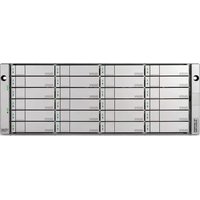
E830FD - Server Promise Technology - Free user manual and instructions
Find the device manual for free E830FD Promise Technology in PDF.


| Product Type | RAID Controller (Server Adapter) |
| Form Factor | PCI Express 3.0 x8 Low Profile |
| Host Interface | PCI Express 3.0 x8 |
| Drive Interface | 8x SATA 6Gb/s or SAS 12Gb/s ports |
| RAID Levels | 0, 1, 5, 6, 10, 50, 60, JBOD |
| Supported Drives | SATA HDD/SSD, SAS HDD/SSD |
| Dimensions (L x H) | 167.64 mm x 68.91 mm (standard bracket) |
| Weight | Approx. 150 g |
| Power Consumption | Typical 12W (idle) / 20W (full load) |
| Operating Temperature | 0°C to 55°C |
| Storage Temperature | -20°C to 80°C |
| Relative Humidity | 5% to 90% non-condensing |
| Key Features | Hardware RAID, Cache Memory (1GB DDR3), Battery Backup Unit (optional) |
| Maintenance | Keep vents clean, update firmware, monitor RAID status via software |
| Safety | ESD sensitive – handle with anti-static precautions; install in grounded server chassis |
| Spare Parts | Replacement battery, SAS/SATA cables, low-profile bracket |
| General Information | Designed for enterprise servers needing reliable RAID performance with mixed SATA/SAS drives; supports online capacity expansion and drive roaming |
Frequently Asked Questions - E830FD Promise Technology
User questions about E830FD Promise Technology
0 question about this device. Answer the ones you know or ask your own.
Ask a new question about this device
Download the instructions for your Server in PDF format for free! Find your manual E830FD - Promise Technology and take your electronic device back in hand. On this page are published all the documents necessary for the use of your device. E830FD by Promise Technology.
USER MANUAL E830FD Promise Technology
natural_image
Five black star shapes arranged horizontally on white background (no text or symbols)
natural_image
Abstract black-and-white graphic with geometric shapes including floral, oval, and triangle (no text or symbols)

natural_image
Row of black star and star symbols on white background (no text or labels)Version 1.1
Copyright
© 2011 PROMISE Technology, Inc. All Rights Reserved. PROMISE, the PROMISE logo, VTrak, SmartStor, SuperTrak, FastTrak, VessRAID, Vess, PerfectPATH, PerfectRAID, SATA150, ULTRA133, VTrak S3000, BackTrak, HyperCache, HyperCache-R, HyperCache-W, DeltaScan and GreenRAID are registered or pending trademarks of PROMISE Technology, Inc. in the U.S. and other countries. All other trademarks are the property of their respective owners. Information regarding products, services and offerings may be superseded by subsequent documents and are subject to change without notice. For the latest information and specifications regarding PROMISE Technology, Inc. and any of its offerings or services, please contact your local PROMISE office or the corporate headquarters. Visit www.promise.com for more information on PROMISE products.
Important data protection information
You should back up all data before installing any drive controller or storage peripheral. PROMISE Technology is not responsible for any loss of data resulting from the use, disuse or misuse of this or any other PROMISE Technology product.
Notice
Although PROMISE Technology has attempted to ensure the accuracy of the content of this document; it is possible that this document may contain technical inaccuracies, typographical, or other errors. PROMISE Technology assumes no liability for any error in this publication, and for damages, whether direct, indirect, incidental, consequential or otherwise, that may result from such error, including, but not limited to loss of data or profits.
PROMISE Technology provides this publication “as is” without warranty of any kind, either express or implied, including, but not limited to implied warranties of merchantability or fitness for a particular purpose. The published information in the manual is subject to change without notice. PROMISE Technology reserves the right to make changes in the product design, layout, and driver revisions without notification to its users. This version of this document supersedes all previous versions.
Recommendations
In this Product Manual, the appearance of products made by other companies, including but not limited to software, servers, and disk drives, is for the purpose of illustration and explanation only. PROMISE Technology does not recommend, endorse, prefer, or support any product made by another manufacturer.
Contents
Chapter 1: Introduction .....1
About This Manual....1
VTrak Overview....2
Architectural Description ....3
Features 6
General Specifications 10
Safety and Environmental 12
Warranty and Support 14
Chapter 2: Installation .....15
Unpacking the VTrak....15
Mounting VTrak in a Rack 17
Installing Physical Drives....21
Making Management and Data Connections .....25
Making Serial Cable Connections 40
Chapter 3: Setup ....41
Connecting the Power 41
Setting-up the Serial Connection .....44
About IP Addresses 45
Setting-up VTrak with the CLI 47
Setting-up VTrak with the CLU .....55
Logging into WebPAM PROe .....60
Creating Disk Arrays and Logical Drives .....62
Enabling LUN Mapping and Masking 67
Logging out of WebPAM PROe 68
Chapter 4: Management with WebPAM PROe .....69
Logging into WebPAM PROe .....69
Choosing the Display Language 70
Perusing the Interface 72
Logging out of WebPAM PROe 74
Viewing the Storage Network 75
Managing Subsystems 76
Managing RAID Controllers .85
Managing Enclosures 92
Managing UPS Units 96
Managing Network Connections ....100
Managing Users 102
Managing LDAP 108
Chapter 4: Management with WebPAM PROe, cont.
Managing Background Activities ....114
Managing Storage Services 124
Working with the Event Viewer .....135
Monitoring Performance 138
Managing Physical Drives .....141
Managing Disk Arrays 148
Managing Logical Drives 162
Managing Spare Drives 172
Managing Initiators 177
Managing LUNs....180
Managing Fibre Channel Connections 184
Managing iSCSI Connections .....188
Chapter 5: Management with the CLU .....205
Initial Connection .....206
Managing the Subsystem .....211
Managing the RAID Controllers .....215
Managing the Enclosure .....219
Managing Physical Drives .....225
Managing Disk Arrays .229
Managing Spare Drives . . . . . . . . . . . . . . . . . . . . . . . . . . . . . . . . . . . . . . . . . . . . . . . . . . . . . . . . . 239
Managing Logical Drives .....242
Managing the Network Connection .....250
Managing Fibre Channel Connections .....252
Managing iSCSI Connections .....257
Managing Background Activity .....273
Working with the Event Viewer . . . . . . . . . . . . . . . . . . . . . . . . . . . . . . . . . . . . . . . . . . . . . . . . . . 275
Working with LUN Mapping .....277
Managing UPS Units 283
Managing Users .286
Managing LDAP 290
Working with Software Management . . . . . . . . . . . . . . . . . . . . . . . . . . . . . . . . . . . . . . . . . . . . . . . . . . 295
Flashing through TFTP .303
Viewing Flash Image Information 304
Clearing Statistics .305
Restoring Factory Defaults ....306
Shutting Down the Subsystem 307
Starting Up After Shutdown 309
Restarting the Subsystem ....311
Buzzer 313
Chapter 6: Maintenance ....315
Updating the Subsystem Firmware ....315
Updating Physical Drive Firmware 321
Replacing a Power Supply .323
Replacing a Cache Backup Battery . . . . . . . . . . . . . . . . . . . . . . . . . . . . . . . . . . . . . . . . . . . . . 324
Replacing a RAID Controller – Dual Controllers .....326
Replacing a RAID Controller – Single Controller .....327
Resetting the Default Password 330
Chapter 7: Technology Background .....331
Disk Arrays ....331
Logical Drives ....333
Spare Drives ....355
RAID Controllers ....361
iSCSI Management .366
Internet Protocols 373
Chapter 8: Troubleshooting .....375
VTrak is Beeping 375
LEDs Display Amber or Red 377
CLU Reports a Problem 382
WebPAM PROe Reports a Problem . . . . . . . . . . . . . . . . . . . . . . . . . . . . . . . . . . . . . . . . . . . . . . . 385
USB Support Reports a Problem . . . . . . . . . . . . . . . . . . . . . . . . . . . . . . . . . . . . . . . . . . . . . . . 390
Enclosure Problems 391
RAID Controller Problems 395
Physical Drive Problems ....399
Disk Array and Logical Drive Problems ....400
Connection Problems 405
Power Cycling the Subsystem 409
Event Notification Response 410
Chapter 9: Support ....429
Frequently Asked Questions 429
Contacting Technical Support 435
Limited Warranty 440
Returning the Product For Repair 442
Appendix A: Useful Information .....445
SNMP MIB Files 445
Adding a Second RAID Controller 445
Installing a Second RAID Controller . . . . . . . . . . . . . . . . . . . . . . . . . . . . . . . . . . . . . . . . . . . . . 446
Appendix B: Multipathing on Windows .....449
Before You Begin 449
Installing PerfectPath ....450
Verifying Installation 451
Running Perfect Path View 453
Monitoring Your LUNs and Paths 454
Features and Settings 460
Troubleshooting 467
Updating PerfectPath 468
Repairing PerfectPath 469
Removing PerfectPath....470
Appendix C: Multipathing on Linux ....471
Before You Begin 471
Task 1: Meeting Package Requirements .....473
Task 2: Preparing the Configuration File .....476
Task 3: Making Initial Host Settings .....478
Task 4: Create and Configure Devices .....480
Task 5: Setting-up ALUA .....481
RPM Packages and Documents for Linux MPIO .....486
Linux MPIO: Known Issues 488
Sample multipath.conf File 489
Appendix D: VTrak Monitor .....491
Downloading and Installing VTrak Monitor . . . . . . . . . . . . . . . . . . . . . . . . . . . . . . . . . . . . . . . . . . . 491
Using VTrak Monitor 491
Monitoring Subsystems 495
Viewing Information 497
Managing the VTrak with WebPAM PROe .....499
Troubleshooting....499
Index. 501
Chapter 1: Introduction
This chapter covers the following topics:
- About This Manual (below)
• VTrak Overview (page 2)
• Architectural Description (page 3) - Features (page 6)
- General Specifications (page 10)
• Safety and Environmental (page 12)
• Warranty and Support (page 14)
About This Manual
This Product Manual describes how to setup, use, and maintain the VTrak E830f, E830i, E630f, and E630i external disk array subsystems. It describes how to use the:
• Built-in command-line interface (CLI)
• Built-in command-line utility (CLU)
- Embedded Web-based Promise Array Management – Professional (WebPAM PROe) software.
This manual includes a full table of contents, index, chapter task lists and numerous cross-references to help you find the specific information you are looking for.
Also included are four levels of notices:

Warning
A Warning notifies you of probable equipment damage or loss of data, or the possibility of physical injury, and how to avoid them.

Caution
A Caution informs you of possible equipment damage or loss of data and how to avoid them.

Important
An Important message calls attention to an essential step or point required to complete a task, including things often missed.

Note
A Note provides helpful information such as hints or alternative ways of doing a task.
VTrak Overview
The PROMISE VTrak Ex30 series support for 6 Gb/s SAS and SATA disks and a next-generation embedded storage I/O processing platform out to set a new performance standard while providing a reliable, flexible and easy to manage RAID storage system.
The VTrak E830f and E630f are coupled with high speed 8 Gb/s Fibre Channel host connectivity.
The VTrak E830i and E630i are coupled with high speed 1 Gb/s iSCSI host connectivity.
Performance
The PROMISE VTrak Ex30 series is built using the Intel's next-generation storage platform, the Intel Xeon processor C5500/C3500 series to keep pace with performance demands with four data ports per RAID controller and support for 6 Gb/s SAS and SATA hard disk drives and solid state drives. Delivered in a Storage Bridge Bay (SBB) 2.0 compliant package, the Ex30f offers the full redundancy that is expected of an enterprise solution. Dual active-active controller modules with cache mirroring over a PCIe Gen 2 link allow for redundant data paths to ensure data availability while dual power supply/cooling units minimize downtime and any disruption to business continuity.
GreenRAID
PROMISE cares about the environment. VTrak products utilize environmentally friendly production methods and materials and are designed with high-efficiency in mind. Powered by 80Plus certified power supplies that offer up to 85% power efficiency, all VTrak Ex30 products improve total cost of ownership by conserving power, reducing heat output and improving cooling costs. Additionally, the PROMISE as GreenRAID story includes advanced power management support for hard disk drives providing up to 65% energy savings.
Service and Support
Every VTrak Ex30 subsystem is backed by the PROMISE Three-Year limited warranty with 24-hour, 7-day telephone and e-mail support. In addition to our
industry leading warranty, PROMISE offers extended warranty and onsite parts replacement options with service levels with response times as low four hours.
Architectural Description
The VTrak Ex30 series subsystems are suitable for Direct Attached Storage (DAS), Storage Area Network (SAN), and Expanded Storage.
| Model | RAIDControllers | DrivesSupported | RackUnits |
| VTE830fS, VTE830iS 1 24 | 4U | ||
| VTE830fD, VTE830iD 2 24 | 4U | ||
| VTE630fS, VTE630iS 1 16 | 3U | ||
| VTE630fD, VTE630iD 2 16 | 3U |
Figure 1. VTrak E830f/i front view

Figure 2. VTrak E630f/i front view

Figure 3. VTrak E830f back view

Figure 4. VTrak E630f back view

Figure 5. VTrak E830i back view

Figure 6. VTrak E630i back view

Features
Controller Module Features
Drive Support
• 3.5-inch and 2.5-inch form factor
- Hard disk drives (HDDs) and Solid State drives (SSDs)
• SAS, 6 Gb/s and 3 Gb/s
• SATA, 6 Gb/s and 3 Gb/s
• Supports any mix of SAS and SATA drives simultaneously in the same enclosure
For a list of supported drives, go to PROMISE support: http://www.promise.com/support/
SATA physical drives require a SAS-to-SATA adapter, available from PROMISE.
External I/O Ports per Controller
• E830f and E630f: Four 8 Gb/s Fibre Channel ports, compatible with 4 Gb/s and 2 Gb/s
• E830i and E630i: Four 1 Gb/s iSCSI ports
- All models: One external SAS port with an SFF-8088 SAS connector, supports up to 7 cascading JBOD expansion units
Data Cache
- 2 GB data cache per controller.
A portion of the data cache is shared with the controller firmware - Protected with hot-swappable battery backup unit (BBU)
Operational Features
RAID Level Support
• 0, 1, 1E, 5, 6, 10, 50, and 60
RAID Stripe Size Support
• 64K, 128K, 256K, 512K, and 1MB
Hot Spare Drives
- Global
• Dedicated - Revertible option
Maximum LUNs Supported
Advanced Storage Features
- Advanced Cache Mirroring over PCIe Gen2
- Simple, drag-and-drop LUN Masking and Mapping
- Asymmetric LUN Unit Access (ALUA)
- Volume Copy
- PerfectFlash - Non-Disruptive Software Update
• I/O performance & power monitoring tools
• Guaranteed Latency Technology (an advanced OEM feature) - USB Service Log
- LDAP Support for central user management
Background Activities
- Media Patrol
• Background Synchronization
• Foreground Initialization - Rebuild
-
Redundancy Check
-
Disk SMART Polling
• Online Capacity Expansion (OCE)
• RAID Level Migration (RLM) - UPS Monitoring
- Feature rich task scheduler for background activities
PerfectRAID Features
• Predictive Data Migration (PDM)
- Intelligent Bad Sector Remapping
- SMART Error Handling
- NVRAM Error Logging
- Disk Slot Power Control
- Read/Write Check Table
- Write Hole Table
GreenRAID Features
- Four levels of advanced power management disk drive (MAID) support
• Efficient 80Plus Bronze Certified power supplies
System Management
Management Interfaces
- Browser-based management with WebPAM PROe over Ethernet
- Command Line Interface (CLI) over Serial Port, Ethernet via Telnet, or SSH
- Command Line Utility (CLU) over Serial Port, Ethernet via Telnet, or SSH
• Third Party Management Support via SNMP and CIM
Supported Operating Systems
Operating systems run on the Host PC, from which you monitor and manage the VTrak subsystem.
| Supported Operating Environments | ||
| Core Platform Type Notes | ||
| Microsoft | ||
| Windows Server 2008 with SP2 x86/x64 | ALUA support with PerfectPath v4.00 or later | |
| Windows Server 2008 Hyper-V with SP2 | x64 | |
| Windows Server 2008 R2 x64 | ||
| Oracle | ||
| Enterprise Linux 5.3 x64 No LUN Affinity/ALUA support | ||
| Enterprise Linux 5.5 x64 LUN Affinity/ALUA | natively supported | |
| RedHat | ||
| Enterprise Linux 5.3 x86/x64 No LUN Affinity/ALUA support | ||
| Enterprise Linux 5.4 x86/x64 | LUN Affinity/ALUA natively supported | |
| Enterprise Linux 5.5 x86/x64 | ||
| SuSE | ||
| Linux Enterprise Server 10.2 x86/x64 | LUN Affinity/ALUA natively supported | |
| Linux Enterprise Server 10.3 x86/x64 | ||
| Enterprise Server 11 x64 | ||
| VMware | ||
| ESX Server v4.0 Update 2 x64 | LUN Affinity/ALUA natively supported | |
| ESX Server v4.1 x64 | ||
| ESX Server has been qualified by PROMISE and then certified by VMware to be compatible with VTrak.For the latest list of supported operating systems, go to PROMISE support: http://www.promise.com/support/ | ||
Supported Browsers
Browsers run on the host PC or server, from which you monitor and manage the VTrak subsystem using WebPAM PROe. The browsers listed here meet the minimum version requirements for browser compatibility:
- Internet Explorer – 8.0.7600.16385
- Firefox for Windows – 3.6.13
- Firefox for RHEL – 3.0.18
- Firefox for SLES 11.1 – 3.5.9
- Safari for MacOS – 4.0.5 (6531.22.7)
- Safari for Windows – 5.0.2 (7533.18.5)
For the latest list of supported browsers, go to PROMISE support:
http://www.promise.com/support/
General Specifications
Power Supplies
- 4U/24 Bay: Dual 750W, 100-240 Vac auto-ranging, 50-60 Hz, dual hot swap and redundant with PFC, N+1 design. Meets 80Plus bronze.
- 3U/16 Bay: Dual 580W, 100-240 Vac auto-ranging, 50-60 Hz, dual hot swap and redundant with PFC, N+1 design. Meets 80Plus bronze.
Voltage
• 100-240 VAC
- Auto-Ranging
Current (Maximum)
• 10 A @ 100 VAC
• 5 A @ 200 VAC
Power Conversion Efficiency
• >80% @ 110V (>20% load)
• >80% @ 240V (>20% load)
Operating Environment
Temperature Range
• Operational: 5° to 35°C (41° to 95°F)
• Non-Operational: -40° to 60°C (-40° to 140°F)
Humidity Range
• Operational: 10% to 90% (Non-Condensing)
• Non-Operational: 5% to 95% (Non-Condensing)
Noise, Shock, and Vibration
Acoustic Noise Levels
- Typical: 55 dB
• Maximum: 65 dB
Shock
• Operational: 5G, 11 ms duration
• Non-Operational: 10G, 11ms duration
Vibration
• Operational: 0.3G, 5 to 500 Hz
• Non-Operational: 1G, 5 to 500 Hz
Dimensions
(Height, Width, Depth)
• 4U/24 Bay: 17.4 x 44.7 x 50.7 cm (6.9 x 17.6 x 19.96 in)
• 3U/16 Bay: 13.1 x 44.7 x 50.7 cm (5.2 x 17.6 x 19.96 in)
Weight
• 4U/24 Bay: 27 kg / 60 lbs (w/o drives)
• 3U/16 Bay: 25 kg / 56 lbs (w/o drives)
Safety and Environmental
EMI/RFI Statements
BSMI
警告使用者:
Warning: This is a class A product. In a domestic environment this product may cause radio interference in which case the user may be required to take adequate measures.
FCC
This device complies with Part 15 of the FCC Rules. Operation is subject to the following two conditions: (1) this device may not cause harmful interference, and (2) this device must accept any interference received, including interference that may cause undesired operation.
GOST-R
Environmental Standards
• R o H S
- GreenPC
• WEEE
Warnings and Cautions
Warnings and Cautions are placed in this Product Manual beside the user actions to which they apply.
You can find these warnings and cautions under:
- "Unpacking the VTrak" on page 15
- "Mounting VTrak in a Rack" on page 17
- "Installing Your Drives" on page 22
- "Logging onto a Subsystem" on page 75
- "Restoring Factory Default Settings" on page 78 and page 306
- "Importing a Configuration Script" on page 82
- "Exporting a Configuration Script" on page 82
- “Reconditioning a Battery” on page 90 and page 223
• “Silencing the Buzzer” on page 91, page 313, and page 376 - “Making Virtual Management Port Settings” on page 100 and page 250
- "Importing a User Database" on page 106
- “Changing a Background Activity Schedule” on page 116 and
- “Enabling or Disabling a Scheduled Background Activity” on page 117
- "Battery Reconditioning" on page 123 and page 223
- "Forcing a Physical Drive Offline" on page 146 and page 227
- "Deleting a Disk Array" on page 156 and page 233
- “Deleting a Logical Drive” on page 166 and page 243
- “Initializing a Logical Drive” on page 167 and page 245
- “Deleting an FC Initiator” on page 178 and page 279
- "Updating with WebPAM PROe" on page 315
- "Updating with the CLU" on page 317
- "Updating with USB Support" on page 319
- "Updating Physical Drive Firmware" on page 321
- “Replacing a Cache Backup Battery” on page 324
- “Replacing a RAID Controller – Single Controller” on page 327
-
"Initialization" on page 354
-
"USB Support Reports a Problem" on page 390
- "Unsaved Data in the Controller Cache" on page 398
Warranty and Support
Warranty
- Three year complete system limited warranty with advanced parts replacement
- Optional extended warranty
- Optional onsite parts replacement program
Support
• 24 hour, 7 days a week, 365 days a year e-mail and phone support (English only)
• 24 hour, 7 days a week, 365 days a year access to PROMISE support site
- Firmware and compatibility lists
Chapter 2: Installation
This chapter covers the following topics:
- Unpacking the VTrak (below)
- Mounting VTrak in a Rack (page 17)
- Installing Physical Drives (page 21)
- Making Management and Data Connections (page 25)
- Making Serial Cable Connections (page 40)
Unpacking the VTrak
The VTrak box contains the following items:
- VTrak Unit
- Left and right mounting rails
• RJ11-to-DB9 serial data cable
- Screws for physical drives (for VTraks that ship without drives)
• 1.5m (4.9 ft) Power cords (2)

Warning
The electronic components within the VTrak enclosure are sensitive to damage from Electro-Static Discharge (ESD). Observe appropriate precautions at all times when handling the VTrak or its subassemblies.

Cautions
- There is a risk of explosion if battery is replaced by an incorrect type.
- Dispose of used batteries according to the instructions.

Important
Existing VTrak J330s, J630s, or J830s JBOD expansion units require two critical updates to support the VTrak E630f/i and E830f/i RAID subsystems:
- If you have SATA physical drives, replace the existing AMUX adapters with the new SAS-to-SATA adapters, available from PROMISE Technology at http://www.promise.com
- Download the latest firmware image file available from PROMISE support: http://www.promise.com/support/ and flash your existing VTrak JBOD units. Follow the instructions in “Chapter 6: Maintenance” on page 315.
Mounting VTrak in a Rack

Cautions
- Do not install the VTrak unit into a rack without rails to support the subsystem.
- Do not lay one VTrak unit on top of another. Mount each enclosure supported by its own set of rails.
- Only a qualified technician who is familiar with the installation procedure should mount and install the VTrak unit.
- Be sure all switches are OFF before installing the VTrak unit or exchanging components.
- Mount the rails to the rack using the appropriate screws and flange nuts, fully tightened, at each end of the rail.
- Do not load the rails unless they are installed with screws as instructed.
- The rails that ship with the PROMISE VTrak unit are designed to safely support that PROMISE VTrak unit when properly installed. Additional loading on the rails is at the customer's risk.
- PROMISE Technology, Inc. cannot guarantee that the mounting rails will support your PROMISE VTrak unit unless you install them as instructed.
- Verify that the maximum ambient temperature in the rack system is less than the VTrak's maximum environment temperature. See page 10.
- Verify that there is ample airflow around the VTrak unit.
- Install all of your devices in the rack with their weight spread as evenly as possible.
- Determine the maximum amperage draw of all devices in the rack and verify that it is less than the maximum amperage for the rack's power circuit. See page 10.
- Verify that all devices in the rack are properly grounded, especially any devices attached to power strips.

Note
To lighten the VTrak enclosure, remove the power supplies. If your VTrak shipped with physical drives installed, remove all of the drive carriers, also.
Mounting rails are included with the VTrak.
To install the VTrak subsystem into your rack:
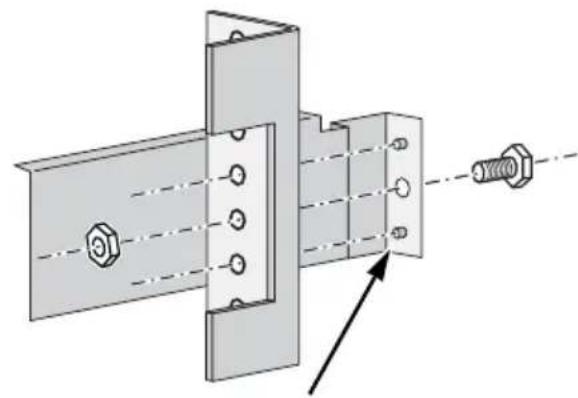
- Attach the mounting rail assemblies to the rack posts, using screws and nuts from your rack system.
- The rail halves are riveted together and use no adjustment screws.
- The front-left and front-right mounting rail ends are labeled.
Figure 1. Installing the rails onto your rack

Support flange on the front end of each rail
natural_image
Technical diagram of a mechanical assembly with bolts and a bolt, showing alignment and assembly details (no text or symbols)Guide pins on the rails align with the holes in the rack post
- All rail ends, front and rear, attach at the outside of the rack posts.
- The guide pins at the rail ends align with the holes in the rack posts.
- Tighten the screws and nuts according to instructions for your rack system.
Figure 2. Rail ends attach to the outside of each post

natural_image
Technical diagram of a mechanical assembly with two vertical supports and a central horizontal bar, showing directional arrows (no text or symbols)Rail ends attach on the outside of the front and rear rack posts
-
Place the VTrak subsystem onto the rails.
-
At least two persons are required to safely lift the VTrak.
- Lift the VTrak subsystem itself. Do not lift the VTrak by its brackets.
Figure 3. Placing the VTrak subsystem onto the rack rails

-
Secure the VTrak subsystem to the rack.
-
The VTrak attaches to the rack posts using the included screws and flange nuts.
- Use the attaching screws and flange nuts that came with the VTrak.
Figure 4. Placing the VTrak subsystem onto the rack rails

natural_image
3D diagram of a server rack with mounting brackets and structural supports (no text or symbols)Screws and flange nuts attach the VTrak to the rack post
Installing Physical Drives
If your VTrak subsystem shipped with the drives installed at the factory, you can skip this section and go to “Making Management and Data Connections” on page 25.
The VTrak Ex30 RAID subsystems and JBOD expansion units support:
• SAS and SATA physical drives
• 2.5-inch and 3.5-inch physical drives
- Hard disk drives (HDD) and solid state drives (SSD)
For a list of supported physical drives, download the latest compatibility list from PROMISE support: http://www.promise.com/support/.
Number of Drives Required
The table below shows the number of drives required for each RAID level.
| Level Number of Drives Level | Number of Drives | ||
| RAID 0 1 or more RAID 6 4 to 32 | |||
| RAID 1 2 only RAID 10 4 or more* | |||
| RAID 1E 2 or more RAID 50 6 or more | |||
| RAID 5 3 to 32 RAID 60 8 or more | |||
| * Must be an even number of drives. | |||
Drive Slot Numbering
You can install any suitable disk drive into any slot in the enclosure. The diagram below shows how VTrak's drive slots are numbered. Slot numbering is reflected in the WebPAM PROe and CLU user interfaces.
Figure 5. VTrak E830f/i drive slot numbering
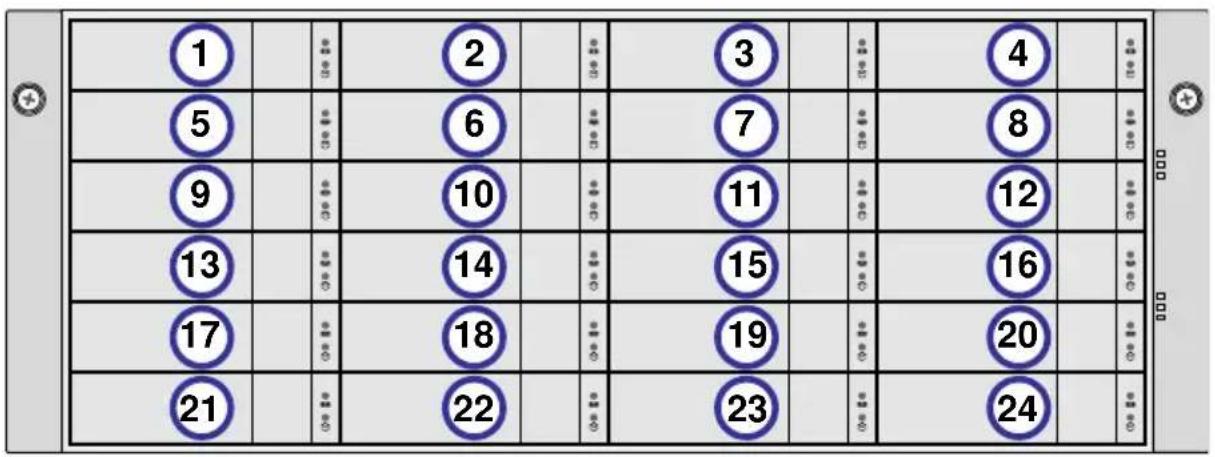
Figure 6. VTrak E630f/i drive slot numbering

Install all of the drive carriers into the VTrak enclosure to ensure proper airflow, even if you do not populate all the carriers with physical drives.
Installing Your Drives
The VTrak drive carrier accommodates 2.5-inch and 3.5-inch drives, with or without a SAS-to-SATA adapter.

Cautions
- Swing open the drive carrier handle before you insert the drive carrier into the enclosure.
- To avoid hand contact with an electrical hazard, remove only one drive carrier a time.

Important
SATA drives require a SAS-to-SATA adapter, available from PROMISE Technology at http://www.promise.com
SAS drives do not require adapters.
- Press the drive carrier release button.
The handle springs open.
- Grasp the handle and gently pull the empty drive carrier out of the enclosure.
Figure 7. Drive carrier front view

natural_image
Simple diagram with a rectangle and vertical line, no text or symbols present- If you are installing SATA drives, attach a SAS-to-SATA adapter onto the power and data connectors of each drive.
- Carefully lay the drive into the carrier with the power and data connectors facing away from the carrier handle.
-
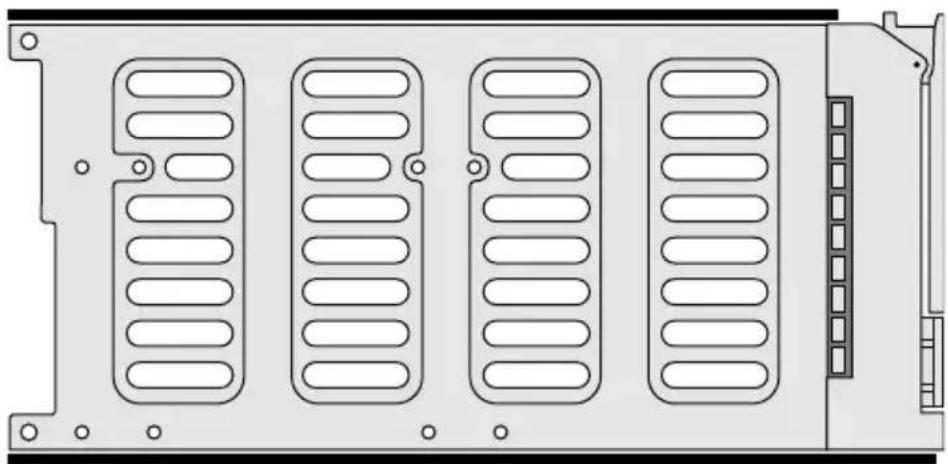
Position the drive in the carrier so the mounting holes line up.
-
2.5-inch drive mounting screws go through the bottom of the carrier.
- SAS-to-SATA adapter mounting screws go through the bottom of the carrier.
• 3.5-inch drive mounting screws go through the sides of the carrier.
Figure 8. Drive carrier bottom view
natural_image
Technical line drawing of a server rack with four rectangular slots and mounting brackets (no text or symbols)Figure 9. Drive carrier side view

natural_image
Pure diagram of a musical instrument with no text, numbers, or symbols- Insert the screws through the proper holes in the carrier and into the drive or adapter.
• Use the screws supplied with the VTrak or the SAS-to-SATA adapter.
• Install four screws per drive.
• Install two screws per adapter.
- Snug each screw. Be careful not to over tighten.
- With the drive carrier handle in open position, gently slide the drive carrier into the enclosure.

Important
- Press the release button to push the drive carrier into position. Do not push the handle. See page 23, Figure 7.
- Proper drive installation ensures adequate grounding and minimizes vibration. Always attach the drive to the carrier with four screws.
Making Management and Data Connections
Examples of VTrak configurations include:
• Fibre Channel SAN (below)
• Fibre Channel DAS (page 28)
• Fibre Channel with JBOD Expansion (page 30)
- Fibre Channel SAN – No Single Point of Failure (page 31)
- iSCSI Storage Area Network (SAN) (page 34)
- iSCSI Direct Attached Storage (DAS) (page 37)
• iSCSI with JBOD Expansion (page 39)
Fibre Channel SAN

Important
For a list of supported HBAs, Switches, and SFP transceivers, download the latest compatibility list from PROMISE support: http://www.promise.com/support/.

Note
For multipathing (MPIO) applications, see:
- "Appendix B: Multipathing on Windows" on page 363.
- "Appendix C: Multipathing on Linux" on page 385.
Figure 10.FC data and management ports on the RAID controller

A Fibre Channel storage area network (SAN) requires:
• An FC HBA card in each host PC or server
- An SFP transceiver for each connected FC port on the subsystem
- An FC switch
- A network switch
Data Path
To establish the data path:
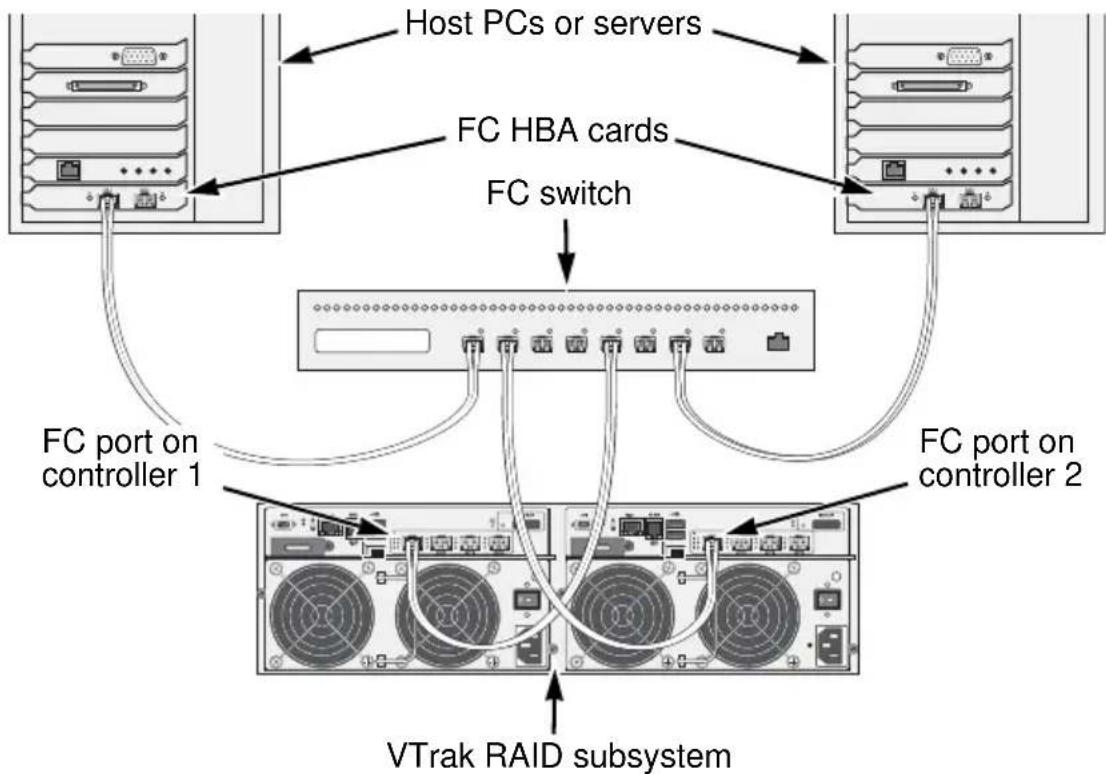
- Connect FC cables between at least one FC data port on each RAID controller and the FC switch.
See Figure 11.
- Connect FC cables between the FC switch and the FC HBA cards in both host PCs or servers.
If you have multiple VTrak subsystems, repeat steps 1 and 2 as required.
Figure 11.FC SAN data connections
flowchart
graph TD
    A["Host PCs or servers"] --> B["FC HBA cards"]
    B --> C["FC switch"]
    C --> D["FC port on controller 1"]
    C --> E["FC port on controller 2"]
    D --> F["VTrak RAID subsystem"]
    E --> F
The VTrak RAID subsystem is shown with SFP transceivers installed.
Management Path
To establish the management path:
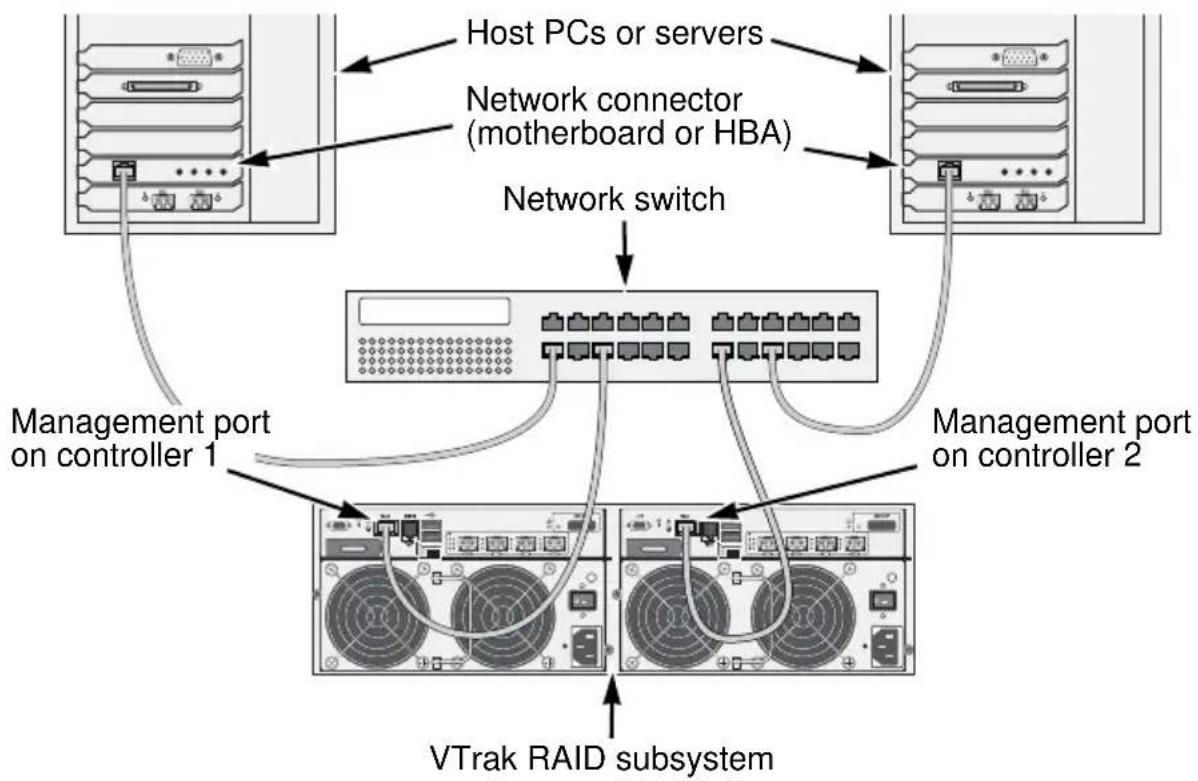
- Connect Ethernet cables between the Management ports on both RAID controllers and the network switch.
See Figure 12.
- Connect Ethernet cables between the network ports on both host PCs or servers and the network switch.
If you have multiple VTrak subsystems, repeat steps 1 and 2 as required.
Figure 12.FC SAN management connections
flowchart
graph TD
    A["Host PCs or servers"] --> B["Network switch"]
    C["Network connector (motherboard or HBA)"] --> B
    D["Management port on controller 1"] --> E["VTrak RAID subsystem"]
    F["Management port on controller 2"] --> E
    B --> E
    style A fill:#f9f,stroke:#333
    style C fill:#f9f,stroke:#333
    style D fill:#f9f,stroke:#333
    style E fill:#ccf,stroke:#333
The VTrak RAID subsystem is shown with SFP transceivers installed.
Fibre Channel DAS

Important
For a list of supported HBAs, switches, and SFP transceivers, download the latest compatibility list from PROMISE support: http://www.promise.com/support/.

Note
For multipathing (MPIO) applications, see:
- “Appendix B: Multipathing on Windows” on page 363.
- “Appendix C: Multipathing on Linux” on page 385.
Fibre Channel direct attached storage (DAS) requires:
- An FC HBA card in the host PC or server
- An SFP transceiver for each connected FC port on the subsystem
- A network switch
Data Path
To establish the data path:
- Connect an FC cable between a data port on the left RAID controller and the FC HBA card in your host PC or server.
See page 29, Figure 13.
- Connect an FC cable between a data port on the right RAID controller and the FC HBA card in your host PC or server.
Figure 13.FC DAS data and management connections

The VTrak RAID subsystem is shown with SFP transceivers installed.
Management Path
To establish the management path:
- Connect Ethernet cables between the Management ports of both RAID controllers and the network switch.
See Figure 13.
- Connect an Ethernet cable between the network port on the host PC or server and the network switch.
Fibre Channel with JBOD Expansion
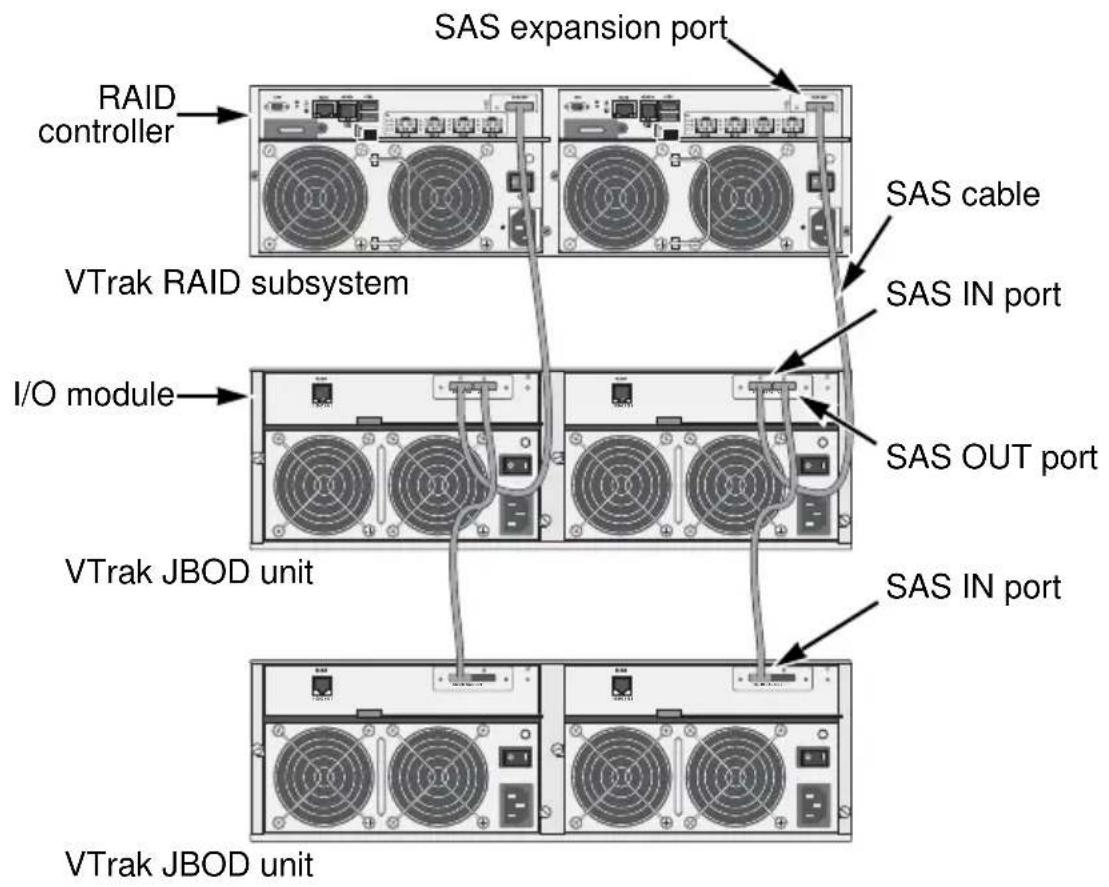
JBOD expansion requires at least one SFF-8088 4X to SFF-8088 4X external SAS cable for each JBOD unit.
To add JBOD units:
- Connect the SAS expansion port on the left controller of the RAID subsystem to the SAS data IN port on the left I/O module of the first JBOD unit.
See Figure 14.
- Connect the SAS expansion port on the right controller of the RAID subsystem to the SAS data IN port on the right I/O module of the first JBOD unit.
- Connect the SAS data OUT port on left I/O module of the first JBOD unit to the SAS data IN port on the left I/O module of the second JBOD unit.
- Connect the SAS data OUT port on right I/O module of the first JBOD unit to the SAS data IN port on the right I/O module of the second JBOD unit.
- Connect the remaining JBOD units in the same manner.
- Keep your data paths organized to ensure redundancy.
- JBOD expansion supports up to nine (9) JBOD units.
Figure 14.FC JBOD expansion connections
Fibre Channel SAN – No Single Point of Failure

Important
For a list of supported HBAs, switches, and SFP transceivers, download the latest compatibility list from PROMISE support: http://www.promise.com/support/.

Note
For multipathing (MPIO) applications, see:
- “Appendix B: Multipathing on Windows” on page 363.
- “Appendix C: Multipathing on Linux” on page 385.
An FC SAN with no single point of failure (NSPF) requires:
- An FC HBA card in each host PC or server
- An SFP transceiver for each connected FC port on the subsystem
- Two SFF-8088 4X to SFF-8088 4X SAS external cables for each JBOD unit
- Two FC switches
- A network switch
Data Path
To establish the data path:
- Connect an FC cable between an FC data port on the left RAID controller and one of the FC switches.
See page 32, Figure 15. - Connect an FC cable between an FC data port on the left RAID controller and the other FC switch.
- Connect an FC cable between an FC data port on the right RAID controller and one of the FC switches.
- Connect an FC cable between an FC data port on the right RAID controller and the other FC switch.
- Connect FC cables between one of the FC switches and the FC HBA cards in both of the host PCs or servers.
- Connect FC cables between the other FC switch and the FC HBA cards in both of the host PCs or servers.
If you have multiple VTrak subsystems, repeat steps 1 through 6 as required.
Figure 15.FC SAN NSPF data connections

flowchart
graph TD
    A["Server"] -->|Each RAID HBA card connects to both FC switches| B["Switch"]
    B --> C["Host PCs"]
    B --> D["Both RAID subsystems"]
    C --> E["Switch"]
    D --> E
    E --> F["VTrak RAID subsystem"]
    F --> G["Device 1"]
    F --> H["Device 2"]
    F --> I["Device 3"]
    F --> J["Device 4"]
    F --> K["Device 5"]
    F --> L["Device 6"]
    F --> M["Device 7"]
    F --> N["Device 8"]
    F --> O["Device 9"]
    F --> P["Device 10"]
    F --> Q["Device 11"]
    F --> R["Device 12"]
    F --> S["Device 13"]
    F --> T["Device 14"]
    F --> U["Device 15"]
    F --> V["Device 16"]
    F --> W["Device 17"]
    F --> X["Device 18"]
    F --> Y["Device 19"]
    F --> Z["Device 20"]
RAID controller 1 connects to:
- Both FC switches
- One JBOD I/O module
RAID controller 2 connects to:
- Both FC switches
• The other JBOD I/O module
The VTrak RAID subsystem is shown with SFP transceivers installed.
Management Path
To establish the management path:
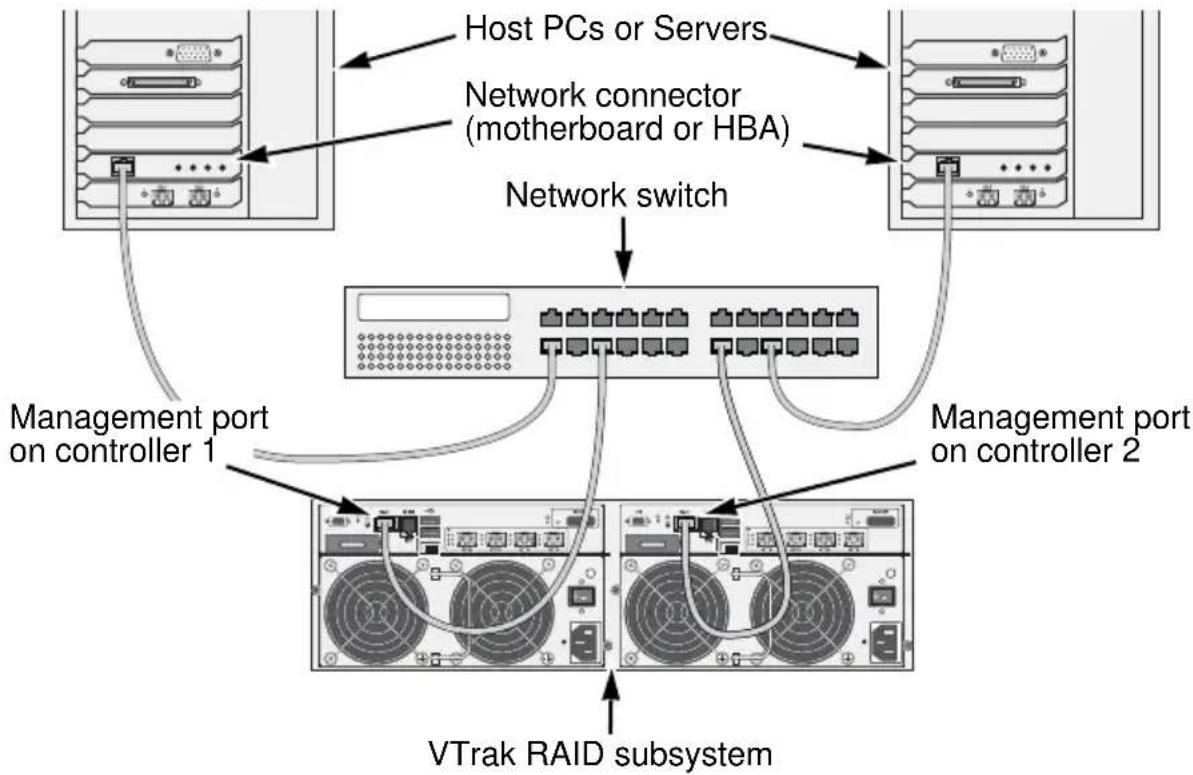
- Connect an Ethernet cable between the Management port on each RAID controller and the network switch.
See page 33, Figure 16.
- Connect an Ethernet cable between the network port on each host PC or server and the network switch.
If you have multiple VTrak subsystems, repeat steps 1 and 2 as required.
Figure 16.FC SAN NSPF management connections
flowchart
graph TD
    A["Host PCs or Servers"] --> B["Network switch"]
    C["Network connector (motherboard or HBA)"] --> B
    D["Management port on controller 1"] --> E["VTrak RAID subsystem"]
    F["Management port on controller 2"] --> E
    B --> E
The VTrak RAID subsystem is shown with SFP transceivers installed.
JBOD Expansion
JBOD connections are the same for all FC SAN and DAS configurations. See "Fibre Channel with JBOD Expansion" on page 30.
iSCSI Storage Area Network (SAN)

Important
For a list of supported HBA NICs and switches, download the latest compatibility list from PROMISE support: http://www.promise.com/support/.

Note
For multipathing (MPIO) applications, see:
- "Appendix B: Multipathing on Windows" on page 363.
- "Appendix C: Multipathing on Linux" on page 385.
Figure 17.iSCSI data and management ports on the RAID controller

This arrangement requires:
- An iSCSI HBA network interface card (NIC) in the host PC or server
• A GbE network switch
• A standard network switch
Data Path
Each VTrak RAID controller has four (4) RJ45 iSCSI data port connectors. See page 34, Figure 17.
To establish the data path:
- Connect Ethernet cables between the iSCSI NIC in both host PCs or servers and the GbE network switch.
See Figure 19.
-
Connect an Ethernet cable between at least one iSCSI data port on the left RAID controller and the GbE network switch.
-
Connect an Ethernet cable between at least one iSCSI data port on the right RAID controller and the GbE network switch.
If you have multiple VTrak subsystems, host PCs or servers, repeat steps 1 through 3 as required.

Note
Only one iSCSI data cable is required between each RAID controller and the GbE network switch. However, you can attach multiple cables to create redundant data paths or trunking.
Figure 18.iSCSI SAN data connections
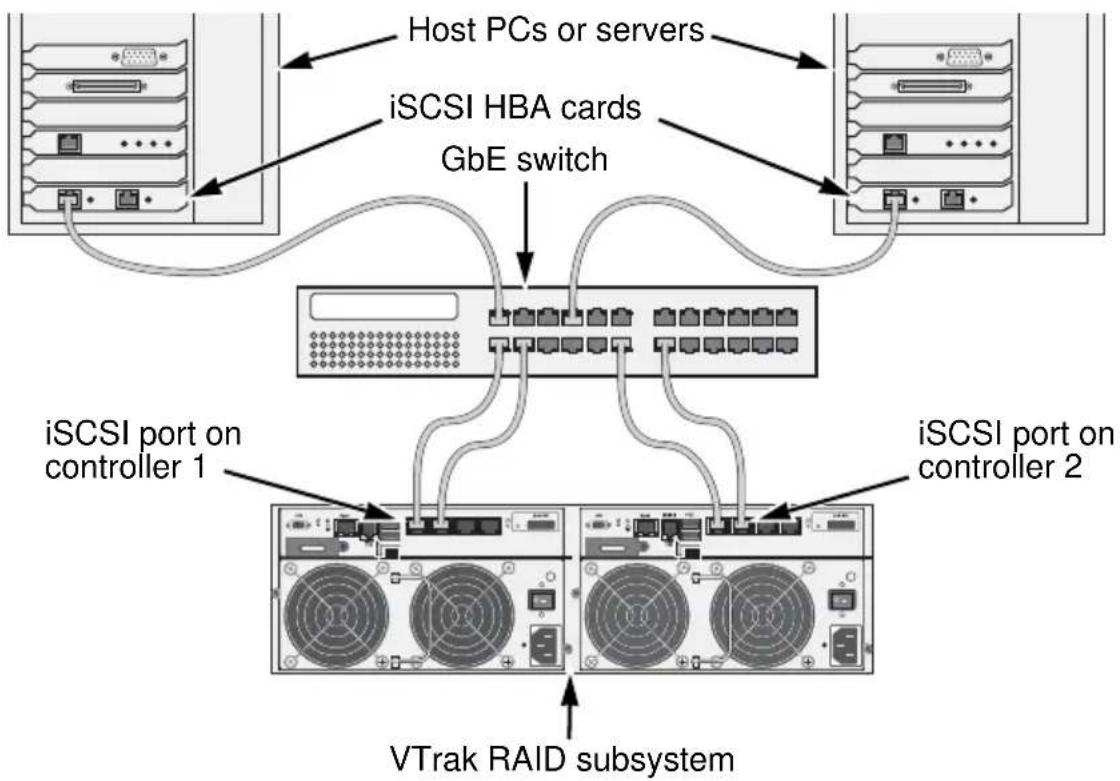
flowchart
graph TD
    A["Host PCs or servers"] --> B["iSCSI HBA cards"]
    B --> C["GbE switch"]
    C --> D["iSCSI port on controller 1"]
    C --> E["iSCSI port on controller 2"]
    D --> F["VTrak RAID subsystem"]
    E --> F
    style A fill:#f9f,stroke:#333
    style B fill:#ccf,stroke:#333
    style C fill:#cfc,stroke:#333
    style D fill:#fcc,stroke:#333
    style E fill:#fcc,stroke:#333
    style F fill:#cff,stroke:#333
Management Path
Each VTrak RAID controller has one (1) Ethernet RJ45 management port connector. See page 34, Figure 17.
To establish the management path:
- Connect Ethernet cables between the network connector on both host PCs or servers and the standard network switch.
See Figure 19.
- Connect Ethernet cables between the Management port on both RAID controllers to the standard network switch.
If you have multiple VTrak subsystems, repeat steps 1 and 2 as required.
Figure 19.iSCSI SAN management connections
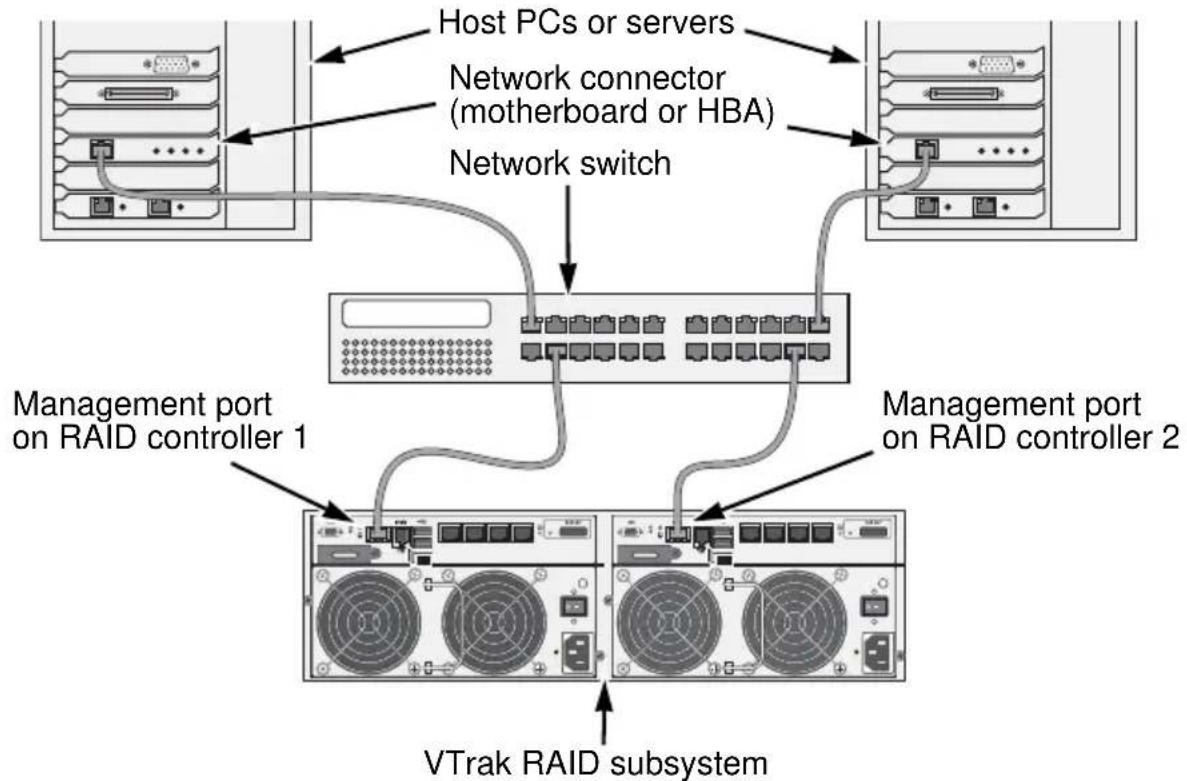
flowchart
graph TD
    A["Host PCs or servers"] --> B["Network switch"]
    B --> C["Network connector (motherboard or HBA)"]
    C --> D["Management port on RAID controller 1"]
    C --> E["Management port on RAID controller 2"]
    D --> F["VTrak RAID subsystem"]
    E --> F
iSCSI Direct Attached Storage (DAS)

Important
For a list of supported HBAs and switches, download the latest compatibility list from PROMISE support: http://www.promise.com/support/.

Note
For multipathing (MPIO) applications, see:
- “Appendix B: Multipathing on Windows” on page 363.
- “Appendix C: Multipathing on Linux” on page 385.
This arrangement requires:
- An iSCSI HBA network interface card (NIC) in the host PC or server
• A standard network switch
Data Path
Each VTrak RAID controller has four (4) RJ45 iSCSI data port connectors. See page 34, Figure 17.
To establish the data path:
-
Connect an Ethernet cable between the iSCSI NIC in the host PC or server and an iSCSI data port on one of the RAID controller. See page 38, Figure 20.
-
Connect an Ethernet cable between the iSCSI NIC in the host PC or server and an iSCSI data port on the other RAID controller.
Management Path
Each VTrak RAID controller has one (1) Ethernet RJ-45 management port connector. See page 34, Figure 17.
To establish the management path:
-
Connect an Ethernet cable between the network connector on the host PC or server and the standard network switch. See page 38, Figure 20.
-
Connect Ethernet cables between the standard network switch and the Management ports on both RAID controllers.
Figure 20.iSCSI DAS data and management connections
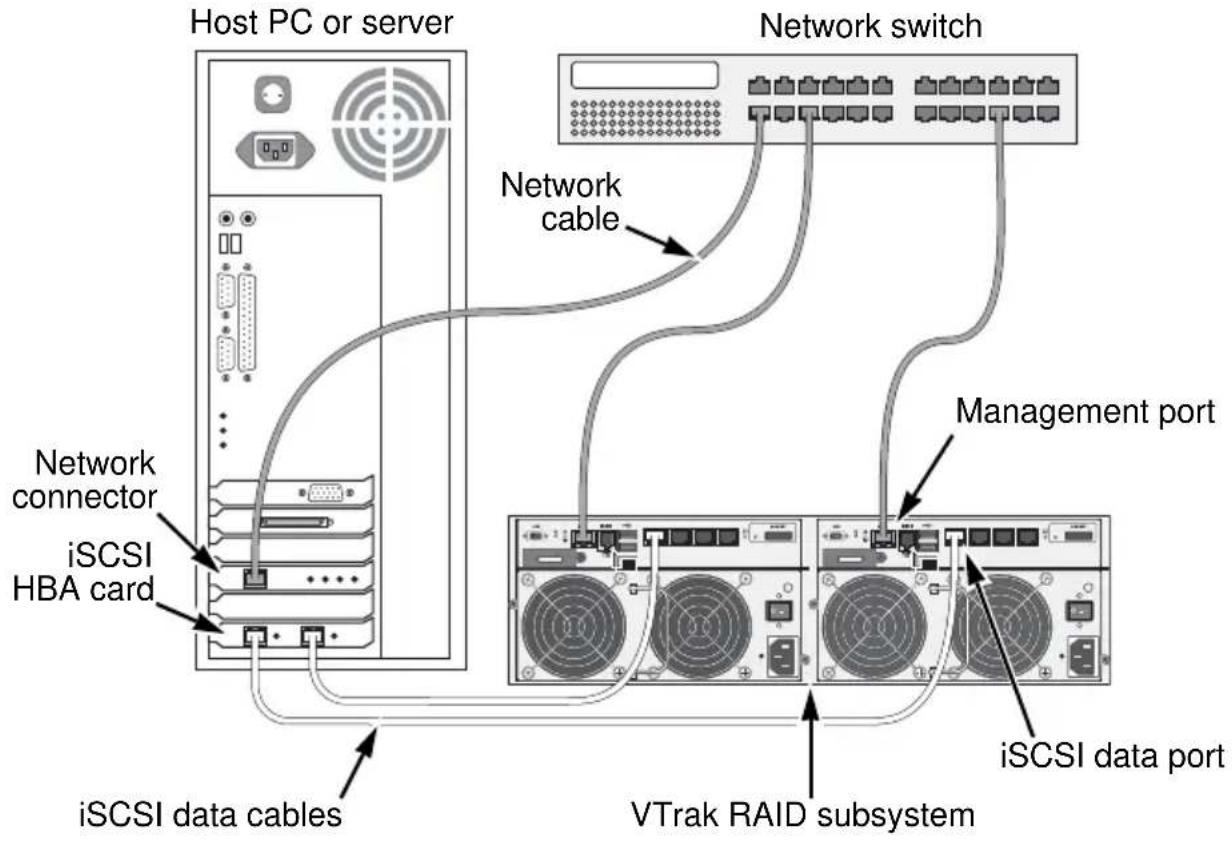
iSCSI with JBOD Expansion
JBOD expansion requires at least one SFF-8088 4X to SFF-8088 4X external SAS cable for each JBOD unit.
To add JBOD units:
- Connect the SAS expansion port on the left controller of the RAID subsystem to the SAS data IN port on the left I/O module of the first JBOD unit.
See Figure 14.
- Connect the SAS expansion port on the right controller of the RAID subsystem to the SAS data IN port on the right I/O module of the first JBOD unit.
- Connect the SAS data OUT port on left I/O module of the first JBOD unit to the SAS data IN port on the left I/O module of the second JBOD unit.
- Connect the SAS data OUT port on right I/O module of the first JBOD unit to the SAS data IN port on the right I/O module of the second JBOD unit.
- Connect the remaining JBOD units in the same manner.
- Keep your data paths organized to ensure redundancy.
- JBOD expansion supports up to nine (9) JBOD units.
Figure 21.iSCSI JBOD expansion connections

Making Serial Cable Connections
Serial communication enables the terminal emulation application on your host PC or server to access the VTrak's Command Line Interface (CLI) to set up a network connection. The VTrak package includes one RJ11-to-DB9 serial data cable for each controller.
Figure 22. UPS and Serial connectors

VTrak FC RAID subsystem VTrak iSCSI RAID subsystem
To set up a serial cable connection:
-
Attach the RJ11 end of the serial data cable to the RJ11 serial connector on one of the RAID controllers.
-
Attach the DB9 end of the serial data cable to a serial port on the host PC or server.
Optional UPS Serial Connection
If your deployment plan calls for one or more UPS units and management via serial communication, connect a UPS control cable to the Mini-D9 UPS connector on the RAID controller.
UPS control cables are available from PROMISE Technology at http://www.promise.com
To complete the UPS management setup, see "Making UPS Settings" on page 79 or page 227 when your subsystem is running.
Chapter 3: Setup
This chapter covers the following topics:
- Connecting the Power (below)
- Setting-up the Serial Connection (page 44)
• VTrak Default IP Addresses (page 45) - Choosing DHCP or a Static IP Address (page 45)
- Setting-up VTrak with the CLI (page 47)
- Setting-up VTrak with the CLU (page 55)
- Logging into WebPAM PROe (page 60)
- Creating Disk Arrays and Logical Drives (page 62)
- Enabling LUN Mapping and Masking (page 67)
- Logging out of WebPAM PROe (page 68)
Connecting the Power
Plug in the power cables and turn on the switches on both power supplies.

Important
If you have a SAN, DAS, or Cascade with JBOD Expansion, always power on the JBOD expansion units first.
When the power is switched on, the LEDs on the right handle light up.
When boot-up is finished and the VTrak is functioning normally:
- Power, FRU, and Logical Drive LEDs display steady green.
• Each controller activity LED flashes green when there is activity on that controller. - The controller heartbeat LED blinks green once per second for five seconds, goes dark for ten seconds, then blinks green once per second for five seconds again.
Steady means the LED is on.
Blinking means a regular on/off pattern.
Flashing means an intermittent and irregular on/off pattern.
See page 42, Figure 1.
Figure 1. Front panel LED display

flowchart
graph TD
    A["Power"] --> B["FRU Status"]
    B --> C["Logical Drive Status"]
    C --> D["Controller 1 Activity"]
    D --> E["Controller 2 Activity"]
    E --> F["Controller Heartbeat"]
Also see the table below.
| Enclosure Front LEDs | |||||
| State Power FRU | Logical Drive | Controller Activity | Controller Heartbeat | ||
| Dark No power No power — No Activity — | |||||
| Steady green Normal Normal — — | |||||
| Blinking green — | — | — | — | — | N |
| Flashing green — — — Activity — | |||||
| Amber — Problem* Critical — — | |||||
| Red — | Failure* | Offline | — | — | |
| * Check the LEDs on the back of the VTrak enclosure.** Blinks blinks green once per second for five seconds, goes dark for ten seconds, then blinks green once per second for five seconds again. | |||||
For more information on LEDs, see "Chapter 8: Troubleshooting" on page 375.
Drive Status Indicators
The VTrak spins up the disk drives sequentially to equalize power draw during start-up. After a few moments:
- The Power/Activity LED displays blue when a physical drive is present.
- The Drive Status LED displays green when the physical drive is configured as a member of a disk array or as a spare. When the physical drive is unconfigured, the LED is dark.
Steady means the LED is on.
Blinking means a regular on/off pattern.
Flashing means intermittent and irregular on/off pattern.
See the table on the next page.
Figure 2. Drive carrier LEDs
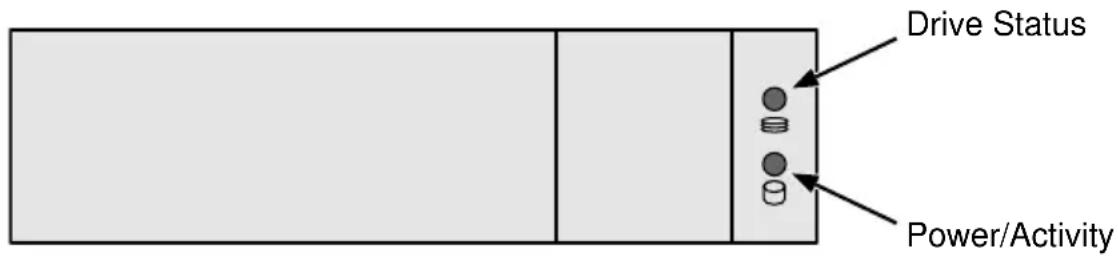
| Drive Carrier LEDs | ||
| State Power/Activity Drive Status | ||
| Dark No drive in carrier Drive is unconfigured | ||
| Steady Blue Drive is present — | ||
| Flashing Blue Activity on drive — | ||
| Steady green — Drive is configured | ||
| Blinking green | — | Locator feature |
| Amber | — | Drive is rebuilding |
| Red | — | Drive error or failure |
| * Configured means the physical drive either belongs to an array or it is assigned as a spare drive. | ||
For more information on LEDs, see “Chapter 8: Troubleshooting” on page 375.
Setting-up the Serial Connection
The initial connection accesses the VTrak's serial port using the serial cable connection you made. See "Making Serial Cable Connections" on page 40.
Use your PC's terminal emulation program, such as Microsoft HyperTerminal, to access the VTrak's Command Line Interface (CLI).
You can also use the serial connection to manage the VTrak through the Command Line Utility (CLU).
To make the initial serial connection:
-
Change your terminal emulation application settings to match the following specifications:
-
Bits per second: 115200
- Data bits: 8
- Parity: None
- Stop bits: 1
-
Flow control: none
-
Start your PC's terminal VT100 or ANSI emulation program.
-
Press Enter once to launch the CLI.
-
At the Login prompt, type administrator and press Enter.
-
At the Password prompt, type password and press Enter.
The screen displays:
login as: administrator
administrator@vtrak's password:
Promise VTrak Command Line Interface (CLI) Utility
Version: 4.01.0000.xx Build Date: Mar 22, 2011
Type help or ? to display all the available commands
Type menu to enter Menu Driven Configuration Utility
administrator@cli>
To see the full set of CLI commands, at the administrator@cli> prompt, type help and press Enter.
To see full information about a specific command, at the administrator@cli> prompt, type help followed by the command, then press Enter.
administrator@cli> help net
About IP Addresses
• VTrak Default IP Addresses (page 45)
- Choosing DHCP or a Static IP Address (page 45)
- Accessing the MAC Address in the CLI (page 46)
- Accessing the MAC Address in the CLU (page 46)
Choosing the appropriate IP addresses is essential to manage your VTrak subsystem over a network. You must change the VTrak's default IP addresses as required for your environment.
VTrak Default IP Addresses
The default virtual management port IP addresses are set to:
- IPv4 - 10.0.0.1
- IPv6 - 2001:1
The virtual management port IP address works with either RAID controller, enabling you to access a dual-controller VTrak over your network using a single IP address.
The default physical management port IP addresses are set to:
- Controller 1, IPv4 - 10.0.0.2
- Controller 1, IPv6 – 2001::2
- Controller 2, IPv4 – 10.0.0.3
- Controller 2, IPv6 – 2001::3
The physical management port IP address works with only one RAID controller and is used when the controller goes into maintenance mode. For more information, see “Maintenance Mode” on page 395.
Choosing DHCP or a Static IP Address
When you setup your VTrak, you have the option of:
- Enabling DHCP and letting your DHCP server assign the IP address to the VTrak's virtual management port.
- Specifying a static IP address for the VTrak's virtual management port.
DHCP is currently supported on IPv4 only. If you use IPv6, you must make your network settings manually.
If you choose to enable DHCP, have your Network Administrator dedicate an IP address for the VTrak, linked to the VTrak's MAC address. This action prevents the DHCP server from assigning a new IP address when the VTrak restarts, with the result that users can no longer log in.
Accessing the MAC Address in the CLI
To access the MAC address in the CLI:
At the command prompt, type net -a list -v and press Enter.
The following information displays:
administrator@cli> net -a list -v
ActiveCtrlId: 1 Port: 1
MaxSupportedSpeed: 1000Mbps LinkStatus: Up
ProtocolFamily: IPv4(Enabled) DHCP: Disabled
IP: 10.0.0.1
IPMask: 0.0.0.0
MAC: 00:01:55:61:18:65
DNS: 0.0.0.0
Gateway: 0.0.0.0
ProtocolFamily: IPv6(Disabled) DHCP: Disabled
IP: 2001::1
IPMask: ffff::
MAC: 00:01:55:61:18:65
DNS: ::
Gateway: ::
Accessing the MAC Address in the CLU
To access the MAC address in the CLU:
- At the CLI command prompt, type menu and press Enter.
The CLU screen appears.
-
Highlight Network Management and press Enter.
-
Highlight IPv4 and press Enter.
The following information displays:
Active Controller Id: 1 Port Id : 1
Max Supported Speed : 1000Mbps Link Status : Up
Protocol Family : IPv4
Status : Enabled
MAC Address : 00:01:55:61:18:65
DHCP : Disabled
IP Address : 10.0.0.1
Subnet Mask : 0.0.0.0
Gateway IP Address : 0.0.0.0
DNS Server IP Address : 0.0.0.0
Setting-up VTrak with the CLI
Setting up the VTrak in the CLI includes these actions:
-
Making Subsystem Date and Time Settings (page 47)
• Virtual Management Port Settings (page 47) -
Making Virtual Management Port Settings – Automatically (page 47)
- Making Virtual Management Port Settings – Manually under IPv4 (page 48)
- Making Virtual Management Port Settings – Manually under IPv6 (page 49)
- Maintenance Mode Settings (page 50)
- Making Maintenance Mode Settings – Automatically (page 50)
- Making Maintenance Mode Settings – Manually under IPv4 (page 51)
- Making Maintenance Mode Settings – Manually under IPv6 (page 53)
Making Subsystem Date and Time Settings
To set the subsystem date and time:
- Type date -a mod -d and the date in yyyy/mm/dd format then press Enter. administrator@cli> date -a mod -d 2011/03/25
- Type date -a mod -t and the time in hh:mm:ss format, then press Enter. administrator@cli> date -a mod -t 14:50:05
You can combine date and time settings, such as:
administrator@cli> date -a mod -d 2011/03/25 -t 14:50:05
Virtual Management Port Settings
Making Virtual Management Port Settings – Automatically
Automatic settings require a DHCP server on your network. DHCP is currently supported on IPv4 only.
To enable automatic management port settings:
- At the command prompt, type net -a mod -f ipv4 -s "dhcp=enable" and press Enter.
administrator@cli> net -a mod -f ipv4 -s "dhcp=enable"
After a moment, the command prompt reappears, indicating that your setting was successful.
administrator@cli>
- To verify the setting change, at the command prompt, type net and press Enter. The following information displays:
administrator@cli> net
PF Status IP Link
IPv4 Enabled 192.168.10.85 Up
IPv6
Disabled
2001::1
In the above example:
• PF refers to IP protocol family, v4 or v6
- Status refers to whether the IP protocol is enabled. IPv4 is enabled by default.
- IP is the virtual management port IP address.
- Link indicates whether there is a working network connection.
By default, IPv4 is enabled and IPv6 is disabled. Currently IPv6 does not support DHCP.
Making Virtual Management Port Settings – Manually under IPv4
To make IPv4 settings manually on the management port:
- At the command prompt, type net -a mod -f ipv4 -s " followed by:
• primaryip= and the IP address,
• primaryipmask= and the subnet mask,
• primarydns= and the DNS server IP address,
- gateway= and the Gateway server IP address
" and press Enter.
Example:
administrator@cli> net -a mod -f ipv4 -s "primaryip=192.168.10.85, primaryipmask=255.255.255.0, primarydns=192.168.10.11, gateway=192.168.10.1"
After a moment, the command prompt reappears, indicating that your setting was successful.
administrator@cli>
- To verify the settings, at the command prompt, type net -a list -v and press Enter.
The following information displays:
administrator@cli> net -a list -v
ActiveCtrlId: 1 Port: 1
MaxSupportedSpeed: 1000Mbps LinkStatus: Up
ProtocolFamily: IPv4(Enabled) DHCP: Disabled
IP: 192.168.10.85
IPMask: 255.255.255.0
MAC: 00:01:55:61:18:65
DNS: 192.168.10.11
Gateway: 192.168.10.1
ProtocolFamily: IPv6(Disabled) DHCP: Disabled
IP: 2001::1
IPMask: ffff::
MAC: 00:01:55:61:18:65
DNS: ::
Gateway: ::
Making Virtual Management Port Settings – Manually under IPv6
To make IPv6 settings manually on the management port:
- At the command prompt, type net -a enable -f ipv6 and press Enter to enable IPv6 on the VTrak.
After a moment, the command prompt reappears, indicating that your setting was successful.
administrator@cli>
- At the command prompt, type net -a mod -f ipv6 -s " followed by:
- primaryip= and the IP address,
• primaryipmask= and the subnet mask,
• primarydns= and the DNS server IP address,
- gateway= and the Gateway server IP address
" and press Enter.
Example:
administrator@cli> net -a mod -f ipv6 -s
"primaryip=2001:0db8:85a3:0000:0000:8a2e:0370:7334,
primaryipmask=2001:0db8:fedc:ba98:7654:3210:0246:8acf
primarydns=2001:0db8:85a3:0000:0000:8a2e:0370:7001,
gateway=2001:0db8:85a3:0000:0000:8a2e:0370:7002"
After a moment, the command prompt reappears, indicating that your setting was successful.
administrator@cli>
- To verify the settings, at the command prompt, type net -a list -v and press Enter.
The following information displays:
administrator@cli> net -a list -v
ActiveCtrlId: 1 Port: 1
MaxSupportedSpeed: 1000Mbps LinkStatus: Up
ProtocolFamily: IPv4(Enabled) DHCP: Disabled
IP: 192.168.10.85
IPMask: 255.255.255.0
MAC: 00:01:55:61:18:65
DNS: 192.168.10.11
Gateway: 192.168.10.1
ProtocolFamily: IPv6(Enabled) DHCP: Disabled
IP: 2001:0db8:85a3:0000:0000:8a2e:0370:7334
IPMask: 2001:0db8:fedc:ba98:7654:3210:0246:8acf
MAC: 00:01:55:61:18:65
DNS: 2001:0db8:85a3:0000:0000:8a2e:0370:7001
Gateway: 2001:0db8:85a3:0000:0000:8a2e:0370:7002
Maintenance Mode Settings
For information on maintenance mode, see page 395.
You have the option to make maintenance mode settings at a later time in WebPRM PROe. See "Making Maintenance Mode Settings" on page 100.
Making Maintenance Mode Settings – Automatically
Automatic settings require a DHCP server on your network. DHCP is currently supported on IPv4 only.
You make maintenance mode settings for one controller at a time.
To enable automatic maintenance mode settings:
- At the command prompt, type net -a mod -m -c 1 -f ipv4 -s "dhcp=enable" and press Enter.
administrator@cli> net -a mod -m -c 1 -f ipv4 -s "dhcp=enable"
After a moment, the command prompt reappears, indicating that your setting was successful.
administrator@cli>
- To verify the settings changes, at the command prompt, type net -a list -m and press Enter.
The following information displays:
administrator@cli> net -a list -m
CtrlId: 1 Port: 1
ProtocolFamily: IPv4(Enabled) DHCP: Enabled
IP: 192.168.10.94
IPMask: 255.255.255.0
MAC: 00:01:55:30:65:E9
DNS: 192.168.1.1
Gateway: 192.168.10.1
CtrlId: 1 Port: 1
ProtocolFamily: IPv6(Disabled) DHCP: Disabled
IP: 2001::2
IPMask: ffff::
MAC: 00:01:55:30:65:E9
DNS: ::
Gateway: ::
CtrlId: 2 Port: 1
ProtocolFamily: IPv4(Enabled) DHCP: Disabled
IP: 10.0.0.3
IPMask: 0.0.0.0
MAC: 00:01:55:30:65:E9
DNS: 0.0.0.0
Gateway: 0.0.0.0
CtrlId: 2 Port: 1
ProtocolFamily: IPv6(Disabled) DHCP: Disabled
IP: 2001::3
IPMask: ffff::
MAC: 00:01:55:30:65:D7
DNS: ::
Gateway: ::
- Repeat steps 1 and 2 above but change -c 1 (controller 1) to -c 2 (controller 2).
Making Maintenance Mode Settings – Manually under IPv4
You make these settings for one controller at a time.
To make maintenance mode settings:
- At the command prompt, type net -a mod -m -c 1 -s " followed by:
• primaryip= and the IP address,
• primaryipmask= and the subnet mask,
• primarydns= and the DNS server IP address,
- gateway= and the Gateway server IP address " and press Enter.
Example:
administrator@cli> net -a mod -m -c 1 "primaryip=192.168.10.101, primaryipmask=255.255.255.0, primarydns=192.168.10.11, gateway=192.168.10.1"
After a moment, the command prompt reappears, indicating that your setting was successful.
administrator@cli>
- To verify the settings changes, at the command prompt, type net -a list -m and press Enter. The following information displays:
administrator@cli> net -a list -m
CtrlId: 1 Port: 1
ProtocolFamily: IPv4(Enabled) DHCP: Disabled
IP: 192.168.10.101
IPMask: 255.255.255.0
MAC: 00:01:55:30:65:E9
DNS: 192.168.1.1
Gateway: 192.168.10.1
CtrlId: 1 Port: 1
ProtocolFamily: IPv6(Disabled) DHCP: Disabled
IP: 2001::2
IPMask: ffff::
MAC: 00:01:55:30:65:E9
DNS: ::
Gateway: ::
CtrlId: 2 Port: 1
ProtocolFamily: IPv4(Enabled) DHCP: Disabled
IP: 10.0.0.3
IPMask: 0.0.0.0
MAC: 00:01:55:30:65:E9
DNS: 0.0.0.0
Gateway: 0.0.0.0
CtrlId: 2 Port: 1
ProtocolFamily: IPv6(Disabled) DHCP: Disabled
IP: 2001::3
IPMask: ffff::
MAC: 00:01:55:30:65:D7
DNS: ::
Gateway: ::
- Repeat steps 1 and 2 above but change -c 1 (controller 1) to -c 2 (controller 2).
Making Maintenance Mode Settings – Manually under IPv6
You make these settings for one controller at a time.
To make maintenance mode settings:
- At the command prompt, type net -a enable -f ipv6 -m -c 1 and press Enter to enable IPv6.
After a moment, the command prompt reappears, indicating that your setting was successful.
administrator@cli>
- At the command prompt, type net -a mod -m -c 1 -s " followed by:
• primaryip= and the IP address,
• primaryipmask= and the subnet mask,
• primarydns= and the DNS server IP address,
- gateway= and the Gateway server IP address
" and press Enter.
Example:
administrator@cli> iscsi -a mod -t portal -s
"primaryip=2001:0db8:85a3:0000:0000:8a2e:0370:7336,
primaryipmask=2001:0db8:fedc:ba98:7654:3210:0246:8acf,
primarydns=2001:0db8:85a3:0000:0000:8a2e:0370:7001,
gateway=2001:0db8:85a3:0000:0000:8a2e:0370:7002"
After a moment, the command prompt reappears, indicating that your setting was successful.
administrator@cli>
- To verify the settings, at the command prompt, type net -a list -m and press Enter.
The following information displays:
administrator@cli> net -a list -m
CtrlId: 1 Port: 1
ProtocolFamily: IPv4(Enabled) DHCP: Disabled
IP: 192.168.10.101
IPMask: 255.255.255.0
MAC: 00:01:55:30:65:E9
DNS: 192.168.1.1
Gateway: 192.168.10.1
CtrlId: 1 Port: 1
ProtocolFamily: IPv6(Enabled) DHCP: Disabled
IP: 2001:0db8:85a3:0000:0000:8a2e:0370:7336
IPMask: 001:0db8:fedc:ba98:7654:3210:0246:8acf
MAC: 00:01:55:30:65:E9
DNS: 2001:0db8:85a3:0000:0000:8a2e:0370:7001
Gateway: 2001:0db8:85a3:0000:0000:8a2e:0370:7002
CtrlId: 2 Port: 1
ProtocolFamily: IPv4(Enabled) DHCP: Disabled
IP: 10.0.0.3
IPMask: 0.0.0.0
MAC: 00:01:55:30:65:E9
DNS: 0.0.0.0
Gateway: 0.0.0.0
CtrlId: 2 Port: 1
ProtocolFamily: IPv6(Disabled) DHCP: Disabled
IP: 2001::3
IPMask: ffff::
MAC: 00:01:55:30:65:D7
DNS: ::
Gateway: ::
- Repeat steps 1, 2, and 3 above but change -c 1 (controller 1) to -c 2 (controller 2).
This completes management port and maintenance mode setup. Go to “Logging into WebPAM PROe” on page 60.
Setting-up VTrak with the CLU
Setting up the VTrak in the CLU includes these actions:
- Accessing the CLU Quick Setup Menu (page 55)
-
Making Subsystem Date and Time Settings (page 56)
• Virtual Management Port Settings (page 56) -
Making Virtual Management Port Settings – Automatically (page 56)
• Viewing Virtual Management Port Settings (page 56) - Making Virtual Management Port Settings – Manually under IPv4 (page 57)
- Making Virtual Management Port Settings – Manually under IPv6 (page 57)
- Maintenance Mode Settings (page 57)
- Making Maintenance Mode Settings – Automatically (page 57)
- Making Maintenance Mode Settings – Manually under IPv4 (page 58)
- Making Maintenance Mode Settings – Manually under IPv6 (page 58)
- Exiting the CLU (page 59)
Accessing the CLU Quick Setup Menu
To access the Quick Setup menu in the command line utility:
- At the administrator@cli> prompt, type menu and press Enter. The CLU main menu appears. See Figure 3.
Figure 3. CLU main menu

- Highlight Quick Setup and press Enter.
The first Quick Setup screen enables you to make Date and Time settings.
Making Subsystem Date and Time Settings
To set the subsystem date and time:
-
Press the arrow keys to highlight System Date.
-
Press the backspace key to erase the current date.
-
Type the new date.
-
Follow the same procedure to set the System Time.
-
Press Control-A to save these settings and move to the Management Port settings screen.
Virtual Management Port Settings
Making Virtual Management Port Settings – Automatically
Automatic settings require a DHCP server on your network. DHCP is currently supported on IPv4 only.
Under Quick Setup, the Management Port IPv4 settings screen follows the System Date and Time settings screen.
To enable automatic management port settings:
- Press the arrow keys to highlight DHCP.
- Press the spacebar to toggle to Enable.
- Press Control-A to save these settings and move to the Management Port IPv6 settings screen.
Viewing Virtual Management Port Settings
To view the current IP address and network settings when using DHCP:
- Press the arrow keys to highlight DHCP.
- Press the spacebar to toggle to Disable.
The following information displays:
IP Address : 192.168.10.85
Subnet Mask : 255.255.255.0
Gateway IP Address : 192.168.10.1
DNS Server IP Address : 192.168.10.11
- Press the spacebar to toggle DHCP back to Enable.
- Press Control-A to save these settings and move to the Management Port IPv6 settings screen.
Making Virtual Management Port Settings – Manually under IPv4
To make IPv4 settings manually on the management port:
- Press the arrow keys to highlight IP Address.
- Press the backspace key to erase the current IP address.
- Type the new Management Port IP address.
- Follow the same procedure to specify the Subnet Mask, Gateway IP Address and DNS Server IP Address.
If you do not have a DNS server, skip the DNS Server IP address.
- Press Control-A to save your settings and move to the Management Port IPv6 settings screen.
Making Virtual Management Port Settings – Manually under IPv6
To make IPv6 settings manually on the management port:
- Press the arrow keys to highlight IP Address.
- Press the backspace key to erase the current IP address.
- Type the new Management Port IP address.
-
Follow the same procedure to specify the Subnet Mask, Gateway IP Address and DNS Server IP Address.
If you do not have a DNS server, skip the DNS Server IP address. -
Press Control-A to save your settings and move to the Maintenance Mode screens.
Maintenance Mode Settings
For information on maintenance mode, see page 395.
You have the option to make maintenance mode settings at a later time in WebPAM PROe.
Under Quick Setup, maintenance mode settings are made in the following sequence:
- Controller 1, IPv4
- Controller 1, IPv6
- Controller 2, IPv4
- Controller 2, IPv6
Making Maintenance Mode Settings – Automatically
Automatic settings require a DHCP server on your network. DHCP is currently supported on IPv4 only.
To enable automatic maintenance mode settings:
- From the CLU Main Menu, highlight Network Management and press Enter.
- Highlight Maintenance Mode Network Configuration and press Enter.
- Highlight the controller you want and press Enter.
- Highlight DHCP and press the spacebar to toggle to Enabled.
- Press Control-A to save your settings and move to the Maintenance Mode IPv6 settings screen.
Making Maintenance Mode Settings – Manually under IPv4
To make maintenance mode IPv4 manual settings:
- From the CLU Main Menu, highlight Network Management and press Enter.
-
Highlight Maintenance Mode Network Configuration and press Enter.
-
Highlight the controller you want and press Enter.
-
Highlight DHCP and press the spacebar to toggle to Disabled.
-
Highlight each of the following and press the backspace key to erase the current value, then type the new value.
-
IP address
- Subnet Mask
-
Default Gateway IP address
• DNS Server IP address -
Press Control-A to save your settings and move to the Maintenance Mode IPv6 settings screen.
Making Maintenance Mode Settings – Manually under IPv6
To make maintenance mode IPv6 manual settings:
-
From the CLU Main Menu, highlight Network Management and press Enter.
-
Highlight Maintenance Mode Network Configuration and press Enter.
-
Highlight the controller you want and press Enter.
-
Highlight DHCP and press the spacebar to toggle to Disabled.
-
Highlight each of the following and press the backspace key to erase the current value, then type the new value.
-
IP address
- Subnet Mask
-
Default Gateway IP address
• DNS Server IP address -
Press Control-A to save your settings and:
- If you made settings for Controller 1, move to the Maintenance Mode settings for Controller 2.
- If you made settings for Controller 2, move to the RAID Configuration menu.

Note
If you want to configure your RAID system now, using the CLU, see "Managing Disk Arrays" on page 229 for information about your choices.
Exiting the CLU
To exit the CLU from the Quick Setup RAID Configuration menu:
- Highlight Skip the Step and Finish and press Enter.
- Highlight Return to CLI and press Enter.
This completes management port and maintenance mode setup. Go to “Logging into WebPAM PROe” on page 60.
Logging into WebPAM PROe
-
Launch your browser.
-
In the browser address field, type in the virtual management port IP address of the VTrak subsystem.
Use the virtual management port IP address you set in the CLI (page 47) or CLU (page 55). Example:
- WebPAM PROe uses a secure HTTP connection. . . . . . . .https://
- Enter the IP address of the VTrak 192.168.10.85
Together, your entry looks like this: https://192.168.10.85
-
When the log-in screen appears:
-
Type administrator in the User Name field.
- T y p e password in the Password field.
The User Name and Password are case sensitive.
- Optional. Choose a display language from the dropdown menu.
WebPAM PROe displays in English, German, French, Italian, Spanish, Russian, Japanese, Traditional Chinese, Simplified Chinese, and Korean.
- Click the Login button.
Figure 4. WebPAM PROe log-in screen


Important
PROMISE recommends that you change the Administrator's default password immediately after setup is completed. See "Changing User Passwords" on page 105 or page 288.

Note
Make a Bookmark (Firefox) or set a Favorite (Internet Explorer) of the Login Screen so you can access it easily next time.
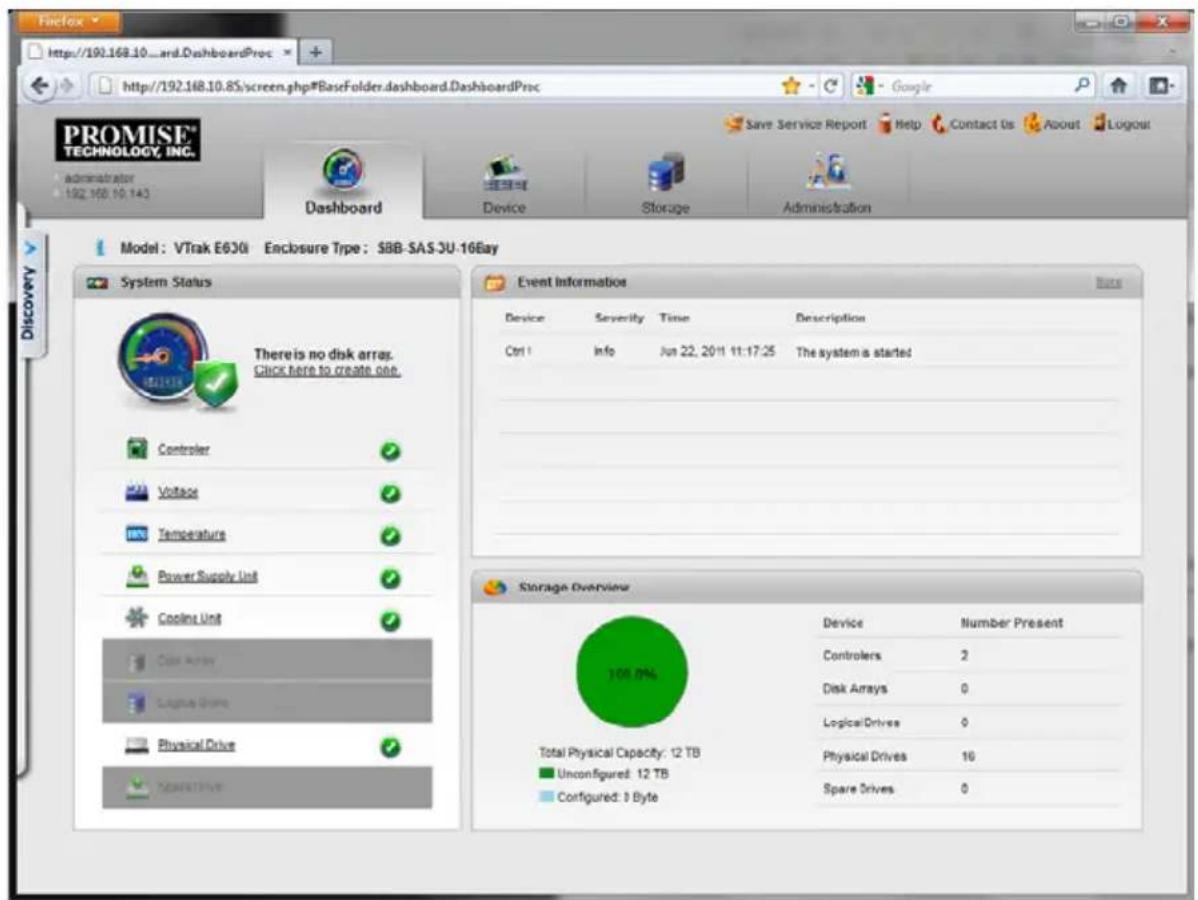
After log-in, the WebPAM PROe opens with the Dashboard tab. See page 61, Figure 5.
Figure 5. WebPAM PROe Dashboard tab
Creating Disk Arrays and Logical Drives
On a newly activated RAID system, there are no disk arrays or logical drives. The term "disk array" includes arrays composed of solid state drives.
To create your disk arrays and logical drives:
- Click the Storage tab, then click the Wizard option.
Or, click Disk Array under System Status.
The Wizard screen appears with three creation alternatives:
- Optimal Configurations – See below
• Automatic – See page 63 - Express – See page 63
-
Advanced – See page 64
-
Click one of these buttons to continue.
Figure 6. The configuration wizard

Optimal Configurations
When you choose the Optimal Configurations option, you choose a script designed to set up your disk arrays, logical drives, and spare drives for a specific target application.
Each script requires a specific model of RAID subsystem. And most scripts require a specific model and number of JBOD expansion units. You cannot cannot modify these scripts.
Automatic
When you choose the Automatic option, the following parameters appear on the screen:
- Disk Arrays – The number of logical drives, number of physical drives, ID of each physical drive, configurable capacity, and the media type (hard disk drives or solid state drives).
- Logical Drives – The ID numbers of the logical drives, their RAID levels, capacity, sector size, and stripe size.
- Spare Drives – The ID numbers of the logical drives, type (global or dedicated) revertible option (enabled or disabled) and media type. A hot spare drive is created for all RAID levels except RAID 0, when five or more unconfigured physical drives are available
If you do NOT accept these parameters, use the Express (below) or Advanced (page 64) option to create your disk array.
If you accept these parameters, click the Submit button, and then click the Finish button.
The new disk array appears in the Disk Array List on the Storage tab, Disk Array option.
Express
When you choose the Express option, a set of characteristics and options appears on the screen.
-
Check the boxes to choose any one or a combination of:
-
Redundancy – The array remains available if a physical drive fails
- Capacity – The greatest possible amount of data capacity
- Performance – The highest possible read/write speed
- Spare Drive – A hot spare drive is created when you choose Redundancy, Spare Drive, and five or more unconfigured physical drives are available
- Mixing SATA/SAS Drive – Check this box if you want to use both SATA and SAS drives in the same disk array
If the box is unchecked, and you have both SATA and SAS drives, different arrays are created for each type of drive.
- In the Number of Logical Drives field, enter the number of logical drives you want to make from this disk array.
VTrak supports up to 32 logical drives per disk array.
- From the Application Type menu, choose an application that best describes your intended use for this disk array:
- File Server
- Transaction Data
- Other
- Video Stream
- Transaction Log
-
Click the Next button to continue.
-
The Summary screen appears with information on disk arrays, logical drives, and spare drives you are about to create.
If you accept these parameters, proceed to the next step.
If you do NOT accept these parameters, review and modify your selections in the previous steps.
- When you are done, click the Submit button, and then click the Finish button.
The new disk array appears in the Disk Array List on the Storage tab, Disk Array option.
Advanced

Note
For an explanation of the parameters under the Advanced option, see “Chapter 7: Technology Background” on page 331.
When you choose the Advanced option, the Create Disk Array screen appears.
Step 1 – Disk Array Creation
-
Enter your information and choose your options.
-
Enter a disk array alias in the field provided.
- Check the box to enable Media Patrol
- Check the box to enable Predictive Data Migration (PDM)
- Check the box to enable Power Management
-
Choose a media type – Hard disk drive (HDD) or solid state drive (SSD)
-
Click the enclosure graphic to view information about physical drives.
Look for drives with a green LED dark, a blue LED lit, and no crosshatching over the carrier.
- Click a physical drive to select it for your array.
The physical drive's ID number is added to the Selected list.
- Click the Next button to continue.
The Create Logical Drive screen appears.
Step 2 – Logical Drive Creation
-
Enter your information and choose your options.
-
Enter a logical drive alias in the field provided.
- Choose a RAID level from the dropdown menu.
The choice of RAID levels depends on the number of physical drives in your array.
• Note the Max: capacity value. Then enter a capacity value the field provided and choose a unit of measure from the dropdown menu.
- Choose a stripe size from the dropdown menu. The choices are 64 KB, 128 KB, 256 KB, 512 KB, and 1 MB.
- Choose a sector size from the dropdown menu. The choices are 512 B, 1 KB, 2 KB, and 4 KB.
- Choose the Read Cache Policy from the dropdown menu The choices are Read Cache, Read Ahead (cache), and None.
- Choose the Write Cache Policy from the dropdown menu The choices are WriteThru (write through) and WriteBack. Write back requires a Read Cache or Read Ahead Read Cache Policy.
- Click the Add button to continue.
The logical drive you just created appears in the New Logical Drives list.
- Click the Next button to continue.
The Create Spare Drive screen appears.
Step 3 – Spare Drive Creation
Creating a spare drive is optional but highly recommended.
-
Enter your information and choose your options.
-
Check the Revertible box if you want this spare drive to be revertible.
For more information see the VTrak E-Class Product Manual. -
Choose the option for the type spare drive you want.
Global – Replaces a failed drive in any disk array.
Dedicated - Replaces the failed drive only in the assigned disk array. -
Click the enclosure graphic to view information about physical drives.
- Click a physical drive to select it for your spare drive.
The physical drive's ID number is added to the Selected list.
- Click the Next button to continue.
The Summary screen appears.
Step 4 – Summary
The Summary screen lists the disk arrays, logical drives, and spare drives that you specified.
If you accept these parameters, click the Submit button.
If you do NOT accept these parameters, review and modify your selections in the previous steps.
Enabling LUN Mapping and Masking
These features are optional for each logical drive. The Enable LUN Mapping dialog box appears after you create a logical drive.
To enable LUN Mapping:
- Click the OK button in the Enable LUN Mapping dialog box.
The LUN Mapping & Masking screen appears.
-
Check the Enable LUN Masking box to enable LUN Masking.
-
Click the LUN Mapping button to continue.
The initiator list screen displays.
- Choose the initiators you want to use from the dropdown menu and click the Next button.
The screen displays a list of initiators and a list of logical drives.
-
Click and drag a logical drive from the logical drives list to the initiators list.
-
Click the Next button when you are done.
The screen displays a list of initiator IDs and corresponding LUN maps that you specified.
- Click the Submit button to create the LUN map.
The screen displays a list of initiator IDs and corresponding LUN maps.
You can also set LUN mapping and masking at a later time. Click the Administration tab, then click the LUN Mapping & Masking option.
Logging out of WebPAM PROe
There are two ways to log out of WebPAM PROe:
- Close your browser window
- Click Logout on the WebPAM PROe banner
Figure 7. Clicking "Logout" on the WebPAM PROe banner

Clicking Logout brings you back to the Login Screen. See page 60.
After logging out, you must enter your user name and password in order to log in again.
Using WebPAM PROe over the Internet
The above instructions cover connections between VTrak and your company network. It is also possible to connect to a VTrak from the Internet.
Your MIS Administrator can tell you how to access your network from outside the firewall. Once you are logged onto the network, you can access the VTrak using its IP address. See “Logging into WebPAM PROe” on page 60.
Chapter 4: Management with WebPAM PROe
This chapter contains the following topics:
- Logging into WebPAM PROe (below)
- Choosing the Display Language (page 70)
• Perusing the Interface (page 72)
- Logging out of WebPAM PROe (page 74)
• Viewing the Storage Network (page 75)
- Managing Subsystems (page 76)
- Managing RAID Controllers (page 85)
- Managing Enclosures (page 92)
- Managing UPS Units (page 96)
- Managing Network Connections (page 100)
- Managing Users (page 102)
- Managing LDAP (page 108)
- Managing Background Activities (page 114)
- Managing Storage Services (page 124)
• Monitoring Performance (page 138)
- Managing Physical Drives (page 141)
- Managing Disk Arrays (page 148)
- Managing Logical Drives (page 162)
- Managing Spare Drives (page 172)
- Managing Initiators (page 177)
- Managing LUNs (page 180)
- Managing Fibre Channel Connections (page 184)
- Managing iSCSI Connections (page 188)
Logging into WebPAM PROe
- Launch your browser.
- In the browser address field, type in the virtual management port IP address of the VTrak subsystem.
Use the IP address you set in the CLI (page 47) or CLU (page 55).
Example:
- WebPAM PROe uses a secure HTTP connection. . . . . . . .https://
- Enter the IP address of the VTrak 192.168.10.85
Together, your entry looks like this: https://192.168.10.85
-
When the login screen appears:
-
T y p e
- T y p e
administrator in the User Name field.
password in the Password field.
- Click the Login button.
The User Name and Password are case sensitive.
- Optional. Choose a display language from the dropdown menu.
WebPAM PROe displays in English, German, French, Italian, Spanish, Russian, Japanese, Traditional Chinese, Simplified Chinese, and Korean.
- Click the Login button.
Figure 1. WebPAM PROe log-in screen
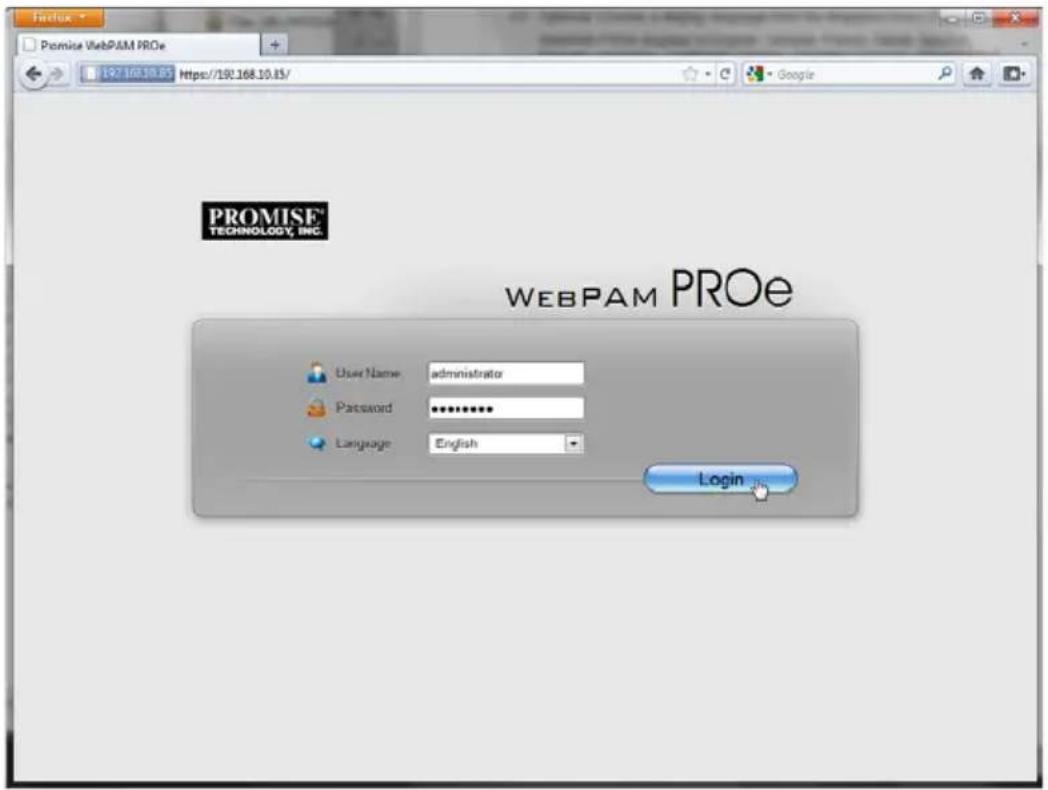
After login, the WebPAM PROe opening screen appears.
Choosing the Display Language
WebPAM PROe displays in multiple languages. You choose the display language when you log in.
If you are already logged in and you want to change the display language:
- Click Logout at the top right corner of the screen.

The Login screen appears.
- Click the Language dropdown menu and highlight the language you prefer.

- Reenter your user name and password.
- Click the Login button.
WebPAM PROe opens in the language you chose.
Perusing the Interface
The WebPAM PROe interface consists of a header and four tabs, each with specific functions.
• H e a d e r
Top left corner of the window:
- Name of logged-in user
- IP address – Virtual IP address of the RAID subsystem
• Top right corner of the window
- Save Service Report – Saves a detailed report to your Host PC
- Help – Accesses the Help Welcome screen
- Contact Us – Technical support contact information
- About – Information about WebPAM PROe
- Logout – Exits WebPAM PROe
- Discovery tab
- Displays other RAID systems on your network
- Enables direct login to other RAID systems
- Dashboard tab
- RAID subsystem model and type of enclosure
- System status
- Event information – Most recent NVRAM events
- Storage overview – Capacities, number of devices
- Device tab
• Enclosure front and back views
- Topology
- Enclosure component list and settings
• Physical drive management
- UPS (unlimited power supply) management
- Fibre Channel or iSCSI management
- Storage tab
- Wizard – Automatic, Express, or Advanced configuration
- Disk array management
• Logical drive management - Initiator management
• LUN mapping and masking
- Administration tab
- Subsystem settings, clearing statistics, NTP, and controller lock
- User management, including LDAP and role mapping
- Software services
• Runtime and NVRAM event logs - Background activity, settings and schedules
- Firmware updates
- Image version
• Performance monitor - PSU wattage monitor
- Restore factory default settings
- Import/Export user database and configuration script
• Network management
Logging out of WebPAM PROe
There are two ways to log out of WebPAM PROe:
- Close your browser window
- Click Logout on the WebPAM PROe banner
Figure 2. Clicking "Logout" on the WebPAM PROe banner
Clicking Logout brings you back to the Login Screen. See page 70.
After logging out, you must enter your user name and password in order to log in again.
Viewing the Storage Network
To view the other subsystems on your Storage Network, click the Discovery tab at the left edge of the WebPAM PROe window.
Logging onto a Subsystem
To log onto a subsystem in the list, double-click the subsystem.

Caution
The new subsystem displays in the same browser tab. Click your browser's back button to return to the original subsystem.
Filtering the Subsystem List
To filter the list, so it shows only specific subsystems, enter a characteristic into the Filter By field and press Enter.
Refreshing the List
To refresh the list, click the Refresh link.
Managing Subsystems
Subsystem management includes:
- Viewing Subsystem Information (below)
- Making Subsystem Settings (page 77)
- Locking or Unlocking the Subsystem (page 77)
- Restoring Factory Default Settings (page 78)
- Clearing Statistics (page 79)
- Saving a Service Report (page 79)
- Importing a Configuration Script (page 82)
- Exporting a Configuration Script (page 82)
- Restarting the Subsystem (page 83)
- Shutting Down the Subsystem (page 83)
- Restarting the Subsystem after a Shutdown (page 84)
Viewing Subsystem Information
To view subsystem information, click the Administration tab.
The list of subsystems and host controllers displays.
Subsystem information includes:
- Alias, if assigned
- Vendor
- Model
- WWN – World Wide Number
- Serial number
- Part number
- Revision number
• Number of controllers present - Redundancy status
- Redundancy type
- System date and time
• Number of JBOD expansion units connected
• Maximum number of JBOD expansion units supported
• Maximum number of controllers supported
Making Subsystem Settings
To make subsystem settings:
- Click the Administration tab.
- Click the Subsystem Information icon.
-
Click the Settings button.
-
Make changes as required:
-
Enter an alias or change the existing alias in the field provided.
- Choose a redundancy type from the dropdown menu.
The choices are Active-Active and Active-Standby -
Check the box to enable Cache Mirroring.
-
Click the Save button.
Locking or Unlocking the Subsystem
The lock prevents other sessions (including sessions with the same user) from making a configuration change to the controller until the lock expires or a forced unlock is done. When the user who locked the controller logs out, the lock is automatically released.
Setting the Lock
To set the lock:
- Click the Administration tab.
- Click the Subsystem Information icon.
- Click the Lock/Unlock button.
- In the Lock Time field, type a lock time in minutes.
1440 minutes = 24 hours - Click the Lock button.
Resetting the Lock
To reset the lock with a new time:
- Click the Administration tab.
- Click the Subsystem Information icon.
- Click the Lock/Unlock button.
- In the Lock Time field, type a new lock time in minutes.
1440 minutes = 24 hours - Click the Lock button.
Releasing the Lock
To release a lock that you set:
- Click the Administration tab.
- Click the Subsystem Information icon.
- Click the Lock/Unlock button.
- Click the Unlock button.
Releasing a Lock set by another user
To release somebody else's lock:
- Click the Administration tab.
- Click the Subsystem Information icon.
- Click the Lock/Unlock button.
- Check the Force Unlock box.
- Click the Unlock button.
Restoring Factory Default Settings
This feature restores settings to their default values.

Caution
Use this feature only when required and only on the settings that you must reset to default in order to set them correctly.

Note
To reset the Administrator's password to the factory default, see "Resetting the Default Password" on page 330.
To restore all settings to their default values:
- Click the Administration tab.
- Click the Restore Factory Default icon.
- In the Restore factory default settings screen, check the boxes beside the settings you want to reset to default value:
Firmware Factory Default Settings Software Factory Default Settings
- Background activity settings
- Controller settings
- Enclosure settings
- FC port settings
- iSCSI port settings
- Management network settings
• Physical drive settings -
Subsystem settings
-
BGA scheduler settings
- Service settings
- Webserver settings
- SNMP settings
- Telnet settings
- SSH settings
- Email settings
- Netsend settings
- CIM settings
- NTP settings
- User settings
- UPS settings
-
LDAP settings
-
Click the Submit button.
- In the Confirmation box, type the word "confirm" in the field provided and click the Confirm button.
Clearing Statistics
This function clears statistical data on the RAID controllers, Fibre Channel ports, physical drives, and logical drives.
To clear subsystem statistics:
- Click the Administration tab.
- Click the Subsystem Information icon.
- Click the Clear Statistics button.
- Type the word "confirm" in the field provided.
- Click the Confirm button.
Saving a Service Report
A Service Report is a detailed report covering the configuration and status of all components in your RAID system. A support technician or field engineer might request a service report for the purpose of diagnosis and troubleshooting.
To save a system configuration file:
- Click Save Service Report in the Header.
Information for the report is gathered and compiled. This action takes up to a few minutes, depending on the size of your RAID system
- Click the Save File option, then click the Save button.
The report saves to your Host PC as a compressed HTML file.
-
Double-click the downloaded file to decompress it.
-
Double-click the report to open it in your default browser.
The Service Report includes the following topics:
- About – Report utility
- Battery Info – Cache backup batteries
- BBM Info – Bad Block Manager
- BGA Summary – Status and settings
The Service Report includes the following topics, continued: - BGA Schedules – Scheduled activities
- Buzzer Info
- Controller Info
- Debug Syslog – Diagnostic information
- Disk Array Info – ID, alias, and capacities only
- Disk Array Dump Info – Diagnostic information
- Disk Array Verbose Info – All disk array information
- Enclosure Info
- Error Table Info – Read check, write check, and inconsistent blocks
- Event Info – NVRAM – List of NVRAM events
- Event Info – Runtime – List of Runtime events
- FC Node Info
- FC Device Info
- FC Initiator Info
- FC Port Info
• FC SFP Info - FC Stats Info
- Flash Image Version Info
- iSCSI Info
- LDAP Info
- LogDrive Info – Basic logical drive information
- LogDrive Dump Info – Diagnostic information
-
Logical Drive Verbose Info – Full logical drive information
-
Lunmap Info – LUN map type, LUN masking status, and LUN entries
• Network Info – Virtual port - Network Maintenance Info – Maintenance mode ports
- Phydriv Info – Basic physical drive information
- Phydriv Verbose Info – Full physical drive information
- PD SMART Info – Physical drive ID, model, type, and SMART status
- PSU Wattage Info – Enclosure power consumption, power supply input and output, and power on time
- SWMGT Info – Software management
The Service Report includes the following topics, continued:
- Service Setting – CIM
- Service Setting – Email
• Service Setting – Netsend - Service Setting – NTP
- Service Setting – SLP
- Service Setting – SNMP
- Service Setting – SSH
- Service Setting – Telnet
• Service Setting – Webserver
- Sessions Info
- Spare Info – Basic spare drive information
- Spare Dump Info – Diagnostic information
- Spare Verbose Info – Full spare drive information
- Statistic Info
- Subsystem info
- UPS Info
- User Info
Importing a Configuration Script
You can write a CLI configuration script to automatically configure your VTrak subsystem. The script must be a plain, non-encrypted text file. From there, you can import the script from the Host PC and perform the configuration automatically.

Cautions
- Do NOT attempt to write or modify a configuration script until you receive guidance from Technical Support. See page 435.
- Importing a configuration script overwrites the current settings on your VTrak subsystem.
Or you can save the configuration from one VTrak RAID subsystem, export it, and then import it to automatically configure your other VTrak RAID subsystems. To import a configuration script:
- Click the Administration tab.
- Click the Import/Export icon.
- Click the Import option.
- Choose Configuration Script from the Type dropdown menu.
- Click the Browse button and navigate to the configuration script and click the OK button.
- Click the Next button.
The system verifies that the file is a valid configuration script and displays any errors or warnings.
-
Click the Submit button to continue.
-
In the Confirmation box, type the word "confirm" in the field provided and click the Confirm button.
The configuration script is imported and applied automatically.
Exporting a Configuration Script
You can save the configuration from one VTrak RAID subsystem, export it, and then import it to automatically configure your other VTrak RAID subsystems.
To export a configuration script:
-
Click the Administration tab.
-
Click the Import/Export icon.
-
Click the Export option.
-
Choose Configuration Script from the Type dropdown menu.
-
Click the Submit button.
- In the Open dialog box, click the Save File option, then click the OK button. The file is saved to your PC as "Configscript.txt".

Caution
Do NOT attempt to write or modify a configuration script until you receive guidance from Technical Support. See page 435.
Restarting the Subsystem
This function shuts down the subsystem and then restarts it.

Important
Do NOT turn off the power supply switches on the RAID subsystem or JBOD expansion units.
To restart the subsystem:
- Click the Administration tab.
- Click the Subsystem Information icon.
- Click the Shutdown/Restart button.
- Click the Restart button.
- Type the word "confirm" in the field provided.
- Click the Confirm button.
When the controller shuts down, your WebPAM PROe connection is lost.
-
Wait no less than two minutes.
-
In your browser, click Logout in the WebPAM PROe Header, then log in again.
If you cannot log in immediately, wait 30 seconds and try again.
Shutting Down the Subsystem
This function shuts down the RAID subsystem without restarting it.
To shutdown the subsystem:
- Click the Administration tab.
- Click the Subsystem Information icon.
- Click the Shutdown/Restart button.
- Click the Shutdown button.
-
Type the word "confirm" in the field provided.
-
Click the Confirm button.
When the controller shuts down, your WebPAM PROe connection is lost.
- Wait no less than two minutes.
- Manually turn OFF the switches on both power supplies.

Important
If your RAID subsystem manages JBOD expansion units, you must follow the proper startup procedure.
Restarting the Subsystem after a Shutdown

Important
If your RAID subsystem manages JBOD expansion units, always power on the JBOD expansion units first. Then power on the RAID subsystem.
To start the RAID subsystem:
- Manually turn ON the power supply switches on the back of the subsystem.
- Wait no less than two minutes.
- Open your browser and log into WebPAM PROe.
If you cannot log in immediately, wait 30 seconds and try again.
Managing RAID Controllers
RAID controller management includes:
- Viewing Controller Information (below)
- Making Controller Settings (page 86)
• Viewing Controller Statistics (page 87) - Locating a Controller (page 88)
- Viewing the Flash Image Information (page 88)
- Updating Firmware on a RAID Subsystem (page 89)
• Viewing Battery Information (page 89) - Reconditioning a Battery (page 90)
- Making Buzzer Settings (page 91)
• Silencing the Buzzer (page 91)
Viewing Controller Information
To view controller information:
- Click the Device tab.
-
Click the Component List icon.
-
Click the controller you want, then click the View button.
Controller information includes:
- Controller ID
- Readiness Status
- Power On Time
- Part Number
- Hardware Revision
- Cache Usage – Percentage
- Boot Loader Version
- Firmware Build Date
- Software Build Date
- Alias – If assigned *
- Operational Status
• SCSI Protocol Supported - Serial Number
- WWN – Worldwide Number
- Dirty Cache Usage – Percentage
- Firmware Version
-
Software Version
-
Click the Advanced Information tab.
Advanced controller information includes:
| • Slot 1 Memory Type | • Slot 1 Memory Size |
| • Slot 2 Memory Type | • Slot 2 Memory Size |
| • LUN Affinity * | • A L U A * |
| • Controller Role | • F I a s h T y p e |
| • Flash Size | • NVRAM Type |
| • NVRAM Size | • Preferred Cache Line Size |
| • Coercion * | • Coercion Method * |
| • S M A R T * | • SMART Polling Interval * |
| • Write Back Cache Flush Interval * | • Enclosure Polling Interval * |
| • Adaptive Writeback Cache * | • Host Cache Flushing * |
| • Forced Read Ahead (cache) * | • Power Saving Idle Time * |
| • Power Saving Standby Time * | • Power Saving Stopped Time * |
| • Cache Line Size |
Items with an asterisk (*) are adjustable under Controller Settings.
Making Controller Settings
In a dual-controller RAID subsystem, settings made to one controller are applied to both controllers.
To make controller settings:
- Click the Device tab.
- Click the Component List icon.
- Click the controller you want, then click the Settings button.
-
Make settings changes as required:
-
Enter, change or delete the alias in the Alias field.
- LUN Affinity – Choose an enable/disable option from the dropdown menu. RAID controllers must be set to Active-Active. See “Making Subsystem Settings” on page 77 and “LUN Affinity” on page 361.
- ALUA – Choose an enable/disable option from the dropdown menu. RAID controllers must be set to Active-Active. See “Making Subsystem Settings” on page 77 and “ALUA” on page 361.
• SMART Log – Check the box to enable or uncheck to disable.
• SMART Polling Interval – Enter a value into the field, 1 to 1440 minutes
- HDD Power Saving – Choose time periods from the dropdown menus. After an HDD has been idle for the set period of time:
- Power Saving Idle Time – Parks the read/write heads.
• Power Saving Standby Time – Lowers disk rotation speed. - Power Saving Stopped Time – Spins down the disk (stops rotation).
- Coercion – Check the box to enable or uncheck to disable.
- Coercion Method – Choose a method from the dropdown menu:
• G B T r u n c a t e
- 10GBTruncate
- GrpRounding
- TableRounding
- Write Back Cache Flush Interval – Enter a value into the field, 1 to 12 seconds.
- Enclosure Polling Interval – 15 to 255 seconds.
- Adaptive Writeback Cache – Check the box to enable or uncheck to disable. See “Adaptive Writeback Cache” on page 363.
- Host Cache Flushing – Check the box to enable or uncheck to disable. See “Host Cache Flushing” on page 363.
-
Forced Read Ahead (cache) – Check the box to enable or uncheck to disable. See “Forced Read-Ahead Cache” on page 362.
-
Click the Save button.

Notes
- Power Management must be enabled on the disk array for the HDD Power Saving settings to be effective. See “Making Disk Array Settings” on page 157.
- Power Management functions are limited to the features your HDDs actually support.
Viewing Controller Statistics
To view controller statistics:
- Click the Device tab.
- Click the Component List icon.
- Click the controller you want, then click the View button.
- Click the Statistics tab.
Controller statistics include:
- Data Transferred
- Read Data Transferred
- Write Data Transferred
- Errors
• Non-Read/Write Errors - Read Errors
-
Write Errors
-
IO Requests
• Non-Read/Write Requests - Read IO Requests
- Write IO Requests
• Statistics Start date and time
• Statistics Collection date and time

Note
To clear controller statistics, see "Clearing Statistics" on page 79.
Locating a Controller
This feature causes the controller LEDs to blink for one minute to assist you in locating the controller on a RAID subsystem or JBOD expansion unit.
To locate a controller:
- Click the Device tab.
- Click the Component List icon.
- Click the controller you want, then click the Locate button.
The controller LEDs blink for one minute.
Figure 3. FC RAID controller LEDs
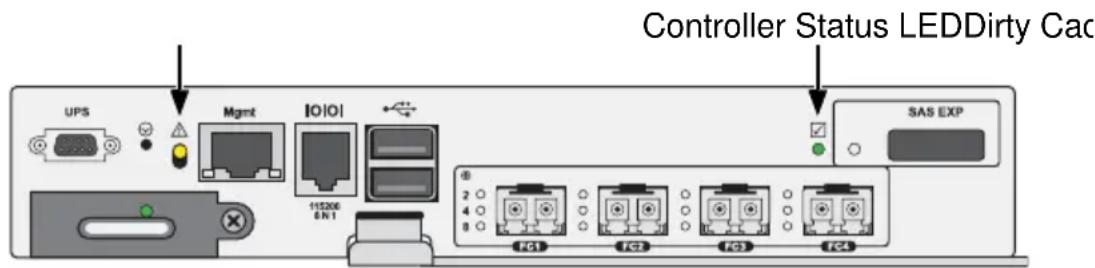
Viewing the Flash Image Information
To view the flash image information for the RAID subsystem enclosure:
- Click the Administration tab.
- Click the Image Version icon.
- Click the Enclosure you want to see and click the triangular button.
RAID subsystems have the following components in their flash image:
• K e r n e l
• B I O S
- Firmware
- 6G Expander
- Software
- System Libraries
- Ramdisk
- Applications
- SEP Firmware
- Mount Scripts
- OEM Customization
- PLX EEPROM Image
- Running – The version that is currently running on the subsystem or expansion unit.
- Flashed – This version was updated but does not run until the subsystem restarts.
See "Updating Firmware on a RAID Subsystem" on page 89.
JBOD expansion units have only one component in their flash image, SEP firmware. It only appears as running.
Updating Firmware on a RAID Subsystem
Use this function to flash (update) the firmware on the VTrak. See page 315 for the procedure.
Viewing Battery Information
Batteries maintain power to the controller cache in the event of a power failure, thus protecting any data that has not been written to a physical drive.
To view battery information:
- Click the Device tab.
- Click the Component List icon.
- Click the battery you want, then click the View button.
Battery information includes:
- Battery ID
- Operational status – Fully charged, recondition means a reconditioning is in process
- Battery chemistry – LiON, etc.
- Remaining capacity – Battery capacity as a percentage
- Battery cell type – Number of cells
-
Estimated hold time – Time in hours that the battery can power the cache
-
Temperature threshold discharge – Maximum temperature allowed when the battery is discharging
- Temperature threshold charge – Maximum temperature allowed when the battery is charging
- Battery temperature – Actual battery temperature
- Cycle count – Number of times the battery was reconditioned
- Voltage in millivolts
- Current in milliamps
Reconditioning a Battery
Batteries maintain power to the controller cache in the event of a power failure, thus protecting any data that has not been written to a physical drive.
Reconditioning is the action of discharging and recharging a battery to preserve its capacity and performance.
Reconditioning is a background activity and does not affect I/O performance.
When the recondition is completed, the battery's cycle count increments by one.
By default, each battery is reconditioned every two months. You can change the reconditioning schedule.

Caution
Disabling or deleting the battery recondition schedule is NOT recommended.
To recondition a battery immediately:
- Click the Device tab.
- Click the Component List icon.
- Click the battery you want, then click the Recondition button.
Battery operations status changes to “Recondition” and the battery’s remaining capacity and estimated hold time fall and rise reflecting the discharge and recharge cycles of the reconditioning. That behavior is normal.
Making Schedule Changes
To make changes the scheduled battery reconditioning:
- Click the Administration tab.
-
Click the Background Activities icon.
The list of Background Activities displays. -
Click the Scheduler button.
-
Mouse-over Battery Reconditioning and click the Settings button.
-
Make settings changes as required:
-
Start Time
- Uncheck the Enable This Schedule box to disable this activity.
- Recurrence Pattern
• S t a r t F r o m -
End On
-
Click the Save button to apply the new settings.
Making Buzzer Settings
To make buzzer settings:
- Click the Device tab.
- Click the Component List icon.
- Click the Buzzer and click the Settings button.
- Check the Enable Buzzer box to enable the buzzer.
Or uncheck the box to disable. - Click the Save button.
Silencing the Buzzer

Caution
This action disables the buzzer for all events.
To silence the buzzer:
- Click the Device tab.
- Click the Component List icon.
- Click the Buzzer and click the Settings button.
- Uncheck the Enable Buzzer box.
- Click the Save button.
Managing Enclosures
Enclosure management includes the following functions:
- Viewing the Enclosures Summary (page 92)
- Making Enclosure Settings (page 93)
- Locating an Enclosure (page 93)
• Viewing FRU VPD Information (page 94) - Viewing Power Supply Status (page 94)
• Viewing Fan Status (page 94) - Viewing Temperature Sensor Status (page 95)
- Viewing Voltage Sensor Status (page 95)
Viewing Enclosure Topology
This feature displays the connection topology of the VTrak subsystem. Topology refers to the manner in which the data paths among the enclosures are connected. There are three methods:
- Individual Subsystem – A single subsystem
- JBOD Expansion – Managed through one subsystem or head unit
- RAID Subsystem Cascading – Managed through one subsystem or head unit
For more information about connections, see “Making Management and Data Connections” on page 25.
To view enclosure topology:
- Click the Device tab.
- Click the Topology icon.
The topology or data connections of your system displays.
Viewing the Enclosures Summary
Enclosure Management includes information, status, settings and location. To access Enclosure Management:
- Click the Device tab.
- Click the Component List icon.
The following information is shown: - Enclosure ID number
- Status
- Enclosure Type
- Status Description (specific components in need of attention, if any)
Locating an Enclosure
To locate an enclosure:
- Click the Device tab.
-
Click the Component List icon.
-
Click the enclosure you want, then click the Locate button.
The enclosure LEDs blink for one minute.
Viewing Enclosure Information
To view enclosure information:
- Click the Device tab.
- Click the Component List icon.
- Click the Enclosure and click the View button.
Enclosure information includes:
- Enclosures ID
- Enclosure Type
• Enclosure Warning Temperature Threshold
• Enclosure Critical Temperature Threshold - Controller Warning Temperature Threshold
- Controller Critical Temperature Threshold
• Max Number of Controllers
• Max Number of Physical Drive Slots
• Max Number of Fans
• Max Number of Blowers
• Max Number of Temperature Sensors
• Max Number of Power Supply Units
• Max Number of Batteries
• Max Number of Voltage Sensors
For information on Enclosure problems, see “Diagnosing an Enclosure Problem” on page 391.
Making Enclosure Settings
To make Enclosure settings:
- Click the Device tab.
- Click the Component List icon.
- Click the Enclosure and click the Settings button.
Enclosure settings include:
• Enclosure Warning Temperature Threshold
• Enclosure Critical Temperature Threshold
- Controller Warning Temperature Threshold
- Controller Critical Temperature Threshold
-
In the field provided, type the temperature in degrees C for each threshold value.
-
Click the Save button.
Viewing FRU VPD Information
FRU VPD refers to Vital Product Data (VPD) information about Field Replaceable Units (FRU) in the enclosure. The number and type of FRU depends on the subsystem model.
To view FRU VPD information:
To make Enclosure settings:
- Click the Device tab.
- Click the Component List icon.
- Click the Enclosure and click the FRU VPD button.
Use this information when communicating with Technical Support and when ordering replacement units. For contact information, see “Contacting Technical Support” on page 435.
Viewing Power Supply Status
To view the status of the power supplies:
- Click the Device tab.
- Click the Component List icon.
- Click the Enclosure and click the View button.
- Scroll down to view the power supplies.
The screen displays the operational and fan status of VTrak's two power supplies. If any status differs from normal or the fan speed is below the Healthy Threshold value, there is a fan/power supply malfunction. See "Replacing a Power Supply" on page 323.
Viewing Fan Status
The fans are located on the power supplies.
To view the status of the power supply fans:
-
Click the Device tab.
-
Click the Component List icon.
- Click the Enclosure and click the View button.
- Scroll down to view the Fans.
The screen displays the status and speed of the fans on the power supplies. If fan speed is below the Healthy Threshold, there is a malfunction. See “Diagnosing an Enclosure Problem” on page 391.
Viewing Temperature Sensor Status
To view the status of the temperature sensors:
- Click the Device tab.
- Click the Component List icon.
- Click the Enclosure and click the View button.
- Scroll down to view the Temperature Sensors.
If any temperature exceeds the Healthy Threshold value, there is an overheat condition in the enclosure. See “Making Enclosure Settings” on page 93 and See “Diagnosing an Enclosure Problem” on page 391.
Viewing Voltage Sensor Status
To view the status of the voltage sensors:
- Click the Device tab.
- Click the Component List icon.
- Click the Enclosure and click the View button.
- Scroll down to view the Voltage Sensors.
If any voltage is outside the Healthy Threshold values, there is a voltage malfunction in the enclosure. See “Diagnosing an Enclosure Problem” on page 391.
Managing UPS Units
Uninterruptible Power Supply (UPS) Management includes the following functions:
- Viewing a List of UPS Units (below)
- Making UPS Settings (page 97)
• Viewing UPS Information (page 98)
Viewing a List of UPS Units
To view a list of UPS units supporting the VTrak:
- Click the Device tab.
- Click the UPS icon.
Information in the UPS List includes:
• I D – The ID number of the UPS
- Status – OK means Normal.
On AC means the UPS is connected to a viable external AC power source.
On Battery means the external AC power source is offline and the UPS is running on battery power.
- Model – Model name of the UPS
- Battery Capacity – Backup capacity expressed as a percentage.
- Loading Ratio – Actual output of UPS as a percentage of the rated output. See the Note below.
- Remaining Minutes – Number of minutes the UPS is expected to power your system in the event of a power failure.

Note
The maximum recommended Loading Ratio varies among models of UPS units. The general range is 60% to 80%. If the reported Loading Ratio exceeds the recommended value for your UPS unit:
- Have fewer subsystems or peripherals connected to this UPS unit.
- Add more UPS units, or use a higher-capacity UPS unit, to protect your RAID systems.
Making UPS Settings
These settings control how the VTrak subsystem detects the UPS unit and responds to data reported by the UPS unit.
To make UPS settings:
- Click the Device tab.
- Click the UPS icon.
- Click the UPS Settings button.
- Perform the following actions as required:
- Verify the Current UPS Communication method. See Note 1:
- SNMP – Network connection.
- Serial – Serial connection.
- Unknown – No connection.
- Choose a Detection Setting from the dropdown menu:
- Automatic – Default. If a UPS is detected when the subsystem boots, the settings changes to Enable.
- Enable – Monitors UPS. Settings changes, reports warnings, and logs events.
- Disable – Monitors UPS only.
- Type values into the Threshold fields. See Note 2:
- Running Time Remaining Threshold – Actual time below this value resets adaptive writeback cache to writethrough.
- Warning Temperature Threshold – Actual temperature above this value triggers a warning and logs an event.
- Loading Ratio Threshold – Actual loading ratio (percentage) above this threshold triggers a warning and logs an event. See Note 3.
- For UPS units with network cards, type the IP addresses or DNS names in fields UPS 1 and UPS 2. See Note 4.
- Press Control-A to save your settings.
Note 1: VTrak supports multiple UPS units using network or serial connections, but not a combination of both methods.
Note 2: Detection Setting must be set to Auto. If a UPS is detected, the settings changes to Enable.
Note 3: The maximum recommended Loading Ratio varies among models of UPS units. The general range is 60% to 80%.
Note 4: To specify UPS units by DNS names, ask your IT administrator to add the DNS names to the DNS server, before you make UPS settings.
Viewing UPS Information
To view information about a specific UPS unit:
- Click the Device tab.
- Click the UPS icon.
- Mouse-over UPS and click the View button.
UPS information includes:
• UPS ID
- M o d e l N a m e
- Serial Number
- Firmware Version
- Manufacture Date
- Voltage Rating – Output voltage of the UPS.
- Battery Capacity – Backup capacity expressed as a percentage.
- Remaining Backup Time – Number of minutes the UPS is expected to power your system in the event of a power failure.
- Loading Ratio – Actual output of UPS as a percentage of the rated output. See the Note below.
- Temperature – Reported temperature of the UPS unit.

Note
The maximum recommended Loading Ratio varies among models of UPS units. The general range is 60% to 80%. If the reported Loading Ratio exceeds the recommended value for your UPS unit:
- Have fewer subsystems or peripherals connected to this UPS unit.
- Add more UPS units, or use a higher-capacity UPS unit, to protect your RAID systems.
Managing Network Connections
Network Connections Management includes the following functions:
- Making Virtual Management Port Settings (page 100)
- Making Maintenance Mode Settings (page 100)
Making Virtual Management Port Settings
The VTrak subsystem has a virtual management port, enabling you to log into a VTrak with dual controllers using one IP address.
Before you change settings, please see "About IP Addresses" on page 45.
You initially made these settings during subsystem setup. You can change them later as required.

Caution
Changing virtual management port settings can interrupt your WebPAM PROe connection and require you to log in again.
To make virtual management port settings:
- Click the Device tab.
- Click the Network Management icon.
- Click the Virtual Management Port tab.
- Click the protocol family whose settings you want to change and click the Configuration button.
- Make the following settings are needed:
- Check the Enable box to enable this protocol family.
- Check the Enable DHCP box to enable a DHCP server to make your network settings. DHCP is currently supported in IPv4 only.
-
For manual network settings, type the RAID subsystem's IP address, subnet mask, gateway IP address, and DNS server IP address into the fields provided.
-
Click the Submit button.
Making Maintenance Mode Settings
Each controller has its own IP addresses for access when the controller goes into maintenance mode. For more information, see “Maintenance Mode” on page 395.
Before you change settings, please see "About IP Addresses" on page 45.
To make maintenance mode settings:
- Click the Device tab.
-
Click the Network Management icon.
-
Click the Maintenance Mode tab.
-
Click the controller and protocol family whose settings you want to change and click the Configuration button.
-
Make the following settings are needed:
-
Check the Enable box to enable this protocol family.
- Check the Enable DHCP box to enable a DHCP server to make your network settings. DHCP is currently supported in IPv4 only.
-
For manual network settings, type the controller's IP address, subnet mask, gateway IP address, and DNS server IP address into the fields provided.
-
Click the Submit button.
Managing Users
User management includes:
- Viewing User Information (below)
- Creating a User (page 102)
- Setting User Event Subscriptions (page 103)
- Changing User Passwords (page 105)
- Deleting a User (page 106)
- Importing a User Database (page 106)
- Exporting a User Database (page 107)
The Administrator or a Super User can perform these tasks.
Viewing User Information
To view user information:
-
Click the Administration tab.
-
Click the User Management icon.
The list of users displays. User information includes:
- User name
- S t a t u s
- Privilege level
- Display name
- Email address
- User Type – local or LDAP user
Creating a User
This action requires Administrator or Super User privileges.
To create a user:
- Click the Administration tab.
- Click the User Management icon.
-
Click the Add User button.
-
In the Add User dialog box, enter the information in the fields provided:
-
Name – This is the user's login name
- Display Name
- Password
- Retype Password
-
User Email – Required for event notification
-
Choose a privilege level from the dropdown menu.
See the table below.
-
(Optional) Uncheck the Enable box to disable this User account.
-
Click the Save button.
The user is added to the list.

Important
- For this user to receive event notification, Click the new user and click the Subscription button.
- For this user to be an LDAP User, click the LDAP Settings button, enter information and make settings as required.
| User Privileges | |
| Level Meaning | |
| View Allows the user to see all status and settings but not to make any changes | |
| Maintenance Allows the user to perform maintenance tasks including Rebuilding, PDM, Media Patrol, and Redundancy Check | |
| Power Allows the user to create (but not delete) disk arrays and logical drives, change RAID levels, change stripe size; change settings of components such as disk arrays, logical drives, physical drives, and the controller | |
| Super Allows the user full access to all functions including create and delete users and changing the settings of other users, and delete disk arrays and logical drives.The default “administrator” account is a Super User |
Setting User Event Subscriptions
By default, all users have event notification:
- Enabled
- Set to the Major (severity) level for all events See the Table above
Subscribing users receive notification of events at the chosen severity level and all higher levels. See the table on the next page.

Note
Each user must have a valid Email address to receive events. See "Making User Settings" below.
Changing a user subscription requires Administrator or Super User privileges.
To set a user event subscription:
- Click the Administration tab.
- Click the User Management icon.
- In the User list, click the user you want, then click the Subscription button.
-
Make settings changes as required:
-
For the Enable Event Notification box, check to enable for this user, uncheck to disable.
-
Click to change the priority options for each category of event.
-
Click the Save button.
Making User Settings
This action requires Administrator or a Super User privileges.
To make user settings:
- Click the Administration tab.
- Click the User Management icon.
- In the User list, Click the user you want, then click Settings.
-
Make settings changes as required:
-
For the Enable box, check to enable this user account, uncheck to disable this user account
- In the User Settings dialog box, enter a new Display Name or User Email address
-
Choose a new Privilege level from the dropdown menu. See the table on the next page.
-
Click the Save button.
| User Privileges | |
| Level Meaning | |
| View Allows the user to see all status and settings but not to make any changes | |
| Maintenance Allows the user to perform maintenance tasks including Rebuilding, PDM, Media Patrol, and Redundancy Check | |
| Power Allows the user to create (but not delete) disk arrays and logical drives, change RAID levels, change stripe size; change settings of components such as disk arrays, logical drives, physical drives, and the controller | |
| Super Allows the user full access to all functions including create and delete users and changing the settings of other users, and delete disk arrays and logical drives.The default “administrator” account is a Super User |
Changing User Passwords
This action requires Administrator or Super User privileges.
To change a user's password:
- Click the Administration tab.
- Click the User Management icon.
- In the User list, Click the user you want, then click Change Password.
- In the Change Password dialog box, enter the information in the fields provided:
- New Password
- Retype Password
- Click the Save button.

Note
To reset the Administrator's password to the factory default, see "Resetting the Default Password" on page 330.
Deleting a User
This action requires Administrator or Super User privileges.

Note
You cannot delete the Administrator.
To delete a user:
- Click the Administration tab.
- Click the User Management icon.
- In the User list, Click the user you want, then click the Delete button.
- In the Confirmation box, type the word "confirm" in the field provided and click the Confirm button.
Importing a User Database
You can save the user information and settings from one VTrak RAID subsystem, export it, and then import it to automatically configure your other VTrak RAID subsystems.

Caution
Importing a user database overwrites the current users and user settings on your VTrak subsystem.
To import a user database:
- Click the Administration tab.
- Click the Import/Export icon.
- Click the Import option.
- Choose User Database from the Type dropdown menu.
- Click the Browse button and navigate to the user database file and click the OK button.
- Click the Next button.
The system verifies that the file is a valid user database and displays any errors or warnings.
- Click the Submit button to continue.
- In the Confirmation box, type the word "confirm" in the field provided and click the Confirm button.
The user database is imported and applied automatically.
Exporting a User Database
You can save the user information and settings from one VTrak RAID subsystem, export it, and then import it to automatically configure your other VTrak RAID subsystems.
To export a user database:
- Click the Administration tab.
- Click the Import/Export icon.
- Click the Export option.
- Choose User Database from the Type dropdown menu.
- Click the Submit button.
- In the Open dialog box, click the Save File option, then click the OK button. The file is saved to your PC as "User.dat".

Note
The user database file is not designed to be opened or edited in the field.
Managing LDAP
LDAP Management includes the following functions:
- Viewing LDAP Information (page 108)
- Making LDAP Settings (page 109)
- Testing LDAP Settings (page 111)
• Viewing a List of Role Maps (page 111) - Adding a Role Map (page 111)
- Making Role Map Settings (page 112)
- Deleting a Role Map (page 113)
Viewing LDAP Information
Lightweight Directory Access Protocol (LDAP) is a protocol used to access a directory listings.
To view LDAP information:
- Click the Administration tab.
- Click the User Management icon.
- Click the LDAP Settings button.
The LDAP Authorization screen appears. LDAP information includes:
- Enable LDAP – Check the box to enable LDAP.
- Response Time Out – Maximum time to allowed for communication with LDAP server.
- Base DN – Distinguished name used as based object entry search. dc=example, dc=com is the default.
- LDAP Server – Hostname or IP address of the LDAP server. 127.0.0.1 is the default.
- LDAP Port – The port number of the LDAP server. 389 is the default.
- Server Type – Windows Active Directory, Mac Open directory, or Unspecified.
- UID Attribute – Stores user's ID in LDAP server. For Windows, a typical value is sAMAccountName. For Mac OS, a typical value is uid.
- Anonymous Bind – Allows the system to bind to an LDAP server without providing Bind DN and password.
- Bind DN – Distinguished name used to authenticate communication between subsystem and LDAP server. No default value.
- Bind Password – Password for Bind DN. No default value.
-
Email notification for Event – Enables an email subscription for an LDAP authenticated user.
-
Object Class – For email notification. The default is person.
- Full Name Attribute – Stores user's full name in LDAP server. displayName is the default.
- Email Address Attribute – Stores user's email address in LDAP server. mail is the default.
- Privilege for LDAP Users – Default Privilege or Using Role Mapping.
- Default Privilege – Applies to Default Role Policy. View, Maintenance, Power, or Super.
- Base DN of Group – The base DN for a group of users.
- Object Class of Group – The object class for a group of users. The default is group.
- Group ID Attribute – Identification for a group of users. The default is CN.
Making LDAP Settings
This action requires Administrator or a Super User privileges.
To make user LDAP settings:
- Click the Administration tab.
- Click the User Management icon.
- Click the LDAP Settings button.
- Enter information and make settings as required:
- Enable LDAP – Check the box to enable LDAP.
- Response Time Out – Maximum time to allowed for communication with LDAP server.
- Base DN – Distinguished name used as based object entry search. dc=example, dc=com is the default.
- LDAP Server – Hostname or IP address of the LDAP server. 127.0.0.1 is the default.
- LDAP Port – The port number of the LDAP server. 389 is the default.
- Server Type – Choose a server type from the dropdown menu. Windows Active Directory, Mac Open directory, or Unspecified.
- UID Attribute – Stores user's ID in LDAP server. For Windows, a typical value is sAMAccountName. For Mac OS, a typical value is uid.
- Anonymous Bind – Allows the system to bind to an LDAP server without providing Bind DN and password.
- Bind DN – Distinguished name used to authenticate communication between subsystem and LDAP server. No default value.
-
Bind Password – Password for Bind DN. No default value.
-
Email notification for Event – Check the box to enable an email subscription for an LDAP authenticated user.
- Object Class – For email notification. The default is person.
- Full Name Attribute – Store user's full name in LDAP server. displayName is the default.
- Email Address Attribute – Store user's email address in LDAP server. mail is the default.
- Privilege for LDAP Users – Choose Using Default Privilege or Using Role Mapping. See the table below.
- Default Privilege – Choose a level from the dropdown menu. See the table on the previous page.
- Base DN of Group – The base DN for a group of users.
- Object Class of Group – The object class for a group of users. The default is group.
- Group ID Attribute – Identification for a group of users. The default is CN.
5. Click the Save button.
When LDAP is applied to a user, the User Type is LDAP User.
When LDAP is NOT applied to a user, the User Type is local.
| User Privileges | |
| Level Meaning | |
| View Allows the user to see all status and settings but not to make any changes | |
| Maintenance Allows the user to perform maintenance tasks including Rebuilding, PDM, Media Patrol, and Redundancy Check | |
| Power Allows the user to create (but not delete) disk arrays and logical drives, change RAID levels, change stripe size; change settings of components such as disk arrays, logical drives, physical drives, and the controller | |
| Super Allows the user full access to all functions including create and delete users and changing the settings of other users, and delete disk arrays and logical drives.The default “administrator” account is a Super User |
Testing LDAP Settings
To test your LDAP settings:
- From the Main Menu, highlight Additional Info and Management and press Enter.
- Highlight LDAP Management and press Enter.
The LDAP Settings screen appears.
- Highlight LDAP Auth and press Enter.
The LDAP Authorization screen appears. LDAP must be enabled to test the settings.
- Highlight Test and press Enter.
Viewing a List of Role Maps
A Role Map is a method of mapping a group of users to an LDAP server. You must enable LDAP to use Role Mapping. You do not have to enable LDAP to manage Role Mapping.
You must enable LDAP to use Role Mapping. See “Making LDAP Settings” on page 109.
You do not have to enable LDAP to manage Role Mapping.
To view a list of role maps:
- Click the Administration tab.
- Click the User Management icon.
- Click the LDAP Settings button.
- Click the Role Mapping button.
The list of roles appears. Role information includes:
- External Group – Enable and disables LDAP.
- Privilege – Enables email subscription for the LDAP authenticated user.
Adding a Role Map
To add a role map:
- Click the Administration tab.
- Click the User Management icon.
- Click the LDAP Settings button.
- Click the Role Mapping button.
- Click the Add Role Mapping button.
- From the LDAP Role dropdown menu, choose a group name for your Role Map.
Group names are for convenience only. A group name does not impose any role or limitation upon the group it represents. You can have multiple groups but each must have a different name.
-
From the Subsystem Privilege dropdown menu, choose a privilege level. See the table below.
-
Click the Submit button.
The new Role Map is added to the list.
| User Privileges | |
| Level Meaning | |
| View Allows the user to see all status and settings but not to make any changes | |
| Maintenance Allows the user to perform maintenance tasks including Rebuilding, PDM, Media Patrol, and Redundancy Check | |
| Power Allows the user to create (but not delete) disk arrays and logical drives, change RAID levels, change stripe size; change settings of components such as disk arrays, logical drives, physical drives, and the controller | |
| Super Allows the user full access to all functions including create and delete users and changing the settings of other users, and delete disk arrays and logical drives.The default “administrator” account is a Super User |
Making Role Map Settings
To make role map settings:
-
Click the Administration tab.
-
Click the User Management icon.
-
Click the LDAP Settings button.
-
Click the Role Mapping button.
-
Click a Role Map in the list (under LDAP Role and Subsystem Privilege) and click the Settings button.
-
From the Subsystem Privilege dropdown menu, choose a privilege level. See the table above.
-
Click the Submit button.
Deleting a Role Map
To delete a role map:
- Click the Administration tab.
- Click the User Management icon.
- Click the LDAP Settings button.
- Click the Role Mapping button.
-
Click the Confirm button.
-
Click a Role Map in the list (under LDAP Role and Subsystem Privilege) and click the Delete button.
The Role Map is deleted from the list.
Managing Background Activities
Background activity management includes:
- Viewing Current Background Activities (page 114)
- Viewing Scheduled Background Activities (page 114)
- Adding a Scheduled Background Activity (page 115)
- Changing a Background Activity Schedule (page 116)
- Enabling or Disabling a Scheduled Background Activity (page 117)
- Deleting a Scheduled Background Activity (page 117)
• Media Patrol (page 118) - Redundancy Check (page 118)
- Initialization (page 119)
- Rebuild (page 120)
- Migration (page 120)
- PDM (page 121)
• Transition (page 122)
• Synchronization (page 122) - Battery Reconditioning (page 123)
- Spare Check (page 123)
Background activities perform a variety of preventive and remedial functions on your physical drives, disk arrays, logical drives, and other components.
You can run a background activity immediately or schedule it to run at a later time. Scheduling options are described below.
Setting options for each activity are listed after the scheduling options. These settings determine how the background activity affects I/O performance.
Viewing Current Background Activities
To view a list of current background activities:
- Click the Administration tab.
- Click the Background Activities icon.
The list of background appears.
Currently running activities show a progress bar.
Viewing Scheduled Background Activities
To view a list of scheduled background activities:
-
Click the Administration tab.
-
Click the Background Activities icon.
The list of background appears.
- Click the Scheduler button.
The list of currently scheduled background activities appears.
Adding a Scheduled Background Activity
To add a new scheduled background activity:
- Click the Administration tab.
- Click the Background Activities icon.
The list of background appears.
- Click the Scheduler button.
The list of currently scheduled background act it viti es appears.
- Click the Add Schedule button.
- Check the Enable Media Patrol box to enable, uncheck to disable.
This settings enables or disables Media Patrol for your entire RAID system.
- Click the Confirm button.
- Choose the option for the activity you want:
- Media Patrol
- Redundancy Check
- Spare Check
- Battery Recondition
- Choose a Start Time from the dropdown menus.
The menus have a 24-hour clock.
-
Choose a Recurrence Pattern option, daily, weekly, or monthly.
-
For the Daily option, enter an interval in the Every field.
- For the Weekly option, enter an interval in the Every field and choose one or more days of the week.
- For the Monthly option, choose,
- Day of the Month option then choose a number from the dropdown menu.
-
The day of the week option then choose the day of the month from the dropdown menus.
-
Choose a Start From date from the dropdown menus.
-
Choose an End On option,
-
No end date or perpetual.
• End after a specific number of activity actions.
- Until date from the dropdown menus.
-
For Redundancy Check, choose,
-
Auto Fix option – Attempts to repair the problem when it finds an error. Check to enable
- Pause on Error option – The process stops when it finds a non-repairable error. Check to enable
-
Select LD – Check the boxes for the logical drives to run Redundancy Check. Check at least one logical drive
-
Click the Save button.
Changing a Background Activity Schedule

Caution
Disabling the battery recondition schedule is NOT recommended.
To change an existing scheduled background activity:
- Click the Administration tab.
- Click the Background Activities icon.
The list of background appears.
- Click the Scheduler button.
The list of currently scheduled background act it viti es appears.
- Click the background activity and click the Settings button.
- Make settings changes as required:
- Choose a Start Time from the dropdown menus.
The menus have a 24-hour clock.
- Choose a Recurrence Pattern option, daily, weekly, or monthly.
- For the Daily option, enter an interval in the Every field.
- For the Weekly option, enter an interval in the Every field and choose one or more days of the week.
- For the Monthly option, choose the Day of the Month option or the day of the week option, and choose the day from the dropdown menu.
- Choose a Start From date from the dropdown menus.
- Choose an End On option,
- No end date or perpetual.
- End after a specific number of activity actions.
- Until date from the dropdown menus.
- For Redundancy Check, choose,
- Auto Fix option – Attempts to repair the problem when it finds an error. Check to enable
- Pause on Error option – The process stops when it finds a non-repairable error. Check to enable
- Select LD – Check the boxes for the logical drives to run Redundancy Check. Check at least one logical drive
- Click the Save button.
Enabling or Disabling a Scheduled Background Activity
Background activity schedules are enabled by default when you create the schedule. If you want to stop a background activity now but plan to use it again in the future, disable the scheduled activity rather than deleting it.

Caution
Disabling the battery recondition schedule is NOT recommended.
To enable or disable change an existing scheduled background activity:
- Click the Administration tab.
- Click the Background Activities icon.
The list of background appears.
- Click the Scheduler button.
The list of currently scheduled background act it viti es appears.
- Click the background activity and click the Settings button.
- Uncheck the Enable This Schedule box to disable this schedule.
Check the box to enable this schedule.
- Click the Save button.
Deleting a Scheduled Background Activity

Caution
Deleting the battery recondition schedule is NOT recommended.
To change an existing scheduled background activity:
-
Click the Administration tab.
-
Click the Background Activities icon.
The list of background appears.
- Click the Scheduler button.
The list of currently scheduled background act it viti es appears.
-
Click the background activity and click the Delete button.
-
In the confirmation box, click the confirm button.
Media Patrol
Media Patrol is a routine maintenance procedure that checks the magnetic media on each disk drive. Media Patrol checks are enabled by default on all disk arrays and spare drives. Media Patrol is concerned with the media itself, not the data recorded on the media. If Media Patrol encounters a critical error, it triggers PDM if PDM is enabled on the disk array.
See “Making Disk Array Settings” on page 157, “Running Media Patrol on a Disk Array” on page 158, and “Media Patrol” on page 331.
Making Media Patrol Settings
To make Media Patrol settings:
-
Click the Administration tab.
-
Click the Background Activities icon.
The list of background appears.
-
Click the Settings button.
-
Check the Enable Media Patrol box to enable, uncheck to disable.
This settings enables or disables Media Patrol for your entire RAID system.
- Click the Confirm button.
You can also enable or disable Media Patrol on individual disk arrays.
Redundancy Check
Redundancy Check is a routine maintenance procedure for fault-tolerant disk arrays (those with redundancy) that ensures all the data matches exactly.
Redundancy Check can also correct inconsistencies.
See "Redundancy Check on a Logical Drive" on page 168.
Making Redundancy Check Settings
To make Redundancy Check settings:
-
Click the Administration tab.
-
Click the Background Activities icon.
The list of background activities appears.
- Click the Settings button.
-
Click the Redundancy Check Rate dropdown menu and choose a rate:
-
Low – Fewer system resources to Redundancy Check, more to data read/write operations.
- Medium – Balances system resources between Redundancy Check and data read/write operations.
-
High – More system resources to Redundancy Check, fewer to data read/write operations.
-
Click the Confirm button.
Initialization
Technically speaking, Initialization is a foreground activity, as you cannot access a logical drive while it is initiating.
Initialization is normally done to logical drives after they are created from a disk array. Initialization sets all data bits in the logical drive to zero. The action is useful because there may be residual data on the logical drives left behind from earlier configurations. For this reason, Initialization is recommended whenever you create a logical drive.
See “Initializing a Logical Drive” on page 167 and “Initialization” on page 354.
Making Initialization Settings
To make initialization settings:
- Click the Administration tab.
- Click the Background Activities icon.
- Click the Settings button.
-
Click the Logical Drive Initialization Rate dropdown menu and choose a rate:
-
Low – Fewer system resources to Initialization, more to data read/write operations.
- Medium – Balances system resources between Initialization and data read/write operations.
-
High – More system resources to Initialization, fewer to data read/write operations.
-
Click the Confirm button.
Rebuild
When you rebuild a disk array, you are actually rebuilding the data on one physical drive.
- When a physical drive in a disk array fails and a spare drive of adequate capacity is available, the disk array begins to rebuild automatically using the spare drive.
- If there is no spare drive of adequate capacity, but the Auto Rebuild function is ENABLED, the disk array begins to rebuild automatically as soon as you remove the failed physical drive and install an unconfigured physical drive in the same slot. See “Making Rebuild Settings” on page 120.
- If there is no spare drive of adequate capacity and the Auto Rebuild function is DISABLED, you must replace the failed drive with an unconfigured physical drive, then perform a Manual Rebuild.
See “Rebuilding a Disk Array” on page 160 and page 402 and “Spare Drives” on page 355.
Also see “Disk Array Degraded/Logical Drive Critical” on page 400 and “Disk Array Offline/Logical Drive Offline” on page 401.
Making Rebuild Settings
- Click the Administration tab.
-
Click the Background Activities icon.
The list of background activities appears. -
Click the Settings button.
-
Click the Rebuild Rate dropdown menu and choose a rate:
-
Low – Fewer system resources to the Rebuild, more to data read/write operations.
- Medium – Balances system resources between the Rebuild and data read/write operations.
-
High – More system resources to the Rebuild, fewer to data read/write operations.
-
Check the Enable Auto Rebuild box to enable Auto Rebuild (rebuilds when you swap out the failed drive with a new one).
-
Click the Confirm button.
Migration
The term “Migration” means either or both of the following:
- Change the RAID level of a logical drive.
- Expand the storage capacity of a logical drive.
See “Migrating a Logical Drive’s RAID Level” on page 169 and “RAID Level Migration” on page 347.
Making Migration Settings
To make migration settings:
- Click the Administration tab.
- Click the Background Activities icon.
The list of background activities appears.
- Click the Settings button.
-
Click the Migration Rate dropdown menu and choose a rate:
-
Low – Fewer system resources to Migration, more to data read/write operations.
- Medium – Balances system resources between Migration and data read/write operations.
-
High – More system resources to Migration, fewer to data read/write operations.
-
Click the Confirm button.
PDM
Predictive Data Migration (PDM) is the migration of data from the suspect physical drive to a spare drive, similar to rebuilding a logical drive. But unlike Rebuilding, PDM constantly monitors your physical drives and automatically copies your data to a spare drive before the physical drive fails and your logical drive goes Critical.
See “Running PDM on a Disk Array” on page 159 and “PDM” on page 331.
Making PDM Settings
To make PDM settings:
- Click the Administration tab.
- Click the Background Activities icon.
The list of background activities appears.
- Click the Settings button.
- Make the following settings are required:
- Click the PDM Rate dropdown menu and choose a rate:
- Low – Fewer system resources to PDM, more to data read/write operations.
- Medium – Balances system resources between PDM and data read/write operations.
- High – More system resources to PDM, fewer to data read/write operations.
- Highlight the current values in the block threshold fields and input new values.
Reassigned block threshold range is 1 to 512 blocks.
Error block threshold range is 1 to 2048 blocks.
- Click the Confirm button.
Transition
Transition is the process of replacing a revertible spare drive that is currently part of a disk array with an unconfigured physical drive or a non-revertible spare drive.
See “Running a Transition on a Spare Drive” on page 175 and “Transition” on page 356.
Making Transition Settings
To make Transition settings:
-
Click the Administration tab.
-
Click the Background Activities icon.
The list of background activities appears.
-
Click the Settings button.
-
Click the Transition Rate dropdown menu and choose a rate:
-
Low – Fewer system resources to Transition, more to data read/write operations.
- Medium – Balances system resources between Transition and data read/write operations.
-
High – More system resources to Transition, fewer to data read/write operations.
-
Click the Confirm button.
Synchronization
Synchronization is automatically applied to logical drives when they are created. Synchronization recalculates the redundancy data to ensure that the working data on the physical drives is properly in sync.
Mouse-over on the logical drive, click the View button, and look under Logical Drive Information beside the line that says Synchronized. A Yes means the logical drive was synchronized. See “Viewing Logical Drive Information” on page 163.
Making Synchronization Settings
To make Synchronization settings:
- Click the Administration tab.
- Click the Background Activities icon.
The list of background activities appears.
-
Click the Settings button.
-
Click the Synchronization Rate dropdown menu and choose a rate:
-
Low – Fewer system resources to Synchronization, more to data read/write operations.
- Medium – Balances system resources between Synchronization and data read/write operations.
-
High – More system resources to Synchronization, fewer to data read/write operations.
-
Click the Confirm button.
Battery Reconditioning
Batteries maintain power to the controller cache in the event of a power failure, thus protecting any data that has not been written to a physical drive.
Reconditioning is the action of discharging and recharging a battery to preserve its capacity and performance.
By default, each battery is reconditioned every two months. When the recondition is completed, the battery's cycle count increments by one.

Caution
Disabling or deleting the battery recondition schedule is NOT recommended.
See "Reconditioning a Battery" on page 90.
Spare Check
Spare Check verifies the status of your spare drives. Because spare drives are not currently handling data, there are no settings for Spare Check.
See "Running Spare Check" on page 175.
Managing Storage Services
Storage service management includes:
- Viewing a List of Services (below)
- Email Service (page 124)
• SLP Service (page 125)
• Webserver Service (page 126)
• Telnet Service (page 127) - SSH Service (page 128)
• SNMP Service (page 129)
• CIM Service (page 131) - Netsend Service (page 132)
Viewing a List of Services
This feature displays all software services running on the RAID subsystem. See the table below.
To view the list of software services:
- Click the Administration tab.
- Click the Services icon.
The list of services includes,
- Service Name
- Start type – Automatic or Manual
Email Service
Email service enables the RAID subsystem to send you Email messages about events and status changes. By default, Email service is set to Automatic.
Stopping Email Service
To stop the Email service:
- Click the Administration tab.
- Click the Services icon.
- Click the Email service and click the Stop button.
- Click the Confirm button.
To start the Email service after stopping it:
- Click the Administration tab.
- Click the Services icon.
- Click the Email service and click the Start button.
Restarting Email Service
To restart the Email service:
- Click the Administration tab.
- Click the Services icon.
- Click the Email service and click the Restart button.
Making Email Settings
To change Email service settings:
- Click the Administration tab.
- Click the Services icon.
- Click the Email service and click the Settings button.
-
Make settings changes as required:
-
Choose a startup type,
- Automatic – (default) Starts and runs with the subsystem.
- Manual – You start the service when you need it.
- SMTP Server IP address.
- SMTP Authentication – The Yes option enables authentication. The No option disables.
- SMTP Authentication Username – Required if SMTP authentication is enabled.
- SMTP Authentication Password – Required if SMTP authentication is enabled.
- Email Sender (From) Address – The sender's name shown on notification messages.
-
Email Subject – The subject line of the notification message.
-
Click the Save button.
-
Click the Confirm button.

Note
To verify your settings, send a test message.
SLP Service
Service Location Protocol (SLP) discovers services over the Internet. SLP applies to IPv4 protocol only.
Stopping SLP Service
To stop the SLP service:
- Click the Administration tab.
- Click the Services icon.
- Click the SLP service and click the Stop button.
- Click the Confirm button.
To start the SLP service after stopping it:
- Click the Administration tab.
- Click the Services icon.
- Click the SLP service and click the Start button.
Restarting SLP Service
To restart the SLP service:
- Click the Administration tab.
- Click the Services icon.
- Click the SLP service and click the Restart button.
Making SLP Settings
To change SLP service settings:
- Click the Administration tab.
- Click the Services icon.
- Click the SLP service and click the Settings button.
- Choose a startup type:
- Automatic – (default) Starts and runs with the subsystem.
-
Manual – You start the service when you need it.
-
Click the Save button.
-
Click the Confirm button.
Webserver Service
Webserver service connects the WebPAM PROe interface to the RAID subsystem though your browser.
Stopping Webserver Service
To stop the Webserver service:
- Click the Administration tab.
- Click the Services icon.
-
Click the Webserver service and click the Stop button.
-
Click the Confirm button.
To start the Webserver service after stopping it:
- Click the Administration tab.
- Click the Services icon.
- Click the Webserver service and click the Start button.
Restarting Webserver Service
- Click the Administration tab.
- Click the Services icon.
- Click the Webserver service and click the Restart button.
Making Webserver Settings
To change Webserver service settings:
- Click the Administration tab.
- Click the Services icon.
- Click the Webserver service and click the Settings button.
- Make settings changes as required:
- Choose a startup type,
- Automatic – (default) Starts and runs with the subsystem.
- Manual – You start the service when you need it.
-
Session Time Out – Default is 24 minutes.
-
Click the Save button.
- Click the Confirm button.
Telnet Service
Telnet service enables you to access the RAID subsystem's Command Line Interface (CLI) through a network connection.
Stopping Telnet Service
To stop the Telnet service:
- Click the Administration tab.
- Click the Services icon.
- Click the Telnet service and click the Stop button.
- Click the Confirm button.
To start the Telnet service after stopping it:
- Click the Administration tab.
-
Click the Services icon.
-
Click the Telnet service and click the Start button.
Restarting Telnet Service
To restart the Telnet service:
- Click the Administration tab.
-
Click the Services icon.
-
Click the Telnet service and click the Restart button.
Making Telnet Settings
To change Telnet service settings:
- Click the Administration tab.
- Click the Services icon.
-
Click the Telnet service and click the Settings button.
-
Make settings changes as required:
-
Choose a startup type,
- Automatic – (default) Starts and runs with the subsystem.
-
Manual – You start the service when you need it.
-
Port number – Default is 2300.
- Max Number of Concurrent Connections – Default is 4. Maximum number is 4.
-
Session Time Out – Default is 24 minutes.
-
Click the Save button.
-
Click the Confirm button.
SSH Service
Secure Shell (SSH) service enables you to access the subsystem's Command Line Interface (CLI) through a network connection.
Stopping SSH Service
To stop the SSH service:
- Click the Administration tab.
- Click the Services icon.
- Click the SSH service and click the Stop button.
- Click the Confirm button.
To start the SSH service after stopping it:
- Click the Administration tab.
-
Click the Services icon.
-
Click the SSH service and click the Start button.
Restarting SSH Service
To restart the SSH service:
- Click the Administration tab.
-
Click the Services icon.
-
Click the SSH service and click the Restart button.
Making SSH Settings
To change SSH service settings:
- Click the Administration tab.
- Click the Services icon.
- Click the SSH service and click the Settings button.
-
Make settings changes as required:
-
Choose a startup type,
- Automatic – (default) Starts and runs with the subsystem.
-
Manual – You start the service when you need it.
-
Port number - Default is 22.
- Max Number of Concurrent Connections – Default is 4. Maximum number is 4.
-
Session Time Out - Default is 24 minutes.
-
Click the Save button.
-
Click the Confirm button.
SNMP Service
Simple Network Management Protocol (SNMP) service enables the SNMP browser to obtain information from the RAID subsystem. The Trap Sink is where SNMP events are sent and can be viewed.
Stopping SNMP Service
To stop the SNMP service:
- Click the Administration tab.
- Click the Services icon.
- Click the SNMP service and click the Stop button.
- Click the Confirm button.
To start the SNMP service after stopping it:
- Click the Administration tab.
-
Click the Services icon.
-
Click the SNMP service and click the Start button.
Restarting SNMP Service
To restart the SNMP service:
- Click the Administration tab.
-
Click the Services icon.
-
Click the SNMP service and click the Restart button.
Making SNMP Settings
To change SNMP service settings:
- Click the Administration tab.
- Click the Services icon.
-
Click the SNMP service and click the Settings button.
-
Make settings changes as required:
-
Choose a startup type,
- Automatic – (default) Starts and runs with the subsystem.
-
Manual – You start the service when you need it.
-
Port Number – Default is 161.
- System Name – No default.
- System Location – Default is USA.
- System Contact – Default is admin@yourcompany.com.
- Read Community – Default is public.
-
Write Community – Default is private. No changes are possible.
-
Click the Save button.
-
Click the Confirm button.
Adding an SNMP Trap Sink
To add a trap sink:
- Click the Administration tab.
- Click the Services icon.
- Click the SNMP service and click the Settings button.
- Enter a trap sink server IP address in the field provided.
- Choose a trap filter (event severity level).
See the table on the next page. - Click the Add button.
- Click the Confirm button.
| Event Severity Levels | |
| Level Description | |
| Fatal Non-recoverable error or failure has occurred. | |
| Critical Action is needed now and the implications of the condition are serious. | |
| Major Action is needed now. | |
| Minor Action is needed but the condition is not a serious at this time. | |
| Warning User can decide whether or not action is required. | |
| Information Information only, no action is required. |
Deleting an SNMP Trap Sink
To delete a trap sink:
- Click the Administration tab.
- Click the Services icon.
- Click the SNMP service and click the Settings button.
- In the Trap Sink list and click the Trap Sink you want to delete.
- Click the Trash icon.
The trap sink is deleted.
- Click the Save button.
- Click the Confirm button.
CIM Service
The Common Information Model (CIM) service provides a database for information about computer systems and network devices.
Stopping CIM Service
To stop the CIM service:
- Click the Administration tab.
- Click the Services icon.
- Click the CIM service and click the Stop button.
- Click the Confirm button.
To start the CIM service after stopping it:
- Click the Administration tab.
- Click the Services icon.
- Click the CIM service and click the Start button.
Restarting CIM Service
To restart the CIM service:
- Click the Administration tab.
- Click the Services icon.
- Click the CIM service and click the Restart button.
Making CIM Settings
To change CIM service settings:
- Click the Administration tab.
- Click the Services icon.
- Click the CIM service and click the Settings button.
- Make settings changes as required:
- Choose a startup type,
- Automatic – (default) Starts and runs with the subsystem.
-
Manual – You start the service when you need it.
-
CIM HTTP Enabled – Default is Yes.
- CIM HTTP Port number – Default is 5988.
- CIM HTTPS Enabled – Default is No.
- CIM HTTPS Port number – Default is 5989.
- CIM Authentication – Default is No.
When CIM Authentication is Yes, these fields appear,
- Change Password – Default is No.
- CIM User Name – Default is cim. No changes are possible.
When Change Password is Yes, these fields appear,
- Old User Password
- New User Password
-
Retype (new user) Password
-
Click the Save button.
- Click the Confirm button.
Netsend Service
Netsend service sends RAID subsystem events in the form of text messages to the Host PC and other networked PCs configured to receive Netsend event messages by setting up Netsend server accounts.
This service is set to Manual startup by default. It does not run unless you start it manually or change the startup type to Automatic.
Starting Netsend Service
To restart the Netsend service:
- Click the Administration tab.
- Click the Services icon.
- Click the Netsend service and click the Start button.
Stopping Netsend
To stop the Netsend service:
- Click the Administration tab.
- Click the Services icon.
- Click the Netsend service and click the Stop button.
- Click the Confirm button.
Restarting Netsend Service
To start the Netsend service after stopping it:
- Click the Administration tab.
- Click the Services icon.
- Click the Netsend service and click the Start button.
Making Netsend Settings
To change Netsend service settings:
- Click the Administration tab.
- Click the Services icon.
- Click the Netsend service and click the Settings button.
- Choose a startup type,
- Automatic – Starts and runs with the subsystem.
-
Manual – (default) You start the service when you need it.
-
Click the Save button.
-
Click the Confirm button.
Adding Netsend Server Accounts
To add a Netsend server account:
- Click the Administration tab.
- Click the Services icon.
- Click the Netsend service and click the Settings button.
-
Enter the recipient server IP address in the field provided.
-
Choose a recipient filter (event severity level). See the table on the next page.
-
Click the Add button.
The recipient server is added to the list.
- Click the Save button.
- Click the Confirm button.
| Event Severity Levels | |
| Level Description | |
| Fatal Non-recoverable error or failure has occurred. | |
| Critical Action is needed now and the implications of the condition are serious. | |
| Major Action is needed now. | |
| Minor Action is needed but the condition is not a serious at this time. | |
| Warning User can decide whether or not action is required. | |
| Information Information only, no action is required. |
Deleting Netsend Server Accounts
To delete a Netsend server account:
- Click the Administration tab.
- Click the Services icon.
- Click the Netsend service and click the Settings button.
- In the Message Event Severity Filter list and click the recipient server you want to delete.
- Click the Trash icon.
The recipient server is deleted.
- Click the Save button.
- Click the Confirm button.
Working with the Event Viewer
Working with the Event Viewer includes the following functions:
- Viewing Runtime Events (page 135)
- Saving Runtime Events (page 136)
- Clearing Runtime Events (page 136)
• Viewing NVRAM Events (page 136) - Saving NVRAM Events (page 137)
- Clearing NVRAM Events (page 137)
The Event Viewer displays log of subsystem events. Events are classified as:
- Runtime Events – A list of and information about the 1023 most recent runtime events recorded since the subsystem was started.
- NVRAM Events – A list of and information about the most important events over multiple subsystem startups. NVRAM events are stored in non-volatile memory.
| Event Severity Levels | |
| Level Description | |
| Fatal Non-recoverable error or failure has occurred. | |
| Critical Action is needed now and the implications of the condition are serious. | |
| Major Action is needed now. | |
| Minor Action is needed but the condition is not a serious at this time. | |
| Warning User can decide whether or not action is required. | |
| Information Information only, no action is required. |
Viewing Runtime Events
To display Runtime Events:
-
Click the Administration tab.
-
Click the Events icon.
The log of Runtime Events appears. Events are added to the top of the list. Each item includes:
- Index number – Begins with 0 at system startup.
• Device – Disk Array, Logical Drive, Physical Drive by its ID number. - Event ID – Hexadecimal code for the specific event
-
Severity – See the Table above.
-
Timestamp – Date and time the event happened.
-
Description – A description of the event in plain language.
-
Press the up and down arrow keys to scroll through the log.
Saving Runtime Events
This feature saves a plain text file of runtime events to your host PC or server using your browser.
To save the Runtime Events log:
- Click the Administration tab.
- Click the Events icon.
- Click the Save button.
- Follow your browser's procedure to save the event file to the desired location.
Clearing Runtime Events
To clear the Runtime Events log:
- Click the Administration tab.
- Click the Events icon.
- Click the Clear button.
- In the Confirmation box, type the word "confirm" in the field provided and click the Confirm button.
Viewing NVRAM Events
This screen displays a list of and information about the most important events over multiple subsystem startups.
To display NVRAM events:
- Click the Administration tab.
- Click the Events icon.
- Click the NVRAM Events button.
The log of NVRAM Events appears. Events are added to the top of the list. Each item includes:
- Index number – Begins with 0 at system startup.
• Device – Disk Array, Logical Drive, Physical Drive by its ID number. - Event ID – Hexadecimal code for the specific event
- Severity – See the Table on the previous page.
- Timestamp – Date and time the event happened.
- Description – A description of the event in plain language.
- Press the up and down arrow keys to scroll through the log.
Saving NVRAM Events
This feature saves a plain text file of NVRAM events to your host PC or server using your browser.
To save NVRAM Events:
- Click the Administration tab.
- Click the Events icon.
- Click the NVRAM Events button.
-
Click the Save button.
-
Follow your browser's procedure to save the event file to the desired location.
Clearing NVRAM Events
To clear the Runtime Events log:
- Click the Administration tab.
- Click the Events icon.
- Click the Clear button.
- In the Confirmation box, type the word "confirm" in the field provided and click the Confirm button.
Monitoring Performance
Performance monitoring includes:
• Monitoring I/O Performance (below)
• Monitoring PSU Wattage (page 139)
Monitoring I/O Performance
The Performance Monitor displays real-time performance statistics for logical drives, physical drives, and Fibre Channel or iSCSI data ports. The vertical scale adjusts dynamically to accommodate the statistical data.
Because it reports performance in real-time, to see data in the monitor, there must be I/O data activity taking place between the VTrak subsystem and the Host.
To monitor performance:
- Click the Administration tab.
- Click the Performance Monitor icon.
-
Under Logical Drive, choose the metric you want to see from the Measurement dropdown menu.
-
Bandwidth in MB/s
- Cache usage by %
- Dirty cache usage by %
• Maximum latency in ms
• Average latency in ms
• Minimum latency in ms -
I/Os per second
-
Click the Select Logical Drives button and check the boxes for the logical drives you want to see.
• Total of all logical drives
- Up to 8 individual logical drives
-
Under Physical Drive, choose the metric you want to see from the Measurement dropdown menu.
-
Bandwidth in MB/s
• Maximum latency in ms
• Average latency in ms
• Minimum latency in ms -
I/Os per second
-
Click the Select Physical Drives button and check the boxes for the physical drives you want to see.
• Total of all physical drives
- Up to 8 individual physical drives
-
Under Port, choose the metric you want to see from the Measurement dropdown menu.
-
Bandwidth in MB/s
• Maximum latency in ms
• Average latency in ms
• Minimum latency in ms -
I/Os per second
-
Click the Select Ports button and check the boxes for the ports you want to see:
-
Total of all ports
- Up to 8 individual ports
Since the Performance Monitor is a real-time display, it does not accumulate information and there is no clear or save function.
To save performance statistics for analysis or troubleshooting, save a Service Report, open the report, and look under Statistic Info. See “Saving a Service Report” on page 79.
Monitoring PSU Wattage
The PSU Wattage Monitor displays real-time performance statistics for logical drives, the input power of all enclosures and the input power of an individual. The vertical scale adjusts dynamically to accommodate the statistical data.
Because it reports performance in real-time, to see data in the monitor, there must be I/O data activity taking place between the VTrak subsystem and the Host.
To monitor performance and power use:
- Click the Administration tab.
- Click the PSU Wattage Monitor icon.
- Under Logical Drive, choose the metric you want to see from the Measurement dropdown menu.
- Bandwidth in MB/s
- Cache usage by %
- Dirty cache usage by %
• Maximum latency in ms
• Average latency in ms
- Minimum latency in ms
- I/Os per second
- Click the Select Logical Drives button and check the boxes for the logical drives you want to see.
• Total of all logical drives
- Up to 8 individual logical drives
- Under Input Power of an individual Enclosure, click the Select Enclosures button and check the boxes for the enclosures you want to see.
Since the PSU Wattage Monitor is a real-time display, it does not accumulate information and there is no clear or save function.
To save performance and power statistics for analysis or troubleshooting, save a Service Report, open the report, and look under PSU Wattage Info. See “Saving a Service Report” on page 79.
Managing Physical Drives
Physical drive management includes:
- Viewing a List of Physical Drives (below)
- Viewing Physical Drive Information (page 141)
- Making Global Physical Drive Settings (page 143)
- Making Individual Physical Drive Settings (page 144)
• Viewing Physical Drive Statistics (page 144) - Viewing Physical Drive SMART Log Information (page 145)
- Saving the Physical Drive SMART Log (page 145)
- Locating a Physical Drive (page 146)
- Forcing a Physical Drive Offline (page 146)
- Clearing a Stale or a PFA Condition (page 147)
- Clearing a Stale or a PFA Condition (page 147)
- Updating Firmware on a Physical Drive (page 147)
- Managing Physical Drive Problems, see “Physical Drive Problems” on page 399
Viewing a List of Physical Drives
To view a list of physical drives in the RAID system:
- Click the Device tab.
- Click the Physical Drive icon.
The list of enclosures and the physical drives inside them displays.
Physical drive information includes:
- ID – ID number of the physical drive
- Status – Green check, yellow!, and red X icons
- Model – Make and model of the drive
- Type – SAS or SATA, HDD or SSD
- Location – Enclosure number and slot number
- Configuration – Array number and sequence number, spare number, unconfigured, or stale configuration
- Capacity – In GB
Viewing Physical Drive Information
To view physical drive information:
- Click the Device tab.
2. Click the Physical Drive icon.
3. Click the physical drive you want, then click the View button.
Physical drive information includes:
- Physical Drive ID – ID number of the physical drive
- Location – Enclosure number and slot number
- Alias – If assigned
• Physical Capacity – Total capacity in GB - Configurable Capacity – Usable capacity in GB
- Used Capacity – Capacity actually used in GB
- Block Size – Typically 512 Bytes
- Operational Status – OK is normal, Stale, PFA, Dead
- Configuration – Array number and sequence number, spare number, Model – Make and model of the drive
- Drive Interface – SATA 1.5Gb/s or 3Gb/s, SAS 3Gb/s or 6Gb/s
- Serial Number – Serial number of the drive
- Firmware Version – Firmware version on the drive
- Protocol Version – ATA/ATAPI protocol version
- Visible To – Controllers that can access this physical drive
Advanced information for SATA physical drives includes:
- Write Cache – Enabled or disabled
- Read Look Ahead Cache – Enabled or disabled
- Read Cache Support – Yes or No
- SMART Feature Set – Yes or No
• SMART Self Test – Yes or No - SMART Error Logging – Yes or No
- Command Queuing Support – TCQ or NCQ
- Command Queuing – Enabled or disabled
- Queue Depth - Number of commands
• Maximum Multiple DMA Mode Supported
• Maximum Ultra DMA Mode Supported - DMA Mode
- Power Saving Level – Enabled or disabled
• ARM Support – Standby or Active
• Medium Error Threshold -
Drive Temperature
-
Drive Reference Temperature
Advanced information for SAS physical drives includes: - Read Cache – Enabled or disabled
- Read Cache Support – Yes or No
- Write Cache – Enabled or disabled
- Write Cache Support – Yes or No
- Enable Read Look Ahead Support – Yes or No
- Read Look Ahead Cache – Enabled or disabled
- Command Queuing – Enabled or disabled
- Command Queuing Support – Yes or No
- WWN – Worldwide Number
- Port 1 Negotiated Physical Drive Speed
- Port 1 SAS Address
- Port 2 Negotiated Physical Drive Speed
- Port 2 SAS Address
- Drive Temperature in ^
- Drive Reference Temperature in ^
- Power Saving Level – Enabled or disabled
• Medium Error Threshold
• SAS SATA Bridge Firmware Version
• SAS SATA Bridge Boot Loader Version
Making Global Physical Drive Settings
To make global physical drive settings:
- Click the Device tab.
- Click the Physical Drive icon.
- Click the Global Physical Drive Settings button.
- Check the boxes to enable, uncheck to disable.
For SATA drives:
- Enable Write Cache
- Enable Read Look Ahead Cache
- Enable Command Queuing
For SAS drives:
- Enable Write Cache
- Enable Read Look Ahead Cache
- Enable Read Cache
- Click the Save button.
Making Individual Physical Drive Settings
To make individual physical drive settings:
- Click the Device tab.
- Click the Physical Drive icon.
- Click the physical drive you want, then click the Settings button.
- On the Settings tab:
- Enter, change, or delete the alias in the Alias field.
- On the SMART Log Settings tab:
- Check the box to enable the SMART log.
- Click the Save button.
Viewing Physical Drive Statistics
To view physical drive statistics:
- Click the Device tab.
- Click the Physical Drive icon.
-
Click the physical drive you want, then click the View button.
-
Click the Statistics tab.
Physical drive statistics include:
- Data Transferred
- Read Data Transferred
- Write Data Transferred
- Errors - Number of errors
• Non Read/Write Errors - Read Errors
- Write Errors
- I/O Request – Number of requests
- Non Read/Write Request – Number of requests
- Read I/O Request – Number of requests
- Write I/O Request – Number of requests
• Statistics Start Time – Time and date
• Statistics Collection Time – Time and date -
Avg Response Time Ctrl 1 – Controller 1 average response time
-
Avg Response Time Ctrl 2 – Controller 2 average response time
- Max Response Time Ctrl 1 – Controller 1 maximum response time
- Max Response Time Ctrl 2 – Controller 2 maximum response time
To clear physical drive statistics, see "Clearing Statistics" on page 79.
Viewing Physical Drive SMART Log Information
To view physical drive SMART Log information:
- Click the Device tab.
- Click the Physical Drive icon.
- Click the physical drive you want, then click the View button.
- Click the SMART Log tab.
SMART Log information includes:
- In progress
- SMART Support – Yes or no, depends on the drive
- SMART Log Enabled – Enabled or disabled, see Note below
- SMART Health status – OK is normal
- SCT Status Version
- SCT Version
- SCT Support Level
- Device State
- Current Temperature
• Power Cycle Min Temperature
• Power Cycle Max Temperature
• Lifetime Min Temperature
• Lifetime Max Temperature
• Under Temperature Limit Count
• Over Temperature Limit Count
If the SMART Log is disabled, see "Making Controller Settings" on page 86.
Saving the Physical Drive SMART Log
To save the physical drive SMART Log:
- Click the Device tab.
- Click the Physical Drive icon.
- Click the physical drive you want, then click the View button.
-
Click the SMART Log tab.
-
Click the Save Advanced SMART Log button.
Your browser saves a text file containing the SMART Log to its designated download folder.
Locating a Physical Drive
This feature causes the drive carrier LEDs to blink for one minute to assist you in locating the physical drive, and is supported by RAID subsystems and JBOD expansion units.
To locate a physical drive:
- Click the Device tab.
- Click the Physical Drive icon.
- Click the physical drive you want, then click the Locate button. The drive carrier status LED flashes for one minute.
Figure 4. Drive carrier status LED

Forcing a Physical Drive Offline
This feature applies only to physical drives assigned to disk arrays.

Caution
Forcing a physical drive offline is likely to cause data loss. Back up your data before you proceed. Use this function only when required.

Important
Forcing a physical drive offline causes your logical drives to become degraded. If Auto Rebuild is enabled and a spare drive is available, the disk array begins rebuilding itself automatically.
To force a physical drive offline:
- Click the Device tab.
- Click the Physical Drive icon.
-
Click the down arrow button to list the physical drives in the enclosure.
-
Mouse over the physical drive you want to force offline.
- Click the Force Offline button.
- In the Confirmation box, type the word "confirm" in the field provided and click the Confirm button.
Clearing a Stale or a PFA Condition
Stale - The physical drive contains obsolete disk array information.
PFA – The physical drive has errors resulting in a prediction of failure.
Be sure you have corrected the condition by a physical drive replacement, rebuild operation, etc., first. Then clear the condition.
To clear a Stale or a PFA condition:
- Click the Device tab.
- Click the Physical Drive icon.
- Click the physical drive you want, then click the Clear PFA/Stale button.
If the physical drive has both a Stale condition and a PFA condition, the first click removes the Stale condition. Click the Clear PFA/Stale button a second time to remove the PFA condition.
Updating Firmware on a Physical Drive
This feature applies only to PROMISE-supported physical drives. For a list of supported drives, go to http://www.promise.com/support/.
Then see "Updating Physical Drive Firmware" on page 321.
If you have physical drives in your RAID system that are not PROMISE-supported, follow the firmware update procedure from the drive manufacturer.
Managing Disk Arrays
Disk array management includes:
- Viewing a List of Disk Arrays (below)
- Viewing Disk Array Information (page 148)
- Creating a Disk Array Manually (page 150)
- Creating a Disk Array with the Wizard (page 151)
- Deleting a Disk Array (page 156)
- Making Disk Array Settings (page 157)
- Locating a Disk Array (page 158)
- Running Media Patrol on a Disk Array (page 158)
- Running PDM on a Disk Array (page 159)
• Preparing a Disk Array for Transport (page 160) - Rebuilding a Disk Array (page 160)
Also see Disk Array and Logical Drive Problems (page 400).
Viewing a List of Disk Arrays
To view a list of disk arrays:
-
Click the Storage tab.
-
Click the Disk Array icon.
The list of disk arrays appears.
Disk array information includes:
• ID – DA0, DA1, DA2, etc.
- Alias – If assigned
- Status – A green check icon means OK
- Capacity – Data capacity of the array
- Free Capacity – Unconfigured or unused capacity on the physical drives
• Media Patrol – Enabled or disabled on this array
• No. of Logical Drives – The number of logical drives on this array
Viewing Disk Array Information
To view disk array information:
- Click the Storage tab.
- Click the Disk Array icon.
The list of disk arrays appears.
- Click the disk array you want, then click the View button.
Array information displays, including:
- ID – DA0, DA1, DA2, etc.
- Alias – If assigned
- Operational Status – OK is normal
- Media Patrol – Enabled or disabled on this array
- PDM – Enabled or disabled on this array
-
Total Capacity – Data capacity of the array
-
Configurable Capacity – Maximum usable capacity of the array
• Free Capacity –Unconfigured or unused capacity on the physical drives
• Number of Physical Drives – The number of physical drives in this array
• Number of Logical Drives – The number of logical drives on this array - Max Contiguous Free Capacity – Unconfigured or unused capacity in contiguous sectors on the physical drives
• Available RAID Levels – RAID levels you can specify on this array
Disk Array Operational Status
- OK – This is the normal state of a logical drive. When a logical drive is Functional, it is ready for immediate use. For RAID Levels other than RAID 0 (Striping), the logical drive has full redundancy.
- Synchronizing – This condition is temporary. Synchronizing is a maintenance function that verifies the integrity of data and redundancy in the logical drive. When a logical drive is Synchronizing, it functions and your data is available. However, access is slower due to the synchronizing operation.
- Critical/Degraded – This condition arises as the result of a physical drive failure. A degraded logical drive still functions and your data is still available. However, the logical drive has lost redundancy (fault tolerance). You must determine the cause of the problem and correct it.
- Rebuilding – This condition is temporary. When a physical drive has been replaced, the logical drive automatically begins rebuilding in order to restore redundancy (fault tolerance). When a logical drive is rebuilding, it functions and your data is available. However, access is slower due to the rebuilding operation.
- Transport Ready – After you perform a successful Prepare for Transport operation, this condition means you can remove the physical drives of this disk array and move them to another enclosure or different drive slots. After you relocate the physical drives, the disk array status shows OK.
Creating a Disk Array Manually
This feature creates a disk array only. You can also use the Wizard to create a disk array with logical drives and spare drives at the same time.
This action requires Super User or Power User privileges.
To create a disk array:
- Click the Storage tab.
- Click the Disk Array icon.
-
Click the Create Disk Array button.
-
Accept the defaults or make changes:
-
Enter an alias in the Alias field Maximum of 32 characters; letters, numbers, space between characters, and underline.
- Media Patrol – Uncheck to disable on this array. For more information, see “Media Patrol” on page 331.
- PDM – Uncheck to disable on this array. For more information, see “PDM” on page 331.
- Power Management – Uncheck to disable on this array.
- Choose a media type – Hard disk drive (HDD) or solid state drive (SSD)
You cannot mix drive types in the same array.
- In the Select Physical Drives diagram, click the drives to add them to your array. Look for drives with a green LED dark, a blue LED lit, and no crosshatching over the carrier.

The ID numbers of the chosen drives appear in the field below the diagram.
- When you have finished your settings and choices, click the Submit button. The new array appears in the list.
If you are done creating disk arrays, click the Finish button.
To create additional disk arrays, click the Create More button.
After you create a disk array, create a logical drive on it. See “Creating a Logical Drive Manually” on page 165.
Creating a Disk Array with the Wizard
The Wizard creates disk arrays and logical drives automatically. It has four options.
- Optimal Configurations – You choose a script designed to set up your disk arrays, logical drives, and spare drives for a specific target application.
Each script requires a specific model of RAID subsystem. And most scripts require a specific model and number of JBOD expansion units. You cannot cannot modify these scripts.
• Automatic – Creates a new disk array following a default set of parameters.
Creates a hot spare drive for all RAID levels except RAID 0, when five or more unconfigured physical drives are available. You can accept or reject the proposed arrangement but you cannot modify it. - Express – You choose the parameters for a new disk array by specifying the characteristics you want. You can create multiple logical drives at the same time, however they are all identical. Creates a hot spare drive for all RAID levels except RAID 0.
- Advanced – Enables you to specify all parameters for a new disk array, logical drives and spare drives.
Wizard: Optimal Configurations

Important
Know how your RAID system is configured so you can choose an appropriate script. If a script cannot run on the RAID system, it displays an error message.
This action requires Super User or Power User privileges.
To use the Optimal Configurations Wizard:
- Click the Storage tab.
- Click the Wizard icon.
- Click the Optimal Configurations button.
- Click the option button next to the script you want to use.
- Click the Next button and review the Summary page.
- To use this script, click the Submit button.
To choose a different script, click the Back button.
- In the Confirmation box, type the word "confirm" in the field provided and click the Confirm button.
Wizard: Automatic Configuration
This option proposes a disk array and logical drive arrangement. You can accept or reject the proposed arrangement but you cannot modify it.
This action requires Super User or Power User privileges.
To use the Automatic Configuration Wizard:
- Click the Storage tab.
- Click the Wizard icon.
- Click the Automatic button.
When you choose the Automatic option, the following parameters appear on the screen:
- Disk Arrays – The number of logical drives, number of physical drives, ID of each physical drive, configurable capacity, and the media type (hard disk drives or solid state drives).
- Logical Drives – The ID numbers of the logical drives, their RAID levels, capacity, sector size, and stripe size.
-
Spare Drives – The ID numbers of the logical drives, type (global or dedicated) revertible option (enabled or disabled) and media type. A hot spare drive is created for all RAID levels except RAID 0, when five or more unconfigured physical drives are available.
-
To accept the proposed configuration, click the Submit button.
- Click the Finish button to clear the Automatic Configuration box.

Note
If you disagree with the proposed configuration, click the Cancel button, then click the Express button or the Advanced button and input your parameters manually.
Wizard: Express Configuration
When you choose the Express option, a set of characteristics and options appears on the screen.
This action requires Super User or Power User privileges.
To use the Express Configuration Wizard:
- Click the Storage tab.
- Click the Wizard icon.
- Click the Express button.
-
Check the boxes to choose any one or a combination of:
-
Redundancy – The array remains available if a physical drive fails.
- Capacity – The greatest possible amount of data capacity.
- Performance – The highest possible read/write speed.
- Spare Drive – A hot spare drive is created when you choose Redundancy, Spare Drive, and five or more unconfigured physical drives are available.
- Mixing SATA/SAS Drive – Check this box if you want to use both SATA and SAS drives in the same disk array.
If the box is unchecked, and you have both SATA and SAS drives, a separate array is created for each type of drive.
- In the Number of Logical Drives field, enter the number of logical drives you want to make from this disk array.
VTrak supports up to 32 logical drives per disk array.
-
From the Application Type menu, choose an application that best describes your intended use for this disk array:
-
File Server
- Video Stream
- Transaction Data
- Transaction Log
-
Other
-
Click the Next button to continue.
The Summary screen appears with information on disk arrays, logical drives, and spare drives you are about to create.
- To accept the proposed configuration, click the Submit button.
- Click the Finish button to clear the Express Configuration box.

Note
If you disagree with the proposed configuration, review and modify your selections in the previous steps.
Wizard: Advanced Configuration
This option enables you to directly specify all parameters for a new disk array, logical drives, and spare drives.
This action requires Super User or Power User privileges.
To use the Advanced Configuration Wizard:
- Click the Storage tab.
- Click the Wizard icon.
- Click the Advanced button.
The Create Disk Array screen displays.
Task 1 – Disk Array Creation
To create your disk array:
-
Accept the defaults or make changes:
-
Enter an alias in the Alias field.
- Media Patrol – Uncheck to disable on this array. For more information, see “Media Patrol” on page 331.
- PDM – Uncheck to disable on this array. For more information, see “PDM” on page 331.
- Power management – Uncheck to disable on this array
- Choose a media type – Hard disk drive (HDD) or solid state drive (SSD)
- Click the enclosure graphic to view information about physical drives.
Look for drives with a green LED dark, a blue LED lit, and no crosshatching over the carrier.

- Click a physical drive to select it for your array.
The physical drive's ID number is added to the Selected list.
- Click the Next button to continue.
The Create Logical Drive screen displays.
Task 2 – Logical Drive Creation
To create your logical drive:
-
Enter your information and choose your options.
-
Enter a logical drive alias in the field provided
- Choose a RAID level from the dropdown menu.
Note the Max: capacity value. Then enter a capacity value the field provided and choose a unit of measure from the dropdown menu.
- Choose a Stripe size.
64 KB, 128 KB, 256 KB, 512 KB, and 1 MB are available.
- Choose a Sector size.
512 B, 1 KB, 2 KB, and 4 KB are available.
- Choose a Read (cache) Policy.
The choices are Read Cache, Read Ahead (cache), and None.
- Choose a Write (cache) Policy.
The choices are WriteThru (write through) and WriteBack. Write back requires a Read Cache or Read Ahead Read Cache Policy.
- RAID 6 and 60 only. Choose a scheme from the dropdown menu.
The choices are P+Q and Q+Q. If in doubt, use the default P+Q.
- Choose a preferred controller ID from the dropdown menu.
The choices are Controller 1, Controller 2, and Automatic. If in doubt, use the default Automatic.
- Click the Add button.
The new logical drive appears on the list at the right.
If there is capacity remaining, you can create an additional logical drive.
- Click the Next button to continue.
The Create Spare Drive screen displays.
Task 3 – Spare Drive Creation
To create your spare drive:
- For each of the following items, accept the default or change the settings as required:
- Check the Revertible box if you want a revertible spare drive.
A revertible spare drive returns to its spare drive assignment after you replace the failed physical drive in the disk array and run the Transition function.
- Global – Can be used by any disk array
-
Dedicated to newly created disk array – The disk array you are now creating.
-
In the Select Physical Drives diagram, click a drive to choose it for your spare.
The ID number for chosen drive appears in the field below the diagram.
- Click the Next button.
The Summary screen displays.
Task 4 – Summary
Review your choices of disk array, logical drives, and spare drive.
• To make a change, click the Back button to reach the appropriate screen.
- To accept, click the Submit button.
Click the Finish button to clear the Summary screen.
Deleting a Disk Array

Caution
If you delete a disk array, you also delete any logical drives that belong to it, along with the data in those logical drives. Back up any important data before deleting a disk array.
This action requires Administrator or Super User privileges.
To delete a disk array:
- Click the Storage tab.
- Click the Disk Array icon.
- Click the disk array you want, then click the Delete button.
- In the Confirmation box, type the word "confirm" in the field provided and click the Confirm button.
Making Disk Array Settings
To make disk array settings:
- Click the Storage tab.
- Click the Disk Array icon.
The list of disk arrays appears.
- Click the disk array you want, then click the Settings button.
- Make settings changes as required:
- Enter, change or delete the alias in the Alias field
Maximum of 32 characters; letters, numbers, space between characters, and underline.
• Media Patrol – Check to enable, uncheck to disable on this array.
- PDM – Check to enable, uncheck to disable on this array.
- Power Management – Check to enable, uncheck to disable on this array.
- Click the Save button.

Notes
- You can also enable or disable Media Patrol for the entire RAID system. See “Making Media Patrol Settings” on page 118.
- HDD Power Saving must be enabled on the RAID controller for the Power Management settings to be effective. See "Making Controller Settings" on page 86.
- Power Management functions are limited to the features your HDDs actually support.
Locating a Disk Array
This feature causes the drive carrier LEDs to flash for one minute to assist you in locating the physical drives that make up this disk array.
To locate a disk array:
- Click the Storage tab.
- Click the Disk Array icon.
The list of disk arrays appears.
- Click the disk array you want, then click the Locate button.
The drive carrier status LEDs flash for one minute.
Figure 5. Drive carrier status LED

Running Media Patrol on a Disk Array
Media Patrol is a routine maintenance procedure that checks the magnetic media on each disk drive. If Media Patrol encounters a critical error, it triggers PDM if PDM is enabled on the disk array.
For more information, see “Media Patrol” on page 118 and page 331. Also see “PDM” on page 121 and page 331.
Running Media Patrol
To run Media Patrol:
-
Click the Administration tab.
-
Click the Background Activities icon.
The list of background activities appears.
- Mouse-over Media Patrol and click the Start button.
Stopping, Pausing or Resuming Media Patrol
To stop, pause or resume Media Patrol:
- Click the Administration tab.
-
Click the Background Activities icon.
The list of background appears. -
Mouse-over Media Patrol and click the Stop, Pause or Resume button.
Running PDM on a Disk Array
Predictive Data Migration (PDM) is the migration of data from the suspect disk drive to a spare disk drive.
For more information "PDM" on page 121 and page 331.
Running PDM
To run PDM on a disk array:
- Click the Administration tab.
-
Click the Background Activities icon.
The list of background activities appears. -
Mouse-over PDM and click the Start button.
-
From the Source Physical Drive dropdown menu, choose a Source disk array and physical drive.
- From the Target Physical Drive dropdown menu, choose a Target physical drive.
- Click the Confirm button.
Stopping, Pausing or Resuming PDM
To stop, pause or resume PDM:
- Click the Administration tab.
-
Click the Background Activities icon.
The list of background activities appears. -
Mouse-over PDM and click the Stop, Pause, or Resume button.
You can also enable or disable PDM on individual disk arrays. See “Making Disk Array Settings” on page 157.
Preparing a Disk Array for Transport
This feature prepares the physical drives that make up the disk array to be removed from the enclosure and installed in a different location.
To prepare a disk array for transport:
- Click the Storage tab.
- Click the Disk Array icon.
The list of disk arrays appears.
-
Click the disk array you want, then click the Transport button.
-
Click the Confirm button.
The status changes to Transport Ready.
- Remove the physical drives and install them in their new location.
For more information, see "Installing Physical Drives" on page 21.
Rebuilding a Disk Array
When you rebuild a disk array, you are actually rebuilding the data on one physical drive.
If there is no spare drive of adequate capacity and the Auto Rebuild function is DISABLED, you must replace the failed drive with an unconfigured physical drive, then perform a Manual Rebuild. See “Making Rebuild Settings” on page 120

Important
If your replacement disk drive was formerly part of a different disk array or logical drive, you must clear the configuration data on the replacement drive before you use it. See “Clearing a Stale or a PFA Condition” on page 147.
Performing a Manual Rebuild
To perform a manual rebuild:
- Click the Administration tab.
- Click the Background Activities icon.
The list of background activities appears.
-
Mouse-over Rebuild and click the Start button.
-
From the Source Physical Drive dropdown menu, choose a Source disk array and physical drive.
Arrays have an ID No. Physical drives have a Seq. No.(sequence number)
- From the Target Physical Drive dropdown menu, choose a Target physical drive.
- Click the Confirm button.
When the disk array is rebuilding:
• The disk array shows a green check √ icon and Rebuilding status.
- Logical drives under the disk array continue to show a yellow! icon and Critical status.
Stopping, Pausing or Resuming a Rebuild
To stop, pause or resume a Rebuild:
- Click the Administration tab.
-
Click the Background Activities icon.
The list of background appears. -
Mouse-over Rebuild and click the Stop, Pause, or Resume button.
Managing Logical Drives
Logical drive management includes:
- Viewing a List of Logical Drives (below)
- Viewing Logical Drive Information (page 163)
- Viewing Logical Drive Statistics (page 164)
- Viewing Logical Drive Check Tables (page 164)
- Creating a Logical Drive Manually (page 165)
- Deleting a Logical Drive (page 166)
- Making Logical Drive Settings (page 166)
- Locating a Logical Drive (page 167)
- Locating a Logical Drive (page 167)
- Initializing a Logical Drive (page 167)
- Redundancy Check on a Logical Drive (page 168)
- Migrating a Logical Drive's RAID Level (page 169)
- Creating a LUN Clone (page 170)
Also see Disk Array and Logical Drive Problems (page 400).
Viewing a List of Logical Drives
To view a list of logical drives:
- Click the Storage tab.
- Click the Logical Drive icon.
The list of logical drives appears.
Logical Drive information includes:
- ID – LD0, LD1, LD2, etc.
- Alias – If assigned.
- Status – A green check icon means OK.
- Capacity – Data capacity of the logical drive.
- RAID Level – Set when the logical drive was created.
- Stripe – Set when the logical drive was created.
- Cache Policy – Read cache and Write cache settings.
- Array ID – ID number of the disk array where this logical drive was created.
Viewing Logical Drive Information
To view logical drive information:
- Click the Storage tab.
- Click the Logical Drive icon.
The list of logical drives appears.
- Click the logical drive you want, then click the View button.
Logical Drive information displays, including:
- ID – LD0, LD1, LD2, etc.
- Alias – If assigned
- Array ID — ID number of the disk array where this logical drive was created
- RAID Level – Set when the logical drive was created
- Operational Status – OK means normal
- Capacity – Data capacity of the logical drive
• Number of Axles – For RAID 10, 2 axles. For RAID 50 and 60, 2 or more axles
• Physical Capacity – Data capacity of the physical drives
• Number of Physical Drives – The number of physical drives in the disk array
- Stripe size – Set at logical drive creation
- Read Policy – Adjustable
- Sector size – Set at logical drive creation
- Write Policy – Adjustable
• Preferred Controller ID – For RAID subsystems with dual controllers
- Tolerable Number of Dead Drives – Number of physical drives that can fail without the logical drive going offline
- Synchronized – A new logical drive shows “No” until synchronizing is completed. See “Synchronization” on page 122
- Parity Pace – Pertains to some RAID levels
- WWN – Worldwide Number, a unique identifier assigned to this logical drive
- Codec Scheme – Pertains to some RAID levels
- Serial Number – Assigned to this logical drive
Viewing Logical Drive Statistics
To view logical drive statistics:
- Click the Storage tab.
- Click the Logical Drive icon.
The list of logical drives appears.
- Click the logical drive you want, then click the View button.
- Click the Statistics tab.
Logical Drive statistics display, including:
- Data Transferred – In bytes
- Read Data Transferred – In bytes
- Write Data Transferred – In bytes
- Errors
- Read Errors
- Write Errors
- I/O Requests
• Non-Read/Write I/O Requests - Read I/O Requests
- Write I/O Requests
• Statistics Start Time
• Statistics Collection Time
To clear physical drive statistics, see "Clearing Statistics" on page 79.
Viewing Logical Drive Check Tables
This feature enables you to view error tables. Use this information to evaluate the integrity of the logical drive and to determine whether corrective action is needed.
To view logical drive check tables:
- Click the Storage tab.
- Click the Logical Drive icon.
The list of logical drives appears.
- Click the logical drive you want, then click the Check Table button.
- Choose an option:
- All – All errors. The default choice.
- Read Check – Read errors for this logical drive.
- Write Check – Write errors for this logical drive.
- Inconsistent Block – Inconsistent blocks for this logical drive. Mirror data for RAID Levels 1, 1E and 10 or Parity data for RAID Levels 5, 6, 50, and 60. Identified by the Redundancy Check.
The Check Table lists:
- Entry Number – A number assigned to each block of entry.
• Table Type – Read Check, Write Check or Inconsistent Block. - Start Logical Block Address – LBA of the first block for this entry.
• Count – Number of errors or continuous blocks starting from this LBA.
To clear the check tables, see "Clearing Statistics" on page 79.
Creating a Logical Drive Manually
This feature creates a logical drive only. You can also use the Wizard to create a disk array with logical drives and spare drives at the same time. See “Creating a Disk Array with the Wizard” on page 151.
This action requires Super User or Power User privileges.
To create a logical drive manually:
- Click the Storage tab.
- Click the Logical Drive icon.
- Click the Create Logical Drive button.
- Click the option button of the disk array you want to use and click the Next button.
- Optional. Enter an alias in the Alias field.
Maximum of 32 characters; letters, numbers, space between characters, and underline.
- Choose a RAID level.
The choice of RAID levels depends the number of physical drives in the disk array.
- RAID 50 and 60 only. Specify the number of axles for your array.
- In the Capacity field, accept the default maximum capacity or enter a lesser capacity and size in MB, GB or TB.
Any remaining capacity is available for an additional logical drive.
- For each of the following items, accept the default or change the settings as required:
- Choose a Stripe size.
64 KB, 128 KB, 256 KB, 512 KB, and 1 MB are available.
- Choose a Sector size.
512 B, 1 KB, 2 KB, and 4 KB are available.
- Choose a Read (cache) Policy.
Read Cache, Read Ahead, and No Cache are available. -
Choose a Write (cache) Policy.
Write Back and Write Through (Thru) are available. -
Click the Add button.
The new logical drive appears on the list at the right.
If there is capacity remaining, you can create an additional logical drive.
- When you are finished, click the Submit button.
The new logical drive or drives appear in the logical drive list.
New logical drives are automatically synchronized. See “Synchronization” on page 122. You can access the logical drive during synchronization.
Deleting a Logical Drive

Caution
If you delete a logical drive, you also delete all the data in the logical drive. Back up any important data before deleting the logical drive.
This action requires Administrator or Super User privileges.
To delete a logical drive:
- Click the Storage tab.
- Click the Logical Drive icon.
- Click the logical drive you want, then click the Delete button.
- In the Confirmation box, type the word "confirm" in the field provided and click the Confirm button.
Making Logical Drive Settings
To make logical drive settings:
- Click the Storage tab.
- Click the Logical Drive icon.
The list of logical drives appears. - Click the logical drive you want, then click the Settings button.
- Make settings changes as required:
-
Enter, change, or delete the alias in the Alias field. Maximum of 32 characters; letters, numbers, space between characters, and underline.
-
Choose a Read (cache) Policy.
Read Cache, Read Ahead, and No Cache are available. - Choose a Write (cache) Policy.
Write Back and Write Through (Thru) are available.
5. Click the Save button.
For more information, see "Cache Policy" on page 362.

Note
The Write Cache is always set to WriteThru when Read Cache is set to NoCache.
Locating a Logical Drive
This feature causes the drive carrier LEDs to flash for one minute to assist you in locating the physical drives that make up this logical drive.
To locate a logical drive:
- Click the Storage tab.
- Click the Logical Drive icon.
The list of logical drives appears.
- Click the logical drive you want, then click the Locate button.
The drive carrier status LEDs flash for one minute.
Figure 6. Drive carrier status LED

Initializing a Logical Drive
Initialization is normally done to logical drives after they are created from a disk array.

Warning
When you initialize a logical drive, all the data on the logical drive is lost. Backup any important data before you initialize a logical drive.
To initialize a logical drive:
- Click the Administration tab.
- Click the Background Activities icon.
The list of background activities appears.
- Mouse-over Initialization and click the Start button.
- Check the box to the left of the logical drive you want to initialize.
-
Choose the initialization option you want:
-
Quick Initialization – Check the box and enter a value in the Quick Initialization Size field. This value is the size of the initialization blocks in MB.
-
Full Initialization – Do not check the box. Enter a hexadecimal value in the Initialization Pattern in Hex field or use the default 00000000 value.
-
Click the Confirm button.
Stopping, Pausing or Resuming an Initialization
To stop, pause or resume Initialization:
- Click the Administration tab.
- Click the Background Activities icon.
The list of background activities appears.
- Mouse-over Initialization and click the Stop, Pause, or Resume button.
Redundancy Check on a Logical Drive
Redundancy Check is a routine maintenance procedure for fault-tolerant disk arrays (those with redundancy) that ensures all the data matches exactly.
Redundancy Check can also correct inconsistencies.
To run Redundancy Check on a logical drive:
- Click the Administration tab.
- Click the Background Activities icon.
The list of background activities appears.
- Mouse-over Redundancy Check and click the Start button.
- Check the boxes to the left of the logical drives you want to run.
- Check the options you want:
• Auto Fix – Attempts to repair the problem when it finds an error
- Pause on Error – The process stops when it finds a non-repairable error
- Click the Confirm button.
Stopping, Pausing or Resuming a Redundancy Check
To stop, pause or resume Redundancy Check:
- Click the Administration tab.
- Click the Background Activities icon.
The list of background activities appears.
- Mouse-over Redundancy Check and click the Stop, Pause, or Resume button.
Migrating a Logical Drive's RAID Level
The term “Migration” means either or both of the following:
- Change the RAID level of a logical drive.
- Expand the storage capacity of a logical drive.
Before you begin a migration, examine your current disk array to determine whether:
- The physical drives in your array can support the target RAID level.
- There is sufficient capacity to accommodate the target logical drive size.
If you need to add physical drives to your array, be sure there are unassigned physical drives are installed in your RAID system before you begin migration.
See “Migration” on page 120, “RAID Levels” on page 333 and “RAID Level Migration” on page 347.
Migrating a Logical Drive
To migrate a logical drive:
- Click the Administration tab.
- Click the Background Activities icon.
The list of background activities appears.
-
Mouse-over Migrate and click the Start button.
-
In the Select Disk Array dropdown menu, choose the source disk array.
-
In the Select Physical Drives diagram, click the drives to add them to your array.
The ID numbers of the chosen drives appear in the field below the diagram.
-
Click the Next button.
-
Check the box next to the logical drive you want to modify.
-
From the dropdown menu, choose a target RAID level.
The choice of RAID levels depends the number of physical drives in the disk array. See the Note below.
- In the Capacity field, accept the current capacity.
Or check the Expand Capacity box and enter a greater capacity and size in MB, GB or TB.
If there is capacity remaining, you can create an additional logical drive.
- Click the Next button.
The logical drive ID numbers, with the original and target RAID levels and capacities are shown
- To accept the proposed target values, click the Confirm button.

Note
When you add physical drives to a RAID 10 array, it becomes a RAID 1E array by default.
If you are adding an even number of physical drives to a RAID 10 array and you want the target array to be RAID 10, you must specify RAID 10 under RAID level.
Creating a LUN Clone
A LUN clone is an exact copy of the original LUN or logical drive, including all the data it contains, at one point in time. Use a LUN clone as a backup or to migrate a LUN from one system to another.

Important
The action of creating a LUN momentarily takes the original LUN or logical drive offline, meaning nobody can read or write to it.
A LUN clone has the same capacity, stripe size, read and write policies as the original LUN. However, the LUN clone can be a different RAID level. The choice of RAID levels depends on the disk array. And if you have multiple disk arrays, you can create the LUN clone on a different disk array than the original LUN.
This action requires Super User or Power User privileges.
To create a LUN clone of a logical drive:
-
Click the Storage tab.
-
Click the Logical Drive icon.
The Logical Drive list appears.
-
Click the logical drive you want, then click the LUN Clone button.
-
Make settings as required:
-
From the Choose a RAID level dropdown menu, choose the RAID level of the LUN clone.
- From the Number of Copies dropdown menu, choose the number of LUN clones you want to create.
You can make up to 8 clones of a LUN at a time. -
Check the box to the left of the Disk Array on which you want to create the LUN clone.
-
Click the Next button and review your choices.
-
Click the Start button to begin the cloning process.
The cloning progress bar displays.
Note the Target Logical Drive ID. Use this number to identify the LUN clone in the Logical Drive list.
If you chose a redundant RAID level, the LUN clone is automatically synchronized after creation.
After the LUN clone is created, you can manage it like any other logical drive. See “Making Logical Drive Settings” on page 166, “Locating a Logical Drive” on page 167, and “Deleting a Logical Drive” on page 166.
For users to access the LUN clone, you must map it to an initiator. See "Managing LUNs" on page 180.
Managing Spare Drives
Spare drive management includes:
- Viewing a List of Spare Drives (below)
- Viewing Spare Drive Information (page 172)
- Creating a Spare Drive Manually (page 173)
- Creating a Spare Drive with the Wizard, see “Creating a Disk Array with the Wizard” on page 151
- Deleting a Spare Drive (page 174)
- Making Spare Drive Settings (page 174)
- Locating a Spare Drive (page 174)
- Running Spare Check (page 175)
- Running a Transition on a Spare Drive (page 175)
Viewing a List of Spare Drives
To view a list of spare drives:
- Click the Storage tab.
- Click the Spare Drive icon.
Spare Drive information displays, including:
- ID – Spare0, Spare1, etc.
- Operational Status – OK means normal
- Configurable Capacity – Usable capacity of the spare drive
- Physical Drive ID – ID number of the physical drive chosen for this spare
- Revertible – Yes or No
- Spare Type – Global or Dedicated
• Dedicated to Array – ID number of the disk array to which the spare is dedicated
Viewing Spare Drive Information
To view spare drive information:
- Click the Storage tab.
-
Click the Spare Drive icon.
The list of spare drives appears. -
Click the spare drive you want, then click the View button.
Spare Drive information displays, including:
- Spare Drive ID – Spare0, Spare1, etc.
- Physical Drive ID – ID number of the physical drive chosen for this spare
- Operational Status – OK means normal
- Spare Type – Global or Dedicated
• Physical Capacity – Total data capacity of the spare drive - Revertible – Yes or No
- Configurable Capacity – Usable capacity of the spare drive
- Spare Check Status – Not Checked or Healthy
• Media Patrol – Enabled or Not Enabled
• Dedicated to Array – ID number of the disk array to which the spare is dedicated
For more information, see "Spare Drives" on page 355.
Creating a Spare Drive Manually
This feature creates a spare drive only. You can also use the Wizard to create a disk array with logical drives and spare drives at the same time. See Spare Drives for more information.
This action requires Super User or Power User privileges.
To create a spare drive:
- Click the Storage tab.
- Click the Spare Drive icon.
-
Click the Create Spare Drive button.
-
For each of the following items, accept the default or change the settings as required:
-
Check the Revertible box if you want a revertible spare drive.
A revertible spare drive returns to its spare drive assignment after you replace the failed physical drive in the disk array and run the Transition function. -
Global – Can be used by any disk array
• Dedicated to newly created disk array – The disk array you are now creating. -
In the Select Physical Drives diagram, click a drive to choose it for your spare.
The ID number for chosen drive appears in the field below the diagram.
- Click the Submit button.
If you are done creating spare drives, click the Finish button.
To create another spare drive, click the Create More button.
Deleting a Spare Drive
This action requires Administrator or a Super User privileges.
To delete a spare drive:
- Click the Storage tab.
- Click the Spare Drive icon.
- Click the spare drive you want, then click the Delete button.
- In the Confirmation box, type the word "confirm" in the field provided and click the Confirm button.
Making Spare Drive Settings
For more information on settings options, see "Spare Drives" on page 355.
To make spare drive settings:
- Click the Storage tab.
- Click the Spare Drive icon.
- Click the spare drive you want, then click the Settings button.
-
For each of the following items, accept the default or change the settings as required:
-
In the Revertible dropdown menu, choose Yes or No.
- Check the Media Patrol box to enable Media Patrol on this spare drive. Uncheck to disable.
• In the Spare Type dropdown menu, choose Global or Dedicated. -
If you use chose a Dedicated spare, check the box beside the disk array to which this spare drive is assigned.
-
Click the Save button.
Locating a Spare Drive
Spare drives are located the same as individual physical drives.
To locate a spare drive:
- Click the Storage tab.
-
Click the Spare Drive icon.
The list of spare drives appears. -
In the spare drive list, identify the physical drive ID number.
-
Click the Device tab.
-
Click the Physical Drive icon.
The list of physical drives appears.
- Click the physical drive with the matching ID number and click the Locate button.
The drive carrier LED blinks for one minute.

Running Spare Check
Spare Check verifies the status of your spare drives.
To run spare check:
- Click the Storage tab.
- Click the Spare Drive icon.
The list of spare drives appears.
- Click the spare drive you want, then click the Spare Check button.
- Click the Confirm button.
After the "Spare Check completed" message appears, click the View button to see Spare Check Status.
Running a Transition on a Spare Drive
Transition is the process of replacing a revertible spare drive that is currently part of a disk array with an unconfigured physical drive or a non-revertible spare. You must specify an unconfigured physical drive of the same or larger capacity and same media type as the revertible spare drive.
See "Transition" on page 122 and page 356.
Running a Transition
To run a transition on a revertible spare drive:
- Click the Administration tab.
- Click the Background Activities icon.
The list of background activities appears.
- Mouse-over Transition and click the Start button.
- From the Source Physical Drive dropdown menu, choose a Source disk array and the revertible spare drive.
Arrays have an ID No. The revertible spare has a Seq. No. (sequence number).
- From the Target Physical Drive dropdown menu, choose a Target unconfigured drive.
- Click the Confirm button.
Stopping, Pausing or Resuming a Transition
To stop, pause or resume Transition:
- Click the Administration tab.
-
Click the Background Activities icon.
The list of background activities appears. -
Mouse-over Transition and click the Stop, Pause, or Resume button.
Managing Initiators
Initiator management includes:
• Viewing a List of Initiators (below)
- Adding an FC Initiator (page 177)
- Deleting an FC Initiator (page 178)
- Adding an iSCSI Initiator (page 178)
Viewing a List of Initiators
The VTrak's initiator list displays initiators available for mapping to a LUN or logical drive. You must add initiators to the VTrak's initiator list to make them available for mapping to a LUN.
To view a list of initiators:
- Click the Storage tab.
- Click the Initiator icon.
The list of initiators appears. Initiator information includes:
- Index – Initiator 0, Initiator 1, Initiator 2, etc.
- Initiator Name
Fibre Channel – The World Wide Port Name of the initiator, composed of a series of eight, two-digit hexadecimal numbers.
iSCSI – The iSCSI name of the initiator device, composed of a single text string.
Also see “Viewing a List of FC Initiators on the Fabric” on page 186.
Adding an FC Initiator
You must add an initiator to the VTrak's initiator list in order to map your LUN or logical drive to the initiator.
Method 1: Inputting the Initiator Name
This action requires Administrator or Super User privileges.
To add a Fibre Channel initiator to the list:
- Click the Storage tab.
- Click the Initiator icon.
- Click the Add Initiator button.
- Input the initiator name in the fields provided.
An FC initiator name is the World Wide Port Name of the initiator, composed of a series of eight, two-digit hexadecimal numbers.
- Click the Submit button.
The initiator is added.
Method 2: Adding from a List
This action requires Administrator or Super User privileges.
To add a Fibre Channel initiator to the list:
- Click the Device tab.
- Click the Fibre Channel Management icon.
- Click the Logged In Device tab.
- Check the box next to the initiator you want to add.
- Click the Add to Initiator List button.
The initiator is added, and its check box grays out.
Deleting an FC Initiator

Caution
If you delete an initiator, you delete the LUN map associated with that initiator. Verify that the LUN map is no longer needed before deleting the initiator
This action requires Administrator or Super User privileges.
To delete an FC initiator:
- Click the Storage tab.
- Click the Initiator icon.
- Click the initiator you want, then click the Delete button.
- In the Confirmation box, type the word "confirm" in the field provided and click the Confirm button.
The initiator is removed from VTrak's initiator list.
Adding an iSCSI Initiator
To add an iSCSI initiator to the list:
- Click the Storage tab.
- Click the Initiator icon.
- Click the Add Initiator button.
- Input the initiator name in the fields provided.
An iSCSI initiator name is the iSCSI name of the initiator device, composed of a single text string.
Example: iqn.1991-05.com.microsoft:promise-29353b7.
Obtain the initiator name from the initiator utility on your host system.
Note that the initiator name you input must match exactly in order for the connection to work.
- Click the Submit button.
The initiator is added to the list.
Managing LUNs
LUN management includes:
- Viewing a List of LUN Maps (below)
• LUN Mapping and Masking (page 180) - Adding a LUN Map (page 180)
• Editing a LUN Map (page 182) - Deleting a LUN Map (page 182)
- Changing the Active LUN Map Type (page 182)
- Enabling and Disabling LUN Masking (page 183)
Viewing a List of LUN Maps
To view a list of LUN maps:
- Click the Storage tab.
- Click the LUN Mapping & Masking icon.
The list of LUN maps appears.
LUN Mapping and Masking
This feature applies to Fibre Channel and iSCSI subsystems and controls user access to storage resources.
- LUN Mapping – Maps LUNs to an initiators, so that the initiator can only access only the specified LUNs.
- LUN Masking – The process of applying a LUN Map.
To access LUN mapping:
- Click the Storage tab.
- Click the LUN Masking & Mapping icon.
On this screen, you can:
- Add an FC or iSCSI initiator to the VTrak's initiator list.
- Enable LUN masking.
- Map a LUN to one or more initiators, targets, or ports.
Adding a LUN Map
For FC systems, you can set up an Initiator or Port type LUN map.
For iSCSI systems, you can set up an Initiator or Target type LUN map.
You can set up both LUN map types on the same subsystem but only one LUN map type can be active at a time.
A maximum of 1024 logical drives can be mapped to an FC initiator or port, or to an iSCSI initiator or target.
To assign a LUN to an initiator, add the initiator first. See “Adding an FC Initiator” on page 177 or “Adding an iSCSI Initiator” on page 178.
LUN masking must be enabled in order to map a LUN. See “Enabling and Disabling LUN Masking” on page 183.
To add a LUN map:
- Click the Storage tab.
- Click the LUN Mapping & Masking icon.
- Beside Active LUN Mapping Type,
• FC subsystems, choose the Initiator or Port option.
• iSCSI subsystems, choose the Initiator or Target option.
If you change the LUN Mapping Type, in the popup message type "confirm" and click the Confirm button.
- Click the LUN Mapping button.
The first LUN Mapping screen appears.
This screen lets you choose initiators, ports, or targets, depending on the Active LUN Mapping Type.
- Click the dropdown menu to choose the initiators, ports, or targets you want for the LUN map.
Choose your initiators, ports, or targets individually or choose all of them.
- Click the Next button.
The second LUN Mapping screen appears.
- Click a logical drive to highlight it. Then click the < button to assign the logical drive to an initiator or port.
Or click the << button to assign all logical drives to an initiator or port.
The logical drive moves to the Initiator, Port, or Target list with a default LUN of 0. Type the LUN you want to assign to this initiator, from 0 to 255.
Each logical drive can have only one unique LUN.
- Click the Next button.
The final LUN Mapping screen appears showing the initiator or port and LUN map.
- Click the Submit button.
The new LUN map is created.
Editing a LUN Map
Editing a LUN map is the action of assigning a logical drive or LUN to an initiator. By changing the assignment, you change the initiator's access.
To edit a LUN map:
- Click the Storage tab.
- Click the LUN Mapping & Masking icon.
The list of LUN maps appears.
- Click the LUN map you want, then click the Setting button.
- Beside Active LUN Mapping Type,
• FC subsystems, choose the Initiator or Port option.
• iSCSI subsystems, choose the Initiator or Target option.
If you change the LUN Mapping Type, in the popup message type "confirm" and click the Confirm button.
- Drag a logical drive from the Logical Drive list and drop it onto the Initiator list.
- Click the Next button.
The LUN Mapping screen shows the edited LUN map.
- Click the Submit button.
Deleting a LUN Map
Deleting a LUN map prevents the initiator from accessing the LUN while LUN masking is enabled.
To delete a LUN map:
- Click the Storage tab.
- Click the LUN Mapping & Masking icon.
The list of LUN maps appears.
- Click the LUN map you want, then click the Delete button.
- In the Confirmation box, type the word "confirm" in the field provided and click the Confirm button.
Changing the Active LUN Map Type
For FC systems, you can set up an Initiator or Port type LUN map.
For iSCSI systems, you can set up an Initiator or Target type LUN map.
You can set up both LUN map types on the same subsystem but only one LUN map type can be active at a time.
To change the active LUN mapping type:
- Click the Storage tab.
-
Click the LUN Mapping & Masking icon.
The list of LUN maps appears. -
Beside Active LUN Mapping Type:
• FC subsystems, choose the Initiator or Port option.
• iSCSI subsystems, choose the Initiator or Target option.
- FC subsystems, choose the Initiator or Port option. - iSCSI subsystems, choose the Initiator or Target option.
When you change the LUN map type, a popup message appears.
- In the popup message type "confirm" and click the Confirm button.
Enabling and Disabling LUN Masking
LUN masking must be enabled in order to assign map your LUNs to your initiators and to use your existing LUN maps.
Disabling LUN masking allows all initiators to access all LUNs in your data storage. However, disabling LUN masking does not delete existing LUN maps.
These actions require Administrator or Super User privileges.
To enable or disable LUN masking:
- Click the Storage tab.
-
Click the LUN Mapping & Masking icon.
-
Check the box to enable LUN Masking.
Or uncheck the box to disable LUN Masking.
LUN Masking starts or stops as soon as you make your setting.
Managing Fibre Channel Connections
Fibre Channel management includes:
- Viewing FC Node Information (below)
• Viewing FC Port Information (page 184) - Making FC Port Settings (page 185)
• Viewing FC Port Statistics (page 186) - Viewing a List of FC Initiators on the Fabric (page 186)
- Viewing a List of FC Logged-in Devices (page 186)
• Viewing a List of FC SFPs (page 186)
Also see “Adding an FC Initiator” on page 177 and “Deleting an FC Initiator” on page 178.
Viewing FC Node Information
To view Fibre Channel node information:
- Click the Device tab.
- Click the FC Management icon.
- Click the Node tab.
Node information includes:
• Worldwide Node Number (WWNN)
• Maximum Frame Size
- Supported FC Class
- Supported speeds
Viewing FC Port Information
To view Fibre Channel port information:
- Click the Device tab.
- Click the FC Management icon.
- Click the Port tab.
- Mouse-over an FC port to access and click the View button.
Port information includes:
- FC Port ID number
- Controller ID number
- Identifier (hexadecimal)
- Link status
- Hard ALPA
• Worldwide Port Number (WWPN)
Making FC Port Settings
To make Fibre Channel port settings:
- Click the Device tab.
- Click the FC Management icon.
- Click the Port tab.
- Click the FC port you want to access and click the Settings button.
- Make these changes as required:
- Choose a configured link speed from the dropdown menu.
The choices are Auto (default), 2 Gb/s, 4 Gb/s, and 8 Gb/s.
- Choose a topology from the dropdown menu.
- Enter a Hard ALPA in the field provided.
Enter 255 to disable Hard ALPA.
- Click the Save button.
Port Setting Information
The table below shows the type of attached topology you achieve based on your connection type and the configured topology you select.
| Fibre Channel Attached Topology | ||
| Configured Topology | ||
| Connection Type N | Port NL-Port | |
| Switch Fabric Direct | Public Loop | |
| Direct Point-to-Point | Private Loop | |
Example 1: If you connect the VTrak to an FC switch and choose NL-Port topology, you create a Public Loop attached topology.
Example 2: If you have a Point-to-Point attached topology, you made a direct connection (no FC switch) and selected N-port topology.

Note
In some cases, HBA settings to N-Port only work if connected to the switch. Refer to your HBA manual for more information.
Viewing FC Port Statistics
To view Fibre Channel port statistics:
- Click the Device tab.
- Click the FC Management icon.
- Click the Statistics tab.
- Mouse over the FC port you want to access and click the View button.
To clear FC port statistics, see “Clearing Statistics” on page 79.
Viewing a List of FC Initiators on the Fabric
To view a list Fibre Channel initiators on the fabric:
- Click the Device tab.
- Click the FC Management icon.
- Click the Initiators on Fabric tab.
Also see "Viewing a List of Initiators" on page 177.
Viewing a List of FC Logged-in Devices
Logged-in devices refers to all Fibre Channel devices currently logged into the VTrak. The device list includes:
• F C p o r t s
• FC switches, if attached
- FC initiators
To view a list FC logged-in devices:
- Click the Device tab.
- Click the FC Management icon.
- Click the Logged In Device tab.
Viewing a List of FC SFPs
The term SFP refers to Small Form Pluggable transceivers used in Fibre Channel ports. The SFPs convert electrical signals to optical signals and send them over the Fibre Channel fabric, where another transceiver converts the optical signal back to an electrical signal again.
To view a list FC SFPs:
- Click the Device tab.
- Click the FC Management icon.
- Click the SFP tab.
SFP information includes:
- FC port ID
- Controller ID
- Connector type
- Transceiver type
- Transceiver code
- Vendor name
Managing iSCSI Connections
iSCSI management includes:
- Making Global iSCSI Settings (page 189)
• Viewing a List of iSCSI Targets (page 189)
• Viewing iSCSI Target Information (page 189) - Adding iSCSI Targets (page 190)
- Making iSCSI Target Settings (page 191)
- Deleting an iSCSI Target (page 191)
- Assigning a Portal to an iSCSI Target (page 192)
- Un-assigning a Portal from an iSCSI Target (page 192)
- Viewing a List of iSCSI Portals (page 192)
- Viewing iSCSI Portal Information (page 193)
- Adding iSCSI Portals (page 194)
- Making iSCSI Portal Settings (page 194)
- Deleting iSCSI Portals (page 195)
- Viewing a List of iSCSI Ports (page 195)
- Viewing iSCSI Port Information (page 196)
- Making iSCSI Port Settings (page 196)
• Viewing a List of iSCSI Trunks (page 197) - Adding iSCSI Trunks (page 197)
- Making iSCSI Trunk Settings (page 198)
- Deleting iSCSI Trunks (page 198)
- Viewing a List of iSCSI Sessions (page 198)
- Viewing iSCSI Session Information (page 199)
- Making iSCSI Session Settings (page 200)
- Deleting an iSCSI Session (page 200)
- Making iSCSI Session Settings (page 200)
- Viewing iSCSI iSNS Information (page 200)
- Making iSCSI iSNS Settings (page 201)
- Viewing a List of iSCSI CHAPs (page 201)
- Adding iSCSI CHAPs (page 201)
- Making iSCSI CHAP Settings (page 202)
- Deleting iSCSI CHAPs (page 202)
- Pinging a Host or Server on the iSCSI Network (page 202)
Also see: - "Adding an iSCSI Initiator" on page 178
- "iSCSI Management" on page 366
A detailed explanation of iSCSI functions and how to best use them is beyond the scope of this document. For more information, contact the Internet Engineering Task Force at http://www.ietf.org/.
Making Global iSCSI Settings
This setting enables and disables the Keep Alive feature on all iSCSI sessions. You can also enable and disable Keep Alive on individual sessions. See page 200.
To make global iSCSI settings:
- Click the Device tab.
- Click the iSCSI Management icon.
- Click the Global iSCSI Settings button.
- Check the box to enable the Keep Alive feature.
Uncheck the box to disable. - Click the Submit button.
Viewing a List of iSCSI Targets
A target is a logical drive on the VTrak subsystem. The default target exposes all logical drives and is associated with all portals on the subsystem.
To view a list of iSCSI targets:
- Click the Device tab.
- Click the iSCSI Management icon.
- Click the Target tab.
Target information includes:
- ID – ID number of the target
- Alias – If assigned
- Assigned Portals – Portals assigned under this target
Viewing iSCSI Target Information
To view information about a target:
- Click the Device tab.
- Click the iSCSI Management icon.
- Click the Target tab.
- Click the target you want, then click the View button.
Target information includes: -
ID – ID number of the target.
-
Name – iSCSI qualified name (iqn) of this target.
- Alias – Maximum of 32 characters. Use letters, numbers, space between words, and underscore. An alias is optional.*
- Status – Up or down.
- Error Recovery Level – Error recovery level supported.
- Initial R2T – Allows initiator to begin sending data to a target without receiving a ready to transfer command.
- Max Outstanding R2T – Maximum number of R2T PDUs the target can have outstanding for a single iSCSI command.
- Max Burst Length – Maximum length of a solicited data sequence in bytes.
- Data Digest – Adds a data digest (CRC).*
- Header Digest – Enables the use of header digest (CRC).*
- Data Sequence in Order – Enables placement of data in sequence order
• Data PTU in Order – Enables placement of data in PDU order - Default Time to Wait – After a dropped connection, the number of seconds to wait before attempting to reconnect
- Default Time to Retain – Number of seconds after time to wait (above) before reassigning outstanding commands
- Uni-directional CHAP Authentication – Uni-directional (peer) CHAP authentication, enabled or disabled*
- Bi-directional CHAP Authentication – Bi-directional (local) CHAP authentication, enabled or disabled*
• Maximum Connections – The maximum number of concurrent connections - Immediate Data – Enables the initiator to send unsolicited data with the iSCSI command PDU.
- First Burst Length – In bytes.
- Assigned Portal Ids – Portals assigned to this target.**
Items marked with an asterisk (*) are adjustable under “Making iSCSI Target Settings” on page 191.
Items marked with a double asterisk ( ^** ) are adjustable under “Assigning a Portal to an iSCSI Target” on page 192.
Adding iSCSI Targets
If you plan to enable authentication on the new target, create a CHAP first, then add the target. See “Adding iSCSI CHAPs” on page 201.
Header and data digests work best with initiators equipped with a TCP Offload Engine (TOE). For more information, see your iSCSI HBA user documentation.
VTrak supports a maximum 2048 iSCSI targets. A maximum of 1024 logical drives can be mapped to a target.
To add a target:
- Click the Device tab.
- Click the iSCSI Management icon.
- Click the Target tab.
-
Click the Create Target button.
-
Optional. In the Alias field, type an alias for this target.
-
Check the boxes to enable, uncheck to disable:
-
Enable Header Digest – Adds a header digest (CRC)
- Enable Data Digest – Adds a data digest (CRC)
- Enable uni-directional (peer) CHAP authentication
-
Enable bi-directional (local) CHAP authentication
-
Click the Submit button.
Making iSCSI Target Settings
To make target settings:
- Click the Device tab.
- Click the iSCSI Management icon.
-
Click the Target tab.
-
Click the target you want, then click the Settings button.
-
Make settings changes are required:
-
Alias
- Enable Header Digest
- Enable Data Digest
- Enable Uni-directional CHAP Authentication
-
Enable Bi-directional CHAP Authentication
-
Click the Submit button.
Deleting an iSCSI Target
You cannot delete the default target.
To delete a target:
-
Click the Device tab.
-
Click the iSCSI Management icon.
- Click the Target tab.
- Click the target you want, then click the Delete button.
- In the Confirmation box, type the word "confirm" in the field provided and click the Confirm button.
The target is removed from the list.
Assigning a Portal to an iSCSI Target
Before you can assign a portal to a target, you must create the portal. See "Adding iSCSI Portals" on page 194.
To assign a portal to an iSCSI target:
- Click the Device tab.
- Click the iSCSI Management icon.
- Click the Target tab.
- Click the target you want, then click the Assign Portal to Target button.
- In the Portal list, click the portal you want assign, then click the < button. Choose additional portals as needed.
- When you are done choosing portals, click the Next button.
- Click the Submit button.
Un-assigning a Portal from an iSCSI Target
To un-assign a portal from an iSCSI target:
- Click the Device tab.
- Click the iSCSI Management icon.
- Click the Target tab.
- Click the target you want, then click the Assign Portal to Target button.
- In the Assign Portal to Target list, click the portal you want to un-assign, then click the > button.
Choose additional portals as needed. - When you are done choosing portals, click the Next button.
- Click the Submit button.
Viewing a List of iSCSI Portals
To view a list of iSCSI portals:
- Click the Device tab.
- Click the iSCSI Management icon.
3. Click the Portal tab.
Portal information includes:
- ID – Portal number. Starts at 0.
- IP Address – IP address of the portal.
- Controller ID – RAID controller ID, 1 or 2.
- Port ID – Physical port on the RAID controller, 1 to 4.
- Trunk ID – Trunk ID, 1 to 8. Refers to portals associated with a trunk (link aggregation). N/A means this portal is not associated with a trunk.
- VLAN Tag – VLAN Tag, 0 to 4094. Refers to portals associated with a Virtual Local Area Network (VLAN). N/A means this portal is not associated with a VLAN.
Viewing iSCSI Portal Information
To view information about a portal:
- Click the Device tab.
- Click the iSCSI Management icon.
-
Click the Portal tab.
-
Click the portal you want, then click the View button.
Portal information includes:
- Portal ID – Portal number. Starts at 0.
- Trunk ID – 1 to 8. Refers to portals associated with a trunk (link aggregation). N/A means this portal is not associated with a trunk.
- Controller ID – RAID controller ID, 1 or 2.
- VLAN Tag – 0 to 4094. Refers to portals associated with a Virtual Local Area Network (VLAN). N/A means this portal is not associated with a VLAN.
- Port ID – Physical port on the RAID controller, 1 to 4.
- Interface Name – Ethernet interface names.
- Associated Type – PHY, VLAN, or Trunk.
- DHCP – Enabled or disabled.* DHCP is currently supported only for IPv4.
- TCP Port Number – TCP port number. 3260 is the default and recommended number.
- Assigned Targets – IDs of the targets to which this Portal is assigned. N/A means no target is assigned.
See “Adding iSCSI Targets” on page 190 and “Assigning a Portal to an iSCSI Target” on page 192.
Items marked with an asterisk (*) are adjustable under “Making iSCSI Portal Settings” on page 194.
Adding iSCSI Portals
VTrak supports up to 32 iSCSI portals per iSCSI port. Each iSCSI portal can belong to a different VLAN for a maximum of 32 VLANs.
If you plan to associate the new portal with a trunk, create the trunk first. See "Adding iSCSI Trunks" on page 197.
For more information about iSCSI VLANs, see "iSCSI on a VLAN" on page 368.
To add a portal:
- Click the Device tab.
- Click the iSCSI Management icon.
- Click the Portal tab.
-
Click the Create Portal button.
-
Make your choices and inputs as required:
-
Choose an Association type from the option list.
The choices are PHY, Trunk, or VLAN.
• If you are creating a PHY or VLAN association, choose - Controller ID (1 or 2) from the dropdown menu.
- Choose a Port ID (1 to 4) from the dropdown menu.
- If you are creating a Trunk association, choose a Trunk ID (1 to 8) from the dropdown menu.
- Type the IP address of the portal in the field provided.
- Type the subnet mask of the portal in the field provided.
- If you are creating a VLAN association, enter a VLAN tag (0 to 4094) in the field provided.
-
From the IP Type dropdown menu, choose IPv4 or IPv6.
DHCP is currently supported only for IPv4. -
Click the Submit button.
The new portal is added to the list.
To assign a portal to a target, see “Assigning a Portal to an iSCSI Target” on page 159.
Making iSCSI Portal Settings
To make iSCSI portal settings:
-
Click the Device tab.
-
Click the iSCSI Management icon.
- Click the Portal tab.
- Click the portal you want, then click the Settings button.
-
Make settings changes as needed:
-
If you have a Trunk association, choose a Trunk ID (1 to 8) from the dropdown menu.
- Type the IP address of the portal in the field provided.
- Type the subnet mask of the portal in the field provided.
- If you have a VLAN association, enter a VLAN tag (0 to 4094) in the field provided.
-
From the IP Type dropdown menu, choose IPv4 or IPv6. DHCP is currently supported only for IPv4.
-
Click the Submit button.
Deleting iSCSI Portals
To delete an iSCSI portal:
- Click the Device tab.
- Click the iSCSI Management icon.
- Click the Portal tab.
- Click the portal you want, then click the Delete button.
- In the Confirmation box, type the word "confirm" in the field provided and click the Confirm button.
The portal is removed from the list.
Viewing a List of iSCSI Ports
An iSCSI port is the physical iSCSI connection on the VTrak. There are four iSCSI ports on each RAID controller for a total of eight per subsystem.
To view a list of ports:
- Click the Device tab.
- Click the iSCSI Management icon.
- Click the Port tab.
Port information includes:
- Port ID – ID number of the port
- Controller ID - 1 or 2
- Link Status – Up or down, active or Inactive
-
Port Status – Enabled or disabled*
-
Jumbo Frames – Enabled or disabled*
- Current Speed – In Mb/s
- Assigned Portals – Portals to which this port is assigned
Items marked with an asterisk (*) are adjustable under “Making iSCSI Port Settings” on page 196
Viewing iSCSI Port Information
To view information about a port:
- Click the Device tab.
- Click the iSCSI Management icon.
- Click the Port tab.
- Click the port you want, then click the View button.
Port information includes:
- Controller ID – ID of the RAID controller where the port is located
- Status – Enabled or disabled*
- Jumbo Frames – Enabled or disabled*
- Link Status – Up or down, active or inactive
- MAC Address – MAC address of the target port
• Max Supported Speed – Maximum speed supported (1 Gb/s)
• Current Speed – Current or actual speed of the target port
- Relative Portals – The portals corresponding to this target port
Items marked with an asterisk (*) are adjustable under “Making iSCSI Port Settings” on page 196.
Making iSCSI Port Settings
To make iSCSI port settings:
- Click the Device tab.
- Click the iSCSI Management icon.
- Click the Port tab.
- Click the port you want, then click the Settings button.
-
Make settings changes as required:
-
Enable Port – Check to enable this port. Uncheck to disable.
-
Jumbo Frames – Check to enable jumbo frame support on this port. Uncheck to disable.
-
Click the Submit button.
Viewing a List of iSCSI Trunks
A trunk is the aggregation of two or more iSCSI ports to increase bandwidth.
To view a list of trunks:
- Click the Device tab.
- Click the iSCSI Management icon.
- Click the Trunk tab.
Trunk information includes:
- Trunk ID – ID number of the trunk
- Controller ID – ID of the RAID controller, 1 or 2
- Master Port – ID of the master port
- Slave Ports – IDs of the slave ports
- Failed Ports – IDs of any ports that are not working
- State – Optimal, Sub-Optimal, or Failed
Failed ports result in sub-optimal and failed trunks.
Adding iSCSI Trunks
Ports must be enabled to add them to a trunk. See “Making iSCSI Port Settings” on page 196. VTrak supports a maximum of eight trunks.
You cannot use an iSCSI port that has portals configured to it. See “Viewing a List of iSCSI Portals” on page 192 and “Deleting iSCSI Portals” on page 195.
To add an iSCSI trunk:
- Click the Device tab.
- Click the iSCSI Management icon.
- Click the Trunk tab.
- Click the Create Trunk button.
-
Make your choices as required:
-
Controller ID – ID of the RAID controller, 1 or 2
- Master Port number – ID of the master port
-
Slave Port number – IDs the slave ports
-
Click the Submit button.
The new trunk is added to the list.
Specify the trunk when your create a portal. See “Adding iSCSI Portals” on page 194.
Making iSCSI Trunk Settings
To make trunk settings:
- Click the Device tab.
- Click the iSCSI Management icon.
-
Click the Trunk tab.
-
Click the trunk you want, then click the Settings button.
-
Make changes as required:
-
Controller ID – ID of the RAID controller, 1 or 2
- Master Port number – ID of the master port
-
Slave Port number – IDs the slave ports
-
Click the Submit button.
Deleting iSCSI Trunks
Before you can delete a trunk, you must delete any portals configured on it. See "Deleting iSCSI Portals" on page 195.
To delete an iSCSI trunk:
- Click the Device tab.
- Click the iSCSI Management icon.
- Click the Trunk tab.
- Click the trunk you want, then click the Delete button.
- In the Confirmation box, type the word "confirm" in the field provided and click the Confirm button.
The trunk is removed from the list.
Viewing a List of iSCSI Sessions
To view a list of iSCSI sessions:
- Click the Device tab.
- Click the iSCSI Management icon.
- Click the Session tab.
iSCSI session information includes:
- ID – ID number of the session
- Target Name – Alias of the target
- Initiator Name – Part of the IQN
- Portal ID – ID number of the portal
- Status – Active or inactive.
Viewing iSCSI Session Information
To view a list of iSCSI sessions:
- Click the Device tab.
- Click the iSCSI Management icon.
-
Click the Session tab.
-
Click the iSCSI session you want and click the View button.
Information includes:
- Session ID – ID number of the session
- Status – Active or inactive
• Target A - Initiator Name – iSCSI qualified name (iqn)
- Portal IP – IP address of the portal
- Device Type – Initiator or target
- Target Portal Group – ID number
• TSIH – Target session identifying handle - Execution Throttle – Max number of outstanding commands on any one port
- Max Outstanding R2T – Number of PDUs ready to transfer
- Default Time to Retain – In seconds
- Max Burst Length – In bytes
- Initial R2T – Enabled or disabled
- Data Digest – Enabled or disabled
-
Data PDU in Order – Enabled or disabled
-
Portal ID – ID number of the portal
- Keep Alive – Enabled or disabled
- Target Name – iSCSI qualified name (iqn)
- Initiator IP – IP address of the initiator
- Device Access Control – Enabled or disabled
- Initiator Source Port – ID number
• ISID – Initiator session ID number - Max Rcv Data Seg Length – Receive data segment length
- First Burst Length – In bytes
- Default Time to Wait – In seconds
- Immediate Data – Enabled or disabled
- Header Digest – Enabled or disabled
- CHAP Authentication Type – None, Local, Peer
- Data Seq in Order – Enabled or disabled
Making iSCSI Session Settings
To make iSCSI session settings:
- Click the Device tab.
- Click the iSCSI Management icon.
- Click the Session tab.
- Click the iSCSI session you want and click the Settings button.
-
Check the box to enable the Keep Alive feature.
Uncheck the box to disable. -
Click the Submit button.
You can also enable and disable the Keep Alive as a global setting. See page 189.
Deleting an iSCSI Session
To delete an iSCSI session:
- Click the Device tab.
- Click the iSCSI Management icon.
- Click the Session tab.
- Click the iSCSI session you want and click the Delete button.
- Type "confirm" in the field provided, then click the Confirm button.
Viewing iSCSI iSNS Information
To view information about iSNS:
- Click the Device tab.
- Click the iSCSI Management icon.
- Click the iSNS tab.
The information includes:
• Auto iSNS IP – Yes means the IP address is assigned automatically
- iSNS Enabled – Yes means the iSNS feature is enabled*
- iSNS Server IP Address – IP address of the iSNS Server*
- iSNS Port – 3205 is the default and recommended value*
Items marked with an asterisk (*) are adjustable under “Making iSCSI iSNS Settings” on page 201.
Making iSCSI iSNS Settings
To make iSNS settings:
- Click the Device tab.
- Click the iSCSI Management icon.
- Click the iSNS tab.
-
Click the iSNS Settings button.
-
Make settings changes are required:
-
Check the box to enable iSNS. Uncheck to disable.
- Enter the iSNS server IP address.
-
Enter a new iSNS Port number. The range is 1 to 65535.
-
Click the Submit button.
Viewing a List of iSCSI CHAPs
To view a list of iSCSI CHAPs:
- Click the Device tab.
- Click the iSCSI Management icon.
- Click the CHAP tab.
CHAP information includes:
- Index – ID number of the CHAP
- Name – User assigned name of the CHAP
- Type – Peer or local
- Peer is one-way or uni-directional.
- Local is two-way or bi-directional.
- Target ID – ID number of the target (logical drive) where the CHAP is used. N/A means that no target is assigned.
Adding iSCSI CHAPs
To add an iSCSI CHAP:
- Click the Device tab.
- Click the iSCSI Management icon.
- Click the CHAP tab.
-
Click the Create CHAP button.
-
Make your choices and inputs as required:
-
Enter a name in the Name field.
-
Choose a CHAP type.
-
Peer is one-way or uni-directional.
-
Local is two-way or bi-directional.
-
Enter a secret of 12 to 99 characters in the Secret field.
-
Enter the secret again in the Retype Secret field.
-
Click the Submit button.
The new CHAP is added to the list.
Making iSCSI CHAP Settings
When you change CHAP settings, you must change the secret. You cannot change the type (peer or local).
To make iSCSI CHAP settings:
- Click the Device tab.
- Click the iSCSI Management icon.
- Click the CHAP tab.
- Click the CHAP you want, then click the Settings button.
-
Make settings changes are required:
-
Enter a name in the Name field.
- Enter the current secret in the Current Secret field.
- Enter a new secret of 12 or more characters in the Secret field.
-
Enter the new secret again in the Retype Secret field.
-
Click the Submit button.
Deleting iSCSI CHAPs
To delete an iSCSI CHAP:
- Click the Device tab.
- Click the iSCSI Management icon.
- Click the CHAP tab.
- Click the CHAP you want, then click the Delete button.
- Click the Confirm button.
The CHAP is removed from the list.
Pinging a Host or Server on the iSCSI Network
This function enables you to ping other network nodes through any one of the VTrak's iSCSI ports.
To ping a host or server on the network:
- Click the Device tab.
- Click the iSCSI Management icon.
-
Click the Ping tab.
-
Type the IP address of the host or server into the IP Address field.
-
Choose the port Type from the dropdown menu.
-
iSCSI means an iSCSI port
-
Mgmt means the VTrak's virtual management port
-
If you chose iSCSI port, choose the RAID controller and port number from the dropdown menus.
-
Type the number of packets you want to send in the Number of Package to Ping field.
Four packets are commonly used for a ping.
- Click the Start button.
In a few moments, the result displays under the Device tab as Ping succeeded or Ping failed.
Chapter 5: Management with the CLU
This chapter covers the following topics:
- Initial Connection (page 206)
- Managing the Subsystem (page 211)
- Managing the RAID Controllers (page 215)
- Managing the Enclosure (page 219)
- Managing Physical Drives (page 225)
- Managing Disk Arrays (page 229)
- Managing Spare Drives (page 239)
- Managing Logical Drives (page 242)
- Managing the Network Connection (page 250)
- Managing Fibre Channel Connections (page 252)
- Managing iSCSI Connections (page 257)
- Managing Background Activity (page 273)
- Working with the Event Viewer (page 275)
- Working with LUN Mapping (page 277)
- Managing UPS Units (page 283)
- Managing Users (page 286)
- Managing LDAP (page 290)
• Working with Software Management (page 295) - Flashing through TFTP (page 303)
- Viewing Flash Image Information (page 304)
- Clearing Statistics (page 305)
- Restoring Factory Defaults (page 306)
- Shutting Down the Subsystem (page 307)
- Starting Up After Shutdown (page 309)
- Restarting the Subsystem (page 311)
- Buzzer (page 313)
For information about the VTrak audible alarm and LEDs, see “Chapter 8: Troubleshooting” on page 375.
Initial Connection
Making an initial connection includes the following functions:
- Making a Serial Connection (page 206)
- Making a Telnet Connection (page 207)
- Making a SSH Connection (page 207)
- Logging Into the CLI (page 208)
- Accessing Online Help (page 209)
- Exiting the CLU (page 210)
- Logging Out of the CLI (page 210)
- Logging Back Into the CLI and CLU (page 210)
Making a Serial Connection
Before you begin, be sure the RJ11-to-DB9 serial data cable is connected between the Host PC and VTrak, and that both machines are booted and running.
Figure 1. Serial port on the controller
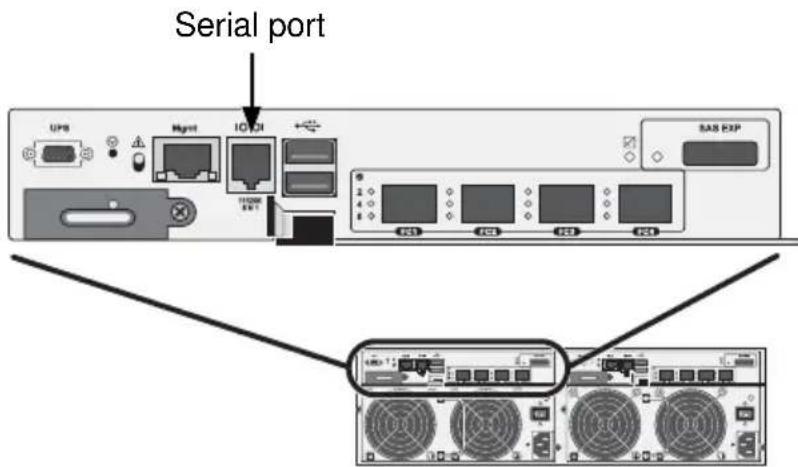
Then do the following actions:
-
Change your terminal emulation program settings to match the following specifications:
-
Bits per second: 115200
- Data bits: 8
- Parity: None
- Stop bits: 1
-
Flow control: none
-
Start your PC's terminal VT100 or ANSI emulation program.
-
Press Enter once to launch the CLI.
Making a Telnet Connection
A Telnet connection requires a network connection between the Host PC and the Management (Ethernet) port on the VTrak controller.
Figure 2. Management port on the RAID controller

To start the telnet program:
- Go to the command line prompt (Windows) or click the terminal icon (Linux).
- Type telnet 192.168.1.56 2300 and press Enter.
The IP address above is only an example.
Use the Management port IP address of your VTrak.
The Telnet default port number is 2300.
- Press Enter once to launch the CLI.
Making a SSH Connection
A Secure Shell (SSH) connection requires a network connection between the Host PC and the Management (Ethernet) port on the VTrak controller.
See above, Figure 2.
Windows PCs require you to install a SSH application on the PC.
Windows
To start the Windows SSH program:
- Open the SSH application from the Start menu.
- Enter the IP address and SSH port number of the VTrak in the fields provided.
The SSH default port number is 22.
- Press Enter once to launch the CLI.
Linux
To start the Linux SSH program:
- Click the terminal icon.
-
Type ssh 192.168.1.56 22 and press Enter.
The IP address above is only an example. Use the Management port IP address of your VTrak. The SSH default port number is 22. -
Press Enter once to launch the CLI.
Logging Into the CLI
- At the Login prompt, type the user name and press Enter. The default user name is administrator.
- At the Password prompt, type the password and press Enter. The default password is password. The CLI screen appears.
- At the administrator@cli> prompt, type menu and press Enter. The CLU Main Menu appears.
Figure 3. CLU main menu

Quick Setup – A sequence of four steps to setup system date and time, Management port, and RAID configuration. See “Setting-up VTrak with the CLU” on page 55.
Subsystem Management – Subsystem settings, Controller settings, statistics, lock/unlock the subsystem, set date and time, Enclosure settings, FRUs and Topology.
Physical Drive Management – Assign an alias, force a physical drive offline or online, clear a Stale or PFD condition, change global physical drive settings, and locate a physical drive.
Disk Array Management – Assign an alias, view array information, create and delete disk arrays, transport, rebuild, PDM, and transition functions, accept and incomplete array, locate a disk array, create, and delete logical drives.
Spare Drive Management – View a list of spare drives, create, modify, and delete spare drives, and run Spare Check.
Logical Drive Management – Assign an alias, set cache policies, view logical drive information, run initialization and Redundancy Check, create a LUN clone, and locate a logical drive.
Network Management – Set IP addresses for Virtual and Maintenance Mode Ports, gateway, and DNS server; subnet mask.
Fibre Channel Management – Node information, Port information, settings, SFPs, and statistics, Logged-in devices, add initiator to the list.
iSCSI Management – Targets, Ports, Portals, Sessions, iSNS options, CHAPs, Ping, Trunks, Logged-in devices, add initiator to the list.
Background Activities – Summary of running and scheduled activity, settings for Media Patrol, Auto Rebuild, Rebuild, Migration, PDM, Transition, Synchronization, Initialization, Redundancy Check rate, and thresholds.
Event Viewer – View runtime and NVRAM event logs.
Additional Info and Management – LUN mapping, UPS management, User management, Software services management, Flash through TFTP (Firmware update), Clear Statistics, Restore Default Settings, Shutdown or Restart the subsystem.
Buzzer – Enable, disable or silence the buzzer (audible alarm).
Accessing Online Help
To access online help on any CLU screen, press Control-AE.
To return to the CLU, press Enter.
Exiting the CLU
- Highlight Return to Previous Menu and press Enter.
Repeat this action until you arrive at the Main Menu.
-
From the Main Menu, highlight Return to CLI and press Enter to exit
-
Close the terminal emulation, Telnet, SSH, or terminal window.
Logging Out of the CLI
When you shut down or restart the VTrak subsystem, you are automatically logged out of the CLI.
To manually log out of the CLI (no shut down or restart):
At the username@cli> prompt, type logout and press Enter.
The prompt changes to cli>.
Logging Back Into the CLI and CLU
To log into the CLI and CLU after a manual logout:
-
At the cli:> prompt, type login followed by your user name and press Enter.
-
At the Password: prompt, type your password and press Enter.
-
At the username@cli> prompt, type menu and press Enter to open the CLU.
Managing the Subsystem
Subsystem Management includes the following functions:
- Making Subsystem Settings (page 211)
- Running Media Patrol (page 211)
- Locking or Unlocking the Subsystem (page 212)
- Setting Subsystem Date and Time (page 212)
- Making NTP Settings (page 213)
- Synchronizing with a NTP Server (page 214)
Making Subsystem Settings
An alias is optional. To set an Alias for this subsystem:
- From the Main Menu, highlight Subsystem Management and press Enter.
- Highlight Subsystem Settings and press Enter.
-
Make changes as required:
-
Type and alias into the Alias field.
Maximum of 48 characters. Use letters, numbers, space between words and underscore. - Highlight Redundancy Type and press the spacebar to toggle between Active-Active and Active-Standby.
Active-Active – Both RAID controllers are active and can share the load Active-Standby – One RAID controller is in standby mode and goes active if the other fails -
Highlight Cache Mirroring and press the spacebar to toggle between Enabled and Disabled.
-
Press Control-A to save your settings.
Running Media Patrol
Media Patrol is a routine maintenance procedure that checks the magnetic media on each disk drive. Media Patrol checks all physical drives assigned to disk arrays and spare drives. It does not check unconfigured drives.
To start, stop, pause or resume Media Patrol:
- From the Main Menu, highlight Subsystem Management and press Enter.
- Highlight Media Patrol and press enter.
- Highlight Start, Stop, Pause, or Resume and press Enter.
- If you chose Stop, press Y to confirm.
Locking or Unlocking the Subsystem
The lock prevents other sessions (including sessions with the same user) from making a configuration change to the controller until the lock expires or a forced unlock is done. When the user who locked the controller logs out, the lock is automatically released.
Setting the Lock
To set the lock:
- From the Main Menu, highlight Subsystem Management and press Enter.
- Highlight Lock Management and press Enter.
- In the Lock Time field, type a lock time in minutes.
1440 minutes = 24 hours - Highlight Lock and press Enter.
Resetting the Lock
To reset the lock with a new time:
- From the Main Menu, highlight Subsystem Management and press Enter.
- Highlight Lock Management and press Enter.
- In the Lock Time field, type a lock time in minutes.
1 to 1440 minutes (24 hours) - Highlight Renew and press Enter.
Releasing the Lock
- From the Main Menu, highlight Subsystem Management and press Enter.
- Highlight Lock Management and press Enter.
- Highlight Unlock and press Enter.
Releasing a Lock set by another user
To release somebody else's lock:
- From the Main Menu, highlight Subsystem Management and press Enter.
- Highlight Lock Management and press Enter.
- Highlight Force Unlock and press the Spacebar to change to Yes.
- Highlight Unlock and press Enter.
Setting Subsystem Date and Time
Use this screen to make Date and Time settings:
- From the Main Menu, highlight Subsystem Management and press Enter.
-
Highlight Modify System Date & Time and press Enter.
-
Highlight the System Date or System Time setting.
- Press the backspace key to erase the current value.
- Type in a new value.
- Press Control-A to save your settings.
Making NTP Settings
After you have made Network Time Protocol (NTP) settings, the VTrak subsystem synchronizes with a NTP server.
- At startup
- Every night
- When you synchronize manually
To make NTP settings for the subsystem:
- From the Main Menu, highlight Subsystem Management and press Enter.
- Highlight NTP Management and press Enter.
- Highlight NTP Settings and press Enter.
-
Make the following settings as required:
-
Highlight NTP Service and press the spacebar to toggle between Enabled and Disabled.
- Highlight Time Server (1), Time Server (2), or Time Server (3) and type a server name.
Example: 0.us.pool.ntp.org
You can have up to 3 NTP servers.
- Highlight Time Zone and press the spacebar to toggle through GMT, GMT+, and GMT-.
For GMT+ and GMT-, type the hour from 0:00 to 13:00 GMT for your time zone.
- Highlight Daylight Savings Time and press the spacebar to toggle between Enable and Disable.
If Daylight Savings Time is Enabled, highlight the Start Month and End Month and enter a number from 1 to 12.
Then highlight the Week and Day and toggle to make your choices.
- Press Control-A to save your settings.

Notes
- The NTP server name shown is an example only. You must find and enter your local NTP server name.
• GMT is the older designation for UTC.
Synchronizing with a NTP Server
The VTrak subsystem automatically synchronizes with a NTP server every night and a startup. You have the option of synchronizing manually at any time.
To manually synchronize the VTrak with a NTP server:
-
From the Main Menu, highlight Subsystem Management and press Enter.
-
Highlight NTP Management and press Enter.
-
Highlight Start Time Sync and press Enter.
-
Press Y to confirm.
To verify, check Last Synchronization Time and Last Synchronization Result.
Managing the RAID Controllers
RAID controller management includes the following functions:
- Viewing Controller Information (page 215)
- Clearing an Orphan Watermark (page 215)
- Making Controller Settings (page 216)
- Locating the Controller (page 217)
Viewing Controller Information
Controller Management includes information, settings and statistics.
To access Controller Management:
-
From the Main Menu, highlight Subsystem Management and press Enter.
-
Highlight Controller Management and press Enter.
The Controller summary information includes:
- Controller ID - 1 or 2
- Alias – if assigned
- Operational Status – OK means normal. Might show BGA running. Not present indicates a malfunction or no controller is installed
-
Readiness Status – Active or Standby is normal. N/A means not accessible
-
Highlight the controller you want and press Enter.
To access additional controller information, highlight Advanced Information and press Enter.
To access controller statistics, highlight Controller Statistics and press Enter.
Clearing Statistics
To clear controller statistics, see “Clearing Statistics” on page 305.
Clearing an Orphan Watermark
This condition is the result of a disk drive failure during an NVRAM RAID level migration on a disk array.
To clear an orphan watermark:
- From the Main Menu, highlight Subsystem Management and press Enter.
- Highlight Controller Management and press Enter.
- Highlight one of the controllers and press Enter.
- Highlight Clear Orphan Watermark and press Enter.
The condition is cleared. See “Physical Drive Problems” on page 399 for more information.
Making Controller Settings
If your subsystem has two controllers, any settings you make to one controller automatically apply to the other controller.
To make Controller settings:
- From the Main Menu, highlight Subsystem Management and press Enter.
- Highlight Controller Management and press Enter.
- Highlight the controller you want and press Enter.
- Highlight Controller Settings and press Enter.
- Make the following settings as required:
- Type an alias into the Alias field.
Maximum of 48 characters. Use letters, numbers, space between words and underscore. An alias is optional.
- Highlight LUN Affinity and press the spacebar to toggle between Enabled and Disabled.
RAID controllers must be set to Active-Active. See "Making Subsystem Settings" on page 211 and "LUN Affinity" on page 361.
- Highlight Coercion and press the spacebar to toggle between Enabled and Disabled.
For more information, see "Capacity Coercion" on page 364.
- Highlight Coercion Method and press the spacebar to toggle through: GB Truncate – Reduces the capacity to the nearest 1 GB boundary.
10 GB Truncate – Reduces the capacity to the nearest 10 GB boundary.
Grp (group) Rounding – Uses an algorithm to determine truncation. Results in the maximum amount of usable drive capacity.
Table Rounding - Applies a predefined table to determine truncation.
- Highlight Host Cache Flushing and press the spacebar to toggle between Enable and Disable.
For more information, see "Host Cache Flushing" on page 363.
- Highlight Cache Flush Interval and press the backspace key to erase the current value. Type a new interval value.
The range is 1 to 12 seconds. For more information, see “Cache Policy” on page 362.
- Highlight SMART and press the spacebar to toggle between Enable and Disable.
- Highlight SMART Poll Interval and press the backspace key to erase the current value. Type a new interval value (1 to 1440 minutes).
- Highlight Poll Interval and press the backspace key to erase the current value. Type a new interval value (15 to 255 seconds).
- Highlight Adaptive Writeback Cache and press the spacebar to toggle between Enabled and Disabled.
For more information, see "Adaptive Writeback Cache" on page 363. - Highlight Forced Read Ahead Cache and press the spacebar to toggle between Enabled and Disabled.
For more information, see "Forced Read-Ahead Cache" on page 362. - Highlight HDD Power Saving and the spacebar to choose a time period. After an HDD has been idle for a set period of time:
Power Saving Idle Time – Parks the read/write heads
Power Saving Standby Time – Lowers disk rotation speed
Power Saving Stopped Time – Spins down the disk (stops rotation)
You must also enable Power Management on the disk array. See "Creating a Disk Array – Advanced" on page 232 and "Enabling Media Patrol, PDM, and Power Management on a Disk Array" on page 235.
- Press Control-A to save your settings.

Notes
- Power Management must be enabled on the disk array for the HDD Power Saving settings to be effective. See "Making Disk Array Settings" on page 233.
- Power management is limited to the features your HDDs actually support.
Locating the Controller
To locate this controller:
- From the Main Menu, highlight Subsystem Management and press Enter.
- Highlight Controller Management and press Enter.
- Highlight the controller you want and press Enter.
- Highlight Controller Settings and press Enter.
- Highlight Locate Controller and press Enter.
The controller LEDs blink for one minute.
Figure 4. FC RAID controller LEDs

Managing the Enclosure
Enclosure Management includes the following functions:
- Viewing the Enclosures Summary (page 219)
- Viewing Enclosure Information (page 219)
- Making Enclosure Settings (page 220)
• Viewing FRU VPD Information (page 220)
• Viewing Power Supply Status (page 220) - Locating a Power Supply (page 221)
- Viewing Cooling Unit Status (page 221)
- Viewing Temperature Sensor Status (page 221)
- Viewing Voltage Sensor Status (page 222)
• Viewing Battery Information (page 222) - Reconditioning a Battery (page 223)
- Locating an Enclosure (page 223)
• Viewing Enclosure Topology (page 223)
Viewing the Enclosures Summary
Enclosure Management includes information, status, settings and location. To access Enclosure Management:
-
From the Main Menu, highlight Subsystem Management and press Enter.
-
Highlight Enclosure Management and press Enter.
The following information is shown:
- Enclosure ID number
- Enclosure Type
- Operational Status
- Status Description (specific components in need of attention, if any)
Viewing Enclosure Information
To view enclosure information:
-
From the Main Menu, highlight Subsystem Management and press Enter.
-
Highlight Enclosure Management and press Enter.
-
Highlight the enclosure you want and press Enter.
You can monitor power supplies, cooling units, enclosure temperatures and voltages, and the battery.
Adjustable items
You can set or adjust the following items:
• Enclosure Warning and Critical temperature thresholds
- Controller Warning and Critical temperature thresholds
See "Making Enclosure Settings" below.
For information on Enclosure problems, see "Enclosure Problems" on page 391.
Making Enclosure Settings
To make Enclosure settings:
- From the Main Menu, highlight Subsystem Management and press Enter.
- Highlight Enclosure Management and press Enter.
- Highlight the enclosure you want and press Enter.
- Highlight Enclosure Settings and press Enter.
- Highlight the Temperature Warning threshold you want to change.
- Press the backspace key to erase the current value.
- Type a new interval value in degrees C.
- Press Control-A to save your settings.
Viewing FRU VPD Information
FRU VPD refers to Vital Product Data (VPD) information about Field Replaceable Units (FRU) in the enclosure. The number and type of FRU depends on the subsystem model.
To view FRU VPD information:
- From the Main Menu, highlight Subsystem Management and press Enter.
- Highlight Enclosure Management and press Enter.
- Highlight the enclosure you want and press Enter.
- Highlight FRU VPD Information and press Enter.
Use this information when communicating with Technical Support and when ordering replacement units. For contact information, see “Contacting Technical Support” on page 435.
Viewing Power Supply Status
To view the status of the power supplies:
-
From the Main Menu, highlight Subsystem Management and press Enter.
-
Highlight Enclosure Management and press Enter.
-
Highlight the enclosure you want and press Enter.
- Highlight Power Supplies and press Enter.
The screen displays the operational and fan status of VTrak's two power supplies. If any status differs from normal or the fan speed is below the Healthy Threshold value, there is a fan/power supply malfunction. See "Replacing a Power Supply" on page 323.
Locating a Power Supply
To locate a power supply:
- From the Main Menu, highlight Subsystem Management and press Enter.
- Highlight Enclosure Management and press Enter.
- Highlight the enclosure you want and press Enter.
- Highlight Power Supplies and press Enter.
- Highlight Locate Power Supply and press Enter.
The LED on the selected power supply blinks for one minute.
Viewing Cooling Unit Status
To view the status of the power supply fans:
- From the Main Menu, highlight Subsystem Management and press Enter.
- Highlight Enclosure Management and press Enter.
- Highlight the enclosure you want and press Enter.
- Highlight Cooling Units and press Enter.
The screen displays the status and speed of VTrak's cooling units, which are the power supply fans. If fan speed is below the Healthy Threshold, there is a malfunction. See “Power Supplies” on page 393.
Viewing Temperature Sensor Status
To view the status of the temperature sensors:
- From the Main Menu, highlight Subsystem Management and press Enter.
- Highlight Enclosure Management and press Enter.
- Highlight the enclosure you want and press Enter.
- Highlight Temperature Sensors and press Enter.
If any temperature exceeds the Healthy Threshold value, there is an overheat condition in the enclosure. See “Making Enclosure Settings” on page 220 and See “Diagnosing an Enclosure Problem” on page 391.
Viewing Voltage Sensor Status
To view the status of the voltage sensors:
-
From the Main Menu, highlight Subsystem Management and press Enter.
-
Highlight Enclosure Management and press Enter.
-
Highlight the enclosure you want and press Enter.
-
Highlight Voltage Sensors and press Enter.
If any voltage is outside the Healthy Threshold values, there is a voltage malfunction in the enclosure. See “Diagnosing an Enclosure Problem” on page 391.
Viewing Battery Information
This feature enables you monitor and recondition the subsystem battery or batteries.
- From the Main Menu, highlight Subsystem Management and press Enter.
- Highlight Enclosure Management and press Enter.
- Highlight the enclosure you want and press Enter.
- Highlight Batteries and press Enter.
- Highlight the battery you want to monitor and press Enter.
Battery Notes
If a battery does not reflect normal conditions and it is not currently under reconditioning, run the Recondition function before you replace the battery. See “Reconditioning a Battery” on page 223.
Reconditioning fully discharges, then fully recharges the battery. During reconditioning, if the Adaptive Writeback Cache function is enabled, the controller cache is set to Write Thru. After reconditioning, the cache is reset to Write Back. See “Making Controller Settings” on page 216.
If a battery reaches the threshold temperature while charging or discharging, the charge or discharge pauses and the blower runs at high speed until the battery temperature falls below the threshold.
If the battery does not maintain normal values after a Recondition, replace the battery. See “Replacing a Cache Backup Battery” on page 324.
By default, VTrak automatically reconditions the batteries every two months.
When you install a new battery, the cycle count shows 0. VTrak automatically runs a recondition on the battery to verify it. If you restart the subsystem or controller before reconditioning is finished, the battery is charged to 100%, then reconditioning starts again.
Reconditioning a Battery
To recondition the subsystem battery:
- From the Main Menu, highlight Subsystem Management and press Enter.
- Highlight Enclosure Management and press Enter.
- Highlight the enclosure you want and press Enter.
- Highlight Batteries and press Enter.
- Highlight the battery you want to recondition and press Enter.
- Highlight Start Reconditioning and press Enter.
- Press Y to confirm.
Reconditioning fully discharges, then fully recharges the battery. During reconditioning, if the Adaptive Writeback Cache function is enabled, the controller cache is set to Write Thru. After reconditioning, the cache is reset to Write Back. See “Making Controller Settings” on page 216.

Caution
Disabling or deleting the battery recondition schedule is NOT recommended.
Locating an Enclosure
This feature helps you identify the physical VTrak enclosure you are working with through the CLU.
- From the Main Menu, highlight Subsystem Management and press Enter.
- Highlight Enclosure Management and press Enter.
- Highlight the enclosure you want and press Enter.
- Highlight Locate Enclosure and press Enter.
The LEDs on the front of the VTrak blink for one minute.
Viewing Enclosure Topology
This feature displays the connection topology of the VTrak subsystem. Topology refers to the manner in which the data paths among the enclosures are connected. There are three methods:
- Individual Subsystem – A single subsystem
- JBOD Expansion – Managed through one subsystem or head unit
- RAID Subsystem Cascading – Managed through one subsystem or head unit
For more information about connections, see “Making Management and Data Connections” on page 25.
To view enclosure topology:
- From the Main Menu, highlight Subsystem Management and press Enter.
- Highlight Enclosure Topology and press Enter.
The following information applies to the Head Unit:
- Enclosure number – 1
- Controller number – 1 or 2
• Port number - Status – OK is normal. N/C is not connected
• L i n k W i d t h
The following information applies to RAID cascaded units or JBOD expansion units:
- Connected EnclWWN – The subsystem identified by its World Wide Number (WWN)
- Connected(Encl,Ctrl,Port) – The subsystem's enclosure, controller, and port numbers where the data connection was made If there is no connection, the value shows N/A.
Managing Physical Drives
Physical Drive Management includes the following functions:
- Viewing a List of Physical Drives (page 225)
- Making Global Physical Drive Settings (page 225)
- Viewing Physical Drive Information (page 226)
• Viewing Physical Drive Statistics (page 226) - Setting an Alias (page 227)
- Clearing Stale and PFA Conditions (page 227)
- Forcing a Physical Drive Offline (page 227)
- Locating a Physical Drive (page 228)
Viewing a List of Physical Drives
To view a list of physical drives:
From the Main Menu, highlight Physical Drive Management and press Enter.
The list of physical drives displays.
Making Global Physical Drive Settings
All physical drive settings are made globally, except for setting an alias, which applies to individual drives.
To make global physical drive settings:
- From the Main Menu, highlight Physical Drive Management and press Enter.
- Highlight Global Physical Drives Settings and press Enter.
- Change the following settings as required.
For SATA drives:
- Highlight Write Cache and press the spacebar to toggle between Enabled and Disabled.
- Highlight Read Look Ahead Cache and press the spacebar to toggle between Enabled and Disabled.
- Highlight CmdQueuing and press the spacebar to toggle between Enabled and Disabled.
- Highlight MediumErrorThreshold and press the backspace key to remove the current value, then type a new smaller value.
See the comments on the next page.
- Highlight DMA Mode and press the spacebar to toggle through UDMA 0 to 6 and MDMA 0 to 2.
For SAS drives:
- Highlight Write Cache and press the spacebar to toggle between Enabled and Disabled.
- Highlight Read Look Ahead Cache and press the spacebar to toggle between Enabled and Disabled.
- Highlight CmdQueuing and press the spacebar to toggle between Enabled and Disabled.
- Highlight MediumErrorThreshold and press the backspace key to remove the current value, then type a new smaller value.
See the comments below. - Highlight Read Cache and press the spacebar to toggle between Enabled and Disabled.
4. Press Control-A to save your settings.
See “Viewing Physical Drive Information” below to determine which functions your physical drives support.
Medium Error Threshold is the number of bad blocks tolerated before the controller marks the drive as Dead. The default setting is 64 blocks. A setting of zero disables the function. When disabled, no drives are marked offline even when errors are detected.
Viewing Physical Drive Information
To view information about a physical drive:
- From the Main Menu, highlight Physical Drive Management and press Enter.
- Highlight the physical drive you want and press Enter.
Basic information displays. - Highlight Advanced Information and press Enter.
Advanced information displays.
Viewing Physical Drive Statistics
To view the statistics for the selected physical drive:
- From the Main Menu, highlight Physical Drive Management and press Enter.
- Highlight the physical drive you want and press Enter.
- Highlight Physical Drive Statistics and press Enter.
Clearing Statistics
To clear physical drive statistics, see "Clearing Statistics" on page 305
Setting an Alias
An alias is optional. To set an Alias for a physical drive:
- From the Main Menu, highlight Physical Drive Management and press Enter.
-
Highlight the physical drive you want and press Enter.
-
Type an alias into the field provided.
Maximum of 32 characters. Use letters, numbers, space between words and underscore.
- Press Control-A to save your settings.
Clearing Stale and PFA Conditions
The Clear Stale and Clear PFA functions only appear when those conditions exist on the physical drive. To clear a Stale or PFA condition on a physical drive:
-
From the Main Menu, highlight Physical Drive Management and press Enter.
-
Highlight the physical drive you want and press Enter.
-
Highlight Clear Stale or Clear PFA and press Enter.
If a physical drive is still online and shows a PFA error but “Clear PFA” does not appear, use PDM to copy the data to a new physical drive. See “Running PDM on a Disk Array” on page 237.
If a physical drive is offline and shows a PFA error, rebuild the disk array. See “Rebuilding a Disk Array” on page 236. After rebuilding, the drive shows Stale. Run Clear Stale then run Clear PFA.
If the physical drive with a PFA error is a spare, you must delete the drive as a spare, then Clear PFA is available.
After you clear a PFA error, watch for another PFA error to appear. If it does, replace the physical drive.
Forcing a Physical Drive Offline
This function enables you to force an online physical drive to go Offline.
The Force Offline function appears only for physical drives that are assigned to disk arrays.

Caution
Forcing a physical drive offline is likely to cause data loss. Back up your data before you proceed. Use this function only when required.

Important
Forcing a physical drive offline causes your logical drives to become degraded. If Auto Rebuild is enabled and a spare drive is available, the disk array begins rebuilding itself automatically.
To force a physical drive offline:
- From the Main Menu, highlight Physical Drive Management and press Enter.
- Highlight Global Physical Drives Settings and press Enter.
- Highlight the physical drive you want and press Enter.
- Highlight Force Offline and press Enter.
- Press Y to confirm.
Locating a Physical Drive
This feature helps you identify a physical drive within the VTrak enclosure you are working with through the CLU. To locate a physical drive:
- From the Main Menu, highlight Physical Drive Management and press Enter.
- Highlight Global Physical Drives Settings and press Enter.
- Highlight the physical drive you want and press Enter.
- Highlight Locate Physical Drive and press Enter.
The drive carrier status LED flashes for one minute.
Figure 5. Drive carrier status LED

Managing Disk Arrays
Disk Array Management includes the following functions:
- Viewing a List of Disk Arrays (page 229)
- Creating a Disk Array (page 229)
- Deleting a Disk Array (page 233)
- Making Disk Array Settings (page 233)
- Viewing Disk Array Information (page 234)
- Enabling Media Patrol, PDM, and Power Management on a Disk Array (page 235)
• Preparing the Disk Array for Transport (page 236) - Rebuilding a Disk Array (page 236)
- Running PDM on a Disk Array (page 237)
- Running PDM on a Disk Array (page 237)
- Running Transition on a Disk Array (page 237)
- Locating a Disk Array (page 238)
- Locating a Disk Array (page 238)
Viewing a List of Disk Arrays
To view a list of disk arrays:
From the Main Menu, highlight Disk Array Management and press Enter. The list of disk arrays displays.
Creating a Disk Array
The CLU provides three methods of creating a disk array:
- Automatic – Creates a new disk array following a default set of parameters. Creates a hot spare drive for all RAID levels except RAID 0, when five or more unconfigured physical drives are available. You can accept or reject the proposed arrangement but you cannot modify it. See “Creating a Disk Array – Automatic” on page 230.
- Express – You choose the parameters for a new disk array by specifying the characteristics you want. You can create multiple logical drives at the same time, however they are all identical. Creates a hot spare drive for all RAID levels except RAID 0. See “Creating a Disk Array – Express” on page 231.
- Advanced – Enables you to specify all parameters for a new disk array, logical drives and spare drives. See “Creating a Disk Array – Advanced” on page 232.
Creating a Disk Array – Automatic
To create a disk array using the Automatic feature:
- From the Main Menu, highlight Disk Array Management and press Enter.
- Highlight Create New Array and press Enter.
- Highlight Configuration Method and press the spacebar to toggle to Automatic.
- Press Control-A to save your settings and move to the next screen.
-
Review the proposed configuration of disk array and logical drives.
-
To accept the proposed configuration and create the disk array and logical drives, highlight Save Configuration and press Enter.
- To reject the proposed configuration, highlight Cancel Array Configuration and press Enter. You return to the Disk Arrays Summary screen.
To create a disk array with different characteristics, repeat the steps above specifying different parameters but choose the Express or Advanced option.
Creating a Disk Array – Express
To create a disk array using the Express feature:
- From the Main Menu, highlight Disk Array Management and press Enter.
- Highlight Create New Array and press Enter.
- Highlight Configuration Method and press the spacebar to toggle to Express.
-
Highlight the following options and press to spacebar to choose Yes or No:
-
Redundancy
• C a p a c i t y
• P e r f o r m a n c e - Spare Drive
- Mixing SATA/SAS Drive
If you choose No, and you have both SATA and SAS drives, a separate array is created for each type of drive.
- Highlight Number of Logical Drives and press the backspace key to erase the current value, then enter the number of logical drives you want.
-
Highlight Application Type and press the spacebar to toggle though the applications and choose the best one for your disk array.
-
File Server
- Video Stream
- Transaction Data
- Transaction Log
-
Other
-
Press Control-A to save your settings and move to the next screen.
- Review the proposed configuration of disk array and logical drives.
To accept the proposed configuration and create the disk array and logical drives, highlight Save Configuration and press Enter.
To reject the proposed configuration, highlight Cancel Array Configuration and press Enter. You return to the Disk Arrays Summary screen.
To create a disk array with different characteristics, highlight Create New Array and press Enter. Repeat the steps above specifying different parameters. Or choose the Advanced option.
Creating a Disk Array – Advanced
For more information on the choices below, see “Chapter 7: Technology Background” on page 331.
To create a disk array using the Advanced feature:
- From the Main Menu, highlight Disk Array Management and press Enter.
- Highlight Create New Array and press Enter.
- Highlight Configuration Method and press the spacebar to toggle to Advanced.
Step 1 – Disk Array Creation
- If you want to specify an alias to the disk array, highlight Alias and type a name. Maximum of 32 characters. Use letters, numbers, space between words and underscore.
- Choose whether to enable Media Patrol, PDM, and Power Management.
- Choose a Media Type, HDD or SSD.
- Highlight Save Settings and Continue and press Enter.
- Highlight a physical drive you want to add to your array and press the spacebar to choose it. Repeat this action until you have selected all the physical drives for your array.
- Highlight Save Settings and Continue and press Enter.
Step 2 – Logical Drive Creation
- If you want to specify an alias to the logical drive, highlight Alias and type a name. Maximum of 32 characters. Use letters, numbers, space between words and underscore.
- Highlight RAID Level and press the spacebar to toggle though a list of available RAID levels.
- If you want to create multiple logical drives, highlight Capacity, press the backspace key to remove the current value, then type a new smaller value.
- RAID 50 and 60 only. Highlight Number of Axles and press the spacebar to choose the number of axles. See “RAID 50 Axles” on page 342 or “RAID 60 Axles” on page 345.
- For the following items, accept the default value or highlight and press the spacebar to choose a new value:
- Highlight Stripe and press the spacebar to toggle through stripe sizes and choose 64 KB, 128 KB, 256 KB, 512 KB, or 1 MB.
- Highlight Sector and press the spacebar to toggle through sector sizes and choose 512 B, 1 KB, 2 KB, or 4 KB.
- Highlight Write Policy and press the spacebar to toggle write cache policy between WriteBack and WriteThru (write though).
- Highlight Read Policy and press the spacebar to toggle read cache policy though ReadCache, ReadAhead, and NoCache.
-
Highlight Preferred Controller ID and press the spacebar to toggle among 1, 2, or Automatic. Applies to dual-controller capable Fibre Channel models only.
-
Highlight Save Logical Drive and press Enter.
Step 3 – Summary
Review logical drives you are about to create for your new array. Then do one of the following actions:
- If you agree with the logical drives as specified, highlight Complete Disk Array Creation and press Enter.
- If you specified less than the full capacity for the logical drive in the previous screen, and you want to add another logical drive now, highlight Create New Logical Drive and press Enter.
- If you do not agree with the logical drives, highlight Return to Previous Screen and press Enter to begin the process again.
Deleting a Disk Array

Caution
When you delete a disk array, you delete all the logical drives and the data they contain. Back up all important data before deleting a disk array.
- From the Main Menu, highlight Disk Array Management and press Enter.
- Highlight the disk array you want to delete and press the spacebar to mark it. The mark is an asterisk (*) to the left of the listing.
- Highlight Delete Marked Arrays and press Enter.
- Press Y to confirm the deletion.
- Press Y again to reconfirm.
Making Disk Array Settings
To make disk array settings:
- From the Main Menu, highlight Disk Array Management and press Enter.
The list of disk arrays appears.
- Highlight the disk array you want and press the Enter.
- Make settings changes as required:
- Enter, change or delete the alias in the Alias field
Maximum of 32 characters; letters, numbers, space between characters, and underline.
- Media Patrol – Highlight and press the spacebar to toggle between enable and disable.
- PDM – Highlight and press the spacebar to toggle between enable and disable.
-
Power Management – Highlight and press the spacebar to toggle between enable and disable.
-
Press Control-A to save your settings.

Notes
- You can also enable or disable Media Patrol for the entire RAID system. See “Making Background Activity Settings” on page 273.
- Power Management must be enabled on the disk array for the HDD Power Saving settings to be effective. See “Making Disk Array Settings” on page 233.
- Power management is limited to the features your HDDs actually support.
Viewing Disk Array Information
- From the Main Menu, highlight Disk Array Management and press Enter.
- Highlight the disk array you want and press Enter.
The information and settings screen appears.
- Highlight any of the following and press Enter to view a list of:
• Physical drives in this array
- Logical drives in this array
- Spare drives in this array, dedicated and global
Disk Array Operational Status
- OK – This is the normal state of a logical drive. When a logical drive is Functional, it is ready for immediate use. For RAID Levels other than RAID 0 (Striping), the logical drive has full redundancy.
- Synchronizing – This condition is temporary. Synchronizing is a maintenance function that verifies the integrity of data and redundancy in the logical drive. When a logical drive is Synchronizing, it functions and your data is available. However, access is slower due to the synchronizing operation.
- Critical/Degraded – This condition arises as the result of a physical drive failure. A degraded logical drive still functions and your data is still available. However, the logical drive has lost redundancy (fault tolerance). You must determine the cause of the problem and correct it.
- Rebuilding – This condition is temporary. When a physical drive has been replaced, the logical drive automatically begins rebuilding in order to restore redundancy (fault tolerance). When a logical drive is rebuilding, it functions and your data is available. However, access is slower due to the rebuilding operation.
- Transport Ready – After you perform a successful Prepare for Transport operation, this condition means you can remove the physical drives of this disk array and move them to another enclosure or different drive slots. After you relocate the physical drives, the disk array status shows OK.
Accepting an Incomplete Array
This condition is the result of a missing physical drive. See “Incomplete Array” on page 403 before you use this function.
To accept an incomplete array:
- From the Main Menu, highlight Disk Array Management and press Enter.
- Highlight the disk array you want and press Enter.
- Highlight Accept Incomplete Array and press Enter.
Enabling Media Patrol, PDM, and Power Management on a Disk Array
Media Patrol checks the magnetic media on physical drives. Predictive Data Migration (PDM) migrates data from the suspect physical drive to a spare drive before the physical drive fails. Power Management parks the heads, spins down, and stops rotation after a set period of time to reduce power consumption.
Media Patrol, PDM, and Power Management are enabled by default. Enabled is the recommended setting for both features.
To enable Media Patrol, PDM, and Power Management on a disk array:
-
From the Main Menu, highlight Disk Array Management and press Enter.
-
Highlight the disk array you want and press Enter.
-
Highlight Media Patrol and press the spacebar to toggle between Enable and Disable.
- Highlight PDM and press the spacebar to toggle between Enable and Disable.
- Highlight Power Management and press the spacebar to toggle between Enable and Disable.
- Press Control-A to save your settings.
See “Running PDM on a Disk Array” on page 237 and “Making Background Activity Settings” on page 273.
For Power Management settings, see "Making Controller Settings" on page 216.
Preparing the Disk Array for Transport
To run the Transport function on a disk array:
- From the Main Menu, highlight Disk Array Management and press Enter.
- Highlight the disk array you want and press Enter.
- Highlight Transport and press Enter.
- Press Y to confirm.
Rebuilding a Disk Array
Before you can rebuild, you must have a replacement or target physical drive of adequate capacity for your disk array.
To rebuild a disk array:
- From the Main Menu, highlight Disk Array Management and press Enter.
- Highlight the disk array you want and press Enter.
- Highlight Background Activities and press Enter.
- Highlight Rebuild and press Enter.
Default source and target drives are shown with possible alternative choices. - To choose different drive, highlight the drive, press the backspace key to remove the current number, then type a new number.
- Highlight Start and press Enter.
For rebuild rate, see "Making Background Activity Settings" on page 273.
Running Media Patrol on a Disk Array
Media Patrol is a routine maintenance procedure that checks the magnetic media on each disk drive. If Media Patrol encounters a critical error, it triggers PDM if PDM is enabled on the disk array.
See “Enabling Media Patrol, PDM, and Power Management on a Disk Array” on page 235.
For Media Patrol rate, see "Making Background Activity Settings" on page 273.
For more information, see page 331.
Running PDM on a Disk Array
Predictive Data Migration (PDM) migrates data from the suspect physical drive to a spare drive before the physical drive fails.
Before you can run PDM, you must have a replacement or target physical drive of adequate capacity for your disk array.
To run PDM on a disk array:
- From the Main Menu, highlight Disk Array Management and press Enter.
- Highlight the disk array you want and press Enter.
- Highlight Background Activities and press Enter.
- Highlight Predictive Data Migration and press Enter.
Default source and target drives are shown with possible alternative choices.
- To choose different drive, highlight the drive, press the backspace key to remove the current number, then type a new number.
- Highlight Start and press Enter.
See “Enabling Media Patrol, PDM, and Power Management on a Disk Array” on page 235.
For PDM rate, see "Making Background Activity Settings" on page 273.
Running Transition on a Disk Array
Transition is the process of replacing a revertible spare drive that is currently part of a disk array with an unconfigured physical drive or a non-revertible spare drive. For more information, see “Transition” on page 356.
In order to run Transition:
- The spare drive must be Revertible.
- You must have an unconfigured physical drive of the same or larger capacity to replace the spare drive.
To run Transition on a disk array:
- From the Main Menu, highlight Disk Array Management and press Enter.
- Highlight the disk array you want and press Enter.
- Highlight Background Activities and press Enter.
- Highlight Transition and press Enter.
Default source and target drives are shown with possible alternative choices.
- To choose different drive, highlight the drive, press the backspace key to remove the current number, then type a new number.
- Highlight Start and press Enter.
For transition rate, see “Making Background Activity Settings” on page 273.
Locating a Disk Array
This feature helps you identify the physical drives assigned to the disk array you are working with in the CLU.
To locate a disk array:
- From the Main Menu, highlight Disk Array Management and press Enter.
- Highlight the disk array you want and press Enter.
- Highlight Locate Disk Array and press Enter.
The drive carrier status LEDs flash for one minute.
Figure 6. Drive carrier status LED
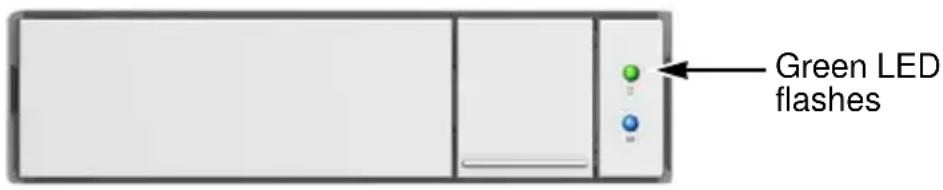
Managing Spare Drives
Spare Drive Management includes the following functions:
- Viewing a list of Spare Drives (page 239)
- Creating a Spare Drive (page 239)
- Making Spare Drive Settings (page 240)
- Running Spare Check (page 240)
- Deleting a Spare Drive (page 241)
Viewing a list of Spare Drives
To view a list of spare drives:
From the Main Menu, highlight Spare Drive Management and press Enter. A list of the current spare drives appears, including the following parameters:
• I D n u m b e r
- Operational Status
• Physical Drive ID number
- Configured Capacity
- Revertible – The spare drive returns to spare status after you replace the failed drive in the disk array. See “Transition” on page 356 for more information.
- Type – Global (all disk arrays) or Dedicated (to specified disk arrays)
• Dedicated to Array – The array to which a dedicated spare is assigned
For more information, see "Spare Drives" on page 355.
Creating a Spare Drive
Only unconfigured physical drives can be used to make spares. Check your available drives under Physical Drive Management. See “Managing Physical Drives” on page 225.
- From the Main Menu, highlight Spare Drive Management and press Enter.
- Highlight Create New Spare Drive and press Enter.
A default physical drive is shown with possible alternative choices.
- To choose different drive, highlight the drive, press the backspace key to remove the current number, then type a new number.
-
Highlight Revertible and press the spacebar to toggle between Yes and No. A revertible drive can be returned to spare status after you replace the failed drive in a disk array. See “Transition” on page 356 for more information.
-
Highlight Spare Type and press the spacebar to toggle between Dedicated and Global.
Dedicated means this spare drive can only be used with the specified disk arrays. Global means this spare drive can be used by any disk array.
If you chose Dedicated, a default disk array is shown with possible alternative choices.
To choose different array, highlight the array and press the backspace key to erase the current number, then type the new number.
- Press Control-A to save the spare drive.
Making Spare Drive Settings
To change spare drive settings:
-
From the Main Menu, highlight Spare Drive Management and press Enter. A list of the current spare drives appears, including the following parameters:
-
Highlight the spare drive you want to change and press Enter.
-
Highlight the setting you want to change:
- Revertible – A revertible drive can be returned to spare status after you replace the failed drive in a disk array. See “Transition” on page 356 for more information. - Type – Dedicated means this spare drive can only be used with the specified disk arrays. Global means this spare drive can be used by any disk array.
-
Press the spacebar to toggle between the choices.
-
For dedicated spares, type the array number the spare is assigned to.
-
Press Control-A to save your settings.
Running Spare Check
To run Spare Check:
- From the Main Menu, highlight Spare Drive Management and press Enter.
A list of the current spare drives appears.
-
Highlight the spare drive you want to check and press Enter.
-
Highlight Start Spare Check and press Enter.
The results appear next to Spare Check Status in the same window. Healthy means normal.
Deleting a Spare Drive

Caution
If the spare drive you delete is the only spare, the controller does not rebuild a critical array until you provide a new spare drive.
To delete a spare drive:
-
From the Main Menu, highlight Spare Drive Management and press Enter. A list of the current spare drives appears.
-
Highlight the spare drive you want to delete and press the spacebar to mark it.
The mark is an asterisk (*) to the left of the listing.
-
Highlight Delete Marked Spare Drives and press Enter.
-
Press Y to confirm the deletion.
Managing Logical Drives
Logical drive management includes:
- Creating a Logical Drive (page 242)
- Deleting a Logical Drive (page 243)
- Viewing Logical Drive Information (page 243)
• Viewing Logical Drive Statistics (page 244) - Viewing the Logical Drive Check Table (page 244)
- Making Logical Drive Settings (page 245)
- Initializing a Logical Drive (page 245)
- Running Redundancy Check (page 246)
- Locating a Logical Drive (page 246)
- Migrating a Logical Drive (page 247)
- Creating a LUN Clone (page 248)
For LUN mapping, see "Working with LUN Mapping" on page 277.
Creating a Logical Drive
You can create logical drives on existing disk arrays if there is available space in the array. For more information on the choices below, see “Logical Drives” on page 333.
To create a logical drive from an existing disk array:
- From the Main Menu, highlight Disk Array Management and press Enter.
-
Highlight the disk array in which you want to create a logical drive and press Enter.
-
Highlight Logical Drives in the Disk Array and press Enter.
-
Highlight Create New Logical Drive and press Enter.
The Disk Array ID number and Maximum capacity available for the new logical drive are displayed.
- Highlight the following parameters and press the backspace key to erase the current value:
- Alias – Type an alias into the field, if desired. Maximum of 32 characters. Use letters, numbers, space between words and underscore.
- Capacity – Maximum capacity shown. Enter a smaller capacity if desired.
-
Highlight the following parameters and press the spacebar to toggle though the available choices:
-
Stripe size – Press the spacebar to choose: 64 KB, 128 KB, 256 KB, 512 KB, or 1 MB.
- Sector size – Press the spacebar to choose: 512 B; 1 KB, 2 KB, or 4 KB.
• Write Policy – Press spacebar to choose: Write Back or Write Through. -
Read Policy – Press spacebar to choose: No Cache, Read Cache, or Read Ahead Cache.
-
Highlight Preferred Controller ID and press the spacebar to toggle among 1, 2, or Automatic. Applies to dual-controller capable Fibre Channel models only.
-
RAID 50 and 60 only. Highlight Number of Axles and press the spacebar to choose the number of axles.
-
Highlight Save Logical Drive and press Enter.

Note
If you did not use all of the available capacity of the disk array, you can create an additional logical drive at this point.
Deleting a Logical Drive

Caution
When you delete a logical drive, you delete all the data it contains. Back up all important data before deleting a logical drive.
To delete a logical drive from a disk array:
- From the Main Menu, highlight Disk Array Management and press Enter.
- Highlight the disk array that contains the logical drive you want to delete and press Enter.
- Highlight Logical Drives in the Disk Array and press Enter.
-
Highlight the logical drive you want to delete and press the spacebar to mark it.
The mark is an asterisk (*) to the left of the listing. -
Highlight Delete Marked Logical Drives and press Enter.
-
Press Y to confirm the deletion.
Press Y again to re-confirm.
Viewing Logical Drive Information
To view logical drive information:
- From the Main Menu, highlight Logical Drive Management and press Enter.
- Highlight the logical drive you want and press Enter.
The information and settings screen appears.
-
Highlight any of the following and press Enter to view more information:
-
Check Table – Read Check, Write Check, and Inconsistency Check Tables
• Logical Drive Statistics
Viewing Logical Drive Statistics
To view logical drive information:
- From the Main Menu, highlight Logical Drive Management and press Enter.
- Highlight the logical drive you want and press Enter.
The information and settings screen appears. - Highlight Logical Drive Statistics and press Enter.
The statistics screen appears.
Clearing Statistics
To clear logical drive statistics, see “Clearing Statistics” on page 305.
Viewing the Logical Drive Check Table
To view logical drive information:
- From the Main Menu, highlight Logical Drive Management and press Enter.
- Highlight the logical drive you want and press Enter.
- Highlight Check Table and press Enter.
- Highlight one of the following options and press Enter:
• Show All Records
- Read Check Table
- Write Check Table
- Inconsistent Check Table
Making Logical Drive Settings
To make Logical Drive settings:
- From the Main Menu, highlight Logical Drive Management and press Enter.
- Highlight the logical drive you want and press Enter.
- For the following items, accept the existing setting choose a new one:
- Highlight Alias and type an alias into the field provided.
Maximum of 32 characters. Use letters, numbers, space between words and underscore. An alias is optional.
- Highlight WritePolicy and press the spacebar to toggle between WriteBack and WriteThru (write though).
- Highlight ReadPolicy and press the spacebar to toggle though ReadCache, ReadAhead and None.
-
Highlight Preferred Controller ID and press the spacebar to toggle between 1 and 2.
-
Press Control-A to save your settings.
Initializing a Logical Drive
This function sets all data bits in the logical drive to zero.

Warning
When you initialize a logical drive, all the data on the logical drive is lost. Backup any important data before you initialize a logical drive.
To initialize a logical drive:
- From the Main Menu, highlight Logical Drive Management and press Enter.
- Highlight the logical drive you want and press Enter.
- Highlight Background Activities and press Enter.
- Highlight Start Initialization and press Enter.
The initialization parameters appear.
- Initialization pattern – The default 00000000 is best for most applications
- Quick Initialization – Yes means only the first and last sections of the logical drives are initialized. No means the entire logical drive is initialized.
To change a parameter, highlight it and press the backspace key to erase the current value, then type the new value.
- Highlight Start and press Enter.
If necessary, you can pause and resume or stop and restart the Initialization. You cannot access the logical drive until Initialization has finished.
For initialization rate, see “Making Background Activity Settings” on page 273.
Running Redundancy Check
Redundancy Check is a maintenance procedure for logical drives in fault-tolerant disk arrays that ensures all the data matches exactly.
To run Redundancy Check:
- From the Main Menu, highlight Logical Drive Management and press Enter.
- Highlight the logical drive you want and press Enter.
- Highlight Background Activities and press Enter.
- Highlight Start Redundancy Check and press Enter.
The redundancy check parameters appear.
- Auto Fix – Corrects inconsistencies automatically
- Pause On Error – Pauses the Redundancy Check when an error is found
To change a parameter, highlight it and press the backspace toggle between Yes and No.
- Highlight Start and press Enter.
If necessary, you can pause and resume or stop and restart the Redundancy Check. You can use the logical drive while Redundancy Check is running.
For Redundancy Check rate, see “Making Background Activity Settings” on page 273.
Locating a Logical Drive
This feature helps you identify the physical drives assigned to the logical drive you are working with in the CLU. To locate a logical drive:
- From the Main Menu, highlight Logical Drive Management and press Enter.
- Highlight the logical drive you want and press Enter.
- Highlight Locate Logical Drive and press Enter.
The drive carrier status LEDs flash for one minute.
Figure 7. Drive carrier status LED

Migrating a Logical Drive
In order to migrate RAID level, you may have to add physical drives. For more information, see “RAID Level Migration” on page 347.
To migrate a logical drive:
- From the Main Menu, highlight Disk Array Management and press Enter.
- Highlight the disk array you want and press Enter.
- Highlight Background Activities and press Enter.
- Highlight Migration and press Enter.
- Highlight the physical drives you want to add and press the spacebar to choose them.

Notes
- You can add physical drives to a RAID 50 or 60 array but you cannot change the number of axles.
-
If you add an odd number of physical drives to a RAID 10 array, it becomes a RAID 1E array by default.
-
Highlight Save Settings and Continue and press Enter.
- Highlight a logical drive in the list that you want to migrate and press Enter.
- Highlight RAID Level and press the spacebar to toggle through the available RAID levels.
- Optional. If you want to increase capacity of the logical drive, highlight Expand Capacity and press the spacebar to toggle to Yes.
Highlight Capacity, press the backspace key to erase the current capacity and type in the new value.
The new value must be equal or larger than the current capacity.
- Highlight Save Logical Drive and press Enter.
The screen returns to Disk Array Migration Logical Drives.
At this point, if you have other logical drives in the same disk array, you can choose them for migration at the same time.
-
Highlight Complete Disk Array Migration and press Enter.
-
Press Y to confirm.
The screen returns to Disk Arrays Summary.
For migration rate, see “Making Background Activity Settings” on page 273.
Creating a LUN Clone
A LUN clone is an exact copy of the original LUN or logical drive, including all the data it contains, at one point in time. Use a LUN clone as a backup or to migrate a LUN from one system to another.

Important
The action of creating a LUN momentarily takes the original LUN or logical drive offline, meaning nobody can read or write to it.
A LUN clone has the same capacity, stripe size, read and write policies as the original LUN. However, the LUN clone can be a different RAID level. The choice of RAID levels depends on the disk array. And if you have multiple disk arrays, you can create the LUN clone on a different disk array than the original LUN.
This action requires Super User or Power User privileges.
To create a LUN clone of a logical drive:
- From the Main Menu, highlight Logical Drive Management and press Enter.
- Highlight the logical drive you want to clone and press Enter.
- Highlight LUN Clone and press Enter.
- Highlight the RAID Level of Copies field, type the RAID level you want.
- Highlight Save Settings and Continue and press Enter.
- Highlight the disk array you want to use and press the Spacebar to mark it.
- Highlight Save Settings and Continue and press Enter.
-
Highlight the Number of Copies field and type the number of LUN clones you want to create.
You can create up to 8 clones of a LUN at a time. -
Highlight Start and press enter to begin the cloning process.
-
Press eny key to continue.
-
Press Y to confirm LUN clone creation.
The cloning progress bar displays.
Note the Target Logical Drive ID. Use this number to identify the LUN clone in the Logical Drive list.
If you chose a redundant RAID level, the LUN clone is automatically synchronized after creation.
After the LUN clone is created, you can manage it like any other logical drive. See “Making Spare Drive Settings” on page 240, “Locating a Logical Drive” on page 246, and “Deleting a Logical Drive” on page 243.
For users to access the LUN clone, you must map it to an initiator. See "Working with LUN Mapping" on page 277.
Managing the Network Connection
Network Management deals with network connections and settings for the VTrak's Management ports. Each Management Port can be configured:
- Making Virtual Management Port Settings (page 250)
- Making Maintenance Mode Settings (page 251)
Making Virtual Management Port Settings
The VTrak subsystem has a virtual management port, enabling you to log into a VTrak with dual controllers using one IP address.
Before you change settings, please see "About IP Addresses" on page 45.
You initially made these settings during subsystem setup. You can change them later as required.

Caution
Changing virtual management port settings can interrupt your network connection and require you to log in again.
Making Automatic Settings
Automatic settings require a DHCP server on your network. DHCP is currently supported on IPv4 only.
To enable automatic management port settings:
- From the Main Menu, highlight Network Management and press Enter.
- Highlight the protocol family (IPv4 or IPv6) you want and press Enter.
- Highlight Network Settings and press Enter.
- Highlight DHCP and press the spacebar to toggle to Enabled.
- Press Control-A to save your settings.
Making Manual Settings
- From the Main Menu, highlight Network Management and press Enter.
- Highlight the protocol family (IPv4 or IPv6) you want and press Enter.
- Highlight Network Settings and press Enter
- Highlight DHCP and press the spacebar to toggle to Disabled.
DHCP is currently supported by and does not appear under IPv6.
- Highlight each of the following and press the backspace key to erase the current value, then type the new value.
- IP Address
- Subnet Mask
-
Default Gateway IP Address
• DNS Server IP Address -
Press Control-A to save your settings.
Making Maintenance Mode Settings
Each controller has its own IP addresses for access when the controller goes into maintenance mode. For more information, see “Maintenance Mode” on page 395.
Before you change settings, please see "About IP Addresses" on page 45.
Making Automatic Settings
- From the Main Menu, highlight Network Management and press Enter.
- Highlight Maintenance Mode Network Configuration and press Enter.
- Highlight the controller (CId 1 or 2) and protocol family (IPv4 or IPv6) you want and press Enter.
- Highlight DHCP and press the spacebar to toggle to Enabled.
- Press Control-A to save your settings.
Making Manual Settings
- From the Main Menu, highlight Network Management and press Enter.
- Highlight Maintenance Mode Network Configuration and press Enter.
- Highlight the controller (CId 1 or 2) and protocol family (IPv4 or IPv6) you want and press Enter.
- Highlight DHCP and press the spacebar to toggle to Disabled.
- Highlight each of the following and press the backspace key to erase the current value, then type the new value.
- IP Address
- Subnet Mask
-
Default Gateway IP Address
• DNS Server IP Address -
Press Control-A to save your settings.
Managing Fibre Channel Connections
The Fibre Channel Management option appears only with VTrak Fibre Channel models. Fibre Channel Management includes the following functions:
- Viewing Node Information (page 252)
- Viewing Fibre Channel Port Information (page 252)
- Viewing Fibre Channel Logged-in Devices (page 252)
- Making Fibre Channel Port Settings (page 253)
• Viewing Fibre Channel Port Statistics (page 254)
• Viewing SFP Information (page 254)
• Viewing Fibre Channel Port Statistics (page 254)
• Viewing Fibre Channel Initiators (page 255)
Also see: “Adding an Initiator” on page 278 and “Deleting an Initiator” on page 279.
Viewing Node Information
These functions affect both VTrak Fibre Channel ports.
- From the Main Menu, highlight Fibre Channel Management and press Enter.
- Highlight Fibre Channel Node and press Enter.
Node information appears. There are no user settings on this screen.
Viewing Fibre Channel Port Information
To view Fibre Channel port information:
- From the Main Menu, highlight Fibre Channel Management and press Enter.
- Highlight Fibre Channel Ports and press Enter.
Highlight the port you want and press Enter.
Viewing Fibre Channel Logged-in Devices
To view a list of logged-in devices:
- From the Main Menu, highlight Fibre Channel Management and press Enter.
- Highlight Fibre Channel Ports and press Enter.
- Highlight the port you want and press Enter.
- Highlight Logged In Devices and press Enter. If a Fibre Channel switch is attached, it also appears in this list.
Making Fibre Channel Port Settings
To make Fibre Channel port settings:
- From the Main Menu, highlight Fibre Channel Management and press Enter.
- Highlight Fibre Channel Ports and press Enter.
- Highlight the port you want and press Enter.
- Highlight Fibre Channel Port Settings and press Enter.
-
Highlight the following parameters and press the spacebar to toggle though the choices:
-
Configured Link Speed – 8 Gb/s, 4 Gb/s, 2 Gb/s, or Automatic selection
-
Configured Topology – NL-Port (Arbitrated Loop), N-Port (Point to Point) or Automatic selection
-
Highlight Hard ALPA and press the backspace key to erase the current value, then type the new value.
The range is 0 to 255. 255 disables this feature.
- Press Control-A to save your settings.
The table below shows the type of attached topology you achieve based on your connection type and the configured topology you choose:
| Fibre Channel Attached Topology | ||
| Configured Topology | ||
| Connection Type N | -Port NL-Port | |
| Switch Fabric Direct | Public Loop | |
| Direct Point-to-Point | Private Loop | |
Example 1: If you connect the VTrak to a Fibre Channel switch and choose NL-Port topology, you create a Public Loop attached topology.
Example 2: If you have a Point to Point attached topology, you made a direct connection (no switch) and chose N-port topology.

Note
In some cases, HBA settings to N-Port only work if connected to the switch. Refer to your HBA manual for more information.
Viewing Fibre Channel Port Statistics
To view Fibre Channel port statistics:
- From the Main Menu, highlight Fibre Channel Management and press Enter.
- Highlight Fibre Channel Ports and press Enter.
Highlight the port you want and press Enter.
- Highlight Fibre Channel Port Statistics and press Enter.
Viewing SFP Information
To view information about the SFPs (small form-factor pluggable transceivers):
- From the Main Menu, highlight Fibre Channel Management and press Enter.
- Highlight Fibre Channel Ports and press Enter.
- Highlight the port you want and press Enter.
- Highlight Fibre Channel Port SFP and press Enter.
The screen displays information about the SFP transceiver. There are no user settings on this screen.
Viewing Fibre Channel Port Statistics
To view port statistics:
- From the Main Menu, highlight Fibre Channel Management and press Enter.
- Highlight Fibre Channel Ports and press Enter.
- Highlight the port you want and press Enter.
- Highlight Fibre Channel Port Statistics and press Enter.
This screen displays statistics for this port. There are no user settings on this screen.
Clearing Statistics
To clear Fibre Channel statistics, see “Clearing Statistics” on page 305.
Property Definitions
Definitions of the properties for which statistical information is reported appears in the list below.
- TimeLastReset – Time in minutes since the system has been running.
- FramesSent – Number of frames sent since last reset.
-
FramesReceived – Number of frames received since last reset.
-
WordsSent – Number of words sent since last reset.
- WordsReceived – Number of words received since last reset.
- LIPCount – Loop Initialization Primitive Sequence. This primitive sequence applies only to the arbitrated loop topology. It is transmitted by an L_Port to initialize or re-initialize the loop.
- NOSCount – Not Operational Primitive Sequence. This primitive sequence is used during link initialization between two N_Ports in the point-to-point topology or an N_Port and an F_Port in the fabric topology.
NOS is sent to indicate that the transmitting port has detected a link failure or is offline. The expected response to a port sending NOS is the OLS primitive sequence.
- ErrorFrames – FC devices propagate handshake signals back-and-forth requesting and acknowledging each byte transferred. FC transfers occur in one frame of data at a time. In this case, the value reflects the number of frames with errors.
- DumpedFrames – This field specifies the number of frames dumped due to a lack of host buffers.
- LinkFailureCount – Number of times the link has failed. Can be caused by a disconnected link or a bad fiber element.
- LossSyncCount – Number of times a loss of sync has occurred since last reset.
- PrimitiveSeqErrorCount – An ordered set transmitted repeatedly and used to establish and maintain a link.
LR, LRR, NOS, and OLS are primitive sequences used to establish an active link in a connection between two N_Ports or an N_Port and an F_Port.
LIP, LPB, and LPE are primitive sequences used in the Arbitrated Loop topology for initializing the loop and enabling or disabling an L_Port.
- InvalidWordSentCount – Number of invalid words sent since last reset.
- InvalidCRCCount – Invalid Cyclical Redundancy Count. Number of frames received with an invalid CRC since last reset.
- InitiatorCount – I/O Count on the initiator on the host side.
Clearing Statistics
To clear statistics, see “Clearing Statistics” on page 305.
Viewing Fibre Channel Initiators
LUN Mapping must be enabled in order for VTrak to recognize a Fibre Channel.
See "Enabling LUN Mapping" on page 277.
To view Fibre Channel initiators:
-
From the Main Menu, highlight Fibre Channel Management and press Enter.
-
Highlight Fibre Channel Initiators and press Enter. A list of all currently logged-in initiators appears on the screen.
Managing iSCSI Connections
The iSCSI Management option appears only with VTrak iSCSI models. iSCSI Management includes the following functions:
- Making Global iSCSI Settings (page 258)
• Viewing a List of iSCSI Targets (page 258) - Viewing iSCSI Target Information (page 258)
- Adding iSCSI Targets (page 259)
- Making iSCSI Target Settings (page 260)
- Deleting iSCSI Targets (page 261)
- Viewing a List of iSCSI Ports (page 261)
- Viewing iSCSI Port Information (page 262)
- Making iSCSI Port Settings (page 262)
• Viewing a List of iSCSI Portals (page 263)
• Viewing iSCSI Portal Information (page 263) - Adding iSCSI Portals (page 264)
- Making iSCSI Portal Settings (page 265)
- Deleting iSCSI Portals (page 265)
- Viewing a List of iSCSI Sessions (page 266)
- Making iSCSI Session Settings (page 266)
- Deleting an iSCSI Session (page 266)
- Viewing iSCSI Session Information (page 267)
- Viewing iSCSI iSNS Information (page 268)
- Making iSCSI iSNS Settings (page 268)
- Viewing a List of iSCSI CHAPs (page 268)
- Adding iSCSI CHAPs (page 269)
- Making iSCSI CHAP Settings (page 269)
- Deleting iSCSI CHAPs (page 270)
- Viewing a List of iSCSI Trunks (page 270)
- Adding iSCSI Trunks (page 271)
- Making iSCSI Trunk Settings (page 271)
- Deleting iSCSI Trunks (page 272)
- Pinging a Host or Server on the iSCSI Network (page 270)
Also see “Adding an Initiator” on page 278 and “iSCSI Management” on page 366.
A detailed explanation of iSCSI functions, how and when they are used, and their relationship to one another is beyond the scope of this document. For more information, contact the Internet Engineering Task Force at http://www.ietf.org/
Making Global iSCSI Settings
Keep Alive recovers from intermittent disconnects that interrupt your iSCSI session.
To make global iSCSI settings:
- From the Main Menu, highlight iSCSI Management and press Enter.
- Highlight Global iSCSI Settings and press Enter.
- Highlight KeepAlive and press the spacebar to toggle between Enabled and Disabled.
- Highlight Save Global Settings and press Enter.
- Press Y to confirm.
Viewing a List of iSCSI Targets
A target is a logical drive on the VTrak subsystem.
The default target exposes all logical drives and is associated with all portals on the subsystem.
To view a list of iSCSI targets:
- From the Main Menu, highlight iSCSI Management and press Enter.
- Highlight iSCSI Targets and press Enter.
The list of iSCSI Targets displays.
- Id – Target number. 0 is the default target.
- Alias – User assigned name of the target
- AssignedPortals – iSCSI portals assigned to the target
Viewing iSCSI Target Information
To view information for an iSCSI target:
- From the Main Menu, highlight iSCSI Management and press Enter.
- Highlight iSCSI Targets and press Enter.
The list of iSCSI Targets displays.
- Highlight the target you want to change and press Enter.
The target information screen displays. Information includes:
• TargetName – iSCSI qualified name (iqn) of this target.
- TargetAlias – Maximum of 32 characters. Use letters, numbers, space between words, and underscore. An alias is optional.*
- TargetStatus – Up or down.
- ErrorRecovLevel – Error recovery level supported.
- ImmediateData – Enables the initiator to send unsolicited data with the iSCSI command PDU.
- MaxConnection – Maximum number of connections.
- DataPDUInOrder – Enables placement of data in PDU order.
- InitialR2T – Allows initiator to begin sending data to a target without receiving a ready to transfer command.
- DataSeqInOrder – Enables placement of data in sequential order.
- OutStandingR2T – Maximum number of R2T PDUs the target can have outstanding for a single iSCSI command.
- MaxBurstLen – Maximum length of a solicited data sequence in bytes.
- DefTimeToWait – After a dropped connection, the number of seconds to wait before attempting to reconnect.
- DefTimeToRetain – Number of seconds after time to wait (above) before reassigning outstanding commands.
- HeaderDigest – Enables the use of header digest (CRC). Enabled or disabled.*
- DataDigest – Enables the use of a data digest (CRC). Enabled or disabled.*
- UniCHAPAuthen – Uni-directional (peer) CHAP authentication, enabled or disabled.*
- BiCHAPAuthen – Bi-directional (local) CHAP authentication, enabled or disabled.*
- FirstBurstLen – First burst length in bytes.
- AssignedPortals – Portals assigned to this target.*
Items marked with an asterisk (*) are adjustable under “Making iSCSI Target Settings” on page 260.
Adding iSCSI Targets
If you plan to enable authentication on the new target, create a CHAP first, then add the target. See “Adding iSCSI CHAPs” on page 269.
Header and data digests work best with initiators equipped with a TCP Offload Engine (TOE). For more information, see your iSCSI HBA user documentation.
VTrak supports a maximum 2048 iSCSI targets. A maximum of 1024 logical drives can be mapped to a target.
Using the CLU, you must assign a portal to a target when you create the target.
To add an iSCSI target:
- From the Main Menu, highlight iSCSI Management and press Enter.
- Highlight iSCSI Targets and press Enter.
The list of iSCSI Targets displays.
- Highlight Create New Target and press Enter.
- Optional. Highlight TargetAlias and type an alias into the field provided.
-
Highlight each item and press the Spacebar to toggle between Enable and Disable.
-
HeaderDigest – Adds a header digest (CRC).
- DataDigest – Adds a data digest (CRC).
- UniCHAPAuthen – Enables uni-directional (peer) CHAP authentication.
-
BiCHAPAuthen – Enables bi-directional (local) CHAP authentication. Authentication requires a pre-existing CHAP.
-
Highlight Save Settings and Continue and press Enter.
The Add Portals screen appears.
- Highlight each portal that you want to assign to the new target and press the Spacebar to mark it.
- When you have made the portals you want, highlight Save Settings and press Enter.
The new target appears in the list.

Note
Header digest and data digest work best with initiators equipped with a TCP Offload Engine (TOE). Refer to your iSCSI HBA user manual for more information.
Making iSCSI Target Settings
To make target settings:
- From the Main Menu, highlight iSCSI Management and press Enter.
- Highlight iSCSI Targets and press Enter.
The list of iSCSI Targets displays.
- Highlight the target you want to change and press Enter.
The target information screen displays.
- Highlight iSCSI Target Settings and press Enter.
-
Make new settings as needed.
-
Optional. Highlight TargetAlias and type an alias into the field provided.
- Highlight each item and press the Spacebar to toggle between Enable and Disable.
- HeaderDigest – Adds a header digest (CRC).
- DataDigest – Adds a data digest (CRC).
- UniCHAPAuthen – Enables uni-directional CHAP authentication.
- BiCHAPAuthen – Enables bi-directional CHAP authentication.
Authentication requires a pre-existing CHAP.
- Highlight Save Settings and press Enter.
The Add Portals screen appears.
- Highlight each portal that you want to assign to the new target and press the Spacebar to mark it.
If a portal is marked, highlight and press the Spacebar to un-mark it.
-
When you have made the portals you want, highlight Save Settings and press Enter.
-
Press Y to confirm.
The revised target appears.
- Press Return to Previous Menu to return to the iSCSI targets list.
Deleting iSCSI Targets
You cannot delete the default target. Using the CLU, to unassign a portal from a target, you must delete the target.
To delete an iSCSI target:
- From the Main Menu, highlight iSCSI Management and press Enter.
- Highlight iSCSI Targets and press Enter.
The list of iSCSI Targets displays.
- Highlight the target you want to delete and press the Spacebar to mark it.
- Highlight Delete Marked Targets and press Enter.
- Press Y to confirm deletion.
- Press Y again to acknowledge possible interruption of iSCSI services.
The target is removed from the list.
Viewing a List of iSCSI Ports
An iSCSI port is the physical iSCSI connection on the VTrak. There are four iSCSI ports on each RAID controller for a total of eight per subsystem.
To view a list of iSCSI ports:
- From the Main Menu, highlight iSCSI Management and press Enter.
- Highlight iSCSI Ports and press Enter.
The list of ports appears with controller and port numbers.
Viewing iSCSI Port Information
To view information for an iSCSI target port:
- From the Main Menu, highlight iSCSI Management and press Enter.
- Highlight iSCSI Ports and press Enter.
The list of ports appears with controller and port numbers.
- Highlight the port you want to see and press Enter.
The target port information screen displays. Information includes:
- CtrlId – Controller ID (1 or 2)
- PortStatus – Port status, enabled or disabled*
- JumboFrame – Jumbo frames, enabled or disabled*
- LinkStatus – Link status, up or down, Active or Inactive
- MACAddress – MAC address of the target port
- MaxSupportedSpeed – Maximum speed supported (1 Gb/s)
- CurrentSpeed – Current or actual speed of the target port
- RelativePortals – The portals corresponding to this target port
Items marked with an asterisk (*) are adjustable under “Making iSCSI Port Settings” below.
Making iSCSI Port Settings
To make port settings:
- From the Main Menu, highlight iSCSI Management and press Enter.
- Highlight iSCSI Ports and press Enter.
The list of ports appears with controller and port numbers.
- Highlight the port you want to change and press Enter.
The target port information screen displays.
- Highlight iSCSI Port Settings and press Enter.
- Highlight each item and press the Spacebar to toggle between Enable and Disable as needed.
- PortEnable – Enables and disables the iSCSI port
- JumboFrame – Enables and disables jumbo frame support
- Highlight Save Settings and press Enter.
-
Press Y to acknowledge possible interruption of iSCSI services.
-
Press Y again to confirm the changes.
-
Highlight Return to Previous Menu and press Enter to return to the target port information screen.
Viewing a List of iSCSI Portals
A portal is the interface between an iSCSI port and the iSCSI network.
To view a list of iSCSI portals:
-
From the Main Menu, highlight iSCSI Management and press Enter.
-
Highlight iSCSI Portals and press Enter.
The list of iSCSI Portals displays.
- Portalld – Portal number. Starts at 0.
- CtrlId – RAID controller ID, 1 or 2.
- PortId – Physical port on the RAID controller, 1 to 4.
- TrunkId – Trunk ID, 1 to 8. Refers to portals associated with a trunk (link aggregation). N/A means this portal is not associated with a trunk.
- VlanTag – VLAN Tag, 0 to 4094. Refers to portals associated with a Virtual Local Area Network (VLAN). N/A means this portal is not associated with a VLAN.
- IP – IP address of the portal.
Viewing iSCSI Portal Information
To view information for an iSCSI target port:
-
From the Main Menu, highlight iSCSI Management and press Enter.
-
Highlight iSCSI Portals and press Enter.
The list of portals appears.
- Highlight the port you want to see and press Enter.
The portal information screen displays. Information includes:
- PortalID – Portal number. Starts at 0.
- TcpPort – TCP port number. 3260 is the default and recommended number.
-
DHCP – Enabled or disabled.* DHCP is currently supported only for IPv4.
-
AssociatedType – PHY, VLAN, or Trunk.
- ControllerID – RAID controller ID, 1 or 2.
- PortID – Physical port on the RAID controller, 1 to 4.
-
InterfaceName – eth2.
-
ProtocolFamily – IPv4 or IPv6.*
- PrimaryIP – Primary IP address of this portal.*
- PrimaryIPMask – Subnet mask of this portal.*
- AssignedTarget – 0 is the default target. The number of targets available depends on how many targets you create. See “Adding iSCSI Targets” on page 259.
Items marked with an asterisk (*) are adjustable under “Making iSCSI Portal Settings” on page 265.
Adding iSCSI Portals
VTrak supports up to 32 iSCSI portals per iSCSI port. Each iSCSI portal can belong to a different VLAN for a maximum of 32 VLANs.
If you plan to associate the new portal with a trunk, create the trunk first. See "Adding iSCSI Trunks" on page 271.
For more information about iSCSI VLANs, see “iSCSI on a VLAN” on page 368.
To add an iSCSI portal:
- From the Main Menu, highlight iSCSI Management and press Enter.
- Highlight iSCSI Portals and press Enter.
The list of iSCSI Portals displays.
- Highlight Create New Portal and press Enter.
- Highlight AssociatedType and press the Spacebar to toggle through PHY, VLAN, and Trunk.
- If you chose:
• PHY – Choose a Controller ID (1 or 2) and a Port ID (1 to 4).
- VLAN – Choose a Controller ID (1 or 2), a Port ID (1 to 4), and a VLANTag (0 to 4094).
- Trunk – Choose a Trunk ID (1 to 8).
To change an ID number, highlight the item, press Backspace to delete the current ID and type a new ID.
- Highlight DHCP and press the Spacebar to toggle between Enable and Disable.
Note that DHCP is currently supported only for IPv4.
-
If you chose DHCP Disable:
-
Choose a Protocol Family (IPv4 or IPv6).
- Enter a Primary IP address.
- Enter a Primary IP mask or subnet mask.
To change a value, highlight the item, press Backspace to delete the current value and type a new value.
- Highlight Save Settings and press Enter.
The new Portal is added to the list.
Making iSCSI Portal Settings
To make portal settings:
- From the Main Menu, highlight iSCSI Management and press Enter.
- Highlight iSCSI Portals and press Enter.
The list of portals displays.
- Highlight the portal you want to change and press Enter.
The portal information screen displays.
- Highlight iSCSI Portal Settings and press Enter.
-
Make changes as needed.
-
DHCP – Enabled or disabled
DHCP is currently supported only for IPv4. - ProtocolFamily– IPv4 or IPv6
- PrimaryIP – Primary IP address of this portal
- PrimaryIPMask – Subnet mask of this portal
- VlanTag – VLAN tag number (0 to 4094) for portals associated with a VLAN
-
TrunkId – Trunk ID number (1 to 8) for portals associated with a trunk.
-
Highlight Save Settings and press Enter.
-
Press Y to acknowledge possible interruption of iSCSI services.
- Press Y again to confirm the changes.
- Highlight Return to Previous Menu and press Enter to return to the portal list.
Deleting iSCSI Portals
To delete an iSCSI portal:
- From the Main Menu, highlight iSCSI Management and press Enter.
- Highlight iSCSI Portals and press Enter.
The list of iSCSI portals displays.
- Highlight the portal you want to delete and press the Spacebar to mark it.
- Highlight Delete Marked Targets and press Enter.
-
Press Y to confirm deletion.
-
Press Y again to acknowledge possible interruption of iSCSI services.
The portal is removed from the list.
Viewing a List of iSCSI Sessions
To view a list of iSCSI sessions:
- From the Main Menu, highlight iSCSI Management and press Enter.
- Highlight iSCSI Sessions and press Enter.
iSCSI session information includes:
- ID – ID number of the session
- Target Name – Alias of the target
- Initiator Name – Part of the IQN
- Portal ID – ID number of the portal
- Status – Up or down, active or inactive.
Making iSCSI Session Settings
To change iSCSI session settings:
- From the Main Menu, highlight iSCSI Management and press Enter.
- Highlight iSCSI Sessions and press Enter.
- Highlight the session you want and press Enter.
- Highlight KeepAlive and press the spacebar to toggle between Enable and Disable.
- Press Control-A to save your setting.
You can also enable and disable the Keep Alive as a global setting. See page 258.
Deleting an iSCSI Session
To delete an iSCSI session:
- From the Main Menu, highlight iSCSI Management and press Enter.
- Highlight iSCSI Sessions and press Enter.
- Highlight the session you want delete and press the spacebar to select it.and press Enter.
- Highlight Delete iSCSI Session and press Enter.
- Press Y to confirm.
Viewing iSCSI Session Information
To view a list of iSCSI sessions:
- From the Main Menu, highlight iSCSI Management and press Enter.
- Highlight iSCSI Sessions and press Enter.
- Highlight the session you want and press Enter.
iSCSI session information includes:
- Session ID – ID number of the session
- Status – Active or inactive
- Initiator Name – SCSI qualified name (iqn)
- Portal IP – IP address of the portal
- Device Type – Initiator or target
- Target Portal Group – ID number
• TSIH – Target session identifying handle - Execution Throttle – Max number of outstanding commands on any one port
- Max Rcv Data Seg Length – Receive data segment length
- First Burst Length – In bytes
- Default Time to Wait – In seconds
- Immediate Data – Enabled or disabled
- Header Digest – Enabled or disabled
- CHAP Authentication Type – None, Local, Peer
- Keep Alive – Enabled or disabled
- Portal ID – ID number of the portal
• T a r g e t A l i
- Target Name – iSCSI qualified name (iqn)
- Initiator IP – IP address of the initiator
- Initiator Source Port – ID number
• ISID – Initiator session ID number
- Max Outstanding R2T – Number of PDUs ready to transfer
- Max Burst Length – In bytes
- Default Time to Retain – In seconds
- Initial R2T – Enabled or disabled
- Data Digest – Enabled or disabled
- Data PDU in Order – Enabled or disabled
- Data Seq in Order – Enabled or disabled
- Device Access Control – Enabled or disabled
Viewing iSCSI iSNS Information
Internet Storage Name Service (iSNS) is a protocol used to facilitate the automated discovery, management, and configuration of iSCSI and Fibre Channel devices on a TCP/IP network.
To view iSNS information:
- From the Main Menu, highlight iSCSI Management and press Enter.
- Highlight iSCSI iSNS Options and press Enter.
The current iSNS options appear. Information includes:
- iSNS – Enabled or disabled
- iSNSIPAddress – IP address of the iSNS server
- iSNSPort – iSNS port number (1 to 65535) 3205 is the default and recommended number
Items marked with an asterisk (*) are adjustable under “Making iSCSI Portal Settings” on page 265.
Making iSCSI iSNS Settings
To make iSNS settings:
- From the Main Menu, highlight iSCSI Management and press Enter.
- Highlight iSCSI iSNS Options and press Enter.
The current iSNS options appear.
- Highlight iSNS Settings and press Enter.
- Highlight iSNS and press the Spacebar to toggle between Enable and Disable.
-
If you chose Enable:
-
Enter an IP address.
- Enter a Port number. 3205 is the default and recommended number.
To change a value, highlight the item, press Backspace to delete the current value and type a new value.
- Highlight Save Settings and press Enter.
- Press Y to acknowledge possible interruption of iSCSI services.
- Press Y again to confirm the changes.
- Highlight Return to Previous Menu and press Enter to return to the portal list.
Viewing a List of iSCSI CHAPs
Challenge Handshake Authentication Protocol (CHAP) is an authentication mechanism used to authenticate iSCSI sessions between initiators and targets.
To view a list of iSCSI CHAPs:
- From the Main Menu, highlight iSCSI Management and press Enter.
- Highlight iSCSI CHAPs and press Enter.
A list of the current CHAPs appears. Information includes:
- ID – ID number. Numbering starts at 0.
- Type – Peer is one-way. Local is bi-directional.
- Name – Same as an alias.
Adding iSCSI CHAPs
Verify that CHAP authentication is enabled under "Making iSCSI Target Settings" on page 260.
To add an iSCSI CHAP:
- From the Main Menu, highlight iSCSI Management and press Enter.
- Highlight iSCSI CHAPs and press Enter.
- Highlight Create New CHAP Entry and press Enter.
- Highlight Name and type a name for the CHAP.
- Highlight Type and press the spacebar to toggle between Peer and Local. Peer is one-way. Local is bi-directional.
- Highlight Secret and type a secret of 12 to 99 characters.
- Highlight Retype Secret and type the secret again to verify.
- Highlight Save CHAP Record and press Enter. The new CHAP is added to the list.
Making iSCSI CHAP Settings
When you change CHAP settings, you must change the secret. You cannot change the type (peer or local).
To make iSCSI CHAP settings:
- From the Main Menu, highlight iSCSI Management and press Enter.
- Highlight iSCSI CHAPs and press Enter.
- Highlight the CHAP you want to edit and press Enter.
-
Make changes as needed.
-
Highlight Name and press the backspace key to erase the current value, then type the new value.
• Highlight New Secret and type a secret of 12 to 99 characters.
• Highlight Retype New Secret and type the secret again to verify. -
Highlight Save CHAP Record and press Enter.
The edited CHAP appears in the list.
Deleting iSCSI CHAPs
To delete an iSCSI CHAP:
- From the Main Menu, highlight iSCSI Management and press Enter.
- Highlight iSCSI CHAPs and press Enter.
- Highlight the CHAP you want to delete and press Enter to mark it.
- Highlight Delete Marked Entries and press Enter.
- Press Y to confirm the deletion.
Pinging a Host or Server on the iSCSI Network
This function enables you to ping other network nodes through any one of the VTrak's iSCSI ports.
To ping a host or server on the network:
- From the Main Menu, highlight iSCSI Management and press Enter.
- Highlight Ping and press Enter.
- Enter information as required:
• Highlight IP address and type the IP address you want to ping.
- Highlight Packet Count and enter the number of packets you want to send.
• Highlight Ping Through Controller ID and choose a controller (1 or 2)
• Highlight Ping Through Port ID and choose a port number (1 to 4)
To change a value, highlight the item, press Backspace to delete the current value and type a new value.
- Highlight Ping and press Enter.
The results of the ping are displayed on the iSCSI Ping screen.
Viewing a List of iSCSI Trunks
A trunk is the aggregation of two or more iSCSI ports to increase bandwidth.
To view a list of iSCSI trunks:
- From the Main Menu, highlight iSCSI Management and press Enter.
- Highlight Trunk and press Enter.
The list of iSCSI Trunks displays.
- ID – ID number of the trunk. Starts at 1.
-
CtrlId – RAID controller ID, 1 or 2
• Master Port – One of the four physical ports on the RAID controller -
Slave Ports – Any or all of the remaining physical ports on the same RAID controller
- Failed Ports – A slave port that has no iSCSI data connection.
- State – Optimal, Sub-Optimal or Failed. Identify and correct the failed iSCSI ports.
Adding iSCSI Trunks
Ports must be enabled to add them to a trunk. See “Making iSCSI Port Settings” on page 262. VTrak supports a maximum of eight trunks.
You cannot use an iSCSI port that has portals configured to it. See “Viewing a List of iSCSI Portals” on page 263 and “Deleting iSCSI Portals” on page 265.
To add an iSCSI Trunk:
- From the Main Menu, highlight iSCSI Management and press Enter.
- Highlight Trunk and press Enter.
- Highlight Create New Trunk and press Enter.
- Enter information as required:
• Highlight Controller and type the controller you want (1 or 2).
• Highlight Master Port and type the port number you want (1 to 4).
• Highlight Slave Ports and type the port number you want.
For multiple ports, separate the numbers with a comma.
You can choose any or all port numbers except the Master Port number.
- Highlight Save Trunk and press Enter.
The new trunk appears in the list.
You can add up to 8 trunks. After you add a trunk, you can assign it to a portal. See “Adding iSCSI Portals” on page 264.
Making iSCSI Trunk Settings
To make trunk settings:
- From the Main Menu, highlight iSCSI Management and press Enter.
- Highlight Trunk and press Enter.
- Highlight the trunk you want and press Enter.
- Enter information as required:
• Highlight Controller and type the controller you want (1 or 2).
• Highlight Master Port and type the port number you want (1 to 4).
• Highlight Slave Ports and type the port number you want.
For multiple ports, separate the numbers with a comma.
You can choose any or all port numbers except the Master Port number.
- Highlight Save Settings and press Enter.
Deleting iSCSI Trunks
Before you can delete a trunk, you must delete any portals configured on it. See "Deleting iSCSI Portals" on page 265.
To delete an iSCSI trunk:
- From the Main Menu, highlight iSCSI Management and press Enter.
- Highlight Trunk and press Enter.
- Highlight the trunk you want to delete and press the Spacebar to mark it.
- Highlight Delete Marked Trunks and press Enter.
- Press Y to confirm.
Managing Background Activity
Background activity refers to any of several functions that take place in the background while normal operation of the VTrak continues.
Background activities work in conjunction with disk arrays and logical drives. See “Managing Disk Arrays” on page 229 and “Managing Logical Drives” on page 242 for more information about how and when to use background activities.
Background Activity Management includes the following functions:
- Viewing Current Background Activities (page 273)
- Making Background Activity Settings (page 273)
Viewing Current Background Activities
From the Main Menu, highlight Background Activities and press Enter. A count of current background activities appears, including:
- Rebuild
- PDM (Predictive Data Migration)
- Synchronization
- Redundancy Check
- M i g r a t i o n
- Transition
- Initialization
- Media Patrol
Making Background Activity Settings
- From the Main Menu, highlight Background Activities and press Enter.
- Highlight Background Activity Settings and press Enter.
- Highlight following and press the spacebar to toggle between Enabled and Disabled.
• Media Patrol – Checks the magnetic media on physical drives
- Auto Rebuild – When enabled and no spare drive is available, the disk array begins to rebuild as soon as you replace the failed physical drive with an unconfigured physical drive of equal or greater size
-
Highlight following and press the spacebar to toggle through Low, Medium, and High rates:
-
Rebuild – Rebuilds data to a replacement physical drive in a disk array
-
Migration – Change RAID level or add physical drives to disk arrays
-
PDM – Migrates data from a suspect physical drive to a replacement drive in a disk array
• Transition – Returns a revertible spare drive to spare status - Synchronization – Checks the data integrity on disk arrays
- Initialization – Full initialization sets all data bits in the logical drive to a specified pattern, such as all zeros
- Redundancy Check – Checks, reports and can correct data inconsistencies in logical drives
The rates are defined as follows:
- Low – Fewer resources to activity, more to data read/write.
• Medium – Balance of resources to activity and data read/write.
• High – More resources to activity, fewer to data read/write.
- Highlight the following PDM trigger settings and press the backspace key to erase the current value:
- BBM Threshold – 1 to 2048 reassigned blocks
• Media Patrol Threshold – 1 to 2048 error blocks
- Press Control-A to save your settings.
Working with the Event Viewer
Working with the Event Viewer includes the following functions:
• Viewing Runtime Events (page 275)
- Clearing Runtime Events (page 276)
• Viewing NVRAM Events (page 276)
- Clearing NVRAM Events (page 276)
The Event Viewer displays log of subsystem events. Events are classified as:
- Runtime Events – A list of and information about the 1023 most recent runtime events recorded since the subsystem was started
- NVRAM Events – A list of and information about the most important events over multiple subsystem startups. NVRAM events are stored in non-volatile memory
| Event Severity Levels | |
| Level Description | |
| Fatal Non-recoverable error or failure has occurred. | |
| Critical Action is needed now and the implications of the condition are serious. | |
| Major Action is needed now. | |
| Minor Action is needed but the condition is not a serious at this time. | |
| Warning User can decide whether or not action is required. | |
| Information Information only, no action is required. |
Viewing Runtime Events
To display Runtime Events:
- From the Main Menu, highlight Event Viewer and press Enter.
The log of Runtime Events appears. Events are added to the top of the list. Each item includes:
- Sequence number – Begins with 0 at system startup.
• Device – Disk Array, Logical Drive, Physical Drive by its ID number. - Severity – See the table above.
- Timestamp – Date and time the event happened.
-
Description – A description of the event in plain language.
-
Press the up and down arrow keys to scroll through the log.
Clearing Runtime Events
To clear the Runtime Event log:
- From the Main Menu, highlight Event Viewer and press Enter.
- Highlight Clear Runtime Event Log and press Enter.
- Press Y to confirm.
Viewing NVRAM Events
This screen displays a list of and information about the most important events over multiple subsystem startups.
To display NVRAM events:
- From the Main Menu, highlight Event Viewer and press Enter.
- Highlight NVRAM Events and press Enter.
The log of NVRAM Events appears. Events are added to the top of the list. Each item includes: - Sequence number – Begins with 0 at system startup.
• Device – Disk Array, Logical Drive, Physical Drive by its ID number. - Severity – See the table on the previous page.
-
Timestamp – Date and time the event happened.
• Description – A description of the event in plain language. -
Press the up and down arrow keys to scroll through the log.
Clearing NVRAM Events
To clear the Runtime Event log:
- From the Main Menu, highlight Event Viewer and press Enter.
- Highlight NVRAM Events and press Enter.
- Highlight Clear NVRAM Event Log and press Enter.
- Press Y to confirm.
Working with LUN Mapping
LUN Mapping includes the following functions:
- Enabling LUN Mapping (page 277)
- Viewing a List Ports (page 277)
- Viewing a List Targets (page 278)
• Viewing a List of Initiators (page 278) - Adding an Initiator (page 278)
- Deleting an Initiator (page 279)
• Viewing a List of LUN Maps (page 279) - Adding a LUN Map (page 280)
- Editing a LUN Map (page 281)
- Deleting a LUN Map (page 281)
- Changing the Active LUN Mapping Type (page 282)
Enabling LUN Mapping
LUN Mapping must be enabled in order for VTrak to recognize an initiator.
To enable LUN mapping:
- From the Main Menu, highlight Additional Info and Management and press Enter.
- Highlight LUN Mapping and press Enter.
-
Highlight one of the following options and press Enter.
• LUN Mapping: Intiators
• LUN Mapping: Ports
• LUN Mapping: Targets -
Highlight Enable LUN Mapping (Currently DISABLED) and press Enter. A "Logical drives may become invisible" message appears.
-
Press any key to continue.
-
Press Y to confirm. LUN mapping is enabled.
Viewing a List Ports
To view a list of FC ports:
-
From the Main Menu, highlight Additional Info and Management and press Enter.
-
Highlight LUN Mapping and press Enter.
-
Highlight LUN Mapping: Ports and press Enter.
A list of ports appears.
Viewing a List Targets
To view a list of iSCSI targets:
-
From the Main Menu, highlight Additional Info and Management and press Enter.
-
Highlight LUN Mapping and press Enter.
-
Highlight LUN Mapping: Ports and press Enter.
A list of ports appears.
Viewing a List of Initiators
LUN Mapping must be enabled in order for VTrak to recognize an initiator.
To view a list of FC or iSCSI initiators:
-
From the Main Menu, highlight Additional Info and Management and press Enter.
-
Highlight LUN Mapping and press Enter.
-
Highlight LUN Mapping: Initiators and press Enter.
A list of the current initiators appears.
Adding an Initiator
You must add an initiator to the VTrak's initiator list in order to use the initiator to create a LUN.
To add an initiator to the VTrak's list:
-
From the Main Menu, highlight Additional Info and Management and press Enter.
-
Highlight LUN Mapping and press Enter.
-
Highlight LUN Mapping: Initiators and press Enter.
-
Highlight Create New Initiator and press Enter.
-
Type a name for the initiator in the field provided.
- Fibre Channel – A Fibre Channel initiator name is the World Wide Port Name of the device and is composed of a series of eight, two-digit hexadecimal numbers.
Example: 10-00-00-00-c9-73-2e-8b
- iSCSI – An iSCSI initiator name is the iSCSI name of the initiator device and is composed of a single text string.
Example: iqn.1991-05.com.microsoft:promise-29353b7
Obtain the initiator name from the initiator utility on your host system.
Note that the initiator name you input must match exactly in order for the connection to work.
- Highlight Save Initiator and press enter.
The new initiator appears in the list.
Deleting an Initiator

Caution
If you delete an initiator, you delete the LUN map associated with that initiator. Verify that the LUN map is no longer needed before deleting the initiator
To delete an initiator:
- From the Main Menu, highlight Additional Info and Management and press Enter.
- Highlight LUN Mapping and press Enter.
- Highlight the initiator you want to delete and press the spacebar to mark it. The mark is an asterisk (*) to the left of the listing.
- Highlight Delete Marked Initiators and press Enter.
- Press Y to confirm the deletion.
Viewing a List of LUN Maps
To view a list of LUN maps:
- From the Main Menu, highlight Additional Info and Management and press Enter.
- Highlight LUN Mapping and press Enter.
- Do one of the following actions:
- Highlight LUN Mapping: Initiators and press Enter. Then highlight an initiator and press Enter.
- Highlight LUN Mapping: Ports and press Enter. Then highlight a port and press Enter.
- Highlight LUN Mapping: Targets and press Enter. Then highlight a target and press Enter.
The list of logical drives with corresponding LUN maps appears.
Adding a LUN Map
For FC systems, you can set up an Initiator or Port type LUN map.
For iSCSI systems, you can set up an Initiator or Target type LUN map.
You can set up both LUN map types on the same subsystem but only one LUN map type can be active at a time.
A maximum of 1024 logical drives can be mapped to an FC initiator or port, or to an iSCSI initiator or target.
To assign a LUN to an FC or iSCSI initiator, add the initiator first. See “Adding an Initiator” on page 278.
LUN mapping must be enabled in order to map a LUN. See “Enabling LUN Mapping” on page 277.
Mapping a LUN to an FC Initiator or Port
To map a LUN to an FC initiator or port:
- From the Main Menu, highlight Additional Info and Management and press Enter.
- Highlight LUN Mapping and press Enter.
-
Do one of the following actions:
-
Highlight LUN Mapping: Initiators and press Enter. Then highlight an initiator and press Enter.
- Highlight LUN Mapping: Ports and press Enter. Then highlight a port and press Enter.
A list of logical drives displays.
- In the LUN field, press the backspace key to erase the current value, then type the LUN you want to assign to this initiator, from 0 to 255.
Each logical drive can have only one LUN and must have a unique LUN. If you make a error, press Control-AR to restore the current LUN.
- Press Control-A to save the LUN map.
Mapping a LUN to an iSCSI Initiator or Target
To map a LUN to an iSCSI initiator or target:
- From the Main Menu, highlight Additional Info and Management and press Enter.
- Highlight LUN Mapping and press Enter.
- Do one of the following actions:
- Highlight LUN Mapping: Initiators and press Enter. Then highlight an initiator and press Enter.
- Highlight LUN Mapping: Targets and press Enter. Then highlight a target and press Enter.
A list of logical drives displays.
- In the LUN field, press the backspace key to erase the current value, then type the LUN you want to assign to this target, from 0 to 255.
Each logical drive can have only one LUN and must have a unique LUN.
If you make a error, press Control-AR to restore the current LUN.
- Press Control-A to save the LUN map.
Editing a LUN Map
Editing a LUN map is the action of assigning a logical drive or LUN to an initiator. By changing the assignment, you change the initiator's access.
To edit a LUN map:
- From the Main Menu, highlight Additional Info and Management and press Enter.
- Highlight LUN Mapping and press Enter.
-
Do one of the following actions:
-
Highlight LUN Mapping: Initiators and press Enter. Then highlight an initiator and press Enter.
- Highlight LUN Mapping: Ports and press Enter. Then highlight a port and press Enter.
- Highlight LUN Mapping: Targets and press Enter. Then highlight a target and press Enter.
A list of logical drives displays.
- In the LUN field, press the backspace key to erase the current value, then type the LUN you want to assign to this initiator, from 0 to 255.
Each logical drive can have only one LUN and must have a unique LUN.
If you make a error, press Control-AR to restore the current LUN.
- Press Control-A to save the LUN map.
Deleting a LUN Map
Deleting a LUN map prevents the initiator from accessing the LUN while LUN masking is enabled.
To delete a LUN map:
- From the Main Menu, highlight Additional Info and Management and press Enter.
-
Highlight LUN Mapping and press Enter.
-
Do one of the following actions:
-
Highlight LUN Mapping: Initiators and press Enter. Then highlight an initiator and press Enter.
- Highlight LUN Mapping: Ports and press Enter. Then highlight a port and press Enter.
- Highlight LUN Mapping: Targets and press Enter. Then highlight a target and press Enter.
A list of logical drives displays.
A list of logical drives displays.
-
In the LUN field, press the backspace key to erase the current value. Leave the field blank.
-
Press Control-A to save the initiator, port, or target without a LUN map.
Changing the Active LUN Mapping Type
For FC systems, you can set up an Initiator or Port type LUN map.
For iSCSI systems, you can set up an Initiator or Target type LUN map.
You can set up both LUN map types on the same subsystem but only one LUN map type can be active at a time.
To change the active LUN map type:
- From the Main Menu, highlight Additional Info and Management and press Enter.
- Highlight LUN Mapping and press Enter.
- Highlight Active LUN Mapping Type and press the Spacebar to toggle between choices:
• FC subsystems, choose the Initiator or Port option.
- iSCSI subsystems, choose the Initiator or Target option.
- Press Control-A to save your setting.
Managing UPS Units
Uninterruptible Power Supply (UPS) Management includes the following functions:
- Viewing a List of UPS Units (below)
- Making UPS Settings (page 284)
• Viewing UPS Information (page 285)
Viewing a List of UPS Units
To view a list of UPS units supporting the VTrak:
- From the Main Menu, highlight Additional Info and Management and press Enter.
- Highlight UPS Management and press Enter.
Information in the UPS List includes:
- Operational Status – OK means Normal.
On AC means the UPS is connected to a viable external AC power source.
On Battery means the external AC power source is offline and the UPS is running on battery power.
- Capacity – Backup capacity expressed as a percentage.
- Remaining Minutes – Number of minutes the UPS is expected to power your system in the event of a power failure.
- Loading – Actual output of UPS as a percentage of the rated output. See the Note below.

Note
The maximum recommended Loading Ratio varies among models of UPS units. The general range is 60% to 80%. If the reported Loading Ratio exceeds the recommended value for your UPS unit:
- Have fewer subsystems or peripherals connected to this UPS unit.
- Add more UPS units, or use a higher-capacity UPS unit, to protect your RAID systems.
Making UPS Settings
These settings control how the VTrak subsystem detects the UPS unit and responds to data reported by the UPS unit.
To make UPS settings:
- From the Main Menu, highlight Additional Info and Management and press Enter.
- Highlight UPS Management and press Enter.
- Highlight UPS Settings and press Enter.
- Perform the following actions as required:
- Verify the Current UPS Communication method. See Note 1:
- SNMP – Network connection.
- Serial – Serial connection.
- Unknown – No connection.
- Choose a Detection Setting from the dropdown menu:
- Automatic – Default. If a UPS is detected when the subsystem boots, the settings changes to Enable.
- Enable – Monitors UPS. Settings changes, reports warnings, and logs events.
- Disable – Monitors UPS only.
- Type values into the Threshold fields. See Note 2:
- Running Time Remaining Threshold – Actual time below this value resets adaptive writeback cache to writethrough.
- Warning Temperature Threshold – Actual temperature above this value triggers a warning and logs an event.
- Loading Ratio Threshold – Actual loading ratio (percentage) above this threshold triggers a warning and logs an event. See Note 3.
- Battery Charge Remaining Threshold – Reserve capacity below this percentage triggers a warning and logs an event.
- For UPS units with network cards, type the IP addresses or DNS names in fields UPS 1 and UPS 2. See Note 4.
- Press Control-A to save your settings.
Note 1: VTrak supports multiple UPS units using network or serial connections, but not a combination of both methods.
Note 2: Detection Setting must be set to Auto. If a UPS is detected, the settings changes to Enable.
Note 3: The maximum recommended Loading Ratio varies among models of UPS units. The general range is 60% to 80%.
Note 4: To specify UPS units by DNS names, ask your IT administrator to add the DNS names to the DNS server, before you make UPS settings.
Viewing UPS Information
To view information about a specific UPS unit:
- From the Main Menu, highlight Additional Info and Management and press Enter.
- Highlight UPS Management and press Enter.
- Highlight the UPS unit you want and press Enter.
UPS information includes:
• UPS ID
- M o d e l N a m e
- Serial Number
- Firmware Version
- Manufacture Date
- Voltage Rating – Output voltage of the UPS.
- Battery Capacity – Backup capacity expressed as a percentage.
- Remaining Backup Time – Number of minutes the UPS is expected to power your system in the event of a power failure.
- Loading Ratio – Actual output of UPS as a percentage of the rated output. See the Note below.
- Temperature – Reported temperature of the UPS unit.

Note
The maximum recommended Loading Ratio varies among models of UPS units. The general range is 60% to 80%. If the reported Loading Ratio exceeds the recommended value for your UPS unit:
- Have fewer subsystems or peripherals connected to this UPS unit.
- Add more UPS units, or use a higher-capacity UPS unit, to protect your RAID systems.
Managing Users
User Management includes the following functions:
- Viewing User Information (page 286)
- Creating a User (page 286)
- Changing Another User's Settings (page 287)
- Changing Your Own User Settings (page 288)
- Changing Another User's Password (page 288)
- Changing Your Own Password (page 288)
- Deleting a User (page 289)
Viewing User Information
Each user types their user name and password to log into the CLI.
To view a list of current user accounts:
- From the Main Menu, highlight Additional Info and Management and press Enter.
- Highlight User Management and press Enter.
A list of the current users appears.
Creating a User
To create a new user account:
- From the Main Menu, highlight Additional Info and Management and press Enter.
- Highlight User Management and press Enter.
- Highlight Create New User and press Enter.
-
Highlight each field and type in the appropriate information:
-
User name (Maximum 31 characters. Use letters, numbers, and underscore. No spaces.)
- Password (Optional. Maximum 31 characters. Use letters, numbers, and underscore.)
- Display name (Optional)
-
User's email address
-
Highlight Privilege and press the space bar to toggle though the options.
See the Table on the next page.
- Press Control-A to save the user.
| User Privileges | |
| Level Meaning | |
| View Allows the user to see all status and settings but not to make any changes | |
| Maintenance Allows the user to perform maintenance tasks including Rebuilding, PDM, Media Patrol, and Redundancy Check | |
| Power Allows the user to create (but not delete) disk arrays and logical drives, change RAID levels, change stripe size; change settings of components such as disk arrays, logical drives, physical drives, and the controller | |
| Super Allows the user full access to all functions including create and delete users and changing the settings of other users, and delete disk arrays and logical drives.The default “administrator” account is a Super User |
Changing Another User's Settings
The Administrator or a Super User can change other users' settings.
To change user settings:
- From the Main Menu, highlight Additional Info and Management and press Enter.
- Highlight User Management and press Enter.
- Highlight the User whose settings you want to change and press Enter.
- Highlight Privilege and press the space bar to toggle though the options. See the Table above.
- Highlight Status and press the space bar to toggle between Enabled and Disabled.
- Highlight the items you want and press the backspace key to erase the current value, then type the new value:
- User name
- Email address
- Press Control-A to save the settings.

Important
If a user is logged-in when his account is disabled, the user is immediately logged-out.
Changing Your Own User Settings
Each user can change their display name and email address.
To change your user settings:
- From the Main Menu, highlight Additional Info and Management and press Enter.
- Highlight User Management and press Enter.
- Highlight your name and press Enter.
- Highlight the items you want and press the backspace key to erase the current value, then type the new value:
- User name
- Email address
- Press Control-A to save the settings.
Changing Another User's Password
The Administrator or a Super User can change other users' passwords.
To change a password:
- From the Main Menu, highlight Additional Info and Management and press Enter.
- Highlight User Management and press Enter.
- Highlight the User whose password you want to change and press Enter.
- Highlight Change Password... and press Enter.
- Highlight New Password and type a new password.
Maximum 31 characters. Use letters, numbers, and underscore.
-
Highlight Retype Password and type the new password again to verify.
-
Press Control-A to save the new password.

Note
To reset the Administrator's password to the factory default, see "Resetting the Default Password" on page 330.
Changing Your Own Password
Each user can change their own password.
To change your password:
-
From the Main Menu, highlight Additional Info and Management and press Enter.
-
Highlight User Management and press Enter.
- Highlight your name and press Enter.
- Highlight Change Password... and press Enter.
- Highlight Old Password and type your current password.
- Highlight New Password and type a new password.
Maximum 31 characters. Use letters, numbers, and underscore.
- Highlight Retype Password and type the new password again to verify.
- Press Control-A to save the new password.
Deleting a User
The Administrator or a Super User can delete other users. You cannot delete the account you used to log in. There must always be one Super User account.
Rather than deleting a user, consider disabling a user account. See “Changing Another User’s Settings” on page 287.
To delete a user:
- Log in under a user name other than the one you want to delete.
- From the Main Menu, highlight Additional Info and Management and press Enter.
- Highlight User Management and press Enter.
- Highlight the user you want to delete and press the spacebar to mark it. The mark is an asterisk (*) to the left of the listing.
- Highlight Delete Marked Users and press Enter.
- Press Y to confirm the deletion.
Managing LDAP
LDAP Management includes the following functions:
- Viewing LDAP Information (page 290)
- Making LDAP Settings (page 291)
- Testing LDAP Settings (page 293)
• Viewing a List of Role Maps (page 293) - Adding a Role Map (page 293)
- Making Role Map Settings (page 294)
- Deleting a Role Map (page 294)
Viewing LDAP Information
To view LDAP information:
- From the Main Menu, highlight Additional Info and Management and press Enter.
- Highlight LDAP Management and press Enter.
The LDAP Settings screen appears.
- Highlight LDAP Auth and press Enter.
The LDAP Authorization screen appears.
LDAP must be enabled to see the settings. LDAP settings include:
- LDAP – Enable and disables LDAP.
- EmailNotificationForEvent – Enables email subscription for the LDAP authenticated user.
- Timeout – Maximum time to allowed for communication with LDAP server.
- BaseDN – Search domain limit of LDAP query.
- Server – Hostname or IP address of LDAP server.
- Port – Network port of LDAP server.
- BindDN – Authenticates communication between subsystem and LDAP server.
- Bindpw – Password for BindDN.
When email notification is enabled, these items appear:
- Object Class – person is the default value.
- UIDAttribute – Setting depends on Server Type.
- FullNameAttribute – Store user's full name in LDAP server.
-
EmailAddrAttribute – Store user's email address in LDAP server.
-
Server Type – Windows Active Directory, Mac Open directory, or Unspecified.
- Role Policy – Default or Explicit.
- Default Privilege – Applies to Default Role Policy.
The following items apply to the Default Role Policy.
- BaseDNofGroup – Authenticates communication between subsystem and LDAP server.
- ObjectClassOfGroup – group is the default value.
- GroupIDAttribute – cn is the default.
Making LDAP Settings
To make LDAP settings:
- From the Main Menu, highlight Additional Info and Management and press Enter.
- Highlight LDAP Management and press Enter.
The LDAP Settings screen appears.
- Highlight LDAP Auth and press Enter.
The LDAP Authorization screen appears.
- Highlight each item and press the Spacebar to toggle between Enabled and Disabled, as needed:
• L D A P
- EmailNotificationForEvent
-
Highlight each item and press Backspace to erase the current value, then type a new value, as needed:
-
Timeout – Maximum time to allowed for communication with LDAP server. 10 seconds is the default.
- BaseDN – Search domain limit of LDAP query. dc=example, dc=com is the default.
- Server – Hostname or IP address of LDAP server. 127.0.0.1 is the default.
- Port – Network port of LDAP server. 389 is the default.
- BindDN – Authenticates communication between subsystem and LDAP server. binddn is the default value.
- Bindpw – Password for BindDN. binddn is the default value.
When email notification is enabled, these items appear:
- Object Class – person is the default value.
- UIDAttribute – Windows Active Directory sets sAMAccountName.
Mac Open Directory and Unspecified set uid.
- FullNameAttribute – Store user's full name in LDAP server. displayName is the default.
-
EmailAddrAttribute – Store user's email address in LDAP server. mail is the default.
-
Highlight each item and press the Spacebar to toggle through the options, as needed.
-
Server Type – Windows Active Directory, Mac Open directory, or Unspecified.
- Role Policy – Default or Explicit.
- Default Privilege – Applies to Default Role Policy. View, Maintenance, Power, or Super. See Table 3, below.
The following items apply to the Default Role Policy.
-
Highlight each item and press Backspace to erase the current value, then type a new value, as needed:
-
BaseDNofGroup – Authenticates communication between subsystem and LDAP server. No default value.
- ObjectClassOfGroup – group is the default value.
-
GroupIDAttribute - cn is the default.
-
To save your settings, press Control-A.
Table 3. User Privileges
| Level Meaning | |
| View Allows the user to see all status and settings but not to make any changes | |
| Maintenance Allows the user to perform maintenance tasks including Rebuilding, PDM, Media Patrol, and Redundancy Check | |
| Power Allows the user to create (but not delete) disk arrays and logical drives, change RAID levels, change stripe size; change settings of components such as disk arrays, logical drives, physical drives, and the controller | |
| Super Allows the user full access to all functions including create and delete users and changing the settings of other users, and delete disk arrays and logical drives.The default “administrator” account is a Super User |
Testing LDAP Settings
To test your LDAP settings:
- From the Main Menu, highlight Additional Info and Management and press Enter.
- Highlight LDAP Management and press Enter.
The LDAP Settings screen appears.
- Highlight LDAP Auth and press Enter.
The LDAP Authorization screen appears. LDAP must be enabled to test the settings.
- Highlight Test and press Enter.
Viewing a List of Role Maps
A Role Map is a method of mapping a group of users to an LDAP server. You must enable LDAP to use Role Mapping. You do not have to enable LDAP to manage Role Mapping.
You must enable LDAP to use Role Mapping. See “Making LDAP Settings” on page 291.
You do not have to enable LDAP to manage Role Mapping.
To view a list of roles:
- From the Main Menu, highlight Additional Info and Management and press Enter.
- Highlight LDAP Management and press Enter.
The LDAP Settings screen appears.
- Highlight Role Mapping and press Enter.
The list of roles appears. Role information includes:
- External Group – Enable and disables LDAP.
- Privilege – Enables email subscription for the LDAP authenticated user.
Adding a Role Map
To add a role map:
- From the Main Menu, highlight Additional Info and Management and press Enter.
- Highlight LDAP Management and press Enter.
The LDAP Settings screen appears.
- Highlight Role Mapping and press Enter.
The list of roles appears.
- Highlight Create Role and press Enter.
- Highlight External Role and type a name in the field provided.
- Highlight Privilege and press the Spacebar to toggle through the privilege levels: View, Maintenance, Power, and Super. See Table 3 on page 292.
- Press Control-A to save your settings.
The new role appears in the list.
Making Role Map Settings
To make role map settings:
- From the Main Menu, highlight Additional Info and Management and press Enter.
- Highlight LDAP Management and press Enter.
The LDAP Settings screen appears. - Highlight Role Mapping and press Enter.
The list of roles appears. - Highlight the Role you want to change and press Enter.
- Highlight Privilege and press the Spacebar to toggle through the privilege levels: View, Maintenance, Power, and Super. See Table 3 on page 292.
- Press Control-A to save your settings.
The role appears in the list with the new privilege setting.
Deleting a Role Map
To delete a role map:
- From the Main Menu, highlight Additional Info and Management and press Enter.
- Highlight LDAP Management and press Enter.
The LDAP Settings screen appears. - Highlight Role Mapping and press Enter.
The list of roles appears. - Highlight the role you want to delete and press the Spacebar to mark it.
- Highlight Delete Marked Roles and press Enter.
- Press Y to confirm.
Working with Software Management
Software Management includes the following functions:
- Making Email Settings (page 295)
- Making SLP Settings (page 296)
- Making Web Server Settings (page 296)
- Making Telnet Settings (page 297)
- Making SSH Settings (page 297)
- Making SNMP Settings (page 298)
- Managing SNMP Trap Sinks (page 298)
- Making CIM Settings (page 299)
- Making Netsend Settings (page 301)
- Managing Netsend Recipients (page 301)
Making Email Settings
By default, Email service is set to Automatic and its normal status is Started.
To make Email service settings:
- From the Main Menu, highlight Additional Info and Management and press Enter.
- Highlight Software Management and press Enter.
- Highlight Email and press Enter.
- Highlight Startup Type and press the spacebar to toggle between Automatic and Manual.
- Highlight the following and press the backspace key to erase the current value, then type the new value:
- SMTP server IP address or server name
-
Server Port number (25 is the default)
-
Highlight Authentication and press the spacebar to toggle between Yes and No.
If you selected Yes, type in a User name and Password in the fields provided.
-
The following items are optional but recommended. Highlight and press the backspace key to erase the current value, then type the new value:
-
Sender's email address
-
Subject Line for the email message
-
Press Control-A to save your settings.
To start, stop or restart the Email service, highlight Start, Stop or Restart and press Enter.
Making SLP Settings
By default, SLP service is set to Automatic and its normal status is Started.
To make SLP service settings:
- From the Main Menu, highlight Additional Info and Management and press Enter.
- Highlight Software Management and press Enter.
- Highlight SLP and press Enter.
- Highlight Startup Type and press the spacebar to toggle between Automatic and Manual.
- Press Control-A to save your settings.
To start, stop or restart the SLP service, highlight Start, Stop, or Restart and press Enter.
Making Web Server Settings
By default, Web Server service is set to Automatic and its normal status is Started.
To make Web Server service settings:
- From the Main Menu, highlight Additional Info and Management and press Enter.
- Highlight Software Management and press Enter.
-
Highlight and press Enter.
-
Highlight Startup Type and press the spacebar to toggle between Automatic and Manual.
-
Highlight the following and press the backspace key to erase the current value, then type the new value:
-
HTTP Port (80 is the default)
-
Session Time Out (24 minutes is the default. 1440 minutes = 24 hours)
-
Highlight SSL and press the spacebar to toggle between Enabled and Disabled.
-
Highlight HTTPS Port and press the backspace key to erase the current value, then type the new value. 443 is the default.
-
Press Control-A to save your settings.
To start, stop or restart the service, highlight Start, Stop, or Restart and press Enter.
Making Telnet Settings
By default, Telnet service is set to Automatic and its normal status is Started.
To make Telnet service settings:
- From the Main Menu, highlight Additional Info and Management and press Enter.
- Highlight Software Management and press Enter.
- Highlight Telnet and press Enter.
- Highlight Startup Type and press the spacebar to toggle between Automatic and Manual.
-
Highlight the following and press the backspace key to erase the current value, then type the new value:
-
Port number (2300 is the default)
-
Session Time Out (24 minutes is the default. 1440 minutes = 24 hours)
• Maximum number of connections (4 is the default) -
Press Control-A to save your settings.
To start, stop or restart the Telnet service, highlight Start, Stop, or Restart and press Enter.
Making SSH Settings
By default, Secure Shell (SSH) service is set to Automatic and its normal status is Started.
To make SSH settings:
- From the Main Menu, highlight Additional Info and Management and press Enter.
- Highlight Software Management and press Enter.
- Highlight SSH and press Enter.
- Highlight Startup Type and press the spacebar to toggle between Automatic and Manual.
-
Highlight the following and press the backspace key to erase the current value, then type the new value:
-
Port number (22 is the default)
-
Session Time Out (24 minutes is the default. 1440 minutes = 24 hours)
• Maximum number of connections (4 is the default) -
Press Control-A to save your settings.
Making SNMP Settings
By default, Simple Network Management Protocol (SNMP) service is set to Automatic and its normal status is Started.
To make SNMP service settings:
- From the Main Menu, highlight Additional Info and Management and press Enter.
- Highlight Software Management and press Enter.
- Highlight SNMP and press Enter.
- Highlight Startup Type and press the spacebar to toggle between Automatic and Manual.
-
Highlight the following and press the backspace key to erase the current value, then type the new value:
-
Port Number – 161 is the default
- System Name – (optional) Type a system name in this field
- System Location – Type a country name in this field
- System Contact – Type the email address of your system administrator in this field
- Read Community – Type a community name in this field
-
Write Community – private (no change possible)
-
Press Control-A to save your settings.
To start, stop or restart the SNMP service, highlight Start, Stop, or Restart and press Enter.
Managing SNMP Trap Sinks
Viewing a List of Trap Sinks
To create a trap sink:
- From the Main Menu, highlight Additional Info and Management and press Enter.
- Highlight Software Management and press Enter.
- Highlight SNMP and press Enter.
- Highlight Trap Sinks and press Enter.
A list of the current trap sinks appears.
Adding a Trap Sink
To add a trap sink:
-
From the Main Menu, highlight Additional Info and Management and press Enter.
-
Highlight Software Management and press Enter.
- Highlight SNMP and press Enter.
- Highlight Trap Sinks and press Enter.
- Highlight Create New Trap Sink and press Enter
- Highlight Trap Sink IP address and press the backspace key to erase the current value, then type the new IP address in this field.
- Highlight Trap Filter and press the spacebar to toggle through the severity levels.
See the Table below.
- Press Control-A to save the Trap Sink.
| Event Severity Levels | |
| Level Description | |
| Fatal Non-recoverable error or failure has occurred. | |
| Critical Action is needed now and the implications of the condition are serious. | |
| Major Action is needed now. | |
| Minor Action is needed but the condition is not a serious at this time. | |
| Warning User can decide whether or not action is required. | |
| Information Information only, no action is required. |
Deleting a Trap Sink
To delete a trap sink:
- From the Main Menu, highlight Additional Info and Management and press Enter.
- Highlight Software Management and press Enter.
- Highlight SNMP and press Enter.
- Highlight Trap Sinks and press Enter.
- Highlight the trap sink you want to delete and press the spacebar to mark it.
The mark is an asterisk (*) to the left of the listing.
- Highlight Delete Marked Entries and press Enter.
Making CIM Settings
By default, Common Information Model (CIM) service is set to Automatic and its normal status is Started.
To make CIM service settings:
- From the Main Menu, highlight Additional Info and Management and press Enter.
- Highlight Software Management and press Enter.
- Highlight CIM and press Enter.
-
Enter information or change settings as required.
-
Highlight Startup Type and press the spacebar to toggle between Automatic and Manual.
- To use a HTTP connection, highlight HTTP and press the spacebar to toggle to Enabled and accept the 5988 is the default port number or highlight HTTP Port, press the backspace key to erase, type new value.
- To use a HTTPS connection, highlight HTTPS and press the spacebar to toggle to Enabled accept the 5989 is the default port number or highlight HTTPS Port, press the backspace key to erase, type new value.
- To use CIM authentication, highlight Authentication and press the spacebar to toggle to Enabled.
Enter the old password and a new password into the fields provided. The default password is password.
There is only one user. The default name is cim. No changes are possible.
- Press Control-A to save your settings.
- Press Y to confirm.
To start, stop or restart the CIM service, highlight Start, Stop, or Restart and press Enter.
Making Netsend Settings
By default, Netsend service is set to Manual and its normal status is Stopped.
To make Netsend service settings:
- From the Main Menu, highlight Additional Info and Management and press Enter.
- Highlight Software Management and press Enter.
- Highlight Netsend and press Enter.
- Highlight Startup Type and press the spacebar to toggle between Automatic and Manual.
- Press Control-A to save your settings.
To start, stop or restart the Netsend service, highlight Start, Stop, or Restart and press Enter.
Managing Netsend Recipients
VTrak's Netsend service sends VTrak subsystem events in the form of text messages to your Host PC and other networked PCs. See “Making Netsend Settings” on page 301.
Netsend Requirements
In order to use Netsend:
- NetSend must be running the VTrak
- You must provide the IP address for each recipient PC
- The Messenger service must be running on each recipient PC
If your Netsend and Messenger service settings are correct but the recipient PC does not receive event messages, check the recipient PC's Firewall settings. Refer to your OS documentation for more information.
Adding Netsend recipients
To add a Netsend recipient:
- From the Main Menu, highlight Additional Info and Management and press Enter.
- Highlight Software Management and press Enter.
- Highlight Netsend and press Enter.
- Highlight Message Recipients and press Enter.
- Highlight Create New Message Recipient and press Enter.
- Type the recipient's IP address into the field provided.
- Highlight Message Event Severity Filter and press the spacebar to change severity levels.
The selected level and all higher severity levels of severity are reported.
See the Table below.
- Press Control-A to save your settings.
| Event Severity Levels | |
| Level Description | |
| Fatal Non-recoverable error or failure has occurred. | |
| Critical Action is needed now and the implications of the condition are serious. | |
| Major Action is needed now. | |
| Minor Action is needed but the condition is not a serious at this time. | |
| Warning User can decide whether or not action is required. | |
| Information Information only, no action is required. |
Deleting Netsend Recipients
To delete a Netsend recipient:
- From the Main Menu, highlight Additional Info and Management and press Enter.
- Highlight Software Management and press Enter.
- Highlight Netsend and press Enter.
- Highlight Message Recipients and press Enter.
- Highlight the recipient you want to delete and press the spacebar to mark it. The mark is an asterisk (*) to the left of the listing
- Highlight Delete Marked Entries and press Enter.
Flashing through TFTP
Use this function to flash (update) the firmware on the VTrak. See page 317 for the procedure.
Viewing Flash Image Information
Flash image information refers to the package of firmware components running on your VTrak controller or controllers.
To view flash image information:
-
From the Main Menu, highlight Additional Info and Management, and press Enter.
-
Highlight Flash Image Version Info and press Enter.
The flash image information displays on the screen:
- Enclosure Number – 1 (one) is the Head Unit. Other numbers are cascaded or expanded subsystems
- Running Image Info – Firmware currently running on the controllers
- Flashed Image Info – Firmware flashed to memory
- Image Type – A specific component
- Controller ID - 1 or 2
- Version number
• B u i l d d a t e - Flash (installation) date
If the Running and Flashed Images do not match, the VTrak has not restarted since the firmware was last updated. Restart the VTrak to run the Flashed firmware package. See “Restarting the Subsystem” on page 311.
Note that all of these components are upgraded together in a package. See "Updating the Subsystem Firmware" on page 315.
Clearing Statistics
This function clears the statistical counts for the RAID controller, Fibre Channel ports, iSCSI ports, physical drives, and logical drives. To clear statistics:
- From the Main Menu, highlight Additional Info and Management and press Enter.
- Highlight Clear Statistics and press Enter.
- Press Y to confirm the deletion.
Restoring Factory Defaults
This function restores the factory default settings to the firmware and software items you select.

Caution
Restoring default settings can disrupt your VTrak functions. Use this feature only when necessary.
If you restore Management Network settings, you lose your network connection to the VTrak.

Note
To reset the Administrator's password to the factory default, see "Resetting the Default Password" on page 330.
- From the Main Menu, highlight Additional Info and Management and press Enter.
- Highlight Restore Factory Defaults and press Enter.
- Highlight the setting groups you want to restore and press the spacebar to toggle between Yes and No.
Yes means this setting is restored to the default value.
No means the current setting remains untouched.
- Highlight Restore Factory Defaults and press Enter.
- Press Y to confirm the reset.
Shutting Down the Subsystem
There are two methods for shutting down the subsystem. Choose one of the following procedures:
- Shutting down the VTrak – Telnet Connection (page 307)
- Shutting down the VTrak – SSH Connection (page 307)
- Shutting down the VTrak – Serial Connection (page 308)
Shutting down the VTrak – Telnet Connection
This function shuts down the VTrak subsystem on a Telnet connection. Additional action is required, as described below.

Important
If you have a JBOD Expansion, always power off the RAID subsystem first. Then power off the JBOD subsystems.
To shutdown the RAID subsystem:
- From the Main Menu, highlight Additional Info and Management and press Enter.
- Highlight Shutdown or Restart and press Enter.
- Highlight Option and press the spacebar to display Shutdown.
- Highlight Submit and press Enter.
A warning message appears. - Press Y to continue.
The screen goes blank. - Wait for no less than two minutes.
- Manually turn off the power supply switches on the back of the subsystem.
Shutting down the VTrak – SSH Connection
This function shuts down the VTrak subsystem on a SSH connection. Additional action is required, as described below.

Important
If you have a JBOD Expansion, always power off the RAID subsystem first. Then power off the JBOD subsystems.
To shutdown the RAID subsystem:
- From the Main Menu, highlight Additional Info and Management and press Enter.
- Highlight Shutdown or Restart and press Enter.
- Highlight Option and press the spacebar to display Shutdown.
- Highlight Submit and press Enter.
A warning message appears. - Press Y to continue.
- Close your SSH session.
- Wait for no less than two minutes.
- Manually turn off the power supply switches on the back of the subsystem.
Shutting down the VTrak – Serial Connection
This function shuts down the VTrak subsystem on a serial connection. Additional action is required, as described below.

Important
If you have a JBOD Expansion, always power off the RAID subsystem first. Then power off the JBOD subsystems.
To shutdown the RAID subsystem:
- From the Main Menu, highlight Additional Info and Management and press Enter.
- Highlight Shutdown or Restart and press Enter.
- Highlight Shutdown or Restart and press Enter.
- Highlight Option and press the spacebar to display Shutdown.
- Highlight Submit and press Enter.
A warning message appears. - Press Y to continue.
- Turn off the power supply switches when you see the following message:
Shutdown complete. It is now safe to power off the subsystem.
Starting Up After Shutdown
There are two methods for shutting down the subsystem. Choose one of the following procedures:
- Starting up the VTrak – Telnet Connection (page 309)
- Starting up the VTrak – SSH Connection (page 309)
- Starting up the VTrak – Serial Connection (page 310)
Starting up the VTrak – Telnet Connection

Important
If you have a JBOD Expansion, always power on the JBOD subsystems first. Then power on the RAID subsystem.
To start the RAID subsystem:
- Manually turn on the power supply switches on the back of the subsystem.
- Wait about two minutes.
- Establish a Telnet connection to the VTrak.
See "Making a Telnet Connection" on page 207.
If you cannot log in, wait 30 seconds and try again. - Type menu and press Enter to open the CLU.
Starting up the VTrak – SSH Connection

Important
If you have a JBOD Expansion, always power on the JBOD subsystems first. Then power on the RAID subsystem.
To start the RAID subsystem:
- Manually turn on the power supply switches on the back of the subsystem.
- Wait about two minutes.
- Establish a SSH connection to the VTrak.
See "Making a SSH Connection" on page 207.
If you cannot log in, wait 30 seconds and try again. - Type menu and press Enter to open the CLU.
Starting up the VTrak – Serial Connection

Important
If you have a JBOD Expansion, always power on the JBOD subsystems first. Then power on the RAID subsystem.
To start the RAID subsystem:
- Manually turn on the power supply switches on the back of the subsystem.
- Wait about two minutes.
- Establish a serial connection to the VTrak.
See "Making a Serial Connection" on page 206.
When the Login: prompt appears, the start up is finished.
- Type menu and press Enter to open the CLU.
Restarting the Subsystem
There are two methods for restarting the subsystem. Choose one of the following procedures:
- Restarting the Subsystem (page 311)
- Restarting VTrak – SSH Connection (page 311)
- Restarting VTrak – Serial Connection (page 312)

Note
If you have a JBOD Expansion, you are not required to restart the JBOD subsystems when you restart the RAID subsystem.
Restarting VTrak – Telnet Connection
To restart the RAID subsystem:
- From the Main Menu, highlight Additional Info and Management and press Enter.
- Highlight Shutdown or Restart and press Enter.
- Highlight Option and press the spacebar to display Restart.
- Highlight Submit and press Enter.
A warning message appears. - Press Y to continue.
The screen goes blank. - Wait about two minutes.
- Re-establish your Telnet connection to the VTrak CLU.
See "Making a Telnet Connection" on page 207.
If you cannot re-establish a connection, wait 30 seconds and try again.
Restarting VTrak – SSH Connection
To restart the RAID subsystem:
- From the Main Menu, highlight Additional Info and Management and press Enter.
- Highlight Shutdown or Restart and press Enter.
- Highlight Option and press the spacebar to display Restart.
- Highlight Submit and press Enter.
A warning message appears. -
Press Y to continue.
-
Close your SSH session.
- Wait about two minutes.
- Re-establish your SSH connection to the VTrak CLU.
See "Making a SSH Connection" on page 207.
If you cannot re-establish a connection, wait 30 seconds and try again.
Restarting VTrak – Serial Connection
To restart the RAID subsystem:
- From the Main Menu, highlight Additional Info and Management and press Enter.
- Highlight Shutdown or Restart and press Enter.
- Highlight Option and press the spacebar to display Restart.
- Highlight Submit and press Enter.
A warning message appears.
- Press Y to continue.
The screen displays shutdown and startup functions.
- When the Login: prompt appears, log into the CLU again.
Buzzer
Making Buzzer Settings
The buzzer sounds to inform you that the VTrak needs attention. See “VTrak is Beeping” on page 375 for more information.
To make buzzer settings:
- From the Main Menu, highlight Buzzer and press Enter.
A list of Controllers appears with the current buzzer setting and status.
-
Highlight the Controller whose buzzer you want to set and press Enter.
-
Highlight Enabled and press the spacebar to toggle between Yes and No.
-
Press Control-A to save your settings.
Silencing the Buzzer

Caution
This action disables the buzzer for all events.
To silence the buzzer, follow the procedure above for disabling the buzzer.
Chapter 6: Maintenance
This chapter covers the following topics:
- Updating the Subsystem Firmware (below)
- Updating Physical Drive Firmware (page 321)
- Replacing a Power Supply (page 323)
- Replacing a Cache Backup Battery (page 324)
- Replacing a RAID Controller – Dual Controllers (page 326)
- Replacing a RAID Controller – Single Controller (page 327)
- Resetting the Default Password (page 330)
Updating the Subsystem Firmware
This procedure applies to VTrak RAID subsystems and VTrak JBOD expansion units managed by a VTrak RAID subsystem. There are three methods:
• WebPAM PROe (page 315)
- CLU (page 317)
- USB Support (page 319)
Updating with WebPAM PROe
Download the latest firmware image file from PROMISE support: http://www.promise.com/support/ and save it to your Host PC or TFTP server.

Important
Verify that no background activities are running on the RAID subsystem.
To update the firmware on the RAID subsystem and JBOD expansion units:
- Click the Administration tab.
- Click the Firmware Update icon.
- Click the Controller Firmware Update tab.
The Controller Firmware Update screen appears showing the current Image Version Number and Build Date. - Choose a download option:
- Local File through HTTP – Click the Browse button, locate the firmware image file, click the file to choose it, then click the Open button.
- TFTP Server – Enter the TFTP Server host name or IP address, port number and file name.
- Optional. Check the Non-disruptive Image Update (NDIU) box.
NDIU updates the RAID controllers and I/O modules one at a time, enabling I/O operations continue during the firmware update. Updates with this option take a longer period of time to complete. Only VTrak x30 models support this feature.
- Click the Next button.
The next screen shows the Flash Image (firmware image file) Version Number and Build Date.
- Click the Submit button.
The progress of the update displays.

Warning
- Do NOT power off the RAID subsystem during the update!
- Do NOT move to any other screen until the firmware update operation is completed!
When the update is completed a message tells you to reboot the subsystem, 8. Click the OK button.
- If you chose the Disruptive Flash Method, the RAID subsystem and JBOD expansion units automatically restart.
- If you chose the Non-Disruptive Flash Method, the system automatically flashes and restarts the RAID controllers one at a time.
Automatic Restart
If you did NOT check the NDIU box, the RAID subsystem and JBOD expansion units automatically restart. That action temporarily disrupts I/O operations and drops your WebPAM PROe connection.
To reestablish your WebPAM PROe connection:
- Wait no less than two minutes.
- Click Logout in the WebPAM PROe Header, then log in again.
If you cannot log in, wait 30 seconds and try again. - In your browser, click Logout in the WebPAM PROe Header, then log in again.
If you cannot log in immediately, wait 30 seconds and try again.
Updating with the CLU
Download the latest firmware image file from PROMISE support: http://www.promise.com/support/ and save it to your Host PC or TFTP server.

Important
Verify that no background activities are running on the RAID subsystem.
To update the firmware on the RAID subsystem and JBOD expansion units:
- From the Main Menu, highlight Additional Info and Management, and press Enter.
- Highlight Flash through TFTP and press Enter.
- Highlight TFTP Server and type the IP address of your TFTP server in the field provided.
- Highlight Port Number and press the backspace key to erase the current value, then type the new value. 69 is the default.
A list of the current users appears.
- Highlight File Name and type the file name of the firmware image file in the field provided.
- Highlight Flash Method and press the spacebar to toggle between:
- Disruptive – Updates the RAID controllers and I/O modules simultaneously. I/O operations stop during the firmware update.
- Non Disruptive – (NDIU) Updates the RAID controllers and I/O modules one at a time, enabling I/O operations continue during the firmware update. Updates with this option take a longer period of time to complete. Only VTrak x30 models support this feature.
- Highlight Start and press Enter.

Warning
- Do NOT power off the RAID subsystem during the update!
-
Do NOT move to any other screen until the firmware update operation is completed!
-
If you chose the Disruptive Flash Method, the RAID subsystem and JBOD expansion units automatically restart.
- If you chose the Non-Disruptive Flash Method, the system automatically flashes and restarts the RAID controllers one at a time.
Automatic Restart
If you chose the Disruptive Flash Method, the RAID subsystem and JBOD expansion units automatically restart. That action temporarily disrupts I/O operations and drops your CLU connection.
After the screen goes blank, wait about two minutes, then re-establish your Telnet connection to the CLU. If you cannot re-establish a connection, wait 30 seconds and try again.
Updating with USB Support
USB support uses the disruptive flash method only. Both RAID controllers and all JBOD I/O modules are updated at the same time and momentarily go offline when the RAID subsystem and JBOD unit reboot.
This procedure requires a USB flash device:
- Formatted to FAT 32
- At least 50 MB of free space
Download the latest OPAS_xxxxx.sbb firmware image file from PROMISE support: http://www.promise.com/support/ and save it the root folder of the USB flash device.

Important
Verify that no background activities are running on the RAID subsystem.
To update the subsystem firmware using VTrak's USB Support feature:
- Insert the USB flash device into one of the USB ports on one of the RAID controllers.
Figure 1. FC RAID controller LEDs
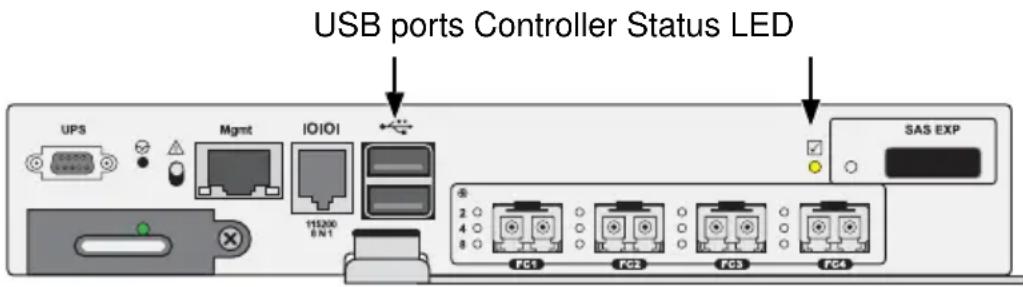
The controller status LED blinks green in half-second intervals.
- Wait until the controller activity LED stops blinking green and starts blinking amber.

Warning
- Do NOT power off the RAID subsystem during the update!
-
Do NOT remove your USB flash device until the LED changes color!
-
Within 30 seconds, remove the USB flash device, then insert the USB flash device back into the same RAID controller.
The remove and insert action confirms that you want to update the firmware.
You can insert the USB flash device back into either USB port but it must be the same RAID controller as step 1.
- Wait until the controller activity LED displays steady green.
- Remove the USB flash device.
Automatic Restart
After you remove the USB flash device from the RAID controller, the RAID subsystem and any JBOD expansion units automatically restart. That action temporarily disrupts I/O operations and drops your WebPAM PROe or CLU connection.
To reestablish your WebPAM PROe connection:
- Wait no less than two minutes.
- Click Logout in the WebPAM PROe Header, then log in again.
If you cannot log in, wait 30 seconds and try again.
To reestablish your CLU connection:
After the screen goes blank, wait about two minutes, then re-establish your Telnet connection to the CLU. If you cannot re-establish a connection, wait 30 seconds and try again.
If you have a serial connection to the RAID subsystem, the connection remains during the shut-down and restart. No reconnect is required.
Failed Update
If the firmware update fails, the controller status LED displays red. See page 319, Figure 1.
- Remove the USB flash device.
- Insert the USB flash device into a USB port on your PC.
- Go to the OPAX_xxxxxx folder to obtain the report and log.
Possible causes for an update failure include:
• Less than 50 MB free space on the USB flash device.
- The SBB firmware image is invalid.
- A background activity is running.
See "Contacting Technical Support" on page 435.
Updating Physical Drive Firmware
This feature applies only to PROMISE-supported physical drives. For a list of supported drives, go to PROMISE support: http://www.promise.com/support/.
If you have physical drives in your RAID system that are not PROMISE-supported, follow the firmware update procedure from the drive manufacturer.
WebPAM PROe
Download the latest firmware image file from PROMISE support: http://www.promise.com/support/ and save it to your Host PC or TFTP server.
To update the firmware on PROMISE-supported physical drives:
- Click the Administration tab.
- Click the Firmware Update icon.
- Click the PD Firmware Update tab.
-
Choose a download option:
-
Local File through HTTP – Click the Browse button, locate the firmware image file, click the file to choose it, then click the Open button.
-
TFTP Server – Enter the TFTP Server host name or IP address, port number and file name.
-
Click the Next button.
- Click the Submit button.
The progress of the update displays.

Warning
- Do NOT power off the RAID subsystem during the update!
- Do NOT move to any other screen until the firmware update operation is completed!
When the update is completed a message tells you to reboot the subsystem.
- Click the OK button.
Restart the RAID subsystem. See “Restarting a Subsystem” on the next page.
Restarting a Subsystem
This function shuts down the subsystem and then restarts it.

Important
Do NOT turn off the power supply switches on the RAID subsystem or JBOD expansion units.
To restart the subsystem:
- Click the Administration tab.
- Click the Subsystem Information icon.
- Click the Shutdown/Restart button.
- Click the Restart button.
- Type the word "confirm" in the field provided.
- Click the Confirm button.
When the controller shuts down, your WebPAM PROe connection is lost.
-
Wait no less than two minutes.
-
In your browser, click Logout in the WebPAM PROe Header, then log in again.
If you cannot log in immediately, wait 30 seconds and try again.
Replacing a Power Supply
The power supply and its fans are replaced as one unit. There are no individually serviceable parts. No tools are required for this procedure.
Removing the Old Power Supply
To remove the power supply:
- Verify that the status LED is amber or red. See Figure 2.
- Switch off the power.
- Unplug the power cord.
- Turn the two set screws counter-clockwise to loosen them.
The screws are retained on the power supply housing.
- Grasp the handle and pull the power supply out of the enclosure.
Figure 2. Power supply for VTrak E830f and E630f

Installing a New Power Supply
To install the power supply:
- Carefully slide the power supply into the enclosure.
- Turn the two set screws clockwise to tighten them.
- Plug in the power cord.
- Switch on the power supply.
- Verify that the new power supply LED is green. See Figure 2.
Replacing a Cache Backup Battery
The cache backup battery, also called a Battery Backup Unit (BBU) powers the cache to preserve data that has not been written the physical drives. The battery is located inside the RAID controller. Each RAID controller has its own battery.

Cautions
- Try reconditioning the battery before you replace it. See “Reconditioning a Battery” on page 90 or page 223 for more information.
- The battery assembly is replaced as a unit. Do not attempt to disconnect the battery by itself.
- Installing the wrong replacement battery can result in an explosion.
- Dispose of used batteries according to the instructions that accompany the battery.
- While the battery is removed, your system is vulnerable to data loss if the power fails while data is being written to the logical drives.
- If power service has failed, do not remove the battery if the RAID controller's dirty cache LED is flashing. See page 325, Figure 3.
The cache backup battery is replaced as an assembly. You do not have to power down the RAID subsystem nor disconnect any cables from the RAID controller. You need a No. 1 Phillips screwdriver for this procedure.
Removing the Old Battery
To remove a battery:
- Verify that the battery LED is amber or red. See page 325, Figure 3.
- Loosen and remove the set screw.
- Grasp the handle and pull the battery out of the RAID controller.
Installing a New Battery
To install the battery:
- Carefully slide the battery into the RAID controller.
- Replace and tighten the set screw.
- Verify that the battery LED is green.
Figure 3. Cache backup battery

Replacing a RAID Controller – Dual Controllers
The RAID controller monitors and manages the logical drives. When the RAID controller is replaced, all of your logical drive data and configurations remain intact because logical drive information is stored on the physical drives.

Important
- Do not replace the RAID controller based on LED colors alone. Only replace the RAID controller when directed to do so by PROMISE Technical Support. See page 435.
- The firmware version and amount of SDRAM must be the same on the replacement RAID controller and the other RAID controller in the subsystem.
To obtain firmware and SDRAM information for an installed RAID controller, in WebPAM PROe, click the Administration button then click the Image Version icon. - Replacement RAID controllers to not come with a BBU. Remove the BBU from the old controller and install it into the new one. See “Replacing a Cache Backup Battery” on page 324.

Note
On subsystems with dual RAID controllers, you can hot-swap a controller while the subsystem is running.
Removing the Old Controller
To remove a RAID controller:
- Disconnect all attached cables from the RAID controller,
- Fibre Channel cables
- Management port cables
- iSCSI cables
- Serial cable
- SAS expansion cables
- UPS control cable
- On the controller handle, squeeze the release tab and pull the handle outward. See page 327, Figure 4.
- Pull the RAID controller out of the subsystem enclosure.
Figure 4. RAID controller release

Installing the New Controller
To install the new RAID controller:
- Carefully slide the RAID controller into the enclosure.
- Gently swing the handle in and press the handle until it locks.
- Reconnect all cables that were attached to the RAID controller.
- Fibre Channel cables
- Management port cables
- iSCSI cables
- Serial cable
• SAS expansion cables
- UPS control cable
If one of the controllers goes into maintenance mode, see "Maintenance Mode" on page 395.
Replacing a RAID Controller – Single Controller
The RAID controller monitors and manages the logical drives. When the RAID controller is replaced, all of your logical drive data and configurations remain intact because logical drive information is stored on the physical drives.

Caution
The RAID controller is NOT hot-swappable if your VTrak has only one controller. Power-down the VTrak before removing it.

Important
Do not replace the RAID controller based on LED colors alone. Only replace the RAID controller when directed to do so by PROMISE Technical Support. See page 435.

Important
The firmware on the replacement RAID controller must be the same version as the original RAID controller or a later version. The amount of SDRAM in the replacement RAID controller must be the same as the original RAID controller or greater. To obtain firmware and SDRAM information for the currently installed RAID controller, click the Administration button then click the Image Version icon.
Removing the Old Controller
To remove the RAID controller:
- Shutdown the VTrak. See “Shutting Down the Subsystem” on page 83 (WebPAM PROe) or page 307 (CLU).
- Switch off the power.
- Disconnect all attached cables from the RAID controller,
- Fibre Channel cables
- Management port cables
- iSCSI cables
- Serial cable
- SAS expansion cables
- UPS control cable
- On the controller handle, squeeze the release tab and pull the handle outward. See page 327, Figure 4.
- Pull the RAID controller out of the subsystem enclosure.
Installing the New Controller
To install the new RAID controller:
- Carefully slide the RAID controller into the enclosure.
- Gently swing the handle in and press the handle until it locks.
- Reconnect all cables that were attached to the RAID controller.
- Fibre Channel cables
- Management port cables
- iSCSI cables
- Serial cable
- SAS expansion cables
- UPS control cable
- Turn on the power supply switches.
The VTrak restarts. For more information about VTrak's start-up behavior, see "Connecting the Power" on page 41.
5. Log into the VTrak.
For more information, see “Logging into WebPAM PROe” on page 69 or “Initial Connection” on page 206.
Resetting the Default Password
This feature resets the Administrator's password to the default factory setting, password. Use this feature when you have forgotten Administrator's password or a new Administrator has been appointed.
The reset applies to the Administrator's login for WebPAM PROe, the CLI, and the CLU. No other user passwords are affected.
To reset the Administrator's default password:
-
Verify that the VTrak has fully booted.
See page 41 or page 377 for more information. -
For one of the RAID controllers, locate the password reset switch.
See Figure 5.
- Insert a pin or a straightened paper clip into the opening and momentarily depress password reset switch.
You only need to press the reset switch on one RAID controller.
Figure 5. FC RAID controller password reset

The next time the Administrator logs in, use the default password, password.
For more information, see “Logging into WebPAM PROe” on page 69 and “Logging Into the CLI” on page 208.

Important
PROMISE recommends that you change the Administrator's default password immediately after reset. See “Changing User Passwords” on page 105 or page 288.
Chapter 7: Technology Background
This chapter covers the following topics:
- Disk Arrays (below)
• Logical Drives (page 333) - Spare Drives (page 355)
• RAID Controllers (page 361)
• iSCSI Management (page 366) - Internet Protocols (page 373)
Disk Arrays
Disk array technology includes:
• Media Patrol (page 331)
- PDM (page 331)
• Power Management (page 332)
Media Patrol
Media Patrol is a routine maintenance procedure that checks the magnetic media on each disk drive. Media Patrol checks all physical drives assigned to disk arrays and spare drives. Media Patrol does not check unconfigured drives.
Media Patrol checks are enabled by default on all disk arrays and spare drives. You can disable Media Patrol in the disk array and spare drive settings, however that action is not recommended.
Unlike Synchronization and Redundancy Check, Media Patrol is concerned with the condition of the media itself, not the data recorded on the media. If Media Patrol encounters a critical error, it triggers PDM, if PDM is enabled on the disk array.
Media Patrol has three status conditions:
- Running – Normal. You can access your logical drives at any time.
- Yield – Temporary pause while a read/write operation takes place.
- Paused – Temporary pause while another background runs. Or a pause initiated by the user.
See "Running Media Patrol on a Disk Array" on page 158.
PDM
Predictive Data Migration (PDM) is the migration of data from the suspect physical drive to a spare drive, similar to rebuilding a logical drive. But unlike Rebuilding,
PDM constantly monitors your physical drives and automatically copies your data to a spare drive before the physical drive fails and your logical drive goes Critical.
The following actions trigger PDM:
• A physical drive with unhealthy status (see below)
• Media Patrol finds a critical error
- You initiate PDM manually
PDM also counts the number of media errors reported by Media Patrol. A disk drive becomes unhealthy when:
• A SMART error is reported
- The bad sector remapping table fills to the specified level.
Because data would be lost if written to a bad sector, when a bad sector is detected, the physical drive creates a map around it. These maps are saved in the bad sector remapping table, which has a capacity of 512 reassigned blocks and 2048 error blocks. See “Making PDM Settings” on page 121 or “Making Background Activity Settings” on page 273.
You can specify the maximum levels for the reassigned and error blocks in PDM settings. When the table fills to a specified value, PDM triggers a migration of data from the suspect drive (the disk drive with the bad sectors) to a replacement physical drive.
During data migration, you have access to your logical drives but they respond more slowly to read/write tasks because of the additional operation. The time required for data migration depends on the size of the physical drives.
PDM is enabled on all disk arrays by default. You can disable PDM in the disk array settings, however that action is not recommended.
See "Running PDM on a Disk Array" on page 159 or page 237.
Power Management
See "Power Saving" on page 364.
Logical Drives
Logical drive technology includes:
- RAID Levels (page 333)
• RAID Level Migration (page 347) - Stripe Size (page 353)
• Sector Size (page 353)
• Preferred Controller ID (page 353) - Initialization (page 354)
• Partition and Format (page 354)
RAID Levels
RAID (Redundant Array of Independent Disks) allows multiple physical drives to be combined together in a disk array. Then all or a portion of the disk array is formed into a logical drive. The operating system sees the logical drive as a single storage device, and treats it as such.
RAID 0 – Stripe
When a logical drive is striped, the read and write blocks of data are interleaved between the sectors of multiple physical drives. Performance is increased, since the workload is balanced between drives or “members” that form the logical drive. Identical drives are recommended for performance as well as data storage efficiency.
Figure 1. RAID 0 Striping interleaves data across multiple drives
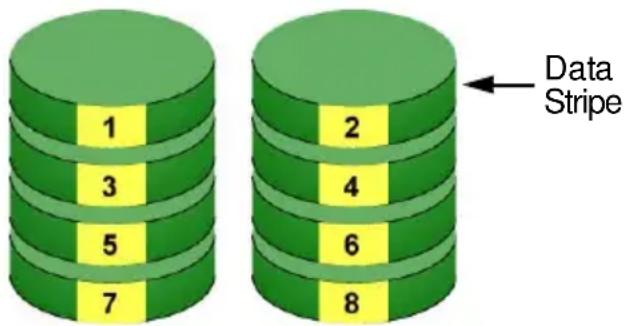
Physical Drives
The disk array's data capacity is equal to the number of disk drive members multiplied by the smallest drive's capacity. For example, one 100 GB and three 120 GB drives form a 400 GB (4 x 100 GB) disk array instead of 460 GB.
If physical drives of different capacities are used, there is unused capacity on the larger drives.
RAID 0 logical drives on VTrak consist of one or more physical drives.
| Advantages Disadvantages | |
| • Implements a striped disk array, the data is broken down into blocks and each block is written to a separate disk drive• I/O performance is greatly improved by spreading the I/O load across many channels and drives• No parity calculation overhead is involved | • Not a true RAID because it is not fault-tolerant• The failure of just one drive results in all data in an disk array being lost• Should not be used in mission critical environments |
Recommended Applications for RAID 0:
- Image Editing
• Pre-Press Applications - Any application requiring high bandwidth
RAID 1 – Mirror
When a logical drive is mirrored, identical data is written to a pair of physical drives, while reads are performed in parallel. The reads are performed using elevator seek and load balancing techniques where the workload is distributed in the most efficient manner. Whichever drive is not busy and is positioned closer to the data is accessed first.
With RAID 1, if one physical drive fails or has errors, the other mirrored physical drive continues to function. Moreover, if a spare physical drive is present, the spare drive is used as the replacement drive and data begins to mirrored to it from the remaining good drive.
Figure 2. RAID 1 Mirrors identical data to two drives

Physical Drives
The logical drive's data capacity equals the smaller physical drive. For example, a 100 GB physical drive and a 120 GB physical drive have a combined capacity of 100 GB in a mirrored logical drive.
If physical drives of different capacities are used, there is unused capacity on the larger drive.
RAID 1 logical drives on VTrak consist of two physical drives.
If you want a mirrored logical drive with more than two physical drives, see “RAID 1E – Enhanced Mirror” on page 337.
| Advantages Disadvantages | |
| · Simplest RAID storage subsystem design· Can increase read performance by processing data requests in parallel since the same data resides on two different drives | · Very high disk overhead – uses only 50% of total capacity |
Recommended Applications for RAID 1:
- Accounting
- Pay roll
- Financial
- Any application requiring very high availability
RAID 1E – Enhanced Mirror
RAID 1E offers the security of mirrored data provided by RAID 1 plus the added capacity of more than two physical drives. It also offers overall increased read/write performance plus the flexibility of using an odd number of physical drives. With RAID 1E, each data stripe is mirrored onto two physical drives. If one drive fails or has errors, the other drives continue to function, providing fault tolerance.
Figure 3. RAID 1E can mirror data over an odd number of drives
Enhanced Data Mirrors

Physical Drives
The advantage of RAID 1E is the ability to use an odd number of physical drives, unlike RAID 1 and RAID 10. You can also create a RAID 1E Logical Drive with an even number of physical drives. However, with an even number of drives, you obtain somewhat greater security with comparable performance using RAID 10.
RAID 1E logical drives consist of three or more physical drives. You can create an array with just two physical drives and specify RAID 1E. But the resulting array is actually a RAID 1.
| Advantages Disadvantages | |
| Implemented as a mirrored disk array whose segments are RAID 0 disk arraysHigh I/O rates are achieved thanks to multiple stripe segmentsCan use an odd number of disks | Very high disk overhead – uses only 50% of total capacity |
Recommended Applications for RAID 1E:
- Imaging applications
- Database servers
- General fileserver
RAID 5 – Block and Parity Stripe
RAID 5 organizes block data and parity data across the physical drives.
Generally, RAID Level 5 tends to exhibit lower random write performance due to the heavy workload of parity recalculation for each I/O. RAID 5 is generally considered to be the most versatile RAID level. It works well for file, database, application and web servers.
Figure 4. RAID 5 stripes all drives with data and parity information
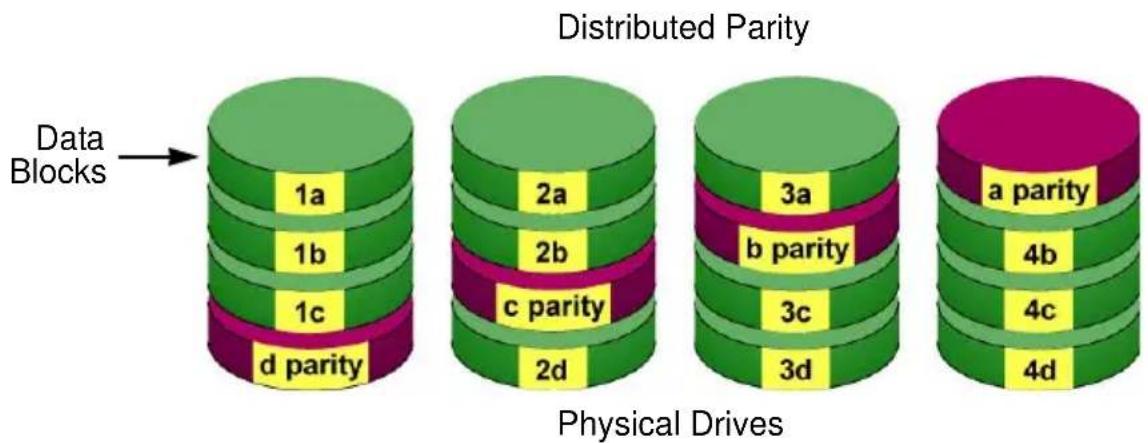
The capacity of a RAID 5 logical drive equals the smallest physical drive times the number of physical drives, minus one. Hence, a RAID 5 logical drive with four 100 GB physical drives has a capacity of 300 GB. A RAID 5 logical drive with two 120 GB physical drives and one 100 GB physical drive has a capacity of 200 GB.
RAID 5 is generally considered to be the most versatile RAID level.
A RAID 5 on VTrak consists of 3 to 32 physical drives.
| Advantages Disadvantages | |
| ·High Read data transaction rate·Medium Write data transaction rate·Good aggregate transfer rate·Most versatile RAID level | ·Disk failure has a medium impact on throughput |
Recommended Applications for RAID 5:
- File and Application servers
• WWW, E-mail, and News servers - Intranet servers
RAID 6 – Block and Double Parity Stripe
RAID level 6 stores dual parity data is rotated across the physical drives along with the block data. A RAID 6 logical drive can continue to accept I/O requests when any two physical drives fail.
Figure 5. RAID 6 stripes all drives with data and dual parity
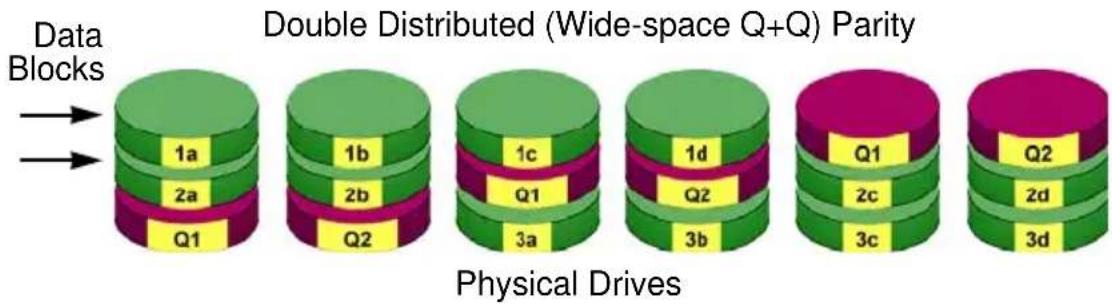
Hence, a RAID 6 logical drive with (7) 100 GB physical drives has a capacity of 500 GB. A RAID 6 logical drive with (4) 100 GB physical drives has a capacity of 200 GB.
RAID 6 becomes more capacity efficient in terms of physical drives as the number of physical drives increases.
RAID 6 provides double fault tolerance. Your logical drive remains available when up to two physical drives fail.
RAID 6 is generally considered to be the safest RAID level.
A RAID 6 on VTrak consists of 4 to 32 physical drives.
| Advantages Disadvantages | |
| ·High Read data transaction rate·Medium Write data transaction rate·Good aggregate transfer rate·Safest RAID level, except for RAID 60 | ·High disk overhead – equivalent of two drives used for parity·Slightly lower performance than RAID 5 |
Recommended Applications for RAID 6:
• Accounting and Financial
- Database servers
- Any application requiring very high availability
RAID 10 - Mirror + Stripe
Mirror + Stripe combines both of the RAID 1 and RAID 0 logical drive types. RAID 10 can increase performance by reading and writing data in parallel or striping, and duplicating the data, or mirroring.
PROMISE implements RAID 10 by creating a data stripe over one pair of disk drives, then mirroring the stripe over a second pair of disk drives. Some applications refer to this method as RAID 0+1.
Figure 6. PROMISE RAID 10 starts with a data stripe, then mirrors it

The data capacity RAID 10 logical drive equals the capacity of the smallest physical drive times the number of physical drives, divided by two.
In some cases, RAID 10 offers double fault tolerance, depending on which physical drives fail.
RAID 10 arrays require an even number of physical drives and a minimum of four.
For RAID 10 characteristics using an odd number of physical drives, choose RAID 1E.
| Advantages Disadvantages | |
| Implemented as a mirrored disk array whose segments are RAID 0 disk arraysHigh I/O rates are achieved thanks to multiple stripe segments | Very high disk overhead – uses only 50% of total capacity |
Recommended Applications for RAID 10:
- Imaging applications
- Database servers
- General fileserver
RAID 50 – Striping of Distributed Parity
RAID 50 combines both RAID 5 and RAID 0 features. Data is striped across physical drives as in RAID 0, and it uses distributed parity as in RAID 5. RAID 50 provides data reliability, good overall performance, and supports larger volume sizes.
Figure 7. RAID 50 is a combination of RAID 5 and RAID 0

The data capacity RAID 50 logical drive equals the capacity of the smallest physical drive times the number of physical drives, minus two.
RAID 50 also provides very high reliability because data is still available even if multiple physical drives fail (one in each axle). The greater the number of axles, the greater the number of physical drives that can fail without the RAID 50 logical drive going offline.
| Component Minimum Maximum | |
| Number of Axles 2 16 | |
| Physical Drives per Axle 3 32 | |
| Physical Drives per Logical Drive 6 | 256 |
RAID 50 Axles
When you create a RAID 50, you must specify the number of axles. An axle refers to a single RAID 5 logical drive that is striped with other RAID 5 logical drives to make RAID 50. An axle can have from 3 to 32 physical drives, depending on the number of physical drives in the logical drive.
The chart below shows RAID 50 logical drives with 6 to 32 physical drives, the available number of axles, and the resulting distribution of physical drives on each axle.
| Advantages Disadvantages | |
| High Read data transaction rateMedium Write data transaction rateGood aggregate transfer rateHigh reliabilitySupports large volume sizes | Higher disk overhead than RAID 5 |
Recommended Applications for RAID 50:
- File and Application servers
- Transaction processing
• Office application with many users accessing small files
RAID 60 – Striping of Double Parity
RAID 60 combines both RAID 6 and RAID 0 features. Data is striped across disks as in RAID 0, and it uses double distributed parity as in RAID 6. RAID 60 provides data reliability, good overall performance and supports larger volume sizes.
Figure 8. RAID 60 is a combination of RAID 6 and RAID 0

bar_stacked
| Data Stripes | Double Distributed Parity | Disk Drives | | ------------ | -------------------------- | ----------- | | 1 | 9 | 13 | | 2 | 10 | 14 | | 3 | 17 | 21 | | 4 | 18 | 22 | | Q1 | 19 | 23 | | Q2 | 20 | 24 | | Axle 1 | 11 | 15 | | Axle 1 | 12 | 16 | | Axle 1 | 20 | 24 |The total capacity of a RAID 60 logical drive is the smallest physical drive times the number of physical drives, minus four.
RAID 60 also provides very high reliability because data is still available even if multiple physical drives fail (two in each axle). The greater the number of axles, the greater the number of physical drives that can fail without the RAID 60 logical drive going offline.
| Component Minimum | Maximum | |
| Number of Axles 2 16 | ||
| Physical Drives per Axle 4 32 | ||
| Physical Drives per Logical Drive 8 | 256 |
RAID 60 Axles
When you create a RAID 60, you must specify the number of axles. An axle refers to a single RAID 6 logical drive that is striped with other RAID 6 logical drives to make RAID 60. An axle can have from 4 to 32 physical drives, depending on the number of physical drives in the logical drive.
| RAID 60 Logical Drive | ||||||
| No. of Drives | No. of Axles | Drives per Axle | No. of Drives | No. of Axles | Drives per Axle | |
| 8 2 4,4 | 17 2 8,9 | 2 | ||||
| 9 2 4,5 | 3 5,6,6 | |||||
| 10 2 5,5 | 4 4,4,4,5 | |||||
| 1 | 1 | 5 | , | 6 | ||
| 12 2 6,6 | 3 6,6,6 | |||||
| 3 4,4,4 | 4 4,4,5,5 | |||||
| 13 2 6,7 | 19 2 | 9,10 | 3 6,6,7 | |||
| 3 4,4,5 | ||||||
| 14 2 7,7 | 4 4,5,5,5 | |||||
| 3 4,5,5 | 10,10 | 10 | ||||
| 15 2 7,8 | 3 6,7,7 | |||||
| 3 5,5,5 | 4 5,5,5,5 | |||||
| 16 2 8,8 | 5 4,4,4,4,4 | |||||
| 3 5,5,6 | ||||||
| 4 4,4,4,4 | ||||||
| Advantages | Disadvantages |
| ·High Read data transaction rate·Medium Write data transaction rate·Good aggregate transfer rate·Safest RAID level | ·High disk overhead – equivalent of two drives used for parity·Slightly lower performance than RAID 50 |
Recommended Applications for RAID 60:
• Accounting and Financial
- Database servers
- Any application requiring very high availability
RAID Level Migration
The term “Migration” means either or both of the following:
- Change the RAID level of a logical drive.
- Expand the storage capacity of a logical drive.
On VTrak, RAID level migration is performed on the disk array but it applies to the logical drives. Migration does not disturb your data. You can access the data while the migration is in progress. When migration is done, your disk array has a different RAID level and/or a larger capacity.
Migration Requirements
The following conditions affect RAID level migration:
- The disk array and logical drive must show a green check icon.
- The Target disk array may require more physical drives than the Source disk array.
- If the Target disk array requires an EVEN number of physical drives but the Source disk array has an ODD number, ADD a physical drive as part of the migration process.
- You cannot reduce the number of physical drives in your disk array, even if the Target disk array requires fewer physical drives than the Source disk array.
- RAID 1 (mirroring) works with two drives only. Only a single-drive RAID 0 disk array can migrate to RAID 1. Other RAID Levels use too many drives to migrate.
- You cannot migrate a disk array when it is Critical or performing activities such as Synchronizing, Rebuilding, and PDM.
- For RAID 6 or RAID 60, you can only migrate between these two RAID levels. Destination RAID 60 axles can have up to 16 physical drives. Other limitations might apply.
Source and Target RAID Levels
The tables on the following pages show the migration options for each source logical drive by its RAID level. The available target RAID levels are shown with their requirements.
RAID 0
A RAID 0 source logical drive can migrate to the following target logical drives:
| Target Requirements | |
| RAID 0 Add physical drives. | |
| RAID 1 2 physical drives only.Only a single-drive RAID 0 can migrate to RAID 1 by adding 1 physical drive. | |
| RAID 1E 3 or more physical drives.If existing physical drives have no unused space, add 1 or more physical drives. | |
| RAID 5 3 physical drives minimum, 32 maximum.RAID 0 must have less than 16 physical drives.If existing physical drives have no unused space, add 1 or more physical drives. | |
| RAID 6 4 physical drives minimum, 32 maximum.If existing physical drives have no unused space, add 1 or more physical drives. | |
| RAID 10 4 physical drives minimum.Even number of physical drives.If existing physical drives have no unused space, add 1 or more physical drives. | |
| RAID 50 6 physical drives minimum, 32 per axle maximum.If existing physical drives have no unused space, add 1 or more physical drives. | |
| RAID 60 8 physical drives minimum, 32 per axle maximum.If existing physical drives have no unused space, add 1 or more physical drives. |
RAID 1
A RAID 1 Source logical drive can migrate to the following Target logical drives:
| Target Requirements | |
| RAID 0 None. | |
| RAID 1E 3 or more physical drives.Add 1 or more physical drives. | |
| RAID 5 3 physical drives minimum, 32 maximum.RAID 1 must have less than 32 physical drives.Add 1 or more physical drives. | |
| RAID 10 4 physical drives minimum.Even number of physical drives.Add 2 or more physical drives. | |
| RAID 50 6 physical drives minimum, 32 per axle maximum.Add 4 or more physical drives. |
RAID 1E
A RAID 1E Source logical drive can migrate to the following Target logical drives:
| Target Requirements | |
| RAID 0 None. | |
| RAID 1E Add physical drives. | |
| RAID 5 3 physical drives minimum, 32 maximum.RAID 1E must have less than 32 physical drives.If existing physical drives have no unused space, add 1 or more physical drives. | |
| RAID 10 4 physical drives minimum.Even number of physical drives.If existing physical drives have no unused space, add 1 or more physical drives. | |
| RAID 50 6 physical drives minimum, 32 per axle maximum. |
RAID 5
A RAID 5 Source logical drive can migrate to the following Target logical drives:
| Target Requirements | |
| RAID 0 None. | |
| RAID 1E None. | |
| RAID 5 Add physical drives. 32 maximum. | |
| RAID 6 4 physical drives minimum, 32 maximum.If existing physical drives have no unused space, add 1 or more physical drives. | |
| RAID 10 4 physical drives minimum.Even number of physical drives.If existing physical drives have no unused space, add 1 or more physical drives. | |
| RAID 50 6 physical drives minimum, 32 per axle maximum.If existing physical drives have no unused space, add 1 or more physical drives. | |
| RAID 60 8 physical drives minimum, 32 per axle maximum.If existing physical drives have no unused space, add 1 or more physical drives. |
RAID 6
A RAID 6 Source logical drive can migrate to the following Target logical drives:
| Target Requirements | |
| RAID 6 Add | physical drives. 32 maximum. |
| RAID 60 8 p | physical drives minimum, 32 per axle maximum.If existing physical drives have no unused space, add 1 or more physical drives. |
RAID 10
A RAID 10 Source logical drive can migrate to the following Target logical drives:
| Target Requirements | |
| RAID 0 None. | |
| RAID 1E None. | |
| RAID 5 3 physical drives minimum, 32 maximum.RAID 10 must have less than 16 physical drives. | |
| RAID 6 4 physical drives minimum, 32 maximum.RAID 10 must have less than 32 physical drives.If existing physical drives have no unused space, add 1 or more physical drives. | |
| RAID 10 Add physical drives.Even number of physical drives. | |
| RAID 50 6 physical drives minimum, 32 per axle maximum. | |
| RAID 60 8 physical drives minimum, 32 per axle maximum.If existing physical drives have no unused space, add 1 or more physical drives. |
When you migrate RAID 10 logical drive, it becomes RAID 1E by default.
If you want a RAID 10 logical drive, there must be an even number of physical drives and you must specify RAID 10 for the target logical drive.
RAID 50
A RAID 50 Source logical drive can migrate to the following Target logical drives:
| Target Requirements | |
| RAID 0 None. | |
| RAID 1E None. | |
| RAID 5 32 physical drives maximum.RAID 50 must have less than 32 physical drives. | |
| RAID 6 32 physical drives maximum.RAID 50 must have less than 32 physical drives.If existing physical drives have no unused space, add 1 or more physical drives. | |
| RAID 10 Even number of physical drives. | |
| RAID 50 Add physical drives. 32 per axle maximum. | |
| RAID 60 8 physical drives minimum, 32 per axle maximum.If existing physical drives have no unused space, add 1 or more physical drives. |
You can add physical drives to a RAID 50 array but you cannot change the number of axles.
RAID 60
A RAID 60 Source logical drive can migrate to the following Target logical drives:
| Target Requirements | |
| RAID 6 32 physical drives maximum. RAID 60 must have less than 32 physical drives. If existing physical drives have no unused space, add 1 or more physical drives. | |
| RAID 60 Add physical drives. 32 per axle maximum. |
You can add physical drives to a RAID 60 array but you cannot change the number of axles.
Stripe Size
Stripe Size, also called “Stripe Block Size,” refers to the size of the data blocks written to, and read from, the physical drives. Stripe Size is specified when you create a logical drive. You can choose Stripe Size directly when you use the Wizard Advanced Configuration function to create a logical drive.
You cannot change the Stripe Size of an existing logical drive. You must delete the logical drive and create a new one.
The available Stripe Sizes are 64 KB, 128 KB, 256 KB, 512 KB, and 1 MB. 64 KB is the default. There are two issues to consider when choosing the Stripe Size:
- You should choose a Stripe Size equal to, or smaller than, the smallest cache buffer found on any physical drive in the disk array. Selecting a larger value slows read/write performance because physical drives with smaller cache buffers need more time for multiple accesses to fill their buffers.
- If your data retrieval consists of fixed data blocks, such as with some database or video applications, then you should choose that size as your Stripe Size.
If you do not know the cache buffer or fixed data block sizes, choose 64 KB as your Stripe Size. Generally speaking,
- Email, POS, and web servers prefer smaller stripe sizes.
• Video and database applications prefer larger stripe sizes.
Sector Size
A sector is the smallest addressable area on a physical drive. Sector size refers to the number of data bytes a sector can hold. A smaller sector size is a more efficient use of a physical drive's capacity. 512 bytes (512 B) is the most common sector size, and the default in WebPAM PROe.
Preferred Controller ID
When you create a logical drive using the Advanced method of disk array creation, you can specify the Preferred Controller ID:
• Controller 1 – Assign all logical drives to Controller 1
- Controller 2 – Assign all logical drives to Controller 2.
• Automatic – Alternate logical drive assignments between Controllers 1 and 2.
Automatic is the default and preferred setting because it balances the logical drive assignments for you.
See “Creating a Disk Array Manually” on page 150, “Creating a Disk Array with the Wizard” on page 151, and “Creating a Disk Array – Advanced” on page 232.
Initialization
Initialization is done to logical drives after they are created from a disk array. Full initialization sets all data bits in the logical drive to a specified pattern, such as all zeros. The action is useful because there may be residual data on the logical drives left behind from earlier configurations. For this reason, Initialization is recommended for all new logical drives. See “Initializing a Logical Drive” on page 167 or page 245.

Caution
When you initialize a logical drive, all the data on the logical drive is lost. Backup any important data before you initialize a logical drive.
Partition and Format
Like any other type of fixed disk media in your system, a RAID logical drive must also be partitioned and formatted before use. Use the same method of partitioning and formatting on an logical drive as you would any other fixed disk.
Depending on the operating system you use, there may or may not be various capacity limitations applicable for the different types of partitions.
Spare Drives
Spare drive technology includes:
- Definition (page 355)
- Options (page 355)
- Requirements (page 355)
• Transition (page 356)
Definition
A spare drive is a physical drive that you designate to automatically replace the failed physical drive in a disk array. See “Creating a Spare Drive Manually” on page 173.
The general recommendation is to:
- Provide at least one spare drive for every 16 physical drives in the RAID system
- Configure the spares as global revertible spare drives
Options
There are several options you can specify for a spare drive:
- System Options
- Revertible – Returns to its spare drive assignment after you replace the failed physical drive in the disk array and run the Transition function.
- Media Patrol – By default, Media Patrol runs on spare drives unless you disable it.
- Space e Type e
- Global – Can be used by any disk array
- Dedicated – Can be used only by the assigned disk array
• Media Type (type of physical drive)
- Hard Disk Drive (HDD)
• Solid State Drive (SSD)
Requirements
The spare drive must:
- Have adequate capacity to replace the largest physical drive in your disk arrays.
- Be the same media type as the physical drives in your disk arrays.
A revertible spare drive requires:
- You to replace the failed physical drive in the disk array
- You to run the Transition function
Transition
Transition is the process of replacing a revertible spare drive that is currently part of a disk array with an unconfigured physical drive or a non-revertible spare. The revertible spare drive returns to its original status. In order to run the Transition function, the spare drive must be revertible.
In addition, you must specify an unconfigured physical drive of the same or larger capacity and same media type as the revertible spare drive.
Running a Transition
The Transition feature enables you to specify “permanent” spare drives for your VTrak subsystem. Transition is the process of replacing a revertible spare drive that is currently part of a disk array with an unconfigured physical drive or a non-revertible spare. The revertible spare drive returns to its original status.
Transition happens automatically when the following sequence of events takes place:
- You create a revertible spare drive. See “Creating a Spare Drive Manually” on page 173 or page 239.
- A physical drive assigned to your disk array fails and the array goes critical or degraded.
- VTrak automatically rebuilds your array to the revertible spare drive and the array becomes functional again.
- You replace the failed physical drive with a new physical drive of equal or greater capacity.
- VTrak automatically transitions (moves) the data from the revertible spare to the new physical drive.
- The new physical drive becomes part of the array and the revertible spare drive returns to its original spare status.
Transition happens manually when you specify a different unconfigured physical drive to transition (move) the data from the revertible spare drive.
See the example on the following pages.
Example
Following is an example to explain the Transition function.

In the example above, there is a four-drive RAID 5 disk array and a global spare drive. Physical drives 1, 2, 3, and 4 belong to the disk array. Physical drive 5 remains unconfigured. Physical drive 6 is a revertible spare drive.
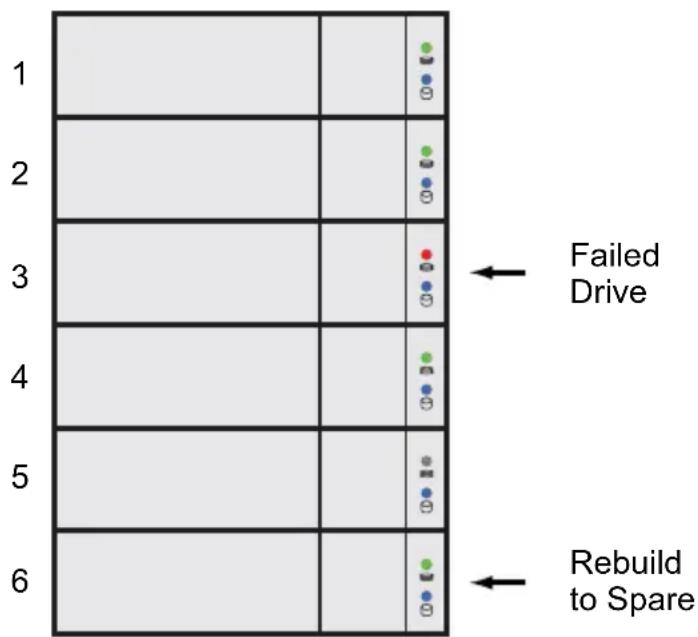
bar
| Row | Column 1 | Column 2 | Column 3 | Column 4 | Column 5 | Column 6 | |---|---|---|---|---|---|---| | 1 | ● | ● | ● | ● | ● | ● | | 2 | ● | ● | ● | ● | ● | ● | | 3 | ● | ● | ● | ● | ● | ● | | 4 | ● | ● | ● | ● | ● | ● | | 5 | ● | ● | ● | ● | ● | ● | | 6 | ● | ● | ● | ● | ● | ● | The chart includes an arrow labeled 'Failed Drive' pointing to the top of the bars and a rightward arrow labeled 'Rebuild to Spare' pointing to the bottom of the bars.If a physical drive fails in a disk array and there is a spare drive of adequate capacity available, the controller automatically rebuilds the array using the spare
drive. In this example, physical drive 3 failed and the array is rebuilt using physical drive 6, the revertible spare drive.
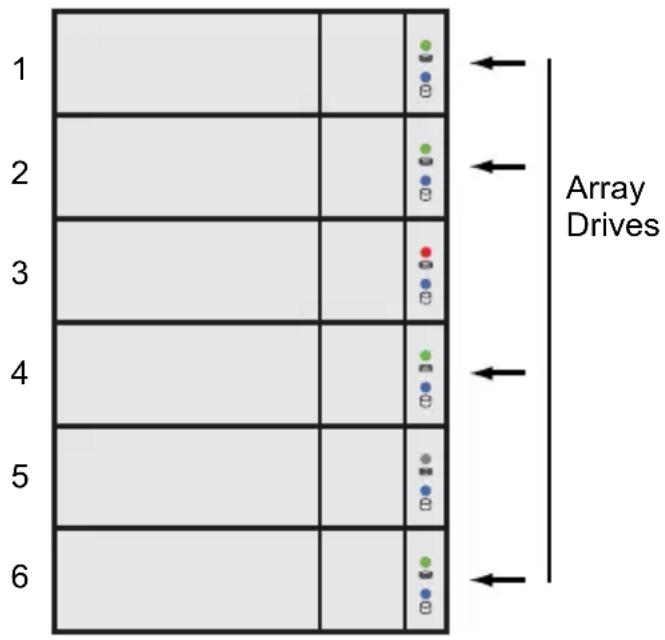
bar
| Row | Col 1 | Col 2 | Col 3 | Col 4 | Col 5 | Col 6 | |-----|-------|-------|-------|-------|-------|-------| | 1 | Green | Blue | Green | Blue | Red | Green | | 2 | Green | Blue | Green | Blue | Red | Green | | 3 | Blue | Blue | Red | Green | Green | Green | | 4 | Green | Blue | Green | Blue | Green | Green | | 5 | Green | Blue | Green | Gray | Green | Green | | 6 | Blue | Blue | Green | Green | Green | Green |When the rebuild is complete, the spare drive has replaced the failed drive. In this example, failed drive 3 was replaced by spare drive 6. The disk array now consists of physical drives 1, 2, 4, and 6.
There is no spare drive at this moment. Even if physical drive 5 is of adequate capacity, it has not been designated as a spare, therefore the controller cannot use it as a spare.
Automatic Transition
At this juncture, you would replace the failed drive in slot 3 with a new one of the same or greater capacity.
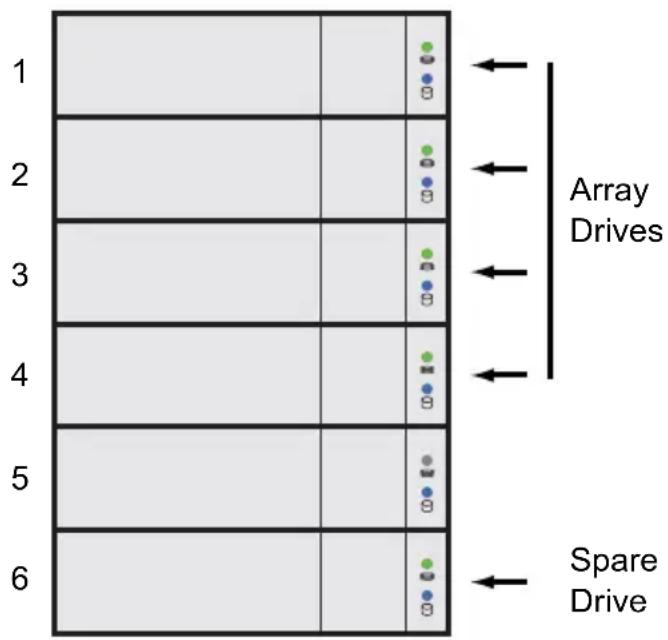
flowchart
graph TD
    A["1"] --> B["Array Drives"]
    C["2"] --> D["Array Drives"]
    E["3"] --> F["Array Drives"]
    G["4"] --> H["Array Drives"]
    I["5"] --> J["Array Drives"]
    K["6"] --> L["Array Drives"]
    B --> M["Spare Drive"]
    D --> N["Spare Drive"]
    F --> O["Spare Drive"]
    H --> P["Spare Drive"]
    J --> Q["Spare Drive"]
    L --> R["Spare Drive"]
When the VTrak controller detects the new drive in slot 3, the controller:
• Automatically transitions the data on drive 6 to drive 3
- Returns drive 6 to spare status
When the Automatic Transition is finished, physical drives 1, 2, 3, and 4 belong to the disk array and physical drive 6 is a revertible spare drive. The original configuration is restored.
Manual Transition
If you wanted to use the drive in slot 5 as a member of the disk array, rather than the drive in slot 3, you would run the Transition function manually. See “Running a Transition on a Spare Drive” on page 175 or “Running Transition on a Disk Array” on page 237.
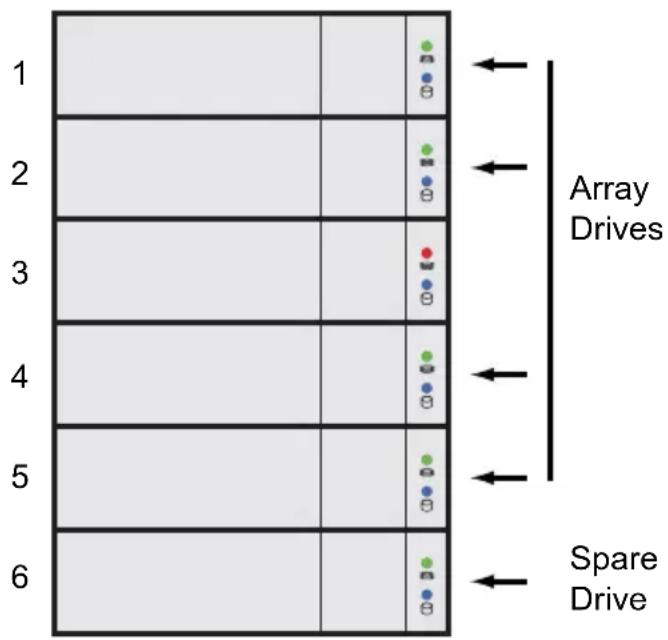
When the Manual Transition is finished, physical drives 1, 2, 4, and 5 belong to the disk array and physical drive 6 is a revertible spare drive.
At this point, you would replace the drive in slot 3. The new drive in slot 3 remains unconfigured until you assign it to a disk array or as a spare.
RAID Controllers
RAID controller technology includes;
• LUN Affinity (page 361)
- ALUA (page 361)
- Cache Policy (page 362)
• Preferred Controller ID (page 364)
• Power Saving (page 364)
• Capacity Coercion (page 364)
LUN Affinity
VTrak subsystems with dual RAID controllers include a LUN Affinity feature. Normally, either controller can access all logical drives. LUN Affinity enables you to specify which controller can access each logical drive. Use this feature to balance the load of your logical drives between the two controllers.
To use LUN Affinity you must:
- Have two RAID controllers in the subsystem.
- Set the redundancy type to Active-Active.
See "Making Subsystem Settings" on page 77 or page 211. - Enable LUN Affinity.
See "Making Controller Settings" on page 86 or page 216.
On subsystems with two RAID controllers, when Cache Mirroring is disabled, LUN Affinity is enabled automatically.
ALUA
VTrak supports Asymmetric Logical Unit Access (ALUA) on Linux OSes. ALUA is a multipathing tool. It enables an initiator (your host PC or server) to discover target port groups that provide a common failover/failback behavior for your LUNs. ALUA enables the host to see which paths are in an optimal state and which are not.
To use ALUA you must:
- Have two RAID controllers in the subsystem.
- Set the redundancy type to Active-Active.
See "Making Subsystem Settings" on page 77 or page 211. - Enable LUN Affinity and ALUA.
See "Making Controller Settings" on page 86 or page 216.
For more information, see “Appendix C: Multipathing on Linux” on page 471.
Cache Policy
As it is used with VTrak, the term cache refers to any of several kinds of high-speed, volatile memory that hold data moving from your computer to the physical drives or vice-versa. Cache is important because it can read and write data much faster than a physical drive. There are read caches, which hold data as it is read from a physical drive; and write caches, which hold data as it is written to a physical drive.
In order to tune the cache for best performance in different applications, user-adjustable settings are provided. Cache settings are made on the RAID controller. See “Making Controller Settings” on page 86 (WebPAM PROe) or page 216 (CLU).
Read Cache Policy
- Read Cache – The read cache is enabled but no pre-fetch action.
- Read Ahead – The read cache and predictive pre-fetch feature are enabled. Read-ahead anticipates the next read and performs it before the request is made. Can increase read performance.
- Forced Read Ahead – The read cache and aggressive pre-fetch feature are enabled. See “Forced Read-Ahead Cache” below.
- No Cache – The read cache is disabled.
Write Cache Policy
- Write Back – Data is written first to the cache, then to the logical drive. Better performance. VTrak has a cache backup battery to protect data in the cache from a sudden power failure.
- Adaptive Writeback – See “Adaptive Writeback Cache” below.
- Write Thru – Also “Write Through.” Data is written to the cache and the logical drive at the same time. Safer.
If your write cache policy is set to Write Back, the write policy automatically changes to Write Thru when all of the following conditions occur:
- The logical drive write policy is set to Write Back
- The Adaptive Writeback Cache feature is enabled
- The cache backup battery goes offline
When the battery comes back online, the write policy automatically changes back to Write Back. Also see “Viewing Battery Information” on page 89 or page 222.
Forced Read-Ahead Cache
On the VTrak subsystem, you can set the logical drive read cache policy to Forced Read Ahead an enable the aggressive pre-fetch feature.
The Forced Read-Ahead cache policy setting provides predictive pre-fetching of data requests, allowing the controller to aggressively buffer large chunks of data in cache memory to prevent frame drops on high-bandwidth video playback. Not normally enabled for non-video applications.
Adaptive Writeback Cache
On the VTrak subsystem, you can set the logical drive write cache policy to Write Thru or Write Back.
If you set the write cache policy to Write Back, your data is first written to the controller cache, and later to the logical drive. This action improves performance. To preserve the data in the cache in the event of a power failure, the subsystem has a backup battery that powers the cache. To see an estimate of how long the battery can power the cache, see “Viewing Battery Information” on page 89 or “Viewing Battery Information” on page 222.
The Adaptive Writeback Cache feature protects your data by changing the write cache settings while the cache backup battery is offline. When all of the following conditions occur:
- The logical drive write policy is set to Write Back.
- The Adaptive Writeback Cache feature is enabled.
- The cache backup battery goes offline.
The write policy automatically changes to Write Thru. When the battery comes back online, the write policy automatically changes back to Write Back.
To enable the Adaptive Writeback Cache option, see "Making Controller Settings" on page 86 or page 216.
Host Cache Flushing
On the VTrak subsystem, you can enable or disable host cache flushing.
When enabled, host cache flushing guards against data loss in the event of a power failure. However RAID performance is slightly reduced.
When disabled, the VTrak subsystem has greater sustained bandwidth and lower latency, which are helpful for real-time video capture.
When you operate the VTrak with host cache flushing disabled, use a UPS to protect against data loss.
Preferred Controller ID
See "Preferred Controller ID" on page 353.
Power Saving
Power saving is a method of conserving energy by applying specific actions to hard disk drives (HDD). After an HDD has been idle for the set period of time, you can elect to:
- Park the read/write heads – Referred to as Power Saving Idle Time on VTrak.
- Reduce disk rotation speed – Referred to as Power Saving Standby Time on VTrak.
- Spin down the disk (stop rotation) – Referred to as Power Saving Stopped Time on VTrak.
Power management must be:
- Set on the RAID controller. See “Making Controller Settings” on page 86 or page 216.
- Enabled on each HDD. See “Making Disk Array Settings” on page 157 or page 233.
Capacity Coercion
This feature is designed for fault-tolerant logical drives (RAID 1, 1E, 5, 10, 50, and 60). It is generally recommended to use physical drives of the same size in your disk arrays. When this is not possible, the system adjusts for the size differences by reducing or coercing the capacity of the larger drives to match the smaller ones. With VTrak, you can choose to enable capacity coercion and any one of four methods.
Enable capacity coercion and choose a method, see "Making Controller Settings" on page 86 or page 216. The choices are:
- GB Truncate – (Default) Reduces the useful capacity to the nearest 1,000,000,000 byte boundary.
- 10GB Truncate – Reduces the useful capacity to the nearest 10,000,000,000 byte boundary.
- Group Rounding – Uses an algorithm to determine how much to truncate. Results in the maximum amount of usable drive capacity.
- Table Rounding – Applies a predefined table to determine how much to truncate.
Capacity coercion also affects a replacement drive used in a disk array. Normally, when an physical drive fails, the replacement drive must be the same capacity or larger. However, the capacity coercion feature permits the installation of a
replacement drive that is slightly smaller (within 1 gigabyte) than the remaining working drive. For example, the remaining working drives can be 80.5 GB and the replacement drive can be 80.3, since all are rounded down to 80 GB. This permits the smaller drive to be used.
Without capacity coercion, the controller does not permit the use of a replacement physical drive that is slightly smaller than the remaining working drives.
iSCSI Management
iSCSI management uses the following terms:
- Basic iSCSI (page 366)
- iSCSI on a VLAN (page 368)
- Initiator (page 369)
- Target (page 370)
- Portal (page 371)
- Port (page 371)
- Trunk (page 372)
- Session (page 372)
- iSNS (page 372)
- CHAP (page 372)
- Ping (page 373)
Also see “Managing iSCSI Connections” on page 188 or page 257.
A detailed explanation of iSCSI functions and how to best use them is beyond the scope of this document. For more information, contact the Internet Engineering Task Force at http://www.ietf.org/.
Basic iSCSI
See the diagram on page 333, Figure 1.
To set up the data connections on a VTrak iSCSI subsystem:
-
Add a new portal.
See "Adding iSCSI Portals" on page 194 or page 264.
Note which iSCSI port you chose for the portal. -
Add a new target.
See "Adding iSCSI Targets" on page 190 or page 259. -
Assign the new portal to the target.
See “Assigning a Portal to an iSCSI Target” on page 192. The CLU assigns portals when you add the target. See page 259.
-
Map the target to a LUN. See “Adding a LUN Map” on page 180 or page 280.
-
Connect your iSCSI data cable to the iSCSI port you chose for the new portal.
See "iSCSI Storage Area Network (SAN)" on page 34.
- Add your iSCSI initiators to the VTrak's initiator list.
See "Adding an iSCSI Initiator" on page 178 or page 278.
For more information, see:
- “Managing iSCSI Connections” on page 188 or page 257
- "iSCSI Management" on page 366
- Visit the Promise Knowledgebase at http://kb.promise.com/ and access topic "10188 – Setting up Microsoft iSCSI Initiator With the VTrak"
Figure 9. iSCSI component map

flowchart
graph TD
    A["To iSCSI HBA or switch"] --> B["Ethernet Port 1"]
    C["To iSCSI HBA or switch"] --> D["Ethernet Port 2"]
    E["To iSCSI HBA or switch"] --> F["Ethernet Port 3"]
    G["To iSCSI HBA or switch"] --> H["Ethernet Port 4"]
    B --> I["Bound to Bound to Portal 1 Portal 2 Portal 3 Portal 4"]
    D --> I
    F --> J["Bound to Bound to Portal 1 Portal 2 Portal 3 Portal 4"]
    H --> K["Bound to Bound to Portal 1 Portal 2 Portal 3 Portal 4"]
    I --> L["Accessed using Target 1 Target 2 Target 3"]
    J --> M["Accessed using Target 1 Target 2 Target 3"]
    K --> N["Accessed using Target 1 Target 2 Target 3"]
    L --> O["Exposes Exposes Exposes Exposes"]
    M --> P["Logical Drive 1"]
    M --> Q["Logical Drive 2"]
    M --> R["Logical Drive 3"]
    M --> S["Logical Drive 4"]
    N --> T["Logical Drive 1"]
    N --> U["Logical Drive 2"]
    N --> V["Logical Drive 3"]
    N --> W["Logical Drive 4"]
iSCSI on a VLAN
VTrak supports up to 32 iSCSI portals per iSCSI port. Each iSCSI portal can belong to a different VLAN for a maximum of 32 VLANs.
See the diagram on page 335, Figure 2.
To set up the VTrak subsystem for a VLAN:
- Add a new portal with a VLAN association.
See "Adding iSCSI Portals" on page 194 or page 264.
Note which iSCSI port you chose for the portal.
- Add a new target.
See "Adding iSCSI Targets" on page 190 or page 259.
- Assign the new portal with VLAN association to the target.
See “Assigning a Portal to an iSCSI Target” on page 192. The CLU assigns portals when you add the target. See page 259.
- Map the target to a LUN.
See "Adding a LUN Map" on page 180 or page 280.
- Connect your iSCSI data cable to the iSCSI port you chose for the new portal.
See "iSCSI Storage Area Network (SAN)" on page 34.
- Add your iSCSI initiators to the VTrak's initiator list.
See "Adding an iSCSI Initiator" on page 178 or page 278.
For information, see:
- "Managing iSCSI Connections" on page 188 or page 257.
- Visit the Promise Knowledgebase at http://kb.promise.com/ and access topic "10188 – Setting up Microsoft iSCSI Initiator With the VTrak."
Figure 10.iSCSI VLAN map
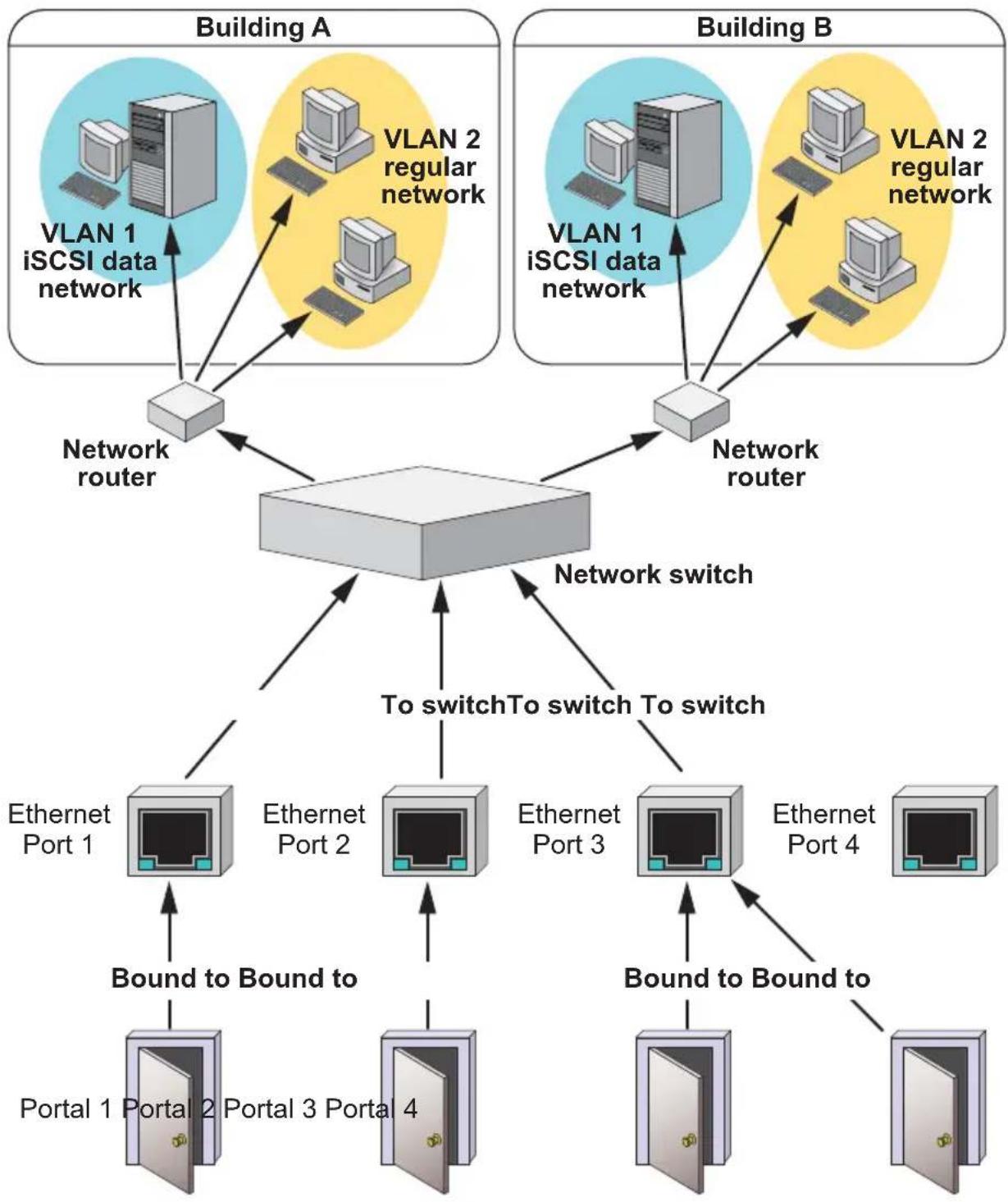
flowchart
graph TD
    subgraph_Building_A["Building A"]
        A1["VLAN 1 iSCSI data network"] --> R1["Network router"]
        A2["VLAN 2 regular network"] --> R1
        A3["VLAN 1 iSCSI data network"] --> R2["Network router"]
        A4["VLAN 2 regular network"] --> R2
    end

    subgraph_Building_B["Building B"]
        B1["VLAN 1 iSCSI data network"] --> R3["Network router"]
        B2["VLAN 2 regular network"] --> R3
        B3["VLAN 1 iSCSI data network"] --> R4["Network router"]
        B4["VLAN 2 regular network"] --> R4
    end

    R1 --> S1["Network switch"]
    R2 --> S2["To switchTo switch To switch"]
    R3 --> S3["To switchTo switch To switch"]
    R4 --> S4["To switchTo switch To switch"]
    S1 --> Port1["Ethernet Port 1"]
    S1 --> Port2["Ethernet Port 2"]
    S1 --> Port3["Ethernet Port 3"]
    S1 --> Port4["Ethernet Port 4"]
    S2 --> Port1
    S2 --> Port2
    S2 --> Port3
    S2 --> Port4
    S3 --> Port1
    S3 --> Port2
    S3 --> Port3
    S3 --> Port4
    S4 --> Port1
    S4 --> Port2
    S4 --> Port3
    S4 --> Port4
    S5["Portal 1 Portal 2 Portal 3 Portal 4"] --> Port1
    S5 --> Port2
    S5 --> Port3
    S5 --> Port4
Initiator
An initiator functions as the client, in this case, your host PC or server. The initiator makes requests to and receives responses from an iSCSI target on the VTrak RAID subsystem.
Each initiator has a unique iSCSI qualified name (IQN). You specify the initiator by that name when you map a LUN or logical drive to the initiator. Initiators come in two varieties, software and hardware.
Software
A software initiator uses code to implement iSCSI. The software emulates SCSI devices for a computer by speaking the iSCSI protocol. Software initiators are available for most mainstream operating systems, and this type is the most common mode of deploying iSCSI on computers.
For more information, see your iSCSI driver user documentation.
Hardware
A hardware initiator uses dedicated hardware in combination with software running on it, to implement iSCSI. A common example is an iSCSI host bus adapter (HBA) card.
The iSCSI HBA is a 1-gigabit or 10 gigabit Ethernet network Interface card (NIC) that plugs into a PCI-Express slot. It looks like a SCSI device to the host PC or server's operating system.
The iSCSI HBA uses a TCP/IP Offload Engine (TOE) to perform iSCSI and TCP processing and managing interrupts, leaving the host PC or server's microprocessor free to run other applications.
For more information, see your iSCSI HBA user documentation.
Target
The target represents a storage device, in this case the VTrak RAID subsystem. Each target has a unique iSCSI qualified name (IQN).
VTrak supports a maximum 2048 iSCSI targets. A maximum of 1024 logical drives can be mapped to a target.
Target options include Digests and CHAPs.
Digests
A header digest adds a 32-bit CRC digest to detect data corruption in the header portion of each iSCSI packet.
A data digest adds a 32-bit CRC digest to detect data corruption in the data portion of each iSCSI packet.
If a data packet arrives with an invalid CRC digest, the data packet is rejected.
Header and data digests work best with initiators equipped with a TOE. Refer to your iSCSI HBA. For more information, see your iSCSI HBA user documentation.
CHAPs
Challenge Handshake Authentication Protocol (CHAP) is an authentication mechanism used to authenticate iSCSI sessions between initiators and targets.
A uni-directional or peer CHAP authenticates from the target (VTrak) to the initiator (host PC or server).
A bi-directional or local CHAP authenticates target to initiator and initiator to target.
Portal
A portal is the logical point of connection between the VTrak and the iSCSI network. Portals use an IP address and a TCP port number to identify an IP storage resource. VTrak supports up to 32 iSCSI portals per iSCSI port. VTrak uses TCP port 3260.
VTrak supports both IPv4 and IPv6 addresses. See “Internet Protocols” on page 373.
Portals on VTrak support three types of port associations:
- PHY – A simple connection through one port.
- VLAN – Virtual Local Area Network. The portal is part of a virtual network. Used when a dedicated network is not available for iSCSI.
- Trunk – An aggregation of two or more iSCSI ports on the same RAID controller. Also known as a link aggregation. This feature combines ports to increase bandwidth.
Once you have made a port association, you cannot change it. If you have no portals with the port association you want, create a new portal.
Each iSCSI portal can belong to a different VLAN. VTrak supports 32 VLANs.
Port
A port is the physical point of connection between the VTrak and the iSCSI network. There are four ports on each RAID controller for a total of eight. When you create a portal, you specify one or more ports. Each port has a unique MAC address.
There are two options for each iSCSI port:
- Enable Port – Turns the port on or off.
- Jumbo Frame – Enables jumbo frame support on the port.
The standard Ethernet frame is 1518 bytes, with 1500 bytes for payload. A jumbo frame ranges from 1500 bytes to 9000 bytes of payload. Because jumbo frames carry more data, they are used to reduce network management overhead, thereby increasing network throughput.
Trunk
A trunk is an aggregation of two or more iSCSI ports on the same RAID controller. Also known as a link aggregation. This feature combines ports to increase bandwidth. Ports must be enabled to add them to a trunk. Trunks are identified by their Trunk IDs.
When you create a trunk, you specify:
- Controller ID – RAID controller whose iSCSI ports you are using.
- Master port – Any available iSCSI port.
- Slave ports – The remaining available iSCSI ports.
Session
A session is a group of TCP connections that link an iSCSI initiator with a target. Each RAID controller supports a maximum of 1024 sessions, or 2048 per subsystem.
Session has one option, Keep Alive, sometimes written, "Keepalive."
Keep alive is an HTTP protocol for maintaining an active connection between teh iSCSI client and server. The client sends a keepalive signal is sent over the network at predefined intervals.
- When the server replies, the client knows that the link is up (the connection between client and server works).
- If there is no reply, the client assumes the link is down and routes future data over another path until the original link is up again.
The keep alive feature on VTrak tells the RAID controller to reply to keep alive signals, informing the client that its link to VTrak is up.
You can enable Keep Alive on individual sessions, or as a global setting for all sessions.
iSNS
Internet Storage Name Service (iSNS) is a protocol that facilitates automated discovery, management, and configuration of iSCSI devices on a TCP/IP network. iSNS service runs on an iSNS server on your network.
You can enable iSNS on the VTrak and specify the IP address and port number of the iSNS server.
CHAP
Challenge Handshake Authentication Protocol (CHAP) is an authentication mechanism used to authenticate iSCSI sessions between initiators and targets.
A uni-directional or peer CHAP authenticates from the target (VTrak) to the initiator (host PC or server).
A bi-directional or local CHAP authenticates target to initiator and initiator to target.
Ping
Ping is a computer network administration utility that tests whether a device is accessible over the IP network.
Ping sends echo request packets to the target node, such as your host PC or server, and waits for a response. It measures the time from transmission to reception and records any packet loss.
VTrak can ping through its virtual management port and each of its iSCSI data ports. You must input the IP address of the target client.
Internet Protocols
VTrak supports the IPv4 and IPv6 protocols.
| Protocol | Addresses Example | ||
| IPv4 32 | -bits 4.3 | x 109 | 192.168.10.85 |
| IPv6 12 | 8-bits 3.4 | x 1038 | 2001:0000:0000:0000:0000:e2a8:4337Abbreviated 2001:0:0:0:0:e2a8:4337 |
Chapter 8: Troubleshooting
This chapter contains the following topics:
• VTrak is Beeping (below)
• LEDs Display Amber or Red (page 377)
- CLU Reports a Problem (page 382)
• WebPAM PROe Reports a Problem (page 385)
- USB Support Reports a Problem (page 390)
• Enclosure Problems (page 391)
• RAID Controller Problems (page 395)
- Disk Array and Logical Drive Problems (page 400)
• Physical Drive Problems (page 399)
- Connection Problems (page 405)
• Power Cycling the Subsystem (page 409)
• Event Notification Response (page 410)
VTrak is Beeping
VTrak's alarm has five different patterns, as shown below.
Figure 1. Audible alarm sound patterns

bar
| Row | Value | |-----|-----------| | 1 | .25s | | 2 | .75s | | 3 | .5s | | 4 | .25s | | 5 | cos |When you first power-up the VTrak, it beeps twice to show normal operation. See pattern 1, in Figure 1.
The audible alarm sounds at other times to inform you that the VTrak needs attention. But the alarm does not specify the condition.
When the alarm sounds:
- Check the front and back of VTrak enclosure for red or amber LEDs.
-
If email notification is enabled, check for new messages.
-
Check for yellow! red X icons.
- Check the event log.
See “Viewing Runtime Events” on page 382 and “Viewing NVRAM Events” on page 382.
When a continuous tone sounds, there are multiple alarm patterns sounding at the same time.
Silencing the Buzzer

Caution
This action disables the buzzer for all events.
To silence the buzzer:
- Click the Device tab.
- Click the Component List icon.
- Click the Buzzer and click the Settings button.
- Uncheck the Enable Buzzer box.
- Click the Save button.
LEDs Display Amber or Red
LEDs are used on VTrak's:
- Front Panel LEDs (page 377)
- Drive Carrier LEDs (page 378)
- Back Panel LEDs (page 379)
Front Panel LEDs
When the power is switched on, the LEDs on the front of the VTrak light up.
Figure 1. Front panel LED display
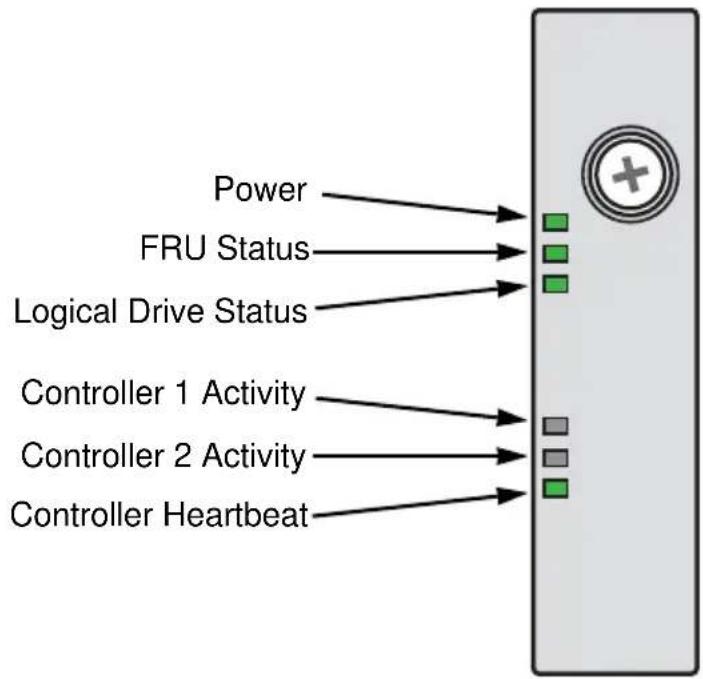
flowchart
graph TD
    A["Power"] --> B["FRU Status"]
    B --> C["Logical Drive Status"]
    C --> D["Controller 1 Activity"]
    D --> E["Controller 2 Activity"]
    E --> F["Controller Heartbeat"]
When boot-up is finished and the VTrak is functioning normally:
• Power, FRU, and Logical Drive LEDs display steady green.
• Each controller activity LED flashes green when there is activity on that controller.
- The controller heartbeat LED blinks green once per second for five seconds, goes dark for ten seconds, then blinks green once per second for five seconds again.
Steady means the LED is on.
Blinking means a regular on/off pattern.
Flashing means an intermittent and irregular on/off pattern.
Dark means the LED is off.
See the table below.
| Enclosure Front LEDs | |||||
| State Power FRU | Logical Drive | Controller Activity | Controller Heartbeat | ||
| Dark No power No power — No Activity — | |||||
| Steady Green | Normal Normal | — — | |||
| Blinking Green | — | — | — | — | N |
| Flashing Green | — — — | Activity — | |||
| Amber | — Problem* | Critical | — — | ||
| Red | — | Failure* | Offline | — | — |
| * Check the LEDs on the back of the VTrak enclosure.** Blinks blinks green once per second for five seconds, goes dark for ten seconds, then blinks green once per second for five seconds again. | |||||
See “Enclosure Problems” on page 391, “RAID Controller Problems” on page 395, and “Disk Array and Logical Drive Problems” on page 400 for more information.
The Locator feature is triggered from WebPAM PROe or the CLU. It causes the LEDs to blink on and off for one minute. That action helps you find the physical component.
Drive Carrier LEDs
The VTrak spins up the disk drives sequentially to equalize power draw during start-up. After a few moments:
- The Power/Activity LED displays blue when a physical drive is present.
- The Drive Status LED displays green when the physical drive is configured as a member of a disk array or as a spare. When the physical drive is unconfigured, the LED is dark.
See the diagram and table on the next page.
Figure 2. Drive carrier LEDs

| Drive Carrier LEDs | ||
| State Power/Activity Drive Status | ||
| Dark No drive in carrier Drive is unconfigured | ||
| Steady Blue Drive is present — | ||
| Flashing Blue Activity on drive — | ||
| Steady green | — | Drive is configured |
| Blinking green | — | Locator feature |
| Amber | — | Drive is rebuilding |
| Red | — | Drive error or failure |
See “Physical Drive Problems” on page 399 for a discussion of rebuilding and failed physical drives for more information.
The Locator feature is triggered from WebPAM PROe or the CLU. It causes the LEDs to blink on and off for one minute. That action helps you find the specific drive.
Back Panel LEDs
When the FRU Status LED on VTrak's front panel shows amber or red, check the LEDs on the back of VTrak. These LEDs give the status of the field replaceable units:
- RAID controller
- Power supply
Under normal conditions, the controller status LED (marked with icon) and battery status LED display green. The dirty cache LED (marked with icon) is dark.
Figure 3. FC RAID controller LEDs

Figure 4. iSCSI RAID controller LEDs

Under normal conditions, the power supply status LEDs display green.
Figure 5. Power supply LED

| Enclosure Back LEDs | ||||
| State Status | Dirty Cache | Battery | Power Supply | |
| Dark No power | Normal No power or | Failed | No power | |
| Steady Green | Normal — Normal | Normal Normal | ||
| Blinking Green | Locator feature | Locator feature | — Locator | feature |
| Steady Amber | Surviving Unsaved data in cache | Less than 72 hours reserve | — | |
| Flashing Amber | — Normal — | — | ||
| Steady Red | Failed | — | Failed | Failed |
| Flashing Red | Maintenance Mode | — | — | — |
See “Enclosure Problems” on page 391 and “RAID Controller Problems” on page 395 for more information.
The Locator feature is triggered from WebPAM PROe or the CLU. It causes the LEDs to blink on and off for one minute. That action helps you find the physical component.
Checking Component Installation
To check a component's installation, remove the component, then reinstall the component in its original location. In most cases, this action fixes a bad connection and allows VTrak to detect the component. If this action does not correct the problem, replace the unit. See page 315 for instructions.
On VTraks with dual controllers, when one controller's Status LED is amber and the other controller's Status LED is flashing red, it means that the controller with the flashing red LED has entered maintenance mode. See “RAID Controller Problems” on page 395.
If the Controller Status LED continues to display amber after startup, contact PROMISE Technical Support. See “Contacting Technical Support” on page 435.
The Dirty Cache LED flashes during input/output operation. If the LED shines amber and the power is off, there is unsaved data in the cache. Do NOT power down the VTrak while this LED is on.
CLU Reports a Problem
The CLU reports information passively, that is you must determine which functions to check based on the sound of the VTrak's audible alarm and any amber or red LEDs. See “VTrak is Beeping” on page 375 and “LEDs Display Amber or Red” on page 377 for more information.
Check the event logs first. Then check the reported component.
Viewing Runtime Events
To display Runtime Events:
- From the Main Menu, highlight Event Viewer and press Enter.
The log of Runtime Events appears. Events are added to the top of the list. Each item includes:
- Sequence number – Begins with 0 at system startup.
• Device – Disk Array, Logical Drive, Physical Drive by its ID number. - Severity – See the Table below.
-
Timestamp – Date and time the event happened.
• Description – A description of the event in plain language. -
Press the up and down arrow keys to scroll through the log.
| Event Severity Levels | |
| Level Description | |
| Fatal Non-recoverable error or failure has occurred. | |
| Critical Action is needed now and the implications of the condition are serious. | |
| Major Action is needed now. | |
| Minor Action is needed but the condition is not a serious at this time. | |
| Warning User can decide whether or not action is required. | |
| Information Information only, no action is required. |
Viewing NVRAM Events
This screen displays a list of and information about 63 most important events over multiple subsystem startups.
To display NVRAM events:
- From the Main Menu, highlight Event Viewer and press Enter.
- Highlight NVRAM Events and press Enter.
The log of NVRAM Events appears. Events are added to the top of the list. Each item includes:
- Sequence number – Begins with 0 at system startup.
• Device – Disk Array, Logical Drive, Physical Drive by its ID number. - Severity – See the Table on the previous page.
- Timestamp – Date and time the event happened.
-
Description – A description of the event in plain language.
-
Press the up and down arrow keys to scroll through the log.
Checking a Reported Component
In this example, let us check disk array status.
- Open the CLU.
- Highlight Disk Array Management and press Enter.
- Observe the status of your disk arrays.
DaId Alias OpStatus CfgCapacity FreeCapacity MaxContiguousCap
0 DA0 OK 75.44GB 66.06GB 66.06GB
1 DA1 Degraded 189.06GB 179.68GB 179.68GB
2 DA2 OK 73.57GB 64.20GB 64.20GB
At this point, you can highlight the Degraded array and press Enter to see more information. See below.
Disk Array ID : 1 Physical Capacity : 189.06GB
OperationalStatus : Degraded MaxContiguousCapacity : 11.18GB
FreeCapacity : 179.68 GB ConfigurableCapacity : 179.68GB
SupportedRAIDLevels: 0 5 10 1E
Disk Array Alias : DA1
MediaPatrol : Enabled
PDM : Enabled
Transport
Rebuild
Predictive Data Migration
Transition
Dedicated Spare Drives in the Array
Physical Drives in the Array
Logical Drives in the Array
[Locate Disk Array]
Save Settings [CTRL-A]
Restore Settings [CTRL-R]
Return to Previous Menu
From this screen:
- Highlight Physical Drives in the Array and press Enter to identify the failed disk drive
- Highlight Rebuild and press Enter to rebuild the array after you replace the failed disk drive
For more information, see "Enclosure Problems" on page 391.
WebPAM PROe Reports a Problem
WebPAM PROe reports these conditions in the header and all four tabs.
Header
The Header displays popup messages, per your configuration.


Dashboard Tab
- System Status
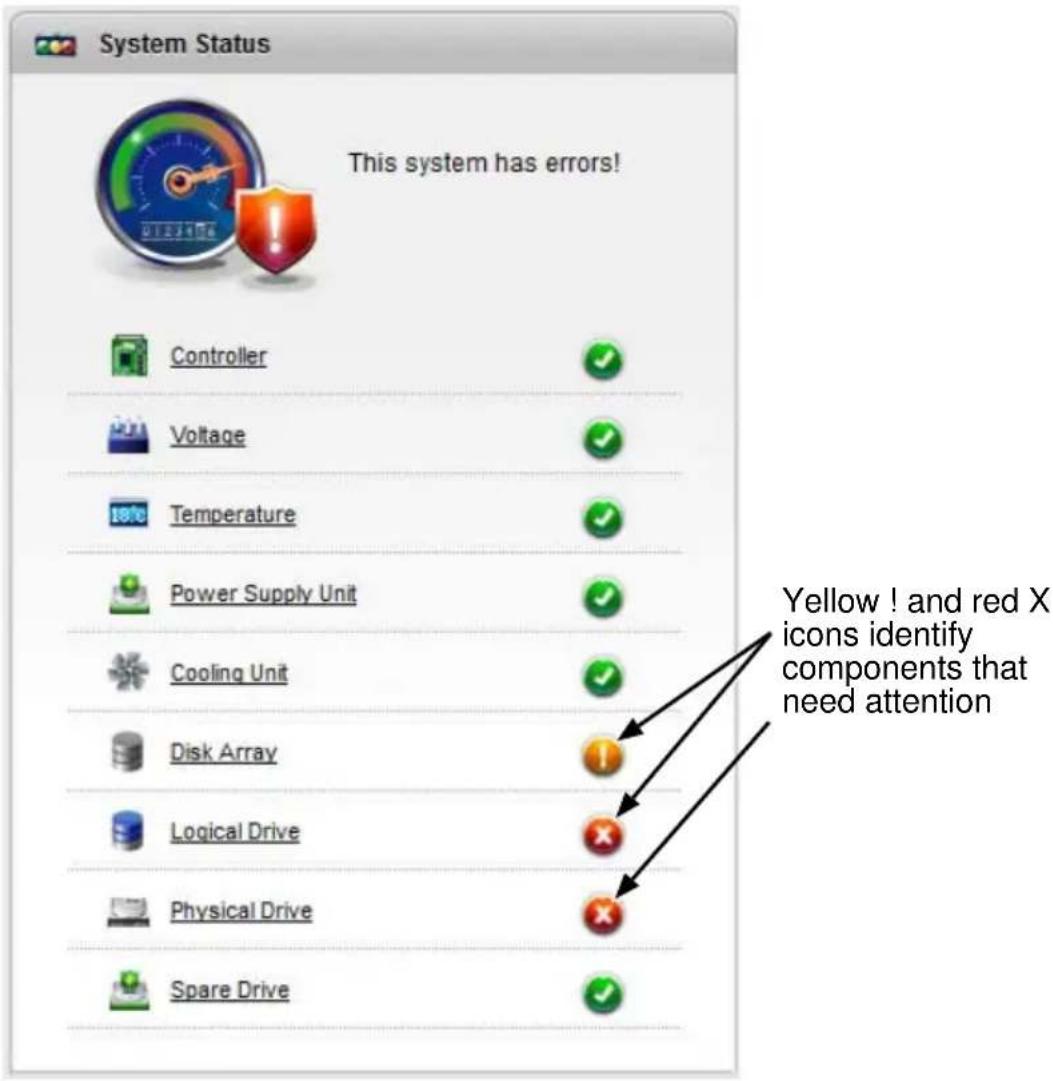
- Event Information

| Event Severity Levels | |
| Level Description | |
| Fatal Non-recoverable error or failure has occurred. | |
| Critical Action is needed now and the implications of the condition are serious. | |
| Major Action is needed now. | |
| Minor Action is needed but the condition is not a serious at this time. | |
| Warning User can decide whether or not action is required. | |
| Information Information only, no action is required. |
Device Tab
- Front View, showing the drive carrier icons.

- Rear View, with Show Internal Components option.

- Physical Drive View, physical drive shown dead or offline and marked with a red X icon.

Storage Tab
- Disk Arrays
Disk Array Offline Disk Array Rebuilding

- Logical Drives
Logical Drive Rebuilding Logical Drive Offline
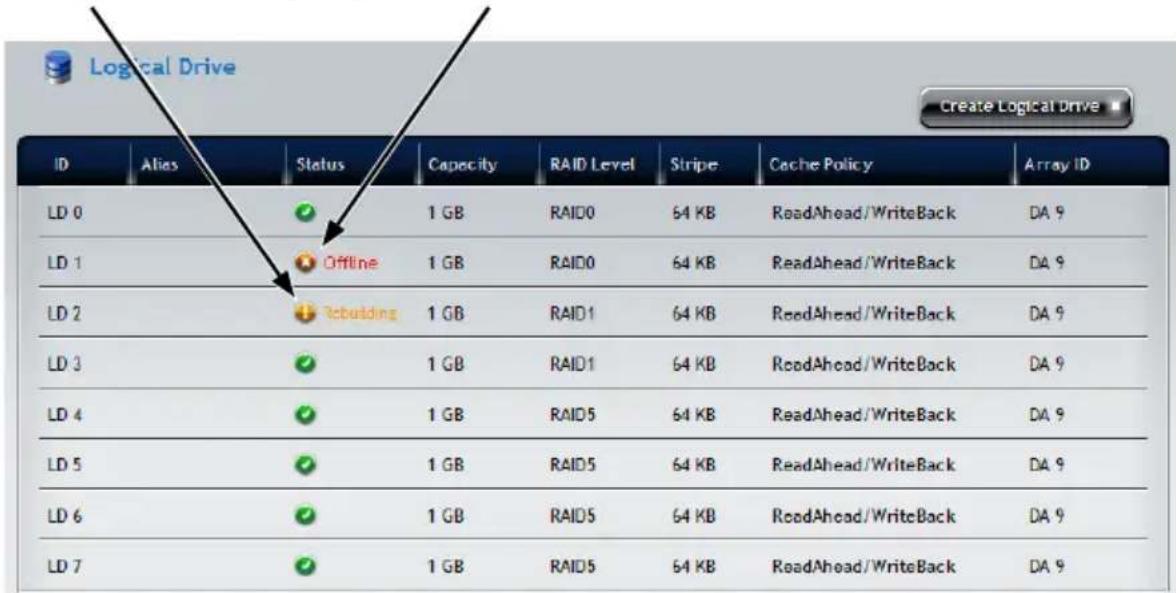
Administration Tab
Events icon.
| Index | Device | Event ID | Severity | Time | Description |
| 10 | LD 0 | Dx00080000 | Info | Nov 15, 2010 14:05:39 | Logical drive initialization has started |
| 11 | LD 0 | Dx00080001 | Info | Nov 15, 2010 14:05:43 | Logical drive initialization has completed |
| 12 | Ctrl 1 | Dx00040011 | Info | Nov 15, 2010 14:06:16 | The controller's heart beat has stopped |
| 13 | Ctrl 1 | Dx00040036 | Info | Nov 15, 2010 14:06:16 | Fall Over is triggered on the controller |
| 14 | Ctrl 1 | Dx00040025 | Critical | Nov 15, 2010 14:06:17 | Controller Failed Over as partner is removed |
| 15 | Subsys | Dx0011000C | Major | Nov 15, 2010 14:06:21 | System is set to Critical mode |
| 16 | Ctrl 1 | Dx00040010 | Info | Nov 15, 2010 14:10:55 | The controller's heart beat has started |
| 17 | Ctrl 1 | Dx00040037 | Info | Nov 15, 2010 14:10:55 | Joining-Fall Back is triggered on the controller |
| 18 | Ctrl 1 | Dx00040012 | Info | Nov 15, 2010 14:10:58 | The partner controller's heart beat has started |
| 19 | Ctrl 2 | Dx00040005 | Info | Nov 15, 2010 14:10:28 | The system is started |
| Total Count: 44 | Current Page: 2/5 | Page Capacity: 10 |
| Event Severity Levels | |
| Level Description | |
| Fatal Non-recoverable error or failure has occurred. | |
| Critical Action is needed now and the implications of the condition are serious. | |
| Major Action is needed now. | |
| Minor Action is needed but the condition is not a serious at this time. | |
| Warning User can decide whether or not action is required. | |
| Information Information only, no action is required. |
Also see these troubleshooting topics:
- "Event Notification Response" on page 410.
- "Enclosure Problems" on page 391.
- "Frequently Asked Questions" on page 429.
USB Support Reports a Problem
This procedure requires a USB flash device:
- Formatted to FAT 32
- At least 50 MB of free space

Caution
Verify that there is no firmware image file on the USB flash device. If a firmware image file is present, the RAID controller might attempt a firmware update. See page 319.
To collect a service report using the USB Support feature:
- Insert the USB flash device into one of the USB ports on one of the RAID controllers.
The controller status LED blinks green in half-second intervals.

FC RAID controller

iSCSI RAID controller
- Wait until the controller activity LED stops blinking green and displays steady green.
- Remove the USB flash device.
- Insert the USB flash device into a USB port on your PC.
- On the USB flash device, open the OPAX_xxxxxx folder to obtain the report and log.
Enclosure Problems
Enclosure Problems include:
• Diagnosing an Enclosure Problem (below)
• Overheating (page 393)
• Power Supplies (page 393)
- Batteries (page 394)
Diagnosing an Enclosure Problem
Check System Status on the Dashboard tab. If a yellow ! or red X appears in the System Status box:

- Click the name link of the component with the red X icon.

The Components List of the Device tab displays.
- Mouse-over Enclosure with the red X ✗ icon and click the View button.

The components list expands and shows the power supply fans, which server as the Cooling Unit of the VTrak Ex30 enclosure.
| ID | Status | Location | Operational Status | Healthy Threshold | Current Fan Speed |
| 1 | PSU 1 | Functional | >2000 RPM | 2900 RPM | |
| 2 | PSU 1 | Functional | >2000 RPM | 2900 RPM | |
| 3 | PSU 2 | Malfunction | >2000 RPM | 0 RPM | |
| 4 | PSU 2 | Malfunction | >2000 RPM | 0 RPM |
Note the red X icons
Note that the fans for power supply 2 (PSU 2) have failed.
- Click the Back View icon on the Device tab.
- Click the picture of the enclosure.
A popup messages displays the status of each component.

When a power supply fan fails, you must replace the power supply. See "Replacing a Power Supply" on page 323 for more information.
If the system reports a fan malfunction, contact Technical Support (see page 435) immediately to schedule replacement of the suspect power supply as soon as possible. Running the unit in this condition for more than three weeks may shorten subsystem life and void your warranty.
Overheating
Overheating is a potentially serious condition because the excessively high temperatures can lead to physical drive failure and controller malfunction.
Overheating usually results from:
• F a n f a i l u r e
- Inadequate air circulation around the enclosure
Fan Failure
In the Ex30 series VTrak subsystems, the power supply fans are the Cooling Units for the enclosure.
When a power supply fan fails, you must replace the power supply. See "Replacing a Power Supply" on page 323 for more information.
Inadequate Air Circulation
Air circulation around the VTrak enclosure might be a more complex problem. Use the thermometer icons to help you locate the specific hot spot. Check for these conditions:
• Accumulated dust or objects blocking the fans
- Less than a minimum of 13 cm (5 inches) space between the back of the enclosure and the wall or other object
• Ambient temperature above 35^ C ( 95^ F) where the subsystem is operating
To cool down an enclosure:
- Correct any problems identified above.
- Power it down and let it sit for an hour or longer.
See "Shutting Down the Subsystem" on page 83.
Power Supplies
VTrak subsystems are equipped with redundant power supplies. The advantage of dual power supplies is that, should one fail, the other continues to power the subsystem until the faulty one can be replaced. The subsystem is capable of operating on a single power supply.
The power supplies are hot-swappable, meaning you can leave the subsystem running when you replace the bad one. Be careful, however, to remove the faulty power supply and not the good one, or the subsystem comes to an immediate stop and your data is unavailable until the subsystem is powered and booted again.
See "Replacing a Power Supply" on page 323 for more information.
Batteries
The RAID controllers in the VTrak subsystem use a battery for backup power to protect data in the cache. Should a power failure occur, the battery enables the cache to hold data up to 72 hours. The battery recharges during normal subsystem operation.
In most cases, installing a replacement battery corrects a marginal or failed condition. The battery is located inside the RAID controller housing. You can remove and replace the battery without removing the RAID controller. The battery is hot-swappable.
No tools are required for the procedure. See “Replacing a Cache Backup Battery” on page 324.
Also see "Reconditioning a Battery" on page 90 or page 223.
RAID Controller Problems
RAID controller problems include:
- Maintenance Mode (page 395)
• Finding and Correcting the Cause of the Problem (page 395)
• Taking a RAID Controller out of Maintenance Mode (page 396) - Unsaved Data in the Controller Cache (page 398)
Controller problems occur when one of the controllers goes into maintenance mode.
Maintenance Mode
For VTraks with two RAID controllers, one of them enters maintenance mode in the event of:
- A difference of some kind between the two controllers (described below)
- An internal controller failure
When a controller enters maintenance mode, it goes offline and it displays N/A (not accessible) under Readiness Status.
You must find and correct the cause of the problem and then take the controller out of maintenance mode (see page 396).
Finding and Correcting the Cause of the Problem
External Checks
Make the following external checks to your VTrak subsystem. Be sure that:
- Both RAID controllers are present, fully inserted into their slots, and locked into place.
- The RAID controllers match, meaning both are Fibre Channel or both are iSCSI.
- All SAS expansion cables from the RAID controllers to external JBOD units in good condition and are securely connected.

Important
A disconnected SAS expansion cable causes the two RAID controllers to see a different set of configured drives. This condition is the most common cause of a controller entering maintenance mode.
Internal Checks
If all external checks are OK, take the following actions:
- Shut down the VTrak.
See page 83 (WebPAM PROe) or page 248 (CLU).
- Remove one of the RAID controllers.
See "Replacing a RAID Controller – Dual Controllers" on page 326.
-
Restart the VTrak.
-
After the VTrak is fully booted, view the controller information.
See page 85 (WebPAM PROe) or page 215 (CLU).
- Observe and record the following information about the first controller:
- SDRAM memory size
- Hardware version
- Firmware version
-
Shut down the VTrak.
-
Remove the first controller and install the second controller.
-
Repeat steps 3 through 6. Then compare your records.
-
Correct any differences between the two controllers.
See "Updating the Subsystem Firmware" on page 315.
Taking a RAID Controller out of Maintenance Mode
If you shut down the VTrak subsystem in the process of correcting the maintenance mode problem, the affected RAID controller boots into normal mode when the VTrak restarts. No further action is required.
If you corrected the problem without shutting down the VTrak subsystem, choose one of the following methods to take the controller out of maintenance mode:
- Restart the VTrak subsystem
See page 83 (WebPAM PROe) or page 311 (CLU).
- Establish a serial connection, then use the CLI (see below)
- Establish a Telnet connection, then use the CLI (see page 397)
Serial Connection
To clear maintenance mode using a serial connection:
- Change your terminal emulation program settings to match the following specifications:
- Stop bits: 1
-
Flow control: none
-
Start your PC's terminal VT100 or ANSI emulation program.
-
Press Enter once to launch the CLI.
The login screen appears.
The following steps show the default Administrator user name and password. Use your own user name and password if you have changed these.
-
At the Login prompt, type administrator and press Enter.
-
At the Password prompt, type password and press Enter.
The CLI screen appears.
The prompt should display MAINTENANCE MODE@cli>. If the prompt displays your login name, such as administrator@cli>, log into the other controller.
- At the MAINTENANCE MODE@cli> prompt, type maintenance -a exit and press Enter.
The controller reboots. The login screen again appears.
- Close the Serial connection.
Telnet Connection
This procedure requires you to know the IP address of the controller.
To clear maintenance mode using a Telnet connection:
- Go to the command line prompt (Windows) or click the terminal icon (Linux), then run:
telnet 192.168.1.56 2300
The IP address above is only an example. 2300 is the Telnet port for VTrak.
The login screen appears.
The following steps show the default Administrator user name and password. Use your own user name and password if you have changed these.
-
At the Login prompt, type administrator and press Enter.
-
At the Password prompt, type password and press Enter.
The CLI screen appears.
The prompt should display MAINTENANCE MODE@cli>. If the prompt displays your login name, such as administrator@cli>, log into the other controller.
- At the MAINTENANCE MODE@cli> prompt, type maintenance -a exit and press Enter.
The controller reboots. The Telnet session ends.
Unsaved Data in the Controller Cache
The dirty cache LED (marked with the icon) informs you that there is data in the cache that has not been saved to non-volatile memory. Such data is sometimes called “dirty,” not to suggest it is corrupted in some way but because it has not been saved to a physical drive.
Figure 6. Dirty cache LEDs
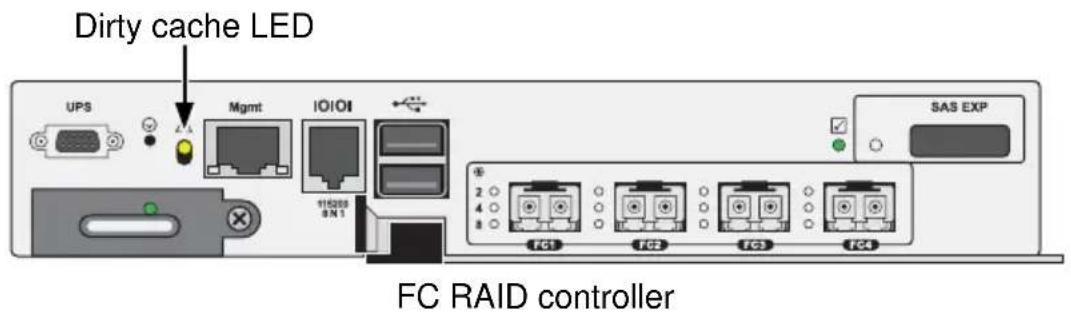


Caution
If there is unsaved data in the controller's cache, the dirty cache LED shines amber. During this time, do NOT power down the VTrak. Wait until the LED goes dark.
Physical Drive Problems
Physical drives are the foundation of data storage. A physical drive problem can affect your entire RAID system.
When a yellow ! icon or a red X icon appears beside a physical drive, check the drive's operational status:
- Click the Device tab.
- Click the Physical Drive icon.
- Click the physical drive you want, then click the View button.
Look under Operational Status for the condition of the physical drive.
- Offline – Check the drive for:
- PFA Condition – Caused by a bad block or sector. See Note 1 below.
- Stale Condition – Caused by obsolete array information on the physical drive. See Note 2 below.
- Not Usable – This condition occurs when you have:
- Two controllers in your RAID subsystem and a SATA drive without a SAS-to-SATA adapter. See Note 3 below.
- A missing or defective SAS cable between the RAID subsystem and a JBOD expansion unit.
- Drive Failed or Dead – The physical drive cannot be repaired. You must replace the failed drive. See Note 4 below.
Note 1: Clear the error condition. Then the physical drive is available. See "Clearing a Stale or a PFA Condition" on page 147.
Note 2: Identify the disk array to which the physical drive belongs. Then delete the disk array. If the error condition remains on the physical drive, clear the error condition.
Note 3: Obtain SAS-to-SATA adapters though PROMISE Technology, at http://www.promise.com. See “Installing Physical Drives” on page 21 for installation instructions.
Note 4: You can set the number of bad blocks tolerated before the controller marks a physical drive as Dead. See “Making PDM Settings” on page 121 or “Making Background Activity Settings” on page 273.
See also: "Media Patrol" on page 331 and Disk Array Degraded. "Disk Array Degraded/Logical Drive Critical" on page 400.
Disk Array and Logical Drive Problems
Disk array and logical drive problems include:
- Disk Array Degraded/Logical Drive Critical (page 400)
- Disk Array Offline/Logical Drive Offline (page 401)
- Repairing an Offline Disk Array or Logical Drive (page 402)
- Rebuilding a Disk Array (page 402)
- Incomplete Array (page 403)
Disk array problems typically result from a physical drive failure. The most common problem is a degraded disk array. The RAID controller can rebuild a degraded disk array. See “Rebuilding a Disk Array” on page 402.
Disk Array Degraded/Logical Drive Critical
Disk arrays are made up of physical drives. Logical drives are created on the disk array.
When one of the physical drives in a disk array fails:
• The operational status of the disk array becomes Critical.
• The operational status of the logical drives becomes Critical or Degraded.
• The operational status of the physical drive becomes Dead or Offline.
WebPAM PROe reports these conditions in the following places:
- Dashboard tab
A yellow ! icon beside the disk arrays, logical drives, and physical drives under System Status.
Major event for the logical drive under Event Information.
Warning event for the physical drive under Event Information.
• D e v i c e tab
Front View – Physical drives are shown Dead or Offline and marked with a red X icon, or Missing.
Physical Drive View – Physical drives are shown Dead or Offline and marked with a red X icon, or Missing.
- Storage tab
Disk Array and Logical Drive are marked Critical with a yellow! 🤊 icon. RAID 6 and 60 logical drives are marked:
- Degraded with a yellow! 📋 icon when ONE physical drive is offline.
• Critical with a yellow! 🤊 icon when TWO physical drives are offline.
RAID 0 logical drives show Offline status and a red X icon.
If there is no spare drive or unconfigured drive in the RAID system, you must provide the replacement drive. See “Installing Physical Drives” on page 21.
- Administration tab
Depending on your settings and availability of a replacement drive, your system automatically rebuilds the degraded disk array. See “Rebuilding a Disk Array” on page 402.
The system sends an Email message about the incident to subscribing users, depending on user settings. See “Setting User Event Subscriptions” on page 103.
Disk Array Offline/Logical Drive Offline
Disk arrays are made up of physical drives. Logical drives are created on the disk array. When a disk array and its logical drives go Offline, the data stored in the logical drives is no longer accessible.
RAID 0 logical drives go Offline when ONE physical drive is removed or fails.
RAID 1, 1E, 5, 10, and 50 logical drives go Offline when TWO physical drives are removed or fail.
RAID 6 and 60 logical drives go Offline when THREE physical drives are removed or fail.
WebPAM PROe reports these conditions in the following places:
- Dashboard tab
A red X icon appears beside the disk arrays, logical drives, and physical drives under System Status.
Major event for the logical drive under Event Information
Warning event for the physical drive under Event Information.
• D e v i c e tab
On Front View and Physical Drive View, physical drives are shown Dead, Offline, or Missing.
• S t o r a g e tab
Disk array and logical drives are marked with a red X icon.
- Administration tab
Under Background Activities, no Rebuild takes place. See Repairing, below. The system sends an Email message about the incident to subscribing users, depending on user settings. See “Setting User Event Subscriptions” on page 103.
Repairing an Offline Disk Array or Logical Drive
RAID 1, 1E, 5, 6, 10, 50, and 60 Logical Drives
If a fault-tolerant logical drive, RAID 1, 1E, 5, 6, 10, 50, and 60, goes Offline, it may be possible to recover your data.

Warning
Take no further corrective action until you have consulted with Technical Support! See page 435.
RAID 0 Logical Drives
If a logical drive based on a non-fault-tolerant disk array, RAID 0, goes offline, all of the data on the logical drive is lost.
To recreate your logical drive:
- Identify the failed physical drive. See “Locating a Physical Drive” on page 146.
- Replace the failed drive.
- See "Installing Physical Drives" on page 21.
- If the disk array had more than one physical drive, delete the disk array and re-create it.
See “Deleting a Disk Array” on page 156 and “Creating a Disk Array Manually” on page 150.
- Restore the data from your backup source.
Rebuilding a Disk Array
When you rebuild a disk array, you are actually rebuilding the data on one physical drive.
- When a physical drive in a disk array fails and a spare drive of adequate capacity is available, the disk array begins to rebuild automatically using the spare drive.
- If there is no spare drive of adequate capacity, but the Auto Rebuild function is ENABLED, the disk array begins to rebuild automatically as soon as you remove the failed physical drive and install an unconfigured physical drive in the same slot. See “Making Rebuild Settings” on page 120.
- If there is no spare drive of adequate capacity and the Auto Rebuild function is DISABLED, you must replace the failed drive with an unconfigured physical drive, then perform a Manual Rebuild. See “Rebuilding a Disk Array” on page 160.

Important
If your replacement disk drive was formerly part of a different disk array or logical drive, you must clear the configuration data on the replacement drive before you use it. See “Clearing a Stale or a PFA Condition” on page 147.
Incomplete Array
A more serious, but far less common problem is an Incomplete Array. An incomplete array results from a physical drive that fails or becomes missing during:
- RAID level migration
- Disk array transport
Migration
Normally, if a physical drive or the controller fails during migration, the disk array goes critical, and you can rebuild it.
Transport
Transport is the action of moving the physical drives of a disk array:
- To different slots in the same enclosure
• From one enclosure to another
If a physical drive fails during a transport, or you do not move all of the physical drives to their new locations, WebPAM PROe displays an incomplete array. When WebPAM PROe discovers an incomplete array, it displays a dialog box asking you to:
- Click the OK button to accept the incomplete array.
- Click the Cancel button to reject the incomplete array.
Accepting an Incomplete Array
Before you accept the incomplete array, be sure all of the physical drives are present and that their drive carriers are properly installed into the enclosure. See “Installing Physical Drives” on page 21.
If you choose to accept the incomplete array:
-
Click OK in the incomplete array dialog box.
-
Check the operational status of the logical drives in the array.
• If the logical drives are Critical, proceed with a rebuild.
- If the logical drives are Offline, contact Technical Support. See page 435.
- Restore your data from a backup source.
If you choose NOT to accept the incomplete array:
- Click Cancel in the incomplete array dialog box.
- Do one of the following:
- Delete the array. This action deletes all logical drives on the array.
- Replace the missing physical drive.
Connection Problems
Connection problems include:
- Serial Connections (page 405)
• Network Connections (page 406)
• Fibre Channel Connections (page 406)
• SAS Connections (page 407) - Browser Does Not Connect to WebPAM PROe (page 408)
Connection problems cause a majority of failures in almost any electrical system. While the installation of the cables and components was correct, they don't function properly, or at all, because:
- A connector is dirty or corroded
- A connector is loose or damaged
- A cable looks OK outside but has an open circuit inside
• The wrong cable was used
VTraks ship with a full set of new cables, as required for each specific model. Be sure to use these components because: 1.) They are the proper ones for your RAID subsystem, 2.) They are in brand-new condition, and 3.) You paid for them with the purchase of your subsystem.
Serial Connections
VTrak uses a serial connection for the command line interface (CLI) and the command line utility (CLU). After you set the IP address, you can access the CLI and CLU through a network connection, also. Normally, users prefer WebPAM PROe because of its graphic user interface. But the CLI and CLU can do the same jobs. And they work when your network connection is down.
For VTrak, you must use the CLI or CLU to set the Management Port IP address in order for WebPAM PROe to connect with it. See “Setting-up the Serial Connection” on page 44. This issue is discussed further under Network Connections, below. See “Making Serial Cable Connections” on page 40 for more information on making the connection.
The CLI and CLU control and manage but they do not move data. They communicate through a RJ11-to-DB9 serial data cable, supplied with the VTrak. You may choose not use the CLI or CLU often and want to disconnect and store the cable. Consider leaving it connected, so you know where it is the next time you need it.
Network Connections
Each RAID controller has an Ethernet (RJ45) management port connector on the back of the enclosure. This is a Gigabit Ethernet connector designed to connect to your network. The VTrak becomes a node on your network like any other PC, server or other component with an IP address.
VTrak ships from the factory IP addresses of 10.0.0.1, 10.0.0.2, and 10.0.0.3. You must change these addresses to ones that work on your network. You make the initial IP address setting using the CLI or CLU. See “Setting-up the Serial Connection” on page 44.
Figure 3. Management port connection on the RAID controller
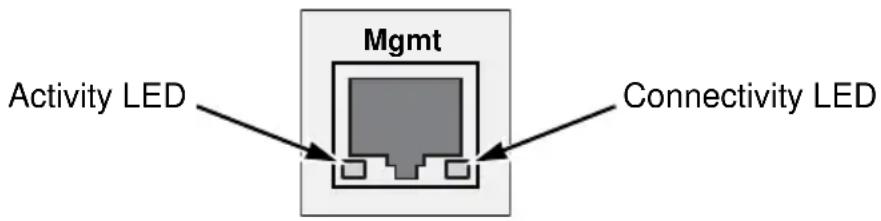
| Management Port LEDs | ||
| State Activity Connectivity | ||
| Dark No activity 10BaseT | ||
| Steady green — 100BaseT | ||
| Flashing green Activity — | ||
| Amber — 1000BaseT | ||
Note that VTrak's virtual and maintenance ports can accept IP address assignments from a DHCP server. Use VTrak's Command Line Utility (CLU) to enable this feature.
If you manually assigned an IP address to the VTrak but there is a DHCP server on your network, there is a chance that the server might assign the VTrak's IP address to another node. You might see a warning to this effect on your PC's monitor. If this happens, WebPAM PROe may not be able to connect. See your network administrator to work out a suitable arrangement.
Fibre Channel Connections
When there is a connection failure, use WebPAM PROe to verify that VTrak sees the initiators. See “Viewing a List of FC Initiators on the Fabric” on page 186 or page 255.
If VTrak sees some initiators but not the one you want, the problem is most likely elsewhere in the loop or fabric. If VTrak does not see any initiators:
- Check all of the Fibre Channel connections
- Verify that all nodes are properly connected and powered
- Verify that the fabric router or switch is properly connected powered
For more information, see “Managing Fibre Channel Connections” on page 184 or page 252.
SAS Connections
Faulty SAS expansion connections are suspected when the link port counter reports a large number of bad link errors. See the VTrak Jx10s or Jx30s Product Manual for more information.
Link errors can be caused by:
- Debris blocking the SAS cable connector
- A faulty SAS cable
- A faulty controller or I/O module SAS connector
Blocked Cable Connectors
To check for debris blocking the SAS cable connector:
- Power down the RAID subsystem and JBOD units.
- Remove the SAS cable and check all SAS connectors for debris.
- Clean the connectors as required and reconnect the SAS cable.
- Power up the subsystems and monitor the link port counter for changes in the rate of link error accumulation.
Faulty Cable
To check for a faulty SAS cable:
- Power down the RAID subsystem and JBOD units.
- Replace the SAS cable with a new one.
- Power up the subsystems and monitor the link port counter for changes in the rate of link error accumulation.
Faulty Controller or I/O Module Connector
To check for a bad controller or I/O module SAS connector:
-
With the subsystems online and I/Os running, access the CLI via serial or Telnet.
See "Initial Connection" on page 206. -
At the command prompt, type the following command and press Enter.
administrator@cli> sasdiag -a errorlog -l expander -e 1 -i 1
- At the command prompt, type the following command and press Enter.
administrator@cli> sasdiag -a errorlog -l c2cport
By interpreting the two error logs, you can verify which controller or I/O module SAS port is accumulating link errors.
Browser Does Not Connect to WebPAM PROe
If you successfully setup and connected to WebPAM PROe, then suddenly you can no longer connect, it might be the result of the following three conditions:
- DHCP is enabled on your VTrak's virtual management port
- The DHCP server does not have a dedicated IP address for the VTrak
- The VTrak restarted and your DHCP server assigned a new IP address
You must obtain the new IP Address for the virtual management port in order to direct your browser to the VTrak and start WebPAM PROe.
To access the new IP address:
- Start your PC's terminal VT100 or ANSI emulation program.
- Press Enter once to launch the CLI.
- At the Login prompt, type administrator and press Enter.
- At the Password prompt, type password and press Enter.
- Type net and press Enter.
administrator@cli> net
CId Port Type IP Mask Gateway Link
Virtual Mgmt 192.168.10.85 255.255.255.0 192.168.10.1 Up
The new virtual management port IP address and other network settings display.
- Enter the new IP address into your browser to log into WebPAM PROe.
For more information, see “Making Serial Cable Connections” on page 40 and “Logging into WebPAM PROe” on page 60.
Power Cycling the Subsystem
To power cycle a RAID subsystem means to:
- Shut down
- Turn off the power
- Turn on the power
• R e s t a r t
Power cycling is sometimes required as a remedial action but only when prompted by a message from software or when directed by Technical Support.
To power cycle the RAID subsystem:
- Shut down the subsystem.
See “Shutting Down the Subsystem” on page 83 or page 307.
When the controllers shut down, your network connection is lost. - Manually turn OFF the switches on both power supplies of the RAID subsystem and all attached JBOD expansion units.
- Wait at least 10 seconds.
- Manually turn ON the switches on both power supplies of the JBOD units.
- Manually turn ON the switches on both power supplies of the RAID subsystem.
- Wait no less than two minutes.
- Do one of the following actions:
- Open your browser and log into WebPAM PROe.
- Re-establish your Telnet or SSH connection to the subsystem and open the CLU.
If you cannot log in immediately, wait 30 seconds and try again.

Important
If your RAID subsystem manages JBOD expansion units, always power on the JBOD expansion units first. Then power on the RAID subsystem.
Event Notification Response
When you choose Event Notification, WebPAM PROe sends popup and/or email messages regarding its status. The messages you see depend on your notification selection and what is currently happening in the VTrak. See “Setting User Event Subscriptions” on page 103.
The table below cites:
- Reported Events – Events that require you to take action
- Corrective Actions – The action you should take in response to the event
A list of event categories is shown below.
- Battery (page 411)
- BBU (page 411)
- Blade Server (page 411)
- Cache (page 411)
- Controller (page 412)
- CRC (page 414)
- Disk Array (page 414)
- Drive Interface (page 414)
- Enclosure (page 415)
- Event Log (page 415)
• Fibre Channel (page 415) - Firmware Update (page 416)
- Host Interface (page 416)
- Initiator (page 417)
- JBOD (page 418)
- Logical Drive (page 418)
• Media Patrol (page 419)
• Online Capacity Expansion (page 419) - Parity (page 420)
- PDM (page 420)
• Physical Disk (Physical Drive) (page 420)
• PSU (Power Supply Units) (page 422)
- PSU Fans (page 423)
• RAID Level Migration (page 423)
- Rebuild (page 424)
- Redundancy Check (page 424)
• Resource (page 425)
- SCSI (page 425)
- SEP (page 425)
- Spare Check (page 425)
- Spare Drives (page 425)
- SMART (page 425)
- Stripe Level Migration (page 426)
• Synchronization (page 426)
- Subsystem (VTrak) (page 426)
• Transition (page 427)
- Unknown (page 427)
- Zoning (page 427)
| Reported Event Corrective | Action |
| Battery | |
| Battery is inserted No action is required. | |
| Battery charging has failed Replace the battery. | |
| Battery reconditioning has started No action is required. | |
| Battery reconditioning has been terminated | Replace the battery. |
| The write policy of writeback logical drive switched from writeback to writethru | Check the event log to see whether battery is re-conditioning. |
| The write policy of writeback logical drive switched from writethru to writeback | No action is required. |
| Battery is charging in high temperature | Monitor the condition. Contact Tech Support if the problem persists. |
| Battery cannot function with the enclosure or with the attached battery board | Wrong battery installed. Contact Tech Support for assistance. |
| Logical drive writeback cache maybe enabled without battery support | No action required. |
| Battery is fully charged | |
| Battery is not present Install a battery or | verify that the battery is properly connected. |
| Battery is not accessible Connect the battery | battery properly or replace the battery. |
| BBU | |
| BBU flushing has started | No action is required. |
| BBU flushing has ended | |
| BBU flushing has failed Contact Tech Support | Support if the condition persists. |
| Blade Server | |
| Blade Server Inserted | No action is required. |
| Blade Server Removed | |
| Cache | |
| Not available Contact Tech Support. | |
| Controller | |
| The controller parameter(s) are changed by user | No action is required. |
| The controller is reset by Watch Dog timer | Result of a firmware update. If the condition persists, replace the controller. |
| The controller has new crash information | Contact Tech Support. |
| The controller's heart beat has started | No action is required. |
| The controller's heart beat has stopped | |
| The partner controller's heart beat has started | |
| The partner controller's heart beat has stopped | |
| The partner controller's heart beat has skipped | |
| The controller's main scheduler has frozen | Contact Tech Support if the condition persists. |
| Controller has entered maintenance mode since configured physical disk seen by partner controller is not seen here | Verify that all SATA drives have an SAS-to-SATA adapter installed. |
| Controller has entered maintenance mode due to mismatch of physical disks types | Check and correct SAS cabling and connections as needed. |
| Controller has entered maintenance mode due to mismatch of physical disk WWN | Update to the latest firmware. If the condition persists, replace the controller. |
| Controller has entered maintenance mode due to mismatch of SATA Disks | Check and correct data cabling and connections as needed. |
| Controller has entered maintenance mode due to mismatch of Disk IDs | |
| Controller has entered maintenance mode since no physical disks are seen as seen by Partner controller | |
| Controller is started | No action is required. Controller is set to A |
| Controller is set to Standby Mode | |
| Controller Failed Over as partner is removed | Verify that the partner controller is properly installed and all cables are connected. |
| Controller Failed Over as heart beat stopped | |
| Controller Firmware mismatch with that of the partner controller | Auto Firmware synchronization upgrades or downgrades the firmware. |
| Controller set to Maintenance Mode because of hardware mismatch with partner (controller) | Compare controller types and amount of memory installed. Correct or update as needed. |
| Controller set to Maintenance Mode because of firmware mismatch with partner controller | Update this controller to the same firmware version as the partner controller. |
| Controller set to Maintenance Mode because Firmware is flashing in the partner controller | Exit out of Maintenance mode after firmware flashing is complete. |
| Controller set to Maintenance Mode because of flash image version mismatch with partner (controller) | Update this controller to the same flash image version as the partner controller. |
| Controller has been set to Maintenance mode because there is a mismatch in the Controller Model or Hardware version with that of the partner controller | Replace this controller with the same Model and Hardware version as the partner controller. |
| Controller has been set to Maintenance mode because there is a mismatch in the memory size with that of the partner controller | Replace this controller's memory with the same memory size as the partner controller |
| Partner Controller has entered maintenance mode to protect user data since one of the configured physical drives was disconnected in the partner controller | Check and correct cable connections to external JBOD enclosures. Rebuild any critical logical drives. Back up array data. Replace the physical drive. Bring controller out of maintenance mode. |
Active Mo
| Reported Event Corrective | Action |
| Controller was placed on reset during Fail Over processing | No action is required. |
| Partner Controller was placed on reset during Fail Over processing | |
| Controller was reset as it was not able to join the running partner controller | Verify that the controller is running. If the condition persists, replace the controller. |
| The controller has reset because it encountered a firmware problem | If resets happen frequently, update to new firmware or replace the controller. |
| Controller temperature is above the warning threshold | Check airflow around the VTrak. Check blowers and fans. |
| The controller temperature is above controller critical threshold | |
| Controller temperature is within the normal range | No action is required. |
| CRC | |
| CRC error is detected while receiving CMD information unit | If this message appears repeatedly, contact Tech Support. |
| CRC error is detected during Data Out phase | |
| Disk Array | |
| New disk array has been created | No action is required. |
| Disk array has been deleted | |
| Disk array has been added | |
| Disk array has been removed | |
| Disk array settings have been changed | |
| Disk array is transport ready Remove ph | ysical drives in disk array and insert them into a different subsystem. To cancel Transport Ready Status, remove and reinsert the drives in their original slots. |
| Drive Interface | |
| Drive-interface controller is found No action is required. | |
| Drive-interface controller is NOT found R | Restart the VTrak. If this message appears repeatedly, contact Tech Support. |
| Drive-interface diagnostics has passed No action is required. | |
| Drive-interface diagnostics has failed Restart the VTrak. If this message appears repeatedly, contact Tech Support. | |
| Drive-interface controller has generated a general parity error | If this message appears repeatedly, contact Tech Support. |
| Drive-interface controller has generated a data parity error | |
| Enclosure | |
| Enclosure temperature is above the threshold | Check blowers and fans. |
| Enclosure temperature is above the warning threshold | Check airflow around the VTrak. Check blowers and fans. |
| Enclosure temperature is above the critical threshold | |
| Enclosure temperature is within the normal range | No action is required. |
| Shut down PSUs due to enclosure or controller temperature over threshold | Shut down the VTrak and see “Enclosure Problems” on page 391. |
| Event Log | |
| Event logging is enabled | No action is required. |
| Event logging is disabled | |
| Event log buffer is cleared in RAM | |
| Event log buffer is cleared in NVRAM | |
| Event log buffer is cleared in MDD | |
| Fibre Channel | |
| Fibre Channel controller has detected bus reset | If this message appears repeatedly, contact Tech Support. |
| Fibre Channel controller has received a “LUN reset” command. | No action is required. |
| Fibre Channel controller has encountered a fatal error | Restart the VTrak. If this message appears repeatedly, contact Tech Support. |
| Fibre Channel link is up | No action is required. |
| Fibre Channel link is down | |
| Fibre Channel controller settings have changed | |
| Firmware Update | |
| Firmware update is started | No action is required. |
| Firmware update is complete | |
| Firmware update is fail Try the update again. If this message repeats, contact Tech Support. | |
| Back-end expander firmware upgrade is started | No action is required. |
| Back-end expander firmware upgrade is completed | |
| Back-end expander firmware upgrade failed | Try the update again. If this message repeats, contact Tech Support. |
| Front-end expander firmware upgrade is started | No action is required. |
| Front-end expander firmware upgrade is completed | |
| Front-end expander firmware upgrade failed | Try the update again. If this message repeats, contact Tech Support. |
| Host Interface | |
| Host interface controller has detected bus reset | If this message appears repeatedly, contact Tech Support. |
| Host interface controller has encountered an unrecoverable error | Restart the VTrak. If this message appears repeatedly, contact Tech Support. |
| Host interface controller has received an “abort task” command. | No action is required. |
| Host interface controller has received an “abort task set” command. | |
| Host interface controller has received a “clear ACA” command. | If this message appears repeatedly, contact Tech Support. |
| Host interface controller has received a “clear task set” command. | No action is required. |
| Host interface controller has received a “LUN reset” command. | |
| Host interface controller is informed that the initiator has detected an error | If this message appears repeatedly, contact Tech Support. |
| Host interface controller has received illegal secondary identification | |
| Host interface controller has received a message parity error | |
| Host interface controller has received a bus reboot | |
| Host interface link is up No action is required. | |
| Host interface link is down Check connections. | |
| Host interface controller has encountered an unknown error | If this message appears repeatedly, contact Tech Support. |
| Host interface controller has encountered a system error | |
| Host interface controller has encountered a fatal error | Restart the VTrak. If this message appears repeatedly, contact Tech Support. |
| Host interface controller settings have changed | No action is required. |
| Host interface controller has received a ‘WARM reset’ command | If this message appears repeatedly, contact Tech Support. |
| Host interface controller has received a “COLD reset” command | |
| Host Interface controller, MU handshake failed | |
| Host Interface controller, HMU has stopped | |
| Host Interface controller, FMU has unloaded | |
| Initiator | |
| Initiator sent message for detecting an error | If this message appears repeatedly, contact Tech Support. |
| JBOD | |
| JBOD system connected No action is required. | |
| JBOD system either is removed or malfunctioned | Check Expander firmware and SAS connections. |
| Logical Drive | |
| Logical drive initialization has started | No action is required. |
| Logical drive Initialization is in progress | |
| Logical drive initialization has completed | |
| Logical drive initialization has paused | Resume the initialization when ready. |
| Logical drive initialization has resumed | No action is required. |
| Logical drive initialization has stopped if | this action was not intentional, check the logical drive's status. |
| Logical drive initialization marks the logical drive offline | Replace the failed physical drive. Delete and recreate the logical drive. |
| Logical drive initialization is aborted due to an internal error. | Reduce system load on the VTrak. |
| Logical drive initialization is queued | No action is required. |
| Quick logical drive initialization has started | |
| Quick logical drive initialization has completed | |
| Quick logical drive initialization has paused | Resume the initialization when ready. |
| Quick logical drive initialization has resumed | No action is required. |
| Quick logical drive initialization has stopped | If this action was not intentional, check the logical drive's status. |
| Quick logical drive initialization marks the logical drive offline | Replace the failed physical drive. Delete and recreate the logical drive. |
| Quick logical drive Initialization is aborted due to an internal error | Reduce system load on the VTrak. |
| Quick logical drive initialization is queued | No action is required. |
| A new logical drive has been created | |
| Logical drive has been deleted | |
| Logical drive has been placed online | |
| Logical drive has been placed online.Possible data loss | Check the state of the physical drives, replace any bad drives. Rebuild logical drive. |
| Logical drive has been set to critical. | |
| Logical drive has been set to degrade | |
| Rebuild marks the logical drive synchronized upon rebuild completion | No action is required. |
| Logical drive settings has been changed through a user command | |
| One of the error tables of a logical drive has been cleared by the user | |
| Logical drive axle has been placed online | |
| Media Patrol | |
| Media patrol is started | No action is required.Media patrol is in progress |
| Media patrol is completed | |
| Media patrol is paused Resume Media P | Patrol when ready. |
| Media patrol is resumed No action is required. | |
| Media patrol is stopped If this action was not intentional, check the logical drive's status. | |
| Media patrol is aborted due to an internal error. | Reduce system load on the VTrak. |
| Media patrol is queued | No action is required. |
| Media patrol is stopped internally | |
| Online Capacity Expansion | |
| Online capacity expansion has started | No action is required. |
| Online capacity expansion has completed | |
| Online capacity expansion has paused | Resume OCE when ready. |
| Online capacity expansion has resumed | No action is required. |
| Online capacity expansion has stopped | If this action was not intentional, check the logical drive's status. |
| Online capacity expansion has encountered a physical disk error | Check the physical drive check table after OCE is finished. |
| Online capacity expansion is aborted due to an internal error. | Reduce system load on the VTrak. |
| Online capacity expansion is queued No | action is required. |
| Parity | |
| Parity error is detected during Data Out phase | If this message appears repeatedly, contact Tech Support. |
| PDM | |
| PDM is started | No action is required.PDM is in progress |
| PDM is completed | |
| PDM is paused Resume PDM when ready. | |
| PDM is resumed No action is required. | |
| PDM is stopped If this action was not intentional, check the disk array's status. | |
| PDM is switched to rebuild. Replace the dead physical drive or reinstall the missing drive. | |
| PDM is stopped internally The destination drive was removed or used for a rebuild. | |
| Physical Disk (Physical Drive) | |
| Physical disk is marked online No action | is required. |
| Physical disk is marked offline | Replace the physical drive.Physical disk |
| Physical disk has been reset | |
| Physical disk assigned as global spare | No action is required. |
| Global Spare has been deleted | |
| Physical Disk is no longer assigned as a global spare | |
| Physical disk assigned as dedicated spare | |
| Dedicated Spare has been deleted | |
| Physical Disk is no longer assigned as a dedicated spare | |
| Physical disk has been inserted | |
| Physical disk has been removed Insert the physical drive back into the system. | |
| Command on physical disk has been re-tried | If this message appears repeatedly, replace the physical drive |
| Physical disk ECC error is detected | Replace the physical drive. |
| Physical disk CRC error is detected | |
| Bad sector is found on physical disk | If this message appears repeatedly, replace the physical drive. |
| Error is detected in remap sectors | |
| Command times out on physical drive | |
| Physical disk negotiation speed is decreased. | |
| Previously configured disk is no longer found | Insert the physical drive back into the system. |
| A physical disk has encountered an unknown (non-ECC) media error. | If this message appears repeatedly, replace the physical drive. |
| A physical disk has encountered PFA condition | Clear the PFA condition. If this message appears repeatedly, replace the physical drive. |
| A configured dead physical drive has been inserted | Replace the physical drive. |
| Reported Event Corrective | Action |
| A physical drive page 0 settings have been changed | No action is required. |
| A physical drive page 1 settings have been changed (SATA drives) | |
| A physical drive page 3 settings have been changed (SAS drives) | |
| Physical disk is marked as DEAD due to removal | Replace the physical drive. |
| Physical disk is marked as DEAD due to failure of reassign sectors command | |
| Physical disk is marked as DEAD due to PFA condition | |
| Physical disk is marked as DEAD due to forced offline state | |
| Physical disk seen by partner controller not seen here | Check and correct SAS connections.Verify that SAS-to-SATA adapters are installed on all SATA drives. |
| Single ported physical disk seen by Partner controller not seen here | Install an SAS-to-SATA adapter on the SATA drive. |
| Physical disk reported not ready Replace the physical drive. | |
| PSU (Power Supply Units) | |
| PSU is not inserted Reinstall the power supply unit. | |
| PSU is off Turn on the power supply or plug in the power cable. | |
| PSU is on | No action is required.PSU is installed and turned o |
| PSU is functional and turned on | |
| PSU is installed and turned off | Turn on the power supply or plug in the power cable. |
| PSU is functional and turned off | |
| PSU is malfunctioning and turned on | Replace the power supply unit. |
| PSU is malfunctioning and turned off | |
| PSU has been removed | |
| PSU 12V/5V/3.3V power is out of the threshold range | |
| PSU 12V/5V/3.3V power is within the normal range | No action is required. |
| PSU is critical. This may cause instability of the system | Check the power to the PSU. Verify that the correct PSU is installed. |
| PSU Fans | |
| PSU fan or blower has turned on | No action is required. |
| PSU fan or blower has turned off | |
| PSU fan or blower speed is increased | |
| PSU fan or blower speed is decreased | |
| PSU fan or blower is malfunctioning Rep | lace the power supply. |
| PSU fan or blower is inserted | No action is required. |
| PSU fan or blower is functioning normally | |
| PSU fan or blower is NOT installed Check fans or blowers. | |
| PSU fan status is unknown. Check for pro | proper installation and turn on the power supply. If the condition persists, replace the power supply. |
| RAID Level Migration | |
| RAID level migration is started | No action is required.RAID migration is in progress |
| RAID level migration is completed | |
| RAID level migration is paused Resume | migration when ready. |
| RAID level migration is resumed No acti | tion is required. |
| RAID level migration is stopped If this ac | tion was not intentional, check the logical drive's status. |
| RAID level migration has encountered a physical disk error | Check the disk drive check table after migration and replace disk drive as needed. |
| RAID level migration is aborted due to an internal error. | Reduce system load on the VTrak. |
| RAID level migration is queued No action | is required. |
| Migration has detected stale NV Watermark | Wait to see if the watermark clears. |
| Migration has cleared stale NV Watermark | No action is required. |
| Array was made incomplete due to missing NV Watermark | If the array is online, try migration again. If the array is offline, delete and recreate the array. |
| User has accepted Incomplete Array. (Caused by a missing NV Watermark) | Rebuild the disk array. |
| Rebuild | |
| Rebuild is started | No action is required.Rebuild is in progress |
| Rebuild is completed | |
| Rebuild is paused Resume rebuild when | ready. |
| Rebuild is resumed No action is required. | |
| Rebuild is stopped If this action was not | intentional, check the logical drive's status. |
| Rebuild stopped internally Contact Tech | Support. |
| Rebuild is aborted Reduce system load | on the VTrak. |
| Rebuild is queued No action is required. | |
| Auto rebuild cannot start Install a target | physical drive of adequate capacity. |
| Redundancy Check | |
| Redundancy Check is started | No action is required. |
| Redundancy Check is completed | |
| Redundancy Check is paused Resume | Redundancy Check when ready. |
| Redundancy Check is resumed | No action is required. |
| Redundancy Check is stopped | |
| Redundancy Check is aborted due to internal error | Reduce system load on the VTrak. |
| Redundancy Check encountered inconsistent block(s) | Check the disk drive check table after RC and replace disk drive as needed. |
| Redundancy Check task is queued | No action is required. |
| Redundancy check is in progress | |
| Redundancy Check task is stopped internally | Restore the disk array to functional status. |
| Redundancy check is started on unsynchronized logical drive | No action is required. |
| Resource | |
| Resource is NOT available Reduce system load on the VTrak. | |
| SCSI | |
| SCSI host interface controller settings have changed | No action is required. |
| SEP | |
| SEP is found No action is required. | |
| SEP is NOT found Insert or replace SEP | hardware. |
| SEP I2C device access failure | If this message appears repeatedly, contact Tech Support. |
| SEP I2C device access recovered from failure | |
| Spare Check | |
| Spare check started on the given spare drive | No action is required. |
| Spare check completed successfully on the given spare drive | |
| Spare Drives | |
| Physical disk assigned as global spare | No action is required. |
| Physical disk is no longer assigned as global spare | |
| Global Spare has been deleted | |
| Physical disk assigned as dedicated spare | |
| Physical disk is no longer assigned as dedicated spare | |
| Dedicated Spare has been deleted | |
| SMART | |
| SMART error is received If this message | appears repeatedly, replace the physical drive. |
| Stripe Level Migration | |
| Stripe Level migration is started | No action is required. |
| Stripe Level migration is completed | |
| Stripe Level migration is paused Resume | SLM when ready. |
| Stripe Level migration is resumed No action is required. | |
| Stripe Level migration is stopped If this action was not intentional, check the logical drive's status. | |
| Stripe Level migration has encountered a physical disk error | Check the physical drive check table after OCE is finished. |
| Stripe Level migration is aborted due to an internal error. | Reduce system load on the VTrak. |
| Stripe Level migration is queued No action is required. | |
| Synchronization | |
| Synchronization is started No action is required. | |
| Synchronization is completed No action is required. | |
| Synchronization is paused Resume synchronization when ready. | |
| Synchronization is resumed | No action is required. |
| Synchronization is stopped | |
| Synchronization is aborted due to an internal error. | Reduce system load on the VTrak. |
| Synchronization is queued | No action is required. |
| Synchronization is stopped internally | |
| Subsystem (VTrak) | |
| The Subsystem is started | No action is required. |
| The Subsystem is stopped | |
| Subsystem parameter(s) are changed by user | |
| System is set to Redundant mode | |
| System is set to Critical mode Check controller operation. | |
| System is set to Non-Redundant mode If your system has two controllers, check controller operation. | |
| Transition | |
| Transition is started | No action is required. |
| Transition is completed | |
| Transition is paused Resume transition when ready. | |
| Transition is resumed No action is required. | |
| Transition is stopped If this action was not intentional, check the disk array's status. | |
| Transition was switched to rebuild Replace the dead physical drive or reinstall the missing drive. | |
| Unknown | |
| Unknown priority reason is detected If this message appears repeatedly, contact Tech Support. | |
| Zoning | |
| Zoning permission settings with the expander has been reset to defaults | No action is required. |
| Zoning expander has been rebooted. | |
| Zoning permission settings with the expander different than expected | Settings have been updated correctly. No action is required. |
Chapter 9: Support
This chapter contains the following topics:
• Frequently Asked Questions (below)
- Contacting Technical Support (page 435)
- Limited Warranty (page 440)
- Returning the Product For Repair (page 442)
Frequently Asked Questions
Physical Drives
What kind of disk drives can I use with VTrak?
VTrak E-Class supports:
• 3.5-inch and 2.5-inch form factor
- Hard disk drives (HDDs) and solid state drives (SSDs)
• SAS, 6 Gb/s and 3 Gb/s
• SATA, 6 Gb/s and 3 Gb/s
• Supports any mix of SAS and SATA drives simultaneously in the same enclosure
For a list of compatible drives, go to PROMISE support: http://www.promise.com/support/.
VTrak E-Class does not support Parallel ATA (PATA) disk drives.
Why are all the disk drives in my JBOD marked Dead?
This condition happens when the JBOD expansion subsystem is disconnected from the RAID subsystem, powered off while the RAID subsystem is running, or powered on after the RAID subsystem was powered on. Use the force online function to restore the disk drives. See “Clearing a Stale or a PFA Condition” on page 147 or page 227.
See "Making Settings" on "Making Webserver Settings" on page 127 or page 296.
With some RAID subsystems, I used a server's IP address to log in. Why is VTrak E-Class different?
VTrak E-Class has the server software embedded. With the E-Class, you point your browser directly to the VTrak subsystem. WebPAM PROe is pre-installed on the VTrak and launches automatically.
I can access the VTrak over my company's intranet. But I can't access it from an outside Internet connection. How do I make the Internet connection work?
This condition is not related to VTrak, but is due to your firewall and network connection protocol. Contact your MIS Administrator.
Why can a RAID 1 logical drive on VTrak consist of only two disk drives?
RAID 1 logical drives work in mirrored physical drive pairs. You could create up to eight RAID 1 logical drives. Or you can create a single RAID 1E or RAID 10 logical drive with data mirroring and up to 16 physical drives.
See “Installing Disk Drives” on page 15 and “RAID Levels” on page 333 for more information on the number of physical drives you can use for each RAID level.
Are logical drives on VTrak limited to 2 TB?
No. But verify that your operating system supports logical drives over 2 TB.
Also, for the operating system to recognize the full capacity of logical drives over 2 TB, you must specify a sector size of 1 KB or larger when you create the logical drive. See “Sector Size” on page 353 for more information.
How can I be sure everything is working OK on the VTrak?
Locally: The VTrak enclosure has LEDs on the front to monitor the status of power, field replaceable units (FRUs) and logical drives. When these are green, VTrak is functioning normally. See “Front Panel LEDs” on page 377.
Remotely: Check the Dashboard tab in WebPAM PROe. See "WebPAM PROe Reports a Problem" on page 385.
If there are no yellow ! or red X warning icons displayed, VTrak is functioning normally.
Can VTrak run using just one power supply?
Yes, it is possible to run VTrak on a single power supply. There are redundant power supplies so that VTrak can continue running if one of them fails. But deliberately leaving one power supply off negates this advantage.
In addition, leaving one power supply off reduces air flow through the VTrak enclosure and can contribute to overheating. Always switch on both power supplies. Also see
What happens if a fan fails?
If the system reports a fan malfunction, contact Technical Support (see page 435) immediately to schedule replacement of the suspect power supply as soon as possible. Running the unit in this condition for more than three weeks may shorten subsystem life and void your warranty.
What happens if a logical drive goes critical?
On the front of VTrak, the logical drive LED turns amber and the buzzer sounds (if enabled). See “VTrak is Beeping” on page 375 and “LEDs Display Amber or Red” on page 377.
VTrak's Netsend service does not report all events to Windows PCs.
This condition results from a shortcoming in Windows Messenger that causes miscommunication with Netsend. PROMISE is developing a workaround at the time of this writing. Note that all events are correctly reported in the Event Viewer.
Startup
How can I tell when the VTrak has fully booted?
When the VTrak is fully booted up, the Power and FRU LEDs light up green. If a disk array is present, the Logical Drive LED lights up green also. The Controller heartbeat LED blinks green once per second for five seconds, goes dark for ten seconds, then blinks green once per second for five seconds again. See “Front Panel LEDs” on page 377.
Logging In
Why am I not able to log in?
Check the spelling and case. User names and passwords are case sensitive.
I have entered correct user name and password, but still I am not able to log in.
The Administrator may have deleted or disabled your user name.
The login screen says "Login failed: the requested service is busy."
The subsystem might still be booting or rebooting. Dual controller subsystems take longer because the controllers boot individually, then they synch to each other. Wait a few moments, then try again.
Connection
Why can't I connect to my RAID System?
Be sure you are using the correct IP address and entry text for the VTrak RAID subsystem.
For more information, see "Logging into WebPAM PROe" on page 69.
I verified the IP address and entry text but I still cannot connect.
Check the physical network connections on the VTrak RAID subsystem. If these are OK, report the problem to your network administrator.
I can access the VTrak over my company's intranet. But I can't access it from an outside Internet connection. How do I make the Internet connection work?
This condition is not related to the VTrak or WebPAM PROe. The problem is caused by your firewall or network connection protocol. Contact your network administrator for help.
I tried to log into WebPAM PROe but my browser showed the message "cannot be displayed." What is the problem?
The browser decided prematurely that WebPAM PROe was not responding. Click the browser's Refresh button. This action usually brings up the login screen.
Timeouts
WebPAM PROe was working OK. But then it timed out. What do I do now?
WebPAM PROe times out when 24 minutes have passed with no user activity. User activity means any action you do in WebPAM PROe to view or manage the subsystem. This feature is included for security purposes.
Have your administrator change the timeout interval. See page 126.
Or to prevent WebPAM PROe from timing out, periodically click the interface with your mouse.
Email Messages
Why don't I receive email messages from WebPAM PROe?
Check your User Event Subscription and User Email settings. See pages 103 and 104. If these are correct, see your network administrator for assistance with the mail server setup, email accounts, and other issues.
User Management
Why can't I create a new User?
Only the Administrator or a Super User can create a User.
If you are the Administrator or a Super User and cannot create a User, be sure the user name is not already in use.
If you still cannot create a User, contact Technical Support. See page 435.
Can I change my access rights?
Only the Administrator or a Super User can change user access rights. See page 104 or page 287.
Lock
Person "xyz" set the lock and is not available. How do I unlock it?
Ask your Administrator to release the lock.
Note: The lock automatically releases after the set amount of time has passed.
Creating a Disk Array or Logical Drive
Why can't I see all RAID Levels in RAID Level dropdown menu?
The selection of RAID Levels shown depends on number of physical drives available to the controller. For example, if there are only two physical drives, then you cannot see RAID 10, which requires four physical drives or RAID 50 that requires at least six. See “RAID Levels” on page 333.
Why can't I create more than one logical drive on my disk array?
If your logical drive takes up the entire capacity of the disk array, there is no room for another logical drive. Backup your important data, then delete the existing logical drive and create multiple smaller logical drives on the disk array. See “Deleting a Logical Drive” on page 166 or page 243 and “Creating a Logical Drive Manually” on page 165 or page 242.
Disk Array Degraded
According to WebPAM PROe, my disk array is degraded. What am I supposed to do?
If the Auto Rebuild option is enabled and a hot spare drive is available, your disk array begins rebuilding automatically. Also see “Disk Array Degraded/Logical Drive Critical” on page 400.
When an disk array becomes degraded, can I still access the data on it?
Yes, but reads and writes take longer while rebuilding is in progress.
Deleting a Disk Array or Logical Drive
Why can't I select Delete Disk Array or Delete Logical Drive?
You must have Power or Super User Rights to delete a disk array or logical drive. See your Administrator about upgrading your access rights, if necessary. Also see “Making User Settings” on page 104 or page 287.
Can I delete a Logical Drive without deleting the Disk Array?
Yes. See "Deleting a Logical Drive" on page 166.
Rebuilding a Disk Array
I replaced a failed physical drive with a used but known-good drive. The system does not rebuild to it. Why not?
The replacement drive was previously used in a different disk array or logical drive. You must clear (erase) the Reserve Sector of the replacement disk drive before the system can rebuild to it. “Clearing a Stale or a PFA Condition” on page 147 or page 227.
Migrating a Disk Array
When I try to migrate a disk array from one RAID level to another, why doesn't the controller let me do it?
Most RAID levels have a minimum and maximum number of physical drives. Be sure you have the correct number of drives available for the target disk array. See “RAID Levels” on page 333 and “RAID Level Migration” on page 347.
I want to add two more drives to my RAID 1 disk array. Why won't the controller let me migrate it?
A RAID 1 disk array uses only two disk drives. In this case, you can add two physical drives, then convert to a RAID 10 disk array. Most RAID levels have a minimum and maximum number of disk drives. See “RAID Levels” on page 333.
Media Patrol and PDM
Media Patrol and PDM are enabled on my system. But they never report anything.
This is a good sign. Media Patrol and PDM operate transparently until they find a problem on a physical drive.
Contacting Technical Support
PROMISE Technical Support provides several support options for PROMISE users to access information and updates. We encourage you to use one of our electronic services, which provide product information updates for the most efficient service and support.
PROMISE E-Support: https://support.promise.com
PROMISE web site: http://www.promise.com/apple/
When you contact us, please have the following information available:
- Product model and serial number
• BIOS, firmware, and driver version numbers
• A description of the problem / situation - System configuration information, including: motherboard and CPU type, hard drive models, SAS/SATA/ATA/ATAPI drives & devices, and other controllers.
United States
580 Cottonwood Drive
Milpitas, Ca 95035, USA
Apple Pre-Sales: 1 408 228-1400 Option 2
Apple Support Phone Toll Free: 1-800-888-0245 Option 8
Fax: 1 408 228-1097
Apple Sales Email: apple@promise.com
Technical Support (E-Support): https://support.promise.com
Web site: http://www.promise.com/apple/
Australia
Apple Pre-Sales Toll Free: 1800-149-746
Apple Support Phone Toll Free: 1800-149-746
Apple Sales Email: apple@promise.com
Technical Support (E-Support): https://support.promise.com
Web site: http://www.promise.com/apple/
EMEA
Netherlands
Science Park Eindhoven 5228
5692 EG Son, The Netherlands
Apple Pre-Sales Toll Free Phone (0830 to 1700): 0800-917-027
Apple Support Phone (0830 to 1700) Toll Free: 0800-917-027
Apple Support Phone (After Hours, English only) Toll Free: 0800-917-027
Fax: +31 (0) 40-256-9463
Apple Sales Email: apple@promise.com
Technical Support (E-Support): https://support.promise.com
Web site: http://www.promise.com/apple/
Austria
Apple Pre-Sales Toll Free Phone (0830 to 1700): 0800-295-731
Apple Support Toll Free Phone (0830 to 1700): 0800-295-731
Apple Support Toll Free Phone (After Hours, English only): 0800-295-731
Apple Sales Email: apple@promise.com
Technical Support (E-Support): https://support.promise.com
Web site: http://www.promise.com/apple/
France
Apple Pre-Sales Toll Free Phone (0830 to 1700): 0800-917-027
Apple Support Toll Free Phone (0830 to 1700): 0800-917-027
Apple Support Toll Free Phone (After Hours, English only): 0800-917-027
Apple Sales Email: apple@promise.com
Technical Support (E-Support): https://support.promise.com
Web site: http://www.promise.com/apple/
Germany
Europaplatz 9
44269 Dortmund, Germany
Apple Pre-Sales Toll Free Phone (0830 to 1700): 0800-187-3557
Apple Support Toll Free Phone (0830 to 1700): 0800-187-3557
Apple Support Toll Free Phone (After Hours, English only): 0800-187-3557
Apple Sales Email: apple@promise.com
Technical Support (E-Support): https://support.promise.com
Web site: http://www.promise.com/apple/
Sweden
Apple Pre-Sales Toll Free Phone (0830 to 1700): 020-797-720
Apple Support Toll Free Phone (0830 to 1700): 020-797-720
Apple Support Toll Free Phone (After Hours, English only): 020-797-720
Apple Sales Email: apple@promise.com
Technical Support (E-Support): https://support.promise.com
Web site: http://www.promise.com/apple/
Switzerland ITF
Apple Pre-Sales Toll Free Phone (0830 to 1700): 0800-562-898
Apple Support Toll Free Phone (0830 to 1700): 0800-562-898
Apple Support Toll Free Phone (After Hours, English only): 0800-562-898
Apple Sales Email: apple@promise.com
Technical Support (E-Support): https://support.promise.com
Web site: http://www.promise.com/apple/
Norway ITF
Apple Pre-Sales Toll Free Phone (0830 to 1700): 0800-15406
Apple Support Toll Free Phone (0830 to 1700): 0800-15406
Apple Support Toll Free Phone (After Hours, English only): 0800-15406
Apple Sales Email: apple@promise.com
Technical Support (E-Support): https://support.promise.com
Web site: http://www.promise.com/apple/
Belguim
Apple Pre-Sales Toll Free Phone (0830 to 1700): 0800-71915
Apple Support Toll Free Phone (0830 to 1700): 0800-71915
Apple Support Toll Free Phone (After Hours, English only): 0800-71915
Apple Sales Email: apple@promise.com
Technical Support (E-Support): https://support.promise.com
Web site: http://www.promise.com/apple/
Luxembourg
Apple Pre-Sales Toll Free Phone (0830 to 1700): 0800-26425
Apple Support Toll Free Phone (0830 to 1700): 0800-26425
Apple Support Toll Free Phone (After Hours, English only): 0800-26425
Apple Sales Email: apple@promise.com
Technical Support (E-Support): https://support.promise.com
Web site: http://www.promise.com/apple/
United Kingdom
Apple Pre-Sales Toll Free Phone (0830 to 1700): 0800-587-1068
Apple Support Toll Free Phone (0830 to 1700): 0800-587-1068
Apple Support Toll Free Phone (After Hours, English only): 0800-587-1068
Apple Sales Email: apple@promise.com
Technical Support (E-Support): https://support.promise.com
Web site: http://www.promise.com/apple/
Taiwan
Apple Pre-Sales Toll Free (24x7 English only): 008-0113-6030
Apple Support Phone Toll Free (24x7 English only): 008-0113-6030
Apple Sales Email: apple@promise.com
Technical Support (E-Support): https://support.promise.com
Web site: http://www.promise.com/apple/
China
Room 1108, West Wing, Shi Chuang Plaza, 22 Information Road
Shangdi IT Park, Haidian District, Beijing 100085
Apple Pre-Sales Toll Free: 86-10-8857-8085/8095
Apple Support Phone Toll Free: 86-10-8857-8085/8095
Fax: 86-10-8857-8015
Apple Sales Email: apple@promise.com
Technical Support (E-Support): https://support.promise.com
Web site: http://www.promise.com/apple/
Korea
Apple Pre-Sales Toll Free (24x7 English only): 00798-14-800-7784
Apple Support Phone Toll Free (24x7 English only): 00798-14-800-7784
Apple Sales Email: apple@promise.com
Technical Support (E-Support): https://support.promise.com
Web site: http://www.promise.com/apple/
Hong Kong
Apple Pre-Sales Toll Free Phone (24x7 English only): 800-933-480
Apple Support Toll Free Phone (24x7 English only): 800-933-480
Apple Sales Email: apple@promise.com
Technical Support (E-Support): https://support.promise.com
Web site: http://www.promise.com/apple/
Singapore
Apple Pre-Sales Toll Free Phone (24x7 English only): 800-492-2153
Apple Support Toll Free Phone (24x7 English only): 800-492-2153
Apple Sales Email: apple@promise.com
Technical Support (E-Support): https://support.promise.com
Web site: http://www.promise.com/apple/
Japan
3F, Mura Matsu Bldg, 3-8-5, Hongo Bunkyo-ku
Tokyo 113-0033, Japan
Apple Pre-Sales Toll Free Phone (24x7 English only): 0066-3384-9021
Apple Support Toll Free Phone (24x7 English only): 0066-3384-9021
Apple Sales Email: apple@promise.com
Technical Support (E-Support): https://support.promise.com
Web site: http://www.promise.com/apple/
Limited Warranty
PROMISE Technology, Inc. ("PROMISE") warrants that this product, from the time of the delivery of the product to the original end user:
a) all components, except the cache backup battery, for a period of three (3) years;
b) the cache backup battery, for a period of one (1) year;
c) will conform to PROMISE's specifications;
d) will be free from defects in material and workmanship under normal use and service.
This warranty:
a) applies only to products which are new and in cartons on the date of purchase;
b) is not transferable;
c) is valid only when accompanied by a copy of the original purchase invoice.
d) Is not valid on spare parts.
This warranty shall not apply to defects resulting from:
a) improper or inadequate maintenance, or unauthorized modification(s), performed by the end user;
b) operation outside the environmental specifications for the product;
c) accident, misuse, negligence, misapplication, abuse, natural or personal disaster, or maintenance by anyone other than a PROMISE or a PROMISE-authorized service center.
Disclaimer of other warranties
This warranty covers only parts and labor, and excludes coverage on software items as expressly set above.
Except as expressly set forth above, PROMISE DISCLAIMS any warranties, expressed or implied, by statute or otherwise, regarding the product, including, without limitation, any warranties for fitness for any purpose, quality, merchantability, non-infringement, or otherwise. PROMISE makes no warranty or representation concerning the suitability of any product for use with any other item. You assume full responsibility for selecting products and for ensuring that the products selected are compatible and appropriate for use with other goods with which they will be used.
PROMISE DOES NOT WARRANT that any product is free from errors or that it will interface without problems with your computer system. It is your responsibility to back up or otherwise save important data before installing any product and continue to back up your important data regularly.
No other document, statement or representation may be relied on to vary the terms of this limited warranty.
PROMISE's sole responsibility with respect to any product is to do one of the following:
a) replace the product with a conforming unit of the same or superior product;
b) repair the product.
PROMISE shall not be liable for the cost of procuring substitute goods, services, lost profits, unrealized savings, equipment damage, costs of recovering, reprogramming, or reproducing of programs or data stored in or used with the products, or for any other general, special, consequential, indirect, incidental, or punitive damages, whether in contract, tort, or otherwise, notwithstanding the failure of the essential purpose of the foregoing remedy and regardless of whether PROMISE has been advised of the possibility of such damages.
PROMISE is not an insurer. If you desire insurance against such damage, you must obtain insurance from another party.
Some states do not allow the exclusion or limitation of incidental or consequential damages for consumer products, so the above limitation may not apply to you.
This warranty gives specific legal rights, and you may also have other rights that vary from state to state. This limited warranty is governed by the State of California.
Your Responsibilities
You are responsible for determining whether the product is appropriate for your use and will interface with your equipment without malfunction or damage. You are also responsible for backing up your data before installing any product and for regularly backing up your data after installing the product. PROMISE is not liable for any damage to equipment or data loss resulting from the use of any product.
Returning the Product For Repair
If you suspect a product is not working properly, or if you have any questions about your product, contact our Technical Support staff, and be ready to provide the following information:
- Product model and serial number (required)
- Return shipping address
• Daytime phone number
• Description of the problem
• Copy of the original purchase invoice
The technician helps you determine whether the product requires repair. If the product needs repair, the technician issues an RMA (Return Merchandise Authorization) number.

Important
Obtain an RMA number from Technical Support before you return the product and write the RMA number on the label. The RMA number is essential for tracking your product and providing the proper service.
Return ONLY the specific product covered by the warranty. Do not ship cables, manuals, CDs, etc.
USA and Canada: PROMISE Technology, Inc.
Customer Service Dept.
Attn.: RMA # ____
47654 Kato Road
Fremont, CA 94538
Other Countries: Return the product to your dealer or retailer.
Contact them for instructions before shipping the product.
You must follow the packaging guidelines for returning products:
- Use the original shipping carton and packaging
- Include a summary of the product's problem(s)
- Write an attention line on the box with the RMA number
- Include a copy of your proof of purchase
You are responsible for the cost of insurance and shipment of the product to PROMISE. Note that damage incurred due to improper transport or packaging is not covered under the Limited Warranty.
When repairing returned product(s), PROMISE may replace defective parts with new or reconditioned parts, or replace the entire unit with a new or reconditioned unit. In the event of a replacement, the replacement unit is under warranty for the remainder of the original warranty term from purchase date, or 30 days, whichever is longer.
PROMISE pays for standard return shipping charges only. You must pay for any additional shipping options, such as express shipping.
Appendix A: Useful Information
The appendix covers the following topics:
• SNMP MIB Files (below)
- Adding a Second RAID Controller (page 445)
• Installing a Second RAID Controller (page 446)
SNMP MIB Files
PROMISE supplies two MIB files to integrate the VTrak E830f, E630f, or E330f subsystem into your SNMP system. These files are in the SNMP folder on the Software CD.
The MIB files are:
- FCMGMT-MIB.mib
- raidv4.mib
For help loading the MIB files, see the instructions that came with your MIB browser.
Adding a Second RAID Controller
If your VTrak E-Class subsystem shipped with one RAID controller, you can add a second RAID controller. The second controller must have:
- The same firmware version as the currently installed controller
- The same amount of SDRAM as the currently installed controller
To obtain information for the currently installed RAID controller:
- Click the Device tab.
- Click the Component List icon.
- Click the Controller and click the View button.
- On the Information tab, note the Firmware Version.
- Click the Advanced information tab.
- Note the Slot 1 and Slot 2 Memory Size.
- Contact contact PROMISE Technical Support to order your second RAID controller.
PROMISE Technical Support prepares the new RAID controller with firmware and SDRAM to match the existing RAID controller in your VTrak subsystem.
Installing a Second RAID Controller
To install a second RAID controller in your VTrak subsystem:
- Shut down the subsystem.
- Remove the blank cover from the right RAID controller slot.
- Carefully slide the new RAID controller into the slot until the handle locks in place.
-
Attach your data and management cables to the new controller, as needed. See the "Making Management and Data Connections" on page 19 for cable connection information.
-
Power up the subsystem and launch WebPAM PROe.
-
In WebPAM PROe, click the Dashboard tab and look under System Status.
- If the new controller has a green check icon, the installation is completed. Go to "New Settings for Dual Controllers" on page 447.
- If the new controller has a yellow ! icon, one of the RAID controllers went into maintenance mode because its firmware or memory do not match the other RAID controller. See “RAID Controller in Maintenance Mode,” below.
RAID Controller in Maintenance Mode
To manage a RAID controller in maintenance mode:
- Click the Administration tab.
- Click the Firmware Update icon.
- Click the Controller Firmware Update option.
- Compare the Firmware version on Controller 1 and Controller 2.
- If the firmware versions are different, go to “Updating the Subsystem Firmware” on page 315.
- If the firmware versions match, contact PROMISE Technical Support for help installing the correct memory into the RAID controller.
New Settings for Dual Controllers
With the second controller successfully installed, make the following settings:
- Redundancy Type – Set to Active-Active or Active-Standby. See “Making Subsystem Settings” on page 77 or page 211.
- LUN Affinity – If you choose Active-Active redundancy. See “Making Controller Settings” on page 86 or page 216.

Note
The VTrak subsystem boots its RAID controllers sequentially. With a second controller installed, your subsystem takes about a minute longer to boot. This condition is normal.
Dual Controllers and SATA Drives
If your VTrak subsystem has SATA disk drives installed, you must install a SAS-to-SATA adapter on each of the SATA drives.
Without the SAS-to-SATA adapter, SATA drives display a red X Usable status.
icon and Not
Obtain SAS-to-SATA adapters from PROMISE Technology at http://www.promise.com.
SAS drives do not require adapters.
Also see “Installing Disk Drives” on page 15 and “Contacting Technical Support” on page 435.
Appendix B: Multipathing on Windows
The appendix covers the following topics:
- Before You Begin (below)
- Installing PerfectPath (page 450)
• Verifying Installation (page 451) - Running Perfect Path View (page 453)
• Monitoring Your LUNs and Paths (page 454) - Features and Settings (page 460)
- Troubleshooting (page 467)
- Updating PerfectPath (page 468)
- Repairing PerfectPath (page 469)
- Removing PerfectPath (page 470)
PerfectPath is a multipathing software designed for use with PROMISE VTrak E-Class RAID subsystem products and includes:
- GUI – Graphic user interface, PerfectPath View, for easy monitoring and settings.
- DSM – Device-Specific Module driver.
- Events Service – Notification service posts events to the application log.
PerfectPath supports Fibre Channel and Serial Attached SCSI (SAS) technologies.
PerfectPath runs on Windows Server 2008 and 2008 R2 operating systems, on both x86 and x64 platforms.
For a list of supported OSes, download the latest compatibility list from PROMISE support: http://www.promise.com/support/.
Before You Begin
Before you install PerfectPath on your Windows Host PC, you must:
• Install your Fibre Channel or SAS HBA cards and their device drivers.
- Close all computer and storage management applications, including Computer Management, Device Manager, Disk Management, and the Registry Editor.

Note
If you have a complex configuration, such as multiple HBAs connected with multiple LUNs and paths to your PC, installation can take a long time. You can choose to temporarily disconnect your storage, install PerfectPath, then reconnect your storage to reduce installation time.
Installing PerfectPath
To install the PerfectPath software:
- Download the PerfectPath installer file from PROMISE support: http://www.promise.com/support/ and save the installer file to your Windows desktop.
- Double-click the PerfectPath.exe installer file to start the installer.
- In the Welcome screen, click the Next button.
- In the License Agreement screen, click the "I accept the terms of this license agreement" option, then click the Next button.
- In the Close All Disk Management Applications screen, click the Next button.
- In the Ready to Install the Program screen, click the Install button.
- Optional. If the installer displays a Security Alert message about an unsigned driver, click the Yes button to continue installation.
The software files install onto the system drive in the Program Files\Promise\PerfectPath folder. There is no optional install location. - In the Install Completed screen, click the Finish button.
- In the Restart message box, click the Yes button to restart your PC.

Important
Save the PerfectPath installer file in case you need to repair your PerfectPath software in the future. See “Repairing PerfectPath” on page 469.
Verifying Installation
Before you can verify PerfectPath installation:
- Your Host PC must have multiple data-path connections to the VTrak subsystem.
• The VTrak must be fully booted. - The VTrak must have at least one logical drive.
See “Making Management and Data Connections” on page 19 for information about making data connections. See “Creating a Disk Array Manually” on page 150 or “Creating a Disk Array” on page 229 for information about creating RAID arrays and logical drives.
You can verify Perfect Path installation on the Host PC in one of three ways:
• S t a r t M e n u
- Services List
- Device Manager
Start Menu
To verify PerfectPath installation in the Start menu:
From the Start menu, choose All Programs > PerfectPath > PerfectPath View.
The PerfectPath View software starts.
Services List
To verify PerfectPath installation in the Services list:
- From the Start menu, right-click the Computer icon and choose Manage from the popup menu.
- In the Server Management tree, click the + icon beside Configuration.
- Click the Services icon.
- In the Services window, look for the PerfectPath Events Service. If the PerfectPath Events Service is present, PerfectPath has been installed. The Service should be Started and set to Automatic on the Local System.
Device Manager
To verify PerfectPath installation in the Device Manager:
- From the Windows desktop, right-click the Computer icon and choose Manage from the dropdown menu.
- In the Server Management tree, click the + icon beside Diagnostics.
-
Under Diagnostics, click the Device Manager.
-
In the Device Manager window, click Disk drives.
- Under Disk drives, look for "Promise VTrak Multi-Path Disk Device" in the Disk drives list. See Figure 1.
Figure 1. Device manager window
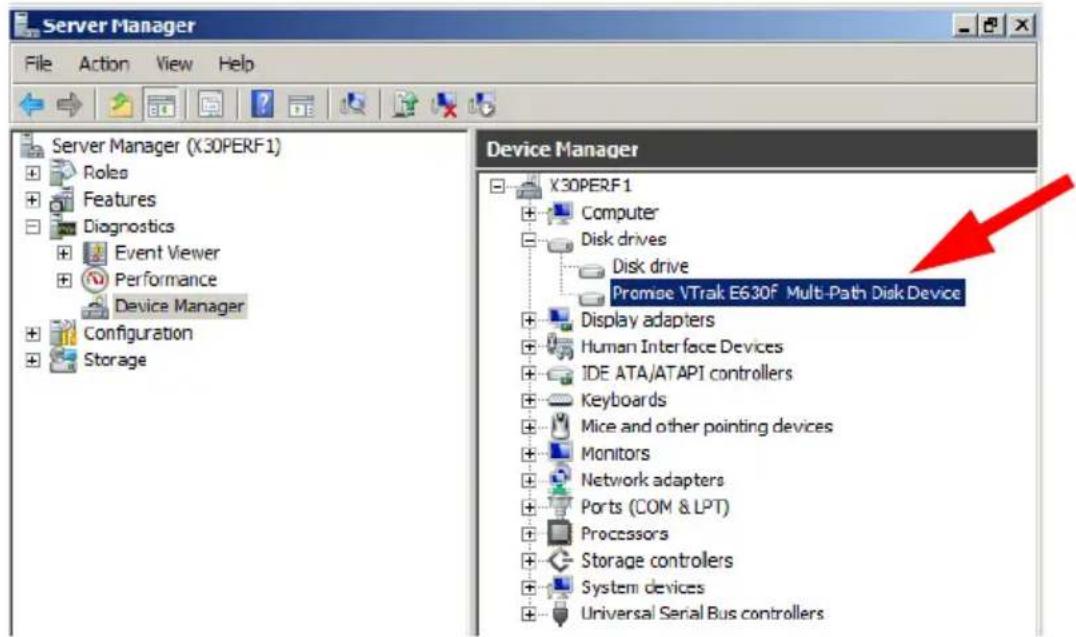
Running Perfect Path View
Running PerfectPath View includes these functions:
- Starting PerfectPath View (page 453)
- Quitting PerfectPath View (page 453)
Starting PerfectPath View
To start PerfectPath View:
From the Start menu, choose All Programs > PerfectPath > PerfectPath View.
The PerfectPath View window opens. See Figure 2.
Figure 2. PerfectPath View window
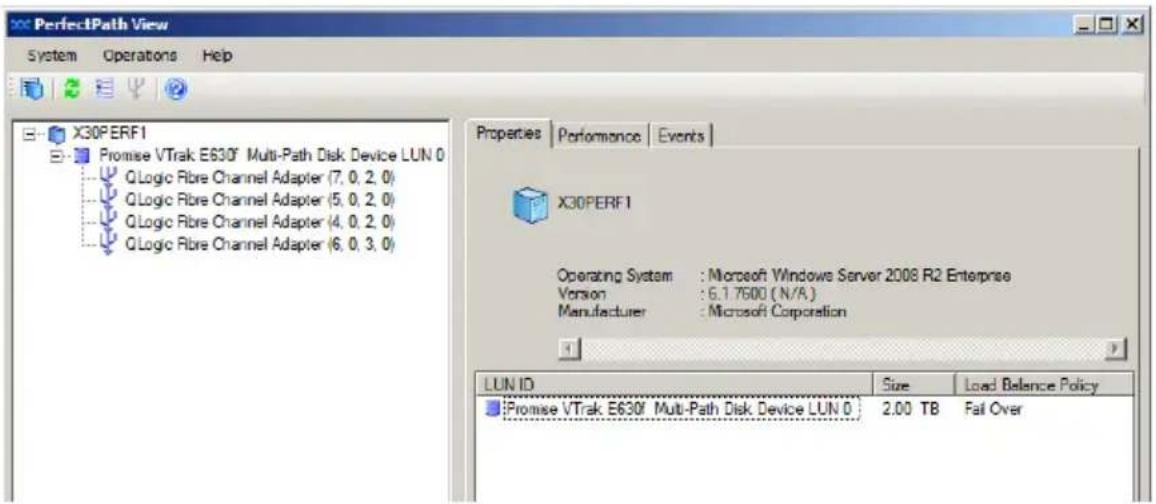
Quitting PerfectPath View
To quit the PerfectPath View application, do one of the following actions:
• From the System menu, choose Exit.
- Click the Close icon on the PerfectPath View window.
Monitoring Your LUNs and Paths
Monitoring your LUNs and Paths includes these functions:
• Viewing LUN Properties (page 454)
• Viewing Path Properties (page 455)
• Viewing LUN Performance Statistics (page 456)
• Viewing Path Performance Statistics (page 457)
• Viewing Events (page 459)
- Clearing Path Statistics (page 459)
Viewing LUN Properties
To view a list of all LUNs:
-
Click a Server in Tree View.
-
Click the Properties tab.
The Properties tab reports:
- System – Name, OS type, and version
• LUNs – Name, size, serial number, and load balance policy

Move the scroll bar or expand the window to see all of the reported information.
To view a single LUN and all of its Paths:
-
Click the LUN in Tree View.
-
Click the Properties tab.
The Properties tab reports:
• LUNs – Name, size, and load balance policy
• Paths – Path ID, state, and adapter name

Move the scroll bar or expand the window to see all of the reported information.
See also:
- "Load Balance Policy" on page 461
- "Refreshing the Objects" on page 465
Viewing Path Properties
To view Path properties:
- Click a Path in Tree View.
- Click the Properties tab.
The Properties tab reports:
- SCSI Port number
- SCSI Path ID
• S C S I T a r g e t
• S C S I L U N

See also:
• "Load Balance Policy" on page 461
- "Refreshing the Objects" on page 465
Viewing LUN Performance Statistics
To view performance statistics for a LUN:
- Click the LUN in Tree View.
- Click the Performance tab.
The Performance tab reports the state and cumulative counts for each path to that LUN.
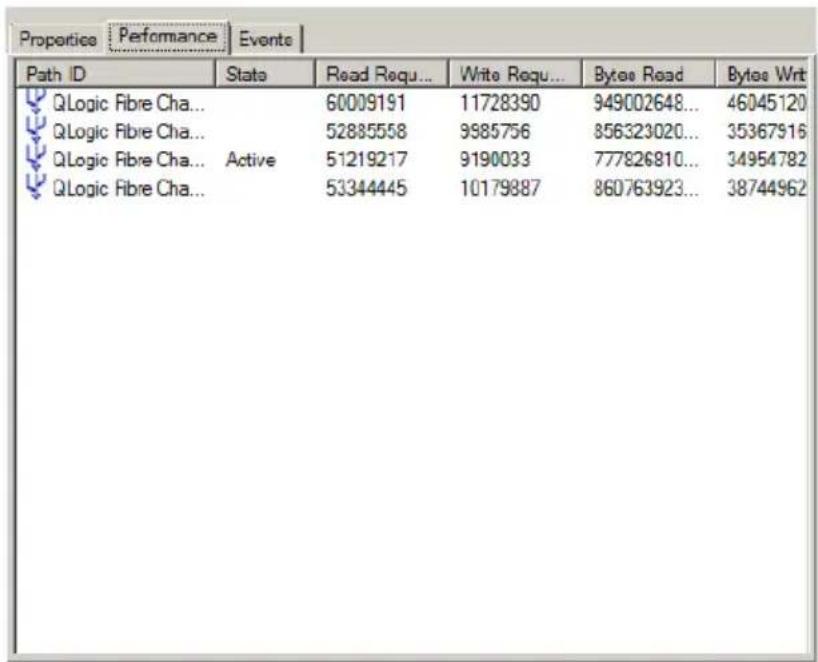
Move the scroll bar or expand the window to see all of the reported statistics.
The Performance tab reports the following data for each path:
- Path ID
- Bytes Written
• State (Active or not) - Non-IO Requests
- Read Requests
- Queue Depth
- Write Requests
- Retries Count
- Bytes Read
- Failure Count
An Active state indicates this path is available to handle I/O requests.
If Active does not appear, the path is designated as Standby.
Active and Standby states are determined by Load Balance Policy.
See also:
- "Viewing Path Performance Statistics" on page 457
- "Load Balance Policy" on page 461
Viewing Path Performance Statistics
To view performance statistics for a Path:
- Click a Path in Tree View.
- Click the Performance tab.
The Performance tab reports the state and cumulative counts for a specific path.

Move the scroll bar or expand the window to see all of the reported statistics.
The Performance tab reports the following data for each path:
- Path ID
- Bytes Written
• State (Active or not) - Non-IO Requests
- Read Requests
- Queue Depth
- Write Requests
- Retries Count
- Bytes Read
- Failure Count
An Active state indicates this path is available to handle I/O requests.
If Active does not appear, the path is designated as Standby.
Active and Standby states are determined by Load Balance Policy.
See also:
- "Viewing Path Performance Statistics" on page 457
- "Load Balance Policy" on page 461
Viewing Events
Click the Events tab to view MPIO related events. The data includes:
- Type – Error, Warning, or Information
- Server
- Time
- Message
- Date
Move the scroll bar or expand the window to see all of the reported information.
Use this information to verify that settings changes took place and diagnose problems.
See also:
- “Automatic Load Balancing for Failover Policy” on page 460
- "Load Balance Policy" on page 461
- "Path Verification" on page 462
- "PDO Removal" on page 463
- "Refreshing the Objects" on page 465
Clearing Path Statistics
You can Clear Path Statistics for all paths as needed for monitoring and diagnostic purposes.
To clear the statistics for ALL paths, do one of the following actions:
- From the Operations menu, choose Clear Path Statistics.
- In the Tree, right-click the LUN 📁 icon, and choose Clear Path Statistics from the popup menu.
Features and Settings
Features and Settings include the following functions:
• Automatic Load Balancing for Failover Policy (page 460)
- Load Balance Policy (page 461)
• Path Verification (page 462)
- PDO Removal (page 463)
• Performance Tab Refresh Rate (page 464)
• Round Robin Count (page 464)
- Refreshing the Objects (page 465)
- Viewing System Information (page 465)
- Saving System Information (page 466)
Automatic Load Balancing for Failover Policy
The PROMISE MPIO solution can load balance the paths for your LUNs with load balance policy set to Failover.
With Automatic Load Balancing enabled, the LUNs set to Failover policy are automatically redistributed among all available paths when:
- A path fails
• A failed path comes back online - A new path is added
Automatic Load Balancing, when enabled, provides optimal data throughput for LUNs set to Failover policy.
Note that Automatic Load Balancing has NO effect upon LUNs set to Round Robin, Round Robin with Subset, or Least Queue Depth.
Enabling Automatic Load Balancing
To enable automatic load balancing:
From the Operations menu, choose Auto Load Balance.
When you see a check mark beside Auto Load Balance in the Operations menu, this feature is enabled.
See also:
- "Viewing LUN Properties" on page 454
- "Viewing LUN Performance Statistics" on page 456
- "Load Balance Policy" on page 461
Load Balance Policy
Load Balance Policy is a method of equalizing the I/O traffic over each path by systematically dividing the load among multiple paths.
- Failover Policy – No load balancing. With Automatic Load Balancing disabled, the first path discovered is the primary path. I/Os follow the active path until it fails, then they change to next available path. Each LUN uses only one active path.
See "Automatic Load Balancing for Failover Policy" on page 460.
- Round Robin Policy – I/Os follow all active paths, changing paths at the specified I/O count. You can set the I/O count in the General tab of the Advanced Settings dialog box.
If LUN Affinity is enabled do NOT use Round Robin. See “Making Controller Settings” on page 86 or page 216.
- Round Robin with Subset Policy – One or more paths are designated as standby. I/Os follow all active paths, changing at the specified I/O count. You can set the I/O count in the General tab of the Advanced Settings dialog box.
If LUN Affinity is enabled, you can use Round Robin with Subset. See "Making Controller Settings" on page 86 or page 216.
- Least Queue Depth Policy – I/Os follow the path with the least number of requests queued.
Note that you can enable Automatic Load Balancing for LUNs with policy set to Failover. See “Automatic Load Balancing for Failover Policy” on page 460.
Changing Load Balance Policy Settings
To change load balance policy settings:
- Do one of the following actions:
• From the Operations menu, choose Change Load Balance Policy.
- In Tree View, highlight a LUN and click the Change Load Balance
Policy ↓ icon.
- In Tree View, right-click a a LUN and choose Change Load Balance Policy from the popup menu.
The Change Load Policy dialog box appears with the Load Balance Policy tab displayed.
-
Click the option button for one of the Load Policies.
-
Failover Policy
- Round Robin Policy
- Round Robin with Subset Policy
- Least Queue Depth Policy
3. Click the Next button.
The Path Selection tab displays.
-
Take the action appropriate for your policy selection.
-
For Round Robin and Least Queue Depth, no action is required. Skip to step 5.
- For Failover, move the path you want to be active to the Primary Path Selected pane.
Move all other paths to the Path Available pane.
- For Round Robin with Subset, move the paths you want to be active to the Primary Path Selected pane.
Move the paths you want as standby to the Path Available pane. You can have all paths in the Subset.
5. Click the Next button.
The Summary tab displays the current and selected (new) policy.
6. Click the Finish button to apply your settings.
The new settings take effect immediately.
See also:
- "Round Robin Count" on page 464
- "Refreshing the Objects" on page 465
Path Verification
Path verification monitors any failed paths and automatically verifies them if they become available again.
There are two Path Verification Settings:
- Enable / disable
• Verification period in seconds
Changing Path Verification Settings
To make path verification settings:
-
Do one of the following actions:
-
Click the Advanced Settings icon.
- From the Operations menu, choose Advanced Settings.
The Advanced Settings dialog box appears with the MPIO Parameters tab displayed.
-
Check the Enable Path Verification box to enable path verification. Uncheck to disable.
-
Click the arrows or type a new value in the Path Verification Period field to change the interval.
30 seconds is the default value.
- Click the Apply button.
- Click the OK button in the confirmation box.
The new setting takes effect immediately.
See also:
- "Load Balance Policy" on page 461
- "PDO Removal" on page 463
- "Refreshing the Objects" on page 465
PDO Removal
PDO removal refers to the action of deleting a multipath input/output (MPIO) disk from the Windows Device Manager after all paths to a physical device object (PDO) have failed.
PDO removal interval refers to the period of time in seconds between the moment all paths to a PDO are disconnected and the MPIO disk disappears from the Device Manager.
Changing PDO Removal Settings
To change PDO removal settings:
-
Do one of the following actions:
-
Click the Advanced Settings icon.
- From the Operations menu, choose Advanced Settings.
The Advanced Settings dialog box appears with the MPIO Parameters tab displayed.
- Click the arrows or type a new value in the PDO Remove Period field to change the interval.
120 seconds is the PROMISE-recommended default value.
- Click the Apply button.
- Click the OK button in the confirmation box.
The new setting takes effect immediately.
See also "Path Verification" on page 462.
Performance Tab Refresh Rate
Refresh Rate refers to the number of seconds between refreshes of the data reported on the Performance tab.
Changing Refresh Rate Settings
To change the refresh rate on the Performance tab:
-
Do one of the following actions:
-
Click the Advanced Settings icon.
- From the Operations menu, choose Advanced Settings.
The Advanced Settings dialog box appears with the MPIO Parameters tab displayed.
- Click the General tab.
- Under Refresh Rate, click the arrows or type a new value in the Seconds field to change the interval.
5 seconds is the default value.
- Click the Apply button.
The new setting takes effect immediately.
See also:
- "Viewing LUN Performance Statistics" on page 456
- "Viewing Path Performance Statistics" on page 457
Round Robin Count
When you set your path Load Balance Policy to Round Robin, the I/Os follow all active paths, changing paths at the specified I/O count. You can set the I/O count in the General tab of the Advanced Settings dialog box.
Changing the Round Robin Count
To change Round Robin Count settings:
-
Do one of the following actions:
-
Click the Advanced Settings icon.
- From the Operations menu, choose Settings icon.
The Advanced Settings dialog box appears with the MPIO Parameters tab displayed.
- Click the General tab.
- Under Round Robin Count, click the arrows or type a new value in the I/Os per Path field to change the count.
10 I/Os is the default value.
4. Click the Apply button.
The new setting takes effect immediately.
See also:
- "Load Balance Policy" on page 461
- "Viewing LUN Performance Statistics" on page 456
- "Viewing Path Performance Statistics" on page 457
Refreshing the Objects
Use this function after making an addition or deletion to your LUNs or paths.
To refresh the objects, do one of the following actions:
- From the Operations menu, choose Refresh.
- Click the Refresh icon.
PerfectPath automatically displays all reported changes. However, some actions are not reported.
The Refresh action enables you to see the latest information.
See also:
- "Automatic Load Balancing for Failover Policy" on page 460
- "Load Balance Policy" on page 461
- "Path Verification" on page 462
- "PDO Removal" on page 463
Viewing System Information
To view System information and settings, do one of the following actions:
- From the System menu, choose System Information.
- Click the System Information icon.
The System Information dialog box displays.
System information supplies information about the Host PC or Server, including:
- Host N a·mM eP I O V e r s i o n
- Operating System
- MPDEV File
- O S V e r s • MPDEV Version
- OS Manufacturer
- MPSPFLTR File
- IP Address
- MPSPFLTR Version
- Storport File
- D S M F i l e
- Storport Version
- DSM Version
• M P I O F i l e

Note
File information includes the file name and location of the installed file in the server's file system.
Saving System Information
To save the current System information and settings data to a text file:
-
Do one of the following actions:
-
From the System menu, choose System Information.
- Click the System Information icon.
The System Information dialog box displays.
- From the System Information dialog box, click the Save button.
- In the Save As dialog box, navigate to the folder where you want to save the file.
- Type a file name into the File name field.
Append the file name with a .txt suffix.
- Click the Save button.
- Click the OK button in the confirmation box.
Your information and settings data are saved to a text file in the folder you designated.
Troubleshooting
If you see no LUNs in the PerfectPath GUI, or no Multi-Path Disk Devices under Disk drives (see Figure 3), do the following actions:
- Verify that there is at least one logical drive on the VTrak
- Check your HBA cards and driver installation
- Check your data connections
Make any needed corrections and reboot your Host PC as needed.
Figure 3. Device manager window

Updating PerfectPath
To update your PerfectPath software to the latest version:
- Download the new PerfectPath installation file from PROMISE support: http://www.promise.com/support/ and save the installation file to your Windows desktop.
- Manually remove the current PerfectPath installation.
See "Removing PerfectPath" on page 470.
- Install the new PerfectPath software.
See "Installing PerfectPath" on page 450.
Repairing PerfectPath
To implement this procedure, you must use the same PerfectPath.exe installer file that you used to install the PerfectPath software onto your PC.
The installer's version number is part of its file name. However, there is no corresponding number in the PerfectPath software.
To repair the PerfectPath software:
- Double-click the PerfectPath.exe file to start the installer.
- In the Welcome screen, click the Next button.
- In the Program Maintenance screen, choose the Repair option, then click the Next button.
- In the Ready to Repair the Program screen, click the Install button.
- In the Install Completed screen, click the Finish button.
- In the Restart message box, click the Yes button to restart your PC.
Removing PerfectPath
Preferred Method
This procedure uses the uninstaller included with PerfectPath.
To remove the PerfectPath software:
- From the Start menu, choose All Programs > PerfectPath > Uninstall PerfectPath.
- In the Welcome screen, click the Next button.
- In the Program Maintenance screen, choose the Remove option, then click the Next button.
- In the Remove the Program screen, click the Remove button.
- In the Completed screen, click the Finish button.
- In the Restart message box, click the Yes button to restart your PC.
Alternate Method 1
This procedure uses the Windows uninstaller.
To remove the PerfectPath software:
- In the Start menu, choose Control Panel, then choose Programs and Features.
- Right-click Perfect Path, and choose Uninstall from the popup menu.
- In the Confirmation box, click the Yes button.
- In the Restart message box, click the Yes button to restart your PC.
Alternate Method 2
To use this procedure, the PerfectPath.exe installer file must be the same version number as the PerfectPath software installed on your PC.
To remove the PerfectPath software:
- Double-click the PerfectPath.exe file to start the installer.
- In the Welcome screen, click the Next button.
- In the Program Maintenance screen, choose the Remove option, then click the Next button.
- In the Remove the Program screen, click the Remove button.
- In the Completed screen, click the Finish button.
- In the Restart message box, click the Yes button to restart your PC.
Appendix C: Multipathing on Linux
The appendix covers the following topics:
• Before You Begin (below)
- Task 1: Meeting Package Requirements (page 473)
- Task 2: Preparing the Configuration File (page 476)
- Task 3: Making Initial Host Settings (page 478)
- Task 4: Create and Configure Devices (page 480)
- Task 5: Setting-up ALUA (page 481)
- RPM Packages and Documents for Linux MPIO (page 486)
• Linux MPIO: Known Issues (page 488)
- Sample multipath.conf File (page 489)
PROMISE has fully tested VTrak multipathing on RedHat RHEL 5.3, 5.4, and 5.5; and SuSE SLES 10 SP2, 10 SP3, 11, and 11 SP1. Coverage in this Product Manual is limited to those OSes.
Multipathing is possible on other Linux OSes. PROMISE has not tested every possible combination and therefore does not attempt to cover them here.
For a list of supported OSes, download the latest compatibility list from PROMISE support: http://www.promise.com/support/.
Before You Begin
Before you can set up multipathing on your Linux Host PC, you must:
• Install your Fibre Channel or SAS HBA card into the Host PC.
• Install the HBA card drivers onto the Host PC
- Setup your VTrak, install your physical drives and create your logical drives.
- Attach your Fibre Channel or SAS cables from the HBA card to the VTrak RAID subsystem.
- Install RHEL 5.x with the linux mpath option.
- For ALUA, refer to the PROMISE Linux support packages. See page 486.
Refer to the Linux Administration Manual, your HBA documentation, and this Appendix as needed for more information.
Check Initial Setup
To check your initial setup, verify that you can view the logical drives on your VTrak from your Linux desktop or terminal window. Refer to the Linux
Administration Manual for the procedure on your system.
- If you can see your logical drives, the system is properly configured. Go to "Task 1: Meeting Package Requirements" on page 473.
- If you cannot see your logical drives, make the necessary adjustments and check again.
Task 1: Meeting Package Requirements
The latest device mapper and multipath packages must be loaded onto your Linux host before configuring Device Mapper Multipath (DM-MP). When this document was written, the current versions were:
-
For RHEL 5.3
• device-mapper-1.02.28-2.el5
• device-mapper-multipath-0.4.7-23.el5 -
For RHEL 5.4
• device-mapper-1.02.32-1.el5
• device-mapper-multipath-0.4.7-30.el5 -
For RHEL 5.5
• device-mapper-1.02.39-1.el5
• device-mapper-multipath-0.4.7-34.el5 -
For SLES 10 SP2
• device-mapper-1.02.13-6.14
• multipath-tools-0.4.7-34.38 -
For SLES 10 SP3
• device-mapper-1.02.13-6.14 -
multipath-tools-0.4.7-34.50.10
-
For SLES 11
• device-mapper-1.02.27-8.6 -
multipath-tools-0.4.8-40.1
-
For SLES 11 SP1
• device-mapper-1.02.27-8.20 - multipath-tools-0.4.8-40.21.1
Installing Packages
The easiest and most effective way to install the device mapper and multipath tool is during OS installation. The device mapper installs by default, regardless of the configuration you select. However, you must manually specify the multipath tool, as it does not install as a part of any of the configurations of either OS. The multipath tool is listed as an option under Base System.
For hosts with the OS already installed, you can add the device mapper and multipath tool, if they are missing.
Example: To add the multipath tool for RHEL 5.x, do the following actions:
-
Open a terminal window.
-
Type the following command and press Enter:
<h1 id="rpm-ivh-device-mapper-multipath-047-8el5i386rpm">rpm -ivh device-mapper-multipath-0.4.7-8.el5.i386.rpm</h1>
The system returns the following lines:
Preparing...    ########
1:device-mapper-multipath###
#
(or a similar message)

Important
Where possible, obtain the device mapper and multipath tool from the original installation CDs to ensure full compatibility with your existing OS. Refer to your OS documentation for more information.
Verifying Packages – RedHat
To verify that the required packages are installed on the host, do the following actions:
- Open a terminal window.
- Type the following command and press Enter:
<h1 id="rpm-qa-grep-device-mapper">rpm -qa | grep device-mapper</h1>
If the required packages are present, the system returns the following lines.
RHEL 5.3:
device-mapper-1.02.28-2.el5
device-mapper-multipath-0.4.7-23.el5
RHEL 5.4:
device-mapper-1.02.32-1.el5
device-mapper-multipath-0.4.7-30.el5
RHEL 5.5:
device-mapper-1.02.39-1.el5
device-mapper-multipath-0.4.7-34.el5
Note that the actual version number might be different, depending on your configuration.
Verifying Packages – SuSE
To verify that the required packages are installed on the host, do the following actions:
-
Open a terminal window.
-
Type the following command and press Enter:
# rpm -qa | grep device-mapper
If the required package is present, the system returns the following line.
SLES 10 SP2:
device-mapper-1.02.13-6.14
SLES 10 SP3:
device-mapper-1.02.13-6.14
SLES 11:
device-mapper-1.02.27-8.6
SLES 11 SP1:
device-mapper-1.02.27-8.17.20
Note that the actual version number might be different, depending on your configuration.
- Type the following command and press Enter:
# rpm -qa | grep multipath-tools
If the required package is present, the system returns the following line.
SLES 10 SP2:
multipath-tools-0.4.7-34.38
SLES 10 SP3:
multipath-tools-0.4.7-34.50.10
SLES 11:
multipath-tools-0.4.8-40.1
SLES 11 SP1:
multipath-tools-0.4.8-40.21.1
Note that the actual version number might be different, depending on your configuration.
Task 2: Preparing the Configuration File
To setup multipathing with VTrak, or any other subsystem, you must provide the required device attributes in a configuration file. The multipath configuration file is named multipath.conf. The functional version of the file is saved in the /etc directory.
RedHat Systems
For RedHat systems, there is a default /etc/multipath.conf file. However, the default file does not have the required device attributes to work with VTrak.
There are also sample configuration files in the /usr/share/doc/device-mapper-multipath-[version] directory:
- multipath.conf.annotated – multipath device attributes listed and defined
- multipath.conf.synthetic – multipath device attributes listed only
SuSE Systems
For SuSE systems, there is no default /etc/multipath.conf file.
There are sample multipath configuration files in the /usr/share/doc/packages/multipath-tools directory:
- multipath.conf.annotated – multipath device attributes listed and defined
- multipath.conf.synthetic – multipath device attributes listed only
Editing a Configuration File
You must provide a configuration file with required device attributes to work with VTrak. See the sample configuration file on page 489.
Take the following actions to prepare a configuration file:
- Choose an existing multipath.conf file and open the file in a text editor.
- Save a working copy of the file under another name.
- Edit the file to include the following line under defaults:
defaults {
user_friendly_names yes
}
- Edit the file to include the following lines under devices:
devices {
device {
vendor "Promise"
product "VTrak"
path_grouping_policy multibus
getuid_callout "/sbin/scsi_id -g -u -s /block/%n"
path_checker readsector0
path_selector "round-robin 0"
hardware_handler "0"
failback immediate
rr_weight uniform
rr_min_io 100
no_path_retry 20
features "1 queue_if_no_path"
product_blacklist "VTrak V-LUN"
}
}
- Edit the file to include the following lines under devnode_blacklist:
devnode_blacklist {
devnode "^sda$",
devnode "^(ram|raw|loop|fd|md|dm-|sr|scd|st)[0-9] *"
devnode "^hd[a-z]"
devnode "^cciss!c[0-9]d[0-9] *"
}
- Be sure all the relevant lines of your configuration file are uncommented.
Remove the # character from the beginning of the line.
-
Save the file as multipath.conf.
-
Place a copy of the multipath.conf file into the Host's /etc directory.
Task 3: Making Initial Host Settings
After the packages and configuration file are installed, the Host is ready to accept multipath settings.
Setting the Daemon to Run
RHEL 5.3, 5.4, 5.5
This action requires RHEL installation with the "linux mpath" Option. See "Before You Begin" on page 471.
To set the MP daemon to run at boot time:
- Open a terminal window.
- Verify that /etc/rc.d/rc[3\~5].d/ has a symbolic link to /etc/rc.d/init.d/multipathd. Also see the Note below.
Run the command:
<h1 id="ls-al-etcrcdrc35d-grep-multipathd">ls -al /etc/rc.d/rc[3~5].d/ | grep multipathd</h1>
- If there is no symbolic link, run the command:
<h1 id="cd-etcrcdrc35d">cd /etc/rc.d/rc[3~5].d/</h1>
Then run the command:
<h1 id="ln-s-etcrcdinitdmultipathd-s13multipathd">ln -s /etc/rc.d/init.d/multipathd S13multipathd</h1>
Note: /etc/rc.d/rc[3\~5].d saves a link to start at each run level.
- Run level 3 is for a single user.
- Run level 4 is for multiple users.
- Run level 5 is for multiple users on X Windows.
SLES 10 SP2, 10 SP3, 11, 11 SP1
To set the MP daemon to run at boot time:
- Open a terminal window.
- Set the daemon to run at boot time.
# chkconfig multipathd on
The system does not return anything.
Verifying the Modules are Loaded
To verify that the DM-MP modules are loaded:
- Open a terminal window.
- Verify that the multipath module is loaded.
# lsmod | grep dm_multipath
If the module is loaded, the system returns:
dm_multipath 215770 (or a similar message)
- Verify that the device mapper module is loaded.
# lsmod | grep dm_mod
If the module is loaded, the system returns:
dm_mod 56537 8 dm_snapshot... (or a similar message)
Verifying the Daemon is Running
To verify that the MP daemon is running:
- Open a terminal window.
- Check the daemon's status.
# /etc/init.d/multipathd status
- Do one of the following actions:
- If the system returns:
multipathd is running (or a similar message)
Go to "Task 4: Create and Configure Devices" on page 480.
- If the system returns:
multipathd is stopped (or a similar message)
Start the MP daemon.
# /etc/init.d/multipathd start
Then go to "Task 4: Create and Configure Devices" on page 480.
Task 4: Create and Configure Devices
This step applies the settings from the multipath.config file to the Host.
- Open a terminal window.
- Type the following command and press Enter:
#multipath -v3
The system returns:
...
==== paths list ====
uuid hcil dev dev_t pri dm_st chk_st vend...
222490001555459b3b 2:0:0:0 sdb 8:16 1 [undef][undef] Prom...
222b40000155a75b49 2:0:0:2 sbc 8:32 1 [undef][undef] Prom...
20efcff5501000121a 3:0:0:0 sbd 8:48 1 [undef][undef] Prom...
222b44000155ebf0c 3:0:0:1 sde 8:64 1 [undef][undef] Prom...
params = 1 que_if_no_path 0 1 1 round-robin 0 1 1 8:64 100
status = 1 0 0 1 1 A 0 1 0 8:64 A 0
sde: mask = 0x4
sde: path checker = readsector0 (controller setting)
sde: state = 2
...
(or a similar message)
- Restart the MP daemon.
#/etc/init.d/multipathd restart
The system returns:
Stopping multipathd daemon (or a similar message)
Starting multipathd daemon (or a similar message)
For more information about path monitoring functions, type help and press Enter.
Task 5: Setting-up ALUA
VTrak supports Asymmetric Logical Unit Access (ALUA) on the latest Linux distributions:
- RedHat Linux RHEL 5.4
- RedHat Linux RHEL 5.5
- SuSE Linux SLES 10 SP3
- SuSE Linux SLES 11
• SuSE Linux SLES 11 SP1
PROMISE provides RPM packages and multipath.conf files for ALUA. See "RPM Packages and Documents for Linux MPIO" on page 486.
RedHat Linux RHEL 5.4
Default Kernel
To support ALUA within RHEL 5.4 using the default kernel without XEN or PAE support:
- Install RHEL 5.4. When the CD is chosen for installation, immediately type linux mpath.
-
Copy the PROMISE-supplied multipath.conf file to the /etc directory. cp multipath.conf-vtrak-alua-rhel5-4 /etc/multipath.conf
-
Install the appropriate scsi_dh_alua driver module.
- i 3 8 6
cd /usr/src/redhat/RPM/i386
rpm -ivh scsi_dh_alua_VTrak-1-1.i386.rpm
- x86_64
cd /usr/src/redhat/RPM/x86_64
rpm -ivh scsi_dh_alua_VTrak-1-1.x86_64.rpm
- Check the multipath configuration.
Multipath -ll (multipath -v4)
Kernel with XEN or PAE support
To support ALUA within RHEL 5.4 using kernel with XEN or PAE support:
-
Install RHEL 5.4. When the CD is chosen for installation, immediately type linux mpath.
-
Copy the PROMISE-supplied multipath.conf file to the /etc directory.
cp multipath.conf-vtrak-alua-rhel5-4 /etc/multipath.conf
- Install this patched alua_dh_scsi source module.
rpm -ivh scsi_dh_alua_VTrak-1-1.src.rpm
- Make your own rpm.
cd /usr/src/redhat/SPEC
rpmbuild -ba scsi_dh_alau.spec
- Determine your system architecture, x86_64 or i386.
uname -a
- Install the appropriate scsi_dh_alua driver module.
- i 3 8 6
    cd /usr/src/redhat/RPM/i386
    rpm -ivh scsi_dh_alua_VTrak-1-1.i386.rpm
- x86_64
    cd /usr/src/redhat/RPM/x86_64
    rpm -ivh scsi_dh_alua_VTrak-1-1.x86_64.rpm
- Check the multipath configuration.
Multipath -ll (multipath -v4)
RedHat Linux RHEL 5.5
Default Kernel
To support ALUA within RHEL 5.5 using the default kernel without XEN or PAE support:
-
Install RHEL 5.5. When the CD is chosen for installation, immediately type linux mpath.
-
Copy the PROMISE-supplied multipath.conf file to the /etc directory.
cp multipath.conf.alua-rhel5.5 /etc/multipath.conf
- Install this patched scsi_dh_alua driver module.
- i 3 8 6
    cd /usr/src/redhat/RPM/i386
    rpm -ivh scsi_dh_alua_VTrak-2-1.i386.rpm
- x86_64
    cd /usr/src/redhat/RPM/x86_64
    rpm -ivh scsi_dh_alua_VTrak-2-1.x86_64.rpm
- Check the multipath configuration.
Multipath -ll (multipath -v4)
Kernel with XEN or PAE support
To support ALUA within RHEL 5.5 using kernel with XEN or PAE support:
- Install RHEL 5.5. When the CD is chosen for installation, immediately type linux mpath.
- Copy the PROMISE-supplied multipath.conf file to the /etc directory.
cp multipath.conf.alua-rhel5.5 /etc/multipath.conf
- Install this patched alua_dh_scsi driver module.
rpm -ivh scsi_dh_alua_VTrak-2-1.src.rpm
- Make your own rpm.
cd /usr/src/redhat/SPEC
rpmbuild -ba scsi_dh_alau.spec
- Determine your system architecture, x86_64 or i386.
uname -a
- Install the appropriate scsi_dh_alua driver module.
- i 3 8 6
    cd /usr/src/redhat/RPM/i386
    rpm -ivh scsi_dh_alua_VTrak-2-1.i386.rpm
- x86_64
    cd /usr/src/redhat/RPM/x86_64
    rpm -ivh scsi_dh_alua_VTrak-2-1.x86_64.rpm
- Check the multipath configuration.
Multipath -ll (multipath -v4)
SuSE Linux SLES 10 SP3
To support ALUA within SLES10 SP3:
- Determine your system architecture, i586 or x86_64.
> uname -a
- Do one of the following actions:
- Remove the currently installed multipath tool.
rpm -ev multipath-tools
Install the appropriate new multipath-tool RPM package.
i586
rpm -ivh multipath-tools-0.4.7-34.50.10.ass.fix.i586.rpm
x86_64
rpm -ivh multipath-tools-0.4.7-34.50.10.ass.fix.x86_64.rpm
- Force install the appropriate new multipath-tool RPM package.
i586
#> rpm -ivh -force multipath-tools-0.4.7-34.50.10.ass.fix.i586.rpm
x86_64
#> rpm -ivh -force multipath-tools-0.4.7-34.50.10.ass.fix.x86_64.rpm
- Copy the PROMISE-supplied multipath.conf file to the /etc directory.
#> cp multipath.conf-vtrak-alua-sles10-sp3 /etc multipath.conf
- Check the multipath configuration.
chkconfig multipathd on
chkconfig multipathd (shows the status of multipathd)
chkconfig boot.multipath on
chkconfig boot.multipath (shows the status of boot.multipath)
-
Reboot the VTrak.
-
Check the multipath configuration.
Multipath -ll (multipath -v4)
SuSE Linux SLES 11
To support ALUA within SLES 11:
- Determine your system architecture, i586 or x86_64.
#> uname -a
- Install the appropriate path priority tool library.
- i 5 8 6
#> rpm -ivh multipath-promise-susell-0.4.8-1.i586.rpm
- x86_64
#> rpm -ivh multipath-promise-susell-0.4.8-1.x86_64.rpm
- Copy the PROMISE-supplied multipath.conf file to the /etc directory.
#> cp multipath.conf-vtrak-alua-sles11 /etc multipath.conf
- Check the multipath configuration.
chkconfig multipathd on
chkconfig multipathd (shows the status of multipathd)
-
Reboot the VTrak.
-
Check the multipath configuration.
Multipath -11 (multipath -v4)
SuSE Linux SLES 11 SP1
Not updated with Novell SP1 patches
If you did NOT update with Novell SLES 11 SP1 patches:
- Determine your system architecture, i586 or x86_64.
#> uname -a
- Install the appropriate patched scsi_dh_alua.ko device handler.
- i 5 8 6
#> rpm -ivh --force scsi_dh_alua_sles11sp1-2-1.i586.rpm
- x86_64
#> rpm -ivh --force scsi_dh_alua_sles11sp1-2-1.x86_64.rpm
- Copy the PROMISE-supplied multipath.conf file to the /etc directory.
#> cp multipath.conf.alua-sles11sp1 /etc multipath.conf
- Check the multipath configuration.
chkconfig multipathd on
chkconfig multipathd (shows the status of multipathd)
-
Reboot the VTrak.
-
Check the multipath configuration.
Multipath -ll (multipath -v4)
Updated with Novell SP1 patches
If you updated with Novell SLES 11 SP1 patches:
1. Copy the PROMISE-supplied multipath.conf file to the /etc directory.
#> cp multipath.conf.alua-sles11sp1 /etc multipath.conf
- Check the multipath configuration.
chkconfig multipathd on
chkconfig multipathd (shows the status of multipathd)
-
Reboot the VTrak.
-
Check the multipath configuration.
Multipath -11 (multipath -v4)
Fibre Channel HBA to VTrak
If you plan to use connect a Fibre Channel HBA card to VTrak RAID subsystem, you must change the remote port (rport) configuration.
- Change the dev_loss_tmo value as large as possible.
Example: 0x7fffffff.
- Change the fast_io_fail_tmo value as 30.
RPM Packages and Documents for Linux MPIO
PROMISE provides RPM packages and multipath.conf files for Linux on the support: http://www.promise.com/support/.
A PROMISE Linux package contains:
- package folder – RPM packages for the Linux OS
- multipath-conf folder
- ALUA folder – Configuration file and instructions for ALUA, if supported
- normal folder – Configuration file for general multipathing

Important
Please read the How to Configure document in the ALUA folder for the latest information before beginning your setup.
The table below lists the content of each PROMISE Linux package:
| Package Folder Contents | ||
| SLES10-SP2 normal multipath. | conf-vtrak-normal-sles10-sp2 | |
| SLES10-SP3 package multipath-tools-0.4.7-34.50.10.ass.fix.i586.rpmmultipath-tools-0.4.7-34.50.10.ass.fix.x86_64.rpm | ||
| ALUA multipath-conf-vtrak-alua-sles10-sp3How to Configure MPIO SLES10 SP3.doc | ||
| normal multipath-conf-vtrak-normal-sles10-sp3 | ||
| SLES11 packages multipath-promise-suse11-0.4.8-i586.rpmmultipath-promise-suse11-0.4.8-x86_64.rpm | ||
| ALUA multipath-conf-vtrak-alua-sles11How to Configure MPIO SLES 11.doc | ||
| normal multipath-conf-vtrak-normal-sles11 | ||
| SLES11-SP1 pack | kages scsi_dh_alua_sles11sp1-2-1.i586.rpmscsi_dh_alua_sles11sp1-2-1.x86_64.rpmscsi_dh_alua_sles11sp1-2-1.src.rpm | |
| ALUA multipath.conf.alua-sles11sp1How to Configure MPIO SLES 11sp1.doc | ||
| normal multipath.conf-vtrak-normal-sles11sp1How to Configure MPIO SLES 11sp1.doc | ||
| RHEL-5.3 normal | multipath.conf-vtrak-normal-rhel5-3 | |
| RHEL-5.4 package | scsi_dh_alua_Vtrak-1-1.i386.rpmscsi_dh_alua_Vtrak-1-1.x86_64.rpmscsi_dh_alua_Vtrak-1-1.src.rpm | |
| ALUA multipath.conf-vtrak-alua-rhel5-4How to Configure MPIO RHEL 5.4.doc | ||
| normal multipath.conf-vtrak-normal-rhel5-4 | ||
| RHEL-5.5 packages | scsi_dh_alua_Vtrak-2-1.i386.rpmscsi_dh_alua_Vtrak-2-1.x86_64.rpmscsi_dh_alua_Vtrak-2-1.src.rpm | |
| ALUA multipath.conf.alua-rhel5.5How to Configure MPIO RHEL 5.5.doc | ||
| normal multipath.conf-normal-rhel5.5 | ||
Linux MPIO: Known Issues
| Issue | OS Description | |
| 1 SLES 11GMC | OS multipath with SAS interface makes kernel panic. | |
| 2 SLES 11GMC | OS sets default rportsdev_loss_tmovalue at 10 seconds resulting in loss of the path during failover/failback. | |
| 3 RHEL 5.4 With FC switch, HBA driver (such as Emulex 4g, QLogic 8g)sets rportsdev_loss_tmovalue too small, resulting in loss of the path during failover/failback.To fix this problem, increase the value to 60 seconds. | ||
| 4 SLES 10SP3 | With FC switch, HBA driver (such as Emulex 4g, QLogic 8g)sets rportsdev_loss_tmovalue too small, resulting in loss of the path during failover/failback.To fix this problem, increase the value to 60 seconds. | |
| 5 SLES 11SP1 | With a FC HBA, set rportsdev_loss_tmoas large as possible, such as 0x7ffffff. Setfast_io_failure_tmoto 30 seconds. Without these settings, the system does not recognize device or the systems hang during boot and failover/failback.Download and update the latest SLES11 SP1 patches from Novell. Without these patches, the system hangs during failover/failback. | |
With a Fibre Channel switch, a dev_loss_tmo value set too small can result in loss of the path during failover/failback.
Linux maintains the rports dev_loss_tmo value in the /sys/class/fc_remote_port/rport-xxxx/dev_loss_tmo file. The Fibre Channel HBA driver sets this value at loading time.
To change the dev_loss_tmo value to the recommended 60 seconds, during runtime type the echo command:
echo 60 > /sys/class/fc_remote_port/rpot-1:0:0/dev_loss_tmo
Sample multipath.conf File
Below is a complete multipath.conf file for VTrak.
- If you have no other multipath devices on your Host, you can use this multipath.conf file as shown.
- If you have other multipath devices, add these settings to your existing multipath.conf file.
##
<h2 id="this-is-a-template-multipath-tools-configuration-file">This is a template multipath-tools configuration file</h2>
<h2 id="for-the-promise-vtrak-subsystem">for the Promise VTrak subsystem</h2>
##
defaults {
    user_friendly_names yes
}
blacklist {
    devnode "^sda$",
    devnode "^(ram|raw|loop|fd|md|dm-|sr|scd|st)[0-9]*"
    devnode "^hd[a-z][[0-9]*]"
    devnode "^cciss!c[0-9]d[0-9]*[p[0-9]*]"
}
devices {
    device {
    vendor "Promise"
    product "VTrak"
    path_grouping_policy multibus
    getuid_callout "/sbin/scsi_id -g -u -s /block/%n"
    path_checker readsector0
    path_selector "round-robin 0"
    hardware_handler "0"
    failback immediate
    rr_weight uniform
    rr_min_io 100
    no_path_retry 20
    features "1 queue_if_no_path"
    product_blacklist "VTrak V-LUN"
    }
}
Appendix D: VTrak Monitor
The appendix covers the following topics:
- Downloading and Installing VTrak Monitor (below)
• Using VTrak Monitor (below)
• Monitoring Subsystems (page 495)
• Diagnosing a Subsystem (page 496) - Viewing Information (page 497)
- Managing the VTrak with WebPAM PROe (page 499)
- Troubleshooting (page 499)
Downloading and Installing VTrak Monitor
VTrak Monitor is a free application available from the App Store.
To download and install VTrak Monitor on your iPad or iPhone, follow the instructions in your iPad or iPhone User Guide.
Using VTrak Monitor
Launching VTrak Monitor
To launch VTrak Monitor, on the iPad or iPhone desktop, tap the VTrak Monitor icon (right).

Adding a VTrak Subsystem
To monitor a VTrak subsystem, you must add it to VTrak Monitor. When you add a subsystem, you log into it at the same time.
On any Network
To add a VTrak subsystem on any network:
- Tap the + button at the top right corner of the screen (right).
- Tap the Add Device icon in the dropdown menu.
-
In the Add Device dialog box, type:
-
IP address of the VTrak
- Your username
-
Y o u r p a s s w o r d
-
Tap the Login button.
The VTrak subsystem appears on the Home screen.
See page 493, Figure 2.

With Bonjour Discovery
To use Bonjour discovery, the subsystem must be on the current Wi-Fi network. See "Choosing a Wi-Fi Network" on page 495.
To add a VTrak subsystem using Bonjour:
- Tap the + button at the top right corner of the screen (right).
- Tap the Search Device icon in the dropdown menu.
The Bonjour dialog box displays a list of available subsystems, identified by model and IPv6 address. See Figure 1.
Figure 1. Bonjour dialog box

Subsystems with a check have been added to VTrak Monitor.
To add a subsystem, tap the subsystem.
When you are finished, tap the Done button.
The available subsystems appear on the Home screen.
See page 493, Figure 2.
Figure 2. Home screen

The Status ✅, 🔍, or 🔍 icon indicates that the subsystem is connected. For more information on these icons, see “Top-Level Monitoring” on page 495 and “Troubleshooting” on page 499.
Viewing a VTrak Subsystem
To view a VTrak subsystem from the Home screen, tap the VTrak subsystem. See above, Figure 2.
The Summary screen appears. See Figure 3.
Figure 3. Summary screen
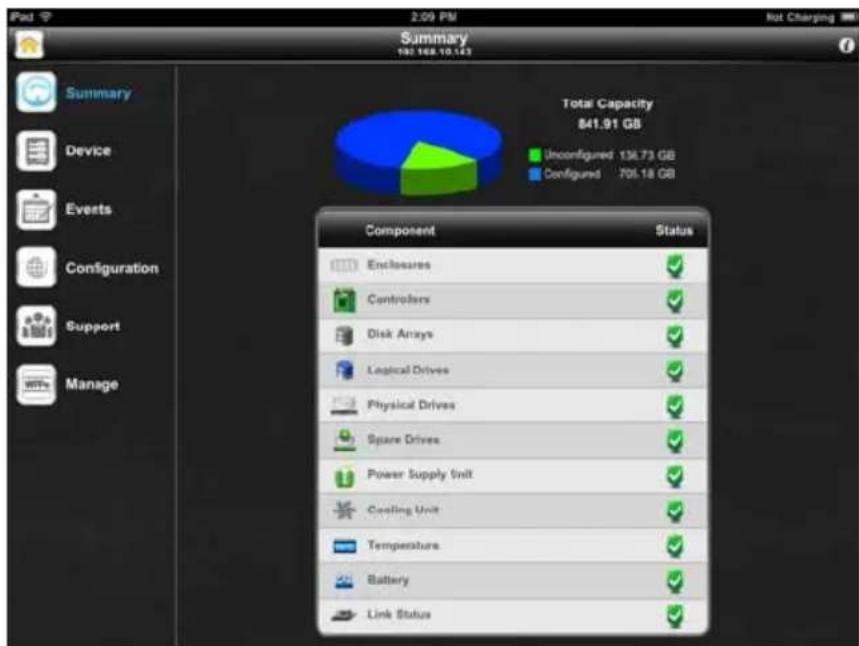
pie
| Component | Status | | :--- | :--- | | Enclosures | ✓ | | Controllers | ✓ | | Disk Arrays | ✓ | | Logical Drives | ✓ | | Physical Drives | ✓ | | Square Drives | ✓ | | Power Supply Unit | ✓ | | Cooling Unit | ✓ | | Temperature | ✓ | | Battery | ✓ | | Link Status | ✓ |Deleting a VTrak Subsystem
One at a Time
To delete one subsystem from VTrak Monitor:
- Click the Home icon to go to the Home screen.
- To expose the Delete button, touch and drag the right edge of the VTrak box to the left.
Figure 4. Delete button

- Tap the Delete button.
The subsystem is deleted from VTrak Monitor.
All Subsystems at Once
To delete all subsystems from VTrak Monitor:
- Click the Home icon to go to the Home screen.
- Tap the – button at the top right of the screen.
- In the confirmation dialog box, tap the Yes button to confirm.
Changing VTrak Monitor Settings
To change VTrak Monitor settings:
- Press iPad or iPhone's Home button to go to desktop.
- Tap the Settings icon.
- In the Settings list, tap VTrak Monitor.
- In the VTrak Monitor window, set:
• Event Severity – Choose the lowest level you want to see in the Events screen, Critical, Major, Warning, or Info
• Page Capacity – 10, 25, or 50
- Press the Home button again to return to the desktop.
Choosing a Wi-Fi Network
Bonjour discovery only works on the currently chosen Wi-Fi network.
See "With Bonjour Discovery" on page 492.
To choose a Wi-Fi network:
- Press iPad or iPhone's Home button to go to desktop.
- Tap the Settings icon.
- In the Settings list, tap Wi-Fi.
- Under Choose a Network..., tap the network you want use.
- Press the Home button again to return to the desktop.
See your iPad or iPhone User Guide for more information.
Monitoring Subsystems
Top-Level Monitoring
The Home screen displays the top-level status of all VTrak subsystems.
One of these icons appears on each VTrak subsystem:
- Green check icon – All components are OK
- Yellow ! 🤊 icon – One or more components in Critical status
- Red ! icon – One or more components in Offline status
- No icon – Subsystem is shut down or its network connection is lost
See page 493, Figure 2. Tap a subsystem to go to the Summary screen.
Component-Level Monitoring
The Summary screen displays the status of all components in a VTrak subsystem.
One of these icons appears beside each component:
- Green check icon – Component is OK
- Yellow! icon – Component is critical
- Red X icon – Component is offline
Tap a component to go to the Configuration screen.
Additional Actions
- To view a list of a each type of component, tap the corresponding component icon at the top of the screen.
- To view more information about a single component, tap the component in the list.
- To locate the component in the VTrak subsystem, tap the Locate button beside that component. The LEDs for that component blink for one minute. See pages 377 through 379.
Diagnosing a Subsystem
To diagnose a problem on a VTrak subsystem:
- Click the Home icon to go to the Home screen.
- At the Home screen, check the icon for each VTrak subsystem:
- Green check icon – All components are OK
- Yellow ! 🎨 icon – One or more components in Critical status
- Red ! icon – One or more components in Offline status
- No icon – Subsystem is shut down or its network connection is lost
Tap the VTrak subsystem with the Yellow ! icon or Red ! icon to go to the Summary screen.
- On the Summary screen, tap the Configuration icon to go to the Configuration screen.
- On the Configuration screen, check the icon for each component:
- Green check icon – Component is OK
- Yellow! icon – Component is critical
- Red X icon – Component is offline
- Gray ? icon – Component is not present or no information is available
Tap the component with the Yellow !icon or Red X icon to view more information its condition.
Also see “Chapter 8: Troubleshooting” on page 375.
Viewing Information
Devices
To view device information:
-
From the Summary screen, tap the Device icon to view:
-
Disk arrays
- Physical drives
- Enclosure front view
- Touch and slide the Enclosure to the left to view:
• Enclosure external rear view
- Controllers
- Power supply units
- F a n s
- Touch and slide the Enclosure to the left again to view:
• Enclosure internal rear view
• Temperature sensors
- Batteries
To see more information about a particular device, tap the device itself.
Events
On the Summary screen, the Events icon displays a badge with the number of critical events recorded in the last 24 hours (right).

After you view the event information, the event badge disappears until the next critical event is recorded.
From the Summary screen, tap the Events icon to view runtime event information.
Runtime events are recorded from the moment that the VTrak subsystem is started.
The following icons report the severity of each event:
- Green check icon – Information
- Yellow! icon – Warning
- Red X icon – Major or Critical
See the table on the next page.
| Event Severity Levels | |
| Level Description | |
| Critical Action is needed now and the implications of the condition are serious. | |
| Major Action is needed now. | |
| Warning User can decide whether or not action is required. | |
| Information Information only, no action is required. |

Notes
- The default setting displays only Major or Critical events. To view Information and Warning events, see “Changing VTrak Monitor Settings” on page 494.
- VTrak Monitor has fewer event severity levels than WebPAM PROe. For more information on events, see page 382.
Support
To view support information:
- Tap the Support icon.
- Tap the location you want.
Location information includes:
- Pre-sales toll free phone number – Tap to call the number (iPhone only)
- Support toll free phone number – Tap to call the number (iPhone only)
- Fax number – For information only
- Sales email address – Tap to send a message
- Tech Support email address – Tap to send a message
- Website – Tap to open the browser and visit the website
Managing the VTrak with WebPAM PROe
To launch WebPAM PROe through your iPad or iPhone, go to the Summary screen and tap the Manage icon.
For more information, see “Chapter 4: Management with WebPAM PROe” on page 69.
When you are done using the WebPAM PROe, tap the Done button in the top left corner of the screen.
You return to the Summary screen.
Troubleshooting
If a subsystem is shut down or its network connection is lost, the subsystem appears on the Home screen with:
- No status icon
• A "Not Connected" message - A Login button
See Figure 5.
Figure 5. Subsystem not connected

Tap the Login button to reconnect.
If you cannot reconnect, verify that the subsystem is running and connected to your Wi-Fi network.
Index
A
about this manual 1
adaptive writeback cache
explained 363
setting 87, 217
alarm patterns 375
alias
controller 86, 216
disk array 157, 234
logical drive 166, 245
physical drive 144, 227
Auto Fix 168, 246
auto rebuild, enable 120, 273
B
background activities, current 114, 273
background activity management 114, 273
battery
information 89
reconditioning 90, 123, 223
replace 324
reported events 411
view information 222
BBU, reported events 411
blade server, reported events 411
boot the subsystem 84, 309
browser, does not connect 408
browsers, supported 10
buzzer
settings 91, 313
sound patterns 375
C
cable
Ethernet 27–37
Fibre Channel 26–31, 407
iSCSI data 35–37, 366, 368
power 41
RJ11-to-DB9 15, 40, 206
SAS expansion 30, 39
serial 15, 40, 206, 405
UPS control 40
cache
adaptive writeback 363
forced read ahead 363
read 362
reported events 411
settings 86, 216
write thru 362
writeback 362
capacity coercion
explained 364
setting 87, 216
change RAID level 169, 247, 347
CHAPs, iSCSI
add 201, 269
delete 202, 270
list 201, 268
settings 202, 269
check table, logical drive 164, 244
CIM
service 131, 300
settings 131, 299
clear
PFA condition 147, 227
stale condition 147, 227
statistics 79, 305
CLI 44
log in 208
log out 210
serial connection 44, 206
CLU
enter 208
exit 210
online help 209
problem reporting 382
Quick Setup 55
serial connection 44, 206
SSH connection 207
Telnet connection 207
Command Line Interface, see CLI
Command Line Utility, see CLU
configuration script
export 82
import 82
connection problems
browser 408
Fibre Channel 406
management port 406
SAS 407
serial connection 405
connection, power 41
controller
alias 86, 216
dual controllers and SATA drive 447
heartbeat LED 41, 377
information 85, 215
locate 88, 217
maintenance mode 395
N/A status 215, 395
power saving 87, 217
replace 326, 327
reported events 412–414
settings 86, 216
statistics 87
unsaved data in cache 398
CRC, reported events 414
D
date and time, subsystem 47, 56, 212
dedicated spare drive 172, 239, 355
default settings, restore 78, 306
definitions, FC properties 254
DHCP server changed IP address 408
dirty cache LED 379
Discovery tab 75
disk array
alias 157, 234
create options
advanced 64, 154, 232
automatic 63, 152, 230
express 63, 153, 231
manual 150
optimal configurations 63, 152
critical 400
delete 156, 233
incomplete 403
information 148, 234
list 229
locate 158, 238
Media Patrol 158, 236
operational status 149, 234
PDM 159, 237
rebuild 160, 236
reported events 414
settings 157, 233
transport 160, 236
disk status LED 43, 378
display language, WebPAM PROe 70
DMA mode, SATA drives 142, 225
DNS server, UPS unit 97, 284
drive interface, reported events 414–415
E
service setting 124, 295
user setting 104, 288
EMI statements 12
enclosure
information 93, 219
locate 93, 223
reported events 415
settings 93, 220
summary 92, 219
temperature 219
topology 92, 223
voltage 95, 219, 222
environmental standards 13
event log
clear 136, 137, 276
NVRAM 136, 276, 382
reported events 415
runtime 135, 275, 382
save 136, 137
VTrak Monitor 497
event notification
response 410–427
severity 104, 131, 134, 135, 275, 299, 302, 382, 386, 389, 498
exit CLU 210
expand logical drive 169, 247
export
configuration script 82
user database 107
F
Fibre Channel
cable connections 25–32
connection problems 406
data connections 26–31
definitions 254
HBA card 26, 28, 31
Fibre Channel, cont.
initiator
add 177, 278
delete 178, 279
list 177, 255, 278
initiators on the fabric 186
logged-in devices 186, 252
node 184, 252
port information 184, 252, 277
port settings 185, 253
port statistics 186, 254
reported events 415
SFPs 186, 254
topology 185
transceivers 26, 28, 31, 186, 254
firmware update
CLU 317, 319
reported event 416
WebPAM PROe 315
firmware version 85, 304
flash image information 88, 304
force offline 146, 227
forced read ahead cache 363
forced unlock 78, 212
FRU
status LED 41, 377, 379
VPD information 94, 220
G
global spare drive 172, 239, 355
H
HBA card, Fibre Channel 26, 28, 31
Head Unit 92, 224
heartbeat LED 41, 377
host cache flushing
explained 363
settings 87, 216
host interface, reported events 416
host support
browsers 10
operating systems 8
|
import
configuration script 82
user database 106
initialization
logical drive 168, 245
settings 119, 274
initiator
Fibre Channel
add 177, 278
delete 178, 279
iSCSI, add 178
reported events 417
interface, WebPAM PROe 72
Internet access, WebPAM PROe 68
IP address
default 406
DHCP or static 45
DHCP server changed 408
email server 295
maintenance mode 50, 57, 101, 251
management port, default 45
Netsend recipient 301
physical ports, default 45
UPS unit 97, 284
virtual management port 47, 56, 69, 100, 250
iPad, iPhone 491, 499
iSCSI
assign portal to target 192, 260
cable connections 34–38
iSCSI, cont.
CHAPs
add 201, 269
delete 202, 270
list 201, 268
settings 202, 269
data connections 35–37
global settings 189, 258
initiator
add 178
list 177, 278
iSNS
information 200, 268
settings 201, 268
NIC 35, 37
ping a server 202, 270
portals
add 194, 264
delete 195, 265
information 193, 263
list 192, 263
settings 194, 265
ports
information 196, 262
list 195, 261
settings 196, 262
sessions
delete 200, 266
information 199, 267
list 198, 266
settings 200, 266
targets 278
add 190, 259
delete 191, 261
information 189, 258
list 189, 258
settings 191, 260
iSCSI, cont.
trunks
add 197, 271
delete 198, 272
list 197, 270
settings 198, 271
unassign portal from target
192, 261
iSNS, iSCSI
information 200, 268
settings 201, 268
J
JBOD expansion 224
JBOD, reported events 418
L
LDAP
information 108, 290
privileges 292
settings 291
testing 111, 293
LDAP role maps
add 111, 293
delete 113, 294
list 111, 293
settings 112, 294
LED
controller 41, 377
dirty cache 379, 398
disk status 43, 378
FRU status 41, 377, 379
heartbeat 41, 377
logical drive 41, 377
Management Port 406
power 41, 377
power/activity 43, 378
red or amber 377
locate
controller 88, 217
disk array 158, 238
enclosure 93, 223
logical drive 167, 246
physical drive 228
power supply 219, 221
spare drive 174
lock
releasing 78, 212
renewing 77, 212
setting 77, 212
status 77, 212
subsystem 77, 212
log in
CLI 44, 397
WebPAM PROe 60, 69
log out
CLI 210
WebPAM PROe 68, 74
logged-in devices, Fibre Channel
252
logical drive
check tables 164, 244
create manually 165, 242
delete 166, 243
expand 169, 247
information 163, 244
initialize 168, 245
LED 41,377
list 162, 244
locate 167, 246
LUN clone 170, 248
migrate 169, 247
Redundancy Check 168, 246
reported events 418–419
settings 166, 245
statistics 164, 244
synchronization 122, 274
LUN cloning 170, 248
LUN map
change map type 183, 282
delete 182, 281
edit 182, 281
list 180, 279
map LUN to initiator 181, 182, 280
map LUN to port 181, 182, 280
map LUN to target 181, 182, 280
LUN masking & mapping, enable 183, 277
M
MAC address 45
maintenance mode
controller 395
settings 50, 57, 101, 251
management port
connection problems 406
default IP addresses 45, 406
settings 100, 250
manual rebuild 160
Media Patrol
enable 235
reported events 419
run 211
running 158, 236
settings 118
medium error threshold, physical
drives 225
migrate
logical drive 169, 247
reported events 423–424
settings 121
mixing SATA and SAS drives 231
monitoring with VTrak Monitor 495
N
Netsend
recipients 301
requirements 301
service 301
settings 132, 301
NIC, iSCSI 35, 37
node, Fibre Channel 184, 252
NTP
settings 213
synchronizing 214
NVRAM event log 136, 276, 382
0
online capacity expansion
defined 347
reported events 419, 420
online help, CLU 209
operating systems, supported 8
operational status, disk array 149, 234
orphan watermark 215
P
parity error, reported events 420
password
CLI/CLU 44
CLU 288
reset Administrator to factory default 330
WebPAM PROe 60, 70
Pause On Error 246
PDM
enable 235
reported events 420
running 159, 237
settings 121
triggers 274
physical drive
alias 227
capacity coercion 87
configuration status 226
DMA mode 225
force offline 146, 227
global settings 225
information 141, 226
list 225
locate 228
medium error threshold 225
operational status 226
reported events 420–422
settings 227
stale and PFA condition 227
statistics 226
physical ports, default IP addresses 45
ping, iSCSI network 202, 270
port, Fibre Channel
information 184, 252
settings 185, 253
statistics 186, 254
portal, iSCSI
add 264
assign to target 260
delete 265
settings 265
unassign from target 261
portals, iSCSI
add 194
assign to targets 192
delete 195
information 193, 263
list 192, 263
settings 194
unassign from targets 192
ports, iSCSI
information 196, 262
list 195, 261
settings 196, 262
power
connection 41
LED 41,377
power cycle the subsystem 409
power management, enable 157, 235
power saving 87, 217, 364
power supply
locate 219, 221
replace 323
reported events 422–423
status 94, 219, 220
power supply fan reported events 423
power/activity LED 43, 378
preferred controller ID, explained 353
privileges
LDAP 292
user 103, 105, 110, 112, 287
problem reporting
CLU 382
USB Support 390
VTrak Monitor 495
WebPAM PROe 385
Q
Quick Setup 55
R
RAID levels, changing 169, 247, 347
read cache 362
rebuild
disk array 120, 160, 236
manual 160
reported events 424
settings 120
rebuild disk array 120
recipients, Netsend 301
recondition a battery 90, 123, 223
Redundancy Check 246
logical drive 168
reported events 424–425
settings 118
releasing lock 78, 212
renewing lock 77, 212
replace
battery 324
controller 326, 327
power supply 323
reported events 410–427
battery 411
BBU 411
blade server 411
cache 411
controller 412–414
CRC 414
disk array 414
drive interface 414–415
enclosure 415
event log 415
Fibre Channel 415
firmware update 416
host interface 416
initiator 417
JBOD 418
logical drive 418–419
Media Patrol 419
online capacity expansion 419, 420
parity error 420
PDM 420
physical drive 420–422
power supply 422–423
RAID level migration 423–424
rebuild 424
Redundancy Check 424–425
resource not available 425
reported events, cont.
SCSI 425
SEP 425
SMART error 425
Spare Check 425
spare drive 425
stripe level migration 426
subsystem 426
synchronization 426
transition 427
unknown 427
zoning 427
requirements for spare drives 355
resource not available reported event 425
restart the subsystem 83, 311
restore default settings 78, 306
returning product for repair 442
revertible spare drive 172, 239, 355
RFI statements 12
RJ11-to-DB9 cable 15, 40, 206
role maps
add 111, 293
delete 113, 294
list 111, 293
settings 112, 294
runtime event log 135, 275, 382
S
SAS
connection problems 407
disconnected expansion cable 395
SAS-to-SATA adapter 447
SATA and SAS drives, mixing 231
SCSI, reported events 425
SEP, reported events 425
serial cable 405
serial connection
cable 40
problems 405
setting up 44, 206
UPS 40
service report, save 79
sessions, iSCSI
delete 200, 266
information 199, 267
list 198, 266
settings 200, 266
setting the lock 77, 212
settings
background activities 114, 273
buzzer 91, 313
cache 86, 216, 363
capacity coercion 216
CIM 131, 299
controller 86, 216
disk array 157, 233
email 124, 295
enclosure 93, 220
Fibre Channel port 185
Fibre Channel ports 253
initialization 119, 274
iSCSI global 189, 258
LDAP 291
logical drive 166, 245
maintenance mode 50, 57, 101, 251
Media Patrol 118
migration 121
Netsend 132, 301
NTP 213
PDM 121
physical drive 227
physical drives 225
power saving 87, 217
rebuild 120
Redundancy Check 118
restore default 78, 306
settings, cont.
SLP 125, 296
SNMP 129, 130, 298
spare drive 174, 240
SSH 128, 297
subsystem 77, 211
synchronization 122
Telnet 127, 297
temperature 93, 220
transition 122
UPS units 97, 284
user 287, 288
virtual management port 47, 56, 100, 250
VTrak Monitor 494
Web Server 126, 296
severity of events 104, 131, 134,
135,275,299,302,382,386,
389, 498
shut down the subsystem 83, 307
SLP
service 296
settings 125, 296
SMART
error 425
setting 216
SNMP
service 298
settings 129, 130, 298
trap sinks 298
Spare Check
reported events 425
run 175, 240
spare drive
create 239
create manually 173
dedicated 355
delete 174, 241
global 355
information 172
list 172, 239
spare drive, cont.
locate 174
reported events 425
requirements 355
revertible 355
settings 174, 240
Spare Check 175, 240
transition 175, 356
SSH
connection 207
service 128, 297
settings 128, 297
statistics
clear 305
controller 87, 215
Fibre Channel 254
Fibre Channel port 186, 254
logical drive 244
physical drive 226
status
power supply 94, 219, 220
subsystem lock 77, 212
storage network 75
stripe level migration reported
event 426
subsystem
cascading 224
date and time 47, 56, 212
information 76
list 75
lock 77, 212
maintenance 315
power cycle 409
reported events 426
restart 83, 311
settings 77, 211
shut down 83
shutdown 307
startup after shutdown 84, 309
synchronization
logical drive 122
reported events 426
settings 122
synchronizing NTP 214
T
targets, iSCSI
add 190, 259
assign portals 192, 260
delete 191, 261
information 189, 258
list 189, 258
settings 191, 260
unassign portal 261
unassign portals 192
Technical Support, contact 435
Telnet
connection 207
settings 127, 297
temperature
enclosure 219
settings 93, 220
thresholds 95, 221
terminal emulation program 44, 206
test LDAP settings 111, 293
topology
enclosure 92, 223
Fibre Channel 185
transceivers, Fibre Channel 26, 28, 31
transition
automatic 359
explained 356
manual 359
reported event 427
settings 122
spare drive 175
transport disk array 160, 236
trap sinks 130, 298
trunks, iSCSI
add 197, 271
delete 198, 272
list 197, 270
settings 198, 271
U
unknown, reported event 427
UPS
control connection 40
information 98, 285
list of units 96, 283
settings 97, 284
USB Support
firmware update 319
problem reporting 390
user
create 286
database, export 107
database, import 106
delete 289
enable/disable 287
information 286
password, change 288
privileges 103, 105, 110, 112, 287
settings 287, 288
username and password
CLI/CLU 44
WebPAM PROe 60, 70
V
virtual management port settings 47, 56, 250
voltage, enclosure 95, 219, 222
VTrak
beeping 375
EMI/RFI statements 12
environmental standards 13
warranty 440
VTrak Monitor
add subsystem 491
delete subsystem 494
device information 497
diagnosing a subsystem 496
download 491
install 491
launch 491
logging into a subsystem 493
monitoring 495
problem reporting 495
runtime events 497
settings 494
support information 498
W
warranty, VTrak 440
watermark, orphan 215
Web Server
service 296
settings 126, 296
WebPAM PROe
access in VTrak Monitor 499
access over the Internet 68
Discovery tab 75
interface 72
language 70
log in 60, 69
log out 68, 74
no browser connection 408
problem reporting 385
storage network 75
username and password 60, 70
wizard 151
write thru cache 362
writeback cache 362
Z
zoning, reported events 427
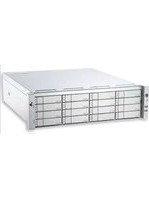
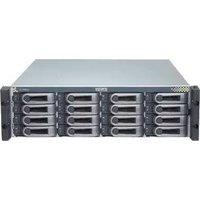
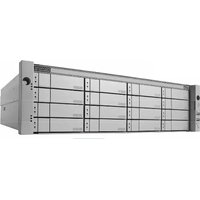

- Copyright
- Important data protection information
- Notice
- Recommendations
- Contents
- Chapter 1: Introduction .....1
- Chapter 2: Installation .....15
- Chapter 3: Setup ....41
- Chapter 4: Management with WebPAM PROe .....69
- Chapter 4: Management with WebPAM PROe, cont.
- Chapter 5: Management with the CLU .....205
- Chapter 6: Maintenance ....315
- Chapter 7: Technology Background .....331
- Chapter 8: Troubleshooting .....375
- Chapter 9: Support ....429
- Appendix A: Useful Information .....445
- Appendix B: Multipathing on Windows .....449
- Appendix C: Multipathing on Linux ....471
- Appendix D: VTrak Monitor .....491
- Index. 501
- Chapter 1: Introduction
- About This Manual
- Warning
- Caution
- Important
- Note
- VTrak Overview
- Performance
- GreenRAID
- Service and Support
- Architectural Description
- Features
- Controller Module Features
- Drive Support
- External I/O Ports per Controller
- Data Cache
- Operational Features
- RAID Level Support
- RAID Stripe Size Support
- Hot Spare Drives
- Maximum LUNs Supported
- Advanced Storage Features
- Background Activities
- PerfectRAID Features
- GreenRAID Features
- System Management
- Management Interfaces
- Supported Operating Systems
- Supported Browsers
- General Specifications
- Power Supplies
- Voltage
- Current (Maximum)
- Power Conversion Efficiency
- Operating Environment
- Temperature Range
- Humidity Range
- Noise, Shock, and Vibration
- Acoustic Noise Levels
- Shock
- Vibration
- Dimensions
- Weight
- Safety and Environmental
- EMI/RFI Statements
- FCC
- GOST-R
- Environmental Standards
- Warnings and Cautions
- Warranty and Support
- Warranty
- Support
- Chapter 2: Installation
- Unpacking the VTrak
- Cautions
- Mounting VTrak in a Rack
- Installing Physical Drives
- Number of Drives Required
- Drive Slot Numbering
- Installing Your Drives
- Making Management and Data Connections
- Fibre Channel SAN
- Data Path
- Management Path
- Fibre Channel DAS
- Fibre Channel with JBOD Expansion
- To add JBOD units:
- Fibre Channel SAN – No Single Point of Failure
- JBOD Expansion
- iSCSI Storage Area Network (SAN)
- iSCSI Direct Attached Storage (DAS)
- iSCSI with JBOD Expansion
- Making Serial Cable Connections
- Optional UPS Serial Connection
- Chapter 3: Setup
- Connecting the Power
- Drive Status Indicators
- Setting-up the Serial Connection
- About IP Addresses
- VTrak Default IP Addresses
- Choosing DHCP or a Static IP Address
- Accessing the MAC Address in the CLI
- Accessing the MAC Address in the CLU
- Setting-up VTrak with the CLI
- Making Subsystem Date and Time Settings
- Virtual Management Port Settings
- Making Virtual Management Port Settings – Automatically
- Making Virtual Management Port Settings – Manually under IPv4
- Making Virtual Management Port Settings – Manually under IPv6
- Maintenance Mode Settings
- Making Maintenance Mode Settings – Automatically
- Making Maintenance Mode Settings – Manually under IPv4
- Making Maintenance Mode Settings – Manually under IPv6
- Setting-up VTrak with the CLU
- Accessing the CLU Quick Setup Menu
- Viewing Virtual Management Port Settings
- Exiting the CLU
- Logging into WebPAM PROe
- Creating Disk Arrays and Logical Drives
- Optimal Configurations
- Automatic
- Express
- Advanced
- Step 1 – Disk Array Creation
- Step 2 – Logical Drive Creation
- Step 3 – Spare Drive Creation
- Step 4 – Summary
- Enabling LUN Mapping and Masking
- Logging out of WebPAM PROe
- Using WebPAM PROe over the Internet
- Chapter 4: Management with WebPAM PROe
- Choosing the Display Language
- Perusing the Interface
- • H e a d e r
- • Top right corner of the window
- - Discovery tab
- - Dashboard tab
- - Device tab
- - Storage tab
- - Administration tab
- Viewing the Storage Network
- Logging onto a Subsystem
- Filtering the Subsystem List
- Refreshing the List
- Managing Subsystems
- Viewing Subsystem Information
- Making Subsystem Settings
- Locking or Unlocking the Subsystem
- Setting the Lock
- Resetting the Lock
- Releasing the Lock
- Releasing a Lock set by another user
- Restoring Factory Default Settings
- Firmware Factory Default Settings Software Factory Default Settings
- Clearing Statistics
- Saving a Service Report
- Importing a Configuration Script
- Exporting a Configuration Script
- Restarting the Subsystem
- Shutting Down the Subsystem
- Restarting the Subsystem after a Shutdown
- Managing RAID Controllers
- Viewing Controller Information
- Making Controller Settings
- Notes
- Viewing Controller Statistics
- Locating a Controller
- Viewing the Flash Image Information
- Updating Firmware on a RAID Subsystem
- Viewing Battery Information
- Reconditioning a Battery
- Making Schedule Changes
- Making Buzzer Settings
- Silencing the Buzzer
- Managing Enclosures
- Viewing Enclosure Topology
- Viewing the Enclosures Summary
- Locating an Enclosure
- Viewing Enclosure Information
- Making Enclosure Settings
- Viewing FRU VPD Information
- Viewing Power Supply Status
- Viewing Fan Status
- Viewing Temperature Sensor Status
- Viewing Voltage Sensor Status
- Managing UPS Units
- Viewing a List of UPS Units
- Making UPS Settings
- Viewing UPS Information
- Managing Network Connections
- Making Virtual Management Port Settings
- Making Maintenance Mode Settings
- Managing Users
- Viewing User Information
- Creating a User
- Setting User Event Subscriptions
- Making User Settings
- Changing User Passwords
- Deleting a User
- Importing a User Database
- Exporting a User Database
- Managing LDAP
- Viewing LDAP Information
- Making LDAP Settings
- Click the Save button.
- Testing LDAP Settings
- Viewing a List of Role Maps
- Adding a Role Map
- Making Role Map Settings
- Deleting a Role Map
- Managing Background Activities
- Viewing Current Background Activities
- Viewing Scheduled Background Activities
- Adding a Scheduled Background Activity
- Changing a Background Activity Schedule
- Enabling or Disabling a Scheduled Background Activity
- Deleting a Scheduled Background Activity
- Media Patrol
- Making Media Patrol Settings
- Redundancy Check
- Making Redundancy Check Settings
- Initialization
- Making Initialization Settings
- Rebuild
- Making Rebuild Settings
- Migration
- Making Migration Settings
- PDM
- Making PDM Settings
- Transition
- Making Transition Settings
- Synchronization
- Making Synchronization Settings
- Battery Reconditioning
- Spare Check
- Managing Storage Services
- Viewing a List of Services
- Email Service
- Stopping Email Service
- Restarting Email Service
- Making Email Settings
- SLP Service
- Stopping SLP Service
- Restarting SLP Service
- Making SLP Settings
- Webserver Service
- Stopping Webserver Service
- Restarting Webserver Service
- Making Webserver Settings
- Telnet Service
- Stopping Telnet Service
- Restarting Telnet Service
- Making Telnet Settings
- SSH Service
- Stopping SSH Service
- Restarting SSH Service
- Making SSH Settings
- SNMP Service
- Stopping SNMP Service
- Restarting SNMP Service
- Making SNMP Settings
- Adding an SNMP Trap Sink
- Deleting an SNMP Trap Sink
- CIM Service
- Stopping CIM Service
- Restarting CIM Service
- Making CIM Settings
- Netsend Service
- Starting Netsend Service
- Stopping Netsend
- Restarting Netsend Service
- Making Netsend Settings
- Adding Netsend Server Accounts
- Deleting Netsend Server Accounts
- Working with the Event Viewer
- Viewing Runtime Events
- Saving Runtime Events
- Clearing Runtime Events
- Viewing NVRAM Events
- Saving NVRAM Events
- Clearing NVRAM Events
- Monitoring Performance
- Monitoring I/O Performance
- Monitoring PSU Wattage
- Managing Physical Drives
- Viewing a List of Physical Drives
- Viewing Physical Drive Information
- Click the Physical Drive icon.
- Click the physical drive you want, then click the View button.
- Making Global Physical Drive Settings
- Making Individual Physical Drive Settings
- Viewing Physical Drive Statistics
- Viewing Physical Drive SMART Log Information
- Saving the Physical Drive SMART Log
- Locating a Physical Drive
- Forcing a Physical Drive Offline
- Clearing a Stale or a PFA Condition
- Updating Firmware on a Physical Drive
- Managing Disk Arrays
- Viewing a List of Disk Arrays
- Viewing Disk Array Information
- Disk Array Operational Status
- Creating a Disk Array Manually
- Creating a Disk Array with the Wizard
- Wizard: Optimal Configurations
- Wizard: Automatic Configuration
- Wizard: Express Configuration
- Wizard: Advanced Configuration
- Task 1 – Disk Array Creation
- Task 2 – Logical Drive Creation
- Task 3 – Spare Drive Creation
- Task 4 – Summary
- Deleting a Disk Array
- Making Disk Array Settings
- Locating a Disk Array
- Running Media Patrol on a Disk Array
- Running Media Patrol
- Stopping, Pausing or Resuming Media Patrol
- Running PDM on a Disk Array
- Running PDM
- Stopping, Pausing or Resuming PDM
- Preparing a Disk Array for Transport
- Rebuilding a Disk Array
- Performing a Manual Rebuild
- Stopping, Pausing or Resuming a Rebuild
- Managing Logical Drives
- Viewing a List of Logical Drives
- Viewing Logical Drive Information
- Viewing Logical Drive Statistics
- Viewing Logical Drive Check Tables
- Creating a Logical Drive Manually
- Deleting a Logical Drive
- Making Logical Drive Settings
- Locating a Logical Drive
- Initializing a Logical Drive
- Stopping, Pausing or Resuming an Initialization
- Redundancy Check on a Logical Drive
- Stopping, Pausing or Resuming a Redundancy Check
- Migrating a Logical Drive's RAID Level
- Migrating a Logical Drive
- Creating a LUN Clone
- Managing Spare Drives
- Viewing a List of Spare Drives
- Viewing Spare Drive Information
- Creating a Spare Drive Manually
- Deleting a Spare Drive
- Making Spare Drive Settings
- Locating a Spare Drive
- Running Spare Check
- Running a Transition on a Spare Drive
- Running a Transition
- Stopping, Pausing or Resuming a Transition
- Managing Initiators
- Viewing a List of Initiators
- Adding an FC Initiator
- Method 1: Inputting the Initiator Name
- Method 2: Adding from a List
- Deleting an FC Initiator
- Adding an iSCSI Initiator
- Managing LUNs
- Viewing a List of LUN Maps
- LUN Mapping and Masking
- Adding a LUN Map
- Editing a LUN Map
- Deleting a LUN Map
- Changing the Active LUN Map Type
- Enabling and Disabling LUN Masking
- Managing Fibre Channel Connections
- Viewing FC Node Information
- Viewing FC Port Information
- Making FC Port Settings
- Port Setting Information
- Viewing FC Port Statistics
- Viewing a List of FC Initiators on the Fabric
- Viewing a List of FC Logged-in Devices
- Viewing a List of FC SFPs
- Managing iSCSI Connections
- Making Global iSCSI Settings
- Viewing a List of iSCSI Targets
- Viewing iSCSI Target Information
- Adding iSCSI Targets
- Making iSCSI Target Settings
- Deleting an iSCSI Target
- Assigning a Portal to an iSCSI Target
- Un-assigning a Portal from an iSCSI Target
- Viewing a List of iSCSI Portals
- Click the Portal tab.
- Viewing iSCSI Portal Information
- Adding iSCSI Portals
- Making iSCSI Portal Settings
- Deleting iSCSI Portals
- Viewing a List of iSCSI Ports
- Viewing iSCSI Port Information
- Making iSCSI Port Settings
- Viewing a List of iSCSI Trunks
- Adding iSCSI Trunks
- Making iSCSI Trunk Settings
- Deleting iSCSI Trunks
- Viewing a List of iSCSI Sessions
- Viewing iSCSI Session Information
- Making iSCSI Session Settings
- Deleting an iSCSI Session
- Viewing iSCSI iSNS Information
- Making iSCSI iSNS Settings
- Viewing a List of iSCSI CHAPs
- Adding iSCSI CHAPs
- Making iSCSI CHAP Settings
- Deleting iSCSI CHAPs
- Pinging a Host or Server on the iSCSI Network
- Chapter 5: Management with the CLU
- Initial Connection
- Making a Serial Connection
- Making a Telnet Connection
- Making a SSH Connection
- Windows
- Linux
- Logging Into the CLI
- Accessing Online Help
- Logging Out of the CLI
- Logging Back Into the CLI and CLU
- Managing the Subsystem
- Setting Subsystem Date and Time
- Making NTP Settings
- Synchronizing with a NTP Server
- Managing the RAID Controllers
- Clearing an Orphan Watermark
- Locating the Controller
- Managing the Enclosure
- Adjustable items
- Locating a Power Supply
- Viewing Cooling Unit Status
- Battery Notes
- For SAS drives:
- Press Control-A to save your settings.
- Setting an Alias
- Clearing Stale and PFA Conditions
- Creating a Disk Array
- Creating a Disk Array – Automatic
- Creating a Disk Array – Express
- Creating a Disk Array – Advanced
- Step 3 – Summary
- Accepting an Incomplete Array
- Enabling Media Patrol, PDM, and Power Management on a Disk Array
- Preparing the Disk Array for Transport
- Running Transition on a Disk Array
- Creating a Spare Drive
- Creating a Logical Drive
- Viewing the Logical Drive Check Table
- Running Redundancy Check
- Managing the Network Connection
- Making Automatic Settings
- Making Manual Settings
- Viewing Node Information
- Viewing Fibre Channel Port Information
- Viewing Fibre Channel Logged-in Devices
- Making Fibre Channel Port Settings
- Viewing Fibre Channel Port Statistics
- Viewing SFP Information
- Property Definitions
- Viewing Fibre Channel Initiators
- Deleting iSCSI Targets
- Managing Background Activity
- Making Background Activity Settings
- Working with LUN Mapping
- Enabling LUN Mapping
- Viewing a List Ports
- Viewing a List Targets
- Adding an Initiator
- Deleting an Initiator
- Mapping a LUN to an FC Initiator or Port
- Mapping a LUN to an iSCSI Initiator or Target
- Changing the Active LUN Mapping Type
- To make UPS settings:
- Changing Another User's Settings
- Changing Your Own User Settings
- Changing Another User's Password
- Changing Your Own Password
- Working with Software Management
- Making Web Server Settings
- Managing SNMP Trap Sinks
- Viewing a List of Trap Sinks
- Adding a Trap Sink
- Deleting a Trap Sink
- Managing Netsend Recipients
- Netsend Requirements
- Adding Netsend recipients
- Deleting Netsend Recipients
- Flashing through TFTP
- Viewing Flash Image Information
- Restoring Factory Defaults
- Shutting down the VTrak – Telnet Connection
- Shutting down the VTrak – SSH Connection
- Shutting down the VTrak – Serial Connection
- Starting Up After Shutdown
- Starting up the VTrak – Telnet Connection
- Starting up the VTrak – SSH Connection
- Starting up the VTrak – Serial Connection
- Restarting VTrak – Telnet Connection
- Restarting VTrak – SSH Connection
- Restarting VTrak – Serial Connection
- Buzzer
- Chapter 6: Maintenance
- Updating the Subsystem Firmware
- Updating with WebPAM PROe
- Automatic Restart
- Updating with the CLU
- Updating with USB Support
- Failed Update
- Updating Physical Drive Firmware
- WebPAM PROe
- Restarting a Subsystem
- Replacing a Power Supply
- Removing the Old Power Supply
- Installing a New Power Supply
- Replacing a Cache Backup Battery
- Removing the Old Battery
- Installing a New Battery
- Replacing a RAID Controller – Dual Controllers
- Removing the Old Controller
- Installing the New Controller
- Replacing a RAID Controller – Single Controller
- Log into the VTrak.
- Resetting the Default Password
- Chapter 7: Technology Background
- Disk Arrays
- Power Management
- Logical Drives
- RAID Levels
- RAID 0 – Stripe
- RAID 1 – Mirror
- RAID 1E – Enhanced Mirror
- RAID 5 – Block and Parity Stripe
- RAID 6 – Block and Double Parity Stripe
- RAID 10 - Mirror + Stripe
- RAID 50 – Striping of Distributed Parity
- RAID 50 Axles
- RAID 60 – Striping of Double Parity
- RAID 60 Axles
- RAID Level Migration
- Migration Requirements
- Source and Target RAID Levels
- RAID 0
- RAID 1
- RAID 1E
- RAID 5
- RAID 6
- RAID 10
- RAID 50
- RAID 60
- Stripe Size
- Sector Size
- Preferred Controller ID
- Partition and Format
- Spare Drives
- Definition
- Options
- Requirements
- Example
- Automatic Transition
- Manual Transition
- RAID Controllers
- LUN Affinity
- ALUA
- Cache Policy
- Read Cache Policy
- Write Cache Policy
- Forced Read-Ahead Cache
- Adaptive Writeback Cache
- Host Cache Flushing
- Power Saving
- Capacity Coercion
- iSCSI Management
- Basic iSCSI
- iSCSI on a VLAN
- Initiator
- Software
- Hardware
- Target
- Digests
- CHAPs
- Portal
- Port
- Trunk
- Session
- iSNS
- CHAP
- Ping
- Internet Protocols
- Chapter 8: Troubleshooting
- VTrak is Beeping
- LEDs Display Amber or Red
- Front Panel LEDs
- Drive Carrier LEDs
- Back Panel LEDs
- Checking Component Installation
- CLU Reports a Problem
- Checking a Reported Component
- From this screen:
- WebPAM PROe Reports a Problem
- Header
- Dashboard Tab
- - Event Information
- Device Tab
- Storage Tab
- - Disk Arrays
- - Logical Drives
- Administration Tab
- USB Support Reports a Problem
- Enclosure Problems
- Diagnosing an Enclosure Problem
- Overheating
- Fan Failure
- Inadequate Air Circulation
- Batteries
- RAID Controller Problems
- Maintenance Mode
- Finding and Correcting the Cause of the Problem
- External Checks
- Internal Checks
- Taking a RAID Controller out of Maintenance Mode
- Serial Connection
- Telnet Connection
- telnet 192.168.1.56 2300
- Unsaved Data in the Controller Cache
- Physical Drive Problems
- Disk Array and Logical Drive Problems
- Disk Array Degraded/Logical Drive Critical
- Disk Array Offline/Logical Drive Offline
- Repairing an Offline Disk Array or Logical Drive
- RAID 1, 1E, 5, 6, 10, 50, and 60 Logical Drives
- RAID 0 Logical Drives
- Incomplete Array
- Transport
- Connection Problems
- Serial Connections
- Network Connections
- Fibre Channel Connections
- SAS Connections
- Blocked Cable Connectors
- Faulty Cable
- Faulty Controller or I/O Module Connector
- Browser Does Not Connect to WebPAM PROe
- Power Cycling the Subsystem
- Event Notification Response
- Chapter 9: Support
- Frequently Asked Questions
- Physical Drives
- Why are all the disk drives in my JBOD marked Dead?
- With some RAID subsystems, I used a server's IP address to log in. Why is VTrak E-Class different?
- What happens if a fan fails?
- What happens if a logical drive goes critical?
- VTrak's Netsend service does not report all events to Windows PCs.
- Startup
- How can I tell when the VTrak has fully booted?
- Logging In
- The login screen says "Login failed: the requested service is busy."
- Connection
- Timeouts
- Email Messages
- User Management
- Can I change my access rights?
- Lock
- Creating a Disk Array or Logical Drive
- Disk Array Degraded
- Deleting a Disk Array or Logical Drive
- Migrating a Disk Array
- Media Patrol and PDM
- Contacting Technical Support
- United States
- Australia
- EMEA
- Netherlands
- Austria
- France
- Germany
- Sweden
- Switzerland ITF
- Norway ITF
- Belguim
- Luxembourg
- United Kingdom
- Taiwan
- China
- Korea
- Hong Kong
- Singapore
- Japan
- Limited Warranty
- Disclaimer of other warranties
- Your Responsibilities
- Returning the Product For Repair
- Appendix A: Useful Information
- SNMP MIB Files
- Adding a Second RAID Controller
- Installing a Second RAID Controller
- RAID Controller in Maintenance Mode
- New Settings for Dual Controllers
- Dual Controllers and SATA Drives
- Appendix B: Multipathing on Windows
- Before You Begin
- Installing PerfectPath
- Verifying Installation
- Start Menu
- Services List
- Device Manager
- Running Perfect Path View
- Starting PerfectPath View
- Quitting PerfectPath View
- Monitoring Your LUNs and Paths
- Viewing LUN Properties
- Viewing Path Properties
- Viewing LUN Performance Statistics
- Viewing Path Performance Statistics
- Viewing Events
- Clearing Path Statistics
- Features and Settings
- Automatic Load Balancing for Failover Policy
- Enabling Automatic Load Balancing
- See also:
- Load Balance Policy
- Changing Load Balance Policy Settings
- Click the Next button.
- Click the Next button.
- Click the Finish button to apply your settings.
- Path Verification
- Changing Path Verification Settings
- PDO Removal
- Changing PDO Removal Settings
- Performance Tab Refresh Rate
- Changing Refresh Rate Settings
- Round Robin Count
- Changing the Round Robin Count
- Click the Apply button.
- Refreshing the Objects
- Viewing System Information
- Saving System Information
- Troubleshooting
- Updating PerfectPath
- Repairing PerfectPath
- Removing PerfectPath
- Preferred Method
- Alternate Method 1
- Alternate Method 2
- Appendix C: Multipathing on Linux
- Check Initial Setup
- Task 1: Meeting Package Requirements
- Installing Packages
- Verifying Packages – RedHat
- Verifying Packages – SuSE
- Task 2: Preparing the Configuration File
- RedHat Systems
- SuSE Systems
- Editing a Configuration File
- Task 3: Making Initial Host Settings
- Setting the Daemon to Run
- RHEL 5.3, 5.4, 5.5
- SLES 10 SP2, 10 SP3, 11, 11 SP1
- Verifying the Modules are Loaded
- Verifying the Daemon is Running
- Task 4: Create and Configure Devices
- Task 5: Setting-up ALUA
- RedHat Linux RHEL 5.4
- Default Kernel
- Kernel with XEN or PAE support
- RedHat Linux RHEL 5.5
- SuSE Linux SLES 10 SP3
- > uname -a
- SuSE Linux SLES 11
- SuSE Linux SLES 11 SP1
- Not updated with Novell SP1 patches
- Updated with Novell SP1 patches
- Fibre Channel HBA to VTrak
- RPM Packages and Documents for Linux MPIO
- Sample multipath.conf File
- Appendix D: VTrak Monitor
- Downloading and Installing VTrak Monitor
- Using VTrak Monitor
- Launching VTrak Monitor
- Adding a VTrak Subsystem
- On any Network
- With Bonjour Discovery
- Viewing a VTrak Subsystem
- Deleting a VTrak Subsystem
- One at a Time
- All Subsystems at Once
- Changing VTrak Monitor Settings
- Choosing a Wi-Fi Network
- Monitoring Subsystems
- Top-Level Monitoring
- Component-Level Monitoring
- Additional Actions
- Diagnosing a Subsystem
- Viewing Information
- Devices
- Events
- Managing the VTrak with WebPAM PROe
- Index
- A
- B
- C
- CLU
- D
- E
- F
- G
- H
- |
- J
- L
- M
- N
- 0
- P
- Q
- R
- S
- T
- U
- V
- W
- Z
Brand : Promise Technology
Model : E830FD
Category : Server