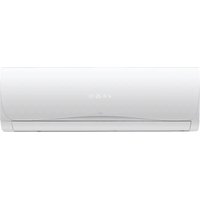
SC-7500AU6A - Air conditioner Seiki - Free user manual and instructions
Find the device manual for free SC-7500AU6A Seiki in PDF.


Pick your language and provide your email: we'll send you a specifically translated version.
| Product Type | Portable Air Conditioner |
| Model | SC-7500AU6A |
| Cooling Capacity | 7500 BTU/h |
| Dimensions (W x D x H) | 17.5 x 13.5 x 28.5 inches |
| Weight | 55 lbs |
| Power Supply | 115V, 60Hz |
| Power Consumption (Cooling) | 950W |
| Airflow (High) | 250 CFM |
| Noise Level (Low/High) | 50/55 dB |
| Refrigerant | R-410A |
| Modes | Cool, Fan, Dehumidify |
| Fan Speeds | 2 (Low/High) |
| Timer | 24-hour programmable |
| Remote Control | Yes (included) |
| Air Filter | Washable mesh filter |
| Filter Cleaning | Every 2 weeks |
| Auto Restart | After power failure |
| Child Lock | Yes |
| Self-Evaporation | Yes (partial) |
| Exhaust Hose Length | 5 ft |
| Window Kit Included | Yes (adjustable) |
| Color | White |
| Warranty | 1 year limited |
Frequently Asked Questions - SC-7500AU6A Seiki
How do I clean the air filter?
Turn off and unplug the unit. Remove the filter grille, take out the washable mesh filter, and rinse under warm water. Allow to dry completely before reinstalling. Clean every 2 weeks for optimal performance.
Why is my air conditioner not cooling?
Check if the filter is dirty, the exhaust hose is properly installed, and the set temperature is lower than room temperature. Ensure the room is not too large for the 7500 BTU capacity. If problem persists, inspect for refrigerant leaks.
Do I need to drain the water?
The SC-7500AU6A has partial self-evaporation, meaning most moisture is exhausted with hot air. However, in high humidity, you may need to manually drain the internal tank using the drain plug on the back.
How do I set the timer?
Press the Timer button on the remote or control panel. Use + or - to set hours. The unit will turn on/off after the set duration. The timer can be programmed up to 24 hours in advance.
Can I use an extension cord?
It is not recommended. Use a dedicated grounded outlet. If necessary, use a heavy-duty cord rated for at least 15 amps. Ensure cord length does not exceed 6 ft to avoid voltage drop.
What does the dehumidify mode do?
In dehumidify mode, the fan runs at low speed and the compressor cycles to remove moisture from the air without significant cooling. Useful for damp conditions.
How do I install the window kit?
Extend the adjustable window kit to fit your window width (min. 20 in.). Insert the foam seal, close the window onto the kit, and attach the exhaust hose to the unit and kit. Refer to the manual for detailed steps.
What is the energy efficiency?
The unit has an EER (Energy Efficiency Ratio) of approximately 10.0. It is not ENERGY STAR certified but offers decent efficiency for a portable AC.
How do I enable child lock?
Press and hold the Child Lock button (or mode+fan) for 3 seconds until the lock icon appears. Repeat to disable. All buttons will be locked except power.
Where can I find replacement parts?
Contact Seiki customer service or visit authorized service centers. Common parts like filters, remote, and exhaust hose are available online. Use model number SC-7500AU6A.
User questions about SC-7500AU6A Seiki
0 question about this device. Answer the ones you know or ask your own.
Ask a new question about this device
No questions yet. Be the first to ask one.
Download the instructions for your Air conditioner in PDF format for free! Find your manual SC-7500AU6A - Seiki and take your electronic device back in hand. On this page are published all the documents necessary for the use of your device. SC-7500AU6A by Seiki.
USER MANUAL SC-7500AU6A Seiki

Manual assistant
Powered by Anthropic
Waiting for your message
Product information
Brand : Seiki
Model : SC-7500AU6A
Category : Air conditioner