TMX65 - Cooler Evakool - Free user manual and instructions
Find the device manual for free TMX65 Evakool in PDF.


Pick your language and provide your email: we'll send you a specifically translated version.
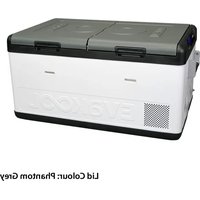
| Product Type | Portable Compressor Cooler/Fridge |
| Brand | Evakool |
| Model | TMX65 |
| Capacity | 65 liters |
| Dimensions (H x W x D) | Approx. 72 x 42 x 50 cm |
| Weight | Approx. 22 kg (empty) |
| Power Supply | 12/24V DC (cigarette lighter) and 100-240V AC via adapter |
| Power Consumption | Approx. 45-60W (cooling), 35W (standby) |
| Temperature Range | -18°C to +10°C (adjustable thermostat) |
| Cooling Type | Compressor (Danfoss or equivalent) |
| Insulation | High-density polyurethane foam |
| Control Panel | Digital display with touch buttons |
| Battery Protection | Low voltage cutoff (adjustable levels: Low, Med, High) |
| Certification | CE, RoHS, E-mark (vehicle use) |
| Maintenance | Clean exterior with damp cloth; check ventilation grills regularly |
| Cleaning | Use mild soap and water; avoid abrasive cleaners |
| Safety Features | Thermal fuse, overcurrent protection, reverse polarity protection |
| Spare Parts | Replaceable fuse, DC cable, AC adapter available |
| Repairability | Compressor serviceable by authorized technician; user-replaceable fuse and power cable |
| Warranty | 3 years (limited) on compressor, 1 year on electronics |
Frequently Asked Questions - TMX65 Evakool
How do I set the temperature on the Evakool TMX65?
Press the SET button on the control panel to enter temperature adjustment mode. Use the +/- buttons to set the desired temperature between -18°C and +10°C. Wait a few seconds for the setting to save.
Can I use the cooler while driving?
Yes, the TMX65 is designed for mobile use. Connect it to the 12/24V DC outlet in your vehicle. Ensure the battery protection setting is appropriate for your vehicle's battery to prevent drainage.
Why is the cooler not cooling enough?
Check if the compressor is running. Ensure the ventilation grills are not blocked. Verify that the temperature setting is not too high. If the ambient temperature is very high, cooling efficiency may decrease. Also, check if the lid is properly closed.
How do I clean the Evakool TMX65?
Unplug the unit. Wipe the interior and exterior with a soft cloth dampened with mild soap and water. Do not immerse the cooler in water or use abrasive cleaners. Ensure it is dry before storing.
What is the battery protection feature?
The TMX65 has three battery protection settings: Low, Med, and High. These set the voltage threshold at which the cooler will shut off to prevent draining your vehicle's battery. Use Low for high-capacity batteries, High for small batteries.
How long does it take to cool down to -18°C?
It typically takes 30-60 minutes to reach -18°C from room temperature, depending on the ambient temperature and how much pre-cooled items are inside. Pre-cooling items can speed up the process.
Can I use the cooler on 240V AC?
Yes, the TMX65 comes with an AC adapter that converts 100-240V AC to the required DC voltage. Plug the adapter into the cooler's DC input and then into a wall outlet.
What should I do if the cooler does not start?
First, check the power connection and fuse. Ensure the DC cable is securely connected and the vehicle's engine is running (if using battery). Check the fuse in the cigarette lighter plug; if blown, replace with a same-rated fuse. Also, verify the battery protection setting is not too high.
Is the Evakool TMX65 suitable for freezing foods?
Yes, the TMX65 can function as a freezer with a temperature range down to -18°C. It is suitable for freezing food and keeping ice cream solid. Ensure proper packaging to avoid freezer burn.
How do I replace the fuse?
The fuse is located inside the DC cigarette lighter plug. Unscrew the tip of the plug, remove the old fuse, and insert a new one of the same rating (usually 10A). Reassemble the plug. If the fuse blows repeatedly, consult an authorized service center.
User questions about TMX65 Evakool
0 question about this device. Answer the ones you know or ask your own.
Ask a new question about this device
No questions yet. Be the first to ask one.
Download the instructions for your Cooler in PDF format for free! Find your manual TMX65 - Evakool and take your electronic device back in hand. On this page are published all the documents necessary for the use of your device. TMX65 by Evakool.
USER MANUAL TMX65 Evakool


Manual assistant
Powered by Anthropic
Waiting for your message
Product information
Brand : Evakool
Model : TMX65
Category : Cooler