PKBRD4112 - Karaoke system Pyle - Free user manual and instructions
Find the device manual for free PKBRD4112 Pyle in PDF.


Pick your language and provide your email: we'll send you a specifically translated version.
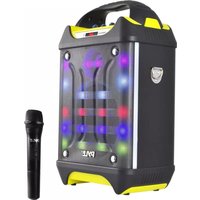
| Product Type | Portable Karaoke System |
| Model | PKBRD4112 |
| Brand | Pyle |
| Dimensions (W x D x H) | 13.0 x 9.0 x 7.5 inches |
| Weight | 4.5 lbs (approx) |
| Power Supply | AC 110-240V, 50/60Hz; Built-in rechargeable battery |
| Bluetooth Version | 5.0 |
| Wireless Range | 30 feet |
| Microphone | Wired (included); 1/4" jack |
| Speaker Size | 6.5 inches |
| RMS Power Output | 10W |
| Audio Inputs | USB, SD Card, AUX (3.5mm), FM Radio |
| Audio Outputs | Headphone jack (3.5mm) |
| Controls | Volume, Echo, Treble, Bass, Mode, Playback controls |
| Display | LED screen (with FM frequency, track info, etc.) |
| Lighting Effects | Multi-color LED party lights |
| Material | ABS plastic with metal grille |
| Cleaning | Wipe with a soft, dry cloth; avoid liquids |
| Safety | Do not expose to rain or moisture; use only supplied adapter |
| Repairability | Contact Pyle support for spare parts; not user-serviceable |
Frequently Asked Questions - PKBRD4112 Pyle
How do I connect my phone via Bluetooth?
Turn on the karaoke system and press the 'Mode' button until 'Bluetooth' appears on the display. Then enable Bluetooth on your phone and select 'PKBRD4112' from the list to pair.
Can I charge the battery while using the system?
Yes, you can connect the AC adapter to charge the internal battery while the system is in use. The LED indicator will show charging status.
How do I adjust the echo effect for my voice?
Use the 'Echo' control knob on the top panel to increase or decrease the echo level. Rotate clockwise for more echo, counterclockwise for less.
What audio formats are supported via USB/SD?
The system supports MP3 and WMA audio files. Ensure your USB drive is formatted as FAT32 for best compatibility.
How do I use the FM radio function?
Press the 'Mode' button repeatedly until 'FM' is displayed. Then press and hold the 'Play/Pause' button to auto-scan and store available stations. Use the 'Next' and 'Previous' buttons to cycle through saved stations.
The microphone isn't producing sound. What should I check?
First, ensure the microphone is securely plugged into the MIC input jack. Then check that the microphone volume is turned up using the dedicated control. Also confirm that the system is not muted.
How long does the battery last on a full charge?
The built-in rechargeable battery provides approximately 3-5 hours of playback time at moderate volume, depending on usage and light effects.
Can I connect an external speaker?
No, the PKBRD4112 does not have a line output for external speakers. It is designed as an all-in-one system with built-in speakers.
The system keeps turning off. What could be wrong?
This may indicate a low battery. Recharge the system using the included AC adapter. If the issue persists, try resetting the unit by turning it off and on again after a few minutes.
How do I clean the karaoke system?
Unplug the system and use a soft, dry cloth to wipe the exterior. For stubborn dirt, slightly dampen the cloth with water (not wet). Avoid using any harsh chemicals or abrasive cleaners.
User questions about PKBRD4112 Pyle
0 question about this device. Answer the ones you know or ask your own.
Ask a new question about this device
No questions yet. Be the first to ask one.
Download the instructions for your Karaoke system in PDF format for free! Find your manual PKBRD4112 - Pyle and take your electronic device back in hand. On this page are published all the documents necessary for the use of your device. PKBRD4112 by Pyle.
USER MANUAL PKBRD4112 Pyle



Manual assistant
Powered by Anthropic
Waiting for your message
Product information
Brand : Pyle
Model : PKBRD4112
Category : Karaoke system