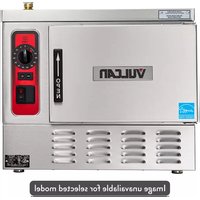
C24ET6-PS - Steam cleaner Vulcan - Free user manual and instructions
Find the device manual for free C24ET6-PS Vulcan in PDF.


Pick your language and provide your email: we'll send you a specifically translated version.
| Product Type | Steam Cleaner |
| Brand | Vulcan |
| Model | C24ET6-PS |
| Power Supply | 220-240 V, 50/60 Hz |
| Wattage | 1500 W |
| Water Tank Capacity | 1.5 L |
| Heating Time | Approximately 3 minutes |
| Steam Pressure | 3.5 bar |
| Steam Flow Rate | 30 g/min |
| Weight | 4.5 kg |
| Dimensions (L x W x H) | 30 x 25 x 25 cm |
| Cord Length | 5 m |
| Safety Features | Auto shut-off, pressure relief valve |
| Included Accessories | Floor mop, brush nozzle, extension tube, measuring cup |
| Material | Plastic body, aluminum boiler |
| Color | White/Blue |
| Maintenance | Descale every 3 months with vinegar solution |
| Spare Parts Availability | Through Vulcan authorized service centers |
| Warranty | 2 years limited warranty |
| Certifications | CE, RoHS |
Frequently Asked Questions - C24ET6-PS Vulcan
How long does it take for the steam cleaner to heat up?
The Vulcan C24ET6-PS typically heats up in about 3 minutes. The indicator light will show when it is ready.
Can I use tap water in the steam cleaner?
Yes, you can use regular tap water. However, if you have hard water, it is recommended to use distilled or demineralized water to reduce scale buildup.
How do I descale the steam cleaner?
To descale, fill the tank with a mixture of 1 part white vinegar to 3 parts water, heat the steam cleaner, let it sit for 30 minutes, then flush with clean water. Repeat every 3 months.
What accessories are included with the steam cleaner?
The package includes a floor mop, brush nozzle, extension tube, and a measuring cup. Additional accessories can be purchased separately.
Is the steam cleaner safe to use on all surfaces?
The steam cleaner is safe for sealed hardwood floors, tiles, laminate, and glass. Avoid using on unsealed wood or delicate fabrics. Always test on an inconspicuous area first.
How do I clean the steam cleaner after use?
After each use, empty any remaining water from the tank. Wipe the exterior with a damp cloth. Clean the nozzles and mop head with warm water and let dry.
What should I do if steam output is low?
Low steam output may be due to scale buildup or a clogged nozzle. Descale the unit and clean the nozzle with a pin. Ensure the water tank is filled properly.
Can I use cleaning chemicals in the steam cleaner?
No, do not add chemicals, detergents, or scented solutions to the water tank. This can damage the unit and void the warranty. Only use water.
How do I store the steam cleaner?
Store the steam cleaner in a cool, dry place with the water tank empty. Coil the cord loosely and keep the nozzles in a secure location to prevent damage.
What does the warranty cover?
The 2-year limited warranty covers manufacturing defects but not damage from misuse, scaling, or unauthorized repairs. Keep the purchase receipt for service claims.
User questions about C24ET6-PS Vulcan
0 question about this device. Answer the ones you know or ask your own.
Ask a new question about this device
No questions yet. Be the first to ask one.
Download the instructions for your Steam cleaner in PDF format for free! Find your manual C24ET6-PS - Vulcan and take your electronic device back in hand. On this page are published all the documents necessary for the use of your device. C24ET6-PS by Vulcan.
USER MANUAL C24ET6-PS Vulcan

Manual assistant
Powered by Anthropic
Waiting for your message
Product information
Brand : Vulcan
Model : C24ET6-PS
Category : Steam cleaner