TFS1000 - Heating Escea - Free user manual and instructions
Find the device manual for free TFS1000 Escea in PDF.


Pick your language and provide your email: we'll send you a specifically translated version.
| Product Type | Gas Fireplace Heater |
| Brand | Escea |
| Model | TFS1000 |
| Fuel Type | Natural Gas or LPG (conversion kit available) |
| Heat Output (Max) | 14.5 kW (49,500 BTU/h) |
| Efficiency | 85% Net (High Efficiency) |
| Dimensions (W x H x D) | 1000 mm x 580 mm x 380 mm |
| Weight | 45 kg |
| Power Supply | 240V AC, 50Hz (for fan and ignition) |
| Control Type | Remote Control with thermostat |
| Pilot Ignition | Electronic intermittent pilot |
| Flue Type | Concentric (coaxial) flue, 150mm outer diameter |
| Clearance to Combustibles | Minimum 50 mm sides, 100 mm top |
| Safety Features | Flame supervision, overheat protection, child lock |
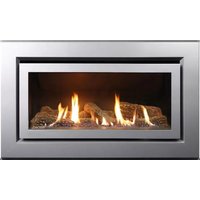
| Glass Panel | Tempered ceramic glass, front facing |
| Remote Control Battery | 2 x AAA (not included) |
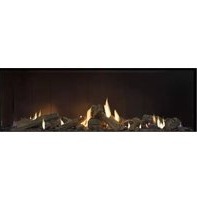
| Log Set | Ceramic fiber logs, naturally realistic |
| Maintenance | Annual cleaning of glass, logs, and burner |
| Spare Parts Availability | Authorized dealers and Escea service centers |
| Repairability Index | High (modular design, replaceable components) |
Frequently Asked Questions - TFS1000 Escea
What gas types are compatible with the Escea TFS1000?
The Escea TFS1000 is compatible with Natural Gas and LPG (propane). A conversion kit is available for switching between gases. Always consult a licensed gas fitter for conversion.
How do I install the TFS1000 fireplace?
Installation must be performed by a certified gas installer. The unit requires a concentric flue, proper clearance to combustibles, and a dedicated electrical connection. Refer to the manual for detailed step-by-step instructions.
Can I control the fireplace with a remote?
Yes, the TFS1000 includes a remote control with thermostat functionality. You can adjust flame height, turn the unit on/off, and set desired room temperature. The remote requires 2 AAA batteries (not included).
What should I do if the fireplace doesn’t ignite?
First, check that the gas supply is on and the remote batteries are fresh. Ensure the intermittent pilot is sparking. If the pilot lights but the burner doesn’t, the flame sensor may be dirty. Clean it gently with a soft cloth. If problems persist, contact a service technician.
How often should I clean the glass and logs?
Clean the glass panel with a soft cloth and a recommended glass cleaner whenever it appears dirty (avoid abrasive materials). The ceramic logs can be brushed lightly once a year to remove soot. Annual professional servicing is recommended.
What is the heat output of the TFS1000?
The maximum heat output is 14.5 kW (49,500 BTU/h) with an efficiency of 85%. This output is sufficient for large open-plan living areas up to 150 m², depending on insulation.
Can I install the TFS1000 in a bedroom?
Yes, but the unit must be sealed combustion (room-sealed) and comply with local codes. Ensure adequate ventilation or use a direct vent flue. Consult an installer for specific regulations.
How do I replace the remote control battery?
Slide open the battery compartment on the back of the remote. Replace with 2 x AAA alkaline batteries observing polarity. Dispose of old batteries properly.
Is the TFS1000 compatible with smart home systems?
The standard model uses a dedicated remote. However, an optional smart home module (sold separately) can be integrated with systems like Google Home or Alexa for voice control and scheduling.
Where can I find spare parts or service?
Contact an authorized Escea dealer or service center. Spare parts include glass panels, logs, burners, fans, and control boards. Use only genuine Escea parts for safety.
User questions about TFS1000 Escea
0 question about this device. Answer the ones you know or ask your own.
Ask a new question about this device
No questions yet. Be the first to ask one.
Download the instructions for your Heating in PDF format for free! Find your manual TFS1000 - Escea and take your electronic device back in hand. On this page are published all the documents necessary for the use of your device. TFS1000 by Escea.
USER MANUAL TFS1000 Escea
Manual assistant
Powered by Anthropic
Waiting for your message
Product information
Brand : Escea
Model : TFS1000
Category : Heating