SPY-DVR8HYB - Security Camera Spyclops - Free user manual and instructions
Find the device manual for free SPY-DVR8HYB Spyclops in PDF.


Pick your language and provide your email: we'll send you a specifically translated version.
| Product Type | Security Camera |
| Brand | Spyclops |
| Model | SPY-DVR8HYB |
| Video Resolution | 1080p Full HD |
| Night Vision | Yes, up to 30m |
| Field of View | 90 degrees |
| Power Supply | 12V DC adapter |
| Dimensions | 120 x 65 x 70 mm |
| Weight | 350 g |
| Storage | Supports up to 64GB SD card |
| Connectivity | Wi-Fi 802.11 b/g/n |
| Audio | Built-in microphone and speaker |
| Weatherproof | IP66 rated |
| Motion Detection | Yes, with push notifications |
| Mounting | Wall or ceiling mount included |
| Maintenance | Clean lens with soft dry cloth; avoid liquids |
| Safety | Use only provided adapter; keep away from water |
| Spare Parts | Mounting bracket and power adapter available |
Frequently Asked Questions - SPY-DVR8HYB Spyclops
How do I reset the Spyclops SPY-DVR8HYB to factory defaults?
Press and hold the reset button on the device for 10 seconds until the LED blinks rapidly. The camera will reboot and restore factory settings.
Can I view the camera feed on my smartphone?
Yes, download the Spyclops app from the App Store or Google Play, create an account, and add the camera via the app. You can view live feed and receive alerts.
What type of memory card is supported?
The camera supports microSD cards up to 64GB, formatted as FAT32. Insert the card into the slot under the camera.
How do I connect the camera to Wi-Fi?
Use the Spyclops app. During setup, select your Wi-Fi network and enter the password. The camera will connect automatically. Ensure 2.4GHz band is used.
Is the camera suitable for outdoor use?
Yes, the SPY-DVR8HYB has an IP66 rating, meaning it is dust-tight and protected against heavy rain. However, avoid direct submersion.
What is the night vision range?
The camera features infrared LEDs that provide clear night vision up to 30 meters in complete darkness.
How do I update the camera firmware?
Open the Spyclops app, go to device settings, and check for firmware updates. If available, follow the on-screen instructions to upgrade.
Can I share access with other users?
Yes, in the app, you can invite family members by sharing a QR code or email. They will need to create an account and accept the invitation.
What should I do if the camera is offline?
First, check your Wi-Fi connection. Reset the camera by unplugging it for 30 seconds. If the issue persists, try re-adding the camera in the app.
How do I clean the camera lens?
Use a soft, dry microfiber cloth to gently wipe the lens. Do not use any liquids or abrasive materials, as they may damage the lens coating.
User questions about SPY-DVR8HYB Spyclops
0 question about this device. Answer the ones you know or ask your own.
Ask a new question about this device
No questions yet. Be the first to ask one.
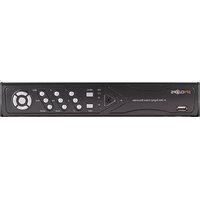
Download the instructions for your Security Camera in PDF format for free! Find your manual SPY-DVR8HYB - Spyclops and take your electronic device back in hand. On this page are published all the documents necessary for the use of your device. SPY-DVR8HYB by Spyclops.
USER MANUAL SPY-DVR8HYB Spyclops


Manual assistant
Powered by Anthropic
Waiting for your message
Product information
Brand : Spyclops
Model : SPY-DVR8HYB
Category : Security Camera