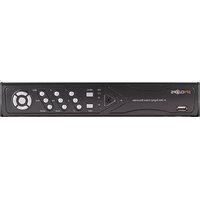
SPY-DVR4HYB - Security Camera Spyclops - Free user manual and instructions
Find the device manual for free SPY-DVR4HYB Spyclops in PDF.


Pick your language and provide your email: we'll send you a specifically translated version.
| Product Type | Security Camera |
| Brand | Spyclops |
| Model | SPY-DVR4HYB |
| Dimensions (approx.) | 120 mm x 80 mm x 60 mm |
| Weight (approx.) | 300 g |
| Power Supply | 12V DC adapter |
| Video Resolution | 1080p Full HD |
| Night Vision | Infrared LEDs, up to 30m range |
| Motion Detection | Yes, with adjustable sensitivity |
| Field of View | 90° (diagonal) |
| Storage | MicroSD card slot (up to 128GB) or NVR |
| Connectivity | Wired (BNC, RJ45), optional Wi-Fi via bridge |
| Weather Resistance | IP66 (outdoor rated) |
| Audio | Built-in microphone and speaker |
| Mounting | Wall or ceiling mount included |
| Operating Temperature | -20°C to 50°C |
| Maintenance | Clean lens with soft dry cloth; avoid liquids |
| Safety Features | Overvoltage protection, tamper alarm |
| Certifications | CE, FCC, RoHS |
| Included Accessories | Mounting kit, power adapter, manual |
Frequently Asked Questions - SPY-DVR4HYB Spyclops
How do I install the Spyclops SPY-DVR4HYB camera?
Mount the camera using the included bracket, connect the power adapter, and run the BNC or Ethernet cable to your DVR or NVR. For detailed steps, refer to the user manual.
Does this camera support night vision?
Yes, it has built-in infrared LEDs that provide black-and-white vision up to 30 meters in complete darkness.
Can I use a microSD card for storage?
Yes, the camera supports a microSD card up to 128GB for local recording. Ensure the card is formatted to FAT32 before use.
Is the camera weatherproof for outdoor use?
Yes, it has an IP66 rating, making it resistant to dust and water jets, suitable for outdoor installation.
How do I reset the camera to factory settings?
Locate the reset button on the camera, press and hold it for 10 seconds using a paperclip, then release. The camera will reboot with default settings.
Can I view the camera feed on my smartphone?
Yes, if connected to a compatible DVR or NVR with network access, you can view the feed via the manufacturer's app or a third-party viewer.
What is the field of view of this camera?
The camera has a 90° diagonal field of view, providing a wide area coverage. Ideal for monitoring entrances or corridors.
Does it have audio recording?
Yes, it includes a built-in microphone and speaker for two-way audio communication. Audio can be recorded if supported by the recorder.
How do I clean the camera lens?
Use a soft, dry microfiber cloth to gently wipe the lens. Avoid using chemical cleaners or abrasive materials.
What is the power requirement?
The camera operates on 12V DC power via the included adapter. Ensure the power source is stable and within the specified voltage range.
User questions about SPY-DVR4HYB Spyclops
0 question about this device. Answer the ones you know or ask your own.
Ask a new question about this device
No questions yet. Be the first to ask one.
Download the instructions for your Security Camera in PDF format for free! Find your manual SPY-DVR4HYB - Spyclops and take your electronic device back in hand. On this page are published all the documents necessary for the use of your device. SPY-DVR4HYB by Spyclops.
USER MANUAL SPY-DVR4HYB Spyclops


Manual assistant
Powered by Anthropic
Waiting for your message
Product information
Brand : Spyclops
Model : SPY-DVR4HYB
Category : Security Camera