LIVA Z3E Plus - Desktop computer ECS - Free user manual and instructions
Find the device manual for free LIVA Z3E Plus ECS in PDF.


Pick your language and provide your email: we'll send you a specifically translated version.
| Product Type | Desktop Mini PC |
| Brand | ECS |
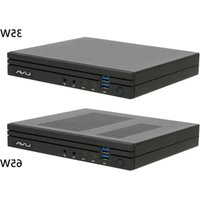
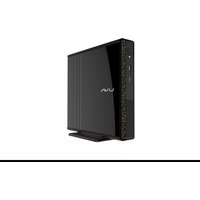
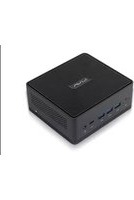
| Model | LIVA Z3E Plus |
| Processor | Intel Celeron N3350 (dual-core, 1.1 GHz up to 2.4 GHz) |
| Memory | 4 GB DDR3L (soldered, not upgradeable) |
| Storage | 64 GB eMMC (M.2 SSD slot available for upgrade) |
| Graphics | Intel HD Graphics 500 |
| Operating System | Windows 10 Pro (64-bit) pre-installed |
| Dimensions (W x D x H) | 135 x 105 x 30 mm (5.3 x 4.1 x 1.2 inches) |
| Weight | 0.5 kg (1.1 lbs) |
| Power Supply | 12V DC, 3A (36W) external adapter |
| Connectivity | Wi-Fi 802.11ac, Bluetooth 4.2, Gigabit Ethernet |
| Ports | 2 x USB 3.0, 2 x USB 2.0, HDMI, VGA, Audio out, Micro SD card slot |
| Cooling | Fanless, passive cooling (silent operation) |
| Mounting | VESA mount compatible (75x75mm, 100x100mm) |
| Maintenance | Keep vents clean; no user-serviceable parts inside except M.2 SSD |
| Safety | Use only supplied power adapter; avoid liquids and extreme temperatures |
| Spare Parts & Repairability | M.2 SSD upgradable; other components are soldered (non-replaceable) |
| General Information | Compact design ideal for digital signage, thin client, or home server |
Frequently Asked Questions - LIVA Z3E Plus ECS
What is the power consumption of the ECS LIVA Z3E Plus?
The typical power consumption is around 15-20 watts under load, making it energy-efficient for continuous operation. It uses a 12V, 3A (36W) external power adapter.
Can I upgrade the RAM on the LIVA Z3E Plus?
No, the 4GB DDR3L memory is soldered onto the motherboard and cannot be upgraded. Therefore, choose your memory configuration carefully at the time of purchase.
Which operating systems are supported besides Windows 10?
The LIVA Z3E Plus can run Windows 10/11, Linux distributions (e.g., Ubuntu, Debian), and Chrome OS (via alternative firmware). However, official support is only for Windows 10 Pro.
Does the LIVA Z3E Plus support dual monitors?
Yes, it supports dual monitors via the HDMI and VGA ports. You can extend or mirror the desktop. Maximum resolution is 1920x1080 on each display.
How can I upgrade the storage?
The LIVA Z3E Plus has an M.2 2242 SATA SSD slot for storage expansion. You can add an SSD in addition to the built-in 64GB eMMC. The eMMC itself is not removable.
Is the fan noisy?
The LIVA Z3E Plus is fanless and completely silent. There are no moving parts except possibly the SSD, so it operates without any noise.
Can I mount the LIVA Z3E Plus behind a monitor?
Yes, the unit supports VESA mounting with patterns 75x75mm and 100x100mm. A VESA bracket is typically included in the package.
Does it have built-in Wi-Fi and Bluetooth?
Yes, it has integrated Wi-Fi 802.11ac and Bluetooth 4.2 for wireless connectivity. The antennas are internal.
What is the BIOS key for the LIVA Z3E Plus?
To enter the BIOS, press F2 repeatedly during startup. The boot menu key is F7. Default BIOS password is usually blank.
What is the warranty period for this device?
ECS typically offers a 3-year limited warranty for the LIVA Z3E Plus. Check your region's specific terms for exact coverage.
User questions about LIVA Z3E Plus ECS
0 question about this device. Answer the ones you know or ask your own.
Ask a new question about this device
No questions yet. Be the first to ask one.
Download the instructions for your Desktop computer in PDF format for free! Find your manual LIVA Z3E Plus - ECS and take your electronic device back in hand. On this page are published all the documents necessary for the use of your device. LIVA Z3E Plus by ECS.
USER MANUAL LIVA Z3E Plus ECS
Manual assistant
Powered by Anthropic
Waiting for your message
Product information
Brand : ECS
Model : LIVA Z3E Plus
Category : Desktop computer