LIVA Z5E PLUS - Desktop computer ECS - Free user manual and instructions
Find the device manual for free LIVA Z5E PLUS ECS in PDF.


Pick your language and provide your email: we'll send you a specifically translated version.
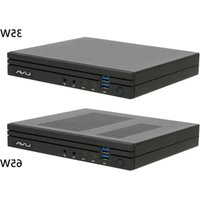
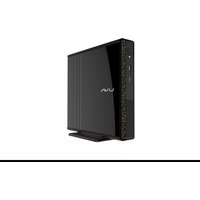
| Product Type | Mini Desktop Computer |
| Brand | ECS (Elitegroup Computer Systems) |
| Model | LIVA Z5E PLUS |
| Processor | Intel Celeron or Pentium (estimation) |
| RAM | Up to 8GB DDR4 (estimation) |
| Storage | M.2 SSD (estimation) |
| Operating System | Windows 10/11 (64-bit) (estimation) |
| Dimensions | Approx. 118 x 70 x 55 mm (4.65 x 2.76 x 2.17 in) |
| Weight | Approx. 0.5 kg (1.1 lbs) |
| Power Supply | 12V DC, 3A adapter (typical) |
| Power Consumption | ~15W (typical) |
| Video Output | HDMI, DisplayPort (estimation) |
| USB Ports | USB 3.0, USB-C (estimation) |
| Networking | Gigabit Ethernet, Wi-Fi, Bluetooth (estimation) |
| Audio | 3.5mm headphone/microphone combo jack |
| Mounting | VESA mount compatible (estimation) |
| Cooling | Passive (fanless) or small fan (estimation) |
| Operating Temperature | 0°C to 35°C (32°F to 95°F) |
| Storage Temperature | -20°C to 60°C (-4°F to 140°F) |
| Humidity | 20% to 80% non-condensing |
| Warranty | 2 years (typical) |
| Primary Functions | Office work, web browsing, media streaming, light computing |
| Cleaning | Wipe with a soft dry cloth; avoid liquids |
| Safety | Use only supplied power adapter; keep ventilated |
| Spare Parts / Repairability | Limited user-serviceable parts; contact authorized service |
Frequently Asked Questions - LIVA Z5E PLUS ECS
How to connect the LIVA Z5E PLUS to a monitor?
Use the HDMI or DisplayPort output on the device. Connect one end of the cable to the mini PC and the other to your monitor. Ensure the monitor is set to the correct input source.
Can I upgrade the RAM or storage?
The LIVA Z5E PLUS may have accessible RAM slots and an M.2 SSD slot. Refer to the manual for specific upgrade instructions. Some models may have soldered RAM; check your version.
What should I do if the device does not power on?
First, check that the power adapter is plugged in securely and the outlet is working. Try a different power cable if available. If still no power, contact ECS support.
How to clean the LIVA Z5E PLUS?
Turn off the device and unplug it. Use a soft, dry cloth to wipe the exterior. Do not use any liquids or sprays. For ventilation grilles, use a can of compressed air to remove dust.
Is the LIVA Z5E PLUS fanless?
Some versions of the LIVA Z5E PLUS are fanless for silent operation, while others may have a small fan. Check your specific model specifications.
How to install Windows on the LIVA Z5E PLUS?
Create a bootable USB drive with Windows installation media. Insert it into the mini PC, boot from USB (press F2 or Del to enter BIOS), and follow the on-screen instructions.
What are the network connectivity options?
The LIVA Z5E PLUS includes Gigabit Ethernet for wired connection and built-in Wi-Fi (802.11ac) and Bluetooth for wireless connectivity.
Can I mount the LIVA Z5E PLUS behind a monitor?
Yes, the mini PC is VESA mount compatible. Use the included bracket and screws to attach it to the back of a VESA-compatible monitor.
How to reset the BIOS settings?
To reset BIOS, turn off the device, remove the power cable, and locate the CMOS battery on the motherboard. Remove it for a minute, then reinsert. Alternatively, use the clear CMOS jumper if available.
Where can I find the latest drivers?
Visit the ECS support website and search for LIVA Z5E PLUS. Download the latest drivers for your operating system. You can also use Windows Update for automatic updates.
User questions about LIVA Z5E PLUS ECS
0 question about this device. Answer the ones you know or ask your own.
Ask a new question about this device
No questions yet. Be the first to ask one.
Download the instructions for your Desktop computer in PDF format for free! Find your manual LIVA Z5E PLUS - ECS and take your electronic device back in hand. On this page are published all the documents necessary for the use of your device. LIVA Z5E PLUS by ECS.
USER MANUAL LIVA Z5E PLUS ECS
Manual assistant
Powered by Anthropic
Waiting for your message
Product information
Brand : ECS
Model : LIVA Z5E PLUS
Category : Desktop computer