DDX6019BT - Media player KENWOOD - Free user manual and instructions
Find the device manual for free DDX6019BT KENWOOD in PDF.


Pick your language and provide your email: we'll send you a specifically translated version.
| Product Type | Media Player (Car Stereo) |
| Brand | Kenwood |
| Model | DDX6019BT |
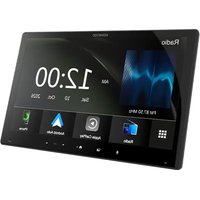
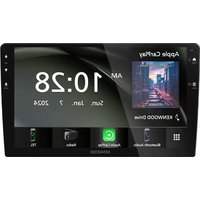
| Display | 6.1-inch WVGA touchscreen |
| Dimensions | Approx. 178 x 100 x 160 mm (Double DIN) |
| Weight | Approx. 1.8 kg |
| Power Supply | 14.4V DC (car battery) |
| Power Output | 50W x 4 (max) |
| Audio Formats | MP3, WMA, AAC, WAV |
| Video Formats | DVD, VCD, DivX, MPEG |
| Bluetooth | Yes (hands-free calling and audio streaming) |
| Radio Tuner | AM/FM with RDS |
| USB Port | 1 front USB (for media and charging) |
| AUX Input | 1 front auxiliary input |
| Rear Camera Input | Yes (compatible with rear view camera) |
| Equalizer | 13-band graphic equalizer |
| Detachable Face | Yes (anti-theft) |
| Maintenance | Clean with soft, dry cloth; avoid solvents |
| Safety Features | Rear view camera input, mute function for calls |
| Spare Parts | Remote control, microphone, wiring harness (optional) |
| Repairability | Service by authorized Kenwood dealers recommended |
Frequently Asked Questions - DDX6019BT KENWOOD
How do I pair my phone via Bluetooth?
Enable Bluetooth on your phone, then press MENU on the unit, select Bluetooth, and choose Pairing. Search for 'DDX6019BT' on your phone and confirm the PIN (usually 0000).
Can I watch videos while driving?
No, for safety, video playback is disabled when the parking brake is not engaged. You can bypass this by connecting the parking brake wire to ground, but this is not recommended and may be illegal.
How do I connect a rear view camera?
Connect the camera's video cable to the REAR CAMERA IN RCA jack on the back of the unit. Also connect the camera's power to a reverse light circuit. The screen will automatically switch to camera view when in reverse.
What audio formats are supported via USB?
The unit supports MP3, WMA, AAC, and WAV files stored on USB drives formatted in FAT16/FAT32.
How do I reset the unit?
Press the RESET button (small hole) on the front panel using a paper clip. This restores factory settings.
Can I control the unit from my steering wheel?
Yes, if your vehicle is equipped with steering wheel audio controls, you can connect an optional Kenwood steering wheel control adapter (e.g., KCA-SW200) to retain functionality.
What is the detachable face for?
The detachable face helps deter theft. You can remove it and take it with you when leaving the vehicle. Store it in the provided case to prevent scratches.
How do I set the clock?
Press MENU, go to Settings, then Clock. Adjust the hour and minute using the rotary knob or touchscreen. The unit can also sync time via RDS if available.
Why is there no sound from my speakers?
Check if the unit is muted (press MUTE), ensure speaker wires are properly connected, and verify that the fader/balance settings are centered. Also check that the amplifier is not in protection mode.
How do I update the firmware?
Firmware updates are available on Kenwood's website. Download the update file to a USB drive, insert it into the unit, and follow the on-screen instructions from the Setup menu.
User questions about DDX6019BT KENWOOD
0 question about this device. Answer the ones you know or ask your own.
Ask a new question about this device
No questions yet. Be the first to ask one.
Download the instructions for your Media player in PDF format for free! Find your manual DDX6019BT - KENWOOD and take your electronic device back in hand. On this page are published all the documents necessary for the use of your device. DDX6019BT by KENWOOD.
USER MANUAL DDX6019BT KENWOOD
Manual assistant
Powered by Anthropic
Waiting for your message
Product information
Brand : KENWOOD
Model : DDX6019BT
Category : Media player