DMX7412XDS - Media player KENWOOD - Free user manual and instructions
Find the device manual for free DMX7412XDS KENWOOD in PDF.


Pick your language and provide your email: we'll send you a specifically translated version.
| Product Type | Car Multimedia Receiver |
| Brand | Kenwood |
| Model | DMX7412XDS |
| Dimensions (W x H x D) | 7.2 x 2.1 x 6.5 inches (182 x 53 x 165 mm) |
| Weight | 1.5 lbs (0.7 kg) |
| Power Supply | 12V DC (negative ground) |
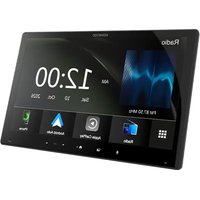
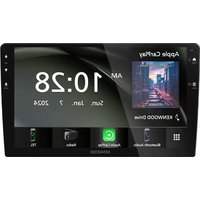
| Display | 7-inch capacitive touchscreen, 800x480 resolution |
| Radio | AM/FM with RDS |
| Bluetooth | V4.2 for hands-free calling and audio streaming |
| Smartphone Connectivity | Apple CarPlay and Android Auto (wired) |
| Audio Playback | USB (MP3, WMA, WAV, FLAC), AUX, Bluetooth audio |
| Video Playback | USB (MP4, WMV, AVI), optional rear camera input |
| Satellite Radio | SiriusXM Ready (tuner and subscription required) |
| Amplifier | Built-in 4 x 50W MOSFET |
| Equalizer | 13-band graphic equalizer with presets |
| Steering Wheel Control | Compatible with optional adapter |
| Maintenance | Clean with a soft, dry cloth; do not use solvents |
| Safety | Built-in fuse; disconnect battery before installation |
| Spare Parts | Remote control, mounting sleeve, wiring harness, trim ring |
| Repairability | Service by qualified technician; no user-serviceable parts |
Frequently Asked Questions - DMX7412XDS KENWOOD
How do I perform a factory reset on the Kenwood DMX7412XDS?
Press the Menu button, then navigate to Settings > System > Factory Reset. Confirm when prompted. The unit will restart.
Why is my Bluetooth not connecting to my phone?
Ensure Bluetooth is enabled on both devices and the phone is in pairing mode. Delete the existing pairing on the receiver and phone, then search again. If issues persist, reset the receiver's Bluetooth settings.
How do I update the firmware on my DMX7412XDS?
Download the latest firmware from Kenwood's website onto a USB drive formatted as FAT32. Insert the drive into the USB port, go to Settings > System > Update, and follow on-screen instructions. Do not power off during the update.
Can I play movies from a USB drive?
Yes, the DMX7412XDS supports video playback from USB drives in formats like MP4, WMV, and AVI. Ensure the drive is formatted as FAT32 or exFAT and files are placed in a compatible resolution (up to 720p).
What is the maximum USB drive capacity supported?
The receiver supports USB drives up to 128GB formatted in FAT32 or exFAT. Larger drives may not be recognized.
How do I connect Apple CarPlay or Android Auto?
Use a genuine USB cable to connect your iPhone or Android phone to the receiver's USB port. The receiver will automatically launch CarPlay or Android Auto if enabled in settings. For wireless, ensure your phone supports it and enable Wi-Fi and Bluetooth.
My screen is not responding to touch. What should I do?
Try restarting the unit by disconnecting the vehicle battery for 30 seconds. If the problem persists, check for dirt or protective film on the screen. Clean with a soft cloth. If still unresponsive, perform a factory reset.
How do I set up the rear camera?
Connect the camera's RCA cable to the Rear Camera Input on the receiver. In settings, enable Rear Camera and adjust guidelines if needed. When shifting to reverse, the screen will automatically show the camera feed.
What is the warranty period for this device?
Kenwood typically offers a one-year warranty from the date of purchase. Keep your receipt for service claims. Extended warranties may be available from retailers.
Can I control the receiver with my steering wheel buttons?
Yes, but you need a separate steering wheel control adapter (e.g., PAC SWI-RC). Wire the adapter according to its instructions and then program the buttons in the receiver's settings menu.
User questions about DMX7412XDS KENWOOD
0 question about this device. Answer the ones you know or ask your own.
Ask a new question about this device
No questions yet. Be the first to ask one.
Download the instructions for your Media player in PDF format for free! Find your manual DMX7412XDS - KENWOOD and take your electronic device back in hand. On this page are published all the documents necessary for the use of your device. DMX7412XDS by KENWOOD.
USER MANUAL DMX7412XDS KENWOOD
Manual assistant
Powered by Anthropic
Waiting for your message
Product information
Brand : KENWOOD
Model : DMX7412XDS
Category : Media player