DDX9019SM - Media player KENWOOD - Free user manual and instructions
Find the device manual for free DDX9019SM KENWOOD in PDF.


Pick your language and provide your email: we'll send you a specifically translated version.
| Product Type | Car Multimedia Receiver |
| Model | DDX9019SM |
| Brand | Kenwood |
| Chassis Size | Double DIN (approx. 178 x 100 mm) |
| Dimensions (W x H x D) | 178mm x 100mm x 160mm |
| Weight | 1.8 kg (approx.) |
| Power Supply | 12V DC (car battery) |
| Max Power Output | 50W x 4 (max) |
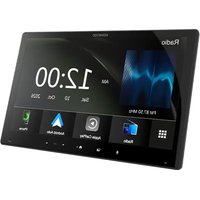
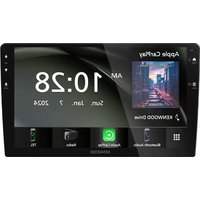
| Display | 6.95-inch touchscreen, 800x480 pixels |
| Playback Formats | DVD, CD, MP3, WMA, AAC, WAV, FLAC, JPEG |
| Built-in Bluetooth | Yes (hands-free calling and audio streaming) |
| USB Port | Front USB (1A charge compatible) |
| SiriusXM Ready | Yes (with optional tuner) |
| Navigation | Compatible with Kenwood Navigation Box (optional) |
| Remote Control | Included (IR remote) |
| Care Instructions | Clean screen with soft, dry cloth; avoid cleaners |
| Safety Warnings | Do not disassemble; use specified fuses; professional installation recommended |
| Spare Parts Availability | Remote, wiring harness, mounting sleeve (via Kenwood service) |
| General Information | Double DIN multimedia receiver with DVD, Bluetooth, and touchscreen |
Frequently Asked Questions - DDX9019SM KENWOOD
How do I reset the Kenwood DDX9019SM?
Press the Reset button (small recessed button on the front panel) with a pen tip. This clears all settings and restores factory defaults.
Can I play DVD movies on this unit?
Yes, the DDX9019SM supports DVD video playback when the vehicle is parked (safety lock engaged). You must apply the parking brake to watch video.
How do I pair my phone via Bluetooth?
Enable Bluetooth on your phone, then on the unit go to Settings > Bluetooth > Pairing. Select 'KENWOOD' from the phone list. If prompted, enter PIN 0000.
Why is there no sound from the speakers?
Check that the mute function is not active, volume is turned up, and speaker wires are properly connected. Also verify the fader/balance settings.
What USB devices are supported?
USB flash drives formatted in FAT32 or NTFS, up to 2TB. Compatible with files like MP3, WMA, AAC, FLAC, and JPEG. The USB port also charges smartphones (1A).
How can I update the firmware?
Download the latest firmware from Kenwood's support website onto a USB drive, insert it into the unit, and follow the on-screen instructions in the Setup menu.
Does this unit support Apple CarPlay or Android Auto?
No, the DDX9019SM does not have built-in CarPlay/Android Auto. However, it is compatible with Kenwood's optional navigation box that may offer smartphone integration.
How do I adjust the audio settings?
Press the Audio button to access equalizer, fader, balance, subwoofer level, and other sound adjustments. You can save custom presets.
What should I do if the touchscreen is not responding?
Try cleaning the screen with a soft cloth. If unresponsive, perform a reset. If the issue persists, the unit may need service.
Can I connect a rearview camera?
Yes, the DDX9019SM has a dedicated reverse camera input. Connect the camera and enable the feature in the settings. The screen automatically shows the camera when in reverse.
User questions about DDX9019SM KENWOOD
0 question about this device. Answer the ones you know or ask your own.
Ask a new question about this device
No questions yet. Be the first to ask one.
Download the instructions for your Media player in PDF format for free! Find your manual DDX9019SM - KENWOOD and take your electronic device back in hand. On this page are published all the documents necessary for the use of your device. DDX9019SM by KENWOOD.
USER MANUAL DDX9019SM KENWOOD
Manual assistant
Powered by Anthropic
Waiting for your message
Product information
Brand : KENWOOD
Model : DDX9019SM
Category : Media player