KD-XWPS - Audio/video converter Key Digital - Free user manual and instructions
Find the device manual for free KD-XWPS Key Digital in PDF.


Pick your language and provide your email: we'll send you a specifically translated version.
| Product Type | Audio/Video Converter |
| Brand | Key Digital |
| Model | KD-XWPS |
| Category | Audio/Video Converter |
| Dimensions (approx.) | 4.0 x 2.5 x 1.0 inches (10.2 x 6.4 x 2.5 cm) |
| Weight (approx.) | 0.5 lb (0.23 kg) |
| Power Supply | 5V DC, 1A (via USB or included adapter) |
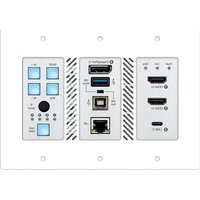
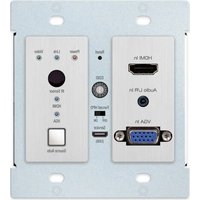
| Video Inputs | 1x HDMI, 1x VGA (with audio) |
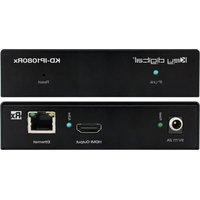
| Video Outputs | 1x HDMI |
| Audio Inputs | 1x 3.5mm stereo, 1x RCA L/R |
| Supported Resolutions | Up to 1080p@60Hz |
| Audio Formats | PCM 2.0, Dolby Digital 2.0 |
| Key Features | Converts VGA+audio to HDMI; supports analog audio embedding; EDID emulation |
| Installation | Plug-and-play; no drivers required |
| Maintenance | Keep dry; clean with soft cloth |
| Safety | Use only provided power adapter; avoid liquid exposure |
| Spare Parts & Repairability | No user-serviceable parts; contact Key Digital for support |
| General Information | Compact design ideal for presentations and home theater |
Frequently Asked Questions - KD-XWPS Key Digital
What does the Key Digital KD-XWPS do?
The KD-XWPS is an audio/video converter that converts analog VGA and audio signals to digital HDMI output.
What inputs does the KD-XWPS have?
It has one VGA input with a 3.5mm audio jack, and one HDMI input. It also includes RCA audio inputs.
What resolutions does the KD-XWPS support?
It supports resolutions up to 1920x1080 (1080p) at 60Hz.
Does the KD-XWPS require external power?
Yes, it requires a 5V DC power supply (included) via USB or a wall adapter.
How do I connect the KD-XWPS?
Connect your VGA source and audio cable to the device, then connect an HDMI cable from the converter to your display. Power on and it should work automatically.
Why is there no video output?
Check that all cables are securely connected, the power is on, and the display is set to the correct input. Try a different HDMI cable.
Can I use the KD-XWPS for audio only?
No, the device converts both video and audio; it cannot be used for audio-only conversion.
Is the KD-XWPS plug-and-play?
Yes, it is plug-and-play and does not require any drivers or software installation.
What is the warranty on the KD-XWPS?
Key Digital typically offers a limited lifetime warranty on their products. Check the manual or contact support for details.
Can I connect a computer to the KD-XWPS?
Yes, you can connect a computer with VGA output to the converter. Ensure the computer's resolution is set to 1080p or lower for best results.
User questions about KD-XWPS Key Digital
0 question about this device. Answer the ones you know or ask your own.
Ask a new question about this device
No questions yet. Be the first to ask one.
Download the instructions for your Audio/video converter in PDF format for free! Find your manual KD-XWPS - Key Digital and take your electronic device back in hand. On this page are published all the documents necessary for the use of your device. KD-XWPS by Key Digital.
USER MANUAL KD-XWPS Key Digital

Manual assistant
Powered by Anthropic
Waiting for your message
Product information
Brand : Key Digital
Model : KD-XWPS
Category : Audio/video converter