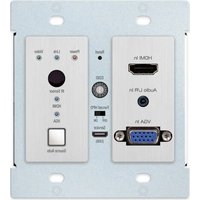
KD-X2X1WVTX - Audio/video converter Key Digital - Free user manual and instructions
Find the device manual for free KD-X2X1WVTX Key Digital in PDF.


Pick your language and provide your email: we'll send you a specifically translated version.
| Product Type | Audio/Video Converter (Wireless HDMI Transmitter) |
| Brand | Key Digital |
| Model | KD-X2X1WVTX |
| Inputs | 2 x HDMI |
| Output | Wireless (WHDI technology) |
| Video Resolution | Up to 1080p @ 60Hz |
| Audio Support | PCM, Dolby Digital, DTS |
| Wireless Range | Up to 330 feet (100 meters) line-of-sight |
| Frequency Band | 5 GHz |
| HDCP Support | Yes, HDCP 1.4 |
| Power Supply | 5V DC, 2A (power adapter included) |
| Dimensions (W x H x D) | 4.2 x 1.1 x 2.8 inches |
| Weight | 0.8 lbs (363 g) |
| Remote Control | Infrared remote included |
| Operating Temperature | 32°F to 104°F (0°C to 40°C) |
| Certifications | FCC, CE |
| Installation | Plug-and-play, no drivers required |
| Maintenance | Keep clean and dry; avoid dust and moisture |
| Security | Use only provided power adapter; do not disassemble |
| Spare Parts & Repairability | Contact Key Digital support for replacement parts |
Frequently Asked Questions - KD-X2X1WVTX Key Digital
How do I set up the KD-X2X1WVTX?
Connect your HDMI sources to the two HDMI inputs, then power on the transmitter. Pair with the compatible receiver (not included) by pressing the pairing button. Ensure line-of-sight for best performance.
What is the maximum wireless range?
The transmitter can reach up to 330 feet (100 meters) in open line-of-sight conditions. Walls and interference may reduce range.
Does it support 4K resolution?
No, the KD-X2X1WVTX supports up to 1080p @ 60Hz. For 4K, consider other Key Digital models.
Can I use this with any receiver?
It requires a compatible Key Digital wireless receiver (sold separately) for the video to appear on the display.
How do I switch between inputs?
Use the included IR remote or the manual input select button on the unit. The remote must be pointed at the IR sensor on the front.
What audio formats are supported?
It supports PCM, Dolby Digital, and DTS audio formats.
Is HDCP supported?
Yes, it supports HDCP 1.4 for protected content playback.
My wireless connection is unstable. What can I do?
Minimize obstacles between transmitter and receiver, avoid interference from other 5 GHz devices, and ensure both units have a clear line of sight. Try changing the wireless channel on the receiver if possible.
What power adapter does it use?
It uses a 5V DC, 2A power adapter. Use only the provided adapter to avoid damage.
How do I clean the device?
Unplug the device and wipe with a dry, soft cloth. Do not use liquids or abrasive cleaners.
User questions about KD-X2X1WVTX Key Digital
0 question about this device. Answer the ones you know or ask your own.
Ask a new question about this device
No questions yet. Be the first to ask one.
Download the instructions for your Audio/video converter in PDF format for free! Find your manual KD-X2X1WVTX - Key Digital and take your electronic device back in hand. On this page are published all the documents necessary for the use of your device. KD-X2X1WVTX by Key Digital.
USER MANUAL KD-X2X1WVTX Key Digital

Manual assistant
Powered by Anthropic
Waiting for your message
Product information
Brand : Key Digital
Model : KD-X2X1WVTX
Category : Audio/video converter