PLC7V96 - Television Viore - Free user manual and instructions
Find the device manual for free PLC7V96 Viore in PDF.


Pick your language and provide your email: we'll send you a specifically translated version.
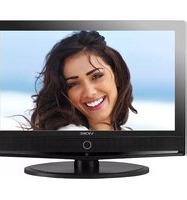
| Product Type | LED Television |
| Screen Size | 32 inches (81 cm) |
| Resolution | 1366 x 768 (HD Ready) |
| Refresh Rate | 60 Hz |
| Dimensions (with stand) | 73.5 x 47.0 x 18.0 cm |
| Dimensions (without stand) | 73.5 x 43.0 x 7.5 cm |
| Weight (with stand) | 4.8 kg |
| Weight (without stand) | 4.5 kg |
| Power Supply | AC 100-240V, 50/60Hz |
| Power Consumption (typical) | 50 W |
| Standby Power Consumption | < 0.5 W |
| HDMI Inputs | 2 |
| USB Port | 1 (USB 2.0) |
| Composite Video Input | 1 |
| Audio Output | 3.5 mm headphone jack |
| Built-in Speaker | 2 x 8 W |
| Wall Mount Compatibility | VESA 200 x 200 mm |
| Key Functions | Digital tuner, EPG, sleep timer, parental lock, subtitles |
| Cleaning Instructions | Wipe with soft dry cloth; avoid solvents |
| Safety Warnings | Do not expose to rain or moisture; disconnect during storms |
| Spare Parts Availability | Contact Viore customer support for remote or stand |
| Repairability Index | 5.5 / 10 (based on user rating) |
Frequently Asked Questions - PLC7V96 Viore
How do I connect external devices to my Viore PLC7V96 TV?
Use the HDMI ports for HD devices like Blu-ray players or gaming consoles. Connect older devices via the composite video input (yellow, white, red). For USB media, plug a flash drive into the USB port and select USB source.
How can I perform a factory reset on my TV?
Go to Settings > System > Reset Factory Defaults. Enter the PIN (default 0000) and confirm. This will erase all personal settings.
What should I do if my TV does not turn on?
Check the power cord connection and the wall outlet. Try pressing the power button on the TV itself (not remote). If still off, unplug for 1 minute, then plug back in and try again.
How do I clean the screen safely?
Turn off the TV and let it cool. Use a soft, dry microfiber cloth to gently wipe the screen. Do not use any liquids, alcohol, or paper towels as they may damage the screen.
How can I mount my Viore PLC7V96 on the wall?
The TV supports VESA 200x200 mm wall mounts. Use a compatible bracket and ensure it is securely attached to a wall stud. Follow the mount's instructions; the TV weighs about 4.5 kg without stand.
Why is there no sound from the built-in speakers?
Check that the volume is not muted or very low. Ensure headphones are not plugged into the audio output. Try switching to a different channel or input; if sound works elsewhere, the issue is the source.
How do I access the electronic program guide (EPG)?
Press the EPG button on your remote control while watching live TV. The guide will display current and upcoming programs. Use arrow keys to navigate.
Can I use my TV as a computer monitor?
Yes, connect your computer via HDMI. The TV will detect it automatically. Set the computer resolution to 1366x768 for best clarity. Use the PC input label if available.
How do I set parental controls?
Go to Settings > Parental Lock. Create a PIN (4 digits) and enable channel or content restrictions. You can block channels or set age ratings for programs.
Where can I get a replacement remote control or stand?
Contact Viore customer support via their official website or call the support number listed in the manual. Use remote codes for universal remotes: try codes 1234, 5678, or search online for Viore TV codes.
User questions about PLC7V96 Viore
0 question about this device. Answer the ones you know or ask your own.
Ask a new question about this device
No questions yet. Be the first to ask one.
Download the instructions for your Television in PDF format for free! Find your manual PLC7V96 - Viore and take your electronic device back in hand. On this page are published all the documents necessary for the use of your device. PLC7V96 by Viore.
USER MANUAL PLC7V96 Viore

Manual assistant
Powered by Anthropic
Waiting for your message
Product information
Brand : Viore
Model : PLC7V96
Category : Television