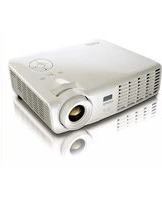
D522WT - Video projector VIVITEK - Free user manual and instructions
Find the device manual for free D522WT VIVITEK in PDF.


Pick your language and provide your email: we'll send you a specifically translated version.
| Product Type | Video Projector |
| Brand | Vivitek |
| Model | D522WT |
| Display Technology | DLP |
| Native Resolution | WXGA (1280 x 800) |
| Brightness | 3200 ANSI Lumens |
| Contrast Ratio | 15,000:1 |
| Lamp Life (Normal/Eco) | 5000 / 6000 hours |
| Lamp Power | 190W |
| Zoom Ratio | 1.1x manual |
| Keystone Correction | Vertical ±40° |
| Inputs | HDMI, VGA, Composite, USB, Audio |
| Outputs | VGA, Audio, RS-232 |
| Speaker | Built-in 2W mono |
| Projection Distance | 1.2 - 10.0 m |
| Screen Size | 27.6 - 230 inches |
| Noise Level (Normal/Eco) | 32 / 28 dB |
| Power Consumption | 240W (max), <0.5W standby |
| Dimensions (W x D x H) | 274 x 212 x 100 mm |
| Weight | 2.5 kg |
| Operating Temperature | 0°C - 40°C |
| Maintenance | Clean air filter every 500 hours; replace lamp at end of life |
| Safety Warnings | Do not stare into lens; keep away from flammable materials; use grounded outlet |
| Spare Parts | Lamp module, air filter, remote control |
| General Information | Designed for home theater and business presentations; manual available in PDF |
Frequently Asked Questions - D522WT VIVITEK
How do I replace the lamp on my Vivitek D522WT?
Turn off the projector and unplug it. Wait at least 30 minutes for the lamp to cool. Remove the lamp cover screw, open the cover, release the lamp locking lever, pull out the old lamp. Insert the new lamp (model: V-LMP-190 or similar), secure the lever, close the cover, and tighten the screw. Reset the lamp timer via the menu.
How can I clean the air filter on the D522WT?
The air filter is located on the side or bottom of the projector. Turn off and unplug the projector. Gently remove the filter cover and take out the filter. Use a soft brush or a vacuum cleaner on low power to remove dust. Do not wash with water. Reinsert the filter and close the cover. Clean every 500 hours of use.
What is the maximum screen size I can project with the D522WT?
The Vivitek D522WT can project an image from 27.6 inches to 230 inches diagonally, depending on the distance. For a 100-inch screen, place the projector approximately 3.2 to 3.5 meters away.
How do I connect a laptop to the D522WT projector?
Use a VGA or HDMI cable. Connect one end to your laptop's video output and the other to the corresponding input on the projector. If using VGA, also connect an audio cable. Select the correct input source using the 'Source' button on the remote or control panel.
How do I adjust keystone correction on the D522WT?
Press the 'Keystone' button on the remote or navigate to the 'Settings' menu. Use the arrow keys to adjust vertical keystone within ±40 degrees. This correction is digital, so avoid excessive adjustment to maintain image quality.
Can I use the D522WT without a remote control?
Yes, the projector has a control panel on top with buttons for power, menu, source, and navigation. You can access all basic functions without the remote.
How do I change the language of the on-screen display?
Press the 'Menu' button on the remote or projector. Go to 'System Setup' or 'Language' (usually indicated by a globe icon). Select your preferred language from the list (e.g., English, French, Chinese) and confirm.
What should I do if the projector does not turn on?
Check that the power cable is securely connected and the outlet is working. Ensure the lamp cover is properly closed. The indicator light may blink; if it's red, the lamp may be at end of life or the projector may be overheating. Wait and try again. If the problem persists, contact support.
Is it safe to mount the D522WT on the ceiling?
Yes, the projector is compatible with a ceiling mount. Use a certified mount and ensure it is securely attached to a ceiling beam. Do not place near heat sources. Vertical image flip can be enabled in the menu under 'Projection Mode'.
Where can I find the user manual for the D522WT?
The user manual is available for free download on notice-facile.com in PDF format. You can also request a translated version by selecting your language and providing your email on the same page.
User questions about D522WT VIVITEK
0 question about this device. Answer the ones you know or ask your own.
Ask a new question about this device
No questions yet. Be the first to ask one.
Download the instructions for your Video projector in PDF format for free! Find your manual D522WT - VIVITEK and take your electronic device back in hand. On this page are published all the documents necessary for the use of your device. D522WT by VIVITEK.
USER MANUAL D522WT VIVITEK

Manual assistant
Powered by Anthropic
Waiting for your message
Product information
Brand : VIVITEK
Model : D522WT
Category : Video projector