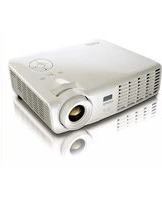
D963HD Plus - Video projector VIVITEK - Free user manual and instructions
Find the device manual for free D963HD Plus VIVITEK in PDF.


Pick your language and provide your email: we'll send you a specifically translated version.
| Product Type | Video Projector |
| Model | D963HD Plus |
| Brand | Vivitek |
| Display Technology | DLP |
| Native Resolution | 1920 x 1080 (Full HD) |
| Brightness | 3500 ANSI Lumens |
| Contrast Ratio | 15,000:1 |
| Lamp Life (Normal) | Up to 5000 hours |
| Lamp Life (Eco) | Up to 10,000 hours |
| Projection Distance | 1.0 – 10.0 m |
| Image Size (Diagonal) | 30 – 300 inches |
| Aspect Ratio | 16:9 (native), 4:3 compatible |
| Inputs | HDMI, VGA, Composite, USB |
| Speaker | Built-in 10W mono |
| Dimensions (W x D x H) | 274 x 212 x 100 mm |
| Weight | 2.6 kg |
| Power Consumption | 260W (normal), <0.5W standby |
| Power Supply | AC 100-240V, 50/60Hz |
| Keystone Correction | ±40° vertical |
| Maintenance | Clean air filter every 500 hours; replace lamp when needed |
| Safety Features | Auto-off, overheat protection, Kensington lock |
| Spare Parts Available | Replacement lamp, air filter, remote control |
| Manual Languages | English, French, German, Spanish, Italian, etc. |
Frequently Asked Questions - D963HD Plus VIVITEK
How do I clean the air filter?
Turn off the projector and unplug it. Remove the filter cover, take out the filter, and gently vacuum or wash it. Allow to dry completely before reinstalling.
What is the recommended lamp replacement interval?
The lamp should be replaced when the projector indicates it is nearing the end of life (typically after 5000 hours in normal mode). Use only certified Vivitek lamps.
Why is the projector not turning on?
Check power cord connections, ensure the main power switch is on, and verify that the lamp cover is securely closed. If the LED indicator is flashing, refer to the manual for error codes.
How can I adjust the image size?
Use the zoom ring on the lens to adjust image size. Also, move the projector closer or farther from the screen. For fine-tuning, use the Focus and Zoom rings.
Can I connect my laptop via VGA?
Yes, connect the VGA cable from your laptop to the VGA input. Then press the Source button on the remote or projector to select VGA.
What is the maximum projection distance?
The projector can project up to 10 meters with a diagonal image size of up to 300 inches. Refer to the user manual for exact throw ratio.
How do I clean the lens?
Use a soft, dry microfiber cloth. Gently wipe the lens in a circular motion. Avoid liquid cleaners, as they may damage the coating.
Why is the image blurry?
Adjust the Focus Ring to sharpen the image. Also ensure the projector is at the correct distance from the screen and that the keystone correction is set properly.
Can I use the projector upside down?
Yes, the projector supports ceiling mounting. In the on-screen menu, set Projection Mode to Ceiling Mount to invert the image.
How do I update the firmware?
Firmware updates are rarely needed. Check the Vivitek support website for your model. If an update is available, download it to a USB drive and follow the instructions in the manual.
User questions about D963HD Plus VIVITEK
0 question about this device. Answer the ones you know or ask your own.
Ask a new question about this device
No questions yet. Be the first to ask one.
Download the instructions for your Video projector in PDF format for free! Find your manual D963HD Plus - VIVITEK and take your electronic device back in hand. On this page are published all the documents necessary for the use of your device. D963HD Plus by VIVITEK.
USER MANUAL D963HD Plus VIVITEK

Manual assistant
Powered by Anthropic
Waiting for your message
Product information
Brand : VIVITEK
Model : D963HD Plus
Category : Video projector