AL1333 - Industrial interface IFM - Free user manual and instructions
Find the device manual for free AL1333 IFM in PDF.


Pick your language and provide your email: we'll send you a specifically translated version.
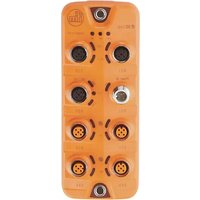
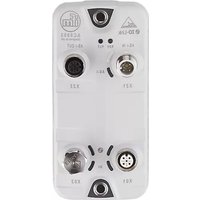
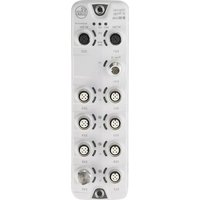
| Product Type | Industrial Interface Module |
| Model | AL1333 |
| Brand | IFM |
| Dimensions (W x H x D) | 58 mm x 75 mm x 120 mm |
| Weight | 180 g |
| Enclosure Material | Polyamide (PA) 6.6 |
| Power Supply Voltage | 24 VDC (18...30 VDC) |
| Current Consumption | ≤ 100 mA |
| Communication Protocol | AS-Interface (AS-i) |
| Number of I/O Points | 4 digital inputs / 4 digital outputs |
| Operating Temperature Range | -25 °C to +70 °C |
| Protection Class | IP67 |
| Display / Indicators | LED for power, AS-i communication, and I/O status |
| Functions | Data exchange with AS-i master, output monitoring, input debounce |
| Configuration Method | Address setting via rotary switch or software |
| Maintenance | Clean with dry cloth; no special tools required |
| Safety Features | Short-circuit and reverse polarity protection |
| Spare Parts / Replacements | Available through IFM distributors |
| Standards / Certifications | CE, cULus, AS-i compliance |
Frequently Asked Questions - AL1333 IFM
What is the IFM AL1333 used for?
The AL1333 is an AS-Interface (AS-i) slave module that connects sensors and actuators to an AS-i network. It provides 4 digital inputs and 4 digital outputs for industrial automation.
How do I set the AS-i address on the AL1333?
Use the two rotary switches on the front to set the slave address from 0 to 31. Ensure the module is powered off during address changes, then power cycle to apply.
What do the LEDs indicate?
The PWR LED (green) indicates power supply. The AS-i LED (yellow) shows communication with the master. Each I/O channel has a separate LED for input/output status.
Can I use the AL1333 with other AS-i masters?
Yes, the AL1333 is compatible with any AS-i master conforming to the AS-Interface specification (version 3.0 or higher).
What is the maximum cable length for the inputs/outputs?
For digital inputs and outputs, the maximum cable length is typically 100 meters, but it depends on the wire gauge and environmental conditions.
How do I wire the AL1333?
Connect the AS-i yellow cable to the top terminals (marked AS-i). Connect sensors to the input terminals (I0..I3) and actuators to the output terminals (O0..O3). Follow the wiring diagram in the manual.
What should I do if the AS-i LED is off?
Check the power supply voltage (24 VDC) and ensure the AS-i cable is properly connected. Verify that the AS-i master is operational and that the slave address is not duplicated.
Is the AL1333 protected against short circuits?
Yes, the outputs are short-circuit protected. The module also has reverse polarity protection on the power supply.
Can I replace the AL1333 without disconnecting the AS-i network?
It is recommended to disconnect the AS-i network power before replacing the module to avoid communication errors. The module is hot-swappable only if the AS-i specification supports it; verify with your master.
Where can I find the detailed manual for the AL1333?
The detailed manual is available for free download on notice-facile.com in PDF format. It includes wiring diagrams, configuration steps, and technical specifications.
User questions about AL1333 IFM
0 question about this device. Answer the ones you know or ask your own.
Ask a new question about this device
No questions yet. Be the first to ask one.
Download the instructions for your Industrial interface in PDF format for free! Find your manual AL1333 - IFM and take your electronic device back in hand. On this page are published all the documents necessary for the use of your device. AL1333 by IFM.
USER MANUAL AL1333 IFM

Manual assistant
Powered by Anthropic
Waiting for your message
Product information
Brand : IFM
Model : AL1333
Category : Industrial interface