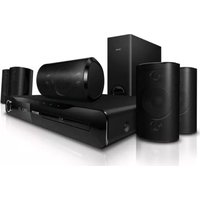
MX5600D - Home Theater PHILIPS - Free user manual and instructions
Find the device manual for free MX5600D PHILIPS in PDF.


Pick your language and provide your email: we'll send you a specifically translated version.
| Brand | Philips |
| Model | MX5600D |
| Product Type | Home Theater System |
| Disc Playback | DVD, CD, MP3-CD |
| Audio Formats | Dolby Digital, DTS, MP3, WMA |
| Video Formats | DVD-Video, SVCD, VCD |
| Total Power Output | 600 W RMS |
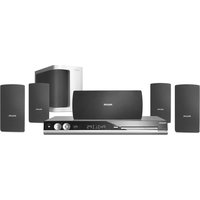
| Number of Speakers | 5 satellites + 1 subwoofer |
| Connectivity | HDMI output, composite video, component video, digital coaxial audio input, USB |
| FM Tuner | Yes, with RDS |
| Remote Control | Included |
| Main Unit Dimensions (W x H x D) | 360 x 60 x 310 mm |
| Main Unit Weight | 3.5 kg |
| Speaker Dimensions (each) | 95 x 160 x 85 mm |
| Subwoofer Dimensions | 160 x 300 x 280 mm |
| Power Supply | AC 220-240 V, 50 Hz |
| Power Consumption (standby) | < 1 W |
| Included Accessories | Remote control, antennas, speaker cables, user manual |
| Cleaning | Wipe with a soft dry cloth; do not use solvents |
| Safety | Class 1 laser product; do not stare into laser beam |
| Repairability | User-replaceable fuse; other repairs by qualified service personnel |
Frequently Asked Questions - MX5600D PHILIPS
How do I connect the speakers to the Philips MX5600D?
Connect each speaker to the corresponding color-coded terminals on the back of the main unit. Ensure the wires are securely inserted and match the polarity (positive to red, negative to black).
What disc formats are supported?
The system plays DVD, CD, MP3-CD, SVCD, and VCD discs. It does not support Blu-ray or HD-DVD.
Can I connect my TV via HDMI?
Yes, the MX5600D has an HDMI output. Connect it to your TV's HDMI input for video and audio. Ensure the TV is set to the correct input source.
How do I set up the FM radio?
Connect the supplied FM antenna to the FM jack. Press FM on the remote or source button. To auto-tune, press and hold the Tuning Up/Down button until it stops.
The remote control is not working. What should I do?
Check if the batteries are inserted correctly (fresh batteries recommended). Remove any obstacles between remote and unit. Point the remote directly at the sensor. If still not working, replace batteries.
How do I play music from a USB drive?
Insert your USB drive into the USB port on the front panel. Press USB source. Use navigation buttons to browse and select files. Supported formats: MP3, WMA.
Why is there no sound from the speakers?
Ensure the system is not muted (press MUTE). Check that the speaker wires are properly connected and the correct source is selected. Try a different input or disc.
How can I improve the bass?
Adjust the BASS level using the remote or on-unit controls. Also, ensure the subwoofer is placed on the floor near a wall for optimal bass response.
Can I connect external devices like a game console?
Yes, use the AUX input (RCA) or digital coaxial input if available. Select AUX or COAXIAL as the source.
How do I clean the unit?
Use a soft, dry cloth to wipe the exterior. Do not use liquids, aerosols, or abrasive cleaners. Clean the disc lens with a suitable lens cleaner if playback issues occur.
User questions about MX5600D PHILIPS
0 question about this device. Answer the ones you know or ask your own.
Ask a new question about this device
No questions yet. Be the first to ask one.
Download the instructions for your Home Theater in PDF format for free! Find your manual MX5600D - PHILIPS and take your electronic device back in hand. On this page are published all the documents necessary for the use of your device. MX5600D by PHILIPS.
USER MANUAL MX5600D PHILIPS
Manual assistant
Powered by Anthropic
Waiting for your message
Product information
Brand : PHILIPS
Model : MX5600D
Category : Home Theater