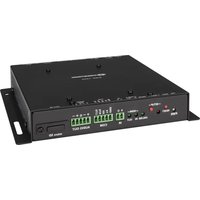
iLux CLSI-C6B - Controller Crestron - Free user manual and instructions
Find the device manual for free iLux CLSI-C6B Crestron in PDF.


Pick your language and provide your email: we'll send you a specifically translated version.
| Product Type | Lighting Controller |
| Brand | Crestron |
| Model | iLux CLSI-C6B |
| Dimensions (H x W x D) | 1.7 x 4.2 x 3.2 inches |
| Weight | 0.5 lbs |
| Power Supply | 24 VDC, 0.5 A |
| Mounting Type | Wall box or surface mount |
| Load Types Supported | Incandescent, fluorescent, LED, ELV, MLV |
| Number of Channels | 6 (C6B) |
| Communication Protocol | Crestron InfiNET EX or wired Cresnet |
| Primary Function | Dimming and switching control for lighting loads |
| Supported Control Interfaces | Crestron touch screens, keypads, mobile app |
| Operating Temperature | 32°F to 104°F (0°C to 40°C) |
| Humidity Range | 10% to 90% non-condensing |
| Certifications | UL, CE, FCC |
| Warranty | 2 years limited |
| Included Accessories | Mounting screws, wire connectors |
| Manual Language | English |
Frequently Asked Questions - iLux CLSI-C6B Crestron
What is the Crestron iLux CLSI-C6B?
The Crestron iLux CLSI-C6B is a lighting controller designed to manage dimming and switching of various lighting loads in residential and commercial systems.
How many channels does the CLSI-C6B support?
It supports 6 channels, suitable for controlling multiple lighting zones independently.
What load types are compatible with this controller?
It is compatible with incandescent, fluorescent, LED, ELV, and MLV loads.
How is the controller powered?
The device requires a 24 VDC power supply with a minimum of 0.5 A.
Can I connect the CLSI-C6B to a Crestron automation system?
Yes, it communicates via Crestron InfiNET EX wireless or wired Cresnet to integrate with Crestron control systems.
What are the dimensions of the CLSI-C6B?
Approximately 1.7 x 4.2 x 3.2 inches (HxWxD), suitable for standard wall boxes.
How do I install the device?
Mount it in a wall box or surface mount following provided instructions. Ensure power is off during installation.
What should I do if the controller is not responding?
Check power supply, network connection, and verify that the load is properly connected. Consult the manual for LED status indicators.
Is the CLSI-C6B compatible with LED lighting?
Yes, it supports LED loads when used with compatible dimmable LED drivers.
Where can I download the user manual?
The manual is available for free download on notice-facile.com or the Crestron website.
User questions about iLux CLSI-C6B Crestron
0 question about this device. Answer the ones you know or ask your own.
Ask a new question about this device
No questions yet. Be the first to ask one.
Download the instructions for your Controller in PDF format for free! Find your manual iLux CLSI-C6B - Crestron and take your electronic device back in hand. On this page are published all the documents necessary for the use of your device. iLux CLSI-C6B by Crestron.
USER MANUAL iLux CLSI-C6B Crestron
Manual assistant
Powered by Anthropic
Waiting for your message
Product information
Brand : Crestron
Model : iLux CLSI-C6B
Category : Controller