ACX6160 - Router Juniper - Free user manual and instructions
Find the device manual for free ACX6160 Juniper in PDF.


Pick your language and provide your email: we'll send you a specifically translated version.
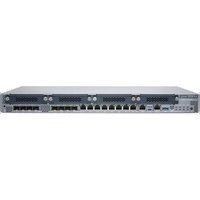
| Product Type | Router |
| Brand | Juniper |
| Model | ACX6160 |
| Dimensions (W x D x H) | 17.3 x 13.4 x 1.7 in (44.0 x 34.0 x 4.3 cm) |
| Weight | 5.5 kg (12.1 lb) |
| Form Factor | 1U rack-mountable |
| Power Supply | AC or DC, 80W typical |
| Input Voltage | 100-240 V AC or -48 V DC |
| Ethernet Ports | 24 x 1GbE (RJ45/SFP), 8 x 10GbE (SFP+) |
| Management Ports | 1 x RJ45 console, 1 x USB, 1 x Management Ethernet |
| Routing Protocols | OSPF, IS-IS, BGP, MPLS, VPLS, and others |
| Operating System | Juniper Junos OS |
| Throughput | Up to 40 Gbps |
| Cooling | 2 x hot-swappable fans, front-to-back airflow |
| Operating Temperature | 0°C to 45°C (32°F to 113°F) |
| Humidity | 5% to 90% non-condensing |
| MTBF | 200,000 hours |
| Safety Certifications | UL, CE, FCC, VCCI, EMC |
| Maintenance | Clean with dry cloth; avoid liquids. Check fan filters monthly. |
| Spare Parts | Power supplies, fan modules, SFP modules (sold separately) |
Frequently Asked Questions - ACX6160 Juniper
How do I access the CLI for the first time?
Connect a console cable from your computer to the console port. Use terminal software (9600 baud, 8N1) and log in with default credentials (root / no password).
What is the default IP address for management?
The management Ethernet port uses DHCP by default. Check the DHCP leases on your network or connect via console to assign a static IP.
How to reset the ACX6160 to factory defaults?
Issue the command request system factory-reset from the CLI. This will erase all configurations and reboot.
Can I use both AC and DC power supplies simultaneously?
No, the router supports either two AC or two DC power supplies, not a mix. Power supplies are hot-swappable.
How to upgrade Junos OS?
Download the image from Juniper Support, then use request system software add
What SFP modules are compatible?
Use Juniper-certified SFP/SFP+ modules. Uncertified modules may cause errors or fail to be recognized.
How do I configure a VLAN?
Create a VLAN interface: set vlans vlan-id , assign L3 interface: set interfaces irb unit family inet address .
What are the LED indicators on the front panel?
Power LED (blue = OK), Status LED (green = running), Alarm LED (amber = warning), Port LEDs (link/activity).
How to enable SNMP monitoring?
Use set snmp community targets . Also set SNMP v3 with authentication if needed.
How do I back up the current configuration?
Use show configuration | save backup.cfg or copy via FTP/SCP: file copy /config/backup.cfg ftp://user@server/path.
User questions about ACX6160 Juniper
0 question about this device. Answer the ones you know or ask your own.
Ask a new question about this device
No questions yet. Be the first to ask one.
Download the instructions for your Router in PDF format for free! Find your manual ACX6160 - Juniper and take your electronic device back in hand. On this page are published all the documents necessary for the use of your device. ACX6160 by Juniper.
USER MANUAL ACX6160 Juniper
Manual assistant
Powered by Anthropic
Waiting for your message
Product information
Brand : Juniper
Model : ACX6160
Category : Router