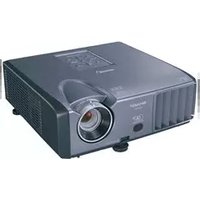
XR-10S-L - Video projector SHARP - Free user manual and instructions
Find the device manual for free XR-10S-L SHARP in PDF.


Pick your language and provide your email: we'll send you a specifically translated version.
| Type | Video projector |
| Resolution | XGA (1024x768) |
| Brightness | 3000 lumens |
| Contrast Ratio | 2000:1 |
| Lamp Life | Up to 4000 hours (eco mode) |
| Dimensions (W x D x H) | 315 x 245 x 105 mm |
| Weight | 3.5 kg |
| Power Consumption | 310W (max), 0.5W (standby) |
| Inputs | HDMI, VGA, S-Video, Composite, USB |
| Outputs | Monitor out, Audio out |
| Audio | Built-in speaker (10W) |
| Zoom & Focus | Manual zoom and focus |
| Keystone Correction | Vertical +/-30 degrees |
| Projection Distance | 1.2 - 12.0 m |
| Screen Size | 40" - 300" |
| Lamp Type | UHP 250W |
| Noise Level | 35 dB (normal), 30 dB (eco) |
| Operating Temperature | 5°C - 35°C |
| Cleaning | Clean air filter regularly; wipe lens with soft cloth |
| Safety | Auto-off after no signal; overheat protection |
| Repair | Replaceable lamp and filter; service by qualified technician |
Frequently Asked Questions - XR-10S-L SHARP
How do I turn on the Sharp XR-10S-L projector?
Press the Power button on the projector or remote control. Wait for the lamp to warm up.
What is the recommended distance from the screen?
The optimal distance depends on the desired screen size. For a 100-inch screen, place the projector approximately 3.5 meters away.
How do I connect a laptop to the projector?
Use a VGA or HDMI cable to connect your laptop to the corresponding input port on the projector. Then select the correct source using the Input button.
Why is the projector not showing any image?
Check that all cables are securely connected, the lens cap is removed, and the lamp is working. Also ensure the correct input source is selected.
How do I clean the air filter?
Turn off the projector and unplug it. Remove the filter cover, take out the filter, and gently vacuum or wash it with mild detergent. Allow it to dry completely before reinstalling.
How often should I replace the lamp?
The lamp life is typically up to 4000 hours in eco mode. When the lamp indicator flashes or the image becomes dim, replace it with a Sharp-approved lamp.
Can I use the projector for 3D content?
No, the Sharp XR-10S-L does not support 3D projection. It is designed for 2D presentations and video.
How do I adjust the keystone correction?
Press the Keystone button on the remote control, then use the arrow keys to correct vertical distortion until the image is rectangular.
What should I do if the projector overheats?
The projector will automatically shut down. Ensure the vents are not blocked, clean the air filter, and allow the projector to cool before restarting.
Where can I find the user manual for this model?
You can download the PDF manual from the Sharp support website or from notice-facile.com by searching for the model number XR-10S-L.
User questions about XR-10S-L SHARP
0 question about this device. Answer the ones you know or ask your own.
Ask a new question about this device
No questions yet. Be the first to ask one.
Download the instructions for your Video projector in PDF format for free! Find your manual XR-10S-L - SHARP and take your electronic device back in hand. On this page are published all the documents necessary for the use of your device. XR-10S-L by SHARP.
USER MANUAL XR-10S-L SHARP

Manual assistant
Powered by Anthropic
Waiting for your message
Product information
Brand : SHARP
Model : XR-10S-L
Category : Video projector