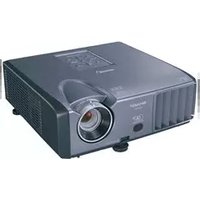
PG-MB66X - Video projector SHARP - Free user manual and instructions
Find the device manual for free PG-MB66X SHARP in PDF.


Pick your language and provide your email: we'll send you a specifically translated version.
| Product Type | Video Projector |
| Brand | Sharp |
| Model | PG-MB66X |
| Display Technology | DLP |
| Resolution | XGA (1024 x 768) |
| Brightness | 3500 ANSI Lumens |
| Contrast Ratio | 2000:1 |
| Lamp Type | 250 W |
| Lamp Life (Normal) | 3000 hours |
| Lamp Life (Eco) | 4000 hours |
| Projection Lens | Manual Zoom and Focus |
| Keystone Correction | Vertical ±30° |
| Input Terminals | RGB, Composite, S-Video, Component, Audio |
| Dimensions (W x D x H) | 12.2 x 9.8 x 4.3 inches (310 x 249 x 109 mm) |
| Weight | 10.6 lbs (4.8 kg) |
| Power Consumption | 350 W (standby 0.5 W) |
| Power Supply | AC 100-240 V, 50/60 Hz |
| Cleaning | Clean lens with soft cloth; replace air filter every 1000 hours |
| Safety | Do not look into lens; ensure ventilation; use grounded outlet |
| Spare Parts | Replacement lamp (Sharp AN-PGMB66X); Filter kit |
| Repairability | Lamp and filter user-replaceable; other repairs by qualified technician |
| Included Items | Remote control, batteries, power cord, VGA cable, user manual |
Frequently Asked Questions - PG-MB66X SHARP
How do I turn on the Sharp PG-MB66X projector?
Press the Power button on the projector or remote control. Wait for the lamp to warm up; the indicator light will turn green.
What is the recommended projection distance for a 100-inch screen?
For a 100-inch diagonal image, the projector should be placed approximately 10 to 13 feet (3-4 meters) away, depending on zoom.
How do I clean the projector lens?
Use a soft, lint-free cloth slightly dampened with lens cleaner. Gently wipe the lens in a circular motion. Do not use abrasive materials.
How can I replace the lamp?
Turn off the projector and unplug. Wait 30 minutes for cooling. Open the lamp cover on the bottom, unscrew the old lamp, insert a new Sharp AN-PGMB66X lamp, and tighten screws. Reset the lamp timer via the menu.
Why is there no image displayed?
Check that the projector is turned on, the lens cap is removed, and the correct input source is selected. Ensure the connected device is powered and sending a signal.
Can I connect a laptop to the PG-MB66X?
Yes, use a VGA cable to connect your laptop's VGA port to the projector's RGB input. Alternatively, use an HDMI adapter if available.
What does the 'Temperature' warning indicator mean?
The projector is overheating. Ensure vents are not blocked, clean the air filter, and reduce ambient temperature. If persists, contact service.
How do I adjust the keystone correction?
Press the Keystone button on the remote or navigate to the menu's 'Keystone' setting. Use arrow keys to correct vertical distortion.
What is the lamp life and how do I check remaining hours?
The lamp lasts up to 3000 hours in normal mode and 4000 in eco mode. Check remaining hours in the Information menu under 'Lamp Hours'.
Can I mount the projector on the ceiling?
Yes, the projector supports ceiling mounting. Use a compatible universal mount and ensure secure attachment. The on-screen display can be flipped via the 'Projection' setting.
User questions about PG-MB66X SHARP
0 question about this device. Answer the ones you know or ask your own.
Ask a new question about this device
No questions yet. Be the first to ask one.
Download the instructions for your Video projector in PDF format for free! Find your manual PG-MB66X - SHARP and take your electronic device back in hand. On this page are published all the documents necessary for the use of your device. PG-MB66X by SHARP.
USER MANUAL PG-MB66X SHARP

Manual assistant
Powered by Anthropic
Waiting for your message
Product information
Brand : SHARP
Model : PG-MB66X
Category : Video projector