Alva ST - Turntable CAMBRIDGE - Free user manual and instructions
Find the device manual for free Alva ST CAMBRIDGE in PDF.


Pick your language and provide your email: we'll send you a specifically translated version.
| Product Type | Belt-drive turntable |
| Dimensions (W x D x H) | 420 x 340 x 120 mm |
| Weight | 5.0 kg |
| Power Supply | AC 100-240 V, 50/60 Hz |
| Speeds | 33 1/3, 45 RPM |
| Motor | DC servo motor |
| Tonearm | Static balanced S-shaped tonearm |
| Cartridge | Pre-installed moving magnet cartridge |
| Built-in Phono Preamp | Yes, switchable |
| Output | RCA (line/phono selectable) |
| Anti-skating | Adjustable |
| Wow and Flutter | < 0.1% |
| Signal-to-Noise Ratio | > 68 dB |
| Dust Cover | Included, hinged |
| Maintenance | Clean stylus with a soft brush; keep dust cover closed when not in use |
| Safety Precautions | Do not expose to moisture; avoid extreme temperatures; unplug when cleaning |
| Spare Parts & Repairability | Replacement stylus available; consult authorized service for repairs |
Frequently Asked Questions - Alva ST CAMBRIDGE
How do I set up the Cambridge Alva ST turntable?
Place the turntable on a level, stable surface. Remove the packing material, install the platter and belt, attach the counterweight, and balance the tonearm. Connect the RCA cables to your amplifier or speakers.Refer to the manual for detailed steps.
Can I connect the Alva ST to speakers directly?
Yes, if your speakers have a built-in phono preamp or line input. The Alva ST has a built-in switchable phono preamp. Set the switch on the back to 'Line' for line-level output, then connect to speakers with RCA inputs. For phono-level output, set to 'Phono' and connect to a phono input on your amplifier.
How do I change the speed from 33 RPM to 45 RPM?
Press the speed selector button on the front panel to toggle between 33 1/3 and 45 RPM. The corresponding LED will indicate the current speed.
What is the recommended stylus pressure?
The recommended tracking force for the pre-installed cartridge is typically 2.0 grams. Adjust by rotating the counterweight on the tonearm. Use a stylus force gauge for accuracy.
How do I replace the stylus?
Gently pull the old stylus downward out of the cartridge. Align the new stylus and push it upward until it clicks into place. Always handle the stylus carefully to avoid damage.
Why is the sound distorted or skipping?
Possible causes: incorrect tracking force, dirty stylus, worn stylus, or uneven turntable surface. First, clean the stylus with a soft brush. Check tracking force and anti-skating. Ensure the turntable is level. If problems persist, replace the stylus.
How do I clean the turntable?
Use a soft, lint-free cloth to wipe the dust cover and base. Clean the platter with a mild soap solution if needed. For the stylus, use a stylus brush or cleaning fluid. Avoid touching the stylus tip with fingers.
Does the Alva ST have a built-in preamp?
Yes, it has a built-in phono preamp that can be switched on (Line output) or off (Phono output). The switch is located on the rear panel. Use Line output when connecting to a receiver without a phono input.
What types of vinyl records can I play?
The turntable supports standard 12-inch and 7-inch records at 33 1/3 and 45 RPM. It can also play 10-inch records. Always ensure the stylus is compatible with your records.
How do I store the turntable when not in use?
Keep the dust cover closed to protect from dust. Store in a dry, temperature-stable environment away from direct sunlight. If storing for an extended period, remove the belt and platter to reduce stress on the motor.
User questions about Alva ST CAMBRIDGE
0 question about this device. Answer the ones you know or ask your own.
Ask a new question about this device
No questions yet. Be the first to ask one.
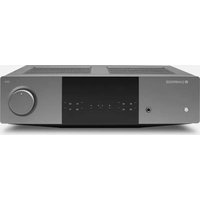
Download the instructions for your Turntable in PDF format for free! Find your manual Alva ST - CAMBRIDGE and take your electronic device back in hand. On this page are published all the documents necessary for the use of your device. Alva ST by CAMBRIDGE.
USER MANUAL Alva ST CAMBRIDGE

Manual assistant
Powered by Anthropic
Waiting for your message
Product information
Brand : CAMBRIDGE
Model : Alva ST
Category : Turntable