
SKW-770 - Subwoofer speaker ONKYO - Free user manual and instructions
Find the device manual for free SKW-770 ONKYO in PDF.


| Product type | Amplified subwoofer speaker |
| Speaker type | Bass-reflex |
| Speaker driver | 25 cm (10 inch) cone woofer |
| Frequency response | 25 Hz – 150 Hz |
| Maximum output power | 290 W (dynamic) |
| Dimensions (W × H × D) | 275 × 507 × 411 mm |
| Weight | 11.6 kg |
| Power supply | 120 V AC, 60 Hz |
| Power consumption | 163 W |
| Input sensitivity / impedance | 140 mV / 20 kΩ |
| Main features | Auto standby, output level adjustment (OUTPUT LEVEL), RCA LINE INPUT |
| Care and cleaning | Wipe with a soft, dry cloth. Do not use solvents, alcohol, or abrasive cleaners. |
| Safety | Do not open the enclosure (risk of electric shock). Disconnect the power cord before any maintenance. Do not expose to water or moisture. |
| Spare parts and repairability | Internal fuse not user-replaceable. Contact a qualified technician for any repairs. |
| General information | Vertical use only. Do not place near heat sources or direct sunlight. |
Frequently Asked Questions - SKW-770 ONKYO
User questions about SKW-770 ONKYO
0 question about this device. Answer the ones you know or ask your own.
Ask a new question about this device
Download the instructions for your Subwoofer speaker in PDF format for free! Find your manual SKW-770 - ONKYO and take your electronic device back in hand. On this page are published all the documents necessary for the use of your device. SKW-770 by ONKYO.
USER MANUAL SKW-770 ONKYO
7.1ch Home Theater Speaker Package
HTP-770 SKS-HT870
SKF-770
FRONT SPEAKERS
SKC-770
CENTER SPEAKER
SKR-770
SURROUND SPEAKERS
SKB-770
Installing & Using.....En-10
Installation et
utilisation............Fr-10
TO REDUCE THE RISK OF FIRE OR ELECTRIC SHOCK, DO NOT EXPOSE THIS APPARATUS TO RAIN OR MOISTURE.
CAUTION:
TO REDUCE THE RISK OF ELECTRIC SHOCK, DO NOT REMOVE COVER (OR BACK). NO USER-SERVICEABLE PARTS INSIDE. REFER SERVICING TO QUALIFIED SERVICE PERSONNEL.

WARNING
RISK OF ELECTRIC SHOCK
DO NOT OPEN
AVIS
BISQUE DE CHOC ELECTRIQUE
NE PAS OUVRIB


The lightning flash with arrowhead symbol, within an equilateral triangle, is intended to alert the user to the presence of uninsulated "dangerous voltage" within the product's enclosure that may be of sufficient magnitude to constitute a risk of electric shock to persons.

The exclamation point within an equilateral triangle is intended to alert the user to the presence of important operating and maintenance (servicing) instructions in the literature accompanying the appliance.
Important Safety Instructions
-
Read these instructions.
-
Keep these instructions.
-
Heed all warnings.
-
Follow all instructions.
-
Do not use this apparatus near water.
-
Clean only with dry cloth.
-
Do not block any ventilation openings. Install in accordance with the manufacturer's instructions.
-
Do not install near any heat sources such as radiators, heat registers, stoves, or other apparatus (including amplifiers) that produce heat.
-
Do not defeat the safety purpose of the polarized or grounding-type plug. A polarized plug has two blades with one wider than the other. A grounding type plug has two blades and a third grounding prong. The wide blade or the third prong are provided for your safety. If the provided plug does not fit into your outlet, consult an electrician for replacement of the obsolete outlet.
-
Protect the power cord from being walked on or pinched particularly at plugs, convenience receptacles, and the point where they exit from the apparatus.
-
Only use attachments/accessories specified by the manufacturer.
-
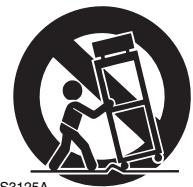
Use only with the cart, stand, tripod, bracket, or table specified by the manufacturer, or sold with the apparatus. When a cart is used, use caution when moving the cart/apparatus combination to avoid injury f
PORTABLE CART WARNING
S3125A
- Unplug this apparatus during lightning storms or when unused for long periods of time.
-
Refer all servicing to qualified service personnel. Servicing is required when the apparatus has been damaged in any way, such as power-supply cord or plug is damaged, liquid has been spilled or objects have fallen into the apparatus, the apparatus has been exposed to rain or moisture, does not operate normally, or has been dropped.
-
Damage Requiring Service
Unplug the apparatus from the wall outlet and refer servicing to qualified service personnel under the following conditions:
A. When the power-supply cord or plug is damaged,
B. If liquid has been spilled, or objects have fallen into the apparatus,
C. If the apparatus has been exposed to rain or water,
D. If the apparatus does not operate normally by following the operating instructions. Adjust only those controls that are covered by the operating instructions as an improper adjustment of other controls may result in damage and will often require extensive work by a qualified technician to restore the apparatus to its normal operation,
E. If the apparatus has been dropped or damaged in any way, and
F. When the apparatus exhibits a distinct change in performance this indicates a need for service.
- Object and Liquid Entry
Never push objects of any kind into the apparatus through openings as they may touch dangerous voltage points or short-out parts that could result in a fire or electric shock.
The apparatus shall not be exposed to dripping or splashing and no objects filled with liquids, such as vases shall be placed on the apparatus.
Don't put candles or other burning objects on top of this unit.
- Batteries
Always consider the environmental issues and follow local regulations when disposing of batteries.
- If you install the apparatus in a built-in installation, such as a bookcase or rack, ensure that there is adequate ventilation.
Leave 20cm (8") of free space at the top and sides and 10cm (4") at the rear. The rear edge of the shelf or board above the apparatus shall be set 10cm (4") away from the rear panel or wall, creating a flue-like gap for warm air to escape.
- AC Fuse—The fuse is located inside the chassis and is not user-serviceable. If power does not come on, contact your Onkyo authorized service station.
- Care—From time to time you should wipe off the cabinet with a soft cloth. For heavier dirt, dampen a soft cloth in a weak solution of mild detergent and water, wring it out dry, and wipe off the dirt. Following this, dry immediately with a clean cloth. Do not use rough material, thinners, alcohol or other chemical solvents or cloths since these may damage the finish or remove the panel lettering.
Use a vacuum cleaner to remove dust from hard-to-reach grilles.
3. Power Warning
BEFORE PLugging IN THE UNIT FOR THE FIRST TIME, READ THE FOLLOWING SECTION CAREFULLY.
The voltage of the available power supply differs according to country or region. Be sure that the power supply voltage of the area where this unit will be used meets the required voltage (AC 120 V, 60Hz ) written on the rear panel.
The power cord plug is used to disconnect this unit from the AC power source. Make sure that the plug is readily operable (easily accessible) at all times.
For Canadian Models
NOTE: THIS CLASS B DIGITAL APPARATUS COMPLIES WITH CANADIAN ICES-003.
For models having a power cord with a polarized plug:
CAUTION: TO PREVENT ELECTRIC SHOCK, MATCH WIDE BLADE OF PLUG TO WIDE SLOT, FULLY INSERT.
Important Safety Instructions. 2
Precautions 3
Speaker Precautions 4
Package Contents 5
Enjoying Home Theater 6
Getting to know Your Speaker Package 7
Installing & Using
Connecting the Speakers. 10
Appendix
Troubleshooting 12
Specifications 13
Placement
- The speaker cabinets are made out of wood and are therefore sensitive to extreme temperatures and humidity, do not put them in locations subject to direct sunlight or in humid places, such as near an air conditioner, humidifier, bathroom, or kitchen.
- Do not put water or other liquids close to the speakers. If liquid is spilled over the speakers, the drive units may be damaged.
- Speakers should only be placed on sturdy, flat surfaces that are free from vibration. Putting them on uneven or unstable surfaces, where they may fall and cause damage, will affect the sound quality.
- Subwoofer is designed to be used in the upright vertical position only. Do not use it in the horizontal or tilted position.
- If the unit is used near a turntable, CD player or DVD player, howling or slipping of sound may occur. To prevent this, move the unit away from the turntable, CD player or DVD player otherwise lower the unit's output level.
Using Close to a TV or Computer
TVs and computer monitors are magnetically sensitive devices and as such are likely to suffer discoloration or picture distortion when conventional speakers are placed nearby. In such situations, try moving the speakers away from your TV or monitor. If discoloration should occur, turn off your TV or monitor, wait 15 to 30 minutes, and then turn it back on again. This normally activates the degaussing function, which neutralizes the magnetic field, thereby removing any discoloration effects. Note that discoloration can also be caused by a magnet or demagnetizing tool that's too close to your TV or monitor.
Input Signal Warning
The speakers can handle the specified input power when used for normal music reproduction. If any of the following signals are fed to them, even if the input power is within the specified rating, excessive current may flow in the speaker coils, causing burning or wire breakage:
- Interstation noise from an untuned FM radio.
- Sound from fast-forwarding a cassette tape.
- High-pitched sounds generated by an oscillator, electronic musical instrument, and so on.
- Amplifier oscillation.
- Special test tones from audio test CDs and so on.
- Thumps and clicks caused by connecting or disconnecting audio cables. (Always turn off your amplifier before connecting or disconnecting cables.)
- Microphone feedback.
Speaker Care
Wipe the cabinet occasionally with a dry silica or soft cloth. For heavier dirt, after dampening a soft cloth in a weak solution of mild detergent and water and wringing it out dry, wipe off the dirt. Then, dry immediately with a clean cloth. Do not use rough material, thinners, alcohol or other chemical solvents or cloths since these could damage the finish, remove the panel lettering, or cause discoloration. If you are using a chemical cloth, always follow the instructions that come with the cloth. For dust accumulated on grilles, use a vacuum cleaner or brush it off.
Power Cord Precautions
- Before connecting the power cord, connect all of your speakers and AV components.
- Turning on the SKW-770 may cause a momentary power surge that might interfere with other electrical equipment on the same circuit. If this is a problem, plug the SKW-770 into a different branch circuit.
Speaker Package HTP-770/ SKS-HT870
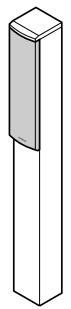
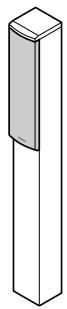
Front speakers (SKF-770)
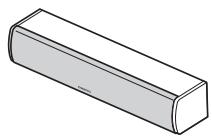
Center speaker (SKC-770)
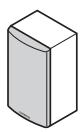
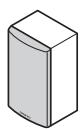
Surround speakers (SKR-770)
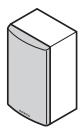
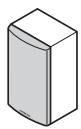
Surround back speakers (SKB-770)
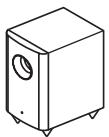
Subwoofer (SKW-770)
(White)
(Red)
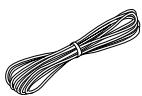
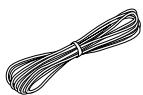
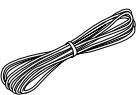
Speaker cables for front speakers 11 ft. (3.5 m)
(Green)
Speaker cable for center speaker 10 ft. (3.0m)
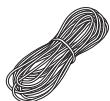
(Blue)
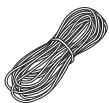
(Gray)
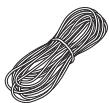
(Brown)
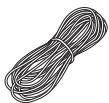
(Tan)
Speaker cables for surround and surround back speakers 26 ft. (8.0 m)
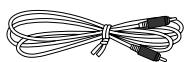
RCA cable for subwoofer connection 10 ft. (3.0m)
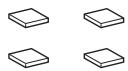
4 floor pads for the subwoofer

4 cork stoppers for center speaker
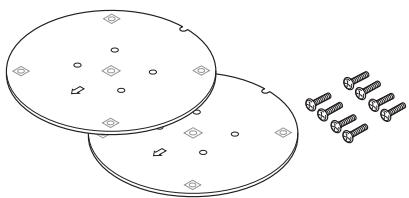
2 speaker bases and 8 screws
The Home Theater means that you can enjoy surround sound with a real sense of movement in your own home — just like being in a movie theater or concert hall.
Front left and right speakers (SKF-770)
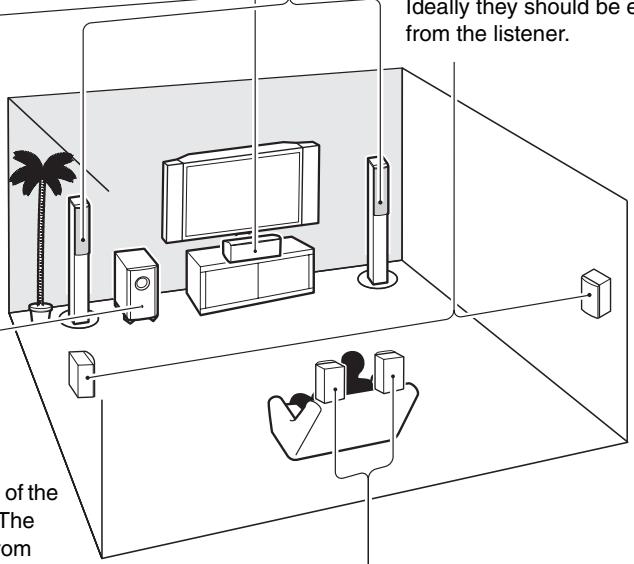
These output the main sound. Their role in a home theater is to provide a solid anchor for the sound image. They should be positioned facing the listener at about ear level, and equally spaced from the TV. Angle them inward slightly so as to create a triangle, with the listener at the apex.
Surround left and right speakers (SKR-770)
These speakers are used for precise sound positioning and to add realistic ambience.
Position them at the sides of the listener, or slightly behind, about 2 to 3 feet (60 to 100~cm ) above ear level. Ideally they should be equally spaced from the listener.
Center speaker (SKC-770)
This speaker enhances the front left and right speakers, making sound movements distinct and providing a full sound image. For movies it's used mainly for dialog.
Position it close to your TV (preferably on top) facing forward at about ear level, or at the same height as the front left and right speakers.
Subwoofer (SKW-770)
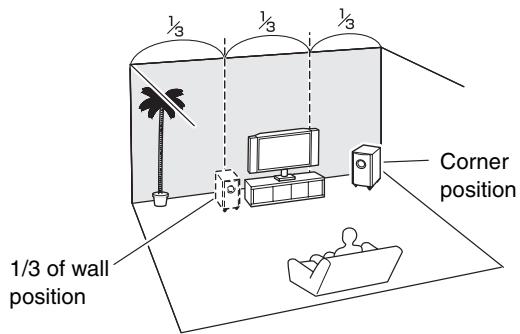
The subwoofer handles the bass sounds of the LFE (Low-Frequency Effects) channel. The volume and quality of the bass output from your subwoofer will depend on its position, the shape of your listening room, and your listening position. In general, a good bass sound can be obtained by installing the subwoofer in a front corner, or at one-third the way along the front wall, as shown.
Tip: To find the best position for your subwoofer, while playing a movie or some music with good bass, experiment by placing your subwoofer at various positions within the room and choose the one that provides the most satisfying results.
Surround back left and right speakers (SKB-770)
These speakers are necessary to enjoy Dolby Digital EX, DTS-ES Matrix, DTS-ES Discrete, etc. They enhance the realism of surround sound and improve sound localization behind the listener. Position them behind the listener about 2 to 3 feet (60 to 100cm ) above ear level.
Front, Center, Surround, and Surround Back Speakers (SKF-770, SKC-770, SKR-770, and SKB-770)
Rear
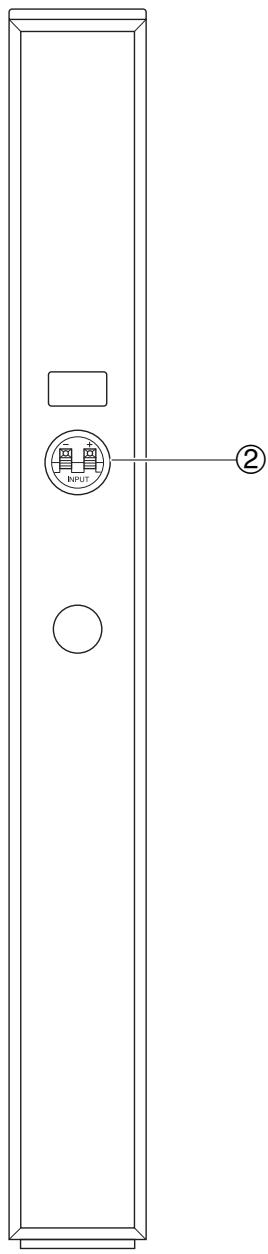
SKF-770
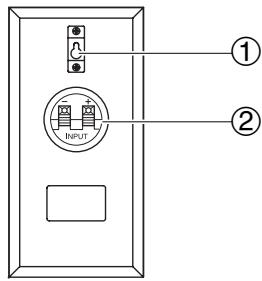
SKR-770/SKB-770
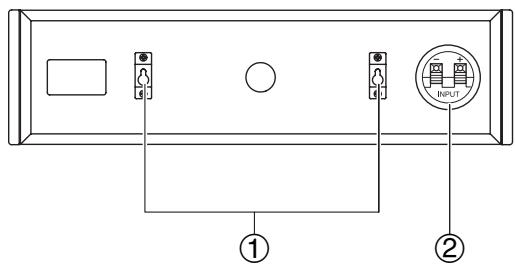
SKC-770
① Keyhole slots
These keyhole slots can be used to wall-mount the speaker (see page 11).
② Speaker terminals
These push terminals are for connecting the speaker to the AV receiver with the supplied speaker cables. The supplied speaker cables are color-coded for easy identification.
Simply connect each cable to the same-colored positive speaker terminal.
Caution:
The front grilles are not designed to be removed so do not attempt to remove them forcibly, as this will damage them.
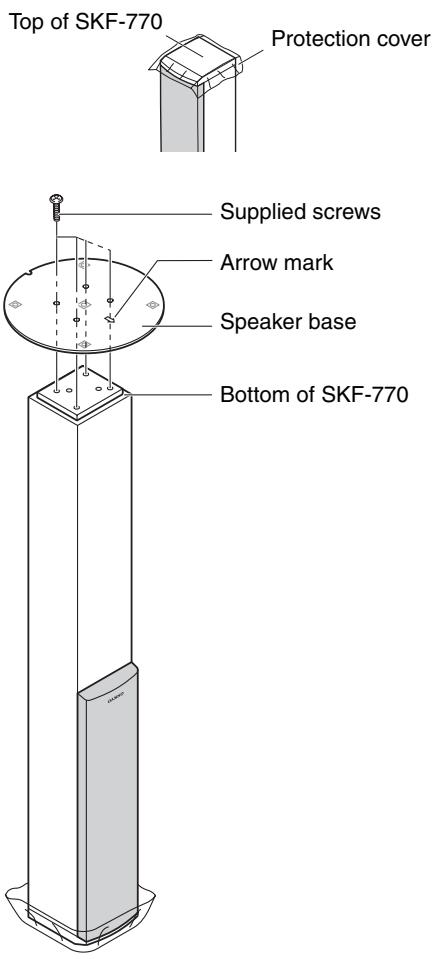
Attaching the Speaker Bases
Before you connect the speakers, attach the supplied speaker base to each SKF-770.
- Turn the speaker upside down with the protection cover attached.
- Align the speaker base while the arrow mark is headed in the same direction as the speaker's face. Be careful not to tip over the speaker.
- Align the screw holes on the speaker base with those on the bottom of each speaker, and affix the speaker base using the supplied screws. Recommended torque is 10kgf· cm (9 lbf·in). Be careful not to tip over the speaker.
- Turn the speaker right side up.
- Remove the protection cover.
SAFETY PRECAUTIONS:
- Attach the speaker bases in a manner that will not allow the speakers to tip over.
- Be sure to tighten the screws when you attach the speaker bases.
- Attach the speaker bases on a flat, level, and stable floor.
- After you attach the speaker bases, make sure that the speakers stand upright and are stable.
Subwoofer (SKW-770)
Front
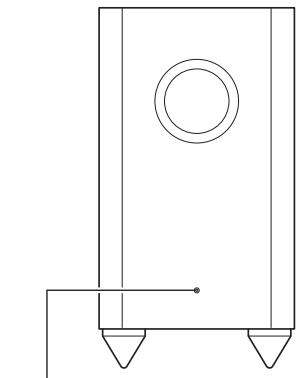
STANDBY/ON indicator
STANDBY/ON indicator
Red: Subwoofer in standby mode
Blue: Subwoofer on
With the Auto Standby function, the SKW-770 automatically turns on when an input signal is detected in Standby mode. When there's no input signal for a while, the SKW-770 automatically enters Standby mode.
Rear
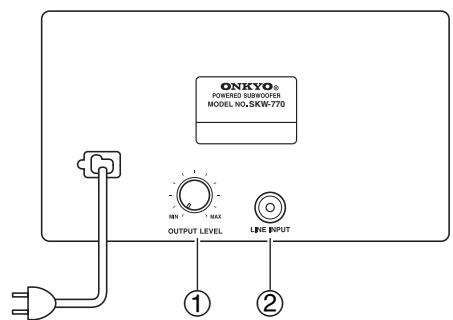
To AC outlet
① OUTPUT LEVEL control
This control is used to adjust the volume of the subwoofer.
② LINE INPUT
This RCA input should be connected to the subwoofer pre out on your AV receiver with supplied RCA cable.
Note:
The Auto Standby function turns the subwoofer on when the input signal exceeds a certain level. If the Auto Standby function does not work reliably, try slightly increasing or decreasing the subwoofer output level on your receiver.
Setting the Subwoofer Level
To set the level of the subwoofer, use the OUTPUT LEVEL control. Set it so that bass sounds are evenly balanced with the treble sounds from the other speakers. Because our ears are less sensitive to very low bass sounds, there's a temptation to set the level of the subwoofer too high. As a rule of thumb, set the subwoofer level to what you think is the optimal level, and then back it off slightly.
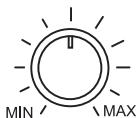
OUTPUT LEVEL
Speaker Connection Precautions
Read the following before connecting your speakers:
-
Turn off your receiver before making any connections.
-
Pay close attention to speaker wiring polarity. Connect positive (+) terminals to only positive (+) terminals, and negative (-) terminals to only negative (-) terminals. If the speakers are wired incorrectly, the sound will be out of phase and will sound un
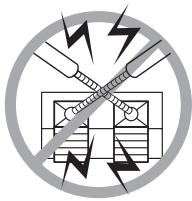
- Be careful not to short the positive and negative wires. Doing so may damage your amp.
Connecting the Speaker Cables
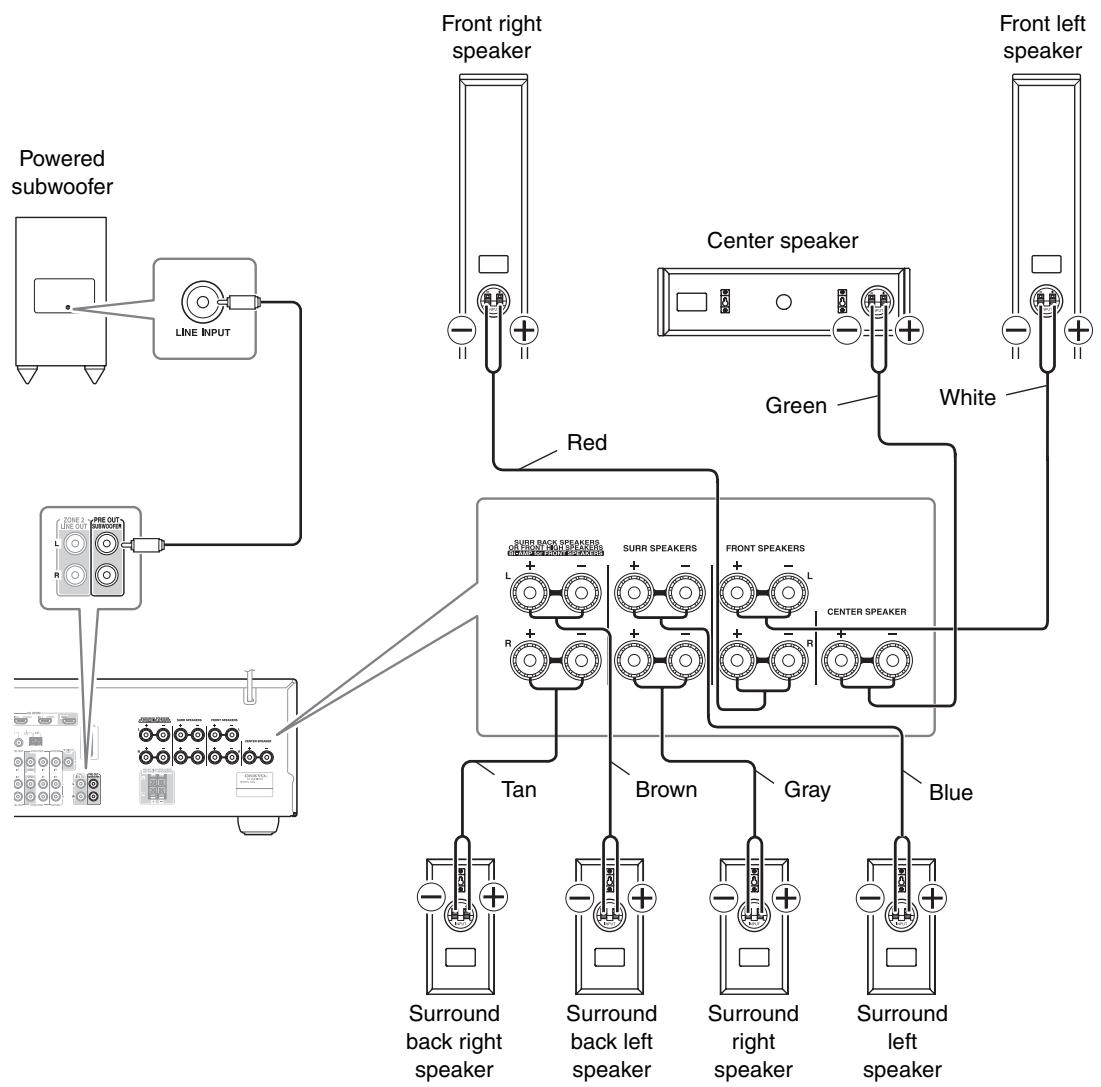
Use the supplied speaker cables to connect each speaker input terminals to the corresponding speaker output terminals on your receiver.
Match the color of each cable to the corresponding speaker terminal.
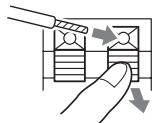
To make a connection, while pressing the terminal lever, insert the wire into the hole, and then release the lever. Make sure that the terminals are gripping the bare wires, not the insulation.
Connecting the Subwoofer
Using the supplied RCA cable, connect the subwoofer's LINE INPUT to your receiver's PRE OUT: SUBWOOFER.
HT-S7200: If you are using an Onkyo HT-S7200 system, you can connect the powered subwoofer with two PRE OUT: SUBWOOFER jacks respectively. When using a single subwoofer, you can connect either jack. The other jack is for connecting additional subwoofer.
Wall Mounting
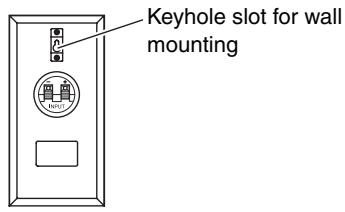
The speakers (center, surround, and surround back) can easily be wall mounted by using the keyhole slots.
To mount the surround or surround back speakers vertically, use the keyhole slot shown to hang each speaker on a screw that's securely screwed into the wall.
Surround speakers/Surround back speakers (SKR-770/SKB-770)
To mount the center speaker horizontally, use the two keyhole slots shown to hang each speaker on two screws that are securely screwed into the wall.
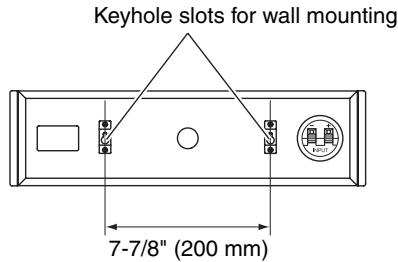
Center speaker (SKC-770)
Caution:
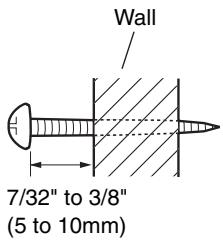
A mounting screw's ability to support a speaker depends on how well it's anchored to the wall. If you have hollow walls, screw each mounting screw into a stud. If there are no studs, or the walls are solid, use suitable wall anchors. Use screws with a head diameter of 5/16'' (8 mm) or less and a shank diameter of 5/32'' (4 mm) or less. With hollow walls, use a cable/pipe detector to check for any power cables or water pipes before making any holes.
Leave a gap of between 7/32" (5 mm) and 3/8" (10 mm) between the wall and the base of the screw head, as shown. (We recommend that you consult a home installation professional.)
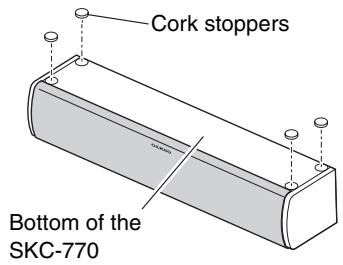
Using the Cork Stoppers for a More Stable Platform
We recommend using the provided cork stoppers to achieve the best possible sound from your speakers. The cork stoppers prevent the speakers from moving, providing a more stable platform. Use stoppers for the center speaker.
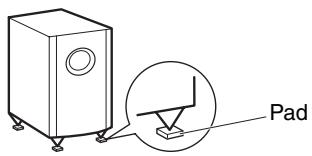
Using the Floor Pads for Subwoofer
If the subwoofer is placed on a hard floor (wood, vinyl, tile, etc.) and playback is very loud, the subwoofer's feet may damage the flooring. To prevent this, place the supplied pads underneath the subwoofer's feet. The pads also provide a stable base for the subwoofer.
| Symptom | Possible cause | Remedy |
| There's no sound coming from certain speakers? | The speaker cables are not connected properly. | Check the speaker cables and correct as necessary. |
| The speaker configuration is not set correctly. | Check the speaker configuration. | |
| The subwoofer does not turn on? | The power plug is not fully inserted into the wall outlet. | Insert the power plug fully into the wall outlet. |
| The subwoofer produces no sound? | The OUTPUT LEVEL control is set to minimum. | Turn up the OUTPUT LEVEL control. |
| The RCA cable is not properly connected to the subwoofer's LINE INPUT. | Make sure that the RCA cable is properly connected to the subwoofer's LINE INPUT. | |
| The level of the input signal was too low and the subwoofer entered Standby mode. | Slightly increase the subwoofer pre out output level on your AV receiver. | |
| The Subwoofer configuration is not set correctly. | Check the subwoofer setting in the speaker configuration on your AV receiver. | |
| The subwoofer produces hardly any sound? | The source material contain little or no bass content. | Choose source material with more bass content. |
| A humming sound can be heard from the subwoofer? | The RCA cable is not properly connected to the subwoofer's LINE INPUT. | Make sure that the RCA cable is properly connected to the subwoofer's LINE INPUT. |
| External interference from a TV or other electronic device is being picked up. | Move the subwoofer and RCA cable away from the interference source. Make sure your audio system is grounded properly. |
■ Powered Subwoofer (SKW-770)
Type: Bass-reflex
Input sensitivity/impedance:
140mV / 20k
Maximum output power: 290W (Dynamic Power)
Frequency response: 25Hz to 150Hz
Cabinet capacity: 37 L (1.3 cubic feet)
Dimensions (W× H× D) ..
275× 507× 411mm
(10 - 13 / 16^ × 19 - 15 / 16^ × 16 - 3 / 16^ )
(incl. projection)
Weight: 11.6kg (25.6 lbs.)
Drivers unit: 25cm(10^ ) Cone Woofer × 1
Power supply: AC 120 V, 60 Hz
Power consumption: 163 W
Other: Auto Standby function
■ Front Speakers (SKF-770)
Type: 2 Way Bass-reflex
Impedance: 6Ω
Maximum input power: 130W
Sensitivity: 79.5 dB/W/m
Frequency response: 55Hz to 50kHz
Crossover frequency: 4kHz
Cabinet capacity: 7.3 L (0.26 cubic feet)
Assembly dimensions (with supplied speaker base)
(W× H× D)
262× 1050× 262mm
(10 - 5 / 16^ × 41 - 5 / 16^ × 10 - 5 / 16^ )
(incl. projection)
Weight: 5.2kg (11.5 lbs.)
(incl. speaker base)
Drivers unit: 8cm (3-1/4") cone (Woofer) × 2
2.5cm (1") Balanced dome (Tweeter)
Terminal: Spring type color coded
Grille: Fixed
Center Speaker (SKC-770)
Type: 2 Way Bass-reflex
Impedance: 6Ω
Maximum input power: 130W
Sensitivity: 79 dB/W/m
Frequency response: 60Hz to 50kHz
Crossover frequency: 4kHz
Cabinet capacity: 2.8 L (0.10 cubic feet)
Dimensions (W× H× D)
430× 115× 121mm
(16-15/16" × 4-1/2" × 4-3/4")
(incl. grille and projection)
Weight: 2.2kg (4.9 lbs.)
Drivers unit: 8cm (3-1/4") Cone (Woofer) × 2
2.5cm (1") Balanced dome (Tweeter)
Terminal: Spring type color coded
Keyhole slot: 2
Grille: Fixed
Surround/Surround Back Speakers (SKR-770/SKB-770)
Type: Full-range closed box
Impedance: 6Ω
Maximum input power: 130W
Sensitivity: 81 dB/W/m
Frequency response: 80Hz to 20kHz
Cabinet capacity: 1.0 L (0.036 cubic feet)
Dimensions (W× H× D)
115× 230× 96mm
(4 - 1 / 2^ × 9 - 1 / 16^ × 3 - 3 / 4^ )
(incl. grille and projection)
Weight: 1.0kg (2.2 lbs.)
Drivers unit: 8 cm (3-1/4") Cone
Terminal: Spring type color coded
Keyhole slot: 1
Grille: Fixed
Specifications and appearance are subject to change without prior notice.
ATTENTION:
AFIN DE REDUIRE LES RISQUES D'INCENDIE ET DE DECHARGE ELECTRIQUE, NE PAS EXPOSER CET APPAREIL A LA PLUIE OU A L'HUMIDITE.
DANGER:
AFIN D'EVITER TOUT DANGER DE DECHARGE ELECTRIQUE, NE PAS OUVRIR LE BOITIER (OU L'ARRIERE) DE L'APPAREIL. CONFIER TOUT TRAVAIL D'ENTRETIEN OU DE REPARATION A UN TECHNICIEN QUALIFIE.

WARNING
RISK OF ELECTRIC SHOCK
DO NOT OPEN
AVIS
RISQUE DE CHOC ELECTRIQUE
NE PAS OUVBIR


18 Park Way, Upper Saddle River, N.J. 07458, U.S.A.
Tel: 201-785-2600 Fax: 201-785-2650 http://www.us.onkyo.com/
ONKYO EUROPE ELECTRONICS GmbH
Liegnitzerstrasse 6, 82194 Groebenzell, GERMANY
Tel: +49-8142-4401-0 Fax: +49-8142-4401-555 http://www.eu.onkyo.com/
ONKYO EUROPE UK Office
Suite 1, Gregories Court, Gregories Road, Beaconsfield, Buckinghamshire, HP9 1HQ UNITED KINGDOM Tel: +44-(0)1494-681515 Fax: +44(0)-1494-680452
ONKYO CHINA LIMITED
Unit 1&12, 9/F, Ever Gain PlazaTower 1, 88, Container Port Road, Kwai Chung,
N.T., HONG KONG Tel: 852-2429-3118 Fax: 852-2428-9039
http://www.ch.onkyo.com/

Y0905-1
- 7.1ch Home Theater Speaker Package
- HTP-770 SKS-HT870
- CAUTION:
- WARNING
- AVIS
- Important Safety Instructions
- Power Warning
- For Canadian Models
- Installing & Using
- Appendix
- Placement
- Using Close to a TV or Computer
- Input Signal Warning
- Speaker Care
- Power Cord Precautions
- Speaker Package HTP-770/ SKS-HT870
- Front left and right speakers (SKF-770)
- Surround left and right speakers (SKR-770)
- Center speaker (SKC-770)
- Subwoofer (SKW-770)
- Surround back left and right speakers (SKB-770)
- Rear
- ① Keyhole slots
- ② Speaker terminals
- Attaching the Speaker Bases
- SAFETY PRECAUTIONS:
- Front
- STANDBY/ON indicator
- ① OUTPUT LEVEL control
- ② LINE INPUT
- Note:
- Setting the Subwoofer Level
- Speaker Connection Precautions
- Connecting the Speaker Cables
- Connecting the Subwoofer
- Wall Mounting
- Using the Cork Stoppers for a More Stable Platform
- Using the Floor Pads for Subwoofer
- ■ Powered Subwoofer (SKW-770)
- ■ Front Speakers (SKF-770)
- Surround/Surround Back Speakers (SKR-770/SKB-770)
- ATTENTION:
- DANGER:
Brand : ONKYO
Model : SKW-770
Category : Subwoofer speaker