CR4 LTD - Loudspeaker MACKIE - Free user manual and instructions
Find the device manual for free CR4 LTD MACKIE in PDF.


Pick your language and provide your email: we'll send you a specifically translated version.
| Product Type | Active Studio Monitor |
| Brand | Mackie |
| Model | CR4 LTD |
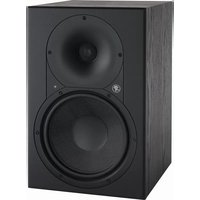
| Speaker Size | 4-inch woofer, 1-inch silk dome tweeter |
| Amplifier Power | 50W total (30W LF + 20W HF) |
| Frequency Response | 60 Hz - 20 kHz |
| Crossover Frequency | 3.5 kHz |
| Inputs | 1/4" TRS balanced, RCA unbalanced |
| Enclosure Type | Front-ported |
| Dimensions (each) | 9.5 x 6.4 x 7.7 inches (241 x 163 x 196 mm) |
| Weight (each) | 8.4 lbs (3.8 kg) |
| Power Requirements | 100-240 VAC, 50/60 Hz |
| Acoustic Space Control | Yes |
| RF Interference Shielding | Yes |
| Cleaning Instructions | Wipe with dry cloth; avoid solvents and abrasives |
| Safety Precautions | Operate in well-ventilated area; do not expose to moisture or extreme temperatures |
| Repairability | Contact authorized Mackie service center |
Frequently Asked Questions - CR4 LTD MACKIE
What is the power output of the Mackie CR4 LTD?
The CR4 LTD is bi-amplified with a total of 50W: 30W for the low-frequency driver and 20W for the high-frequency driver.
What are the dimensions of the CR4 LTD?
Each speaker measures 9.5 x 6.4 x 7.7 inches (241 x 163 x 196 mm).
What inputs does the CR4 LTD have?
It has balanced 1/4" TRS and unbalanced RCA inputs.
Can I use the CR4 LTD as a computer speaker?
Yes, you can connect it to your computer's audio interface or sound card using the RCA or TRS inputs.
How do I clean the CR4 LTD?
Clean with a soft, dry cloth. Do not use solvents, abrasives, or spray cleaners.
What is the frequency response of the CR4 LTD?
The frequency response is 60 Hz to 20 kHz.
Does the CR4 LTD have a subwoofer output?
No, there is no dedicated subwoofer output. You can connect a subwoofer from your audio source or use a separate crossover.
What is the warranty period for the CR4 LTD?
Mackie typically offers a 1-year limited warranty. Check your local dealer for details.
How do I connect the CR4 LTD to my audio interface?
Use balanced 1/4" TRS cables from your interface's outputs to the monitor inputs for best noise rejection.
Are the CR4 LTD speakers magnetically shielded?
They are not specifically shielded, but feature RF interference shielding to reduce hum.
User questions about CR4 LTD MACKIE
0 question about this device. Answer the ones you know or ask your own.
Ask a new question about this device
No questions yet. Be the first to ask one.
Download the instructions for your Loudspeaker in PDF format for free! Find your manual CR4 LTD - MACKIE and take your electronic device back in hand. On this page are published all the documents necessary for the use of your device. CR4 LTD by MACKIE.
USER MANUAL CR4 LTD MACKIE


Manual assistant
Powered by Anthropic
Waiting for your message
Product information
Brand : MACKIE
Model : CR4 LTD
Category : Loudspeaker