
Storm 8 - Uncategorized Enttec - Free user manual and instructions
Find the device manual for free Storm 8 Enttec in PDF.


| Product Type | LED Lighting Fixture |
| Model | Storm 8 |
| Brand | Enttec |
| Light Source | 8 x high-power RGBW LEDs |
| Power Consumption | Maximum 200W |
| Input Voltage | 100-240V AC, 50/60Hz |
| DMX Channels | 4/8 (selectable) |
| IP Rating | IP65 (weather-resistant) |
| Dimensions (L x W x H) | 12.2 x 8.5 x 10.2 inches (310 x 216 x 259 mm) |
| Weight | 11.5 lbs (5.2 kg) |
| Housing Material | Die-cast aluminum |
| Cooling | Passive convection (no fan) |
| Beam Angle | 25° (optional 45° lens) |
| Control Modes | DMX, standalone, master/slave, sound-active |
| Operating Temperature | -20°C to 45°C (-4°F to 113°F) |
| Connections | 5-pin XLR in/out; PowerCon in/out |
| Maintenance | Clean with dry cloth; avoid solvents |
| Safety Features | Over-temperature protection, safety cable attachment |
| Accessories Included | Mounting bracket, power cable, user manual |
Frequently Asked Questions - Storm 8 Enttec
User questions about Storm 8 Enttec
0 question about this device. Answer the ones you know or ask your own.
Ask a new question about this device
Download the instructions for your Uncategorized in PDF format for free! Find your manual Storm 8 - Enttec and take your electronic device back in hand. On this page are published all the documents necessary for the use of your device. Storm 8 by Enttec.
USER MANUAL Storm 8 Enttec
• Supports DMX512/1990.
- Refresh rate is configurable for each DMX output.
• Each DMX output can be assigned up to one Ethernet
ENTTEC
To make any changes to the configuration, you will need the IP address of the unit. ENTTEC provides a free hardware sniffer called NMU (Node Management Utility) available for both Windows and Mac, which will find the Storm 8 on your network alongside all other enttec devices and display their IP address.
Using the IP address one can access the built-in web-interface inside the Storm 8 via any modem web-browser. The web-interface allows the settings of the unit to be changed.
Once setup, any Art-Net/sACN/ESP enabled software/app or a lighting control desk can be used to drive the DMX outputs on the Storm8. For a list of recommended 3 rd party apps, please check the website www.enttec.com/storm8
LED Status

Quick Start Manual STORM8-MANUAL (51074)

For latest version visit: www.entlec.com
• PURPLE: (Blinking) IP Address Conflict. Please change the IP address manually or enable DHCP.
• CYAN (Blinking): Merge sources exceeded. Either merge is disabled or more than two sources are being received by Storm 8.
Ethernet Link Speed: is ON when there is an active Ethernet Link @ 100 mbps. It will stay OFF @ 10 mbps.
Ethernet Activity: This LED blinks when there is activity on the Ethernet network.
NMU
NMU (Node Management Utility) is a free Windows and Mac application that is used to manage compatible ENTTEC DMX over Ethernet nodes.
NMU will help you find your unit's IP address and then open a browser window to access the web-interface.
Please follow these steps:
- Download NMU from www.enttec.com/nmu
- Ensure that Storm 8 is hooked up physically by an Ethernet cable.
-
And connected to the same physical network (or router) as the computer on which you will run NMU.
-
Once found, select Storm 8 and use the IP address to access the web-interface via your web browser.
Web Configuration
The Storm 8 can be configured and controlled through a web browser, running on a computer system, located on the same Local Area Network. Any modem web browser, such as Chrome, Firefox, Internet Explorer, Safari or Opera, running under any operating system, including Windows XP/7/8/10, Mac OS X or Linux can be used.
Either click on the underlined URL displayed in NMU, or type the IP address (as detected by NMU) into your web browser to access the Web Interface. The left side menu allows all the Storm 8 web pages to be accessed.
Home page provides the following information:

System Information: Name, Firmware Version and Serial No. of the unit. The Serial No. is unique to this unit and can be used to identify this unit.
Current Network Settings: Configured IP address and Link speed for the unit.
DMX Outputs: A DMX output data snapshot can be seen by clicking the port number. Merge status is also shown under the port for convenience. Any merge errors will be shown here.
To change any of the displayed settings, you must use the Settings page.
Settings

Node name is used to identify the unit on the network. Any meaningful name can be used.
DHCP is enabled by default. When enabled, the router on your network is expected to automatically provide the IP address to the unit. If no DHCP router/server is present on the network, the manual IP address will be used.
If for some reason, your unit does not get an IP address via DHCP, please restart the unit with the Ethernet cable connected. It will listen for DHCP on start-up and wait for a few seconds, before terminating the process if unsuccessful.
IP Address and Netmask are only used if DHCP is disabled or is unavailable on your network. Storm 8 web-page will warn you, if non-standard IP address or netmask is used.
If ever you manage to use an IP Address that can't be connected to later, please perform the reset procedure (as described later). The reset will re-enable DHCP on Storm 8.
DMX Protocol: allows you to pick the input DMX over Ethernet protocol that the Storm 8 will act on. Available options are Art-Net, sACN, and ESP.
ENTTEC
Quick Start Manual STORM8-MANUAL (51074)

For latest version visit: www.enitec.com
Art-Net Address: Net and Subnet can be selected here, and comply with the Art-Net 3 protocol. Universe can be selected from the DMX Port Settings.
DMX Outputs
The 'DMX Outputs' table allows all settings to be modified individually for each DMX Port. The options available for each Port are as follows:
Enabled
Select whether to enable or disable the DMX port. When enabled, the port will constantly output DMX at the selected refresh rate.
Universe
Allows for selection of the Ethernet universe that will drive the DMX output. For Art-net universes, please change Net/Subnet to increase the combined universe beyond 15. (Combined universe is shown under the selection).
Refresh Rate
Select appropriate refresh rate to control how often the output is refreshed.
0 = Follows source (no repeats)
Max = Send as fast as possible


When the update is complete, the page will refresh and you will be taken to the home page – where you can verify the firmware version. If the update fails for any reason, please try the same process again.
Storm 8 will reboot after a firmware update, please allow a few

ENTTEC
Quick Start Manual STORM8-MANUAL (51074)

For latest version visit: www.enitec.com
- Release the Reset button once the status led starts blinking red.
• Wait 3 seconds and cycle power
Art-Net Send Test
NMU can also be used to troubleshoot the DMX output on the Storm 8. Art-Net Test can be accessed from the top menu: Art-net → Art-net Test
When first opened, the Art-Net is set to Disabled, please set it to Enabled, and then you can use either the DMX faders to test one or more DMX channels, or use the test-patterns from the options available.
Please set the Storm 8 to use Art-Net and on the same universe as being used to send Art-Net from NMU.

Specifications
Due to continuous improvements and innovations of all ENTTEC products, specifications and features are subject to change without notice.
| Item | Value |
| PSU Input Voltage | 90 – 260V AC |
| PSU Input Frequency | 50/60 Hz |
| Weight | 1.65 lbs. / 0.75 Kg |
| Shipped weight | 3.19 lbs. / 1.45 Kg |
| Length | 7.53" / 191mm |
| Width | 4.14" / 105mm |
| Height | 1.75" / 44.5mm |
| Output Protocol | DMX-512 |
| Input Protocol | Art-Net, sACN or ESP |
| Op Environment | 0"-50°C in non-condensing environment |
| Connectors | 8x RJ45 DMX output1x IEC power connector1x RJ45 Ethercon connector |
Ordering Information
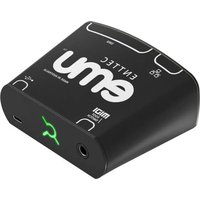
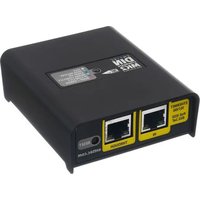

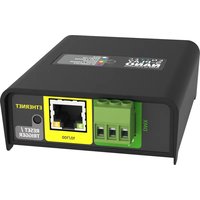
Brand : Enttec
Model : Storm 8
Category : Uncategorized