PowerTel 760 - Telephone Amplicom - Free user manual and instructions
Find the device manual for free PowerTel 760 Amplicom in PDF.


Pick your language and provide your email: we'll send you a specifically translated version.
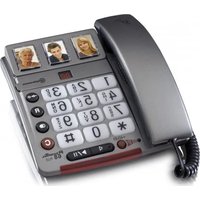
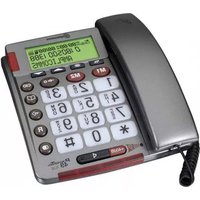
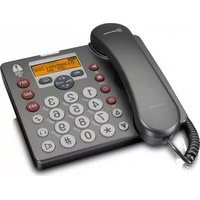
| Product type | Corded landline telephone |
| Brand | Amplicom |
| Model | PowerTel 760 |
| Dimensions (approx.) | 210 x 170 x 80 mm |
| Weight (approx.) | 400 g |
| Power supply | 2x AAA batteries (backup) + AC adapter |
| Display | LCD screen with caller ID |
| Keypad | Numeric keys, speed dial, redial, hold |
| Handsfree | Yes, speakerphone function |
| Volume control | Adjustable earpiece and ringer volume |
| Caller ID | Compatible with analog networks |
| Phonebook | Stores up to 50 entries |
| Mounting | Desktop or wall-mountable |
| Compatibility | Analog PSTN lines |
| Safety | Indoor use only, keep away from water |
| Care | Clean with a dry, soft cloth |
| Spare parts | Standard accessories available; no user-replaceable internal parts |
| Additional features | Mute, flash, tone/pulse dialing |
| Audio | Enhanced sound with hearing aid compatibility |
| Warranty | 1 year |
Frequently Asked Questions - PowerTel 760 Amplicom
How do I set the date and time on my Amplicom PowerTel 760?
Press the Menu button, navigate to Settings using the arrow keys, then select Date/Time. Use the keypad to enter the correct date and time, and confirm with OK.
Why is there no dial tone?
Check that the telephone line cable is securely connected to both the phone and the wall jack. Also ensure the power adapter is plugged in if required. If using batteries, verify they are not depleted.
How do I adjust the ringer volume?
While the phone is idle, press the Volume Up or Volume Down buttons. You can also change the ringer volume from the menu under Settings > Ringer Volume.
How can I store contacts in the phonebook?
Press Menu, select Phonebook, then Add New. Enter the name using the keypad (multi-tap), press OK, then enter the number and confirm. The phonebook stores up to 50 entries.
Can the phone be wall-mounted?
Yes, the Amplicom PowerTel 760 is designed for wall mounting. An optional wall mounting bracket may be required; refer to the manual for specific instructions.
How do I use the handsfree speakerphone?
During a call, press the Speaker button to activate handsfree mode. The speaker will be enabled, and you can talk without holding the handset. Press the button again to return to handset mode.
The batteries are not charging – what should I do?
This phone uses standard alkaline batteries for backup; they are not rechargeable. Replace them with fresh batteries. For main power, always use the supplied AC adapter.
How do I block unwanted calls?
The PowerTel 760 does not have a built-in call block feature. However, you can subscribe to a network-based call blocking service from your telephone provider.
Caller ID is not showing – why?
Ensure your phone line supports caller ID and that the service is activated by your provider. Also check that the phone's Caller ID setting is enabled in the menu under Settings > Caller ID.
How should I clean the telephone?
Unplug the phone before cleaning. Use a soft, dry cloth to wipe the exterior. Do not use liquid cleaners or abrasive materials. For stubborn dirt, slightly dampen the cloth with water and wring it out well.
User questions about PowerTel 760 Amplicom
0 question about this device. Answer the ones you know or ask your own.
Ask a new question about this device
No questions yet. Be the first to ask one.
Download the instructions for your Telephone in PDF format for free! Find your manual PowerTel 760 - Amplicom and take your electronic device back in hand. On this page are published all the documents necessary for the use of your device. PowerTel 760 by Amplicom.
USER MANUAL PowerTel 760 Amplicom
Manual assistant
Powered by Anthropic
Waiting for your message
Product information
Brand : Amplicom
Model : PowerTel 760
Category : Telephone