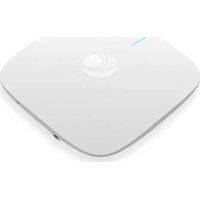
cnHeat Wireless Modeling - Software Cambium Networks - Free user manual and instructions
Find the device manual for free cnHeat Wireless Modeling Cambium Networks in PDF.
Pick your language and provide your email: we'll send you a specifically translated version.
| Product Type | Wireless Network Modeling Software |
| Version | Latest Version (as of release) |
| Compatible Operating Systems | Windows 10/11, macOS 10.15+, Linux (Ubuntu 20.04+) |
| License Type | Commercial software, subscription-based |
| Main Functions | Wireless network planning, simulation, and optimization; RF propagation modeling; site survey analysis |
| Supported Hardware | Cambium Networks devices (ePMP, cnWave, etc.), third-party equipment via import |
| File Import Formats | Google Earth KML/KMZ, CAD DXF/DWG, shapefiles, raster images |
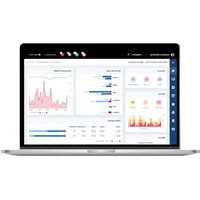
| Output Results | Coverage maps, heatmaps, link analysis reports, capacity planning data |
| User Interface | Graphical user interface with 2D/3D map view, drag-and-drop components |
| Collaboration | Cloud-based project sharing, multi-user support |
| System Requirements (Minimum) | Intel i5 processor, 8 GB RAM, 2 GB free disk space, dedicated GPU (NVIDIA GTX 1060 or equivalent) |
| Installation Method | Downloadable installer from Cambium Networks portal |
| Updates | Free updates within subscription period |
| Technical Support | Online knowledge base, community forum, ticket system |
| Language Support | English (default), additional languages available |
Frequently Asked Questions - cnHeat Wireless Modeling Cambium Networks
How do I install cnHeat Wireless Modeling?
Download the installer from the Cambium Networks customer portal. Run the executable and follow the on-screen instructions. You will need a valid license key to activate the software.
What are the system requirements for cnHeat?
Minimum requirements: Intel i5 processor, 8 GB RAM, 2 GB free disk space, and a dedicated GPU such as NVIDIA GTX 1060. For better performance, an i7 processor and 16 GB RAM are recommended.
Can I import my own map data?
Yes, cnHeat supports importing Google Earth KML/KMZ files, CAD DXF/DWG, shapefiles, and raster images. You can also use digital elevation models for accurate terrain analysis.
How do I create a coverage heatmap?
After setting up your network parameters (antennas, power, etc.), use the 'Coverage' tool. Select the area of interest, choose the propagation model (e.g., ITU-R P.525), and run the simulation. The heatmap will be displayed on the map.
Can I share projects with colleagues?
Yes, cnHeat offers cloud-based project sharing. You can upload your project to the Cambium cloud and invite team members to view or edit. Permissions can be set per user.
How do I update the software?
Updates are delivered through the built-in updater. When a new version is available, you will be prompted upon launch. Follow the instructions to download and install the update. Ensure your subscription is active.
What file formats can I export results in?
You can export coverage maps as images (PNG, JPEG), reports as PDF, and data as CSV or KML. Link analysis results can be saved as text or integrated into reports.
Is there a trial version available?
Cambium Networks typically offers a 30-day free trial with full functionality. Visit the Cambium Networks website to request a trial license.
How do I model point-to-point links?
Use the 'Link' tool in the software. Place two nodes on the map, configure radio parameters (frequency, bandwidth, antenna gains), and cnHeat will calculate link budget, Fresnel zone clearance, and expected throughput.
What is the propagation model used by default?
The default model is ITU-R P.525 for free-space path loss. You can choose other models like ITU-R P.1546 for terrestrial, or use the SPM (Standard Propagation Model) for urban environments.
User questions about cnHeat Wireless Modeling Cambium Networks
0 question about this device. Answer the ones you know or ask your own.
Ask a new question about this device
No questions yet. Be the first to ask one.
Download the instructions for your Software in PDF format for free! Find your manual cnHeat Wireless Modeling - Cambium Networks and take your electronic device back in hand. On this page are published all the documents necessary for the use of your device. cnHeat Wireless Modeling by Cambium Networks.