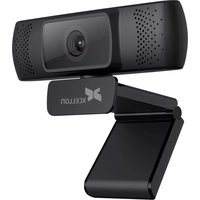
HDWC-10 - Webcam Xcellon - Free user manual and instructions
Find the device manual for free HDWC-10 Xcellon in PDF.


Pick your language and provide your email: we'll send you a specifically translated version.
| Product Type | Webcam |
| Model | HDWC-10 |
| Brand | Xcellon |
| Resolution | Full HD 1080p (1920 x 1080) |
| Frame Rate | 30 fps |
| Connection | USB 2.0 |
| Field of View | 70 degrees |
| Focus | Fixed focus |
| Built-in Microphone | Yes, monaural |
| Dimensions (W x H x D) | 3.5 x 2.0 x 1.5 inches (approx.) |
| Weight | 3.5 oz (100 g) |
| Power Source | USB powered (5V, 500mA) |
| Compatibility | Windows, macOS, Linux, Chrome OS |
| Mounting | Clip-on design for monitors and laptops |
| Additional Features | Plug and play, privacy cover |
| Cleaning | Wipe lens with dry micro‑fiber cloth |
| Spare Parts Availability | Contact manufacturer for spare parts |
Frequently Asked Questions - HDWC-10 Xcellon
How do I install the Xcellon HDWC-10 webcam?
Simply plug the USB cable into an available USB port on your computer. The webcam is plug-and-play and should work without additional drivers on most operating systems.
Does the webcam work with Mac and Linux?
Yes, the HDWC-10 is compatible with Windows, macOS, Linux, and Chrome OS. No special drivers are required.
What is the resolution and frame rate?
The webcam captures video at Full HD 1080p resolution with a frame rate of 30 frames per second.
Does it have a built-in microphone?
Yes, the webcam includes a built-in monaural microphone for capturing audio.
How do I clean the lens?
Use a dry micro‑fiber cloth to gently wipe the lens. Avoid using liquids or abrasive materials to prevent scratches.
Can I adjust the field of view?
The field of view is fixed at 70 degrees and cannot be adjusted mechanically.
Does the webcam have a privacy cover?
Yes, the HDWC-10 is equipped with a manual privacy cover that slides over the lens when not in use.
What is the cable length?
The USB cable is approximately 5 feet (1.5 meters) long.
Is the webcam compatible with video conferencing software?
Yes, it works with Zoom, Skype, Teams, Google Meet, and most other video calling applications.
How do I mount the webcam?
The webcam has a clip-on base that can be attached to your monitor or laptop screen, or placed on a flat surface.
User questions about HDWC-10 Xcellon
0 question about this device. Answer the ones you know or ask your own.
Ask a new question about this device
No questions yet. Be the first to ask one.
Download the instructions for your Webcam in PDF format for free! Find your manual HDWC-10 - Xcellon and take your electronic device back in hand. On this page are published all the documents necessary for the use of your device. HDWC-10 by Xcellon.
USER MANUAL HDWC-10 Xcellon

Manual assistant
Powered by Anthropic
Waiting for your message
Product information
Brand : Xcellon
Model : HDWC-10
Category : Webcam