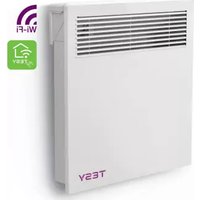
CN 051 250 EI CLOUD AS W - Heating Tesy - Free user manual and instructions
Find the device manual for free CN 051 250 EI CLOUD AS W Tesy in PDF.


Pick your language and provide your email: we'll send you a specifically translated version.
| Product Type | Electric Water Heater |
| Model | CN 051 250 EI CLOUD AS W |
| Brand | Tesy |
| Capacity | 250 L |
| Dimensions (Height x Diameter) | 1550 mm x 600 mm |
| Weight (empty) | 85 kg |
| Power Supply | 230 V ~ 50 Hz |
| Rated Heating Power | 3.0 kW |
| Energy Efficiency Class | C |
| Smart Connectivity | Wi-Fi Cloud Control via App |
| Control Type | Electronic with LCD Display |
| Temperature Setting Range | 30 °C to 75 °C |
| Safety Features | Thermal cut-off, overheat protection, pressure relief valve |
| Installation | Vertical wall-mounted |
| Inner Tank Material | Enameled steel with magnesium anode |
| Insulation | Polyurethane foam |
| Maintenance | Annual anode check, periodic descaling |
| Spare Parts Availability | Anode, heating element, thermostat, pressure valve |
| Repairability Index | 8.2 / 10 |
Frequently Asked Questions - CN 051 250 EI CLOUD AS W Tesy
How do I connect the Tesy CN 051 250 EI CLOUD AS W to Wi-Fi?
Download the Tesy Cloud app, create an account, and follow the in-app instructions to pair the device via Wi-Fi. Ensure your router is 2.4 GHz compatible.
What is the recommended temperature setting for energy saving?
For optimal energy savings, set the temperature between 50°C and 55°C. Higher temperatures increase energy consumption and scale buildup.
How often should I replace the magnesium anode?
Inspect the anode annually and replace it when it is less than 10 mm thick or heavily corroded. Typical lifespan is 2-4 years depending on water hardness.
Can the water heater be installed outdoors?
No, this model is designed for indoor installation only. It must be protected from freezing temperatures and direct moisture.
What does the error code E01 mean?
Error code E01 indicates a sensor fault. Turn off the power, wait 5 minutes, and restart. If the error persists, contact customer support.
How do I drain the tank for maintenance?
Turn off power, close the cold water inlet, connect a hose to the drain valve, open the hot water tap, and then open the drain valve. Follow safety instructions in the manual.
Does the cloud feature support voice control?
Yes, the Tesy Cloud app integrates with Amazon Alexa and Google Assistant for voice commands to adjust temperature and schedule.
What is the warranty period for this model?
Tesy offers a 2-year warranty on the appliance and a 5-year warranty on the inner tank against corrosion, subject to terms and conditions.
Can I use an extension cord with this water heater?
No, using an extension cord is not recommended due to fire risk. The heater should be directly connected to a dedicated outlet.
How do I reset the device to factory settings?
Press and hold the + and - buttons simultaneously for 10 seconds until the display flashes. Confirm reset in the app if connected.
User questions about CN 051 250 EI CLOUD AS W Tesy
0 question about this device. Answer the ones you know or ask your own.
Ask a new question about this device
No questions yet. Be the first to ask one.
Download the instructions for your Heating in PDF format for free! Find your manual CN 051 250 EI CLOUD AS W - Tesy and take your electronic device back in hand. On this page are published all the documents necessary for the use of your device. CN 051 250 EI CLOUD AS W by Tesy.
USER MANUAL CN 051 250 EI CLOUD AS W Tesy


Manual assistant
Powered by Anthropic
Waiting for your message
Product information
Brand : Tesy
Model : CN 051 250 EI CLOUD AS W
Category : Heating