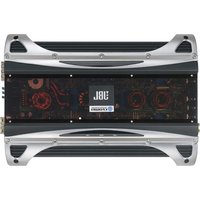
Loud and Clear LCA304 - Receiver JBL - Free user manual and instructions
Find the device manual for free Loud and Clear LCA304 JBL in PDF.


Pick your language and provide your email: we'll send you a specifically translated version.
| Product Type | Home Theater Receiver |
| Brand | JBL |
| Model | Loud and Clear LCA304 |
| Number of Channels | 5.1 |
| Power Output | 100W per channel (8 ohms, 20Hz-20kHz, 0.08% THD) |
| Frequency Response | 20Hz - 20kHz |
| Audio Inputs | 4 HDMI, 2 Optical, 2 Coaxial, Analog RCA |
| Audio Outputs | 1 HDMI ARC, Subwoofer Pre-out, Speaker Terminals |
| Video Support | 4K Pass-through, HDR10, Dolby Vision |
| Radio Tuner | FM/AM |
| Bluetooth | Yes, A2DP Streaming |
| Dimensions (W x H x D) | 435 x 165 x 380 mm |
| Weight | 12.5 kg |
| Power Supply | AC 120V 60Hz |
| Power Consumption | 450W (Standby <0.5W) |
| Cleaning Instructions | Wipe with a dry, soft cloth. Do not use solvents. |
| Safety Precautions | Avoid moisture and ensure proper ventilation. |
| Repairability | No user-serviceable parts. Contact JBL support. |
Frequently Asked Questions - Loud and Clear LCA304 JBL
How do I connect my receiver to a TV?
Use an HDMI cable to connect the HDMI ARC port on the receiver to the HDMI ARC port on your TV. Ensure both devices support ARC.
Why is there no sound from the speakers?
Check that the speaker wires are properly connected to the terminals and that the receiver is set to the correct input source. Also verify the volume level is not muted.
How do I pair my phone via Bluetooth?
Press the Bluetooth button on the remote or front panel. On your phone, enable Bluetooth and select 'LCA304' from the list of available devices.
Can I use this receiver for a 4K video source?
Yes, the receiver supports 4K pass-through and HDR10/Dolby Vision. Connect your 4K source to an HDMI input.
How to reset the receiver to factory settings?
Turn off the receiver. Press and hold the 'Power' and 'Tone' buttons simultaneously for 5 seconds until 'Clear' appears on the display.
What is the maximum power output per channel?
The receiver delivers 100W per channel at 8 ohms, from 20Hz to 20kHz with 0.08% total harmonic distortion.
Does the receiver support Dolby Atmos?
No, the Loud and Clear LCA304 supports Dolby Digital and DTS formats but not Dolby Atmos.
Why does the receiver turn off automatically?
The receiver has an auto standby feature to save power. You can disable it in the settings menu under 'Power Management'.
How do I update the firmware?
Visit the JBL support website, download the latest firmware, and transfer it to a USB drive. Insert the USB into the receiver and follow the on-screen instructions.
Can I control multiple speakers with this receiver?
Yes, the receiver supports a 5.1 speaker configuration: front left/right, center, surround left/right, and one subwoofer.
User questions about Loud and Clear LCA304 JBL
0 question about this device. Answer the ones you know or ask your own.
Ask a new question about this device
No questions yet. Be the first to ask one.
Download the instructions for your Receiver in PDF format for free! Find your manual Loud and Clear LCA304 - JBL and take your electronic device back in hand. On this page are published all the documents necessary for the use of your device. Loud and Clear LCA304 by JBL.
USER MANUAL Loud and Clear LCA304 JBL
Manual assistant
Powered by Anthropic
Waiting for your message
Product information
Brand : JBL
Model : Loud and Clear LCA304
Category : Receiver