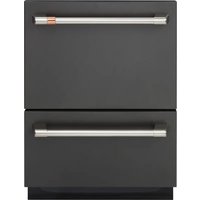
CDD220P2WS1 - Dishwasher Café - Free user manual and instructions
Find the device manual for free CDD220P2WS1 Café in PDF.


Pick your language and provide your email: we'll send you a specifically translated version.
| Product Type | Built-in Dishwasher |
| Brand | Café |
| Model | CDD220P2WS1 |
| Capacity | 14 Place Settings |
| Dimensions (H x W x D) | 33.5 x 23.9 x 24.5 inches |
| Weight | 95 lbs |
| Power Supply | 120 V, 60 Hz, 15 A |
| Energy Consumption | 270 kWh/year (typical) |
| Water Consumption | 3.5 gallons per cycle (typical) |
| Number of Wash Cycles | 6 cycles (Normal, Heavy, Light, Rinse, Eco, Quick) |
| Noise Level | 48 dBA |
| Control Type | Electronic touch pad |
| Display | LED indicator lights |
| Interior Material | Stainless steel tub |
| Racks | Upper and lower racks with fold-down tines |
| Cutlery Basket | Removable cutlery basket |
| Drying System | Heated drying with fan |
| Delay Start | Up to 24 hours |
| Child Lock | Yes |
| Self-Cleaning Filter | Manual cleaning required |
| Spare Parts Availability | Racks, filters, spray arms available |
| Warranty | 1 year limited |
Frequently Asked Questions - CDD220P2WS1 Café
How do I install the dishwasher?
Ensure power and water connections are available. Level the dishwasher under the counter, connect water supply line to 3/8 inch compression fitting, and attach drain hose to sink drain or garbage disposal. Plug into a grounded outlet.
What should I do if the dishwasher won't start?
Check if the door is securely closed and latched. Verify the child lock is not activated. Ensure power supply is on. Try resetting by unplugging for 30 seconds.
How to clean the filter?
Remove lower rack to access the filter assembly. Rotate the cylindrical filter counterclockwise and lift out. Rinse under running water and scrub with a soft brush. Reinstall securely.
Why are dishes not drying properly?
Ensure rinse aid is filled. Select a cycle with heated drying. Do not overload the dishwasher. Open door slightly after cycle ends for steam release.
What does the E1 error code mean?
E1 indicates a water supply issue. Check that water inlet valve is open and hose is not kinked. Clean filter in the inlet screen.
Can I use regular dish soap?
No, only use dishwasher detergent (powder, gel, or pods). Regular dish soap causes excessive suds and may damage the machine.
How to adjust the upper rack height?
Pull out the upper rack completely. Press the levers on each side rail to lower or lift the rack to one of three positions. Ensure it is level before sliding back.
What is the recommended maintenance schedule?
Monthly: clean filter and inspect spray arms. Every 3 months: run an empty cycle with dishwasher cleaner to remove buildup. Annually: check hoses for leaks.
Where can I find spare parts?
Visit the Café website or contact customer service. Common spare parts include racks, spray arms, filters, and detergent dispensers. Provide model number CDD220P2WS1.
How to enable the child lock?
Press and hold the Start/Reset button for 3 seconds until the lock icon appears on the display. Repeat to disable. This prevents accidental button presses.
User questions about CDD220P2WS1 Café
0 question about this device. Answer the ones you know or ask your own.
Ask a new question about this device
No questions yet. Be the first to ask one.
Download the instructions for your Dishwasher in PDF format for free! Find your manual CDD220P2WS1 - Café and take your electronic device back in hand. On this page are published all the documents necessary for the use of your device. CDD220P2WS1 by Café.
USER MANUAL CDD220P2WS1 Café


Manual assistant
Powered by Anthropic
Waiting for your message
Product information
Brand : Café
Model : CDD220P2WS1
Category : Dishwasher