VC-A71PN - Video Conferencing System Lumens - Free user manual and instructions
Find the device manual for free VC-A71PN Lumens in PDF.


Pick your language and provide your email: we'll send you a specifically translated version.
| Product Type | Video Conferencing System (PTZ Camera) |
| Model | VC-A71PN |
| Brand | Lumens |
| Dimensions (W x H x D) | Approx. 16.5 x 17.5 x 16.5 cm |
| Weight | Approx. 1.8 kg |
| Power Supply | DC 12V, 2.5A (via included adapter) |
| Power Consumption | ≤ 12W |
| Image Sensor | 1/2.8-inch CMOS, 2.13 MP |
| Resolution | 1080p, 720p, compatible with 4K via upscaling |
| Optical Zoom | 12x |
| Field of View | 72.5° (horizontal) |
| Video Outputs | HDMI, 3G-SDI, USB 2.0 (UVC) |
| Control Interface | RS-232, RS-422, IR remote, Visca over IP |
| Pan/Tilt Range | Pan: ±170°, Tilt: -30° to +90° |
| Pan/Tilt Speed | Pan: 0.1°~100°/s, Tilt: 0.1°~80°/s |
| Presets | Up to 255 |
| Audio | Built-in microphone (optional external) |
| Main Functions | Auto-tracking, gesture control, privacy mode |
| Care and Cleaning | Wipe lens with microfiber cloth; keep dry |
| Safety | CE, FCC, RoHS compliant |
| Spare Parts and Repairability | Contact authorized service center; limited repair options |
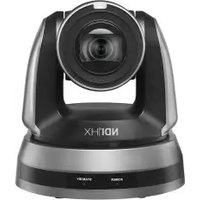
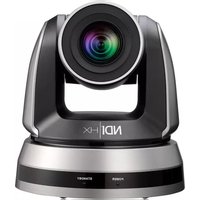
| General Information | Designed for classrooms, meeting rooms, and conferencing |
Frequently Asked Questions - VC-A71PN Lumens
What video outputs does the Lumens VC-A71PN support?
The device supports HDMI, 3G-SDI, and USB 2.0 (UVC) for video output.
Can I control the camera remotely?
Yes, through RS-232, RS-422, IR remote, or Visca over IP protocols.
What is the maximum zoom?
It offers 12x optical zoom for detailed close-ups.
Is the VC-A71PN compatible with Zoom/Teams/Webex?
Yes, as a USB UVC camera, it works with most conferencing software that supports external cameras.
How do I clean the lens?
Use a soft, dry microfiber cloth to gently wipe the lens. Avoid liquid cleaners.
Does the camera support auto-tracking?
Yes, it features auto-tracking to follow speakers within the room.
What power supply is required?
A DC 12V, 2.5A adapter is included; power consumption is ≤12W.
Can I adjust the pan/tilt speed?
Yes, pan speed ranges from 0.1° to 100°/s and tilt from 0.1° to 80°/s.
How many presets can I save?
You can save up to 255 preset positions for quick camera moves.
Is the VC-A71PN suitable for ceiling mounting?
Yes, it can be mounted upside down; the image automatically flips via camera settings.
User questions about VC-A71PN Lumens
0 question about this device. Answer the ones you know or ask your own.
Ask a new question about this device
No questions yet. Be the first to ask one.
Download the instructions for your Video Conferencing System in PDF format for free! Find your manual VC-A71PN - Lumens and take your electronic device back in hand. On this page are published all the documents necessary for the use of your device. VC-A71PN by Lumens.
USER MANUAL VC-A71PN Lumens

Manual assistant
Powered by Anthropic
Waiting for your message
Product information
Brand : Lumens
Model : VC-A71PN
Category : Video Conferencing System