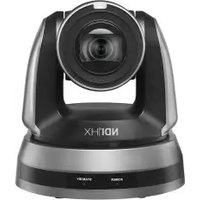
VC-A61PN - Video Conferencing System Lumens - Free user manual and instructions
Find the device manual for free VC-A61PN Lumens in PDF.


Pick your language and provide your email: we'll send you a specifically translated version.
| Product Type | Video Conferencing System |
| Brand | Lumens |
| Model | VC-A61PN |
| Dimensions (W x H x D) | Approx. 200 x 150 x 150 mm |
| Weight | Approx. 1.5 kg |
| Power Supply | DC 12V, 2A |
| Camera Resolution | Full HD 1080p |
| Optical Zoom | 20x |
| Field of View | 72.5° (wide end) |
| Video Output | HDMI, USB, RJ45 (IP) |
| Audio | Built-in microphone, line in/out |
| Pan/Tilt Range | Pan: ±170°, Tilt: -30° to +90° |
| Preset Positions | Up to 255 |
| Control Interface | RS-232, IR remote, web UI |
| Mounting | Ceiling or tabletop |
| Operating Temperature | 0°C to 40°C |
| Storage Temperature | -20°C to 60°C |
| Maintenance | Clean lens with soft dry cloth; avoid solvents |
| Safety | Use only supplied power adapter; avoid moisture |
| Spare Parts | Power adapter, remote control, cables |
| Repairability | Contact Lumens support or authorized service center |
| Included Accessories | Power adapter, remote control, HDMI cable, USB cable |
| Compliance | CE, FCC, RoHS |
Frequently Asked Questions - VC-A61PN Lumens
How do I connect the VC-A61PN to a computer?
Use the included USB cable to connect the camera to your computer. It will be recognized as a UVC (USB Video Class) device. For IP connection, connect via Ethernet and configure the network settings.
Can I use the camera without the remote control?
Yes, you can control the camera via RS-232 commands, the web interface, or compatible control systems. The IR remote is optional but provides easy manual control.
What video resolutions are supported?
The camera supports up to Full HD 1080p at 60 fps. Lower resolutions like 720p and 480p are also available through the menu.
How do I perform a factory reset?
Press and hold the reset button on the camera for 5 seconds using a paper clip. Alternatively, access the web interface and navigate to Settings > Factory Reset.
Is the VC-A61PN compatible with Zoom or Teams?
Yes, the camera works with any software that supports UVC (USB Video Class) devices, including Zoom, Microsoft Teams, and Skype.
What is the maximum cable length for HDMI?
For reliable signal transmission, use a high-quality HDMI cable up to 15 meters (50 feet). For longer distances, consider using an HDMI extender.
How do I update the firmware?
Download the latest firmware from the Lumens website. Connect the camera via USB or LAN, then use the Firmware Update tool in the web interface.
Can I mount the camera on a wall?
The camera is designed for ceiling or tabletop mounting. Wall mounting may require a third-party bracket. Ensure the surface can support the weight.
What should I do if the camera doesn't power on?
Check that the power adapter is securely connected to the camera and a power outlet. If using a PoE injector (optional), verify the network cable is connected. Try a different outlet.
How do I clean the camera lens?
Use a soft, lint-free microfiber cloth to gently wipe the lens. Do not use any liquids or abrasive materials. For stubborn smudges, slightly dampen the cloth with water.
User questions about VC-A61PN Lumens
0 question about this device. Answer the ones you know or ask your own.
Ask a new question about this device
No questions yet. Be the first to ask one.
Download the instructions for your Video Conferencing System in PDF format for free! Find your manual VC-A61PN - Lumens and take your electronic device back in hand. On this page are published all the documents necessary for the use of your device. VC-A61PN by Lumens.
USER MANUAL VC-A61PN Lumens

Manual assistant
Powered by Anthropic
Waiting for your message
Product information
Brand : Lumens
Model : VC-A61PN
Category : Video Conferencing System