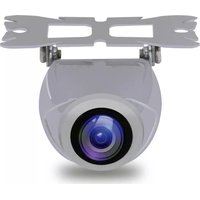
PLCMTRDVR48 - Dash cam Pyle - Free user manual and instructions
Find the device manual for free PLCMTRDVR48 Pyle in PDF.


Pick your language and provide your email: we'll send you a specifically translated version.
| Product Type | Dash Camera |
| Brand | Pyle |
| Model | PLCMTRDVR48 |
| Video Resolution | 1080p Full HD (1920x1080) |
| Lens Angle | 170° wide angle |
| Display | 2.7 inch LCD screen |
| Recording Modes | Loop recording, G-sensor emergency lock |
| Night Vision | Built-in infrared LEDs |
| Storage | Micro SD card up to 32GB (not included) |
| Power Supply | 12V vehicle cigarette lighter adapter (included) |
| Battery | Built-in rechargeable lithium battery (200mAh) |
| Mounting | Suction cup mount for windshield |
| Dimensions (approx.) | 9.5 x 5.5 x 4.5 cm |
| Weight | Approx. 80 g |
| Connectivity | USB (data transfer/charging), AV output |
| Main Functions | Motion detection, parking monitor, date stamp |
| Care and Cleaning | Clean lens with soft cloth; avoid solvents |
| Safety | Do not obstruct driver's view; device may get warm |
| Spare Parts and Repairability | Contact Pyle support; no user-serviceable parts inside |
| General Information | For in-vehicle use only; operating temp: -10°C to 60°C |
Frequently Asked Questions - PLCMTRDVR48 Pyle
What memory card does this dash cam support?
This dash cam supports Micro SD cards up to 32GB, Class 10 or higher. It is not included and must be purchased separately.
How do I install the dash cam?
Clean your windshield, attach the suction mount, and press firmly. Route the cable along the windshield edge and plug it into the 12V adapter. Adjust the lens angle before driving.
Does it have night vision?
Yes, the PLCMTRDVR48 is equipped with built-in infrared LEDs for night vision, allowing clear recording in low-light conditions.
How does loop recording work?
Loop recording automatically overwrites the oldest video files when the memory card is full, ensuring continuous recording without manual deletion. Important files can be locked using the G-sensor.
What is the G-sensor function?
The G-sensor detects sudden impacts or collisions and automatically locks the current video file to prevent it from being overwritten. This ensures evidence is preserved in case of an accident.
How do I view recorded videos?
You can view videos directly on the 2.7 inch LCD screen, remove the SD card and use a computer, or connect the camera via USB to transfer files.
Can I use it while parked?
Yes, the dash cam has a parking monitor feature that activates motion detection when the vehicle is off. It requires a hardwire kit or connection to a constant power source (not included).
How do I clean the lens?
Use a soft, dry microfiber cloth to gently wipe the lens. Avoid using any liquids or abrasive materials, as they may damage the lens coating.
What should I do if the camera freezes?
Try resetting the device by pressing the reset button with a paperclip (located near the power port). If the issue persists, reformat the SD card or contact Pyle support.
Is the battery replaceable?
The battery is built-in and not user-replaceable. If the battery fails, please contact Pyle customer service for repair options.
User questions about PLCMTRDVR48 Pyle
0 question about this device. Answer the ones you know or ask your own.
Ask a new question about this device
No questions yet. Be the first to ask one.
Download the instructions for your Dash cam in PDF format for free! Find your manual PLCMTRDVR48 - Pyle and take your electronic device back in hand. On this page are published all the documents necessary for the use of your device. PLCMTRDVR48 by Pyle.
USER MANUAL PLCMTRDVR48 Pyle

Manual assistant
Powered by Anthropic
Waiting for your message
Product information
Brand : Pyle
Model : PLCMTRDVR48
Category : Dash cam